
For a badge printer for event check-in, I’d choose the IDP SMART-21S as the best overall fit for a straightforward, single-sided plastic badge workflow. The Magicard 400X stands out when you need dual-sided printing, while the Badgy100 is a more approachable choice for smaller events and simpler setup. The main tradeoff is between fast, practical single-sided printing and the added capability—and setup demands—of dual-sided systems. The lineup also includes an iPad-based kiosk, which serves a different check-in flow than a conventional card printer. Read on for the full comparison and guidance on matching a printer to your event.

Get office and shipping supplies delivered free — and shop member deals
- Fast, free delivery on millions of items
- Access to Prime Big Deal Days deals on October 6–7
- Prime Video, Amazon Music and more included
Key Takeaways
- Single-sided printers dominate the practical event use case: the IDP SMART-21S, Badgy100, Solid 210, Seaory S25, and Seaory S26 suit events where one-sided badges are enough.
- Dual-sided models solve a specific problem: the Magicard 400X and Magicard 300 are better fits when schedules, access details, or other information need a second side.
- Bundles change how much setup is required: the Magicard 300 package lists blank cards, ribbon, and a cleaning kit, while some other options emphasize software, supplies, or a camera.
- Beginner-friendly software can matter more than extra printer features: Badgy100 and Solid 210 emphasize simpler design workflows for teams without dedicated ID-card staff.
- The Sprocket T is a different kind of check-in tool: its iPad kiosk format may suit a self-service label or badge station, but it is not a direct substitute for the listed plastic-card printers.
| IDP SMART-21S Single-Sided ID Card Printer Kit |  | Best Ready-to-Run Pick | Printer type: Dye sublimation | Printing: Single-sided, color and monochrome | Resolution: 300 x 300 dpi | VIEW ON AMAZON | See Our Full Breakdown |
| Badgy100 Plastic Card Printer with Badge Studio ID Design Software |  | Best for Template-Led Setup | Printer type: Dye sublimation and thermal | Print resolution: 300 x 300 dpi | Color depth: 24 bpp | VIEW ON AMAZON | See Our Full Breakdown |
| Cardholdir ID Easy Badges Solid 210 Single-Sided ID Badge Printer with Beginner Software |  | Best for Mixed PC and Mac Teams | Printer type: Thermal, direct-to-card | Print sides: Single-sided | Resolution: 300 x 300 dpi | VIEW ON AMAZON | See Our Full Breakdown |
| Bodno Magicard 400X Dual-Sided ID Card Printer with Bronze Edition Software and Supplies |  | Best for Double-Sided Event Credentials | Printer type: Direct to card | Printing: Automatic dual-sided | Print resolution: 300 x 300 dpi | VIEW ON AMAZON | See Our Full Breakdown |
| Specialist ID Magicard 300 Dual Sided ID Badge Printer PVC Card Printer Machine Bundle with 100 Blank Cards – MC200YMCKO Ribbon & Cleaning Kit for Employee, Student, Hospital Staff |  | Best for Connected, High-Volume Check-In | Printer type: Dye sublimation, direct-to-card | Printing: Dual-sided | Resolution: 300 x 300 dpi | VIEW ON AMAZON | See Our Full Breakdown |
| Bodno Seaory S25 Single-Sided ID Card Printer with Supplies and Bronze Edition Software |  | Best for Small, Occasional Check-In Events | Printer type: Direct-to-card | Printing: Color, single-sided | Feed system: Manual | VIEW ON AMAZON | See Our Full Breakdown |
| Sprocket T Print Label and Badge Printer Kiosk Stand for iPad 11-inch (A16) |  | Best Check-In Kiosk Stand | Compatible tablet: iPad 11-inch (A16) | Compatible printers: Brother QL-810W, QL-820NWB, QL-820NWBc | Mounting type: Floor stand | VIEW ON AMAZON | See Our Full Breakdown |
| Bodno Seaory S26 Single-Sided ID Card Printer with Supplies, Software, and Camera |  | Best for Higher-Detail Single-Sided Badges | Model number: S26SSBB | Printer type: Direct-to-card | Printing: Single-sided, color | VIEW ON AMAZON | See Our Full Breakdown |
| badge printer for event check in | Printer type | Connectivity | Dimensions | Printing |
|---|---|---|---|---|
| IDP SMART-21S Single-Sided ID | Dye sublimation | USB | 6.6 x 10.2 x 7 inches | Single-sided, color and monochrome |
| Badgy100 Plastic Card Printer | Dye sublimation and thermal | USB 2.0 | — | — |
| Cardholdir ID Easy Badges Soli | Thermal, direct-to-card | USB | 10.2 x 6.6 x 7 inches | — |
| Bodno Magicard 400X Dual-Sided | Direct to card | USB | — | Automatic dual-sided |
| Specialist ID Magicard 300 Dua | Dye sublimation, direct-to-card | Ethernet and USB | 16 x 8.5 x 9.5 inches | Dual-sided |
| Bodno Seaory S25 Single-Sided | Direct-to-card | USB 2.0 | 9.6 × 6.29 × 8.18 inches | Color, single-sided |
| Sprocket T Print Label and Bad | — | — | 15 × 15 × 47 inches | — |
| Bodno Seaory S26 Single-Sided | Direct-to-card | — | 17.71 × 6.85 × 8.97 inches | Single-sided, color |
More Details on Our Top Picks
IDP SMART-21S Single-Sided ID Card Printer Kit
For an event team that wants to print photo badges at a check-in desk without sourcing cards and ribbon separately, the IDP SMART-21S kit is a practical starting point. It includes 100 PVC cards, a 100-print color ribbon, software, and a driver, so the setup arrives with the main consumables for a first batch. Its stated output of over 150 color cards per hour suits planned registration waves better than last-minute mass issuance. Compared with the Badgy100, this kit lists a faster color rate, while the Badgy100 emphasizes ready-made design templates. The tradeoff is Windows-only software compatibility and single-sided printing; teams needing a reverse-side schedule or QR instructions will need another approach. I’d choose it for straightforward, one-sided event credentials, not complex badge workflows.
Pros:- Includes a printer driver, software, 100 PVC cards, and a 100-print color ribbon.
- Prints both color and monochrome cards.
- Compact dimensions suit a registration desk with limited space.
- Stated color throughput is over 150 cards per hour.
Cons:- Software compatibility is limited to Windows 10 and 11.
- Single-sided printing cannot place schedules or other details on the reverse.
- The included color ribbon covers 100 prints, so larger events need additional supplies.
Best for: Small event teams using Windows that want a compact printer and starter cards and ribbon for producing one-sided attendee badges.
Not ideal for: Mac-based check-in teams or events that need information printed on both sides of each badge.
- Printer type:Dye sublimation
- Printing:Single-sided, color and monochrome
- Resolution:300 x 300 dpi
- Print speed:Over 150 color or 600 monochrome cards per hour
- Compatibility:Windows 10 and 11
- Connectivity:USB
- Included supplies:100-print YMCKO ribbon and 100 PVC cards
- Dimensions:6.6 x 10.2 x 7 inches
Our verdict“Choose the SMART-21S for a Windows-based check-in desk that needs a compact, one-sided printer with starter supplies included.”
Badgy100 Plastic Card Printer with Badge Studio ID Design Software
The Badgy100 suits event organizers who would rather start from a badge template than build a design workflow from scratch. Its included Badge Studio software and online template library can help a small team prepare consistent attendee cards, while its compact 1.7 kg body is easy to place near a registration station. Compared with the IDP SMART-21S, the Badgy100 offers a more explicitly template-oriented setup, but its listed color speed is slower at 1.3 pages per minute. The 25-card input capacity also means more frequent reloading than printers with larger hoppers, making it less suited to a long, uninterrupted check-in rush. USB 2.0 is the only listed connection, so this is best for a single nearby computer rather than a flexible networked station.
Pros:- Includes Badge Studio design software and access to an online template library.
- Prints full-color badges on plastic cards.
- Compact, lightweight form can fit a small check-in workspace.
- Lists a two-year manufacturer warranty.
Cons:- Color output is listed at 1.3 pages per minute, slower than the IDP SMART-21S’s stated card rate.
- Input capacity is limited to 25 sheets, so larger batches require reloading.
- USB 2.0 is the only listed connectivity option.
Best for: Volunteer-led or small event teams that need simple badge design templates and expect to print modest batches from a nearby computer.
Not ideal for: Busy registration desks printing large batches continuously, or teams that require Ethernet or a larger card input hopper.
- Printer type:Dye sublimation and thermal
- Print resolution:300 x 300 dpi
- Color depth:24 bpp
- Color print speed:1.3 pages per minute
- Black-and-white print speed:1.5 pages per minute
- Card size:3.37 x 2.125 inches
- Connectivity:USB 2.0
- Weight:1.7 kg
- Input capacity:25 sheets
Our verdict“Pick the Badgy100 when easy template-based badge design matters more than rapid batch printing or flexible connectivity.”
Cardholdir ID Easy Badges Solid 210 Single-Sided ID Badge Printer with Beginner Software
The Solid 210 earns its place for event teams that need a beginner-friendly badge setup across both PC and Mac. Its software supports drag-and-drop images and badge templates, and the bundle includes a 250-print color ribbon and 200 PVC cards, giving organizers more starter stock than the Badgy100’s listed 25-sheet input capacity. The stated rate of up to 300 full-color cards per hour also makes it a stronger fit for scheduled batches than the Badgy100’s 1.3 pages per minute. That advantage comes with a hands-on wrinkle: cards are manually fed, which can slow a busy check-in desk and demands more attention from staff. Like the IDP SMART-21S, it prints only one side, but broader PC and Mac compatibility makes this a more flexible choice for mixed-computer teams.
Pros:- Works with both PC and Mac over USB.
- Includes beginner design software with drag-and-drop image support and templates.
- Bundle includes 200 PVC cards and a 250-print full-color ribbon.
- Stated maximum color speed is up to 300 cards per hour.
Cons:- Manual card feeding requires staff attention during printing.
- Single-sided output cannot print event details on the card reverse.
- USB is the listed connection, with no Ethernet option specified.
Best for: Small event organizers using either PC or Mac who want beginner-oriented badge software and a sizable starter supply of cards.
Not ideal for: High-volume check-in operations that need automatic card feeding or double-sided credentials.
- Printer type:Thermal, direct-to-card
- Print sides:Single-sided
- Resolution:300 x 300 dpi
- Print speed:Up to 300 full-color cards per hour
- Supported card size:CR80 or smaller (85.60 x 53.98 mm)
- Included supplies:250-print full-color ribbon and 200 PVC cards
- Connectivity:USB
- Compatibility:PC and Mac
- Dimensions:10.2 x 6.6 x 7 inches
Our verdict“Choose the Solid 210 if your check-in team uses PC or Mac and can trade automatic feeding for a well-stocked, beginner-friendly bundle.”
Bodno Magicard 400X Dual-Sided ID Card Printer with Bronze Edition Software and Supplies
When one badge needs to carry a name and photo on the front plus a schedule, access notes, or QR code on the back, the Magicard 400X is the clearest fit in this group. Its automatic dual-sided printing handles both faces without staff turning cards over, unlike the single-sided IDP SMART-21S and Solid 210. The package also includes a 300-print YMCKO ribbon, a lifetime Bodno Bronze software license, and a four-year warranty, making it a more feature-rich event station package than the Badgy100. The tradeoff is a listed color rate of 3 pages per minute, which may constrain large, time-sensitive registration waves. USB is the only listed connection, so it is less adaptable to a shared network setup than the Specialist ID Magicard 300 bundle, which lists Ethernet as well.
Pros:- Automatically prints both sides of each card.
- Includes a 300-print YMCKO ribbon and Bodno Bronze Edition software with a lifetime license.
- Four-year warranty and lifetime software support are included.
- Compatible with Windows and Mac.
Cons:- Listed color speed is 3 pages per minute, which may slow large check-in batches.
- USB is the only listed connectivity option.
- Dual-sided capability may be unnecessary for events needing only a basic one-sided badge.
Best for: Organizers producing event or access badges that need information on both sides and want included design software with long-term support.
Not ideal for: Events requiring network-connected printing or very rapid color output for a large walk-up queue.
- Printer type:Direct to card
- Printing:Automatic dual-sided
- Print resolution:300 x 300 dpi
- Color print speed:3 pages per minute
- Black-and-white print speed:10 pages per minute
- Card size:3.37 x 2.125 inches
- Connectivity:USB
- Included ribbon:300-print YMCKO
- Warranty:4 years
Our verdict“Choose the Magicard 400X when two-sided event information and included software matter more than Ethernet or maximum color throughput.”
Specialist ID Magicard 300 Dual Sided ID Badge Printer PVC Card Printer Machine Bundle with 100 Blank Cards – MC200YMCKO Ribbon & Cleaning Kit for Employee, Student, Hospital Staff
For a larger event or a venue that wants a shared check-in printer, this Specialist ID Magicard 300 bundle stands apart with Ethernet and USB connectivity, a 100-card input hopper, and automatic double-sided printing. Its stated throughput of up to 160 full-color cards per hour is lower than the Solid 210’s claimed maximum of 300, but the larger hopper and Ethernet connection better suit batch work at a staffed registration desk. The bundle includes 100 blank cards, a 200-print color ribbon, and a cleaning kit, while security features include HoloKote watermark options and digital print-data shredding. The included supply set is smaller than the Magicard 400X’s 300-print ribbon, and the description specifies Windows, Linux (CUPS), and MacOS compatibility rather than a named design-software package. I’d favor it when connectivity and workflow features outweigh starter ribbon capacity.
Pros:- Ethernet and USB connections support more flexible station placement than USB-only options such as the Magicard 400X.
- Automatic dual-sided printing and a 100-card input hopper support batch production.
- Includes 100 PVC cards, a 200-print color ribbon, and a cleaning kit.
- Lists Windows, Linux (CUPS), and MacOS compatibility, plus HoloKote and digital print-data shredding features.
Cons:- The stated color rate of up to 160 cards per hour is lower than the Solid 210’s stated maximum.
- The included 200-print ribbon is smaller than the Magicard 400X’s 300-print ribbon.
- No named badge-design software package is specified in the supplied product details.
Best for: Medium-sized events, schools, or organizations with busy registration stations that need Ethernet, automatic two-sided printing, and batch card handling.
Not ideal for: Small events seeking the simplest low-volume setup, or buyers who want a named badge-design software package included.
- Printer type:Dye sublimation, direct-to-card
- Printing:Dual-sided
- Resolution:300 x 300 dpi
- Color print speed:Up to 160 full-color cards per hour
- Monochrome print speed:Up to 720 cards per hour
- Input and output capacity:100-card input hopper and 70-card output hopper
- Connectivity:Ethernet and USB
- Compatibility:Windows, Linux (CUPS), and MacOS
- Dimensions:16 x 8.5 x 9.5 inches
Our verdict“Choose this Magicard 300 bundle for event check-in that benefits from Ethernet, batch feeding, and two-sided badges more than a larger starter ribbon.”
Bodno Seaory S25 Single-Sided ID Card Printer with Supplies and Bronze Edition Software
The Seaory S25 suits organizers who print badges in small batches or handle arrivals one person at a time. Its manual feed and 100-print color ribbon keep the setup straightforward, while the included Bronze Edition software offers templates and drag-and-drop tools for creating event IDs. Compared with the Seaory S26, the S25 comes with less ribbon capacity and a lower stated resolution, but its compact footprint and included design software make it a reasonable fit for occasional check-in rather than continuous throughput. The tradeoff is speed at the desk: each card must be fed manually, so a line of guests can build while badges are being produced. I’d favor this for small events with flexible arrival times, not busy registration desks that need cards ready in volume.
Pros:- Includes a YMCKO color ribbon rated for up to 100 prints
- Bronze Edition software includes templates and drag-and-drop design tools
- Supports Windows, Mac, and Linux
- Includes a 2-year hardware warranty and lifetime software support
Cons:- Manual feeding means each badge must be loaded individually
- Designed for low-volume printing rather than sustained event throughput
- Single-sided printing limits how much information fits on each card
Best for: Small conferences, community events, or offices that print occasional color badges and can process guests one at a time.
Not ideal for: Busy registration teams expecting a steady queue, since manual feeding and low-volume design slow down back-to-back badge production.
- Printer type:Direct-to-card
- Printing:Color, single-sided
- Feed system:Manual
- Print resolution:300 × 300 dpi
- Included ribbon:YMCKO color ribbon, up to 100 prints
- Connectivity:USB 2.0
- Software compatibility:Windows, Mac, and Linux
- Dimensions:9.6 × 6.29 × 8.18 inches
- Warranty and support:2-year hardware warranty; lifetime software support
Our verdict“Choose the S25 for smaller events that value an included design workflow over fast, high-volume check-in.”
Sprocket T Print Label and Badge Printer Kiosk Stand for iPad 11-inch (A16)
The Sprocket T Print is a kiosk stand, not a printer, so it makes sense for organizers who already plan to build a tablet-based check-in station. Its lockable iPad mount, enclosed cable routing, and internal storage give a floor-standing setup a tidier, more controlled footprint than placing a tablet and printer loose on a registration table. It pairs with specified Brother QL printers, including the QL-820NWB, for on-demand label or badge printing. Compared with the Bodno Seaory S26, it does not provide a card printer, ribbon, or badge-design software; its value is the kiosk structure and visitor-facing placement. That means more components and workflow decisions fall to the buyer. I’d choose it for a staffed or self-service entry point where presentation and device security matter, but skip it if you need a printer-included package.
Pros:- Key-locked tablet mount helps secure the iPad at a public check-in point
- Enclosed cable management keeps wiring contained and presents a cleaner station
- Designed for on-demand labels and badges with compatible Brother QL printers
- Adjustable tablet positioning and optional wheels support flexible placement
Cons:- Neither the iPad nor compatible Brother printer is included
- Requires a compatible tablet, printer, and software workflow to produce badges
- At 47 inches tall and 12.38 kg, it is less convenient to move than a tabletop printer
Best for: Event teams building a floor-standing, iPad-based visitor check-in station around a compatible Brother QL printer.
Not ideal for: Buyers who need a complete badge-printing kit or plastic ID-card printing, since the iPad and printer are sold separately and the stand itself does not print.
- Compatible tablet:iPad 11-inch (A16)
- Compatible printers:Brother QL-810W, QL-820NWB, QL-820NWBc
- Mounting type:Floor stand
- Material:Aluminum
- Dimensions:15 × 15 × 47 inches
- Weight:12.38 kg
- Security:Key-locked tablet stand
- Cable management:Enclosed cables with internal storage and a single cable exit
- Warranty:1 year
Our verdict“Pick the Sprocket T Print when you need a secure, polished iPad kiosk and already have the compatible printing hardware.”
Bodno Seaory S26 Single-Sided ID Card Printer with Supplies, Software, and Camera
For check-in teams that want more detail on a single-sided plastic badge, the Seaory S26 offers a stated maximum color resolution of 300 × 1200 dpi and an included ribbon rated for up to 300 prints. Its lifetime Bronze Edition license supplies templates and drag-and-drop design tools, which can help an organizer prepare a repeatable badge layout before event day. Compared with the Seaory S25, the S26 has greater ribbon capacity and a higher maximum color resolution, making it the stronger fit for a larger run or finer graphic detail. The central limitation remains the same: it prints on one side only, so it cannot match the two-sided format available from models such as the Magicard 400X. I’d shortlist it for color credentials with names and artwork on one face, but not for badges that need substantial back-side information.
Pros:- Included color ribbon is rated for up to 300 prints
- Maximum color resolution of 300 × 1200 dpi supports finer single-sided badge detail
- Bronze Edition software includes templates and a lifetime license
- Compatible with Windows, Mac, and Linux
Cons:- Prints on one side only, unlike dual-sided options such as the Magicard 400X
- The supplied ribbon capacity may not cover larger events without additional supplies
- The supplied data does not state print speed, making queue planning harder
Best for: Event organizers printing a few hundred single-sided color ID badges who want higher stated resolution and included design software.
Not ideal for: Teams that need two-sided credentials, or check-in operations that require a confirmed high-speed workflow for continuous queues.
- Model number:S26SSBB
- Printer type:Direct-to-card
- Printing:Single-sided, color
- Maximum color resolution:300 × 1200 dpi
- Color ribbon capacity:Up to 300 prints
- Color depth:24 bits
- Compatibility:Windows, Mac, and Linux
- Dimensions:17.71 × 6.85 × 8.97 inches
- Hardware warranty and software support:2-year hardware warranty; lifetime software support
Our verdict“Choose the S26 for a larger run of detailed, single-sided color badges, but look to a dual-sided model when credentials need information on both faces.”
How We Picked
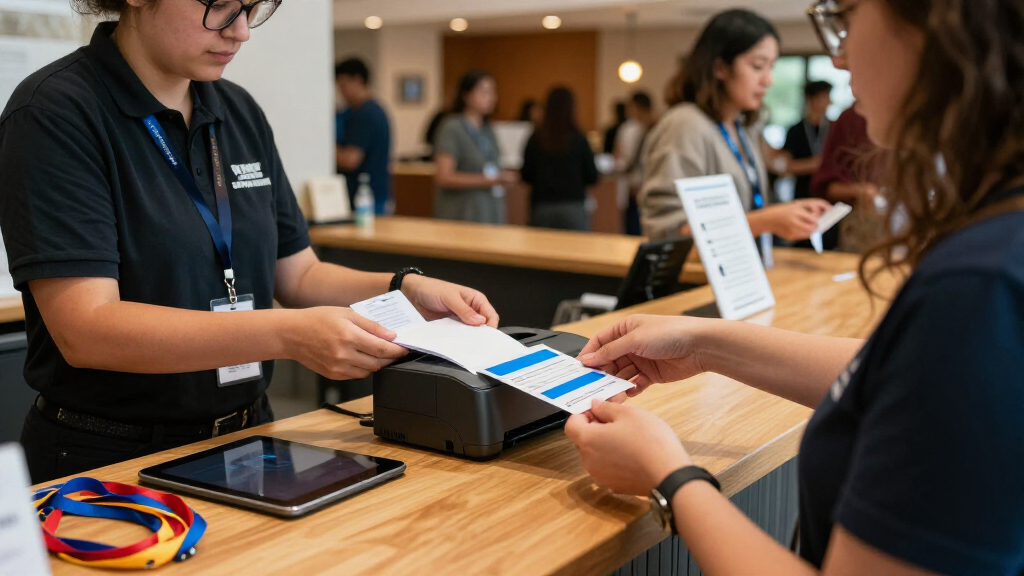
I compared these eight options around the demands of event check-in: the kind of badge each can produce, how readily a small team can prepare designs, and whether the package appears suited to a first setup or an existing card-printing workflow. I also weighed single- versus dual-sided printing, the presence of software and supplies, and whether a camera or kiosk format serves a distinct operational need. These factors affect more than the badge itself: they influence queue flow, prep work, and what organizers need to source separately.
The ranking favors direct relevance to routine event check-in, ease of adoption, and a clear fit for common event needs. The IDP SMART-21S leads as a straightforward single-sided option; the Magicard 400X ranks highly for events that need two-sided cards. Beginner-oriented choices follow for teams prioritizing simpler setup, while the Seaory models offer narrower single-sided alternatives. The Sprocket T sits apart because its iPad kiosk approach serves a different station design. Product details supplied here do not establish print speeds, connectivity, or compatibility with particular registration platforms, so buyers should confirm those points before ordering.
| badge printer for event check in | Printer type | Printing | Compatibility | Connectivity |
|---|---|---|---|---|
| IDP SMART-21S Single-Sided ID | Dye sublimation | Single-sided, color and monochrome | Windows 10 and 11 | USB |
| Badgy100 Plastic Card Printer | Dye sublimation and thermal | — | — | USB 2.0 |
| Cardholdir ID Easy Badges Soli | Thermal, direct-to-card | — | PC and Mac | USB |
| Bodno Magicard 400X Dual-Sided | Direct to card | Automatic dual-sided | — | USB |
| Specialist ID Magicard 300 Dua | Dye sublimation, direct-to-card | Dual-sided | Windows, Linux (CUPS), and MacOS | Ethernet and USB |
| Bodno Seaory S25 Single-Sided | Direct-to-card | Color, single-sided | — | USB 2.0 |
| Sprocket T Print Label and Bad | — | — | — | — |
| Bodno Seaory S26 Single-Sided | Direct-to-card | Single-sided, color | Windows, Mac, and Linux | — |
Factors to Consider When Choosing Badge Printer For Event Check In
Choosing a printer is only one part of planning check-in. I’d start with the badge format and attendee flow, then check whether the equipment fits the registration software, staffing plan, and supply schedule. A capable printer can still slow a line if the design is difficult to update or the team has not prepared cards and consumables in advance.
Match the badge material to the event
Decide whether attendees need durable plastic cards or a simpler label-style badge before comparing printers. Plastic cards make sense when badges will be carried for several days, reused, or shown for access checks, while labels may suit informal gatherings where speed and easy disposal matter more. Do not assume that every device described as a badge printer accepts the same media. Confirm the supported card or label dimensions, thickness, and supply type against the badge design you have in mind. A mismatch can force last-minute redesigns or separate printing arrangements. If you need plastic cards, keep the choice among the card printers; treat the Sprocket T kiosk as a distinct label-oriented workflow until its media details are confirmed.
Plan for the number of sides you will actually use
A second printed side can carry useful details such as a schedule, venue map, meal notes, or access instructions. It also adds a design decision and may add complexity to the printing workflow, so it is not automatically worth choosing for every event. For a name-and-organization badge, single-sided models may be enough and can keep the operation simpler. Before paying for dual-sided capability, sketch the information attendees need and see whether it fits legibly on one face. Remember that smaller text can make a badge harder to read in a busy room. I’d favor two-sided printing when the extra face has a defined job, not just because it is available.
Check software and registration-system compatibility
Badge design software and event registration software are not the same thing. A printer may include a design tool yet still require a separate method to import attendee names, photos, or ticket data from your check-in platform. Ask whether the workflow supports the data fields you plan to print and how updates are handled when registrations change. For a small event, a simple template and manual entry may be perfectly workable. At a larger event, repeated copying can create spelling errors and slow the line. Verify the operating-system and connection requirements with the vendor before committing to a printer.
Size supplies around the event, not the package
Included supplies can help with initial setup, but they may not cover the full attendee list or any allowance for misprints. Estimate cards or labels, ribbons, and cleaning materials against expected attendance, then add a sensible reserve for late registrations and damaged badges. Check which consumables are specific to the printer model so you do not order an incompatible substitute. A bundle that includes starter materials can reduce procurement work, though it does not replace a replenishment plan. Assign one person to track remaining stock before the event day. Running short at check-in can disrupt a line more than a slightly slower printer.
Design the station around attendee flow
Think about where attendees will register, where staff will verify their information, and where the badge will be handed over. A printer at a staffed desk fits a conventional check-in process, while a kiosk may suit a self-service station if attendees can follow the steps without assistance. Do not assume that adding a kiosk automatically reduces queues; unclear instructions or data-entry problems can move the bottleneck rather than remove it. Test the full route, including badge pickup, with a few people before event day. Keep the printer, blank stock, and finished badges arranged so staff do not cross paths. For a high-volume event, having a backup plan for manual check-in is also sensible.
Pay for capabilities that remove a real bottleneck
Extra features earn their place when they reduce work or meet a firm event requirement. A camera may help when attendee photos are part of the badge process, while dual-sided printing can help when the second face carries information that staff would otherwise distribute separately. Neither feature is useful if the registration workflow cannot supply the required data or the event has no need for it. Beginner-focused software may be a better investment for a volunteer team than a more capable printer with a steeper setup process. Compare the full operating setup, including supplies and staff time, rather than the printer alone. For occasional events, keeping the process simple can be more valuable than expanding badge functionality.
Frequently Asked Questions
Should I choose a dual-sided printer for a one-day event?
Usually, not unless the second side carries information attendees need during the event. If a badge only needs a name, organization, or entry identifier, a single-sided printer may keep the workflow simpler. Dual-sided models such as the Magicard 400X and Magicard 300 make more sense when the reverse has a clear use, such as schedules or access instructions. Consider how much time your team has to prepare and verify both sides. If you are unsure, finalize the badge layout before choosing the printer.
Can these printers print badges directly from my event registration system?
The product details listed here do not confirm compatibility with specific registration platforms. A printer’s included design software may help create a badge, but it does not guarantee automatic attendee-data transfer from your event system. Check for supported integrations, import formats, operating systems, and connection types with both vendors before purchase. Ask for a sample workflow using the attendee fields you need, especially if you plan to print photos or custom access details. If automatic transfer is unavailable, include manual entry and proofreading time in your staffing plan.
How many blank badges and supplies should I have ready?
Start with your expected attendee count, then add stock for late registrations, damaged cards, and test prints. The right reserve depends on how often your attendee list changes and whether staff will be learning the setup on event day. Check that the ribbon and card type match the exact printer model; starter supplies in a bundle may not cover a full event. Keep replenishment supplies close to the check-in station but out of the attendee queue. A short test run before doors open can reveal problems before they affect the line.
Is the iPad kiosk printer comparable to a plastic card printer?
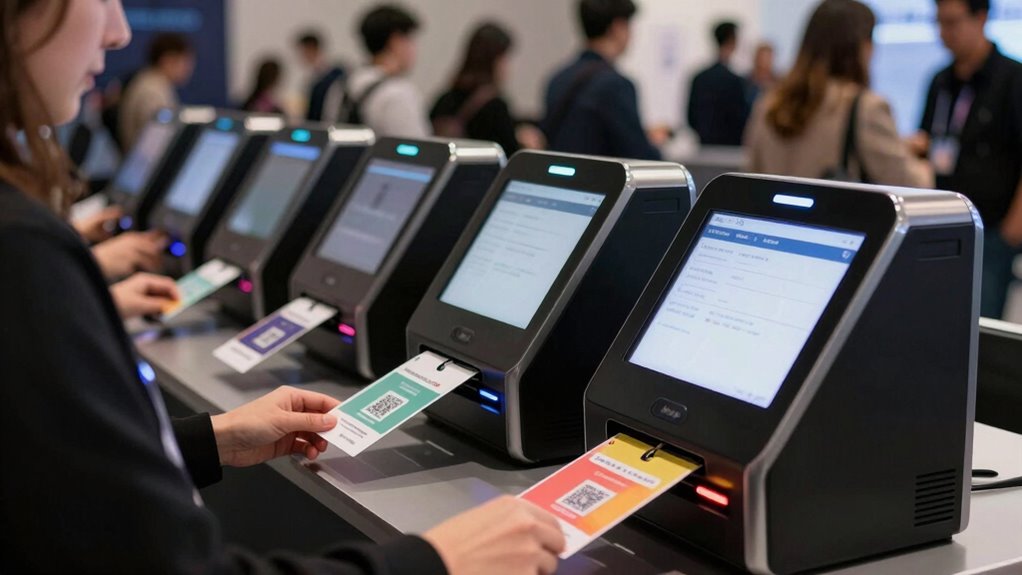
Not directly: the Sprocket T is presented as a label and badge printer kiosk stand for an iPad, while the other listed options are ID-card printers. That difference may affect badge material, design, station setup, and how attendees interact with check-in. A kiosk format can suit self-service workflows, but buyers should confirm its supported media and registration software before treating it as a replacement for plastic cards. If durability or card-based access matters, compare it separately from the ID-card models. Choose based on the complete check-in process rather than the word “badge” alone.
What should a first-time event organizer prioritize over advanced printer features?
I’d prioritize a clear design workflow, compatible supplies, and a testable path from attendee data to a finished badge. A beginner-friendly design tool can save staff time when no one on the team specializes in card printing. Confirm what is included, what must be purchased separately, and whether the printer works with the computers you will use at the venue. Run sample badges using realistic attendee data before event day, including long names and any photos. Advanced features are secondary if the basic process is not reliable for your team.
Conclusion
For most organizers printing straightforward plastic badges, I’d start with the IDP SMART-21S as best overall, with the Badgy100 as the best value-oriented pick when beginner-friendly design software is a priority. The Magicard 400X is my best premium choice for events with a real need to print both sides, while the Solid 210 is the best beginner-focused option for a simpler entry into card design and printing. Choose the Magicard 300 if its listed bundle of cards, ribbon, and cleaning kit suits your supply needs; compare the Seaory S25 and S26 when you want single-sided alternatives, with the S26 adding a camera to its package. For a different station style, consider the Sprocket T kiosk only after confirming its media and software fit your check-in plan. My final choice would depend on badge material, the information required on each side, and whether your registration system can feed the printer cleanly.
Halloween Picks
halloween
As an affiliate, we earn on qualifying purchases.