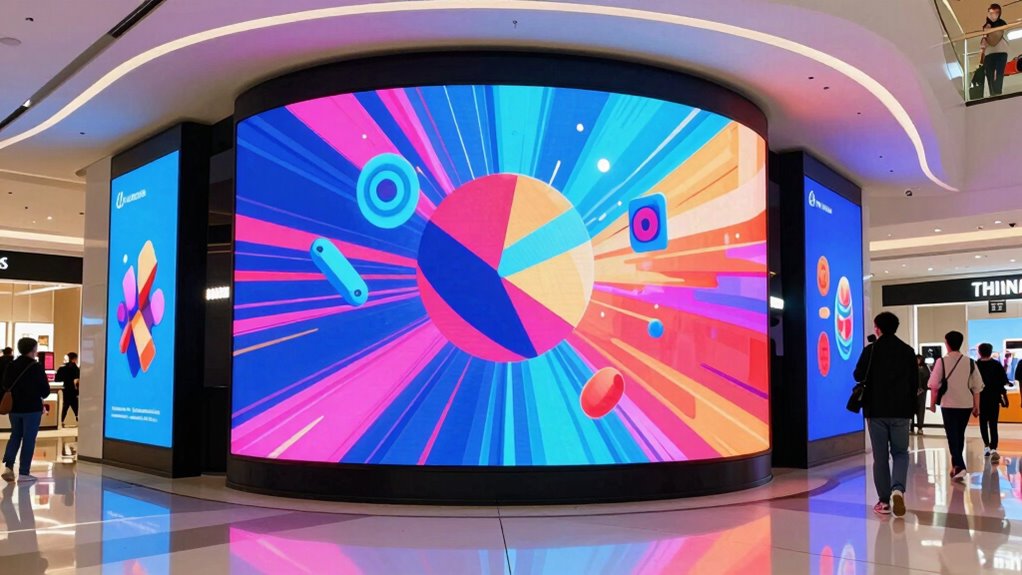

For most retail promotions, I would start with the Canlarriz 43-Inch 4K UHD Digital Signage Kiosk: its floor-standing format and 700-nit brightness suit attention-grabbing messages in open store areas. The QIXZOCV 32-Inch Indoor Display stands out for brighter indoor placement at 1000 nits, while the Canlarriz 29-Inch Bar Display suits narrow shelves and aisle headers. The key tradeoffs are screen visibility, available floor or counter space, and whether shoppers need to interact with the display. I also weigh resolution and setup flexibility, since a large screen is not automatically the best fit for every promotion. Read on for how all 12 options compare and which one matches your store.

Get business pricing on office and shipping supplies
- Business-only prices and quantity discounts
- Tax-exempt purchasing
- Multiple users, one account, clear invoices
Key Takeaways
- The 43-inch Canlarriz kiosk is the strongest all-around fit when a promotion needs a freestanding presence and more brightness than a typical indoor screen.
- Brightness is a meaningful divider: the QIXZOCV 32-inch and Canlarriz 29-inch bar display list 1000 nits, while the 43-inch Canlarriz kiosk lists 700 nits.
- Screen shape can matter more than diagonal size. The 29-inch 1920 × 540 bar format is designed for narrow promotional zones where a conventional screen may not fit.
- Small displays serve focused jobs: the 10.1-inch LumaVue and 18.5-inch Canlarriz options suit counters or close viewing better than broad aisle messaging.
- 4K is concentrated in larger Canlarriz and JASZDOT models, but for simple price or offer messaging, placement and legibility may matter more than resolution.
| 32-Inch Interactive Digital Signage Kiosk with Touchscreen, Android, Wi-Fi, USB and HDMI | 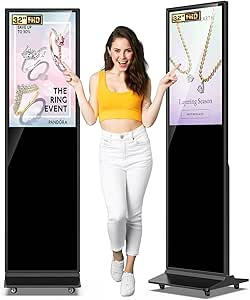 | Best for Interactive Floor Promotions | Screen size: 32 inches | Display: IPS LCD touchscreen | Resolution: 1920 × 1200 native; maximum listed as 1920 × 1080 | VIEW ON AMAZON | See Our Full Breakdown |
| Canlarriz 18.5-Inch Countertop Digital Signage Display |  | Best for Scheduled Countertop Promotions | Screen size: 18.5 inches | Resolution: 1920 × 1080 (Full HD) | Brightness: 700 cd/m² | VIEW ON AMAZON | See Our Full Breakdown |
| Canlarriz 32-Inch 4K Wall-Mounted Digital Signage Display |  | Best for High-Detail Wall Promotions | Screen size: 32 inches | Resolution: 3840 × 2160 (4K) | Brightness: 1000 cd/m² | VIEW ON AMAZON | See Our Full Breakdown |
| Canlarriz 40-Inch 4K UHD Digital Signage Display |  | Best for Multi-Zone Campaigns | Screen size: 40 inches | Resolution: 3840 × 2160 (4K UHD) | Brightness: 700 lm listed; title claims 1000 nits | VIEW ON AMAZON | See Our Full Breakdown |
| LumaVue 10.1-Inch Desktop Digital Signage Display with Touchscreen |  | Best Compact Interactive Counter Display | Screen size: 10.1 inches | Resolution: 800 × 1280 | Touchscreen: 10-point capacitive | VIEW ON AMAZON | See Our Full Breakdown |
| QIXZOCV 32-Inch Indoor Digital Signage Display, 1000 Nits |  | Best for Bright Storefronts | Screen size: 32 inches | Brightness: 1000 nits | Connectivity: Wi-Fi, LAN, USB | VIEW ON AMAZON | See Our Full Breakdown |
| MWE 32-Inch Indoor Digital Signage Display |  | Best for Portable Promotions | Screen size: 32 inches | Resolution: 1920 × 1080 (Full HD) | Aspect ratio: 16:9 | VIEW ON AMAZON | See Our Full Breakdown |
| Canlarriz 29-Inch Digital Signage Bar Display, 1000 Nit, 1920 × 540 |  | Best for Ultra-Wide Messaging | Screen size: 29 inches | Resolution: 1920 × 540 pixels | Brightness: 1000 cd/m² | VIEW ON AMAZON | See Our Full Breakdown |
| JASZDOT 43-Inch 4K UHD Digital Signage Display |  | Best for Large 4K Promotions | Screen size: 43 inches | Resolution: 3840 × 2160 (stated native 4K UHD; listing also states maximum 2160 × 1440) | Brightness: 800 nits | VIEW ON AMAZON | See Our Full Breakdown |
| Canlarriz 43-Inch 4K UHD Digital Signage Kiosk, 700-Nit Commercial Display |  | Best for Permanent Commercial Installs | Screen size: 43 inches | Resolution: 3840 × 2160 (4K UHD) | Brightness: 700 cd/m² | VIEW ON AMAZON | See Our Full Breakdown |
| Canlarriz 18.5-Inch Digital Signage Display, 700 Nits |  | Best for Bright Countertop Promotions | Screen size: 18.5 inches | Resolution: 1366 × 768 pixels | Brightness: 700 cd/m² | VIEW ON AMAZON | See Our Full Breakdown |
| MWE 43-Inch Floor-Standing Digital Signage Display with Android |  | Best for Floor-Standing Store Promotions | Screen size: 43 inches | Display type: LCD | Resolution: Full HD | VIEW ON AMAZON | See Our Full Breakdown |
| digital signage display for retail promotion | Screen size | Resolution | Connectivity | Brightness |
|---|---|---|---|---|
| 32-Inch Interactive Digital Si | 32 inches | 1920 × 1200 native; maximum listed as 1920 × 1080 | Wi-Fi, USB, HDMI | 600 nits |
| Canlarriz 18.5-Inch Countertop | 18.5 inches | 1920 × 1080 (Full HD) | Ethernet, 2.4 GHz Wi-Fi, HDMI input, 2 USB ports, LAN | 700 cd/m² |
| Canlarriz 32-Inch 4K Wall-Moun | 32 inches | 3840 × 2160 (4K) | HDMI | 1000 cd/m² |
| Canlarriz 40-Inch 4K UHD Digit | 40 inches | 3840 × 2160 (4K UHD) | Ethernet, HDMI, USB 3.0 Type A, Wi-Fi | 700 lm listed; title claims 1000 nits |
| LumaVue 10.1-Inch Desktop Digi | 10.1 inches | 800 × 1280 | Wi-Fi, 100 Mbps Ethernet, Bluetooth 4.1, 2 × USB 2.0 | — |
| QIXZOCV 32-Inch Indoor Digital | 32 inches | — | Wi-Fi, LAN, USB | 1000 nits |
| MWE 32-Inch Indoor Digital Sig | 32 inches | 1920 × 1080 (Full HD) | — | — |
| Canlarriz 29-Inch Digital Sign | 29 inches | 1920 × 540 pixels | Ethernet, Wi-Fi, HDMI, USB 2.0, USB 3.0 | 1000 cd/m² |
| JASZDOT 43-Inch 4K UHD Digital | 43 inches | 3840 × 2160 (stated native 4K UHD; listing also states maximum 2160 × 1440) | Wi-Fi, USB, HDMI | 800 nits |
| Canlarriz 43-Inch 4K UHD Digit | 43 inches | 3840 × 2160 (4K UHD) | Bluetooth, HDMI, USB, Wi-Fi | 700 cd/m² |
| Canlarriz 18.5-Inch Digital Si | 18.5 inches | 1366 × 768 pixels | — | 700 cd/m² |
| MWE 43-Inch Floor-Standing Dig | 43 inches | Full HD | Wi-Fi, HDMI, USB | — |
More Details on Our Top Picks
32-Inch Interactive Digital Signage Kiosk with Touchscreen, Android, Wi-Fi, USB and HDMI
For retail promotions that need to do more than loop an advert, this 32-inch touchscreen kiosk gives shoppers a way to browse information or interact with content. Its 600-nit IPS display and 178-degree viewing angle help keep promotions visible from different positions, while Android, Wi-Fi, USB, and HDMI offer several ways to supply content. Split-screen playback can pair an offer with wayfinding or store information, a more flexible setup than the smaller Canlarriz 18.5-Inch Countertop Digital Signage Display. The tradeoff is its substantial freestanding footprint: at the listed dimensions, it needs a carefully chosen location that won’t obstruct traffic. Its glossy finish can also reflect nearby lights, and the supplied details don’t specify remote CMS scheduling. I’d favor it for stores seeking customer interaction over a simple, compact promotional loop.
Pros:- Touchscreen and split-screen support suit interactive promotions alongside store information.
- 600-nit brightness and 178-degree viewing angle support visibility from multiple shopper positions.
- Android, Wi-Fi, USB, and HDMI provide flexible content input options.
- Includes a three-year warranty and lifetime technical support.
Cons:- Large freestanding footprint can take up valuable retail floor space.
- Glossy screen may reflect lights and windows.
- The provided specifications do not identify CMS scheduling or remote publishing.
Best for: Retailers with open floor space who want shoppers to interact with promotions, wayfinding, or product information on a freestanding screen.
Not ideal for: Small shops with narrow aisles or retailers wanting a compact counter display; its listed dimensions demand significant floor space, and the glossy finish may reflect ambient light.
- Screen size:32 inches
- Display:IPS LCD touchscreen
- Resolution:1920 × 1200 native; maximum listed as 1920 × 1080
- Brightness:600 nits
- Viewing angle:178 degrees
- Connectivity:Wi-Fi, USB, HDMI
- Operating system:Android
- Dimensions:17 × 71 × 100 inches (D × W × H)
- Warranty and support:Three-year warranty; lifetime technical support
Our verdict“Choose this kiosk when interactive, floor-standing promotions matter more than saving space or running a straightforward scheduled loop.”
Canlarriz 18.5-Inch Countertop Digital Signage Display
This Canlarriz is a practical fit for retailers who want promotions on a counter without giving up the ability to change them remotely. Its CMS publishing and scheduling support planned content changes, while USB playback offers a simpler fallback for looping menus or offers. The 18.5-inch screen can sit in landscape or portrait, giving stores some flexibility when matching the display to a menu or campaign layout. Compared with the LumaVue 10.1-Inch Desktop Digital Signage Display, this model gives promotions more screen area but does not offer a touchscreen for customer interaction. Its 700-nit brightness and tempered-glass front suit indoor service areas, but it is not an outdoor-ready unit, and the listing says it cannot handle POS or self-ordering without a separate system. I’d choose it for passive, managed messaging rather than interactive checkout.
Pros:- CMS remote publishing and scheduling support planned promotional updates.
- Portrait and landscape placement accommodates different campaign layouts.
- 700-nit brightness and Full HD resolution suit indoor menu and offer content.
- Tempered-glass front, metal housing, and a three-year warranty.
Cons:- Indoor use only; it is not described as waterproof or outdoor-rated.
- No touchscreen for interactive promotions or self-service.
- POS and self-ordering require a separate system.
Best for: Cafés, salons, and service counters that need a bright indoor screen for scheduled menus, rotating offers, or service information.
Not ideal for: Retailers seeking outdoor signage, touch-based self-service, or a display that directly handles POS and ordering functions.
- Screen size:18.5 inches
- Resolution:1920 × 1080 (Full HD)
- Brightness:700 cd/m²
- Orientation:Landscape or portrait
- Operating system:Android 10.0
- Memory and storage:2 GB RAM; 32 GB storage
- Connectivity:Ethernet, 2.4 GHz Wi-Fi, HDMI input, 2 USB ports, LAN
- Playback and management:CMS remote publishing, USB playback, loop playback, scheduling
- Warranty:Three years; first-year replacement support
Our verdict“Pick this countertop display for scheduled, non-interactive indoor promotions that need more screen area than a compact desk sign.”
Canlarriz 32-Inch 4K Wall-Mounted Digital Signage Display
For a wall-mounted campaign where product imagery and small text need to stay sharp, this Canlarriz pairs a 32-inch 4K panel with 1000 cd/m² brightness. Portrait or landscape installation lets retailers adapt the layout to a vertical product feature or a wide promotional panel, while Android CMS, USB playback, and scheduled playlists support recurring content changes. Its 24/7 operating specification makes it a better fit for long-running display schedules than the interactive 32-Inch Digital Signage Kiosk, which is designed around a freestanding, touch-enabled experience. Here, though, shoppers get no listed touch interaction, and the display needs a solid wall for mounting. It is also specified for indoor use, with a glossy finish that may reflect store lighting. I’d choose it for fixed, detailed visual messaging rather than customer-led browsing.
Pros:- 4K resolution provides detail for product imagery and text-heavy promotional layouts.
- 1000 cd/m² brightness supports visibility in bright indoor retail areas.
- Android CMS, USB playback, and scheduled playlists support recurring content.
- Portrait or landscape mounting and 24/7 operation suit fixed installations.
Cons:- Wall installation requires a suitable solid surface.
- Indoor use only, with no listed touchscreen.
- Glossy finish may reflect nearby store lighting.
Best for: Retailers mounting detailed product campaigns, menus, or brand visuals on a wall and needing portrait or landscape installation.
Not ideal for: Stores that need a freestanding or interactive kiosk, or locations without a suitable wall and controlled indoor conditions.
- Screen size:32 inches
- Resolution:3840 × 2160 (4K)
- Brightness:1000 cd/m²
- Mounting and orientation:Wall mount; portrait or landscape
- Connectivity:HDMI
- Storage:4 GB + 32 GB
- Playback:Android CMS and USB
- Operating use:24/7
- Warranty:Three years
Our verdict“Choose this model for detailed, scheduled wall promotions where 4K clarity and flexible orientation matter more than touch interaction.”
Canlarriz 40-Inch 4K UHD Digital Signage Display
The standout here is not just the 40-inch 4K canvas, but its multi-zone layout: a retailer can show an offer beside a menu, directory, or supporting brand content instead of cycling through each message separately. Android 11, free CMS software, and scheduling support remote content management, and the display is designed for continuous operation. Compared with the Canlarriz 32-Inch 4K Wall-Mounted Digital Signage Display, this model offers a larger screen and multi-zone presentation, while the 32-inch alternative lists a higher, clearer brightness figure of 1000 cd/m². Brightness is a key uncertainty here: the product data lists 700 lm, despite a 1000-nit claim in the title, so I would verify the actual rating before choosing it for a brightly lit store. A ceiling bracket is also not included.
Pros:- 40-inch 4K UHD screen offers a larger canvas for retail campaigns.
- Multi-zone layout can present promotions and supporting information together.
- Android 11 and CMS support scheduled remote content management.
- Designed for continuous operation, with metal construction and smart cooling.
Cons:- Brightness is listed as 700 lm, conflicting with the 1000-nit claim in the title.
- Ceiling mounting bracket must be purchased separately.
- Glossy screen finish may reflect ambient light.
Best for: Retailers who want a larger, continuously running screen to present promotions alongside menus, directories, or other content zones.
Not ideal for: Stores that need a confirmed high-brightness rating, a compact display, or an installation that depends on an included ceiling-mount bracket.
- Screen size:40 inches
- Resolution:3840 × 2160 (4K UHD)
- Brightness:700 lm listed; title claims 1000 nits
- Viewing angle:178 degrees
- Operating system:Android 11
- Memory and storage:4 GB RAM; 64 GB storage
- Connectivity:Ethernet, HDMI, USB 3.0 Type A, Wi-Fi
- Lifespan:30,000 hours
- Dimensions and weight:1.38 × 35.3 × 19.8 inches (D × W × H); 13 kg
Our verdict“Choose this display for larger multi-zone promotions if the brightness specification suits your store and the mounting plan is settled.”
LumaVue 10.1-Inch Desktop Digital Signage Display with Touchscreen
This LumaVue is for the counter where a full-size sign would crowd the workspace but a static card cannot guide customers through choices. Its 10-point touchscreen supports compact interactive experiences, while the LedArt app, Wi-Fi, and USB playback let staff manage or supply content. Layered media can combine text, images, video, and a clock, making the small screen more useful than a simple looping advert. Compared with the Canlarriz 18.5-Inch Countertop Digital Signage Display, the LumaVue takes up less space and adds touch input, but gives up screen area and a sharper Full HD image. Its 800 × 1280 resolution is better suited to concise prompts than detailed product imagery or dense menus. I’d use it for focused counter messages, not as a substitute for larger promotional signage.
Pros:- 10-point capacitive touchscreen allows customer interaction in a compact format.
- LedArt app and Wi-Fi support remote content management.
- USB playback and layered media support varied promotional content.
- L-shaped tabletop stand fits counters and reception desks.
Cons:- Small screen is less visible and less suitable for dense content than the Canlarriz 18.5-inch countertop display.
- 800 × 1280 resolution may not show detailed imagery as clearly as Full HD alternatives.
- Some installations may need Ethernet or optional PoE.
Best for: Retail counters and reception desks that need a small touchscreen for focused product prompts, service information, or interactive content.
Not ideal for: Retailers displaying detailed graphics, dense menus, or promotions meant to be read across a large area; the 10.1-inch screen and 800 × 1280 resolution limit that use.
- Screen size:10.1 inches
- Resolution:800 × 1280
- Touchscreen:10-point capacitive
- Operating system:Android 10
- Processor:Quad-core 64-bit
- Memory and storage:2 GB RAM; 32 GB storage
- Connectivity:Wi-Fi, 100 Mbps Ethernet, Bluetooth 4.1, 2 × USB 2.0
- Speakers and camera:2 × 2 W speakers; 2 MP camera
- Mounting and weight:Tabletop; 3.1 pounds
Our verdict“Choose the LumaVue when counter space is limited and touch interaction matters more than large-screen visibility or detailed imagery.”
QIXZOCV 32-Inch Indoor Digital Signage Display, 1000 Nits
For promotions placed near bright indoor windows, I’d shortlist the QIXZOCV 32-inch because its listed 1000-nit brightness gives graphics a better chance of standing out than the 800-nit JASZDOT 43-inch display. It also offers more placement flexibility than a fixed-format screen: use it floor-standing or ceiling-mounted, then manage videos, images, and text through Wi-Fi, LAN, or USB. Split-screen playback can put a promotion beside supporting details without requiring separate displays. The tradeoff is limited documentation: no screen resolution is listed, so I can’t judge how crisp small text or detailed product imagery will look. It is also specified for indoor use, not exposed storefront conditions. I’d choose it for brightness and adaptable installation, but favor the MWE 32-inch when confirmed Full HD detail matters more.
Pros:- Listed 1000-nit brightness suits well-lit indoor retail areas.
- Wi-Fi, LAN, and USB give stores multiple content-management routes.
- Floor-standing and ceiling-mounted installation support different store layouts.
- Split-screen playback can combine promotions with text or other media.
Cons:- No screen resolution is specified, leaving image and text sharpness unclear.
- Designed for indoor use rather than outdoor storefront exposure.
Best for: Retailers placing promotional messaging in bright indoor storefronts who need either floor-standing or ceiling-mounted installation and several content input options.
Not ideal for: Buyers who need a documented Full HD or 4K resolution, or signage exposed to outdoor weather.
- Screen size:32 inches
- Brightness:1000 nits
- Connectivity:Wi-Fi, LAN, USB
- Playback:Videos, images, and text; split-screen
- Installation:Floor-standing or ceiling-mounted
- Model:MWE-CS32
- Warranty:2 years
Our verdict“Choose this for bright indoor promotions and flexible mounting, but pick the MWE 32-inch if you need a clearly specified Full HD screen.”
MWE 32-Inch Indoor Digital Signage Display
I’d give the MWE 32-inch the portability role because its foldable, wheeled design makes it more practical for rotating promotions between departments, pop-ups, and events than the installation-focused QIXZOCV 32-inch. Its Full HD resolution is also clearly stated, helping buyers judge whether product images and offer text will read well at close range. USB and HDMI playback, Wi-Fi content management, and automatic looping cover common campaign workflows; scheduled power settings can help fit operating hours. The compromises are its substantial 21.55 kg weight and need for plug-in power, so moving it is easier than carrying it or placing it anywhere. It is specified for indoor use, too. I’d favor it over the QIXZOCV when mobility and resolution certainty matter more than that model’s higher listed brightness.
Pros:- Full HD 1920 × 1080 resolution is specified.
- Foldable frame and wheels support movement between locations.
- Automatic USB looping and Wi-Fi content management suit recurring promotions.
- 178-degree viewing angle helps shoppers see content from different positions.
Cons:- At 21.55 kg, it is heavy to lift despite its wheels.
- Requires plug-in power, limiting placement away from outlets.
- Designed for indoor use.
Best for: Retail teams that move a 32-inch promotion screen between store zones, temporary events, or business locations and want documented Full HD resolution.
Not ideal for: Stores seeking a lightweight, battery-powered display or a screen for bright window areas where the QIXZOCV’s listed 1000 nits may be a better fit.
- Screen size:32 inches
- Resolution:1920 × 1080 (Full HD)
- Aspect ratio:16:9
- Viewing angle:178 degrees
- Inputs:USB, HDMI, Wi-Fi
- Playback:Automatic loop playback
- Weight:21.55 kg
- Warranty:3 years for quality defects
Our verdict“Pick the MWE for movable indoor campaigns and known Full HD detail; choose the brighter QIXZOCV for a fixed, sunlit indoor position.”
Canlarriz 29-Inch Digital Signage Bar Display, 1000 Nit, 1920 × 540
The Canlarriz bar display suits promotions that benefit from a long, narrow layout—such as shelf-edge messaging, menu headings, or a scrolling offer—rather than conventional full-frame video. Its 1000-nit brightness, remote management, split-screen playback, and stated 24/7 operation give it a stronger always-on commercial brief than the MWE 32-inch, which is more portable and has a standard Full HD 16:9 image. That format difference is the main buying decision: the Canlarriz resolution is 1920 × 540, so ordinary video and creative assets may need reframing or custom layouts. Android 11, Wi-Fi, Ethernet, HDMI, and USB provide several ways to connect or manage content, but listed performance claims should not substitute for a clear fit with your media. I’d choose it for purpose-built wide messaging, not as an all-purpose TV-shaped screen.
Pros:- Listed 1000 cd/m² brightness targets bright commercial interiors.
- Remote content management and split-screen playback support changing promotions.
- Specified for 24/7 operation.
- Ethernet, Wi-Fi, HDMI, and USB offer varied connectivity.
Cons:- 1920 × 540 resolution may require standard video and artwork to be reformatted.
- Its unusually wide, shallow layout is less suitable as a general-purpose retail display.
- Some performance claims in the product description lack supporting detail.
Best for: Retailers and food-service operators who need a bright, continuously running ultra-wide display for narrow promotional layouts or menu messaging.
Not ideal for: Buyers relying on standard 16:9 video or conventional creative files who do not want to adapt content to a 1920 × 540 screen.
- Screen size:29 inches
- Resolution:1920 × 540 pixels
- Brightness:1000 cd/m²
- Aspect ratio:16:9
- Operating system:Android 11
- Memory:2 GB RAM, 32 GB storage
- Connectivity:Ethernet, Wi-Fi, HDMI, USB 2.0, USB 3.0
- Warranty:3 years
Our verdict“Choose this Canlarriz for bright, always-on ultra-wide campaigns, but select the MWE 32-inch for standard-format video and a mobile display.”
JASZDOT 43-Inch 4K UHD Digital Signage Display
When shoppers need to read a large visual from farther away, I’d put the JASZDOT ahead of the 32-inch MWE: its 43-inch 4K UHD screen gives promotional imagery more space and detail. USB, Wi-Fi, and a smartphone app provide several routes for content updates, while Android playback and scheduled power on/off can fit campaigns to store hours. The 800-nit brightness is specified for bright indoor spaces, though it is below the 1000 nits listed for the QIXZOCV and Canlarriz 29-inch bar display. There is also a specification conflict: the listing gives both 3840 × 2160 native resolution and a 2160 × 1440 maximum, so I would confirm the intended output before planning content. App compatibility and setup details are not provided. This is the larger-format option, but its documentation is less consistent than the MWE’s.
Pros:- 43-inch screen and stated 4K UHD resolution provide a large, detailed canvas.
- USB, Wi-Fi, and a smartphone app are listed for content updates.
- 800-nit brightness is intended for bright indoor spaces.
- Scheduled power on and off can align operation with store hours.
Cons:- The listed maximum resolution conflicts with the stated native 4K resolution.
- App compatibility and setup instructions are not specified.
- Listed brightness is lower than the QIXZOCV 32-inch and Canlarriz 29-inch bar display.
Best for: Retailers seeking a large indoor screen for detailed promotional imagery, with Wi-Fi or USB content updates and scheduled operating times.
Not ideal for: Buyers who require consistent, verified resolution details or a fully documented content-management app before choosing a screen.
- Screen size:43 inches
- Resolution:3840 × 2160 (stated native 4K UHD; listing also states maximum 2160 × 1440)
- Brightness:800 nits
- Aspect ratio:16:9
- Viewing angle:178 degrees
- Operating system:Android
- Connectivity:Wi-Fi, USB, HDMI
- Warranty:3 years
Our verdict“Choose the JASZDOT for a large, detailed indoor promotion screen if you can verify its resolution and app details before purchase.”
Canlarriz 43-Inch 4K UHD Digital Signage Kiosk, 700-Nit Commercial Display
The Canlarriz kiosk is the most installation-minded choice here: its metal housing and cooling system are intended for continuous business operation, while a remote CMS handles videos, images, schedules, and playlists. For a fixed retail promotion point, its 43-inch 4K UHD screen offers more space than the 32-inch QIXZOCV, and its floor-standing kiosk format gives the display a dedicated presence rather than asking staff to reposition a portable unit. The tradeoff is that this is a substantial fixture at 59.1 pounds, with a glossy screen finish and 700 cd/m² brightness—below the 800 nits listed for the JASZDOT and the 1000 nits of the QIXZOCV. One HDMI port also limits connected sources. I’d favor it for a permanent, scheduled installation, not for frequent moves or a particularly bright window.
Pros:- 4K UHD resolution provides detailed imagery on a 43-inch screen.
- Remote CMS supports content, playlist, and schedule management.
- Metal housing and cooling system are described for continuous commercial use.
- 178-degree viewing angle supports viewing from different positions.
Cons:- At 59.1 pounds, it is less convenient to reposition than the portable JASZDOT.
- 700 cd/m² brightness is lower than the other bright-screen options in this batch.
- Only one HDMI port is listed, limiting connected source devices.
Best for: Retailers, restaurants, and hotels planning a fixed, floor-standing promotional kiosk with remote scheduling and continuous operation.
Not ideal for: Stores that frequently relocate signage, need multiple HDMI-connected sources, or require the higher listed brightness of the QIXZOCV.
- Screen size:43 inches
- Resolution:3840 × 2160 (4K UHD)
- Brightness:700 cd/m²
- Aspect ratio:16:9
- Display type:LCD
- Screen finish:Glossy
- Connectivity:Bluetooth, HDMI, USB, Wi-Fi
- Weight:59.1 lbs
- Warranty:3 years
Our verdict“Choose this Canlarriz for a fixed, remotely managed 4K kiosk, but favor the JASZDOT if portability or higher listed brightness matters more.”
Canlarriz 18.5-Inch Digital Signage Display, 700 Nits
I’d choose this 18.5-inch display for close-range promotions at a checkout, service desk, or compact retail counter. Its 700-nit brightness gives text and product offers a better chance of standing out in bright indoor settings than a typical lower-brightness screen, while cloud management lets staff update content remotely across locations. USB playback is a useful fallback for simple, locally stored promotions. Compared with the MWE 43-Inch Floor-Standing Display, this Canlarriz takes up far less floor space and offers a more detailed cloud-management feature set, but it cannot command attention across a large aisle. The 1366 × 768 resolution is also modest, and the glossy surface can catch reflections. I’d favor it for short messages and rotating offers, not fine print or image-heavy creative.
Pros:- 700-nit brightness suits bright indoor retail counters
- Cloud CMS supports remote content management
- Landscape and portrait orientations allow flexible placement
- USB plug-and-play playback provides a straightforward local option
Cons:- 1366 × 768 resolution is less suited to detailed graphics and small text
- Glossy screen finish can reflect overhead lighting
- 18.5-inch screen has limited visibility from across a store
Best for: Retailers who need a compact, bright screen for checkout offers or counter promotions and want to manage content remotely.
Not ideal for: Stores seeking aisle-wide visibility, sharp high-resolution product imagery, or a screen for a strongly reflective location.
- Screen size:18.5 inches
- Resolution:1366 × 768 pixels
- Brightness:700 cd/m²
- Operating system:Android 12
- Memory and storage:2 GB RAM; 32 GB storage
- Ports:HDMI, LAN, TF card, 3 USB 2.0, 1 USB 3.0, DC
- Dimensions:7.1 × 9.8 × 16.8 inches
- Warranty:Three years
Our verdict“Choose this Canlarriz for bright, close-range counter promotions with remote updates, but pick a larger screen for store-wide visibility.”
MWE 43-Inch Floor-Standing Digital Signage Display with Android
For retailers who need promotions visible beyond the checkout area, I’d put this 43-inch floor-standing display ahead of compact countertop screens such as the Canlarriz 18.5-Inch Digital Signage Display. Its Full HD IPS panel and 178-degree viewing angle help shoppers read offers from different positions, while Android playback, Wi-Fi, and USB support give teams several ways to run content. Split-screen layouts can pair a promotion with store information, and scheduled power controls reduce the need for daily manual operation. The tradeoff is its large floor-standing footprint: it needs a clear indoor location and is less adaptable than a small counter display. The glossy screen may also reflect store lighting, and no brightness figure is supplied, so I would not select it for a sunlit window or an especially bright environment.
Pros:- 43-inch Full HD screen is more visible at a distance than compact counter displays
- 178-degree viewing angle supports viewing from multiple positions
- Wi-Fi, HDMI, USB, and Android provide flexible playback options
- Split-screen layouts and scheduled power on/off support hands-off operation
Cons:- Floor-standing design takes substantial space in the sales area
- Indoor use limits placement options
- Brightness is not specified, and the glossy finish may reflect ambient light
Best for: Retailers who want a freestanding indoor screen for aisle promotions, wayfinding, or split-screen advertising without relying on a countertop.
Not ideal for: Small shops with limited floor space or retailers placing signage near bright windows who need a specified high-brightness panel.
- Screen size:43 inches
- Display type:LCD
- Resolution:Full HD
- Aspect ratio:16:9
- Viewing angle:178 degrees
- Connectivity:Wi-Fi, HDMI, USB
- Dimensions:24.04 × 17.72 × 71.27 inches (D × W × H)
- Warranty:Three years for quality defects
Our verdict“Choose the MWE for indoor floor-standing promotions and wayfinding when you have room for a large screen and do not need a published brightness rating.”
How We Picked
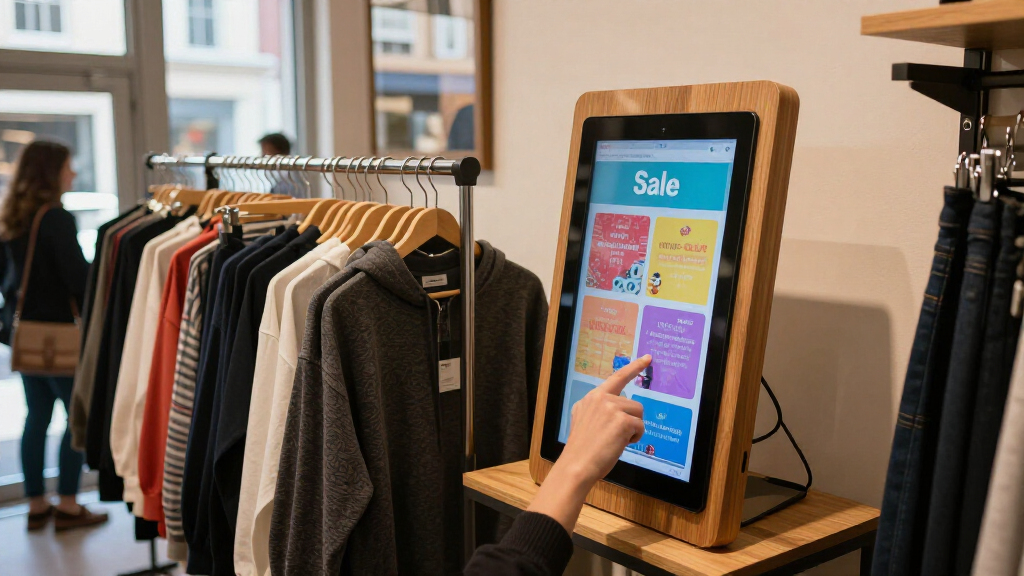
I ranked these displays around the job they need to do in a retail promotion: make an offer easy to notice and read in the space where shoppers encounter it. I compared the stated screen size, resolution, brightness, format, and listed connectivity or operating features, then considered how each combination fits counters, walls, aisles, and open floor areas. A display that suits one placement is not automatically a better choice for every store.
The order favors useful retail fit and clear differentiation over the longest feature list. The freestanding 43-inch Canlarriz kiosk leads for its mix of size, 700-nit brightness, and kiosk format; brighter models rank well for challenging indoor visibility, while compact and specialty-format screens earn their place for specific placements. I also weighed setup and interaction features, such as Android, touch, Wi-Fi, USB, and HDMI where listed. Product names and supplied specifications inform this comparison; details not provided, including content-management terms and warranty coverage, should be checked with the seller before purchase.
| digital signage display for retail promotion | Operating system |
|---|---|
| 32-Inch Interactive Digital Si | Android |
| Canlarriz 18.5-Inch Countertop | Android 10.0 |
| Canlarriz 32-Inch 4K Wall-Moun | — |
| Canlarriz 40-Inch 4K UHD Digit | Android 11 |
| LumaVue 10.1-Inch Desktop Digi | Android 10 |
| QIXZOCV 32-Inch Indoor Digital | — |
| MWE 32-Inch Indoor Digital Sig | — |
| Canlarriz 29-Inch Digital Sign | Android 11 |
| JASZDOT 43-Inch 4K UHD Digital | Android |
| Canlarriz 43-Inch 4K UHD Digit | — |
| Canlarriz 18.5-Inch Digital Si | Android 12 |
| MWE 43-Inch Floor-Standing Dig | — |
Factors to Consider When Choosing Digital Signage Display For Retail Promotions
I use the product differences above as a starting point, but a successful promotion also depends on store layout, content, and how often the message changes. These broader checks can prevent a display that looks suitable on paper from becoming awkward to install or hard to read in daily use.
Match Brightness to the Actual Light
Retail lighting varies from a calm fitting-room corridor to a sunlit entrance, and the same screen can look very different in each spot. Treat a stated brightness figure as a comparison point, not a promise that content will remain readable through glare or direct sunlight. Before choosing, observe the intended location at the busiest and brightest times of day, then check the screen from the distance shoppers will use. High brightness can help in a bright indoor area, but it cannot fix reflections, poor placement, or tiny text. Avoid paying for more output if the display sits in a shaded, close-view counter position. For window-facing use, confirm the seller’s suitability guidance rather than assuming an indoor display is built for direct sun.
Choose the Format Around the Promotion Zone
A wall-mounted screen, countertop unit, kiosk, and elongated bar display solve different space problems. Measure the usable area, viewing distance, mounting height, and nearby fixtures before selecting a diagonal size. A narrow bar display can fit above shelving where a standard rectangle would block sightlines, while a floor kiosk claims valuable circulation space and needs room around it. Check how cables will reach power and whether the chosen position creates trip hazards or obstructs merchandise. A common mistake is buying the largest screen that fits the wall without checking whether shoppers can read it at the expected distance. The best format is the one that places the offer where shoppers naturally pause or look.
Prioritize Legibility Before Resolution
Resolution matters most when the screen is large, shoppers stand close, or the promotion uses detailed product imagery and fine text. For a short offer viewed from several steps away, clear typography, strong contrast, and sensible spacing may improve comprehension more than a 4K panel. Design content for the display’s native aspect ratio; stretching a standard poster onto a bar screen can make prices and product images look distorted. Keep the main offer concise and test it at the viewing distance shoppers will actually have. Higher resolution can be a worthwhile upgrade for rich visuals, but it does not compensate for cluttered layouts. Match the creative format to the screen before ordering a whole set of displays.
Plan Content Delivery and Staff Workflows
Hardware features such as Android, Wi-Fi, USB, HDMI, and touch describe possible ways to run or interact with content, but they do not tell the whole operational story. Check whether the display includes the content software you need, how staff will update campaigns, and whether several locations can be managed from one workflow. USB playback may work for a small shop with occasional changes, while frequent promotions call for a dependable remote update process. Ask how playlists, scheduling, recovery after a power interruption, and access controls work before committing. Touch adds value for product discovery or assisted selling, but it can add content and cleaning demands when the display only needs to announce offers. Choose the simplest workflow that matches how often your promotions change.
Account for Installation, Upkeep, and Ownership Costs
The purchase decision should include mounting hardware, installation labor, power access, cable management, and any software or support fees. A wall display may save floor space but require a suitable mount and careful installation; a kiosk avoids wall work but needs stable placement and a clear route for power. In a multi-store rollout, check that replacement units, mounts, and content settings can be standardized. Ask about warranty coverage, service access, operating guidance, and cleaning requirements, since these details are not established by screen specifications alone. Retail screens collect fingerprints and dust, especially at counters and touch points, so plan regular cleaning with methods approved by the manufacturer. Paying more can make sense when a better fit reduces installation complexity or staff workload across several locations.
Decide Whether Interaction Earns Its Space
Touch can help shoppers browse sizes, compare products, or find information without waiting for staff, but it is not automatically useful for a promotional screen. Decide on one clear shopper task before choosing an interactive model, then consider whether the interface will stay current and work for the people using it. A simple rotating offer needs visibility, not a touchscreen; a product finder needs intuitive navigation and a plan for keeping its information accurate. Countertop touch displays suit close-range tasks, whereas a larger kiosk can be easier to approach from farther away but occupies more room. Consider accessibility, screen height, queue flow, and cleaning alongside the feature itself. If no one owns the interactive content, a non-touch display may deliver a clearer, lower-maintenance experience.
Frequently Asked Questions
Is a 4K display worth choosing for retail promotions?
It can be worthwhile when shoppers stand close, the screen is large, or your creative relies on detailed images and small product information. For a brief offer viewed across an aisle, readable text, appropriate brightness, and strong contrast often matter more. The lineup includes several 4K options, including 32-, 40-, and 43-inch models, but their formats and placement needs differ. Match the resolution to the viewing distance and the content you plan to show. If your artwork is mostly a price and a short message, spend attention on layout and placement before treating 4K as a requirement.
Can a 700-nit display work in a bright retail store?
A 700-nit display may suit many indoor retail areas, but the result depends on direct light, reflections, and how far away shoppers stand. This roundup includes 1000-nit options, which give buyers a brighter stated specification for more demanding indoor placements. Neither figure alone confirms performance in direct sunlight or through a reflective window. Check the intended location at different times of day and ask the seller about recommended use conditions. If glare remains, moving the display or changing its angle may help more than selecting a brighter model alone.
Should I choose a kiosk or a wall-mounted display for a promotion?
Choose a kiosk when the message needs a freestanding focal point, or when shoppers should approach the screen for information. A wall-mounted display is often a better fit when floor space is limited or the promotion belongs above a specific department or fixture. Kiosks need stable placement, accessible power, and enough clearance for shoppers to gather without blocking circulation. Wall units call for suitable mounting and a viewing height that works for the audience. Decide based on shopper movement and the task the screen supports, not just on screen size.
Is a bar-shaped display a good choice for shelf promotions?
It can be a strong fit when the promotional space is long and narrow, such as above a shelf or along an aisle edge. The Canlarriz 29-inch bar display’s 1920 × 540 format is distinct from the conventional screen shapes elsewhere in this roundup. Its aspect ratio calls for content designed specifically for that shape; repurposed standard artwork may crop badly or leave key details too small. Measure the mounting area and confirm the screen’s orientation and playback support before buying. For general-purpose messaging or detailed product imagery, a conventional rectangular display may be easier to adapt.
What should I verify before buying displays for several store locations?
Confirm that each site can support the same mounting method, power access, network connection, and viewing position before standardizing on one model. Ask how content is updated across locations, whether scheduling is supported, and what happens if a screen loses its connection or power. Check warranty and service coverage, replacement availability, and any ongoing software costs; those details are not established by the listed specifications. A single model simplifies training and creative production, but a mixed rollout may suit stores with different layouts or lighting. Test one representative location first so operational issues appear before a wider purchase.
Conclusion
For most retailers seeking a prominent, freestanding promotion screen, I would choose the Canlarriz 43-Inch 4K UHD Digital Signage Kiosk as the best overall fit. The Canlarriz 29-Inch Bar Display is my best value pick for narrow promotional zones, while the Canlarriz 40-Inch 4K UHD Display is the best premium-style choice for buyers prioritizing a larger 4K screen without choosing the floor kiosk format. For beginners who want a smaller, simpler setup, I would look first at the Canlarriz 18.5-Inch Countertop Display; shoppers needing touch interaction should compare the 32-Inch Interactive Kiosk and LumaVue 10.1-Inch Touchscreen based on available space and task. If visibility in a bright indoor area is the priority, the QIXZOCV 32-Inch 1000-Nit Display or Canlarriz 29-Inch 1000-Nit Bar Display deserves a closer look. Verify installation, content management, and warranty details with the seller before choosing.
Halloween Picks
halloween
As an affiliate, we earn on qualifying purchases.