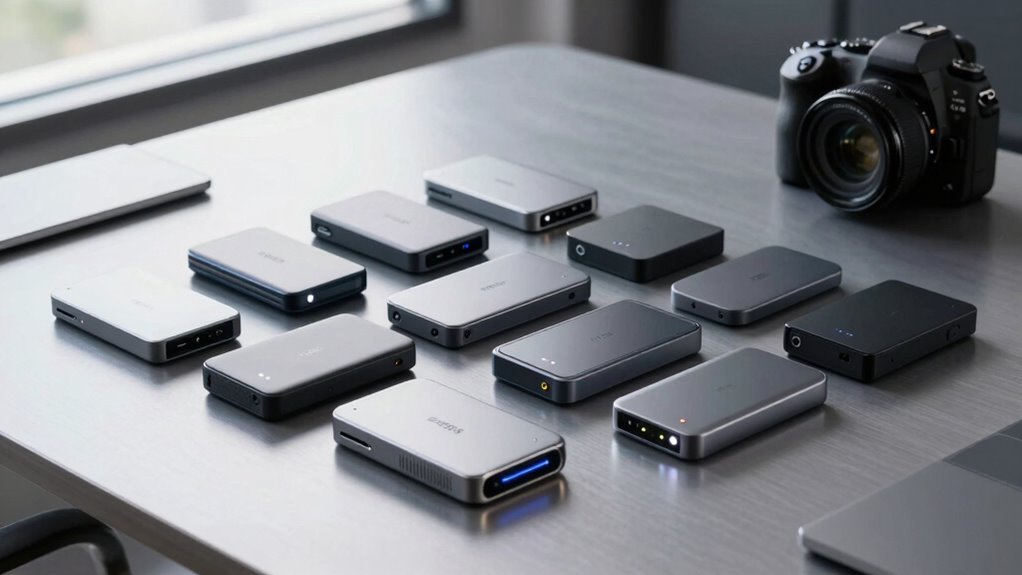

For a professional external SSD for fast backups, I’d start with the Samsung T9 1TB for its advertised speeds up to 2,000MB/s, while the SanDisk Extreme 2TB offers a useful balance of speed and working capacity and the Crucial X9 2TB is a straightforward USB-C option. The main tradeoff is between peak transfer speed, storage capacity, and whether your computer can use the drive’s fastest connection. Smaller, simpler models can suit routine document backups, but large media projects call for more room and a faster drive-host connection. A fast SSD also cannot replace a second backup copy or protect against accidental deletion. Continue reading for how these 14 options compare and which fits your backup workload.

Get business pricing on office and shipping supplies
- Business-only prices and quantity discounts
- Tax-exempt purchasing
- Multiple users, one account, clear invoices
Key Takeaways
- The fastest advertised speeds need compatible hardware: the Samsung T9 and SanDisk Extreme models advertise up to 2,000MB/s, but host ports and cables can limit real transfer rates.
- Capacity changes the working routine: the 2TB and 4TB options suit larger libraries better than the 250GB and 500GB SSK drives, which are more suited to smaller, selective backups.
- SanDisk’s Extreme lineup spans multiple needs: the listed 1TB, 2TB, and 4TB versions let buyers weigh capacity against their intended backup set, while several similarly named 2TB entries call for careful model checking.
- Samsung’s T7 and T9 serve different speed priorities: the T7 models use USB 3.2 Gen 2, while the T9 advertises USB 3.2 Gen 2×2 and up to 2,000MB/s, making host compatibility central to the choice.
- Value-focused and entry-capacity drives can be enough: SSK, Lexar, Crucial, SanDisk’s 800MB/s model, and WD’s My Passport SSD offer alternatives when maximum transfer speed is not the only priority.
| SSK 1TB Portable External SSD with USB-C |  | Best Balanced Backup Pick | Storage capacity: 1 TB | Maximum read speed: Up to 1,050 MB/s | Maximum write speed: Up to 1,000 MB/s | VIEW ON AMAZON | See Our Full Breakdown |
| SanDisk 1TB Portable SSD, Up to 800MB/s Read Speed |  | Best for Grab-and-Go Protection | Storage capacity: 1 TB | Interface: USB 3.2 Gen 2 | Connectivity: USB-C | VIEW ON AMAZON | See Our Full Breakdown |
| SSK Portable 500GB External SSD |  | Best Compact-Capacity Pick | Storage capacity: 500 GB | Maximum read speed: Up to 1,050 MB/s | Maximum write speed: Up to 1,000 MB/s | VIEW ON AMAZON | See Our Full Breakdown |
| SanDisk Extreme Portable SSD, 1TB, Up to 2000MB/s |  | Best for Rugged, Secure Field Backups | Storage capacity: 1 TB | Maximum read speed: Up to 2,000 MB/s | Interface: USB 3.0 | VIEW ON AMAZON | See Our Full Breakdown |
| Lexar ES3 1TB Portable SSD, Silver |  | Best for Encrypted Cross-Device Backups | Capacity: 1 TB | Interface: USB 3.2 Gen 2 | Maximum read speed: Up to 1,050 MB/s | VIEW ON AMAZON | See Our Full Breakdown |
| SanDisk Extreme Portable SSD, 2TB, Up to 2000MB/s | | Best Rugged 2TB Pick | Capacity: 2TB | Read speed: Up to 2000MB/s | Interface: USB 3.0 | VIEW ON AMAZON | See Our Full Breakdown |
| SanDisk 4TB Extreme Portable SSD – Up to 2000 MB/s Transfer Speeds (New Model) | | Best High-Capacity Rugged Pick | Capacity: 4TB | Read speed: Up to 2000MB/s | Write speed: Variable; lower than read speed | VIEW ON AMAZON | See Our Full Breakdown |
| Samsung T7 Portable SSD, 2TB, Titan Gray, USB 3.2 Gen 2 |  | Best Balanced Backup Speeds | Capacity: 2TB | Read speed: Up to 1050MB/s | Write speed: Up to 1000MB/s | VIEW ON AMAZON | See Our Full Breakdown |
| Samsung T9 Portable SSD 1TB USB 3.2 Gen 2×2 External SSD Up to 2000 MB/s |  | Best for High-Speed Workflows | Capacity: 1TB | Read/write speed: Up to 2000MB/s | Interface: USB 3.0; compatible with USB 3.2 Gen 2×2 | VIEW ON AMAZON | See Our Full Breakdown |
| SSK Portable 250GB External SSD with USB-C |  | Best Compact ProRes Companion | Capacity: 250GB | Read speed: Up to 1050MB/s | Write speed: Up to 1000MB/s | VIEW ON AMAZON | See Our Full Breakdown |
| Crucial X9 2TB Portable SSD, USB-C |  | Best Rugged-Capacity Pick | Storage capacity: 2 TB | Read speed: Up to 1,050 MB/s | Interface: USB-C | VIEW ON AMAZON | See Our Full Breakdown |
| Samsung T7 Portable SSD, 1TB, Titan Gray, USB 3.2 Gen 2 | | Best for Straightforward Backup Setup | Storage capacity: 1 TB | Interface: USB 3.2 Gen 2 | Read speed: Up to 1,050 MB/s | VIEW ON AMAZON | See Our Full Breakdown |
| Western Digital My Passport 1TB Portable SSD, Gray |  | Best for Encrypted 1TB Backups | Storage capacity: 1 TB | Drive type: Portable solid-state drive | Read speed: Up to 1,050 MB/s | VIEW ON AMAZON | See Our Full Breakdown |
| SanDisk Extreme Portable SSD 2TB, USB-C, USB 3.2 Gen 2 |  | Best for High-Capacity, Feature-Rich Backups | Storage capacity: 2 TB | Read speed: Up to 1,050 MB/s | Write speed: Up to 1,000 MB/s | VIEW ON AMAZON | See Our Full Breakdown |
| professional external ssd for fast backup | Interface | Encryption | Storage capacity | Read speed |
|---|---|---|---|---|
| SSK 1TB Portable External SSD | USB 3.2 Gen 2 | — | 1 TB | — |
| SanDisk 1TB Portable SSD | USB 3.2 Gen 2 | — | 1 TB | — |
| SSK Portable 500GB External SS | USB 3.2 Gen 2 | — | 500 GB | — |
| SanDisk Extreme Portable SSD | USB 3.0 | 256-bit AES | 1 TB | — |
| Lexar ES3 1TB Portable SSD | USB 3.2 Gen 2 | 256-bit AES via Lexar DataShield software | — | — |
| SanDisk Extreme Portable SSD | USB 3.0 | 256-bit AES | — | Up to 2000MB/s |
| SanDisk 4TB Extreme Portable S | USB-C | 256-bit AES password protection | — | Up to 2000MB/s |
| Samsung T7 Portable SSD | USB 3.2 Gen 2 | 256-bit AES hardware encryption | — | Up to 1050MB/s |
| Samsung T9 Portable SSD 1TB US | USB 3.0; compatible with USB 3.2 Gen 2×2 | AES-256 hardware encryption | — | — |
| SSK Portable 250GB External SS | USB 3.2 Gen 2 | — | — | Up to 1050MB/s |
| Crucial X9 2TB Portable SSD | USB-C | — | 2 TB | Up to 1,050 MB/s |
| Samsung T7 Portable SSD | USB 3.2 Gen 2 | 256-bit AES hardware encryption | 1 TB | Up to 1,050 MB/s |
| Western Digital My Passport 1T | — | Password-enabled 256-bit AES hardware encryption | 1 TB | Up to 1,050 MB/s |
| SanDisk Extreme Portable SSD 2 | — | 256-bit AES hardware encryption | 2 TB | Up to 1,050 MB/s |
More Details on Our Top Picks
SSK 1TB Portable External SSD with USB-C
The SSK 1TB stands out for pairing up to 1,050 MB/s read and 1,000 MB/s write speeds with both USB-C and USB-A cables, making it easier to move backup jobs between newer laptops and older desktops. Its aluminum body weighs just 36.6 g, so it adds little bulk to a mobile workstation. Compared with the SanDisk 1TB Portable SSD, it advertises faster transfers and includes write-speed figures, while SanDisk emphasizes its rubberized drop protection and attachment hook. SSK’s TRIM and S.M.A.R.T. support suit buyers who want drive-health features alongside regular file copies. The tradeoff is that the stated speed depends on a compatible USB 3.2 Gen 2 connection, and its fast SLC cache covers only part of the drive, so sustained large transfers may slow after that buffer is used.
Pros:- Advertised read and write speeds of up to 1,050 MB/s and 1,000 MB/s
- Includes USB-C and USB-A cables for broader workstation compatibility
- Lightweight aluminum enclosure with heat dissipation
- TRIM support and S.M.A.R.T. diagnostics
Cons:- Peak speeds require a compatible USB 3.2 Gen 2 host and connection
- SLC cache is limited to 25% of available capacity, which can affect long transfers
- A formatted 1TB drive may show about 931 GB in Windows
Best for: Professionals who need a light 1TB working backup drive that can connect to both USB-C and USB-A computers.
Not ideal for: People who routinely transfer very large project folders in one uninterrupted session and expect peak speeds across the entire drive.
- Storage capacity:1 TB
- Maximum read speed:Up to 1,050 MB/s
- Maximum write speed:Up to 1,000 MB/s
- Interface:USB 3.2 Gen 2
- Included cables:USB-C and USB-A
- Enclosure:Aluminum alloy
- Weight:36.6 g
- Dimensions:2.6 × 1.5 × 0.5 inches
- Features:LED activity indicator, S.M.A.R.T. diagnostics, TRIM support, SLC caching
Our verdict“Choose the SSK 1TB if you want a fast, lightweight backup drive with useful cable flexibility and drive-health features.”
SanDisk 1TB Portable SSD, Up to 800MB/s Read Speed
The SanDisk Portable SSD is the practical pick for backup files that travel: its rubber enclosure is rated for drops up to 2 meters, and a built-in hook lets you attach it to a bag or belt loop. Those details matter when a drive moves between a desk, a field kit, and a commute. Its up to 800 MB/s read speed is below the figures advertised by the SSK 1TB and Lexar ES3, so those alternatives make more sense when transfer time is the main priority. SanDisk instead puts more emphasis on carrying security and simple portability than peak speed. The product data does not specify maximum write speed, and actual performance varies with the host device and connection. That makes it a less transparent choice for planning repeated, time-sensitive professional backups.
Pros:- Rubber enclosure rated for drops up to 2 meters
- Integrated hook can secure the drive to a bag or belt loop
- Compact 1TB portable form factor
- USB-C connectivity over USB 3.2 Gen 2
Cons:- Advertised read speed of up to 800 MB/s is lower than the SSK and Lexar options
- Maximum write speed is not provided in the supplied product data
- Actual performance can vary with the device, interface, and operating conditions
Best for: Photographers, field workers, and mobile professionals who carry a 1TB backup drive and value drop protection and a way to secure it to a bag.
Not ideal for: Editors moving large video projects on a tight schedule who want a stated write-speed target or faster advertised transfers.
- Storage capacity:1 TB
- Interface:USB 3.2 Gen 2
- Connectivity:USB-C
- Maximum read speed:Up to 800 MB/s
- Drop protection:Up to 2 meters
- Enclosure:Rubber
- Color:Black
- Form factor:Portable
Our verdict“Pick this SanDisk when a protected, attachable drive matters more than the fastest advertised backup transfers.”
SSK Portable 500GB External SSD
This 500GB SSK keeps the up to 1,050 MB/s read and 1,000 MB/s write claims of its 1TB sibling in a small aluminum enclosure, making it a capable choice for a focused project backup rather than a full archive. It includes USB-C and USB-A cables, and the listed compatibility includes compatible iPhones for 4K60 ProRes HDR capture—a useful role beyond routine computer backups. Compared with the Lexar ES3 1TB, it offers half the stated capacity but adds the supplied USB-A cable and lists a lighter 36.6 g weight. Its limitation is clear: a formatted drive may show about 465 GB on Windows, and the SLC cache is limited to a quarter of available capacity. For multi-terabyte media libraries or repeated large backups, the 1TB SSK is the more practical choice.
Pros:- Advertised read and write speeds up to 1,050 MB/s and 1,000 MB/s
- Includes both USB-C and USB-A cables
- Compact 36.6 g aluminum alloy enclosure
- Supports compatible iPhone 4K60 ProRes HDR capture
Cons:- 500GB capacity is restrictive for large professional backups
- Usable capacity may appear as about 465 GB on Windows
- SLC cache covers only 25% of available capacity, limiting peak-speed transfers
Best for: Mobile creators who need a small, fast transfer drive for active projects or compatible iPhone ProRes recording rather than a broad archive.
Not ideal for: Professionals backing up large photo, video, or design libraries who would quickly outgrow 500GB.
- Storage capacity:500 GB
- Maximum read speed:Up to 1,050 MB/s
- Maximum write speed:Up to 1,000 MB/s
- Interface:USB 3.2 Gen 2
- Connectivity:USB-C and USB-A
- Dimensions:2.6 × 1.5 × 0.5 inches
- Weight:36.6 g
- Enclosure:Aluminum alloy
- Features:LED activity light, S.M.A.R.T. diagnostics, TRIM support, SLC caching
Our verdict“Choose this SSK when portability and compatible iPhone capture matter more than having the 1TB capacity of its sibling.”
SanDisk Extreme Portable SSD, 1TB, Up to 2000MB/s
The SanDisk Extreme is the strongest fit here for professionals who back up work outside a controlled office. Its standout combination is IP65 water and dust resistance, drop protection up to 3 meters, and 256-bit AES encryption, alongside a claimed read speed up to 2,000 MB/s. That protection gives it a different brief from the lighter SSK models, which advertise up to 1,050 MB/s but do not list comparable ingress or drop ratings. The speed claim can shorten transfers when the host and connection support the drive’s performance, though the supplied data lists USB 3.0 and does not give a write-speed maximum. Encryption also requires a software download and is supported on Windows 10+ and macOS 12+. Buyers focused on predictable sustained write performance may prefer a model with a stated write figure.
Pros:- Advertised read speed up to 2,000 MB/s
- IP65-rated water and dust resistance
- Drop protection rated up to 3 meters
- 256-bit AES encryption with password protection
Cons:- Maximum write speed is not provided in the supplied product data
- Encryption requires a software download and supports Windows 10+ and macOS 12+
- Listed USB 3.0 interface may limit the benefit of the maximum speed claim on some systems
Best for: On-location video, photo, and production teams needing a 1TB backup drive with stated environmental protection and password-based encryption.
Not ideal for: Buyers who need a clearly specified write-speed target, or who want encryption without installing compatible software.
- Storage capacity:1 TB
- Maximum read speed:Up to 2,000 MB/s
- Interface:USB 3.0
- Connector:USB Type-C
- Water and dust resistance:IP65
- Drop protection:Up to 3 m
- Encryption:256-bit AES
- Weight:1.6 oz
- Dimensions:3.35 × 2 × 0.39 inches
Our verdict“Choose the SanDisk Extreme for field backups where rugged protection and encryption take priority over a stated write-speed figure.”
Lexar ES3 1TB Portable SSD, Silver
The Lexar ES3 makes a strong case for professionals who move backups among phones, cameras, computers, and consoles: it combines 1TB capacity with USB 3.2 Gen 2 and advertised speeds up to 1,050 MB/s read and 1,000 MB/s write. Its 256-bit AES encryption through Lexar DataShield adds a privacy feature missing from the supplied SSK models. Compared with the SanDisk Extreme 1TB, Lexar’s stated write speed is useful for estimating backup workflows, while SanDisk offers higher advertised read speed and explicit IP65 and drop-protection ratings. The ES3 is slim at 10.5 mm and weighs 42 g, but the supplied data does not claim rugged protection. Compatibility also has a boundary: it does not support iPhone 14 and older models, and performance can fall on systems without USB 3.2 Gen 2.
Pros:- Advertised read and write speeds up to 1,050 MB/s and 1,000 MB/s
- 256-bit AES encryption through Lexar DataShield software
- Slim 10.5 mm design and 42 g weight
- Compatibility includes supported phones, laptops, cameras, and consoles
Cons:- Not supported on iPhone 14 and older models
- Performance may be lower on systems without USB 3.2 Gen 2
- No water, dust, or drop-protection rating is listed
Best for: Professionals who shuttle a 1TB encrypted working backup among supported phones, cameras, laptops, and gaming consoles.
Not ideal for: Owners of iPhone 14 or older models, or field crews who need a drive with a stated water, dust, or drop-protection rating.
- Capacity:1 TB
- Interface:USB 3.2 Gen 2
- Maximum read speed:Up to 1,050 MB/s
- Maximum write speed:Up to 1,000 MB/s
- Weight:42 g
- Thickness:10.5 mm
- Encryption:256-bit AES via Lexar DataShield software
- Compatibility:iPhone 17 series, Android devices, laptops, cameras, Xbox Series X|S, PS4, PS5
- Warranty:3-year limited warranty
Our verdict“Pick the Lexar ES3 for fast, encrypted backups across supported devices, but choose the SanDisk Extreme if rated field protection matters more.”
SanDisk Extreme Portable SSD, 2TB, Up to 2000MB/s
For professionals who need a substantial working backup that can travel, this 2TB SanDisk Extreme pairs pocket-sized storage with IP65 dust and water resistance and protection against drops up to 3 meters. Its listed read speed reaches 2000MB/s, a higher ceiling than the Samsung T7, which is rated up to 1050MB/s. That makes the SanDisk the more speed-focused choice when the host device can support its performance, though the listing does not give a matching write-speed figure, so large backup writes may not reach the read-speed headline. Password protection with 256-bit AES encryption adds a useful layer for client files, but setup requires a software download. I’d choose it over the T7 for rougher travel and extra stated read speed; I’d favor the T7 when clearly specified, nearly balanced read and write speeds matter more.
Pros:- 2TB capacity suits project backups and working-file transfers.
- Read speeds listed up to 2000MB/s exceed the Samsung T7’s 1050MB/s ceiling.
- IP65 dust and water resistance plus drop protection up to 3 meters suits travel and field work.
- 256-bit AES password protection helps safeguard stored files.
Cons:- Write speeds are lower than the stated maximum read speed, with no specific write figure supplied.
- Actual performance depends on the host device and usage conditions.
- Password protection requires a software download and supports Windows 10+ and macOS 12+.
Best for: Photographers and field professionals who need a 2TB portable backup with dust, water, drop, and password protection.
Not ideal for: Buyers whose workflow depends on predictable sustained write speeds or who do not want to install software for password protection.
- Capacity:2TB
- Read speed:Up to 2000MB/s
- Interface:USB 3.0
- Connector:USB Type-C
- Dust and water resistance:IP65
- Drop protection:Up to 3 meters
- Encryption:256-bit AES
- Form factor:2.5-inch
Our verdict“Choose this SanDisk for a rugged, high-capacity portable backup when its read-speed advantage matters more than a published write-speed figure.”
SanDisk 4TB Extreme Portable SSD – Up to 2000 MB/s Transfer Speeds (New Model)
This is the capacity-first choice in this group: 4TB in a pocket-sized, IP65-rated drive gives video teams more room for project copies without splitting work across several devices. It shares the 2000MB/s read-speed claim and 3-meter drop protection of the 2TB SanDisk Extreme, but doubles the capacity for larger archives and active projects. Compared with the Samsung T9, it offers four times the listed capacity, while the T9 gives a specific up-to-2000MB/s read and write figure and hardware encryption. SanDisk lists its write speed as variable and lower than read, so I would not treat the headline as a promise of equally fast backup writes. Password protection uses 256-bit AES but needs extra software setup. Choose this model when capacity and rugged portability lead; skip it if write-speed predictability is the priority.
Pros:- 4TB capacity can keep large project backups together on one drive.
- Read speeds listed up to 2000MB/s support fast transfers on compatible hosts.
- IP65 dust and water resistance and drop protection up to 3 meters suit field use.
- Compact design and 256-bit AES password protection combine portability with file security.
Cons:- Write speeds are variable and lower than the advertised maximum read speed.
- Password protection requires additional software setup.
- Real transfer performance depends on the host device.
Best for: Videographers, photographers, and mobile production teams who need several terabytes of rugged backup storage in one pocket-sized drive.
Not ideal for: Professionals who need clearly specified, matching read and write speeds or prefer hardware encryption without software setup.
- Capacity:4TB
- Read speed:Up to 2000MB/s
- Write speed:Variable; lower than read speed
- Interface:USB-C
- Dust and water resistance:IP65
- Drop protection:Up to 3 meters
- Encryption:256-bit AES password protection
- Compatible devices:Desktop, laptop, smartphone, and tablet
- Compatible console:Sony PlayStation 5
Our verdict“Pick this SanDisk when keeping large field-work backups on one rugged 4TB drive matters more than a defined write-speed specification.”
Samsung T7 Portable SSD, 2TB, Titan Gray, USB 3.2 Gen 2
The Samsung T7 is the balanced-speed option for routine professional backups: its listed read and write ceilings are close, at 1050MB/s and 1000MB/s. That gives buyers a clearer performance picture for copying files to the drive than the SanDisk Extreme models, whose listed write speeds are lower than their 2000MB/s read claim. The T7 also includes both USB-C-to-USB-C and USB-C-to-USB-A cables, making it easier to connect to a mix of newer and older computers without sourcing another lead. Its aluminum body offers shock resistance and drop protection up to 6 feet, but it lacks the SanDisk’s stated IP65 dust and water resistance. Full speed requires a compatible USB 3.2 Gen 2 host with UASP support. I’d choose it for predictable, everyday transfers; field crews facing wet or dusty conditions should favor a rugged SanDisk instead.
Pros:- Listed read and write speeds of up to 1050MB/s and 1000MB/s offer a balanced performance profile.
- 2TB capacity accommodates substantial project and backup folders.
- Aluminum body provides shock resistance and drop protection up to 6 feet.
- Includes USB-C-to-USB-C and USB-C-to-USB-A cables.
Cons:- Maximum speeds require a compatible USB 3.2 Gen 2 host and UASP support.
- No IP65 dust or water-resistance rating is listed, unlike the SanDisk Extreme drives.
- Compatibility and performance can vary by device and operating system.
Best for: Editors and office-based creators who want a 2TB drive with clearly specified read and write speeds and cables for multiple computer ports.
Not ideal for: Field professionals working around dust or water, or anyone who needs the SanDisk Extreme’s higher listed read-speed ceiling and IP65 rating.
- Capacity:2TB
- Read speed:Up to 1050MB/s
- Write speed:Up to 1000MB/s
- Interface:USB 3.2 Gen 2
- Encryption:256-bit AES hardware encryption
- Durability:Shock resistant; drop protection up to 6 feet
- Included cables:USB Type-C to Type-C and USB Type-C to Type-A
- Color:Titan Gray
Our verdict“Choose the T7 for a balanced 2TB backup drive with clearly stated write speed and broad cable compatibility, rather than maximum ruggedness.”
Samsung T9 Portable SSD 1TB USB 3.2 Gen 2×2 External SSD Up to 2000 MB/s
For buyers prioritizing fast transfers in both directions, the Samsung T9 lists sequential read and write speeds up to 2000MB/s—more explicit about write performance than either SanDisk Extreme in this group. Its Dynamic Thermal Guard is designed to manage heat during intensive work, while AES-256 hardware encryption protects stored material without the software setup required by the SanDisk models. The tradeoff is capacity: this configuration holds 1TB, one-quarter of the 4TB SanDisk Extreme, so large shoots may need a second backup drive sooner. Reaching the full speed also depends on a USB 3.2 Gen 2×2 host with UASP enabled; a slower connection can limit the advantage. I’d pick the T9 for fast, security-conscious transfers on a compatible workstation, not for maximum capacity or unattended heavy-write sessions.
Pros:- Read and write speeds listed up to 2000MB/s support fast two-way transfers on compatible hosts.
- AES-256 hardware encryption protects sensitive data without the SanDisk software setup.
- Dynamic Thermal Guard is designed to manage heat during intensive tasks.
- Rugged enclosure has drop resistance up to 9.8 feet.
Cons:- The 1TB capacity is much smaller than the 2TB and 4TB SanDisk Extreme options.
- Maximum performance requires a USB 3.2 Gen 2×2 port and UASP-enabled host.
- The drive may still generate noticeable heat during prolonged heavy workloads.
Best for: Creators with a USB 3.2 Gen 2×2 workstation who need fast read-and-write transfers and hardware-encrypted working files.
Not ideal for: Teams backing up large video libraries to a single drive, or users whose computers lack USB 3.2 Gen 2×2 and UASP support.
- Capacity:1TB
- Read/write speed:Up to 2000MB/s
- Interface:USB 3.0; compatible with USB 3.2 Gen 2×2
- Encryption:AES-256 hardware encryption
- Thermal feature:Dynamic Thermal Guard
- Drop resistance:Up to 9.8 feet
- Form factor:2.5-inch
- Compatible devices:Mac, PC, tablet, iPhone 15/16, Xbox Series S/X, and PlayStation 4/5
Our verdict“Choose the T9 for fast, hardware-encrypted transfers when your workstation supports Gen 2×2 and 1TB is enough for the job.”
SSK Portable 250GB External SSD with USB-C
The SSK 250GB SSD serves a different backup job from the larger SanDisk and Samsung drives: it is a lightweight companion for short shoots, selected project files, or iPhone ProRes video capture, rather than a main archive. Its listed speeds—up to 1050MB/s read and 1000MB/s write—match the Samsung T7’s stated ceilings, and it includes both USB-C and USB-A cables. The aluminum enclosure weighs 36.6 grams, while S.M.A.R.T. diagnostics and TRIM support add useful drive-management features. Capacity is the clear constraint: this is far less room than the T7’s 2TB or the SanDisk Extreme’s 4TB. SLC caching applies to 25% of available capacity, so I would not pick it for repeated, large full-drive backups. It makes more sense as a small capture or transfer drive than as a primary professional backup.
Pros:- Listed read and write speeds reach up to 1050MB/s and 1000MB/s.
- Supports iPhone ProRes video capture.
- Includes USB-C and USB-A cables for connection flexibility.
- Lightweight 36.6-gram aluminum enclosure includes S.M.A.R.T. diagnostics and TRIM support.
Cons:- 250GB capacity is small for full project backups and may display as about 232GB on Windows.
- SLC caching applies to 25% of available capacity, limiting its appeal for repeated large transfers.
- The product data does not list a dust, water, or drop-resistance rating.
Best for: Mobile video creators who need a small ProRes capture or transfer drive for selected footage and already maintain a larger backup elsewhere.
Not ideal for: Professionals who need to back up full shoots, large project libraries, or sustained high-volume workloads on one drive.
- Capacity:250GB
- Read speed:Up to 1050MB/s
- Write speed:Up to 1000MB/s
- Interface:USB 3.2 Gen 2
- Included cables:USB-C and USB-A
- Dimensions:2.6 × 1.5 × 0.5 inches
- Weight:36.6g
- Enclosure:Aluminum alloy
- Additional features:LED activity light, S.M.A.R.T. diagnostics, TRIM support, SLC caching
Our verdict“Choose the SSK as a lightweight ProRes and file-transfer companion, not as your sole drive for professional backups.”
Crucial X9 2TB Portable SSD, USB-C
I’d choose the Crucial X9 when a backup drive needs to hold a sizable working set and handle travel. Its 2TB capacity gives it twice the space of the 1TB Samsung T7, while read speeds up to 1,050 MB/s suit regular photo, video, and project-file transfers. The IP55 rating and stated 7.5-foot drop protection add practical protection for a drive carried between work sites or in a crowded bag. Compared with the SanDisk Extreme 2TB, the X9 offers a similarly useful capacity and a clear durability rating, but the supplied data lists read speed rather than a write-speed figure. That makes sustained backup performance harder to compare from specs alone. I’d also check that the host port and cable support the advertised transfer rate.
Pros:- 2TB capacity accommodates larger backup sets than the 1TB Samsung T7 and WD My Passport.
- Read speeds up to 1,050 MB/s support fast transfers with a compatible host.
- IP55 water and dust resistance is useful for portable work.
- Rated for drops up to 7.5 feet.
Cons:- The supplied specs do not state a maximum write speed, making backup-write comparisons less clear.
- Actual transfer speeds depend on the device and connection.
- USB-A use may require an appropriate cable or connection.
Best for: Photographers, field workers, and laptop users who want 2TB for frequent backups alongside stated dust, water, and drop protection.
Not ideal for: Editors who need documented write-speed figures for large recurring transfers or buyers who need a supplied USB-A connection.
- Storage capacity:2 TB
- Read speed:Up to 1,050 MB/s
- Interface:USB-C
- Data transfer rate:10 Gbps
- Water and dust resistance:IP55
- Drop protection:Up to 7.5 ft (2 m)
- Enclosure material:Polycarbonate
- Compatible devices:Windows, Mac, iPad Pro, Chromebooks, Android, Linux, PS4, PS5, Xbox
Our verdict“Choose the Crucial X9 if you want 2TB of portable backup space with clear environmental and drop-protection ratings.”
Samsung T7 Portable SSD, 1TB, Titan Gray, USB 3.2 Gen 2
For a 1TB backup drive that is easy to connect across different computers, I’d put the Samsung T7 near the top of the shortlist. It includes both USB-C to USB-C and USB-C to USB-A cables, so older desktops and newer laptops can use the drive without relying on a separate cable purchase. Read speeds up to 1,050 MB/s and write speeds up to 1,000 MB/s give a clearer picture of both sides of a backup workflow than the Crucial X9’s listed read speed alone. The T7 also adds 256-bit AES hardware encryption in a compact aluminum body. Its main limit is capacity: at 1TB, it gives less room than the 2TB X9 or SanDisk Extreme. Speed claims also depend on the host, cable, and UASP support.
Pros:- Includes USB-C-to-C and USB-C-to-A cables for flexible connections.
- Listed read speeds up to 1,050 MB/s and write speeds up to 1,000 MB/s.
- 256-bit AES hardware encryption adds a layer of protection for stored work.
- Aluminum body is shock resistant and rated for drops up to 6 feet.
Cons:- 1TB capacity is smaller than the Crucial X9 and SanDisk Extreme 2TB options.
- Maximum speed depends on the host device, cable, and UASP support.
- The supplied specifications do not list water or dust resistance.
Best for: Professionals backing up a moderate project library across a mix of USB-C laptops and older USB-A computers.
Not ideal for: Videographers or teams whose backup sets need more than 1TB, or users who need stated water and dust resistance.
- Storage capacity:1 TB
- Interface:USB 3.2 Gen 2
- Read speed:Up to 1,050 MB/s
- Write speed:Up to 1,000 MB/s
- Encryption:256-bit AES hardware encryption
- Drop protection:Up to 6 ft
- Material:Aluminum unibody
- Included cables:USB Type-C to Type-C and USB Type-C to Type-A
Our verdict“Pick the Samsung T7 if a 1TB drive with both connection cables, stated write speed, and hardware encryption fits your backup routine.”
Western Digital My Passport 1TB Portable SSD, Gray
The WD My Passport SSD is a sensible fit when protecting the contents of a portable backup matters as much as moving them quickly. It pairs password-enabled 256-bit AES hardware encryption with listed read speeds up to 1,050 MB/s and write speeds up to 1,000 MB/s, making its speed profile comparable to the 1TB Samsung T7. Its stated 6.5-foot drop resistance and shock- and vibration-resistant design suit a drive that travels with a laptop. Compared with the T7, the WD offers a slightly higher stated drop rating, while the T7 specifies an aluminum unibody and includes both cable types. The WD’s 1TB capacity also falls short of the 2TB Crucial X9 and SanDisk Extreme. Buyers using operating systems outside the listed compatibility should expect to reformat it.
Pros:- Password-enabled 256-bit AES hardware encryption protects stored files.
- Listed read and write speeds reach 1,050 MB/s and 1,000 MB/s.
- Shock- and vibration-resistant design is rated for drops up to 6.5 feet.
- USB 3.2 Gen 2 and USB-C connectivity includes USB-A support for older systems.
Cons:- 1TB capacity is less suitable for large video libraries than the Crucial X9 or SanDisk Extreme 2TB.
- Reformatting is required for operating systems beyond those listed.
- The supplied specifications do not state water or dust resistance.
Best for: Consultants and professionals who carry sensitive work files and want a 1TB portable backup with hardware encryption.
Not ideal for: Users who need 2TB, broad out-of-box operating-system compatibility, or an explicitly listed water-resistance rating.
- Storage capacity:1 TB
- Drive type:Portable solid-state drive
- Read speed:Up to 1,050 MB/s
- Write speed:Up to 1,000 MB/s
- Encryption:Password-enabled 256-bit AES hardware encryption
- Drop resistance:Up to 6.5 ft (1.98 m)
- Connectivity:USB 3.2 Gen 2, USB-C; USB-A support for older systems
- Compatible devices:Mac and PC; Sony PlayStation 5
Our verdict“Choose the WD My Passport if you want an encrypted 1TB backup drive and can work within its listed operating-system support.”
SanDisk Extreme Portable SSD 2TB, USB-C, USB 3.2 Gen 2
I’d favor the SanDisk Extreme Portable SSD for a backup workflow that needs 2TB, a stated write speed, and hardware encryption in one portable drive. Its read speed reaches 1,050 MB/s and its write speed reaches 1,000 MB/s, giving it a more complete speed profile than the Crucial X9, which lists read speed only. The carabiner loop also gives mobile crews a handy way to attach the drive to a bag, while 256-bit AES hardware encryption supports password-protected storage. There is a meaningful qualification: the supplied product information conflicts on both water-and-dust and drop-protection ratings, listing IP65 or IP55 and different drop distances. Compared with the Samsung T7, the SanDisk doubles the listed capacity, but the T7’s supplied durability details are less ambiguous.
Pros:- 2TB capacity provides more backup room than the 1TB Samsung T7 and WD My Passport.
- Listed read and write speeds reach 1,050 MB/s and 1,000 MB/s.
- Carabiner loop offers a convenient attachment point for mobile work.
- 256-bit AES hardware encryption supports password-protected storage.
Cons:- Product information conflicts on water-and-dust and drop-protection ratings.
- Actual transfer performance varies by device and use conditions.
- Password protection on Mac requires a software download.
Best for: Mobile photographers and video professionals who need 2TB, a stated write-speed figure, and a way to attach the drive to a work bag.
Not ideal for: Buyers who need unambiguous water, dust, and drop ratings or want password protection without downloading software on Mac.
- Storage capacity:2 TB
- Read speed:Up to 1,050 MB/s
- Write speed:Up to 1,000 MB/s
- Connectivity:USB-C, USB 3.2 Gen 2
- Drop protection:Conflicting listings: up to 3 m or up to 2 m
- Water and dust resistance:Conflicting listings: IP65 or IP55
- Encryption:256-bit AES hardware encryption
- Compatible devices:Desktop, laptop, tablet
Our verdict“Choose the SanDisk Extreme if you need a 2TB portable backup with listed read and write speeds, and can accept conflicting durability details.”

How We Picked
I ranked these drives around the demands of professional backups: advertised transfer speed, capacity for repeated or large backup jobs, connection standards, and how clearly a model’s role can be matched to a buyer’s workflow. A quoted maximum speed is useful for comparing product positioning, but it is not a guarantee of sustained performance; the computer, port, cable, file mix, and drive workload all affect actual results. I also treated storage capacity as a practical factor: a drive that fills quickly may require more frequent file management or a second destination.
The ranking favors options that combine meaningful capacity with a clearly stated high-speed connection, then accounts for more specialized strengths such as larger storage or simpler everyday use. Lower-capacity and less speed-focused models rank lower for professional fast backups, though they can make sense for smaller jobs or selective copies. Where product names overlap, especially among the SanDisk Extreme 2TB listings, I avoid assuming that similar names guarantee identical revisions or specifications; buyers should confirm the exact model and connection details before purchase.
| professional external ssd for fast backup | Interface | Drop protection | Read speed |
|---|---|---|---|
| SSK 1TB Portable External SSD | USB 3.2 Gen 2 | — | — |
| SanDisk 1TB Portable SSD | USB 3.2 Gen 2 | Up to 2 meters | — |
| SSK Portable 500GB External SS | USB 3.2 Gen 2 | — | — |
| SanDisk Extreme Portable SSD | USB 3.0 | Up to 3 m | — |
| Lexar ES3 1TB Portable SSD | USB 3.2 Gen 2 | — | — |
| SanDisk Extreme Portable SSD | USB 3.0 | Up to 3 meters | Up to 2000MB/s |
| SanDisk 4TB Extreme Portable S | USB-C | Up to 3 meters | Up to 2000MB/s |
| Samsung T7 Portable SSD | USB 3.2 Gen 2 | — | Up to 1050MB/s |
| Samsung T9 Portable SSD 1TB US | USB 3.0; compatible with USB 3.2 Gen 2×2 | — | — |
| SSK Portable 250GB External SS | USB 3.2 Gen 2 | — | Up to 1050MB/s |
| Crucial X9 2TB Portable SSD | USB-C | Up to 7.5 ft (2 m) | Up to 1,050 MB/s |
| Samsung T7 Portable SSD | USB 3.2 Gen 2 | Up to 6 ft | Up to 1,050 MB/s |
| Western Digital My Passport 1T | — | — | Up to 1,050 MB/s |
| SanDisk Extreme Portable SSD 2 | — | Conflicting listings: up to 3 m or up to 2 m | Up to 1,050 MB/s |
Factors to Consider When Choosing Professional External Ssd For Fast Backups
Picking an SSD for professional backups is less about chasing the largest speed figure and more about matching the drive to your backup routine. These broader checks can help prevent a fast drive from becoming a bottleneck—or a capacity mismatch—from forcing a new purchase too soon.
Match the connection to your computer
Check the exact USB standard supported by both the SSD and the computer, not just whether both use USB-C connectors. USB-C describes the connector shape; it does not guarantee a particular data rate. A USB 3.2 Gen 2×2 drive such as the Samsung T9 needs a compatible host connection to reach its advertised class of speed, while a slower port can reduce the advantage. Confirm the cable supports data at the relevant rate, since charging-capable cables may not provide the expected transfer performance. If you work across several computers, the slowest frequently used machine may set the practical speed ceiling. That can make a broadly compatible drive a better workflow choice than one whose peak performance you can rarely use.
Size capacity for the backup you will actually keep
Estimate the size of your current working set, then leave room for future projects and versioned backups. A drive that barely fits one copy of your files may leave no space for incremental history, temporary exports, or another project. At the other end, buying far more capacity than your workflow uses can divert budget from a second backup destination. Smaller drives such as 250GB or 500GB models are better suited to selected folders or compact jobs than a broad professional archive. Avoid planning around the drive’s full advertised capacity: formatting and file-system overhead reduce usable space, and a nearly full drive leaves less flexibility. Choose for the backup schedule and retention period, not only the current folder size.
Separate peak speed from sustained backup performance
Manufacturers’ maximum read or transfer figures do not describe every real backup. A large continuous video file, thousands of small documents, and a full drive write can produce different results. Read speeds matter when restoring or opening files from the SSD; write performance matters most while sending a fresh backup to it. If backups contain many small files, file handling and software settings can matter as much as the headline number. For recurring work, compare the connection standard and seek independent sustained-write information when available rather than assuming an advertised peak applies throughout a long copy. A drive with a lower headline speed may still be an adequate choice if your source disk or network is the limiting factor.
Build a backup plan around more than one copy
An external SSD is a fast backup destination, not a complete backup strategy by itself. A connected drive can be affected by accidental deletion, malware, theft, or physical damage alongside the computer it protects. Keep another copy on a separate device or in a remote service, and consider whether the SSD should remain disconnected between backup sessions. Decide how often files need to be copied and how long older versions should remain available. For professional work, test a restore before relying on a backup; a successful copy does not prove that every file can be recovered. These habits often matter more to data safety than moving from one advertised speed tier to another.
Weigh portability, handling, and work environment
A portable drive may travel between a desk, studio, and client site, so its size and enclosure matter alongside speed. Think about whether the SSD will stay connected, ride in a bag, or be handled by several people. A model marketed for portable or rugged use can be a better fit for travel than a basic drive, but buyers should check the exact protection claims for the specific model rather than infer them from a product family name. Cables and adapters are easy to misplace, so note what connections your setup requires before choosing. If a drive will mostly stay beside a workstation, portability may matter less than capacity and a host connection that supports faster transfers. The best fit is the one that works reliably in the places where your backups happen.
Pay for speed only when your workflow can use it
Higher-speed models make the most sense when the computer supports their connection and backups involve large files or tight turnaround times. If you back up modest document folders overnight, a drive positioned around everyday USB speeds may be sufficient, and spare capacity or a second backup location may provide greater value. Professionals working with large media libraries may benefit more from combining a fast connection with 2TB or 4TB than from choosing the smallest drive with the highest speed claim. Think about how often you transfer data, not just how long one benchmark takes. This keeps the decision grounded in saved time across a typical week instead of a peak figure you rarely reach.
Frequently Asked Questions
Will a drive advertised at up to 2,000MB/s back up files at that speed?
Not necessarily. That figure is a maximum claim, and actual transfers depend on the computer’s port, cable, source drive, file sizes, and how long the write continues. A USB 3.2 Gen 2×2 drive such as the Samsung T9 needs a matching host connection to make use of its speed advantage. Small files can copy more slowly than a single large file, even on a fast SSD. For planning, treat the advertised figure as a product comparison point rather than a guaranteed backup time.
Is 1TB enough for a professional backup drive, or should I choose 2TB?
Base the choice on the data you need to retain, not the storage size of your computer alone. If you keep multiple projects or older file versions, 2TB gives more room to maintain a working copy without constantly moving folders elsewhere. A 1TB model can suit a focused backup set or a workflow that already uses other storage destinations. Leave free space for growth and avoid relying on a drive that is nearly full. If your backup includes large video or photo libraries, compare your current data total with the 2TB and 4TB options before deciding.
Does USB-C mean an external SSD will transfer files quickly?
No. USB-C identifies the connector shape, not the data standard or transfer rate. Two drives with USB-C ports can support different USB generations, and the computer’s port and cable must also support the intended speed. This distinction matters when comparing the USB 3.2 Gen 2 T7 models with the USB 3.2 Gen 2×2 Samsung T9. Check the specifications for each link in the chain before buying. If you cannot confirm host support, a higher maximum-speed claim may not translate into a faster backup.
Should I choose one 4TB SSD or two smaller drives for backups?
One 4TB drive is convenient when you need a single portable destination for a large library, but it remains one device that can be lost or damaged. Two smaller drives can support separate copies or locations, which may improve resilience, though they require more handling and a clear rotation routine. The best arrangement depends on whether convenience, capacity, or recovery protection matters most. For irreplaceable professional files, a second copy is more useful than putting every backup on one large SSD. Check that both destinations fit your retention plan before deciding.
Are the similarly named SanDisk Extreme 2TB listings interchangeable?
Do not assume so from the shared family name and capacity alone. The roundup includes more than one 2TB SanDisk Extreme listing, and product naming can reflect different descriptions or revisions. Compare the exact model identifier, stated USB standard, advertised speed, and included accessories on the specific listing you plan to buy. This is particularly relevant if you are choosing the drive to match a particular host connection or workflow. If those details are unclear, select a listing that identifies its exact specifications rather than relying on the family name.
Conclusion
For most professional fast-backup workflows, I’d choose the Samsung T9 1TB as the best overall speed-focused option, provided the computer supports USB 3.2 Gen 2×2. For a broader balance of capacity and advertised speed, the SanDisk Extreme 2TB is a strong fit; buyers with larger archives can look to the SanDisk Extreme 4TB as the high-capacity pick. The Crucial X9 2TB is a sensible value-oriented choice when a straightforward USB-C drive matters more than the highest speed claim, while the Samsung T7 is approachable for beginners seeking a familiar 1TB or 2TB option. For compact, selective backups, the smaller SSK 250GB or 500GB models may fit, but they are poor substitutes for a larger working archive. Whichever drive you choose, check host compatibility and keep another backup copy separate from it.
Halloween Picks

DomKom 6 ft Halloween Inflatable Ghosts Roasting Marshmallows

Fun Costumes Creepy Twin Boys Halloween Animatronic

HOPOCO Halloween Pumpkin Fog Machine with 12 LED Colors & Remote Control
As an affiliate, we earn on qualifying purchases.