Choosing the right sticker cutting machine depends heavily on whether you need a dedicated cutter, a manual applicator, or a full print-and-cut system. For most home crafters, the Liene PixCut S1 Inspire Kit stands out as the best overall choice because it handles both printing and cutting in one compact unit, eliminating the need for separate hardware. If you already own a Cricut ecosystem, the Cricut Joy Xtra offers superior software integration and material versatility for vinyl and cardstock. Conversely, those working with large rolls of vinyl for business signage might prefer the industrial-grade width of the VEVOR Smart3. The primary tradeoff in this category is between convenience and scale: smaller units are easier to store but limit material width, while larger machines offer professional output but require significant desk space and technical setup. Read on to determine which machine fits your specific crafting workflow.

Get business pricing on office and shipping supplies
- Business-only prices and quantity discounts
- Tax-exempt purchasing
- Multiple users, one account, clear invoices
Key Takeaways
- Print-and-cut machines like the Liene PixCut S1 eliminate the need for external printers, making them ideal for space-constrained crafters who want an all-in-one solution.
- Manual sticker makers like the Xyron Creative Station offer zero electronic dependency and unlimited vinyl length, but they cannot cut intricate designs or handle printed paper with precision.
- Dedicated vinyl cutters like the Likcut S41 provide professional-grade precision for complex vector designs but require a separate printer for full-color sticker creation.
- Software compatibility is a major differentiator; Cricut machines lock users into their ecosystem, while generic cutters like VEVOR and Likcut offer broader compatibility with third-party design software.
- Cutting width is the most critical physical constraint; 2.4-inch cutters are sufficient for small labels, while 12-inch cutters are necessary for t-shirt decals and large signage.
| Liene PixCut S1 Inspire Kit Color Sticker Printer and Cutting Machine |  | Best All-in-One Print & Cut System | Print Technology: Thermal dye-sublimation | Resolution: 300 x 300 dpi | Connectivity: Bluetooth | VIEW ON AMAZON | See Our Full Breakdown |
| Cricut Joy Xtra Smart Cutting Machine with Digital Content Bundle | 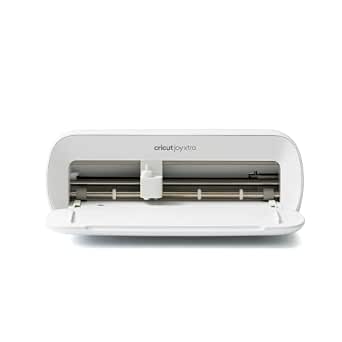 | Best Versatile Compact Cutter | Cutting Width: Up to 8.5 inches | Material Capacity: 50+ materials | Connectivity: USB and Bluetooth | VIEW ON AMAZON | See Our Full Breakdown |
| Likcut S41 Vinyl Cutter with Print-Then-Cut and AI Sticker Design |  | Best AI-Integrated Mid-Range Cutter | Max Cutting Width: 8.5 inches | Accuracy: 0.2 mm tolerance | Connectivity: USB-C and Bluetooth 5.0 | VIEW ON AMAZON | See Our Full Breakdown |
| VEVOR Smart3 12-Inch Vinyl Cutting Machine |  | Best for Wide-Format Projects | Cutting Width: 12 inches | Connectivity: USB, Bluetooth, USB Drive | Supported Files: PNG, JPG, SVG, TIF | VIEW ON AMAZON | See Our Full Breakdown |
| Likcut S501 Compact Vinyl Cutter Machine, 4.5-inch |  | Best Compact Beginner Machine | Cutting Width: 4.5 inches | Connectivity: Bluetooth 5.0, USB 2.0 | Design Library: 1,000,000+ designs | VIEW ON AMAZON | See Our Full Breakdown |
| Xyron Creative Station Lite, 3-Inch or 5-Inch Crafting Machine |  | Best for Versatile Adhesive Application | Brand: Xyron | Cartridge Widths: 3 inches and 5 inches | Power Source: Manual, non-electric | VIEW ON AMAZON | See Our Full Breakdown |
| Cricut Joy 2 Essential Bundle with Digital Content, Blue |  | Best for Compact Versatility | Cutting Width: 4.5 inches | Weight: Just over 2 lbs | Material Compatibility: 75+ materials | VIEW ON AMAZON | See Our Full Breakdown |
| Cricut Joy Xtra Cutting Machine Card Making Bundle |  | Best for Paper Crafting Enthusiasts | Machine Type: Die cutting machine | Active Surface Area: 12 in x 6 in | Dimensions: 5.5 in D x 12.5 in W x 5.5 in H | VIEW ON AMAZON | See Our Full Breakdown |
| Liene PixCut S1 Color Sticker Printer and Cutting Machine |  | Best All-in-One Print and Cut | Printer Type: Thermal dye sublimation | Print Resolution: 300 dpi | Output: Color | VIEW ON AMAZON | See Our Full Breakdown |
| Xyron 3-Inch Disposable Sticker Maker with Permanent Adhesive |  | Best Entry-Level Sticker Maker | Brand: Xyron | Model: 100111 | Maximum Item Width: 3 inches | VIEW ON AMAZON | See Our Full Breakdown |
| Xyron Create-A-Sticker Mini 2.5-Inch Sticker and Label Maker |  | Best Ultra-Compact Manual Applicator | Brand: Xyron | Model: XRN250-CFTEN | Maximum Width: 2.5 inches | VIEW ON AMAZON | See Our Full Breakdown |
| VEVOR 12-Inch Vinyl Cutting Machine | 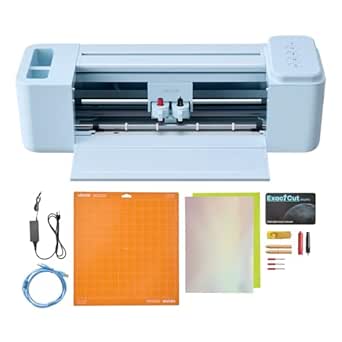 | Best High-Volume Production Tool | Brand: VEVOR | Cutting Width: 12 inches | Operation Mode: Automatic | VIEW ON AMAZON | See Our Full Breakdown |
| Xyron Create-a-Sticker 5-Inch Manual Sticker Maker |  | Best Mid-Size Manual Applicator | Brand: Xyron | Model: XRN500EN | Max Item Width: 5 inches | VIEW ON AMAZON | See Our Full Breakdown |
| Likcut S501 AI Vinyl Cutter Machine, 4.5-Inch Cutting Width |  | Best AI-Assisted Compact Cutter | Brand: Likcut | Model: S501 | Cutting Width: 4.5 inches | VIEW ON AMAZON | See Our Full Breakdown |
| Likcut S501 Vinyl Cutter Machine, 4.5-Inch, Pink |  | Best Aesthetic Starter Kit | Brand: Likcut | Model: S501 | Cutting Width: 4.5 inches | VIEW ON AMAZON | See Our Full Breakdown |
| sticker cutting machines craft | Connectivity | Weight |
|---|---|---|
| Liene PixCut S1 Inspire Kit Co | Bluetooth | 2.9 kg |
| Cricut Joy Xtra Smart Cutting | USB and Bluetooth | 250 g (device only) |
| Likcut S41 Vinyl Cutter with P | USB-C and Bluetooth 5.0 | 3.9 kg |
| VEVOR Smart3 12-Inch Vinyl Cut | USB, Bluetooth, USB Drive | 18.1 pounds |
| Likcut S501 Compact Vinyl Cutt | Bluetooth 5.0, USB 2.0 | — |
| Xyron Creative Station Lite | — | 2 pounds |
| Cricut Joy 2 Essential Bundle | Bluetooth | Just over 2 lbs |
| Cricut Joy Xtra Cutting Machin | — | 9.8 pounds |
| Liene PixCut S1 Color Sticker | Bluetooth | — |
| Xyron 3-Inch Disposable Sticke | — | — |
| Xyron Create-A-Sticker Mini 2. | — | 14.2 g |
| VEVOR 12-Inch Vinyl Cutting Ma | USB, Bluetooth, USB drive | — |
| Xyron Create-a-Sticker 5-Inch | — | 0.5 kg |
| Likcut S501 AI Vinyl Cutter Ma | Bluetooth 5.0, USB 2.0 | 2.65 kg |
| Likcut S501 Vinyl Cutter Machi | Mobile, tablet, and PC | — |
More Details on Our Top Picks
Liene PixCut S1 Inspire Kit Color Sticker Printer and Cutting Machine
This device solves the biggest headache in sticker crafting: the messy, imprecise alignment required when printing on one machine and cutting on another. Unlike the Cricut Joy Xtra, which requires a separate inkjet printer for color work, the Liene PixCut S1 prints and cuts in a single pass. This integration means you get perfectly registered stickers without the fiddly registration marks. The kit is generous, including 180 sheets of photo and sticker paper, which removes the immediate need to buy supplies. However, the 1 page per minute speed is a significant bottleneck for bulk orders. It is ideal for hobbyists who value convenience over volume, but it lacks the material versatility of dedicated cutters like the VEVOR Smart3.
Pros:- Integrated printing and cutting eliminates alignment errors
- Large starter kit with 180 sheets of media included
- Produces waterproof and scratch-resistant laminated stickers
- App includes AI tools and templates without a subscription fee
Cons:- Slow print speed of one page per minute limits productivity
- Bluetooth-only connectivity can cause occasional sync issues
- Limited to 4×7 inch media size
Best for: Crafters who want a self-contained color sticker station without buying a separate printer
Not ideal for: High-volume sellers or those needing to cut thick materials like chipboard or leather
- Print Technology:Thermal dye-sublimation
- Resolution:300 x 300 dpi
- Connectivity:Bluetooth
- Max Media Size:4 x 7 inches
- Print Speed:1 page per minute
- Included Media:36 photo sheets, 144 sticker sheets
- Weight:2.9 kg
Our verdict“Choose the Liene PixCut S1 if you prioritize a streamlined, mess-free workflow for small-batch color stickers.”
Cricut Joy Xtra Smart Cutting Machine with Digital Content Bundle
The Cricut Joy Xtra stands out for its material versatility, cutting over 50 types including iron-on and vinyl, whereas the Liene PixCut S1 is strictly limited to its proprietary sticker papers. It offers Print Then Cut capabilities, but unlike the all-in-one Liene, this requires you to own a compatible inkjet printer. The Joy Xtra handles long continuous cuts up to four feet, a feature the compact Likcut S501 cannot match. While the Cricut Design Space ecosystem is robust, the reliance on a paid subscription for advanced content can be a hidden cost. This machine is heavier and more robust than the plastic-bodied Likcut models, offering better stability for detailed foil and write tasks.
Pros:- Cuts, writes, draws, and foils a wide variety of materials
- Handles continuous cuts up to four feet in length
- Compact size fits easily on small desks or shelves
- Strong ecosystem with extensive online tutorials and support
Cons:- Requires a separate inkjet printer for color Print Then Cut projects
- Best features and fonts are locked behind a Cricut Access subscription
- Slower cutting speeds compared to industrial-grade vinyl cutters
Best for: Crafters who need to cut diverse materials like iron-on, vinyl, and cardstock in a compact footprint
Not ideal for: Users who do not own an inkjet printer and want a self-contained color sticker solution
- Cutting Width:Up to 8.5 inches
- Material Capacity:50+ materials
- Connectivity:USB and Bluetooth
- Functions:Cut, Write, Draw, Foil
- Weight:250 g (device only)
- Warranty:1-year manufacturer warranty
- Included Tools:Fine-point blade, pen, weeder
Our verdict“The Cricut Joy Xtra is the best choice for multi-material crafters who already own a compatible printer.”
Likcut S41 Vinyl Cutter with Print-Then-Cut and AI Sticker Design
The Likcut S41 bridges the gap between hobbyist toys and professional tools with its 8.5-inch cutting width and 0.2 mm accuracy. Compared to the smaller Likcut S501, the S41 handles larger sheets of cardstock and vinyl, making it suitable for T-shirt transfers and larger decals. Its standout feature is the AI design generation, which allows users to create sticker designs from text prompts directly in the app. However, this reliance on proprietary software means you are less free to use industry-standard vector files without conversion. While it offers USB-C and Bluetooth, the plastic construction feels less durable than the metal-heavy VEVOR Smart3, suggesting it is better suited for light home use than daily commercial demands.
Pros:- Generates original designs using voice or text AI prompts
- High cutting accuracy of 0.2 mm for intricate details
- Supports both USB-C and Bluetooth 5.0 for flexible connectivity
- Cuts materials up to 8.5 inches wide, larger than compact models
Cons:- AI features are tied to the companion app and may require updates
- Plastic body lacks the rigidity of metal-framed competitors
- Maximum width limits use for large-scale signage projects
Best for: Tech-savvy hobbyists who want to generate designs via AI and cut standard-sized vinyl or cardstock
Not ideal for: Professional sign makers or users needing to cut thick, rigid materials like acrylic
- Max Cutting Width:8.5 inches
- Accuracy:0.2 mm tolerance
- Connectivity:USB-C and Bluetooth 5.0
- AI Features:Voice and text prompt design generation
- Weight:3.9 kg
- Supported Media:Cardstock, vinyl, glossy film
- Operation:Automatic with on-device controls
Our verdict“Pick the Likcut S41 if you want modern AI design tools and a balance of size and precision.”
VEVOR Smart3 12-Inch Vinyl Cutting Machine
When the 12-inch cutting width is required, the VEVOR Smart3 is the only option in this lineup capable of handling it. This width allows for large decals, wall art, and wide heat-transfer paper that the Likcut S41 and Cricut Joy Xtra simply cannot accommodate. The machine supports a wide array of file formats (SVG, PNG, TIF) and connects via USB, Bluetooth, and even a USB drive, offering more flexibility than the Bluetooth-only Liene PixCut. However, this power comes at a cost: the unit is heavy at 18 pounds and requires a dedicated workspace. The 240-volt input listed in specs also raises a compatibility flag for users in 110V regions, requiring careful voltage verification before purchase.
Pros:- Massive 12-inch cutting width for large-format projects
- Supports multiple connectivity options including USB drive
- Compatible with Mac, Windows, Android, and iOS
- Includes design software that works offline
Cons:- Bulky 18-pound weight makes it difficult to move or store
- 240-volt input may require a transformer for 110V users
- Lacks the integrated printing capabilities of the Liene PixCut
Best for: Crafters working on large-scale projects like wall decals, banners, and wide iron-on transfers
Not ideal for: Users with limited desk space or those in regions with 110V power outlets (verify voltage first)
- Cutting Width:12 inches
- Connectivity:USB, Bluetooth, USB Drive
- Supported Files:PNG, JPG, SVG, TIF
- Weight:18.1 pounds
- Dimensions:7.36 x 22.8 x 6.61 inches
- Input Voltage:240 volts
- Functions:Cut, Draw, Score
Our verdict“The VEVOR Smart3 is essential for wide-format crafters, provided you have the space and correct voltage.”
Likcut S501 Compact Vinyl Cutter Machine, 4.5-inch
The Likcut S501 is the most portable option in this group, designed specifically for small workspaces and travel. With a 4.5-inch cutting width, it is significantly smaller than the Likcut S41 and Cricut Joy Xtra, making it ideal for tiny stickers, labels, and monograms. It compensates for its small size with a massive library of over one million designs, which is far more extensive than the starter kits provided by Liene or VEVOR. The interface is simplified for beginners, with voice and text tools that lower the barrier to entry. However, the limited width is a hard constraint; you cannot cut standard letter-sized paper or wide vinyl rolls, forcing users to upgrade quickly if their projects scale up.
Pros:- Ultra-compact size fits in drawers or small desks
- Access to over 1 million pre-made designs and fonts
- Simple voice and text design tools for quick creation
- Includes Bluetooth and USB connectivity options
Cons:- 4.5-inch cutting width severely limits project scale
- Not suitable for standard-sized cardstock or vinyl sheets
- Plastic build quality may feel flimsy during heavy use
Best for: Beginners with very limited desk space who primarily make small labels and tiny stickers
Not ideal for: Users planning to make T-shirt transfers or large decals due to the 4.5-inch width limit
- Cutting Width:4.5 inches
- Connectivity:Bluetooth 5.0, USB 2.0
- Design Library:1,000,000+ designs
- Font Library:1,000+ fonts
- Supported Materials:50+ materials
- Operation:Automatic
- Included Items:Adapter, USB-C cable, vinyl bundle
Our verdict“The Likcut S501 is the perfect entry-level machine for small-space crafters focusing on tiny details.”
Xyron Creative Station Lite, 3-Inch or 5-Inch Crafting Machine
This manual station stands out for its multi-function capability, allowing users to laminate, apply adhesive, and create magnets without electricity. Unlike the Liene PixCut S1, which relies on digital printing, the Xyron is purely mechanical, making it ideal for users who want to preserve existing photos or paper crafts rather than generate new images. It supports both 3-inch and 5-inch cartridges, offering more flexibility than single-width options like the Xyron 3-Inch Disposable Sticker Maker. However, the lack of a warranty and the need to purchase refills separately can add to the long-term cost. It is a solid choice for crafters who value tactile control and portability over digital precision.
Pros:- Combines lamination, adhesive application, and magnet making in one device
- Operates without electricity, heat, or warm-up time
- Accepts both 3-inch and 5-inch refill cartridges for varied project sizes
- Uses mess-free, acid-free adhesive that is safe for scrapbooking and photos
Cons:- Refill cartridges are sold separately, increasing ongoing costs
- No manufacturer warranty is included
- Limited to projects that fit within 3-inch or 5-inch width constraints
Best for: Crafters who want to laminate photos or make magnets from existing materials without using a computer.
Not ideal for: Users who need to print custom designs from a phone or computer, as this machine only applies adhesive to pre-made items.
- Brand:Xyron
- Cartridge Widths:3 inches and 5 inches
- Power Source:Manual, non-electric
- Weight:2 pounds
- Included Cartridge:5-inch x 18-foot permanent adhesive
- Functions:Adhesive application, lamination, magnet making
Our verdict“This manual station is the best choice for crafters who need to laminate or adhere existing paper goods without digital dependencies.”
Cricut Joy 2 Essential Bundle with Digital Content, Blue
The Cricut Joy 2 distinguishes itself by supporting over 75 materials, far exceeding the paper-focused limits of the Cricut Joy Xtra. Its ability to cut, write, draw, foil, and score makes it a true multi-tool, while the 4.5-inch cutting width keeps the footprint small enough for tight spaces. The Essential Bundle provides a strong start with materials for 35 projects, reducing the immediate need for additional purchases. However, the reliance on a paid subscription for the full library of images and fonts can be a drawback for budget-conscious users. Compared to the Liene PixCut S1, it offers more material versatility but requires an external printer for full-color sticker designs.
Pros:- Supports over 75 different materials including vinyl, fabric, and cardstock
- Includes a comprehensive bundle with tools and supplies for 35 projects
- Compact design weighs just over 2 pounds for easy portability
- Offers multiple functions: cutting, writing, drawing, foiling, and scoring
Cons:- Limited to a 4.5-inch cutting width, restricting project size
- Access to premium digital content requires a paid subscription
- Does not print designs internally; requires a separate printer for full-color stickers
Best for: Hobbyists with limited workspace who want to work with diverse materials like vinyl, cardstock, and iron-on.
Not ideal for: Users who want to print and cut in one step without owning a separate home inkjet printer.
- Cutting Width:4.5 inches
- Weight:Just over 2 lbs
- Material Compatibility:75+ materials
- Connectivity:Bluetooth
- Included Project Capacity:Up to 35 projects
- Color:Blue
Our verdict“This bundle is ideal for beginners who want a versatile, compact machine with immediate access to project supplies.”
Cricut Joy Xtra Cutting Machine Card Making Bundle
Targeted specifically at paper crafters, this bundle includes specialized card mats and insert cards, making it more focused than the general-purpose Cricut Joy 2. It excels at creating personalized cards and invitations with precise writing and cutting capabilities. While it shares the same 4.5-inch width limitation as its sibling, the inclusion of specific paper supplies reduces the learning curve for card making. Unlike the Liene PixCut S1, which handles waterproof vinyl, this machine is strictly for paper-based projects. It is a strong contender for those who prioritize card making over vinyl decals or multi-material flexibility.
Pros:- Includes specialized card mats and insert cards for immediate card making
- Beginner-friendly setup with clear instructions for paper projects
- Combines cutting and writing functions for personalized designs
- Compact footprint fits easily on a small desk or craft table
Cons:- Primarily designed for paper, lacking versatility for vinyl or fabric
- Requires Bluetooth and high-speed internet for mobile device compatibility
- Limited to 12-inch by 6-inch active surface area
Best for: Card makers and scrapbookers who need a dedicated tool for precise paper cuts and handwritten-style fonts.
Not ideal for: Users interested in cutting vinyl or iron-on materials, as this bundle is optimized for paper crafting.
- Machine Type:Die cutting machine
- Active Surface Area:12 in x 6 in
- Dimensions:5.5 in D x 12.5 in W x 5.5 in H
- Weight:9.8 pounds
- Included Components:Machine, card mat, insert cards, pens, sticker paper
- Warranty:1 year against manufacturer defects
Our verdict“This machine is the best choice for crafters whose primary focus is creating high-quality paper cards and invitations.”
Liene PixCut S1 Color Sticker Printer and Cutting Machine
The Liene PixCut S1 solves the fragmentation problem found in the Cricut Joy 2 by integrating printing and cutting into a single device. It produces waterproof, laminated stickers directly, eliminating the need for a separate inkjet printer or lamination machine. The AI features that extract subjects from photos offer a convenience not found in the manual Xyron Creative Station Lite. However, the 300 dpi resolution is lower than dedicated photo printers, and the print speed is modest. It is the most convenient option for creating durable, full-color stickers on demand, provided you accept the app-dependent workflow.
Pros:- Combines color printing and precision cutting in one compact device
- Produces laminated, waterproof, and scratch-resistant stickers
- AI features can extract subjects from photos or generate artwork automatically
- App includes free images and templates without a mandatory subscription
Cons:- Maximum copy speed is limited to 1 page per minute for black and white
- Printing and editing are entirely dependent on the companion app
- 300 dpi resolution may not satisfy professional photo quality requirements
Best for: Small business owners or hobbyists who need to print and cut waterproof vinyl stickers without separate printers.
Not ideal for: Users who require high-resolution photo printing or large-format cuts, as the width and resolution are limited.
- Printer Type:Thermal dye sublimation
- Print Resolution:300 dpi
- Output:Color
- Item Weight:6.2 pounds
- Dimensions:11 x 7.7 x 4.1 inches
- Connectivity:Bluetooth
Our verdict“This all-in-one device is the best choice for users who want to print and cut durable stickers in a single step.”
Xyron 3-Inch Disposable Sticker Maker with Permanent Adhesive
This single-use unit is the most affordable entry point into sticker making, requiring no electricity or technical setup. Unlike the Xyron Creative Station Lite, which is reusable and supports multiple cartridge widths, this device is strictly disposable and limited to 3-inch width. It is significantly simpler than digital options like the Liene PixCut S1, making it perfect for quick, one-off projects or classroom settings where maintenance is a concern. However, the inability to replace the adhesive roll means it becomes waste after 20 feet of use. It serves as a low-risk introduction to manual sticker creation.
Pros:- Extremely portable and lightweight at just 5.28 ounces
- No electricity, warm-up, or drying time required for use
- Applies acid-free, non-toxic adhesive without mess
- Works with paper, photos, fabric, and ribbon up to 3 inches wide
Cons:- Disposable design means the entire unit is discarded after use
- Limited to a maximum item width of 3 inches
- Only includes 20 feet of adhesive, suitable for very small projects
Best for: Parents, teachers, or casual crafters who want to make a small batch of stickers without investing in reusable equipment.
Not ideal for: Serious crafters or small businesses who need to produce large volumes of stickers, as the unit is single-use.
- Brand:Xyron
- Model:100111
- Maximum Item Width:3 inches
- Adhesive Length:20 feet
- Adhesive Type:Permanent, acid-free, non-toxic
- Reusability:Single use
Our verdict“This disposable maker is the best low-cost option for occasional crafters who need a quick, no-fuss sticker solution.”
Xyron Create-A-Sticker Mini 2.5-Inch Sticker and Label Maker
This handheld unit is the smallest option in the lineup, designed for portability rather than volume. Unlike electric cutters like the VEVOR 12-Inch Vinyl Cutting Machine, it requires no power source, making it ideal for classrooms or craft fairs where outlets are scarce. It applies adhesive mechanically, which means no warm-up time, but the tradeoff is a 2.5-inch width limit. While the Xyron Create-a-Sticker 5-Inch offers double the width, this Mini excels in fitting into a pocket or small bag. It is strictly an adhesive applicator, not a cutter, so you must pre-cut your materials. This makes it a specialized tool for quick, mess-free labeling rather than complex design work.
Pros:- Completely portable with no need for electricity or batteries
- Applies adhesive cleanly without any liquid glue mess
- Extremely lightweight at just 14.2 grams
- Acid-free adhesive is safe for scrapbooking and archival projects
Cons:- Strict 2.5-inch width restriction limits project size
- Does not cut materials; requires pre-cut shapes
- Repositionable adhesive cartridges are sold separately
Best for: Teachers, office managers, or crafters who need a portable, zero-power solution for small labels and photos.
Not ideal for: Users who need to cut shapes or work with materials wider than 2.5 inches.
- Brand:Xyron
- Model:XRN250-CFTEN
- Maximum Width:2.5 inches
- Included Adhesive:10 feet of permanent, acid-free adhesive
- Power Source:Non-electric manual crank
- Weight:14.2 g
- Dimensions:5.5 x 5.5 x 6.5 inches
- Warranty:1 year limited
Our verdict“Choose this if you prioritize portability and simplicity over cutting capabilities or width.”
VEVOR 12-Inch Vinyl Cutting Machine
When compared to compact options like the Likcut S501, this VEVOR model is a heavyweight in both size and capability. With a 12-inch cutting width, it handles large decals, t-shirts, and home decor projects that smaller machines simply cannot. It supports cutting, drawing, and scoring, offering versatility that pure cutters lack. However, its 18.1-pound weight makes it a stationary workspace addition rather than a portable gadget. The inclusion of software and extensive design resources lowers the barrier to entry, but the learning curve for a machine of this size is steeper than for beginner-friendly devices. It is built for users who need to produce bulk orders or large-format crafts efficiently.
Pros:- Massive 12-inch cutting width accommodates large projects
- Includes design software and over 20,000 resources
- Versatile functions include cutting, drawing, and scoring
- Broad compatibility with Mac, Windows, iOS, and Android
Cons:- Heavy 18.1-pound frame is difficult to move or store
- Lacks the compact footprint of desktop-only models
- May be overkill for simple, small-scale sticker making
Best for: Small business owners or serious crafters needing to cut large vinyl sheets and heat transfers.
Not ideal for: Beginners with limited desk space or those who need a portable device for travel.
- Brand:VEVOR
- Cutting Width:12 inches
- Operation Mode:Automatic
- Connectivity:USB, Bluetooth, USB drive
- Supported Formats:PNG, JPG, SVG, TIF
- Functions:Cutting, writing/drawing, scoring
- Item Weight:18.1 pounds
- Compatible Devices:Mac, Windows, Android 5.1+, iOS 11.0+
Our verdict“This is the right choice if you need industrial-grade width and volume for your crafting business.”
Xyron Create-a-Sticker 5-Inch Manual Sticker Maker
This model occupies the sweet spot between the tiny Xyron Create-A-Sticker Mini and the massive VEVOR 12-Inch Vinyl Cutting Machine. It doubles the width capacity of the Mini to 5 inches, allowing for larger labels and scrapbook elements without requiring a bulky electric cutter. Like its smaller sibling, it uses a manual crank, meaning no electricity is needed, which is a significant advantage for reliability and portability. However, it is strictly an adhesive applicator; you cannot use it to cut vinyl or shapes. For crafters who already have a cutter or buy pre-cut shapes, this machine offers a cleaner, faster way to apply permanent or repositionable adhesive compared to tape runners or liquid glue.
Pros:- 5-inch width accommodates standard paper and photo sizes
- Manual operation requires no power or warm-up time
- Acid-free, non-toxic adhesive is safe for photos
- Compact footprint fits easily on a crowded craft table
Cons:- Cannot cut materials; requires pre-cut inputs
- Refill cartridges are an additional ongoing cost
- Limited to flat materials up to 5 inches wide
Best for: Scrapbookers and journalers who work with 3-5 inch paper elements and want mess-free adhesion.
Not ideal for: Users looking for a machine that can both cut and apply adhesive in one step.
- Brand:Xyron
- Model:XRN500EN
- Max Item Width:5 inches
- Operation Mode:Manual
- Included Adhesive:5-inch x 10-foot permanent cartridge
- Dimensions:5.91 x 9.06 x 5.91 inches
- Weight:0.5 kg
- Material:Plastic
Our verdict“Ideal for scrapbookers who need a reliable, power-free way to adhere mid-sized paper crafts.”
Likcut S501 AI Vinyl Cutter Machine, 4.5-Inch Cutting Width
The Likcut S501 stands out for its integration of AI-assisted design tools, which lowers the technical barrier for users who struggle with vector software. Compared to the VEVOR 12-Inch, it is significantly smaller and lighter, making it suitable for small desks or apartment living. It connects via Bluetooth 5.0 and USB, offering flexibility for mobile and desktop use. While it lacks the print-and-cut capability found in premium models like the Liene PixCut S1, its speed of 3.2 inches per second is competitive for a compact unit. The massive library of designs and fonts is a major benefit, though it requires an internet connection to access, which may frustrate offline users.
Pros:- AI-assisted design creation simplifies the design process
- Fast cutting speed of 3.2 inches per second
- Bluetooth 5.0 connectivity for wireless operation
- Access to over 1 million designs and 1,200 fonts
Cons:- Dependence on internet for the design store and AI features
- 4.5-inch cutting width limits large-scale projects
- Does not support print-and-cut functionality
Best for: Tech-savvy crafters who want to generate designs via AI prompts and prefer a compact, connected device.
Not ideal for: Users without reliable internet access or those who need to cut materials wider than 4.5 inches.
- Brand:Likcut
- Model:S501
- Cutting Width:4.5 inches
- Max Speed:3.2 inches per second
- Connectivity:Bluetooth 5.0, USB 2.0
- Design Library:Over 1 million designs
- Weight:2.65 kg
- Functions:Cutting and drawing
Our verdict“A strong choice for modern crafters who value AI design help and wireless convenience over raw size.”
Likcut S501 Vinyl Cutter Machine, 4.5-Inch, Pink
Functionally identical to the beige Likcut S501, this pink variant targets a specific aesthetic preference while offering the same 4.5-inch cutting capacity. It is positioned as an entry-level device for those who find the Cricut Joy Xtra too expensive or complex. The inclusion of a pen allows for drawing and writing, adding utility beyond simple vinyl cutting. However, like its twin, it lacks print-and-cut features, meaning you cannot print a design and have the machine cut it out automatically. It is best viewed as a dedicated cutter for small, intricate stickers. The voice and text prompt AI features make it accessible for users who are new to digital design, though the 4.5-inch limit remains a hard constraint for larger crafts.
Pros:- Includes a pen for drawing and writing projects
- AI design tools support voice and text prompts
- Compact and lightweight for easy storage
- Cuts over 46 materials including iron-on and vinyl
Cons:- No print-and-cut capability
- Limited 4.5-inch cutting width
- Designed for adult use only, not child-safe
Best for: Beginners who prioritize a cute aesthetic and need a simple, pen-inclusive starter machine for small stickers.
Not ideal for: Professional crafters needing print-and-cut precision or large-format cutting capabilities.
- Brand:Likcut
- Model:S501
- Cutting Width:4.5 inches
- Materials:Over 46 types
- Connectivity:Mobile, tablet, and PC
- Included Components:Machine, adapter, USB-C cable, vinyl bundle, pen
- Color:Pink
- Functions:Cutting, drawing, writing
Our verdict“Perfect for beginners who want a stylish, easy-to-use cutter with built-in drawing capabilities.”
How We Picked
I evaluated these machines based on three core pillars: workflow efficiency, material versatility, and ease of use. For workflow efficiency, I looked at how seamlessly each device integrates into a standard crafting process. Machines that require multiple steps between printing and cutting, such as aligning printed sheets on a mat, were compared against all-in-one units that automate this alignment. This distinction is vital for crafters who produce stickers in batches and need to minimize manual labor.
Material versatility was assessed by examining the range of substrates each machine can handle, from standard vinyl and cardstock to heavier materials like iron-on transfer sheets or thick chipboard. I also prioritized ease of use, particularly for beginners, by looking at software intuitiveness and the availability of pre-loaded designs. Machines that require extensive manual calibration or complex driver installations were ranked lower than those with plug-and-play functionality, unless they offered significantly superior cutting precision that justified the learning curve.
| sticker cutting machines craft | Connectivity |
|---|---|
| Liene PixCut S1 Inspire Kit Co | Bluetooth |
| Cricut Joy Xtra Smart Cutting | USB and Bluetooth |
| Likcut S41 Vinyl Cutter with P | USB-C and Bluetooth 5.0 |
| VEVOR Smart3 12-Inch Vinyl Cut | USB, Bluetooth, USB Drive |
| Likcut S501 Compact Vinyl Cutt | Bluetooth 5.0, USB 2.0 |
| Xyron Creative Station Lite | — |
| Cricut Joy 2 Essential Bundle | Bluetooth |
| Cricut Joy Xtra Cutting Machin | — |
| Liene PixCut S1 Color Sticker | Bluetooth |
| Xyron 3-Inch Disposable Sticke | — |
| Xyron Create-A-Sticker Mini 2. | — |
| VEVOR 12-Inch Vinyl Cutting Ma | USB, Bluetooth, USB drive |
| Xyron Create-a-Sticker 5-Inch | — |
| Likcut S501 AI Vinyl Cutter Ma | Bluetooth 5.0, USB 2.0 |
| Likcut S501 Vinyl Cutter Machi | Mobile, tablet, and PC |
Factors to Consider When Choosing Sticker Cutting Machines Craft
Selecting a sticker cutting machine is not just about brand loyalty; it is about matching the hardware to your specific design needs and volume expectations. The market is divided into three distinct categories: electronic cutters, manual applicators, and hybrid print-and-cut units. Understanding these differences prevents costly mistakes and ensures your machine complements your existing crafting tools.
Electronic Cutters vs. Manual Applicators
Electronic cutters, such as the Cricut Joy or Likcut S501, use digital blades to slice through materials based on vector paths. They excel at intricate designs, text, and shapes with sharp corners. In contrast, manual applicators like the Xyron Create-A-Sticker use a roller mechanism to apply adhesive and cut straight lines or basic shapes. If your primary goal is creating simple labels, price tags, or rectangular stickers, a manual unit is faster, cheaper, and requires no computer. However, if you want to cut custom die-cut shapes, logos, or complex illustrations, you must invest in an electronic cutter. Do not buy a manual machine expecting it to handle detailed vector art; it physically cannot replicate the precision of a digital blade.
The Importance of Cutting Width and Material Roll Size
Cutting width dictates the maximum size of your sticker. Most compact machines, like the Cricut Joy, cut up to 2.4 inches wide. This is perfect for water bottle stickers and small labels but insufficient for t-shirt decals or large wall art. Machines like the VEVOR 12-inch models offer professional width but take up more desk space. You must also consider the material source. Some machines work best with pre-cut sheets (12×12 inches), while others support roll feeds. If you plan to produce long strips of labels or continuous borders, ensure the machine supports roll media, as sheet-fed machines will require constant reloading and manual alignment, which slows down production significantly.
Print-and-Cut Integration vs. Separate Printers
A major decision point is whether to buy a standalone cutter or a print-and-cut combo. Standalone cutters require you to print your design on a separate inkjet or laser printer before cutting. This allows for higher quality printing with specialized inks but requires precise registration marks and alignment. Print-and-cut machines, like the Liene PixCut S1, handle both tasks internally. This is convenient and saves space, but the print quality may not match a dedicated photo printer, and you are limited to the ink types compatible with that specific unit. If you already own a high-quality inkjet printer, a standalone cutter often yields better color vibrancy and lower long-term ink costs. If you lack a printer, the all-in-one unit is the more logical purchase.
Software Ecosystems and Design Freedom
Brand-locked machines like Cricut offer polished, user-friendly software with a massive library of pre-made designs. This is excellent for beginners who want to start crafting immediately without learning vector design. However, this comes at the cost of flexibility; you may be restricted to their font library or pay for premium content. Generic cutters like Likcut or VEVOR often use open-source or third-party software (like Silhouette Studio or Inkscape) that allows you to import any SVG file you create or download. If you are comfortable designing your own graphics in Adobe Illustrator or Inkscape, a generic cutter offers more creative freedom. If you prefer browsing a marketplace of ready-to-use designs, the Cricut ecosystem provides a smoother experience.
Adhesive Systems and Lamination Options
Not all machines create finished stickers. Some cut the vinyl, but you must manually apply adhesive backing. Others, like the Xyron machines, apply permanent adhesive automatically. For outdoor stickers, you need to consider lamination. Electronic cutters can cut laminate sheets, which you then apply manually or via a laminator. Some advanced print-and-cut machines may have integrated lamination or recommend specific laminate products. If you are selling stickers, durability is key. Ensure your chosen workflow supports the addition of a protective laminate layer. A machine that cuts well but makes it difficult to apply laminate consistently will result in stickers that peel or fade quickly, hurting your product quality.
Frequently Asked Questions
Can I use standard printer paper for stickers on these machines?
Most electronic sticker cutting machines are designed for vinyl, cardstock, and specialty sticker paper, not standard copy paper. Standard paper lacks the durability and water resistance needed for lasting stickers and often tears during the cutting process. If you want to use paper, you must purchase dedicated printable sticker paper, which comes in two types: inkjet and laser. You must match the paper type to your printer technology (inkjet or laser) and ensure your cutter supports that specific paper thickness. Using standard paper on a vinyl cutter will likely jam the machine or produce poor-quality cuts that do not peel correctly from the backing.
Do I need a computer to operate a sticker cutting machine?
For most electronic cutters, yes, a computer or smartphone is required to design and send the cut file to the machine. Machines like the Cricut Joy and Likcut S501 rely on software to define the cut paths. However, some standalone units or manual applicators do not require a computer. If you buy a print-and-cut machine like the Liene PixCut S1, you still need a device to send the print file, though some models offer basic editing apps on mobile devices. If you want a completely offline experience for simple tasks, a manual sticker maker is the only option that requires no digital connectivity whatsoever.
How long do sticker cutting blades last, and how do I replace them?
Blade lifespan varies significantly based on usage frequency and material type. Cutting thick materials like chipboard or leather dulls blades faster than cutting thin vinyl. On average, a standard blade might last between 6 to 12 months for regular home crafters. Most modern machines feature quick-release blade housings that allow for easy replacement without tools. It is wise to purchase a few replacement blades when you buy the machine, as they are consumable items. Always check the manufacturer’s guidelines for compatible blade types, as using the wrong blade can damage the machine’s carriage or result in uneven cuts.
What is the difference between ‘cut’ and ‘draw’ functions?
The ‘cut’ function uses a sharp blade to slice through the material, creating a die-cut sticker. The ‘draw’ function uses a pen or marker to print or draw on top of the material before cutting. This is useful for adding text, signatures, or decorative lines that you do not want to cut through. Not all machines support the draw function natively; some require a separate pen holder accessory. If you plan to create planners, journals, or designs that combine cutting and writing, ensure the machine you choose supports pen tools and has the appropriate carriage adjustments to accommodate the pen’s height.
Can these machines cut through thick materials like leather or chipboard?
Most compact home sticker cutters are not designed for thick, dense materials like leather or heavy chipboard. They are optimized for vinyl, paper, cardstock, and thin fabric. Attempting to cut thick materials with a small machine like the Cricut Joy can damage the motor or dull the blade prematurely. If you need to cut heavy materials, you must look for industrial-grade or heavy-duty vinyl cutters with higher downforce settings. Always check the maximum material thickness specification before purchasing. For general sticker making, stick to materials under 1mm in thickness to ensure clean cuts and machine longevity.
Conclusion
The best sticker cutting machine for you depends entirely on your specific crafting goals and existing equipment. For the best overall balance of convenience and capability, the Liene PixCut S1 Inspire Kit is the superior choice, offering a true all-in-one print-and-cut experience that saves space and simplifies the workflow. If you are a beginner who values ease of use and access to a vast library of designs, the Cricut Joy Xtra provides the most intuitive entry point into the hobby. For those on a budget who already own a printer and want to cut vinyl for small projects, the Likcut S501 offers excellent precision without the premium brand markup. If your needs are strictly for simple labels and you want to avoid electronics entirely, the Xyron Creative Station Lite remains the gold standard for manual reliability. Finally, for professional crafters producing large-scale decals or business signage, the VEVOR Smart3 12-Inch delivers the width and power necessary for high-volume, large-format output.
Halloween Picks

Vexalify 11-Inch Halloween Pumpkin Fog Machine with 12-Color Lights

Max Fun 10-Foot Halloween Dragon and Pumpkin Inflatable Archway with LED Lights

9 ft Halloween Inflatable Haunted Castle with Dragon and Ghost
As an affiliate, we earn on qualifying purchases.