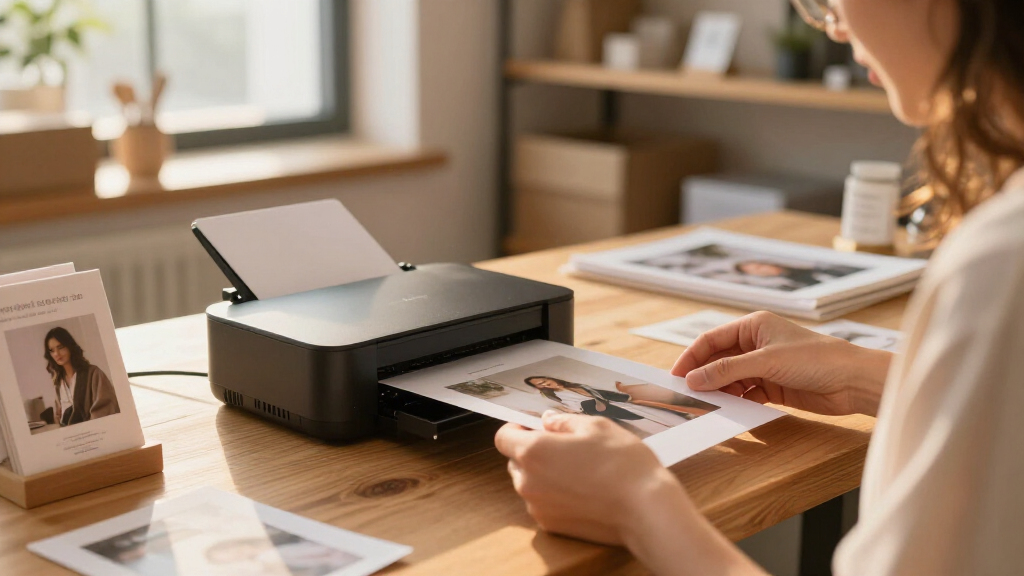
Among these portable photo printers for product photography, I rate the Liene M100 Wi-Fi as the best overall fit for sellers who want straightforward 4×6-inch dye-sublimation prints. The Canon SELPHY CP1500 is a strong alternative for shoppers who value a flexible compact setup, while the DNP QW410 better suits frequent, higher-volume printing. The main tradeoffs are print size, color workflow, portability, and whether a printer is designed for occasional samples or steady batches. A phone-friendly printer can make physical proofs convenient, but it is not a replacement for calibrated color management or larger professional output. Read on for how each model compares and which one fits your product-photo workflow.

Get business pricing on office and shipping supplies
- Business-only prices and quantity discounts
- Tax-exempt purchasing
- Multiple users, one account, clear invoices
Key Takeaways
- The Liene M100 Wi-Fi earns the overall spot because its 4×6-inch dye-sublimation format and wireless workflow suit routine product samples without requiring a larger printer setup.
- The two Liene M100 listings are distinct configurations: one specifies Wi-Fi and one does not, so buyers should compare the exact connection and included supplies before choosing.
- The Canon SELPHY CP1500 models and CP1300 offer compact dye-sublimation printing, while the bundle and ink-and-paper-set listings may change what is included rather than the printer’s core role.
- The DNP QW410 is the lineup’s specialized choice for sustained 4×6-inch output; its size and dedicated workflow make less sense for sellers who print only occasional proofs.
- The Canon PIXMA TR160 is the inkjet alternative, which may suit broader document and color-printing needs, but buyers focused only on photo prints should weigh that versatility against a dedicated photo printer.
| Liene M100 4×6-Inch Wi-Fi Dye-Sublimation Photo Printer |  | Best Overall for Phone-Based Product Shots | Printer type: Thermal dye sublimation | Maximum media size: 4 × 6 inches | Print resolution: 300 × 300 dpi | VIEW LATEST PRICE | See Our Full Breakdown |
| Liene Amber M110 Bluetooth Photo Printer with 80 Sheets and 2 Cartridges |  | Best for Flexible Sample Formats | Printer type: Thermal dye sublimation | Supported paper sizes: 4 × 6 inches; 3 × 3 inches | Connectivity: Bluetooth; USB | VIEW LATEST PRICE | See Our Full Breakdown |
| KODAK Dock Plus 4×6 Photo Printer with Smartphone Dock |  | Best for a Phone-First Desk Setup | Printer type: 4PASS dye sublimation | Print size: 4 × 6 inches | Print speed: Approximately 55 seconds per photo | VIEW LATEST PRICE | See Our Full Breakdown |
| Liene M100 4×6-Inch Dye-Sublimation Photo Printer |  | Best for a Ready-to-Print Supply Kit | Printer type: Dye sublimation | Maximum media size: 4 × 6 inches | Resolution: 300 × 300 dpi | VIEW LATEST PRICE | See Our Full Breakdown |
| Canon PIXMA TR160 Wireless Portable Color Inkjet Printer |  | Best for Larger Product Proofs | Printer type: Inkjet | Maximum paper size: 8.5 × 11 inches | Print resolution: Up to 4800 × 1200 dpi | VIEW LATEST PRICE | See Our Full Breakdown |
| Canon SELPHY CP1500 Wireless Compact Photo Printer, Black |  | Best Overall for Flexible Product Proofs | Printer type: Dye sublimation | Connectivity: Wi-Fi, USB 2.0, memory card | Maximum media size: 4 x 6 inches | VIEW LATEST PRICE | See Our Full Breakdown |
| Canon SELPHY CP1500 Wireless Dye-Sublimation Photo Printer Bundle |  | Best Ready-to-Print Bundle | Printer type: Dye sublimation | Connectivity: Wi-Fi | Maximum media size: 4 x 6 inches | VIEW LATEST PRICE | See Our Full Breakdown |
| Canon SELPHY CP1300 Compact Wireless Photo Printer with Ink and Paper Set |  | Best for Multiple Small Print Formats | Printer type: Dye sublimation | Connectivity: Wi-Fi, AirPrint, Canon PRINT app | Print sizes: 4 x 6-inch, 2.1 x 2.1-inch square, sticker paper | VIEW LATEST PRICE | See Our Full Breakdown |
| DNP QW410 4.5-Inch Dye-Sublimation Printer with WCM Plus Wi-Fi Module and 4×6-Inch Media Kit |  | Best for Fast, Finish-Selectable Prints | Printer type: Dye sublimation | Print resolution: 300 x 300 dpi | Print speed: 19 seconds per 4 x 6-inch photo | VIEW LATEST PRICE | See Our Full Breakdown |
| portable photo printers for product photography | Printer type | Connectivity | Weight | Dimensions |
|---|---|---|---|---|
| Liene M100 4×6-Inch Wi-Fi Dye- | Thermal dye sublimation | Built-in Wi-Fi hotspot; wired PC connection | 2.2 pounds | 7.48 × 9.88 × 7.48 inches |
| Liene Amber M110 Bluetooth Pho | Thermal dye sublimation | Bluetooth; USB | 2.9 pounds | — |
| KODAK Dock Plus 4×6 Photo Prin | 4PASS dye sublimation | Bluetooth; smartphone docking; USB Type-C | — | 4.5 × 8.5 × 2 inches (D × W × H) |
| Liene M100 4×6-Inch Dye-Sublim | Dye sublimation | Wi-Fi; USB Type-C | — | 7.48 × 9.84 × 7.48 inches |
| Canon PIXMA TR160 Wireless Por | Inkjet | Wireless, Wireless Direct, Canon PRINT app, Apple AirPrint, Mopria, and cloud printing | 4.5 pounds | — |
| Canon SELPHY CP1500 Wireless C | Dye sublimation | Wi-Fi, USB 2.0, memory card | 1.58 kg | 5.2 x 7.2 x 2.3 inches |
| Canon SELPHY CP1500 Wireless D | Dye sublimation | Wi-Fi | — | — |
| Canon SELPHY CP1300 Compact Wi | Dye sublimation | Wi-Fi, AirPrint, Canon PRINT app | 1.9 lbs | 2.5 x 7.1 x 5.4 inches |
| DNP QW410 4.5-Inch Dye-Sublima | Dye sublimation | USB 2.0, WCM Plus Wi-Fi | Conflicting listings: 13 lbs and 22.2 lbs | 8 x 7.75 x 9.5 inches |
More Details on Our Top Picks
Liene M100 4×6-Inch Wi-Fi Dye-Sublimation Photo Printer
For sellers who want tangible product images without giving up much workspace, I rank the Liene M100 first. Its built-in Wi-Fi hotspot connects phones and computers directly, and support for up to five devices suits a small team passing around product shots. Dye-sublimation output receives a protective coating, which helps prints resist water, scratches, and fading—useful for reference images that get handled during packing or styling. Compared with the KODAK Dock Plus, the M100 is less tied to a physical phone dock and supports laptops and PCs as well as mobile devices. The tradeoff is a fixed 4×6-inch format and 300 × 300 dpi resolution, so it is better for compact visual checks than large, finely detailed presentation proofs. It also needs a power source; this is portable, not pocket-sized.
Pros:- Built-in Wi-Fi hotspot connects devices without relying on a router
- Supports up to five simultaneous device connections
- Protective coating helps prints resist water, scratches, and fading
- Includes 20 sheets of photo paper and one cartridge
Cons:- Limited to 4×6-inch output
- 300 × 300 dpi resolution is restrictive for judging fine product detail
- Requires a power source rather than offering battery-powered printing
Best for: Small online sellers who want to print 4×6 product references from several phones or computers over a direct Wi-Fi connection.
Not ideal for: Photographers who need larger proofs, fine-detail evaluation, or a printer they can operate without access to power.
- Printer type:Thermal dye sublimation
- Maximum media size:4 × 6 inches
- Print resolution:300 × 300 dpi
- Connectivity:Built-in Wi-Fi hotspot; wired PC connection
- Simultaneous device connections:Up to 5
- Included paper:20 sheets
- Weight:2.2 pounds
- Dimensions:7.48 × 9.88 × 7.48 inches
Our verdict“Choose the M100 for straightforward, multi-device 4×6 product prints; skip it if your workflow calls for larger or highly detailed proofs.”
Liene Amber M110 Bluetooth Photo Printer with 80 Sheets and 2 Cartridges
The Liene Amber M110 earns its place for sellers who want both conventional photo prints and small labels or visual samples. It handles 4×6-inch glossy paper and 3×3-inch sticker paper, giving it more format flexibility than the single-size Liene M100. Bluetooth pairing and app tools for cropping, borders, filters, and adjustments make quick phone edits accessible, while the print surface is described as resistant to water, scratches, fingerprints, and fading. The package includes 60 sheets of 4×6 paper and 20 square stickers, so there is room to try both formats. The compromises matter for repeat work: the printer has a 20-sheet maximum capacity, uses Liene-compatible cartridges, and weighs 2.9 pounds. I would choose it over the KODAK Dock Plus for sticker output, but not for a workflow that needs only simple 4×6 prints.
Pros:- Supports both 4×6-inch photo paper and 3×3-inch sticker paper
- Bluetooth printing works with Android and iOS devices
- App includes borders, filters, and photo adjustments
- Includes 60 sheets of 4×6 paper, 20 square sticker sheets, and two cartridges
Cons:- Maximum sheet capacity is 20, so larger jobs require reloading
- Cartridges are limited to compatible Liene 4×6-inch and 3×3-inch supplies
- At 2.9 pounds, it is heavier than the Liene M100
Best for: Marketplace sellers who want phone-based 4×6 product photos alongside square sticker samples for packaging, sorting, or mockups.
Not ideal for: Users who print large batches between reloads or want consumables that work across printer brands.
- Printer type:Thermal dye sublimation
- Supported paper sizes:4 × 6 inches; 3 × 3 inches
- Connectivity:Bluetooth; USB
- Compatible devices:Android and iOS smartphones, laptops, PCs, and tablets
- Resolution:300 × 300 dpi
- Included paper:60 sheets of 4×6-inch paper and 20 sheets of 3-inch square sticker paper
- Maximum sheet capacity:20 sheets
- Weight:2.9 pounds
Our verdict“Pick the M110 if square stickers add value to your product workflow, but choose a simpler 4×6 printer if they would go unused.”
KODAK Dock Plus 4×6 Photo Printer with Smartphone Dock
The KODAK Dock Plus suits a seller who keeps a compatible phone at the center of the product-photo workflow. Its dock both connects and charges a phone while printing, which can reduce cable clutter during a session of selecting and printing reference images. 4PASS dye sublimation produces borderless 4×6 color prints in about 55 seconds, and a coating is designed to resist fingerprints, water, and fading. Unlike the Liene M100, its defining convenience is the physical phone dock rather than a Wi-Fi hotspot for a broader mix of devices. Bluetooth and USB Type-C add connection options, but the printer still requires an outlet and supports only 4×6 output. That makes it a focused desk companion, not the best choice for larger proofs or genuinely untethered work.
Pros:- Dock charges a connected smartphone while printing
- 4PASS printing makes borderless 4×6 color photos
- Protective coating is designed to resist fingerprints, water, and fading
- App supports photo editing and cropping
Cons:- Prints are limited to 4×6 inches
- Requires a power outlet for operation
- The physical dock is less flexible than the Liene M100’s direct Wi-Fi approach for mixed-device workflows
Best for: Phone-first sellers who want to print and charge a compatible iOS or Android device at a fixed product-photo station.
Not ideal for: Creators who need laptop-centered printing, larger print formats, or operation away from a power outlet.
- Printer type:4PASS dye sublimation
- Print size:4 × 6 inches
- Print speed:Approximately 55 seconds per photo
- Connectivity:Bluetooth; smartphone docking; USB Type-C
- Compatible devices:iOS and Android smartphones and tablets
- Maximum sheet capacity:20 sheets
- Output sheet capacity:50 sheets
- Dimensions:4.5 × 8.5 × 2 inches (D × W × H)
Our verdict“Choose the Dock Plus for a phone-centered printing station with charging built in, not for mobile work or larger product proofs.”
Liene M100 4×6-Inch Dye-Sublimation Photo Printer
This Liene M100 bundle is the stronger pick when the main goal is to start printing a run of product references without immediately replenishing paper or cartridges. It includes 100 sheets and three cartridges, compared with the 20 sheets and one cartridge supplied with the other Liene M100 listing. The printer itself offers Wi-Fi and USB Type-C, connects with up to five devices, and works across iOS, Android, Windows, and Mac. Its laminated dye-sublimation prints are designed to resist water, scratches, fingerprints, and fading, while the app adds editing and ID-photo tools. Against the broader-format Canon PIXMA TR160, this model is narrower in purpose: it prints only 4×6 photos, not letter-size work. Proprietary cartridges and possible print-head cleaning when smudges appear are practical drawbacks for ongoing use.
Pros:- Includes 100 sheets of photo paper and three cartridges
- Wi-Fi hotspot supports printing from up to five devices
- Laminated prints resist water, scratches, fingerprints, and fading
- App provides photo editing and ID-photo printing features
Cons:- Limited to 4×6-inch prints, unlike the Canon PIXMA TR160’s larger paper support
- Uses proprietary Liene cartridges
- Print head may need cleaning if smudges appear
Best for: Small studios or online shops that want a sizeable included paper-and-cartridge supply for repeated 4×6 product reference prints.
Not ideal for: Users who need letter-size proofs, non-proprietary supplies, or a printer with fewer maintenance concerns around smudging.
- Printer type:Dye sublimation
- Maximum media size:4 × 6 inches
- Resolution:300 × 300 dpi
- Connectivity:Wi-Fi; USB Type-C
- Compatible operating systems:iOS, Android, Windows, and Mac
- Simultaneous connections:Up to 5 devices
- Included supplies:100 sheets of photo paper and 3 cartridges
- Dimensions:7.48 × 9.84 × 7.48 inches
Our verdict“Choose this M100 bundle if a large included supply matters more than format flexibility or open consumable options.”
Canon PIXMA TR160 Wireless Portable Color Inkjet Printer
When 4×6 snapshots are too small for checking a product’s texture, labeling, or layout, the Canon PIXMA TR160 offers a different kind of portability. This inkjet prints up to 8.5×11 inches and reaches up to 4800 × 1200 dpi, giving sellers room for larger product images, contact sheets, and supporting documents. Its wireless options include the Canon PRINT app, AirPrint, Mopria, Wireless Direct, and cloud printing. Compared with the dye-sublimation Liene M100 and KODAK Dock Plus, it trades their dedicated small-format photo focus for broader paper size and document versatility. The costs of that flexibility are a larger 4.5-pound body, a 50-sheet tray, simplex-only printing, and an optional—not included—battery. I would choose it for detailed, larger proofs, not for a compact 4×6-only station.
Pros:- Prints up to 8.5×11 inches, larger than the dye-sublimation options in this batch
- Up to 4800 × 1200 dpi resolution supports more detailed proofs
- Offers several wireless routes, including AirPrint, Mopria, Wireless Direct, and cloud printing
- Optional battery allows printing away from an outlet
Cons:- Optional battery is required for printing away from a power outlet
- At 4.5 pounds, it is heavier than the Liene M100 and KODAK Dock Plus
- Simplex-only printing and a 50-sheet tray limit document workflow flexibility
Best for: Product photographers and small-business owners who need larger, higher-resolution proofs as well as occasional color documents while away from a desk.
Not ideal for: Buyers seeking a lightweight 4×6 photo-only printer or battery-powered use without purchasing the optional battery.
- Printer type:Inkjet
- Maximum paper size:8.5 × 11 inches
- Print resolution:Up to 4800 × 1200 dpi
- Ink system:5-color hybrid ink system
- Paper tray capacity:50 sheets
- Connectivity:Wireless, Wireless Direct, Canon PRINT app, Apple AirPrint, Mopria, and cloud printing
- Weight:4.5 pounds
- Battery:Optional
Our verdict“Pick the TR160 when larger, detailed proofs and document printing matter more than a compact dye-sublimation photo setup.”
Canon SELPHY CP1500 Wireless Compact Photo Printer, Black
The SELPHY CP1500 is my most balanced pick for sellers who want durable, easy-to-share product photos without a complicated setup. It accepts jobs from phones, cameras, memory cards, and USB drives, giving it more source flexibility than the SELPHY CP1300 listing here. Its dye-sublimation prints are instantly dry and water-resistant, useful when you need to handle sample images or include them with physical products. The 3.5-inch screen also lets you review and edit images without relying entirely on a phone. The main limit is the 4 x 6-inch maximum: it suits small reference prints and listing checks, not large presentation boards. It is compact, but true untethered printing requires an optional battery pack.
Pros:- Prints from smartphones, computers, cameras, memory cards, and USB drives
- Instant-dry, water-resistant prints are practical for handling and sharing
- 3.5-inch LCD supports previewing and editing at the printer
- Compact footprint suits a small studio or occasional travel
Cons:- Print size is limited to 4 x 6 inches
- Battery pack is optional for printing away from a power source
Best for: Small online sellers who print durable 4 x 6-inch product samples from a mix of phones, cameras, and memory cards
Not ideal for: Photographers who need larger proofs or regular printing away from an outlet without buying the optional battery pack
- Printer type:Dye sublimation
- Connectivity:Wi-Fi, USB 2.0, memory card
- Maximum media size:4 x 6 inches
- Resolution:300 x 300 dpi
- Display:3.5-inch LCD
- Supported media:Glossy photo paper, labels
- Weight:1.58 kg
- Dimensions:5.2 x 7.2 x 2.3 inches
Our verdict“Choose the CP1500 if you want a flexible, compact printer for durable small product proofs and can work within its 4 x 6-inch format.”
Canon SELPHY CP1500 Wireless Dye-Sublimation Photo Printer Bundle
This CP1500 bundle makes the strongest case for buyers who want to start printing product references right away: it includes 108 sheets of paper and three color ink cartridges, along with a cleaning cloth. That included supply set gives it a more convenient starting point than the standalone Canon SELPHY CP1500, while the underlying printer shares the same compact 4 x 6-inch dye-sublimation focus. Wireless printing from phones, tablets, and computers fits a small shop workflow, and the prints are described as resistant to water and fingerprints. The tradeoff is that the bundle does not expand what the printer can do: it remains a print-only machine with no scanning and no larger format for bigger product presentations. I’d pick it over the CP1500 alone when the included media matters more than extra features.
Pros:- Includes 108 sheets of photo paper and three color ink cartridges
- Wireless printing works with smartphones, tablets, and computers
- Dye-sublimation output is described as vibrant and resistant to water and fingerprints
- Compact design is suited to home workspaces and travel
Cons:- Print-only functionality provides no scanning option
- Maximum media size is 4 x 6 inches
Best for: New sellers setting up a small product-photo station who want paper and cartridges included with the printer
Not ideal for: Buyers who already have compatible supplies, need scanning, or want product prints larger than 4 x 6 inches
- Printer type:Dye sublimation
- Connectivity:Wi-Fi
- Maximum media size:4 x 6 inches
- Resolution:1200 x 1200
- Included paper:108 sheets
- Included ink:Three color ink cartridges
- Functions:Print only
- Warranty:Limited warranty
Our verdict“Choose this bundle over the standalone CP1500 when included paper and cartridges are more useful to you than broader printer functions.”
Canon SELPHY CP1300 Compact Wireless Photo Printer with Ink and Paper Set
The SELPHY CP1300 earns its place for sellers who want more than standard 4 x 6-inch proofs: it supports square prints and sticker paper, which can help with small product labels, packaging inserts, or social-style image samples. Those format choices distinguish it from the CP1500 models in this group, which are listed with a 4 x 6-inch maximum. It also supports Wi-Fi, AirPrint, and the Canon PRINT app, with printing from phones, cameras, and memory cards. Its water-resistant prints are designed to last up to 100 years, but the listed maximum speed of one page per minute makes it a slower fit for repeated batch work. Like the CP1500, it needs an optional battery pack for printing away from an outlet, so portability is not fully self-contained.
Pros:- Supports 4 x 6-inch, square, and sticker-paper formats
- Works with Wi-Fi, AirPrint, and the Canon PRINT app
- Prints from smartphones, cameras, and memory cards
- Water-resistant prints are designed to last up to 100 years
Cons:- Maximum print speed is listed as one page per minute
- Optional battery pack is needed for printing away from a power source
Best for: Handmade-product sellers and small brands who want occasional 4 x 6-inch proofs plus square or sticker-format prints
Not ideal for: High-volume sellers who need quick batches or buyers who need battery-powered portability without an additional pack
- Printer type:Dye sublimation
- Connectivity:Wi-Fi, AirPrint, Canon PRINT app
- Print sizes:4 x 6-inch, 2.1 x 2.1-inch square, sticker paper
- Print resolution:300 dpi
- Supported media:Glossy photo paper, sticker paper
- Weight:1.9 lbs
- Dimensions:2.5 x 7.1 x 5.4 inches
- Display:LCD
Our verdict“Pick the CP1300 over the CP1500 if square and sticker prints matter more to your product workflow than faster batch output.”
DNP QW410 4.5-Inch Dye-Sublimation Printer with WCM Plus Wi-Fi Module and 4×6-Inch Media Kit
The DNP QW410 is the workflow-oriented choice in this group: its stated 19-second 4 x 6-inch print time and glossy or matte finishes suit sellers who need quick physical references with a chosen surface. Compared with the compact Canon SELPHY CP1500, it prioritizes print pace and finishing options over a small, light setup; the listed weight is substantially higher, and product information gives conflicting figures of 13 and 22.2 pounds. The QW410 supports USB and WCM Plus Wi-Fi for mobile and computer printing, while its lay-flat feature is described as reducing cropping. However, the media details conflict: the specs list 4 x 6 inches, while the description also mentions 4.5 x 8-inch media. I would verify the supported format before relying on wider prints.
Pros:- Stated 19-second print time for a 4 x 6-inch photo
- Offers glossy and matte finishes for different product looks
- Supports USB and wireless printing from mobile devices and computers
- Lay-flat feature is intended to reduce cropping
Cons:- Listed weight conflicts between 13 and 22.2 pounds
- Media-size information conflicts between 4 x 6 inches and 4.5 x 8 inches
- Heavier and less convenient to carry than the Canon SELPHY CP1500
Best for: Small studios that need quick 4 x 6-inch product proofs and want a choice between glossy and matte finishes
Not ideal for: Traveling sellers prioritizing low weight, or buyers who need confirmed wide-format support before purchase
- Printer type:Dye sublimation
- Print resolution:300 x 300 dpi
- Print speed:19 seconds per 4 x 6-inch photo
- Connectivity:USB 2.0, WCM Plus Wi-Fi
- Supported media sizes:Specifications list 4 x 6 inches; description also mentions 4.5 x 8 inches
- Media capacity:150 sheets per roll
- Finishes:Glossy, matte
- Weight:Conflicting listings: 13 lbs and 22.2 lbs
- Dimensions:8 x 7.75 x 9.5 inches
Our verdict“Choose the QW410 for faster, finish-selectable 4 x 6-inch studio proofs, but verify its weight and supported media size before planning around portability or wide prints.”
How We Picked
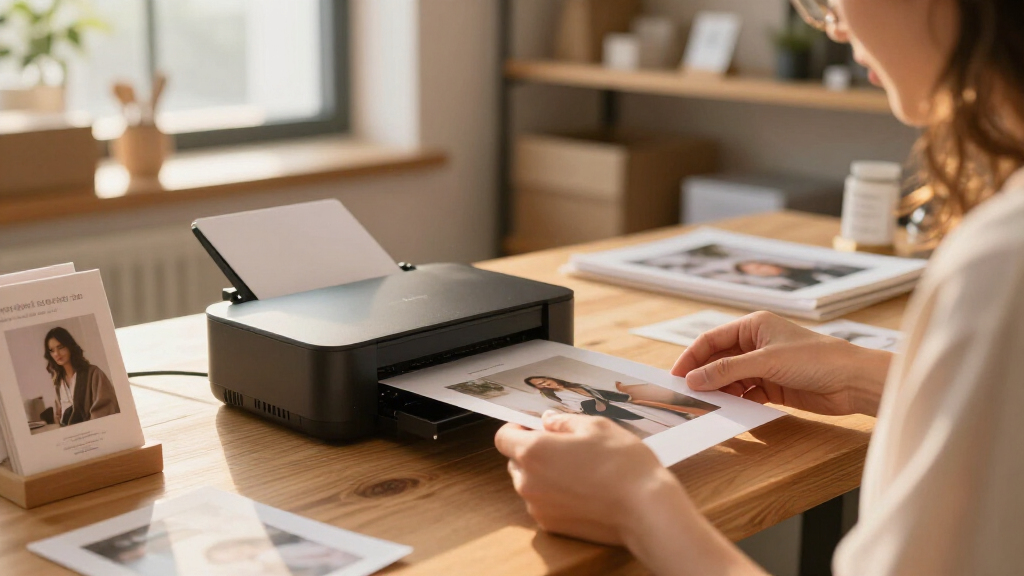
I ranked these printers around the practical needs of product photography: making clear physical proofs, checking color and crop choices, and printing usable 4×6-inch samples without building a studio-sized setup. I gave more weight to dedicated photo-printing workflows, connection options, and portability than to features aimed mainly at documents or phone snapshots. Print format matters because a small print is useful for review but cannot stand in for a large, detailed presentation image.
The order also reflects who is likely to benefit from each design. Compact dye-sublimation models rank well for convenient, repeatable proofs; the PIXMA TR160 trades that focus for broader inkjet utility; and the DNP QW410 sits in a specialist role for buyers expecting more frequent output. Where two listings share a printer family, I distinguish them by the configuration or included kit stated in the product name rather than treating bundle contents as a different print engine.
Factors to Consider When Choosing Portable Photo Printers For Product Photography
For product photography, a portable printer is most useful as a proofing tool: it lets you judge framing, visual consistency, and how a small image reads away from a screen. I would choose around the decisions those prints need to support, not just the printer’s portability claims. These factors can prevent a compact printer from becoming an expensive tool that produces the wrong size or level of color control for your workflow.
Choose a print size that serves the task
A 4×6-inch print is convenient for reviewing a product image, checking a crop, or sharing a sample with a client. It will not show the same fine detail as a larger proof, so it is a poor substitute when you need to inspect tiny labels, texture, or retouching at close range. Before buying, identify the smallest flaw you need to catch and choose a print size that makes it visible. Buyers who only need a quick composition check can favor compact 4×6 models. Those preparing larger packaging, catalog, or display work may need a separate large-format proofing route. Avoid assuming that a sharper-looking small print means the image will hold up at every output size.
Treat color consistency as a workflow, not a printer feature
Product colors can influence purchasing decisions, so a portable print should be judged against a controlled reference rather than a phone screen alone. Screen brightness, display settings, room lighting, and the printer’s color handling can all make the same image appear different. Keep a repeatable setup: use the same source file, avoid changing edits between proof and final, and review prints under similar lighting. A compact photo printer can help spot broad color or exposure problems, but it may not provide the control needed for exact color matching. If color accuracy is business-critical, check the full software and calibration workflow before selecting hardware. Do not promise exact product-color reproduction from a quick wireless print.
Match the connection method to the shooting workflow
Wireless printing can be handy when product images live on a phone or tablet, while a dock can make direct placement and charging part of the desk setup. A printer with broader device support may fit a team that moves files between a camera, computer, and mobile device. Check which device will actually send the print and whether the required app or connection method suits your routine. A printer that is easy to connect at home may be less convenient at a pop-up shoot with limited network access. Before choosing, confirm how files reach the printer and whether the workflow depends on Wi-Fi, Bluetooth, a dock, or a separate module. That small check can matter more than a headline portability claim.
Compare the complete media workflow
Portable printers rely on compatible paper, cartridges, or combined media packs, and those supplies affect how smoothly a shoot runs. A bundle may be useful if it includes what you need for initial proofs, but included quantities should not be confused with long-term supply capacity. Estimate how many samples you print in a typical session and check how media is replenished and stored. Dye-sublimation systems generally use matched media and consumables, while an inkjet workflow can involve separate ink and paper choices. Each approach has different storage and restocking habits. Keep spare supplies protected from heat, dust, and moisture, especially if the printer travels between locations.
Pay for output volume only when your work needs it
A high-throughput or event-oriented printer can be a sensible choice for repeated batches, but it may add bulk and setup complexity that occasional proofing does not justify. If you print a few samples after each shoot, a compact model can keep the process simple. If you prepare many customer samples or sell prints at events, capacity and a stable media workflow become more important than the lightest possible kit. Think about peak output, not just average use: a printer that handles a busy day comfortably may be worth a larger footprint. Also plan for transport space, power, and the surface needed to keep prints organized. The right tradeoff depends on whether printing is a side task or part of your production line.
Separate printer capability from bundle contents
Similar model names can describe different packages rather than meaningfully different printers. A listing with media, cartridges, or a Wi-Fi module may be ready for a particular setup, but accessories do not automatically improve image quality or simplify every workflow. Compare the printer model, connection features, compatible supplies, and included accessories as separate points. This is especially useful when choosing between the two M100 listings or between CP1500 packages. Check that a kit contains the items your process needs and avoid buying duplicates already on hand. When two choices share the same core printer, let workflow fit and included equipment—not the bundle label alone—guide the decision.
Frequently Asked Questions
Can a portable 4×6 printer replace a professional product-photo proofing setup?
Not for every job. A 4×6 print is useful for judging composition, broad exposure, and how a product image reads away from a screen, but it offers limited room to inspect fine detail. It also cannot resolve color-management differences between an uncalibrated display and a print workflow. I would use a portable printer for quick checks and client samples, then rely on a controlled, appropriately sized proof when exact color or fine retouching is at stake. The more consequential the color match, the more important the full workflow becomes.
Should I choose dye-sublimation or inkjet for product photography?
Choose based on the work beyond the product image itself. The dye-sublimation options in this roundup focus on dedicated photo printing and matched media workflows, which can make routine small prints straightforward. The Canon PIXMA TR160 is an inkjet option that may appeal if document printing and broader everyday use matter too. Neither printing method alone guarantees accurate product color; the file, display, paper or media, and software all play a part. If you mainly need compact photo proofs, a dedicated photo model is the more focused choice.
Is the DNP QW410 a sensible choice for a small online shop?
It can be, if printing is frequent enough to justify a more specialized setup. A shop preparing many samples, event prints, or repeated batches may value a printer designed around sustained 4×6-inch output. For occasional checks after a photo shoot, a compact Liene or SELPHY model is likely a simpler fit. Account for space, transport, connectivity, and media handling—not just the number of prints you expect in an average week. The DNP makes the most sense when printing has a regular operational role.
What should I check before buying a printer bundle?
Start by confirming the exact printer model and its connection options, then read the included-media and accessory list separately. A bundle can save setup effort if it includes compatible supplies or a module your workflow needs, but the package may still require additional media for ongoing use. Compare the contents with what you already own to avoid duplicates. This is particularly relevant for the CP1500 and CP1300 listings, where the package names call out different included sets. Do not assume a larger bundle changes the printer’s core output capabilities.
Are these printers suitable for printing product images directly from a phone?
Several models in this lineup are built around wireless or mobile-friendly workflows, and the Kodak Dock Plus adds a phone-dock approach. The best choice depends on how your files are stored and which connection method you prefer. Before buying, check that your phone, operating system, and image-transfer process work with the printer’s required app or connection. For product work, also confirm that the print uses the final edited file rather than a compressed preview or social-media copy. A convenient phone connection helps with speed, but it does not replace careful file preparation.
Conclusion
For most sellers who want portable 4×6 proofs, I recommend the Liene M100 Wi-Fi as the best overall: it pairs a dedicated dye-sublimation format with a wireless workflow. The Liene Amber M110 is my best value-style pick for buyers drawn to a compact Bluetooth setup with supplies included, while the Canon SELPHY CP1500 is the best beginner choice for a straightforward compact photo-printer route. Choose the DNP QW410 as the premium, higher-volume specialist when frequent batch printing matters more than minimum size. For broader document and color-printing needs, the Canon PIXMA TR160 is the lineup’s most versatile inkjet option; for a phone-dock desk setup, consider the KODAK Dock Plus. Check the exact bundle contents when comparing the duplicate Liene M100 and SELPHY listings, then choose based on print volume, connection workflow, and the size of proof you actually need.