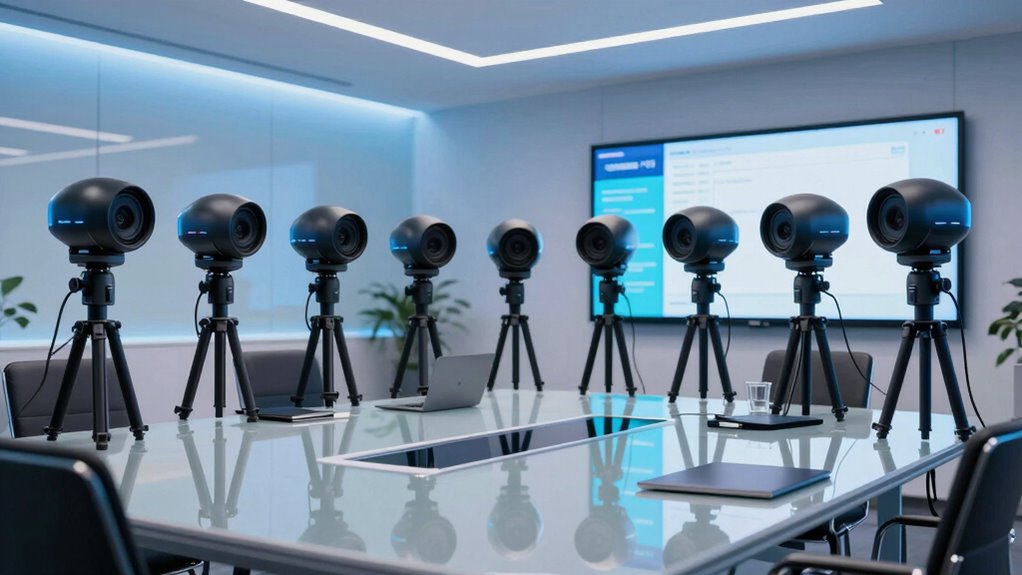

For a webinar studio that needs dependable framing and smooth presenter movement, I’d start with the Logitech Rally PTZ Camera as my best overall pick, while the Canon CR-N300 stands out for production-focused control and the Tenveo VHD20H for long-range 20x zoom at 1080p. The main tradeoff is between optical zoom and connection flexibility on one side and simpler setup, auto-tracking, or 4K capture on the other. A camera that suits a small desk studio may not cover a wide stage or work smoothly with your streaming workflow. I’ve compared these 14 options by their webinar fit, image and movement capabilities, connectivity, and setup demands. Continue reading for the full breakdown and the tradeoffs that matter before you choose.

Get office and shipping supplies delivered free — and shop member deals
- Fast, free delivery on millions of items
- Access to Prime Big Deal Days deals on October 6–7
- Prime Video, Amazon Music and more included
Key Takeaways
- The Logitech Rally PTZ Camera is my best overall pick for buyers who want a dedicated conference-room camera; it is a more focused choice than the complete Rally Plus system.
- The Canon CR-N300 is the production-minded option in this lineup, while AVKANS and Evolsiti also emphasize multi-interface connections for studios that need more than a basic USB setup.
- 20x and 30x optical zoom options suit larger rooms, but their reach may be wasted in a compact webinar space where framing and lighting matter more.
- Auto-tracking appears across several lower-cost and bundled options, yet it should not replace checking whether the camera’s tracking behavior fits your presenter movement and room layout.
- All-in-one systems reduce accessory planning: Tongveo and TONGVEO pair cameras with speakerphones, while standalone camera choices leave audio and control equipment to the buyer.
| Logitech Rally PTZ Camera, Graphite |  | Best Overall for 4K Studio Rooms | Maximum resolution: 4K UHD | Sensor: BSI CMOS | Connectivity: USB | VIEW ON AMAZON | See Our Full Breakdown |
| Tenveo VHD20H 20x Optical Zoom AI PTZ Camera, 1080p 60fps |  | Best for Long-Distance Presenter Tracking | Model: VHD20H | Optical zoom: 20x | Video resolution and frame rate: 1080p at up to 60 fps | VIEW ON AMAZON | See Our Full Breakdown |
| iuZee 4K AI Auto-Tracking PTZ Camera with 20x Optical Zoom |  | Best for 4K Multi-Output Streaming | Resolution and frame rate: 4K at 30 fps | Sensor: 1/2.8-inch, 8.29-megapixel CMOS | Optical zoom: 20x | VIEW ON AMAZON | See Our Full Breakdown |
| Logitech PTZ Pro 2 Conference Room Camera, 1080p |  | Best for Simple USB Webinar Setups | Video resolution: 1920 × 1080 (1080p) | Frame rate: 30 fps | Connectivity: USB | VIEW ON AMAZON | See Our Full Breakdown |
| Logitech Rally Plus 4K Video Conferencing System |  | Best Complete Room System | Model number: 960-001398 | Video resolution: 4K UHD | Connectivity: USB | VIEW ON AMAZON | See Our Full Breakdown |
| Canon CR-N300 PTZ Camera |  | Best for Professional Webinar Production | Sensor: 1/2.3-inch CMOS | Video output: UHD 4K at 30p; Full HD up to 60p | Lens: 29.3 mm; 20x optical zoom | VIEW ON AMAZON | See Our Full Breakdown |
| AVKANS 30x Optical Zoom PTZ Camera with HDMI, 3G-SDI, USB, IP Streaming, and AI Tracking |  | Best for Long-Distance 1080p Stages | Optical zoom: 30x | Maximum resolution: 1080p60 | Video outputs: HDMI, 3G-SDI, IP | VIEW ON AMAZON | See Our Full Breakdown |
| EMEET PIXY Dual-Camera AI PTZ 4K Webcam |  | Best Compact Webcam for Solo Hosts | Sensor: 1/2.55-inch Sony sensor | Resolution: 4K | Autofocus: PDAF and AI autofocus; 0.2-second focusing | VIEW ON AMAZON | See Our Full Breakdown |
| KATOVJJTS 4K UHD PTZ Camera with 20× Optical Zoom |  | Best for Wired 4K Studio Installation | Resolution and frame rate: 4K UHD (3840 × 2160) at 30 fps | Sensor: 1/2.8-inch CMOS | Optical zoom: 20× | VIEW ON AMAZON | See Our Full Breakdown |
| Tongveo AI Wireless PTZ Camera System with Auto Tracking, Built-in Receiver & Bluetooth Speakerphone, 5.8GHz 1080p 60fps Conference Camera with 3x Optical Zoom for Church, Zoom, OBS Meetings |  | Best All-in-One Wireless Meeting Setup | Resolution and frame rate: 1080p Full HD at 60 fps | Optical zoom: 3× | Wireless frequency: 5.8 GHz | VIEW ON AMAZON | See Our Full Breakdown |
| Logitech PTZ Pro 2 USB HD Conference Camera |  | Best for Straightforward USB Webinar Rooms | Resolution: Full HD | Connectivity: USB | Viewing angle: 90 degrees | VIEW ON AMAZON | See Our Full Breakdown |
| NexiGo N990 (Gen 2) 4K PTZ Webcam |  | Best for Compact 4K Webcam Setups | Resolution: 3840 × 2160 at 30 fps | Sensor: 8.5 MP Sony sensor | Pan range: -170° to +170° | VIEW ON AMAZON | See Our Full Breakdown |
| Evolsiti 4K HDMI PTZ Camera with 20x Optical Zoom, AI Auto Tracking, and Multi-Interface Connectivity |  | Best for Multi-Output Webinar Production | Sensor: 1/2.8-inch HD CMOS | Resolution: 4K UHD over HDMI; 1080p at 60 fps over USB | Zoom: 20x optical | VIEW ON AMAZON | See Our Full Breakdown |
| TONGVEO 4K PTZ Conference Camera System with AI Auto-Tracking, 20x Zoom, and Bluetooth Speakerphone |  | Best All-in-One Camera and Speakerphone Bundle | Resolution: Up to 3840 × 2160 at 30 fps | Optical zoom: 20x | Sensor: 1/2.8-inch CMOS, 8.29 MP | VIEW ON AMAZON | See Our Full Breakdown |
| top rated ptz conference camera for webinar studios amazon usa | Sensor | Connectivity | Optical zoom |
|---|---|---|---|
| Logitech Rally PTZ Camera | BSI CMOS | USB | — |
| Tenveo VHD20H 20x Optical Zoom | — | — | 20x |
| iuZee 4K AI Auto-Tracking PTZ | 1/2.8-inch, 8.29-megapixel CMOS | — | 20x |
| Logitech PTZ Pro 2 Conference | — | USB | 3x |
| Logitech Rally Plus 4K Video C | — | USB | — |
| Canon CR-N300 PTZ Camera | 1/2.3-inch CMOS | — | — |
| AVKANS 30x Optical Zoom PTZ Ca | — | — | 30x |
| EMEET PIXY Dual-Camera AI PTZ | 1/2.55-inch Sony sensor | USB 2.0 Type-C to Type-C cable and Type-C to Type-A adapter | — |
| KATOVJJTS 4K UHD PTZ Camera wi | 1/2.8-inch CMOS | Ethernet, HDMI, USB 3.0 | 20× |
| Tongveo AI Wireless PTZ Camera | — | USB via 5.8 GHz Wi-Fi dongle | 3× |
| Logitech PTZ Pro 2 USB HD Conf | — | USB | — |
| NexiGo N990 | 8.5 MP Sony sensor | — | — |
| Evolsiti 4K HDMI PTZ Camera wi | 1/2.8-inch HD CMOS | HDMI, USB 3.0, IP (Ethernet), RS232, RS485 | — |
| TONGVEO 4K PTZ Conference Came | 1/2.8-inch CMOS, 8.29 MP | — | 20x |
More Details on Our Top Picks
Logitech Rally PTZ Camera, Graphite
For a webinar studio that needs a polished 4K image and flexible camera placement, the Logitech Rally PTZ Camera is my strongest all-around pick. Its RightLight processing adjusts for lighting conditions, while RightSight participant framing helps keep a presenter or group in view without constant manual camera corrections. Unlike the Tenveo VHD20H, which adds AI tracking and multiple streaming outputs, the Rally is a more straightforward USB choice for computer-based production. It also offers table, tripod, wall, and overhead mounting, which makes studio layout easier to adapt. The tradeoff is that it has no built-in audio, so a separate microphone and speaker setup is needed. Its 4K capability and installation flexibility suit a dedicated room better than a minimal, all-in-one desk setup.
Pros:- Captures video at up to 4K UHD
- RightLight adjusts lighting and color automatically
- RightSight can frame participants automatically
- Supports table, tripod, wall, and overhead placement
Cons:- Requires a separate audio system
- Its 7.4-pound body and room-installation options may be excessive for a small desktop studio
Best for: Webinar producers building a dedicated, computer-connected studio who want 4K video, automatic framing, and several mounting options.
Not ideal for: Solo presenters seeking a camera with built-in microphones or a compact, self-contained USB setup.
- Maximum resolution:4K UHD
- Sensor:BSI CMOS
- Connectivity:USB
- Focus:Autofocus
- Image stabilization:Optical
- Lens:Zoom lens, 28–30 mm focal length
- Weight:7.4 lb
- Compatibility:Personal computer
Our verdict“Choose the Rally if you want a flexible 4K camera for a dedicated webinar room and already have separate audio gear.”
Tenveo VHD20H 20x Optical Zoom AI PTZ Camera, 1080p 60fps
The Tenveo VHD20H is a practical fit when the presenter may move around a larger studio or stage and 20x optical zoom matters more than 4K detail. It records Full HD at up to 60 fps, giving motion a smoother look than the 30 fps iuZee 4K camera, and its AI face and body tracking can follow a speaker without an operator at the controls. USB 3.0, HDMI, and LAN outputs give webinar teams several ways to connect or stream. That flexibility does add setup work: PoE needs a separate compatible switch, and there is no built-in microphone. Compared with the Logitech Rally, Tenveo is more focused on tracking and multi-output production, while the Rally offers 4K capture and automatic lighting features.
Pros:- 20x optical zoom helps frame presenters at a distance
- 1080p output supports frame rates up to 60 fps
- AI human and face tracking with gesture controls
- USB 3.0, HDMI, LAN, and RTMP/RTSP support
Cons:- No built-in microphone, so audio equipment must be supplied separately
- PoE installation requires a separate 802.3af PoE switch
Best for: Webinar teams filming presenters who move across a stage or studio and need strong zoom, smooth Full HD motion, and multiple video outputs.
Not ideal for: Small-room presenters who prioritize 4K image detail, simple USB-only setup, or audio built into the camera.
- Model:VHD20H
- Optical zoom:20x
- Video resolution and frame rate:1080p at up to 60 fps
- Image sensor:1/2.8-inch CMOS, 2.07 megapixels
- Video outputs:USB 3.0, HDMI, LAN
- Tracking:AI human body and face tracking
- Streaming protocols:RTSP, RTMP
- PoE:802.3af supported; PoE switch required
- Warranty:3 years
Our verdict“Pick the Tenveo when presenter movement and long-range zoom matter more than 4K resolution or a simple all-in-one setup.”
iuZee 4K AI Auto-Tracking PTZ Camera with 20x Optical Zoom
The iuZee 4K AI PTZ suits studios that need detailed 4K capture alongside 20x optical zoom and more than one connection path. It can send video over USB 3.0, HDMI, and LAN simultaneously, and its support for RTMP, RTSP, and SRT is useful for productions that route video beyond a standard computer call. AI face and body tracking can keep a moving presenter framed, while flexible desktop, tripod, wall, and ceiling mounting helps it fit varied studio layouts. Compared with the Tenveo VHD20H, iuZee prioritizes 4K resolution and broader listed streaming protocols; Tenveo reaches 60 fps in 1080p, while iuZee tops out at 30 fps in 4K. Neither includes a microphone, and PoE requires a separate switch.
Pros:- Captures 4K video at up to 30 fps with 20x optical zoom
- AI face and body tracking supports automatic presenter framing
- USB 3.0, HDMI, and LAN outputs can operate simultaneously
- Offers RTMP, RTSP, and SRT support with several mounting options
Cons:- No built-in microphone
- PoE requires a separate IEEE 802.3af switch
- 4K frame rate is limited to 30 fps
Best for: Webinar and streaming teams that need 4K capture, long optical zoom, multiple simultaneous outputs, and IP-streaming options.
Not ideal for: Studios that need 60 fps 4K, built-in audio, or PoE without adding network hardware.
- Resolution and frame rate:4K at 30 fps
- Sensor:1/2.8-inch, 8.29-megapixel CMOS
- Optical zoom:20x
- Lens viewing angle:63°
- Video outputs:USB 3.0, HDMI, LAN
- Supported encodings:MJPEG, YUY2, H.264, H.265
- Streaming protocols:RTMP, RTSP, SRT
- Presets:Up to 255; remote control supports 10
- Mounting:Desktop, tripod, wall, or ceiling
Our verdict“Choose iuZee if your studio needs 4K detail and flexible streaming connections more than 60 fps motion or built-in audio.”
Logitech PTZ Pro 2 Conference Room Camera, 1080p
For a computer-based webinar studio that values a straightforward connection over advanced tracking, the Logitech PTZ Pro 2 keeps the setup uncomplicated: connect by USB, position the camera, and use its remote to adjust the view. Its 1080p autofocus, 3x optical zoom, and optical stabilization cover typical presenter framing without the extra networking choices found on the Tenveo VHD20H or iuZee 4K. That makes it a more approachable fit for a fixed desk or small room, but the shorter zoom range is a clear limit if the camera must sit far from the presenter. It also lacks 4K capture and is designed around USB-connected computers, rather than IP streaming or multi-output production. I’d choose it for a simple studio, not a room that needs elaborate camera routing.
Pros:- USB plug-and-play design suits computer-based webinar setups
- Autofocus and 3x optical zoom help adjust framing
- Optical image stabilization supports steadier video
- Includes a dual-purpose bracket and remote control
Cons:- 1080p at 30 fps offers less detail and motion flexibility than the 4K iuZee or 60 fps Tenveo
- 3x optical zoom is limited for presenters positioned far from the camera
- Designed for USB-connected computers rather than multi-output streaming
Best for: Solo presenters and small webinar teams who want a compact, USB-connected Full HD PTZ camera with a remote and minimal routing needs.
Not ideal for: Production teams needing 4K, long-range zoom, AI tracking, or HDMI and LAN streaming outputs.
- Video resolution:1920 × 1080 (1080p)
- Frame rate:30 fps
- Connectivity:USB
- Optical zoom:3x
- Focus:Autofocus
- Image stabilization:Optical
- Compatible operating systems:Windows, macOS
- Weight:580 g
- Included accessories:Dual-purpose bracket and remote control
Our verdict“Pick the PTZ Pro 2 for a simple Full HD USB studio, but choose a longer-zoom model for a larger room.”
Logitech Rally Plus 4K Video Conferencing System
The Logitech Rally Plus is the most complete room-oriented choice in this group: it pairs a 4K PTZ camera with two speakers and two microphone pods, reducing the need to assemble core audio components separately. RightSense automation adjusts camera, lighting, and audio behavior, a useful distinction from the camera-only Logitech Rally and the audio-free Tenveo VHD20H. Its modular camera, table hub, and display hub also suit a fixed meeting or webinar room where components can be placed around the space. The tradeoff is scale: at 17 pounds, this is a room system rather than a compact presenter webcam, and it still depends on a USB-connected installation. Buyers who already own suitable room audio may find the included components unnecessary; those seeking a quick single-camera setup should look at the PTZ Pro 2 instead.
Pros:- 4K UHD PTZ video with 15x optical zoom
- Includes two speakers and two microphone pods
- RightSense automates camera, lighting, and audio adjustments
- Modular components support room-specific placement
Cons:- Requires a USB-connected room installation rather than a simple camera-only setup
- 17-pound system is bulky for a small studio
- Included speakers and microphone pods may be redundant for teams with existing audio gear
Best for: Organizations outfitting a permanent webinar or meeting room that needs a 4K PTZ camera, distributed microphones, and speakers in one system.
Not ideal for: Solo creators with a small desk studio, existing audio equipment, or a preference for a lightweight camera-only setup.
- Model number:960-001398
- Video resolution:4K UHD
- Connectivity:USB
- Camera zoom:15x optical, 1x digital
- Audio components:Two speakers and two microphone pods
- Focus:Autofocus
- Weight:17 lb
- Dimensions:18.2 × 9.2 × 28.8 in
Our verdict“Choose Rally Plus when you want a coordinated 4K camera-and-audio system for a permanent room, not a lightweight solo-studio camera.”
Canon CR-N300 PTZ Camera
The Canon CR-N300 is the strongest fit here for a webinar studio that needs production flexibility as well as remote framing. Its 20x optical zoom with image stabilization helps keep a distant presenter clear without relying on digital enlargement, while USB, IP, SDI, and HDMI let it slot into different streaming and switching setups. Compared with the AVKANS 30x model, the Canon trades some reach for 4K capture and optical stabilization; unlike the simpler EMEET PIXY, it is built for integration into a multi-device workflow, not just direct computer use. It also supports NDI|HX2 and other production protocols. The tradeoffs are 4K limited to 30p and a more involved setup than a compact USB webcam, so it suits studios with an operator or configured workflow better than casual solo calls.
Pros:- 20x optical zoom and optical stabilization support steady close-ups from across a studio.
- UHD 4K at 30p and Full HD up to 60p give production teams format choices.
- USB, IP, SDI, HDMI, and RS-422 support varied studio control and signal chains.
- NDI|HX2 and RTMP support flexible streaming and production workflows.
Cons:- 4K output tops out at 30p.
- Its broad production feature set may demand more setup knowledge than a USB webcam.
- The 1/2.3-inch sensor is smaller than the sensors used in many dedicated cinema cameras.
Best for: Webinar producers who need 4K capture, long optical reach, and multiple connection paths for a switcher or streaming system.
Not ideal for: Solo presenters seeking a quick plug-and-play webcam or buyers who need 4K at higher frame rates.
- Sensor:1/2.3-inch CMOS
- Video output:UHD 4K at 30p; Full HD up to 60p
- Lens:29.3 mm; 20x optical zoom
- Focal range:29.3–601 mm
- Autofocus:Hybrid AF
- Image stabilization:Optical
- Connections:USB, IP via RJ-45, SDI, HDMI, 3.5 mm mic input, RS-422
- Protocols:NDI|HX2, Standard, Canon SX, RTMP
Our verdict“Choose the CR-N300 for a configured webinar studio that values 4K and production connectivity over a simple, low-setup camera.”
AVKANS 30x Optical Zoom PTZ Camera with HDMI, 3G-SDI, USB, IP Streaming, and AI Tracking
When the webinar presenter may be far from the camera, the AVKANS’s 30x optical zoom is its clearest advantage. Simultaneous HDMI, 3G-SDI, and IP output gives a studio more routing options than the compact EMEET PIXY, and PoE plus AI auto tracking can simplify a permanently installed setup. It is a 1080p camera, though, so it does not match the Canon CR-N300’s 4K capture; its case is reach and multi-output flexibility rather than finer image resolution. The listed streaming protocols include RTMP(S), SRT, and RTSP, with H.264, H.265, and MJPEG encoding. One key limitation is that NDI is only available as a short trial unless upgraded with a separately purchased key. Manual focus also places more responsibility on setup than the Canon’s Hybrid AF.
Pros:- 30x optical zoom reaches presenters at a distance without digital cropping.
- HDMI, 3G-SDI, and IP outputs can serve different production destinations at once.
- PoE can reduce cabling needs for a fixed camera installation.
- AI tracking and RTMP(S), SRT, and RTSP support common live-production workflows.
Cons:- Maximum video resolution is 1080p60, below the Canon CR-N300 and 4K options in this roundup.
- NDI access is limited to a short trial unless upgraded separately.
- Manual focus requires operator attention or careful initial setup.
Best for: Churches, lecture rooms, and webinar stages that need strong optical reach, PoE installation, and multiple simultaneous video outputs.
Not ideal for: Studios that require native 4K, dependable NDI access without an added purchase, or autofocus operation.
- Optical zoom:30x
- Maximum resolution:1080p60
- Video outputs:HDMI, 3G-SDI, IP
- Streaming protocols:RTMP(S), SRT, RTSP
- Video compression:H.264, H.265, MJPEG
- Power:PoE
- Focus:Manual
- Weight:2 kg
Our verdict“Pick the AVKANS when 30x reach and flexible 1080p routing matter more than 4K, autofocus, or included NDI access.”
EMEET PIXY Dual-Camera AI PTZ 4K Webcam
The EMEET PIXY is the most approachable option for a solo host who wants a moving frame without building a full PTZ production system. Its compact 131.54 g body, USB connection, AI autofocus, and face tracking make desk-side setup much simpler than the Canon CR-N300 or AVKANS, both of which offer more studio-oriented connections and optical zoom. The PIXY adds 310° pan, 180° tilt, gesture control, and three microphone modes, which can help a presenter stay framed while demonstrating products or teaching. That convenience comes with limits: the product data gives no optical zoom figure, and the fixed field of view at 4K 30 fps and 1080p 60 fps restricts framing choices at those settings. A tripod is sold separately, and it is a USB webcam rather than a multi-output broadcast camera.
Pros:- 4K imaging, AI autofocus, and face tracking support hands-off presenter framing.
- Pan and tilt movement can follow a host around a desk or demonstration area.
- Triple microphones offer three sound modes for different recording conditions.
- Compact body and USB connectivity suit portable, computer-based setups.
Cons:- Tripod is sold separately.
- The field of view is fixed at 4K 30 fps and 1080p 60 fps.
- It lacks the listed SDI, HDMI, and optical-zoom options of the dedicated PTZ cameras.
Best for: Solo webinar hosts, teachers, and product demonstrators who want automatic framing and a small USB camera for a computer-based setup.
Not ideal for: Production teams needing optical zoom, SDI or HDMI routing, or precise long-distance shots from a fixed studio position.
- Sensor:1/2.55-inch Sony sensor
- Resolution:4K
- Autofocus:PDAF and AI autofocus; 0.2-second focusing
- Pan and tilt:310° pan; 180° tilt
- Microphones:Triple-microphone array with three sound modes
- Connectivity:USB 2.0 Type-C to Type-C cable and Type-C to Type-A adapter
- Weight:131.54 g
- Compatibility:Windows 10 or later (64-bit, not ARM); macOS 10.14 or later; UVC mode
Our verdict“Choose the PIXY for a compact, computer-first studio where AI framing matters more than optical zoom and broadcast connections.”
KATOVJJTS 4K UHD PTZ Camera with 20× Optical Zoom
The KATOVJJTS makes sense for a fixed webinar room that needs 4K at 30 fps and 20× optical zoom without moving up to the Canon CR-N300’s wider production feature set. Its 340° pan and 120° tilt provide broad room coverage, while autofocus, PoE, and RTSP/RTMP support suit a networked installation. Compared with the EMEET PIXY, it is a dedicated, heavier camera with more reach and wired video options; compared with the Canon, it offers a simpler listed protocol and connection package. USB 3.0, HDMI, and Ethernet cover common studio paths, and the stated transmission distance reaches 320 ft (100 m). The tradeoff is a wired-only setup and no listed SDI output, so it is less flexible for teams routing video through broadcast hardware. It is also not water resistant.
Pros:- 4K UHD at 30 fps provides detailed framing for a fixed webinar position.
- 20× optical zoom and broad pan coverage accommodate different room layouts.
- PoE, Ethernet, HDMI, and USB 3.0 support several wired installation paths.
- RTSP, RTMP, and H.264/H.265 encoding support network streaming workflows.
Cons:- Requires a wired USB, HDMI, or Ethernet connection.
- No SDI output is listed, unlike the Canon CR-N300 and AVKANS.
- The camera is not water resistant and weighs 2.89 kg.
Best for: Small studios installing a fixed, wired 4K camera for webinars, online classes, or live streams over USB, HDMI, or Ethernet.
Not ideal for: Mobile presenters, outdoor operators, or broadcast teams that need SDI and a broader set of production protocols.
- Resolution and frame rate:4K UHD (3840 × 2160) at 30 fps
- Sensor:1/2.8-inch CMOS
- Optical zoom:20×
- Field of view:58.7°
- Pan and tilt:340° pan; 120° tilt
- Connectivity:Ethernet, HDMI, USB 3.0
- Protocols:PoE, RTSP, RTMP
- Transmission distance:Up to 320 ft (100 m)
Our verdict“Choose the KATOVJJTS for a permanently installed wired 4K webinar room, but look elsewhere for SDI routing or portable use.”
Tongveo AI Wireless PTZ Camera System with Auto Tracking, Built-in Receiver & Bluetooth Speakerphone, 5.8GHz 1080p 60fps Conference Camera with 3x Optical Zoom for Church, Zoom, OBS Meetings
The Tongveo is aimed at presenters who want camera, tracking, and room audio in one package rather than a conventional studio camera. AI human detection keeps the active speaker in frame, while its 5.8 GHz receiver supports a cable-free setup up to 33 ft. The included Bluetooth speakerphone adds 360° voice pickup and echo cancellation, a practical difference from the AVKANS, which is built around production outputs and longer optical reach. Tongveo’s 3× optical zoom and 1080p60 video are adequate for a small conference room, but they cannot match the 20× zoom and 4K capture of the Canon CR-N300 or KATOVJJTS for studio close-ups. Wireless range is limited, and the stated four-hour battery life calls for charging or replacement planning during longer sessions.
Pros:- AI human detection can keep a speaker framed without a camera operator.
- 5.8 GHz wireless connection reduces setup cabling within its stated range.
- 1080p at 60 fps supports smooth motion for presentations.
- Included Bluetooth speakerphone provides 360° pickup and echo cancellation.
Cons:- 3× optical zoom offers much less reach than the Canon CR-N300, AVKANS, and KATOVJJTS.
- Wireless range is limited to about 33 ft (10 m).
- Stated battery life is about four hours, which may not cover longer events without power planning.
Best for: Small conference rooms, classrooms, and church meeting spaces that need wireless setup, automatic speaker framing, and an included speakerphone.
Not ideal for: Webinar studios needing 4K, long optical reach, wired SDI/HDMI production routing, or wireless operation beyond 33 ft.
- Resolution and frame rate:1080p Full HD at 60 fps
- Optical zoom:3×
- Wireless frequency:5.8 GHz
- Wireless range:Up to 33 ft (10 m)
- Connectivity:USB via 5.8 GHz Wi-Fi dongle
- Focus:Autofocus
- Battery life:About 4 hours
- Audio:Bluetooth speakerphone with 360° voice pickup
Our verdict“Pick the Tongveo for a small room that benefits from wireless speaker tracking and integrated audio, not for a long-throw production studio.”
Logitech PTZ Pro 2 USB HD Conference Camera
The Logitech PTZ Pro 2 suits webinar studios that need dependable Full HD framing and USB connectivity without stepping up to a multi-output production camera. Its 90-degree viewing angle can include several presenters, while motorized pan, tilt, and zoom make it easier to reframe a speaker or move between room presets. The listed zoom combines 3x optical and 10x digital, so close-ups are less flexible than the 20x optical reach of the Evolsiti 4K HDMI PTZ Camera. That distinction matters when presenters sit far from the camera or the room is deep. Compared with the NexiGo N990, this Logitech is less focused on built-in webcam conveniences and more on room-style PTZ control. Choose it for a simple Windows or Mac setup; skip it if you need 4K, long-range optical zoom, or built-in microphones.
Pros:- Full HD video suits standard webinar streams and calls.
- 90-degree viewing angle can frame multiple presenters.
- Motorized pan, tilt, and preset movement support room-based camera changes.
- USB connectivity keeps the computer connection straightforward.
Cons:- The listed 3x optical zoom offers less reach than the 20x optical zoom on the Evolsiti and TONGVEO systems.
- No built-in microphone is specified, so audio requires separate equipment.
- Full HD resolution lacks the extra detail available from the 4K NexiGo, Evolsiti, and TONGVEO options.
Best for: Small and midsize webinar teams using a Windows or Mac computer that want a USB-connected Full HD PTZ camera for presenter framing.
Not ideal for: Studios needing 4K output, strong long-distance optical close-ups, or an integrated microphone and speakerphone.
- Resolution:Full HD
- Connectivity:USB
- Viewing angle:90 degrees
- Zoom:3x optical, 10x digital
- Operating systems:Windows, macOS
- Weight:580 g
- Dimensions:6 × 3 × 12 in
Our verdict“Choose the Logitech PTZ Pro 2 for uncomplicated USB-based Full HD webinars, but pick a 20x optical model when the camera must cover a larger room.”
NexiGo N990 (Gen 2) 4K PTZ Webcam
The NexiGo N990 (Gen 2) is the most webcam-like choice here: it combines 4K capture, motorized pan and tilt, two saved positions, and dual noise-canceling microphones in one unit. That can simplify a small webinar desk where a separate conference audio system would take up space. Its remote-operated 5× digital zoom works at 1080p, though, so it does not provide the distance detail of the Evolsiti or TONGVEO cameras with 20x optical zoom. The fixed-focus lens also makes it less adaptable when presenters move noticeably nearer to or farther from the camera. Compared with the Logitech PTZ Pro 2, the N990 brings higher listed resolution and built-in microphones, but its small-room webcam design is a different fit from a more production-oriented camera installation.
Pros:- 4K at 30 fps with an 8.5 MP Sony sensor.
- Motorized pan and tilt with two saved position presets.
- Dual stereo microphones include noise cancellation.
- USB and 3.5 mm audio connections give setup flexibility.
Cons:- 5× digital zoom is specified at 1080p and cannot match the optical reach of the Evolsiti or TONGVEO.
- Fixed focus limits flexibility when presenter distance changes.
- USB 2.0 and USB-C video connections may not suit studios built around HDMI or IP camera workflows.
Best for: Solo hosts and small webinar studios that want 4K capture, basic motorized framing, and built-in stereo microphones in a compact camera.
Not ideal for: Production teams filming speakers across a large room, or hosts who need autofocus and optical zoom for changing distances.
- Resolution:3840 × 2160 at 30 fps
- Sensor:8.5 MP Sony sensor
- Pan range:-170° to +170°
- Tilt range:-35° to +85°
- Digital zoom:5× at 1080p
- Microphones:Dual stereo microphones with noise cancellation
- Ports:3.5 mm audio jack, USB 2.0, USB-C (video only)
- Focus:Fixed focus
Our verdict“Pick the N990 for a compact 4K webinar station with built-in microphones, not for long-distance presenter framing or focus changes.”
Evolsiti 4K HDMI PTZ Camera with 20x Optical Zoom, AI Auto Tracking, and Multi-Interface Connectivity
The Evolsiti 4K HDMI PTZ Camera is the strongest fit in this group for a webinar studio that routes video beyond a single computer. Its 20x optical zoom supports close presenter shots without relying on digital enlargement, while HDMI, USB 3.0, and IP outputs give a production team several ways to connect or stream. The specified output differs by connection: 4K over HDMI and 1080p at 60 fps over USB. That makes the connection path worth matching to the studio workflow before choosing it. AI human tracking can reduce manual camera operation during a solo presentation, but the product data does not list a built-in microphone. Compared with the Logitech PTZ Pro 2, it offers far more zoom and routing flexibility, at the cost of a more involved setup and separate audio gear.
Pros:- 20x optical zoom supports presenter close-ups across larger rooms.
- 4K UHD output is specified over HDMI.
- HDMI, USB 3.0, IP, RS232, and RS485 support varied studio connections and control.
- AI human auto-tracking can follow a presenter without constant manual reframing.
Cons:- USB output is specified as 1080p at 60 fps rather than 4K.
- No built-in microphone is listed, so audio equipment must be supplied separately.
- The multiple interfaces and control protocols may require more setup than the USB-focused Logitech PTZ Pro 2.
Best for: Webinar producers and educators who need long-range optical framing, AI human tracking, and HDMI, USB, or IP video connections.
Not ideal for: Solo hosts seeking an all-in-one webcam with built-in audio, or buyers who need 4K over USB rather than HDMI.
- Sensor:1/2.8-inch HD CMOS
- Resolution:4K UHD over HDMI; 1080p at 60 fps over USB
- Zoom:20x optical
- Connectivity:HDMI, USB 3.0, IP (Ethernet), RS232, RS485
- Control protocols:VISCA, Pelco-D, Pelco-P, ONVIF, SRT, RTSP, RTMP
- Field of view:54°
- Aperture:f/1.35–f/2.7
- Compatibility:Windows, Mac OS 10.10+, Linux
Our verdict“Choose Evolsiti for a production-oriented studio that can use its 20x optical zoom and multi-output connections, and budget for separate audio.”
TONGVEO 4K PTZ Conference Camera System with AI Auto-Tracking, 20x Zoom, and Bluetooth Speakerphone
The TONGVEO 4K PTZ Conference Camera System is the clearest choice for a webinar room that needs both presenter framing and conferencing audio in one package. Its camera combines 20x optical zoom, autofocus, AI face and subject tracking, and HDMI, USB 3.0, and LAN outputs. The included Bluetooth speakerphone adds a four-microphone array with a stated 5 m pickup distance, giving a small group a simpler audio option than the Evolsiti, which lists no built-in microphone. The tradeoff is that camera and speakerphone connect to the computer separately, so this is not a single-cable setup. The speakerphone’s 6–8 hours of battery operation may also fall short for extended sessions. Compared with the NexiGo N990, TONGVEO is better suited to room-scale conferences, but its paired components require more setup.
Pros:- 4K at up to 30 fps and 20x optical zoom support detailed room-scale framing.
- AI face and subject tracking can follow presenters during a session.
- Four-microphone speakerphone supports USB, Bluetooth 5.0, or wireless-dongle connections.
- Camera offers HDMI, USB 3.0, and LAN outputs, with PoE, RTSP, and RTMP network features.
Cons:- Camera and speakerphone require separate computer connections.
- Speakerphone battery operation is limited to 6–8 hours.
- The bundled system involves more equipment and setup than the webcam-style NexiGo N990.
Best for: Small and midsize webinar studios that want a 20x optical PTZ camera, automatic subject tracking, and a bundled wireless speakerphone.
Not ideal for: Teams that require a single computer connection, all-day untethered speakerphone use, or a compact desk webcam.
- Resolution:Up to 3840 × 2160 at 30 fps
- Optical zoom:20x
- Sensor:1/2.8-inch CMOS, 8.29 MP
- Lens:63° wide angle; autofocus
- Video outputs:HDMI, USB 3.0, LAN
- Network features:PoE, RTSP, RTMP
- Speakerphone microphones:4-microphone array; 5 m pickup distance
- Speakerphone battery:2400 mAh; 6–8 hours of operation
Our verdict“Choose TONGVEO when you want optical zoom, tracking, and a bundled speakerphone for room-based webinars and can accommodate separate device connections.”

How We Picked
I ranked these cameras for webinar-studio use, not by headline resolution alone. I looked at the stated imaging and movement features, including optical zoom, frame rate, tracking, and whether the product is a camera alone or part of a larger conferencing system. I also weighed connection options and how much additional gear a buyer may need to get a complete, usable setup.
Higher placement goes to options that appear to balance room-ready framing, practical integration, and a clear role for a webinar buyer. Specialized models rank well for their intended needs but lower for buyers who may not need their extra reach, production connections, or bundled hardware. Product names and specifications can vary by listing, so I’d verify the exact model, ports, included accessories, and software compatibility before ordering.
| top rated ptz conference camera for webinar studios amazon usa | Connectivity |
|---|---|
| Logitech Rally PTZ Camera | USB |
| Tenveo VHD20H 20x Optical Zoom | — |
| iuZee 4K AI Auto-Tracking PTZ | — |
| Logitech PTZ Pro 2 Conference | USB |
| Logitech Rally Plus 4K Video C | USB |
| Canon CR-N300 PTZ Camera | — |
| AVKANS 30x Optical Zoom PTZ Ca | — |
| EMEET PIXY Dual-Camera AI PTZ | USB 2.0 Type-C to Type-C cable and Type-C to Type-A adapter |
| KATOVJJTS 4K UHD PTZ Camera wi | Ethernet, HDMI, USB 3.0 |
| Tongveo AI Wireless PTZ Camera | USB via 5.8 GHz Wi-Fi dongle |
| Logitech PTZ Pro 2 USB HD Conf | USB |
| NexiGo N990 | — |
| Evolsiti 4K HDMI PTZ Camera wi | HDMI, USB 3.0, IP (Ethernet), RS232, RS485 |
| TONGVEO 4K PTZ Conference Came | — |
Factors to Consider When Choosing Top Rated Ptz Conference Camera For Webinar Studios Amazon Usa
Before choosing a PTZ camera, I’d plan the complete signal path from camera to webinar platform. The right pick depends on the room, presenter movement, audio setup, and whether you need a simple computer connection or a production-style workflow.
Match Zoom Range to the Room
Optical zoom is most useful when the camera must frame a presenter from across a room without moving the camera closer. In a compact studio, a long zoom range can add cost and setup complexity without improving the final composition. Measure the camera-to-presenter distance and decide whether you need a tight head-and-shoulders shot, a wider view, or both. A common mistake is treating a higher zoom number as a general image-quality upgrade; it solves reach, not poor lighting or a weak background. Leave space to reframe if presenters change position or use a standing desk.
Check the Whole Connection Chain
A camera’s ports only help if they fit the rest of your studio. USB can suit direct computer conferencing, while HDMI, SDI, and IP connections may fit capture cards, switchers, or network workflows. Before buying, map the route from camera to computer or encoder and confirm which device handles capture and control. Don’t assume that a camera described as network-ready will work with every streaming application or control protocol. The less familiar your workflow, the more valuable a short compatibility check becomes.
Treat Auto-Tracking as a Room Feature
Auto-tracking can help a solo presenter stay framed without an operator, but results depend on movement, background, and how the camera identifies a subject. A fixed lectern position may work just as well with a preset shot, while a presenter who walks across the room may benefit from tracking. Check whether tracking can be turned off and whether the camera offers manual control when it makes a poor framing choice. Avoid buying on the tracking label alone; the feature should match your actual presentation style. Plan a fallback preset or operator control for live sessions where an unexpected camera move would distract viewers.
Plan Audio Separately from Video
Video specifications do not tell you whether remote attendees will hear the presenter clearly. Bundled speakerphones in systems such as the Tongveo and TONGVEO models can simplify a meeting setup, but a webinar studio may already use a dedicated microphone and audio interface. Decide whether your production routes audio through the camera system, a computer, or a separate mixer before choosing an all-in-one package. Mixing several audio devices without a clear signal plan can create echo, delay, or competing microphone inputs. Pay for bundled audio only when it fits the way you intend to record or stream.
Choose Resolution for the Final Output
A 4K camera can give a studio more room to crop or reframe, but it does not automatically produce a better-looking webinar. The camera, capture hardware, computer, lighting, and streaming platform all affect the delivered image. If your usual output is 1080p, a 1080p camera with useful zoom and stable framing may be a better fit than a 4K model that adds workflow demands. Check supported frame rates at the resolution you plan to use, rather than relying on a headline maximum. Consistent lighting and a clean background often make a more visible difference than extra pixels.
Budget for Control and Setup Time
PTZ cameras need a way to set or repeat shots, whether that means software, a remote, presets, or an operator. Think through who will control framing during a webinar and whether that person can manage the camera while hosting. A simpler USB camera may be the better choice for a one-person studio, while multi-interface models make more sense when a production workflow justifies the added setup. Confirm what controls and accessories are included instead of assuming they come in the box. Paying more is most useful when it removes a real limitation, such as insufficient reach or a missing connection your studio depends on.
Frequently Asked Questions
Is a 4K PTZ camera worth choosing if my webinars stream in 1080p?
It can be, but only if you will use the extra capture detail for cropping, reframing, or future production needs. Your stream will still be limited by the resolution and quality settings used by the platform and encoder. If you rarely crop and your room is small, a 1080p camera with suitable optical zoom may be the more straightforward fit. I’d compare the full signal chain before paying for 4K. Lighting and stable framing remain important at either resolution.
Do I need optical zoom for a small webinar studio?
Not always. Optical zoom matters most when the camera must sit far from the presenter or when you need to switch between wide and tight framing without moving the camera. For a desk or small room, a shorter zoom range may cover the space just fine. Measure the camera position and subject distance before choosing a high-zoom model. Buying more reach than the room calls for can add complexity without improving the shot.
Should I choose auto-tracking or a camera with manual PTZ control?
Choose based on how the presenter behaves on camera and who will operate the session. Auto-tracking can help a solo host who moves around, while manual control and saved presets may be more predictable for a fixed presentation position. Tracking can also react poorly to room activity or changes in framing, so check whether it can be disabled. For important live webinars, a reliable preset or an operator-controlled fallback can prevent an unwanted camera move. The feature is most useful when it solves a repeatable problem in your room.
Can I connect these cameras directly to a computer for streaming?
Some models in this roundup specify USB connectivity, while others highlight HDMI, SDI, or IP options. A direct USB connection may simplify a basic computer-based setup, but a different connection could require a capture device, compatible software, or a network configuration. Verify the exact ports on the listing and check compatibility with your computer and streaming application. Also confirm how camera control works; video connectivity alone does not guarantee convenient PTZ operation. A simple connection plan can prevent buying extra gear unexpectedly.
Is a bundled camera and speakerphone system better for a webinar studio?
It can reduce the number of separate devices you need to assemble, particularly for a meeting room that also hosts webinars. A dedicated studio may already have a microphone, audio interface, and monitoring setup, making a bundled speakerphone unnecessary. Before choosing an all-in-one system, decide how its audio will connect to your recording or streaming workflow and whether it will be the only active microphone. Separate components offer more flexibility but ask for more planning. The best choice is the one that fits your existing audio chain rather than adding duplicate equipment.
Conclusion
For most buyers seeking a dedicated conference camera for a webinar studio, I’d choose the Logitech Rally PTZ Camera as best overall. For best value, compare the Tenveo VHD20H’s 20x optical zoom and 1080p 60fps positioning against your room needs; it makes less sense if you do not need that reach. The Canon CR-N300 is my best premium, production-focused pick for studios that need more deliberate camera control and a broader workflow. Beginners who want a simpler route can look at the Logitech PTZ Pro 2, while buyers who want a bundled camera-and-speakerphone setup should compare the Tongveo and TONGVEO systems. For a compact setup, the EMEET PIXY or NexiGo N990 may be more appealing than a long-zoom camera, while AVKANS and Evolsiti suit buyers prioritizing multi-interface connectivity. Choose by room size and connection plan first; resolution and tracking matter only when they solve a real production need.
Halloween Picks
halloween
As an affiliate, we earn on qualifying purchases.