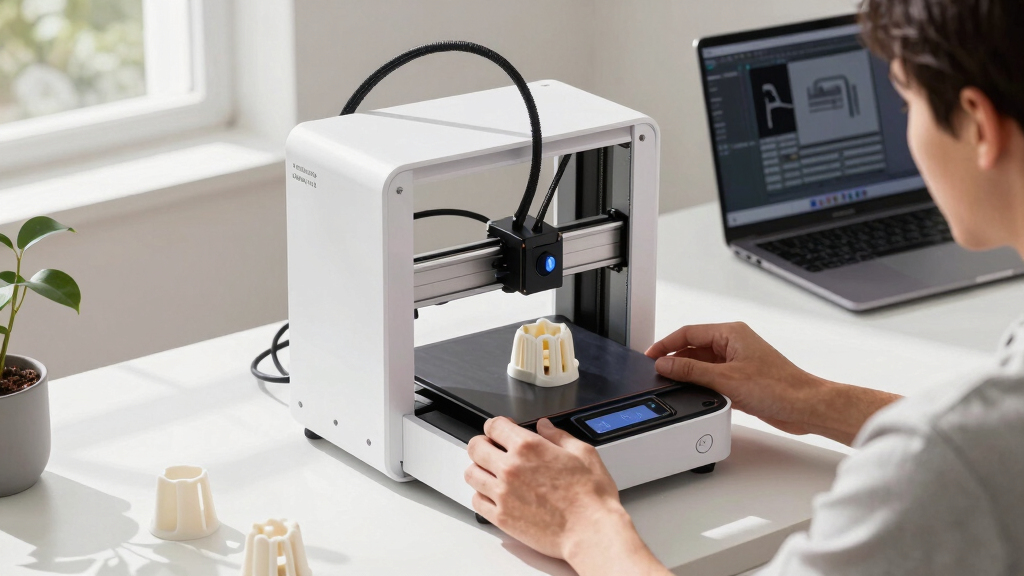
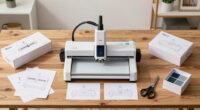
Finding the right desktop 3D printer as a founder involves balancing performance, ease of use, and versatility. The Creality SPARKX i7 3D Printer stands out as the best overall, thanks to its multi-color capabilities and AI monitoring. The FlashForge Adventurer 5M Pro offers a user-friendly auto-printing system for quick setups, making it ideal for busy startups. However, tradeoffs include higher costs for advanced features or limited build volumes in budget models. Continue reading to see how these options compare and which fits your specific needs.
Complete the kit


Key Takeaways
- Multi-color and AI features significantly enhance productivity for founders with diverse project needs.
- Ease of setup and auto-leveling are critical for startups that prioritize quick onboarding and minimal maintenance.
- Higher-priced options often deliver better precision, larger build sizes, and advanced automation, justifying their cost for serious founders.
- Budget models tend to compromise on speed, resolution, or build volume but are suitable for small prototypes or initial experiments.
- Choosing the right printer depends on balancing immediate project demands with long-term scalability.
| Creality SPARKX i7 3D Printer Multi-Color with AI Monitoring and Auto-Leveling |  | Best for High-Precision, Multi-Color Professional Projects | Build Volume: 260×260×255mm | Features: AI-powered monitoring, auto-leveling, multicolor printing, RGB lighting, ultra-quiet mode | Dimensions: 10.24×10.24×10 inches | VIEW LATEST PRICE | See Our Full Breakdown |
| FlashForge Adventurer 5M Pro 3D Printer with Auto Printing System |  | Best for Rapid Prototyping and High-Speed Production | Build Volume: 220x220x220mm | Max Nozzle Temperature: 280°C | Print Speed: 600mm/s | VIEW LATEST PRICE | See Our Full Breakdown |
| Creality SPARKX i7 Combo 3D Printer, Multi Color, Auto-Leveling, AI Photo-to-3D, 10.24×10.24×10 inch |  | Best for Beginners Seeking High-Quality, Multi-Color 3D Printing | Build Volume: 260 x 260 x 255 mm | Color Capability: Multi-color | Auto-Leveling: Yes | VIEW LATEST PRICE | See Our Full Breakdown |
| Anycubic Kobra X Multicolor 3D Printer |  | Best for Artistic, Multi-Material, Multi-Color Creations | Build Volume: 260x260x260mm | Supported Materials: PLA, PETG, TPU, PVA, ASA | Nozzle Temperature: up to 300°C | VIEW LATEST PRICE | See Our Full Breakdown |
| Phrozen Sonic Mega 8K S LCD/MSLA Resin 3D Printer, 43 µm High Resolution, 15-inch Mono LCD Screen, Large Printing Size |  | Best for High-Detail, Large-Volume Resin Prints | Build Volume: 12.99 x 7.28 x 11.81 inches | Screen: 15-inch Mono LCD | Resolution: 43 µm XY | VIEW LATEST PRICE | See Our Full Breakdown |
| Creality Ender 3 V3 SE Beginner-Friendly 3D Printer with Auto Leveling |  | Best for Entry-Level Founders Seeking Speed and Quiet Operation | Print Speed: 250mm/s | Auto Leveling: CR Touch Auto Leveling | Extruder: Sprite Direct Drive Extruder | VIEW LATEST PRICE | See Our Full Breakdown |
| Reflex RS Turbo Resin 3D Printer with Amber Screen, High Contrast Ratio 566:1, ±2μm Precision, 4.5s/Layer Speed, C5 Industrial Z-Axis, Auto Leveling |  | Best for Precision-Driven Founders Focused on Detail | Contrast Ratio: 566:1 | Layer Speed: 4.5 seconds | Precision: ±2μm | VIEW LATEST PRICE | See Our Full Breakdown |
| ELEGOO Neptune 3 Pro 3D Printer, Quick Assembly with Auto Leveling |  | Best for Beginners and Small Business Prototyping | Build Volume: 225x225x280 mm | Motherboard: STM32 | Noise Level: 47dB | VIEW LATEST PRICE | See Our Full Breakdown |
| Creality SPARKX i7 3D Printer with AI Camera Monitoring, Auto Leveling, Quiet High-Speed Desktop Printing, Easy Setup, Direct Drive Extruder, WiFi Connectivity, 260×260×255mm Build Volume |  | Best for Founders Who Value Monitoring and Large-Scale Capabilities | Build Volume: 260×260×255mm | Hotend: Quick-swap hotend | Connectivity: WiFi | VIEW LATEST PRICE | See Our Full Breakdown |
| Creality K2 SE 4C 3D Printer, Multi-Color, Fast Printing |  | Best for Multi-Color, High-Speed Prototyping | Color Printing: Multi-Color | Max Speed: 500mm/s | Build Volume: Not specified | VIEW LATEST PRICE | See Our Full Breakdown |
| FLASHFORGE Adventurer 5M 3D Printer with Auto Leveling and High-Speed Printing |  | Best Overall for Founders Needing Speed and Automation | Print Size: 220x220x220mm | Max Speed: 600mm/s | Nozzle Temperature: 280°C | VIEW LATEST PRICE | See Our Full Breakdown |
| Creality K2 SE 3D Printer with Multicolor Support |  | Best for Founders Wanting Multicolor and Reliable Large Prints | Build Volume: 220 × 215 × 245 mm | Filament Support: Up to 16 colors with CFS units (sold separately) | Extruder Type: Direct-Drive | VIEW LATEST PRICE | See Our Full Breakdown |
| Mini 3D Printer for Kids & Beginners – Complete Starter Kit with Auto Leveling and High-Speed Printing |  | Best for Founders Introducing 3D Printing to Kids or Newcomers | Print Speed: 250mm/s | Print Precision: 0.01mm | Included Filament: 1 roll of PLA | VIEW LATEST PRICE | See Our Full Breakdown |
| Desktop 3D printer for founder | Build Volume |
|---|---|
| Creality SPARKX i7 3D Printer | 260×260×255mm |
| FlashForge Adventurer 5M Pro 3 | 220x220x220mm |
| Creality SPARKX i7 Combo 3D Pr | 260 x 260 x 255 mm |
| Anycubic Kobra X Multicolor 3D | 260x260x260mm |
| Phrozen Sonic Mega 8K S LCD/MS | 12.99 x 7.28 x 11.81 inches |
| Creality Ender 3 V3 SE Beginne | Not specified |
| Reflex RS Turbo Resin 3D Print | — |
| ELEGOO Neptune 3 Pro 3D Printe | 225x225x280 mm |
| Creality SPARKX i7 3D Printer | 260×260×255mm |
| Creality K2 SE 4C 3D Printer | Not specified |
| FLASHFORGE Adventurer 5M 3D Pr | — |
| Creality K2 SE 3D Printer with | 220 × 215 × 245 mm |
| Mini 3D Printer for Kids & Beg | — |
More Details on Our Top Picks
Creality SPARKX i7 3D Printer Multi-Color with AI Monitoring and Auto-Leveling
This model stands out for its combination of large build volume and advanced AI features, making it ideal for founders who need detailed, multi-color prototypes with minimal setup time. Compared to the Creality SPARKX i7 Combo, it offers more sophisticated AI monitoring but at a potentially higher cost, which might deter budget-conscious users. The multi-color capability and ultra-quiet operation are excellent for professional environments, yet the reliance on CFS Lite for multi-color printing could add complexity for those unfamiliar with filament management. Its high precision and smooth finishes are perfect for detailed prototypes, though filament compatibility details are limited, possibly requiring additional research. Overall, this printer suits founders looking for a large, reliable machine with smart monitoring, but not those seeking the simplest setup or the lowest price.
Pros:- Automatic bed leveling and calibration simplify setup
- AI camera enables real-time print monitoring and failure detection
- Large build volume supports complex, sizable projects
- High precision for smooth, professional-quality finishes
Cons:- Multicolor printing requires CFS Lite, adding complexity
- Higher price point due to advanced features
- Limited filament compatibility details may cause uncertainty
Best for: Founders needing high-quality multi-color prototypes with automated monitoring and large build capacity
Not ideal for: Budget-conscious startups or those new to multi-color printing who prefer simpler, more affordable options
- Build Volume:260×260×255mm
- Features:AI-powered monitoring, auto-leveling, multicolor printing, RGB lighting, ultra-quiet mode
- Dimensions:10.24×10.24×10 inches
- Color:Multi-color
Our verdict“This printer is best suited for founders who prioritize multi-color, high-precision prints with automation and are prepared for a higher investment.”
FlashForge Adventurer 5M Pro 3D Printer with Auto Printing System
The Adventurer 5M Pro excels in speed, offering a 600mm/s travel rate that outpaces many competitors like the Anycubic Kobra X. Its one-click auto bed leveling and quick 35-second warm-up make it highly accessible for busy founders eager to prototype fast. While its build volume is slightly smaller, this tradeoff favors those who prioritize speed over size. The versatile nozzle options and mobile app monitoring add flexibility, but high-speed printing requires precise calibration to maintain quality, which could pose a challenge for less experienced users. Overall, this printer is ideal for founders who need rapid turnaround times and easy operation, but it’s less suited for larger or highly detailed prints.
Pros:- Exceptional print speed of up to 600mm/s accelerates project timelines
- Simple one-click auto bed leveling simplifies initial setup
- Versatile nozzle sizes enable diverse project types
- Remote monitoring via mobile app enhances workflow flexibility
Cons:- High-speed printing may require fine calibration for best results
- Limited build volume for larger models
- Potential quality tradeoffs at maximum speeds
Best for: Founders focused on fast, reliable prototypes and rapid iteration without complex setup
Not ideal for: Those needing large-scale models or intricate multi-material printing at a lower speed
- Build Volume:220x220x220mm
- Max Nozzle Temperature:280°C
- Print Speed:600mm/s
- Nozzle Options:0.25mm to 0.8mm
Our verdict“This printer makes the most sense for founders who prioritize quick, precise prototyping with minimal fuss, accepting some size limitations.”
Creality SPARKX i7 Combo 3D Printer, Multi Color, Auto-Leveling, AI Photo-to-3D, 10.24×10.24×10 inch
The SPARKX i7 Combo offers a user-friendly, pre-assembled design with quick setup, making it suitable for newcomers wanting fast results. Its multi-color capability, combined with AI-powered failure detection and photo-to-3D conversion, provides a comprehensive package for those exploring complex designs. Compared to the Creality SPARKX i7, this version emphasizes ease of use with no tools required, though the advanced features come at a higher cost and depend on internet connectivity for AI functions. Its large build volume supports versatile projects, but limited material details and the need for internet access could be hurdles. This machine is ideal for founders who value simplicity and quick start-up, with a focus on creative and multi-color projects.
Pros:- Quick, tool-free setup ready to print in five minutes
- Supports multi-color printing with filament waste reduction
- AI failure detection enhances reliability
- Large build volume for diverse projects
Cons:- Higher price due to advanced AI features
- Requires internet connection for full functionality
- Limited detailed specs on material compatibility
Best for: Beginners or startups wanting a fully pre-assembled, easy-to-use multi-color 3D printer with AI features
Not ideal for: Advanced users needing detailed material options or offline operation, or those on a tight budget
- Build Volume:260 x 260 x 255 mm
- Color Capability:Multi-color
- Auto-Leveling:Yes
- AI Features:Photo-to-3D, failure detection
Our verdict“This pick is perfect for beginners looking for a hassle-free, multi-color, high-quality 3D printing experience with smart features.”
Anycubic Kobra X Multicolor 3D Printer
The Kobra X supports up to 19 colors and multiple materials, making it ideal for founders focused on artistic prototypes or complex multi-material projects. Its high-speed capabilities (up to 600mm/s) and automatic bed leveling with LeviQ 3.0 provide both speed and ease of use. Compared to the Creality SPARKX i7, it offers more color options, but its complexity might overwhelm beginners who prefer straightforward operation. The support for various filaments like PETG, TPU, and PVA opens creative possibilities, yet calibration at high speeds can be tricky, and some features may require upgrades. Overall, this printer suits those with experience seeking versatility and multi-material flexibility, but not ideal for absolute beginners or simple jobs.
Pros:- Supports up to 19 colors for complex multi-material projects
- Fast printing speeds up to 600mm/s for quick turnaround
- Automatic bed leveling with LeviQ 3.0 for hassle-free setup
- Supports a wide range of filament types for creative flexibility
Cons:- High-speed printing may need careful calibration for quality
- Complex features might be intimidating for beginners
- Limited to certain filament types without upgrades
Best for: Founders in need of detailed, multi-color, multi-material artistic or professional models
Not ideal for: Beginners or users seeking a simple, plug-and-play solution without extensive calibration
- Build Volume:260x260x260mm
- Supported Materials:PLA, PETG, TPU, PVA, ASA
- Nozzle Temperature:up to 300°C
- Operation Noise:≤48 dB
Our verdict“This machine is best for experienced founders seeking a versatile, high-speed multi-material printer capable of artistic and professional results.”
Phrozen Sonic Mega 8K S LCD/MSLA Resin 3D Printer, 43 µm High Resolution, 15-inch Mono LCD Screen, Large Printing Size
The Sonic Mega 8K S is tailored for professional studios or founders needing detailed, large-volume resin prints. Its 15-inch mono LCD screen and 43µm XY resolution deliver exceptional detail, rivaling smaller, more precise resin printers like the Reflex RS Turbo. The large build volume supports batch production or sizable prototypes, while its fast speed—up to 80 models in 90 minutes—significantly boosts throughput. The space-efficient design with a lift-up lid simplifies resin handling, but the high price and resin safety considerations make it less suitable for hobbyists. This printer is perfect for high-volume, high-quality resin productions, though it demands more investment and careful resin management.
Pros:- Large build volume accommodates multiple or large models
- Ultra-fine 43µm resolution for intricate detail
- Fast printing speeds improve workflow efficiency
- Space-saving design with easy resin access
Cons:- Expensive compared to smaller resin units
- Handling resin involves health and safety precautions
- Requires careful calibration for consistent results
Best for: Founders producing detailed resin prototypes or small batch productions in professional settings
Not ideal for: Hobbyists on a tight budget or those seeking a small, simple resin printer
- Build Volume:12.99 x 7.28 x 11.81 inches
- Screen:15-inch Mono LCD
- Resolution:43 µm XY
- Printing Speed:Up to 80 models in 90 minutes
Our verdict“This resin printer is best suited for professional founders needing detailed, high-volume outputs with high throughput, accepting the higher cost and resin handling complexity.”
Creality Ender 3 V3 SE Beginner-Friendly 3D Printer with Auto Leveling
The Ender 3 V3 SE stands out for its ease of use, thanks to auto leveling and automatic Z-offset calibration, making it ideal for founders just starting out. Its high-speed capability of up to 250mm/s offers a significant productivity boost compared to more traditional, slower printers like the ELEGOO Neptune 3 Pro. The reliable Sprite Direct Drive Extruder ensures consistent filament flow, which is critical for prototype accuracy. However, the build volume isn’t specified, which might limit larger or multiple-part projects, and initial calibration could be a minor hurdle for absolute beginners. Compared to the K2 SE, it’s simpler and quieter but may not support the same variety of advanced materials or multi-color printing.
Pros:- Auto leveling and Z-offset calibration simplify setup
- High-speed printing up to 250mm/s boosts productivity
- Quiet operation enhances working environment
- Reliable extrusion with upgraded Sprite Direct Drive
Cons:- Build volume details are not specified, limiting clarity on project size
- May require some calibration for optimal results
Best for: Founders who want an easy-to-assemble, quiet, and fast printer for small to medium prototypes
Not ideal for: Those needing large build volumes or advanced multi-material capabilities from the outset
- Print Speed:250mm/s
- Auto Leveling:CR Touch Auto Leveling
- Extruder:Sprite Direct Drive Extruder
- Build Volume:Not specified
- Operation Noise:Quiet with 32-bit silent mainboard
- Build Plate:Flexible PC spring steel
Our verdict“This printer is best suited for founders seeking an easy, fast, and quiet entry point into 3D printing for small to medium projects.”
Reflex RS Turbo Resin 3D Printer with Amber Screen, High Contrast Ratio 566:1, ±2μm Precision, 4.5s/Layer Speed, C5 Industrial Z-Axis, Auto Leveling
The Reflex RS Turbo excels in delivering highly detailed, high-precision prints thanks to its amber high-contrast screen and ±2μm accuracy, making it ideal for founders developing intricate prototypes or small batch production. Its 4.5-second layer speed surpasses many resin printers, enabling faster turnarounds. The advanced auto-leveling and industrial C5 Z-axis ensure consistent accuracy across prints, setting it apart from more basic resin models like the FlashForge Adventurer 5M Pro. However, its setup can be complex, requiring some technical know-how, and the premium features come at a higher cost, which may not appeal to beginners or budget-conscious startups. Compatibility details are limited, so users should verify resin support for their projects.
Pros:- High contrast amber screen for sharp, detailed prints
- Rapid 4.5-second layer curing speeds up production
- Industrial-grade Z-axis provides consistent accuracy
- Auto-leveling and force monitoring for reliability
Cons:- Setup complexity may challenge less experienced users
- Premium price point may be a barrier for startups
Best for: Founders needing high-detail, precise prototypes with rapid turnaround times
Not ideal for: Beginners or those on a tight budget who prefer easier or more versatile FDM printers
- Contrast Ratio:566:1
- Layer Speed:4.5 seconds
- Precision:±2μm
- Z-Axis:C5 industrial ball-screw
- Auto Leveling:Yes
- Screen:Amber high contrast
Our verdict“Ideal for founders prioritizing high-precision, fast resin printing over ease of use or initial affordability.”
ELEGOO Neptune 3 Pro 3D Printer, Quick Assembly with Auto Leveling
The ELEGOO Neptune 3 Pro offers a straightforward setup and reliable auto bed leveling, making it a solid choice for founders new to 3D printing or those with small prototyping needs. Its 225x225x280 mm build volume strikes a balance between manageability and project size, outperforming smaller starter models. The dual-gear direct drive extruder supports a variety of filament types, including flexible materials like TPU, broadening creative options. Its quiet operation at 47dB adds to a comfortable workspace. Compared to the Creality Ender 3 V3 SE, it might lack the same speed or auto-leveling sophistication, but it compensates with easier assembly and better support for flexible filaments. The absence of a touchscreen could be a minor inconvenience for some users.
Pros:- Easy assembly with pre-assembled parts
- Auto bed leveling ensures consistent first layers
- Supports multiple filament types including flexible materials
- Quiet operation enhances workspace comfort
Cons:- Limited build volume for larger projects
- No touchscreen interface may reduce ease of use
Best for: Founders starting out or prototyping small to medium parts with flexible or multi-material filaments
Not ideal for: Those requiring large-scale production or more advanced multi-color features out of the box
- Build Volume:225x225x280 mm
- Motherboard:STM32
- Noise Level:47dB
- Extruder:Dual-gear direct drive
- Filament Compatibility:PLA, TPU, PETG, ABS
- Auto Bed Leveling:36-point
Our verdict“A versatile, user-friendly choice for founders seeking reliable quality and ease of setup for small to medium projects.”
Creality SPARKX i7 3D Printer with AI Camera Monitoring, Auto Leveling, Quiet High-Speed Desktop Printing, Easy Setup, Direct Drive Extruder, WiFi Connectivity, 260×260×255mm Build Volume
The Creality SPARKX i7 combines user-friendly features with an expansive build volume, making it suitable for founders looking to produce larger or multi-part prototypes. Its automatic bed leveling and WiFi connectivity simplify setup and remote monitoring, boosting productivity. The AI camera monitoring provides an extra layer of reliability, especially during long or complex prints. Its high-speed printing at up to 260×260×255mm supports bigger projects, outperforming compact models like the Neptune 3 Pro. However, multi-color options are optional and require extra investment, and the advanced features might involve a learning curve for newcomers. Its relatively high price reflects its professional-grade capabilities.
Pros:- Automatic bed leveling simplifies setup
- AI camera monitoring enhances print success rate
- Quiet operation at high speeds
- Large build volume for bigger prototypes
Cons:- Multi-color support is optional and may increase costs
- Complex features could be overwhelming for beginners
Best for: Founders who need reliable large-format printing with remote monitoring and automation
Not ideal for: Beginners or startups with tight budgets who don’t need large print volumes or monitoring features
- Build Volume:260×260×255mm
- Hotend:Quick-swap hotend
- Connectivity:WiFi
- Build Plate:PEI
- Features:Auto leveling, camera monitoring, quiet operation
- Expandable Multi-Color:Optional
Our verdict“This printer fits founders prioritizing large-scale, monitored printing with minimal manual intervention.”
Creality K2 SE 4C 3D Printer, Multi-Color, Fast Printing
The K2 SE 4C pushes for speed, with capabilities reaching 500mm/s, making it ideal for founders needing rapid multi-color prototyping. Its automatic leveling and smart protection features add reliability, while the support for various materials, including dual-material options, broadens project diversity. Compared to the SPARKX i7, it excels in raw speed but offers less clarity on build volume, which could be a limiting factor for larger models. The complex functions may pose a learning curve for newcomers, and the multi-color system, while powerful, requires optional upgrades like the CFS Lite system. It’s best suited for those who prioritize speed and multi-color output over detailed precision or large build sizes.
Pros:- High-speed printing up to 500mm/s for rapid prototyping
- Auto leveling ensures consistent first layers
- Supports multi-color printing with optional upgrades
- Smart protection prevents failed prints
Cons:- Build volume details are not specified, limiting large projects
- Complex features may require learning for new users
Best for: Founders focused on fast, multi-color production and experienced with 3D printers
Not ideal for: Beginners or those needing large, detailed prints with minimal complexity
- Color Printing:Multi-Color
- Max Speed:500mm/s
- Build Volume:Not specified
- Auto Leveling:Yes
- Frame:All-metal
- Supported Materials:PLA, PETG, dual-material supports
Our verdict“Suitable for experienced founders seeking quick, multi-color output with reliable automation, not for those new to 3D printing or large builds.”
FLASHFORGE Adventurer 5M 3D Printer with Auto Leveling and High-Speed Printing
The FLASHFORGE Adventurer 5M stands out for combining rapid printing speeds with automatic bed leveling, making it ideal for founders who need quick turnaround times. Compared to the Creality K2 SE, which supports multicolor printing, the 5M prioritizes speed and ease of use, though it sacrifices some versatility in color options. Its high-speed capability of 600mm/s is impressive, but this can sometimes compromise print quality if not carefully managed. The real-time app monitoring adds convenience, especially for busy entrepreneurs overseeing multiple projects. However, its maximum print size of 220x220x220mm might limit larger prototypes. The advanced features can be complex for absolute beginners, but for those comfortable with a learning curve, it offers a powerful workflow.
Pros:- Automatic bed leveling simplifies setup
- Exceptional high-speed printing reduces project timelines
- Remote monitoring via app enhances workflow management
- Quick nozzle change system increases productivity
Cons:- Limited build volume may restrict larger models
- Complex features could overwhelm first-time users
Best for: Founders who need fast, reliable prototyping with minimal manual intervention
Not ideal for: Beginners seeking a simple, plug-and-play device or those requiring larger print volumes
- Print Size:220x220x220mm
- Max Speed:600mm/s
- Nozzle Temperature:280°C
- Nozzle Size:0.4mm, accepts 0.25mm to 0.8mm
- Extruder Type:Direct drive
- Build Structure:CoreXY all metal
- Warm-up Time:35 seconds
Our verdict“This printer suits founders prioritizing speed and automation over large-format printing or simple operation.”
Creality K2 SE 3D Printer with Multicolor Support
The Creality K2 SE is a compelling choice for founders who need vibrant, multicolor prototypes, thanks to support for up to 16 colors with CFS units. Unlike the FLASHFORGE Adventurer 5M, which emphasizes speed, the K2 SE offers a balance of color versatility and a large build volume of 220 × 215 × 245mm. Its aerospace-grade aluminum frame ensures stability during complex multi-color prints, though the multicolor system involves additional purchase of CFS units, adding to initial costs. The automatic auto calibration makes setup straightforward, but some calibration adjustments may still be necessary for optimal color accuracy. This model excels for those who want detailed, multicolored prototypes without sacrificing print reliability.
Pros:- Supports up to 16 colors for vibrant, detailed models
- Large build volume accommodates complex designs
- Reliable direct-drive extruder with quick-swap nozzles
- Automatic calibration simplifies setup
Cons:- Multicolor support requires additional CFS units, increasing costs
- Initial setup and calibration can be time-consuming
Best for: Founders focusing on detailed, multicolor prototypes with a need for consistent output
Not ideal for: Those on a tight budget or seeking a straightforward single-material printer with no color support
- Build Volume:220 × 215 × 245 mm
- Filament Support:Up to 16 colors with CFS units (sold separately)
- Extruder Type:Direct-Drive
- Frame Material:Aerospace-grade aluminum alloy
- Print Speed:Up to 500 mm/s
- Auto Calibration:Yes
Our verdict“This printer is well-suited for founders who prioritize multicolor detail and consistent quality in their prototypes.”
Mini 3D Printer for Kids & Beginners – Complete Starter Kit with Auto Leveling and High-Speed Printing
The Mini 3D Printer targets founders who want an approachable, fully assembled device for educational or early-stage prototyping. Its high speed of 250mm/s and 0.01mm precision ensure quality output for small projects, making it a strong choice for beginners. Unlike the larger, more complex printers like the Creality K2 SE, this model simplifies operation with automatic features such as auto-leveling and nozzle cleaning, which are essential for quick learning curves. Its compact size limits it to small-scale projects, but the included starter kit makes it easy to get started right away. This pick is ideal for founders testing ideas with limited space or those just learning the ropes of 3D printing.
Pros:- Automatic features simplify operation for beginners
- High-speed printing reduces wait times
- Complete starter kit with filament and accessories
- Automatic nozzle cleaning ensures consistent quality
Cons:- Limited build size restricts larger prototypes
- Requires additional filament for ongoing projects
- Basic features may not satisfy advanced users
Best for: Founders new to 3D printing or seeking a safe, easy-to-use device for initial prototypes
Not ideal for: Experienced users needing larger print volumes or advanced features
- Print Speed:250mm/s
- Print Precision:0.01mm
- Included Filament:1 roll of PLA
- Heated Bed:Yes
- Auto Leveling:Yes
- Nozzle Cleaning:Automatic
Our verdict“This mini printer is perfect for founders starting out, prioritizing ease of use and quick results over large-scale production.”
How We Picked
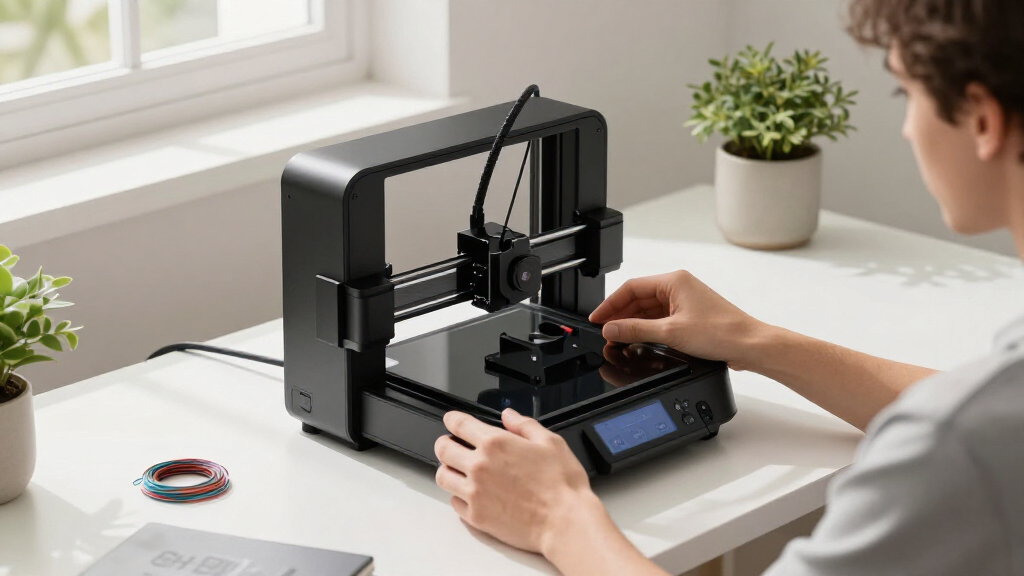
These 13 desktop 3D printers were selected based on criteria that matter most to founders: performance reliability, ease of use, build quality, automation features, and value for money. We prioritized models with auto-leveling, multi-material support, and minimal setup times, as these reduce downtime and improve workflow. The ranking emphasizes printers that balance advanced features with affordability, ensuring options fit different startup stages and project scopes. We also considered user feedback and industry reputation to identify models likely to support founders’ growth and innovation.Factors to Consider When Choosing Desktop 3D Printer For Founders
Choosing a desktop 3D printer as a founder involves several key considerations beyond raw specs. It’s vital to evaluate how the printer integrates into your workflow, the ease of maintenance, and whether the features align with your project scope. Understanding these broader factors helps prevent costly mistakes and ensures your investment supports long-term growth.Performance and Reliability
For founders, a printer’s ability to produce consistent, high-quality results is paramount. Look for models with proven stability, good layer resolution, and reliable extrusion. Inconsistent prints can delay projects and inflate costs. Prioritize printers with positive user reviews on uptime and minimal calibration issues to keep your operations smooth.
Ease of Use and Automation
Minimizing setup time and ongoing maintenance frees up valuable resources. Features like auto-leveling, touchscreen controls, and automated filament loading matter greatly. These simplify daily use, especially if your team lacks dedicated 3D printing expertise, allowing you to focus more on design and innovation.
Build Size and Material Support
Consider the size of your typical projects and select a printer with an adequate build volume to avoid unnecessary segmentation. Also, check material compatibility—some models support multi-material or resin printing, expanding your creative options. Larger build areas do come at a higher cost, so match size to your immediate needs.
Cost of Ownership and Maintenance
Initial purchase price is just one part of total cost. Factor in filament or resin costs, replacement parts, and maintenance routines. Cheaper models may incur higher ongoing expenses or require frequent repairs, which can hamper your productivity. Investing in a slightly pricier, more durable printer might save money and time over the long run.
Scalability and Future-Proofing
As your startup grows, your 3D printing needs may evolve. Select a model with upgrade options or features that can handle larger or more complex projects later. Avoid over-investing in basic models if you anticipate scaling, but also be wary of paying for features you don’t need immediately.
Frequently Asked Questions
How important is auto-leveling for a startup founder?
Auto-leveling is a valuable feature that significantly reduces the time spent calibrating the print bed, which can be a complex process for beginners. For founders managing multiple projects, this automation minimizes setup errors and improves print success rates. While not essential, it often justifies a higher initial investment by saving time and preventing failed prints.
Should I prioritize multi-material support or high resolution?
The choice depends on your project needs. Multi-material support offers versatility, allowing prototypes with different properties or colors, which is useful for product testing. High resolution is critical if your prototypes demand fine details or surface finish. Many printers now offer a balance of both, but prioritize based on whether material variety or detail quality drives your work most.
Is resin printing better for founders than filament-based printers?
Resin printers excel in producing highly detailed parts with smooth surfaces, making them suitable for detailed prototypes or jewelry design. However, they often require more maintenance, are messier, and involve safety considerations. Filament printers are generally more straightforward, cost-effective, and better suited for larger, functional prototypes. Choose resin if your projects demand precision, but filament models are better for everyday, rougher prototypes.
How do I choose a printer that scales with my startup?
Look for models with upgrade options, larger build volumes, or multi-material capabilities. A scalable printer should adapt to larger projects or more complex materials as your needs grow. It’s wise to avoid overly basic models if expansion is likely, but also beware of paying for features you’ll never utilize early on. Balancing current needs with future growth potential ensures a smart investment.
What maintenance should I expect with a desktop 3D printer?
Most desktop printers require regular nozzle cleaning, bed leveling, and occasional part replacements like extruders or belts. Resin printers need resin handling, cleaning, and UV curing. Choosing a model with accessible parts and clear maintenance routines can reduce downtime. Regular upkeep extends the lifespan of your equipment and maintains print quality, making it a key consideration in your purchase decision.
Conclusion
For founders prioritizing overall performance and automation, the Creality SPARKX i7 offers a compelling blend of features and reliability, making it an excellent choice as the best overall. Budget-conscious startups or those starting small may find the Creality Ender 3 V3 SE or ELEGOO Neptune 3 Pro provide great value with decent performance. Beginners or teams new to 3D printing should consider models like the Mini 3D Printer for Kids & Beginners for simplicity and ease of use. For those needing high detail, the Phrozen Sonic Mega 8K delivers professional-quality prints, suitable for advanced projects, albeit at a higher price point. Ultimately, your choice should align with your current project scope, budget, and future growth plans.