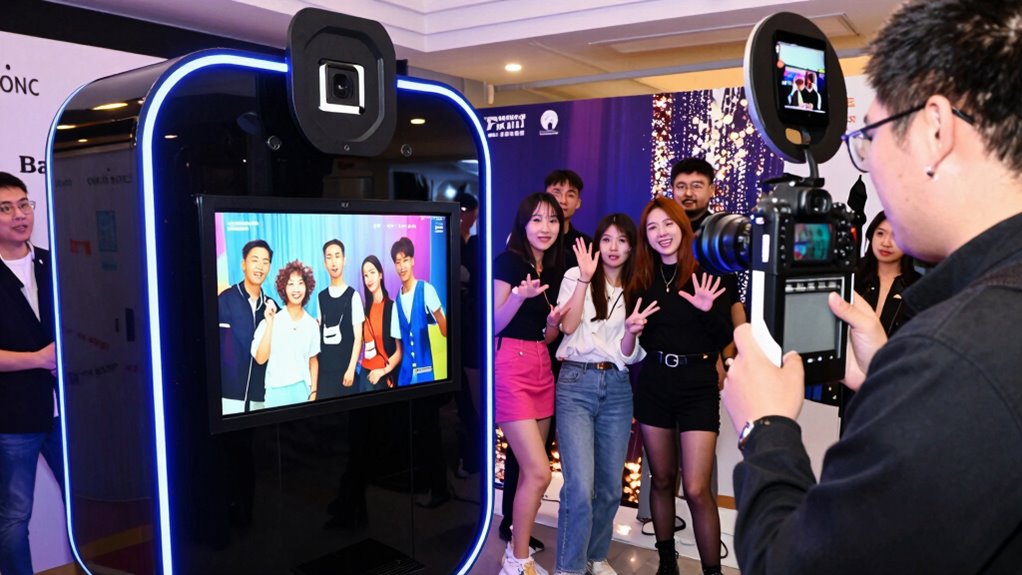
For brand activations, I’d choose a booth based on how well it turns participation into a branded, shareable moment—not on lighting alone. My best overall pick is the MWE 360 Photo Booth Machine with Flight Case and RGB Strip Light, which combines a rotating experience with event-ready transport; the JIYANG Portable iPad Photo Booth Stand is a more compact fit for activations centered on quick digital captures. If a staffed, print-focused setup matters more, the MWE Magic Mirror Photo Booth adds a touch screen and printer. The main tradeoffs are guest capacity and spectacle versus portability, setup demands, and how much branding control the included software actually offers. Read on for the full comparison and guidance on matching a booth to your event format.

Get business pricing on office and shipping supplies
- Business-only prices and quantity discounts
- Tax-exempt purchasing
- Multiple users, one account, clear invoices
Key Takeaways
- The 360 booths are the spectacle-first choices; models with flight cases are better suited to repeated event transport, while the 45.3-inch model is listed for larger groups of five to seven.
- The iPad stands emphasize portability and digital capture, but buyers should check device fit, app compatibility, and whether the software supports their planned branding and sharing flow.
- Several JIYANG and MWE listings mention custom logos, yet logo customization alone does not establish whether a brand can control overlays, galleries, or data capture.
- The MWE Magic Mirror and Portable Desktop Photo Booth include printers, making them more appropriate when guests should leave with a physical keepsake than when fast throughput is the priority.
- Included flight cases, remotes, lights, and software vary across listings; compare the full event setup rather than treating all 360 or iPad booths as equivalent.
| 360 Photo Booth Machine with Ring Light, Remote Control, and Custom Logo – 45.3″ Size for 5-7 People |  | Best for Large Brand Groups | Platform size: 45.3 in (115 cm) | Supported group size: 5–7 people | Maximum weight: 1,300 lb | VIEW ON AMAZON | See Our Full Breakdown |
| MWE 360 Photo Booth Machine with Flight Case and RGB Strip Light |  | Best for Mobile Event Crews | Platform diameter options: 23, 26.8, 31.5, 39.4, and 45.3 in | Model number: 31.5 in | Brand: MWE | VIEW ON AMAZON | See Our Full Breakdown |
| JIYANG Portable iPad Photo Booth Stand with Flight Case and 2-Month ChackTok VIP Membership, Black |  | Best for iPad-Led Brand Content | Brand: JIYANG | Model: MWE-DX-F-B | Color: Black | VIEW ON AMAZON | See Our Full Breakdown |
| JIYANG 360 Photo Booth Machine with Flight Case |  | Best for Flexible Group Sizes | Model: MWE-CS01 | Platform sizes: 57, 68, 80, and 100 cm | Capacity: 1–2, 2–3, 3–4, and 4–5 people by size | VIEW ON AMAZON | See Our Full Breakdown |
| Portable Photo Booth Machine for 10.2–12.9-Inch iPads with Ring Light and App Control |  | Best Compact Setup for Indoor Activations | Compatible iPad sizes: 10.2, 10.9, 11, and 12.9 in | Ring light diameter: 22 in | Color temperature: 3000–6500 K | VIEW ON AMAZON | See Our Full Breakdown |
| Jiyang Portable Photo Booth Compatible with Any iPad, with Stand, ChackTok Software, VIP 2-Month Membership, and Flight Case (White) | 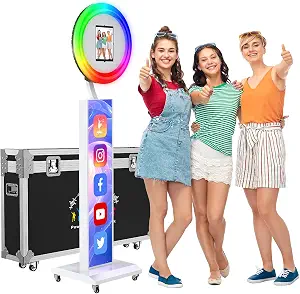 | Best for Flexible iPad Setups | Compatibility: iPads listed at 10.2, 10.9, 11, and 12.9 inches | Software: ChackTok | Included: Photo booth stand, flight case, VIP membership, custom logo | VIEW ON AMAZON | See Our Full Breakdown |
| MWE Portable iPad Photo Booth with RGB Ring Light and Flight Case | 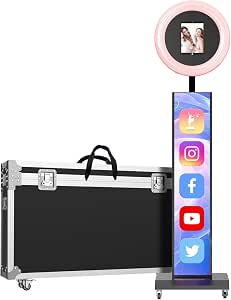 | Best for Adjustable Brand Lighting | Compatibility: iPad | Lighting: RGB ring light; 3 color modes, 20+ effects, 10 brightness levels per mode | Rotation: 180° left or right; 30° forward or backward | VIEW ON AMAZON | See Our Full Breakdown |
| Portable Photo Booth Machine for iPad with RGB Ring Lights, Custom Logo, and Software |  | Best for Branded Social Content | Compatibility: Any iPad | Lighting: RGB ring lights with 20+ modes | Rotation: 180° left or right; 30° front or back | VIEW ON AMAZON | See Our Full Breakdown |
| MWE 360 Photo Booth Machine for Parties with Flight Case, Logo Customization, Software App, Remote, Automatic 360 Spin, 80cm for 3-5 People |  | Best for Group Activations | Diameter options: 26.8, 31.5, 39.4, and 45.3 inches | 80 cm version capacity: 3–5 people | Other listed group capacities: 2–4, 4–6, or 5–7 people, depending on size | VIEW ON AMAZON | See Our Full Breakdown |
| MWE Magic Mirror Photo Booth with Touch Screen, Printer, HD Camera, and RGB Lighting |  | Best Premium Mirror Station | Model: 16-inch+Printer | Camera: Built-in 1200W-pixel HD camera; 76.3° wide-angle view | Operating system: Android 13 | VIEW ON AMAZON | See Our Full Breakdown |
| OHYEAHSPIN Photo Booth Compatible with All iPad Sizes | 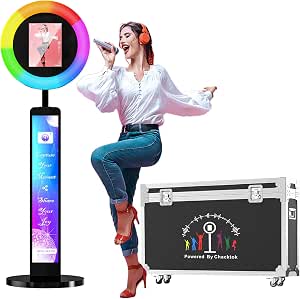 | Best for Flexible iPad Compatibility | iPad compatibility: 10.2-inch, 10.9-inch, and 12.9-inch sizes | Included accessories: Ring box and flight case | Control: Software app control | VIEW ON AMAZON | See Our Full Breakdown |
| Jiyang Photo Booth Machine Compatible with Any iPad, VIP Member Software, Custom Logo, Ring Light, Perfect for Weddings, Parties, and Birthdays |  | Best for Branded iPad Activations | Model: MWE-LB-B | iPad compatibility: 10.2-inch, 10.9-inch, 11-inch, and 12.9-inch; pre-2018 and 2024 models require customization | Package dimensions: 47 x 26 x 10.5 inches | VIEW ON AMAZON | See Our Full Breakdown |
| 360 Photo Booth Machine with Flight Case and Logo Customization |  | Best for Flexible 360-Degree Setups | Platform diameters: 26.8, 31.5, 39.4, or 45.3 inches | Stated platform capacity: 2–3, 3–4, 4–5, or 5–6 people, depending on size | Lighting: Three color modes with 10 brightness levels per mode | VIEW ON AMAZON | See Our Full Breakdown |
| 360 Photo Booth Machine with Software App, Remote Control, and Custom Logo – JIYANG Auto Slow Motion Rotating (26.8″ + Flight Case) |  | Best for Multi-Device Capture | Screen/platform size: 26.8 inches | Lighting: Three colors with 10 brightness levels each | Selfie stick length: 16 to 63 inches | VIEW ON AMAZON | See Our Full Breakdown |
| MWE Portable Desktop Photo Booth with Touch Screen, Printer, HD Camera, and LED Surround Light (10.1 inch) |  | Best for On-Site Printed Keepsakes | Camera resolution: 1200W pixels | Screen size: 10.1 inches | Printer: Color, 4×6 paper, 50 seconds per print | VIEW ON AMAZON | See Our Full Breakdown |
| photo booth machine for brand activations on amazon usa | Lighting |
|---|---|
| 360 Photo Booth Machine with R | 3 colors; 10 brightness levels |
| MWE 360 Photo Booth Machine wi | Adjustable ring light and RGB strip light |
| JIYANG Portable iPad Photo Boo | — |
| JIYANG 360 Photo Booth Machine | 3 color modes; 10 brightness levels each |
| Portable Photo Booth Machine f | — |
| Jiyang Portable Photo Booth Co | — |
| MWE Portable iPad Photo Booth | RGB ring light; 3 color modes, 20+ effects, 10 brightness levels per mode |
| Portable Photo Booth Machine f | RGB ring lights with 20+ modes |
| MWE 360 Photo Booth Machine fo | Ring light with 3 colors and 10 brightness levels |
| MWE Magic Mirror Photo Booth w | RGB surround lighting with music synchronization |
| OHYEAHSPIN Photo Booth Compati | — |
| Jiyang Photo Booth Machine Com | Ring light |
| 360 Photo Booth Machine with F | Three color modes with 10 brightness levels per mode |
| 360 Photo Booth Machine with S | Three colors with 10 brightness levels each |
| MWE Portable Desktop Photo Boo | LED surround light |
More Details on Our Top Picks
360 Photo Booth Machine with Ring Light, Remote Control, and Custom Logo – 45.3″ Size for 5-7 People
For a brand activation built around group participation, the 45.3-inch platform is the main draw: it is specified for five to seven people, giving more guests room to join a rotating clip than the smaller JIYANG 360 Photo Booth Machine with Flight Case. Support for smartphones, iPads, GoPros, and DSLRs also gives a production team more camera choices, while custom logo branding can put a campaign mark into the setup. The three lighting colors and ten brightness levels help adapt the look to a venue. The tradeoff is footprint: this is a sizable platform that needs a clear operating area. A power bank is not included, and the ChackTok app adds setup work before the event.
Pros:- Platform is sized for groups of five to seven
- Supports smartphones, iPads, GoPro, and DSLR cameras
- Custom logo branding is available
- Three lighting colors with ten brightness levels
Cons:- Large platform needs substantial event floor space
- Power bank must be sourced separately
- App download and setup add preparation time
Best for: Event agencies running high-throughput activations where groups of five to seven guests should appear in one branded rotating clip.
Not ideal for: Small pop-up teams with tight floor plans or no time to configure an app and source a separate power bank.
- Platform size:45.3 in (115 cm)
- Supported group size:5–7 people
- Maximum weight:1,300 lb
- Lighting:3 colors; 10 brightness levels
- App:ChackTok
- Supported devices:Smartphones, iPads, GoPro, DSLR
- Battery pack:Included
- Power bank:Not included
Our verdict“Choose this model when group capacity and camera flexibility matter more than a compact activation footprint.”
MWE 360 Photo Booth Machine with Flight Case and RGB Strip Light
The included flight case makes this MWE a practical fit for crews moving a booth between venues, and its listed platform range—from 23 to 45.3 inches—offers more sizing choices than the fixed 45.3-inch 360 Photo Booth Machine with Ring Light, Remote Control, and Custom Logo. Adjustable ring and strip lighting can help the booth read clearly in varied event spaces, while device support and remote control leave room for different capture setups. The listing also states a five-year warranty, a useful point for equipment expected to travel. There are gaps in the product data, though: weight is shown as 1 g, which is not credible for a booth and case, and software details are sparse. I would confirm the actual weight and app capabilities before planning logistics.
Pros:- Flight case is included for transport and storage
- Five listed platform diameter options
- Adjustable ring and LED strip lighting
- Listing specifies a five-year warranty
Cons:- Listed weight of 1 g appears to be erroneous
- Software features are not described in detail
- Flight case requires assembly
Best for: Brand activation production teams that transport equipment often and want a choice of platform sizes for different venue layouts.
Not ideal for: Buyers who need verified shipping weight or detailed software workflow information before committing event logistics.
- Platform diameter options:23, 26.8, 31.5, 39.4, and 45.3 in
- Model number:31.5 in
- Brand:MWE
- Manufacturer:Marvel Technology
- Listed weight:1 g
- Lighting:Adjustable ring light and RGB strip light
- Included case:Flight case
- Warranty:5 years
Our verdict“Pick the MWE when a transport case and adjustable platform sizing are priorities, after confirming its real weight and software details.”
JIYANG Portable iPad Photo Booth Stand with Flight Case and 2-Month ChackTok VIP Membership, Black
This JIYANG stand takes a different route from the rotating platforms in this group: it centers the activation on an iPad and ChackTok, with photo, video, GIF, and spin-video modes plus filters, frames, and effects. That makes it a better match for a staffed portrait or social-content station than the large-group 360 Photo Booth Machine with Ring Light, Remote Control, and Custom Logo, which is built around a rotating platform. The flight case helps when the stand needs to travel between events, and support for several iPad sizes gives teams some hardware flexibility. Compatibility is not universal, however: some older 12.9-inch iPads and models under 10.2 inches need a custom-fit panel. The membership term is also inconsistent across the listing, so I would verify what is included before an activation.
Pros:- Supports several iPad sizes from 10.2 to 13 inches
- ChackTok offers photo, video, GIF, and spin-video modes
- Filters, effects, and frames support campaign styling
- Flight case is included
Cons:- Some older 12.9-inch and smaller iPads need a custom-fit panel
- Membership duration conflicts between title and description
- Designed around an iPad rather than broad camera compatibility
Best for: Brand teams using a compatible iPad to run a staffed photo and GIF station with branded frames and effects.
Not ideal for: Crews that need a rotating group platform, use an older or smaller iPad, or require a clearly confirmed software membership term.
- Brand:JIYANG
- Model:MWE-DX-F-B
- Color:Black
- Compatible iPad sizes:10.2, 10.9, 11, 12.9, and 13 in
- Software:ChackTok
- Available modes:Photo, video, GIF, and spin video
- Included case:Flight case
- Membership listed:2 months in title; description also says 6 months
Our verdict“Choose this stand for an iPad-based branded content station, provided your tablet fit and membership terms are confirmed.”
JIYANG 360 Photo Booth Machine with Flight Case
The JIYANG 360 stands out for offering four platform sizes, from a compact 57 cm option for one or two people to a 100 cm platform listed for four or five. That gives activation planners more control over the balance between guest capacity and floor space than the fixed 45.3-inch 360 Photo Booth Machine with Ring Light, Remote Control, and Custom Logo. Its adjustable selfie stick and compatibility with phones, tablets, GoPro cameras, and other cameras also make the capture setup adaptable. A ring light with three color modes and ten brightness levels helps shape the on-site look. The tradeoffs are practical: batteries and custom logos are not included, and the full two-month membership requires contacting the seller. Listed US repair coverage also excludes remote and offshore areas.
Pros:- Four platform sizes cover groups from one to five
- Works with smartphones, iPads, GoPro, and other cameras
- Selfie stick adjusts in length and angle
- App or button control and multiple lighting settings
Cons:- Batteries and customized logos are not included
- Two-month membership requires contacting the seller
- Repair service excludes remote and offshore US areas
Best for: Activation teams that need to scale the rotating platform to different venues and expected group sizes.
Not ideal for: Teams needing logo customization and app membership fully arranged in advance, or those operating in areas outside the stated repair coverage.
- Model:MWE-CS01
- Platform sizes:57, 68, 80, and 100 cm
- Capacity:1–2, 2–3, 3–4, and 4–5 people by size
- Compatible devices:Smartphones, iPads, GoPro cameras, and cameras
- Selfie stick length:16–63 in
- Selfie stick angle:36–156 degrees
- Lighting:3 color modes; 10 brightness levels each
- Membership:15-day trial; 2-month membership available by contacting seller
Our verdict“This is a strong fit for crews that need a 360 booth sized to each venue and can arrange membership and branding details ahead of time.”
Portable Photo Booth Machine for 10.2–12.9-Inch iPads with Ring Light and App Control
For a branded activation that needs portraits, GIFs, and social sharing rather than a rotating group video, this foldable iPad booth offers a tidy station format. Its aluminum frame weighs less than 15 pounds and packs into a carrying case, while the listing says familiarized users can assemble it in under five minutes. The 22-inch ring light adjusts across 3000–6500K, with ten brightness levels and rotation and tilt controls to help staff adapt to different indoor lighting. Compared with the JIYANG Portable iPad Photo Booth Stand, this model provides unusually specific light and frame details; it does not offer the same set of listed spin-video modes. The black backdrop is included, but custom logo backdrops cost extra, and some membership and support details require contacting the seller.
Pros:- Foldable aluminum frame and carrying case support transport
- 22-inch ring light has adjustable color temperature and brightness
- App supports photos, GIFs, custom borders, and social sharing
- Quick assembly is listed after familiarization
Cons:- Custom backdrop logos incur additional fees
- Compatible only with the listed iPad sizes
- Some membership and support details require seller confirmation
Best for: Small brand teams setting up a portable, staffed iPad photo or GIF station at indoor events.
Not ideal for: Activations centered on 360-degree group videos or teams that need custom backdrop branding included in the package.
- Compatible iPad sizes:10.2, 10.9, 11, and 12.9 in
- Ring light diameter:22 in
- Color temperature:3000–6500 K
- Brightness:10 levels
- Light adjustment:360° horizontal rotation; ±20° tilt
- Frame:Aluminum; less than 15 lb
- Assembly time:Less than 5 minutes after familiarization
- Included accessories:Canvas carrying case and black canvas backdrop
- Software membership:2 months of ChackTok Premium
Our verdict“Choose this portable booth for a compact indoor iPad station with flexible lighting, rather than a 360-degree group experience.”
Jiyang Portable Photo Booth Compatible with Any iPad, with Stand, ChackTok Software, VIP 2-Month Membership, and Flight Case (White)
For brand activations that already have an iPad on hand, this Jiyang stand offers a flexible starting point: it supports several iPad sizes and includes ChackTok software, a custom logo, and a flight case. The five-year warranty also gives it a longer stated coverage period than a short-term event rental would provide. Compared with the MWE RGB model, this package puts less emphasis on elaborate lighting effects and more on device flexibility and core booth transport. The tradeoff is that compatibility may still take coordination: the listing says certain iPad models need customized panels, and some software features may require setup knowledge. I’d shortlist it for activations using a known iPad model, but choose a model with specified RGB modes if lighting is central to the brand experience.
Pros:- Supports multiple listed iPad sizes, giving teams flexibility to use an existing device.
- Includes a flight case for carrying and protecting the booth.
- Custom logo and ChackTok software support branded photo experiences.
- Lists a five-year warranty.
Cons:- Certain iPad models may require customized panels, which adds coordination before an activation.
- Some software features may take extra setup or familiarity.
- The supplied information does not specify ring-light modes or brightness.
Best for: Small brand teams that already own an iPad and want a portable, logo-customizable booth with broad stated device-size compatibility.
Not ideal for: First-time operators who need a fully specified lighting setup or want to avoid checking whether their iPad needs a customized panel.
- Compatibility:iPads listed at 10.2, 10.9, 11, and 12.9 inches
- Software:ChackTok
- Included:Photo booth stand, flight case, VIP membership, custom logo
- VIP membership:2 months
- Warranty:5 years
- Color:White
Our verdict“Choose this Jiyang package if broad iPad-size support and a flight case matter more than detailed lighting controls.”
MWE Portable iPad Photo Booth with RGB Ring Light and Flight Case
The MWE stands out when an activation needs its lighting to feel connected to the campaign: its RGB ring light offers three color modes, more than 20 effects, and ten brightness levels per mode. The booth also rotates 180 degrees left or right and tilts forward or backward, giving operators more control over placement than the Jiyang portable stand. ChackTok supports effects, custom materials, and social sharing, while a flight case suits teams moving between venues. That range of controls brings more setup decisions, and this model is limited to iPad. VIP access beyond the included two months requires contacting the manufacturer. I’d favor it over the simpler Jiyang package when branded color and angle adjustments are part of the event plan; skip it if you need a device-agnostic setup.
Pros:- RGB ring light has three color modes, 20-plus effects, and ten brightness levels per mode.
- Rotates left or right and tilts forward or backward for flexible positioning.
- ChackTok supports effects, custom materials, and social sharing.
- Flight case supports transport between activation venues.
Cons:- Designed for iPad use, limiting device options.
- Access to additional VIP software time requires contacting the manufacturer.
- The many lighting controls may take time to configure for a consistent event look.
Best for: Event marketers who use an iPad and want to match booth lighting and shooting angles to a campaign setup.
Not ideal for: Teams using Android tablets or buyers who want software membership access without contacting the manufacturer.
- Compatibility:iPad
- Lighting:RGB ring light; 3 color modes, 20+ effects, 10 brightness levels per mode
- Rotation:180° left or right; 30° forward or backward
- Software:ChackTok VIP
- Included VIP access:2 months; 4 additional months available from the manufacturer
- Included accessory:Flight case
- Warranty:5-year replacement for quality issues
Our verdict“Pick the MWE if adjustable RGB lighting and booth positioning are higher priorities than broad device compatibility.”
Portable Photo Booth Machine for iPad with RGB Ring Lights, Custom Logo, and Software
This portable booth combines custom logo branding with RGB lighting and ChackTok software, giving campaign teams a path to branded photos and videos for social sharing. Its stated rotation range—180 degrees side to side and 30 degrees front to back—makes it easier to adjust the booth for different spaces than a fixed-position setup. A flight case, manual, and installation videos address transport and initial assembly. Compared with the MWE portable model, the feature set is similar, but the listing specifically calls out a custom logo and four additional months of VIP software access. The tradeoff is that the booth is iPad-only, and software setup may be less straightforward for new operators. I’d choose it when branded content matters more than a simple plug-and-play workflow.
Pros:- Custom logo supports a branded guest-facing experience.
- RGB lighting offers more than 20 modes.
- Rotates side to side and tilts front to back for placement flexibility.
- Includes a flight case, manual, and installation videos.
Cons:- Limited to iPad compatibility.
- Software may require additional setup for first-time operators.
- The listing does not specify how the additional VIP access is activated.
Best for: Social campaign teams with an iPad that want a portable booth featuring custom logo options and configurable RGB lighting.
Not ideal for: Activations using non-iPad devices or teams without time to handle software setup and installation.
- Compatibility:Any iPad
- Lighting:RGB ring lights with 20+ modes
- Rotation:180° left or right; 30° front or back
- Software:ChackTok VIP
- Additional VIP access:4 months free
- Warranty:5-year replacement for quality issues
- Included:Flight case, manual, installation videos
Our verdict“Choose this model for iPad-based activations where logo placement and social-ready content are central to the booth experience.”
MWE 360 Photo Booth Machine for Parties with Flight Case, Logo Customization, Software App, Remote, Automatic 360 Spin, 80cm for 3-5 People
When the activation is built around a group moment, this MWE shifts the experience from a stationary iPad booth to a 360-degree rotating camera. Its 80 cm version is listed for groups of three to five, while other diameter options cover smaller or larger groups. App and wireless-remote controls give operators two ways to manage the capture, and the flight case has four rollers for moving the equipment. That makes it a more event-centered choice than the portable iPad models from Jiyang or MWE, which focus on individual or small-group photos. The tradeoff is a more involved setup: the platform needs assembly, and the supplied details are limited on software compatibility and updates. I’d pick it for energetic group content, not for teams seeking a compact, simple photo station.
Pros:- 360-degree camera motion creates a distinct group capture format.
- Multiple diameter options are listed for different group sizes.
- App and wireless remote provide alternative control methods.
- Flight case with four rollers supports transport.
Cons:- Assembly and technical familiarity may be needed before an event.
- Software compatibility and update details are limited in the supplied information.
- An 80 cm platform needs more event floor space than a portable iPad stand.
Best for: Experiential marketing teams planning group captures and short-form 360 content at staffed events.
Not ideal for: Small activations with limited floor space, minimal setup time, or guests who need a conventional stationary photo booth.
- Diameter options:26.8, 31.5, 39.4, and 45.3 inches
- 80 cm version capacity:3–5 people
- Other listed group capacities:2–4, 4–6, or 5–7 people, depending on size
- Lighting:Ring light with 3 colors and 10 brightness levels
- Control:ChackTok app and wireless remote
- Power:USB interface
- Included:Flight case with 4 rollers, props, manual
- Warranty:5-year replacement for quality issues
Our verdict“Choose the MWE 360 booth when group participation and rotating video are the activation centerpiece and you can allocate setup space.”
MWE Magic Mirror Photo Booth with Touch Screen, Printer, HD Camera, and RGB Lighting
For a staffed activation where guests should leave with a physical takeaway, the MWE Magic Mirror pairs a touch screen and built-in camera with an included printer. The listing says a photo takes about 20 seconds to print, giving the booth a tangible output alongside ChackTok effects and sharing. Its Android 13 system and six months of VIP access also make it a more self-contained station than the portable iPad booths, including the RGB MWE model. The tradeoff is a less portable, more equipment-dependent setup: Windows 10 requires a compatible player, and the mirror format is a different fit from the MWE 360 platform’s group video focus. The supplied product details do not establish how the 1200W-pixel camera figure translates to image quality, so I’d choose this for the print experience and screen interaction.
Pros:- Built-in camera and USB-connected printer create a self-contained photo and print station.
- Touch screen supports an interactive guest flow.
- RGB surround lighting synchronizes with music.
- Lists six months of ChackTok VIP access and a five-year warranty.
Cons:- Windows 10 use requires a compatible player.
- The supplied details do not clarify image quality beyond the camera’s stated pixel figure and view angle.
- The mirror and printer format is less suited to quick relocation than portable iPad stands.
Best for: Brands hosting staffed events that want guests to interact with a mirror-style touch screen and take home printed photos.
Not ideal for: Mobile teams prioritizing compact transport, or operators who need Windows support without sourcing a compatible player.
- Model:16-inch+Printer
- Camera:Built-in 1200W-pixel HD camera; 76.3° wide-angle view
- Operating system:Android 13
- Windows support:Windows 10 with a compatible player
- Printer:USB connection; listed print time about 20 seconds per photo
- Lighting:RGB surround lighting with music synchronization
- Software:ChackTok with 6 months of VIP access
- Warranty:5 years
Our verdict“Choose the Magic Mirror for staffed activations where an interactive screen and printed keepsake matter more than portability.”
OHYEAHSPIN Photo Booth Compatible with All iPad Sizes
Broad iPad compatibility gives this booth a practical edge for brand teams that already own tablets or expect to swap devices between activations. Its flight case also suits crews moving equipment between venues, while app control and music sync add options for shaping the booth experience. Compared with the Jiyang Photo Booth Machine, OHYEAHSPIN offers less detail about software tools such as custom logos and effects, so I would favor Jiyang when branded capture features are the priority. The tradeoff here is uncertainty: the listing does not explain the app’s capabilities or the booth’s power source and battery life. That makes it harder to plan a long event without checking those details first. I see this as a transport-friendly iPad stand with useful flexibility, rather than a fully specified activation system.
Pros:- Supports a broad range of iPad sizes, including 10.2-inch, 10.9-inch, and 12.9-inch models
- Includes a flight case for transporting the booth between venues
- App control and music sync offer ways to shape the guest experience
Cons:- Software capabilities are not described in enough detail to judge branded capture options
- Power source and battery life are unspecified
Best for: Brand teams with several iPad sizes who need a portable booth for events at changing venues
Not ideal for: Activation teams that need confirmed software branding tools or battery specifications before planning an all-day event
- iPad compatibility:10.2-inch, 10.9-inch, and 12.9-inch sizes
- Included accessories:Ring box and flight case
- Control:Software app control
- Additional feature:Music sync
- Power details:Not specified
- Battery life:Not specified
Our verdict“Choose OHYEAHSPIN if tablet flexibility and a transport case matter most; pick the Jiyang model if defined branding tools are a higher priority.”
Jiyang Photo Booth Machine Compatible with Any iPad, VIP Member Software, Custom Logo, Ring Light, Perfect for Weddings, Parties, and Birthdays
For activations built around a branded guest photo, the Jiyang makes a stronger case than the OHYEAHSPIN Photo Booth: its software is described with custom logos, shooting modes, effects, and digital props. Those tools can give a campaign more visual identity than a booth whose app features are unspecified. It also supports several iPad sizes and includes a ring light, useful when lighting varies between venues. The footprint and weight change the operational picture, though. At 69.9 pounds and with package dimensions of 47 x 26 x 10.5 inches, it calls for storage space and likely help during setup. Some older and 2024 iPad models require customization, so broad compatibility does not mean every tablet is ready to install. I would shortlist it for staffed events where branding matters more than quick solo setup.
Pros:- Software includes custom logo options, shooting modes, effects, and digital props
- Supports several iPad sizes and includes a ring light
- Five-year warranty is specified
Cons:- At 69.9 pounds, transport and setup can require extra help
- Some iPad models require customization before use
- Large package dimensions call for dedicated storage space
Best for: Event agencies and brand teams running staffed activations that need custom-logo photos and creative capture modes
Not ideal for: Small teams that travel light or need a confirmed fit for a pre-2018 or 2024 iPad without customization
- Model:MWE-LB-B
- iPad compatibility:10.2-inch, 10.9-inch, 11-inch, and 12.9-inch; pre-2018 and 2024 models require customization
- Package dimensions:47 x 26 x 10.5 inches
- Item weight:69.9 pounds
- Warranty:5 years
- Lighting:Ring light
- Software features:Customizable logos, multiple shooting modes, special effects, and digital props
Our verdict“Choose the Jiyang when branded software features matter more than light transport and immediate setup.”
360 Photo Booth Machine with Flight Case and Logo Customization
This 360 booth gives activation planners more control over the shot than a fixed iPad station: operators can adjust rotation speed, direction, and timing, then choose among video, slow motion, GIF, photo, and boomerang formats. Its multiple platform diameters help teams match the setup to their space and group size. Compared with the JIYANG Auto Slow Motion Rotating 360 Photo Booth, this listing spells out a wider range of platform sizes and supported formats, while JIYANG describes support for several capture devices. The main tradeoff is that many of the promised capture and sharing features depend on compatible software, which is not fully specified here. Assembly is required, and the flight case rollers need self-installation. I would favor this model for teams that want size and rotation choices and can confirm their software workflow before an event.
Pros:- Offers four platform diameters to suit different spaces and group sizes
- Rotation speed, direction, and timing are adjustable by app or button
- Supports photo, video, slow-motion, GIF, and boomerang formats
- Ring light has three color modes and ten brightness levels per mode
Cons:- Described shooting and social-sharing features depend on compatible software
- Assembly is required, including installation of the flight case rollers
- Platform capacity varies by size, so buyers need to match the model to expected group use
Best for: Experiential agencies that need to fit a rotating group-shot booth to different venue footprints and campaign formats
Not ideal for: Teams that need a ready-to-run software package with confirmed social sharing and minimal assembly
- Platform diameters:26.8, 31.5, 39.4, or 45.3 inches
- Stated platform capacity:2–3, 3–4, 4–5, or 5–6 people, depending on size
- Lighting:Three color modes with 10 brightness levels per mode
- Controls:Button and app control
- Rotation:Clockwise or counterclockwise, with adjustable speed and timing
- Supported formats:Boomerang, photo, video, slow-motion video, and GIF
- Flight case:Includes four rollers; assembly required
- After-sales support:On-site repair service in the United States, excluding remote and offshore areas
Our verdict“Choose this 360 booth for adjustable rotation and platform sizing, provided you can confirm compatible software and handle assembly.”
360 Photo Booth Machine with Software App, Remote Control, and Custom Logo – JIYANG Auto Slow Motion Rotating (26.8″ + Flight Case)
JIYANG’s clearest distinction is device flexibility: it lists support for smartphones, iPads, GoPro cameras, and other cameras, giving production teams more choice than a tablet-centered setup. The ChackTok app is described for creating and editing videos, GIFs, and photos with effects, and rotation can be controlled wirelessly or by button. That combination suits social-first activations where guests should leave with edited motion content. Compared with the 360 Photo Booth Machine with Flight Case and Logo Customization, this model names its app and supported devices, but the other listing gives buyers more platform-size options. The 26.8-inch version may also limit group capacity, and the ring light needs a power bank that is not included. First-time operators should allow time to learn the setup and app workflow.
Pros:- Supports smartphones, iPads, GoPro devices, and cameras
- ChackTok app supports editing videos, GIFs, and photos with effects
- Wireless app or button controls support automatic rotation
- Custom logo options support branded event content
Cons:- Ring light requires a power bank that is not included
- Setup and app workflow may take time for first-time operators
- The listed 26.8-inch platform is less suited to large groups than larger platform options
Best for: Social campaign teams that want to capture branded motion content with phones, tablets, GoPros, or cameras
Not ideal for: Large-group activations or crews that need the lighting power source included and a simple first-use setup
- Screen/platform size:26.8 inches
- Lighting:Three colors with 10 brightness levels each
- Selfie stick length:16 to 63 inches
- Rotation control:Wireless via app or button
- Supported devices:Smartphones, iPads, GoPro, and cameras
- App:ChackTok app for capture and editing
- Power bank:Required for ring light; not included
- Package options:Honeycomb carton or flight case
Our verdict“Choose this JIYANG model for multi-device, edited 360 content; select a larger platform option when guest group size is the priority.”
MWE Portable Desktop Photo Booth with Touch Screen, Printer, HD Camera, and LED Surround Light (10.1 inch)
When a campaign needs a physical takeaway, this desktop booth fills a role the OHYEAHSPIN Photo Booth and the 360 models do not: it pairs a built-in color printer with a camera and touch screen for printed 4×6 photos. A stated 50-second print time gives operators a planning point for managing a guest queue, while adjustable height and angle can help frame different subjects. The software also lists effects, digital props, and social sharing, so print output is not the only option. The tradeoffs are operational: setup and installation take time, prints are limited to 4×6, and VIP software access lasts only two months. I would choose this for staffed brand events where guests value a take-home image; teams focused on short-form motion content should look to a 360 booth instead.
Pros:- Built-in color printer produces 4×6 photos in a stated 50 seconds
- 1200W camera and wide-angle view support booth-style group framing
- Adjustable height and angle help adapt the camera position
- Software includes effects, digital props, and social sharing
Cons:- Requires setup and installation time before the event
- Print output is limited to 4×6 paper
- VIP software access is limited to two months
Best for: Staffed retail, conference, or launch teams that want guests to leave with a printed branded keepsake
Not ideal for: Social-first teams that prioritize rotating video content or events that need multiple print sizes
- Camera resolution:1200W pixels
- Screen size:10.1 inches
- Printer:Color, 4×6 paper, 50 seconds per print
- Lighting:LED surround light
- Camera adjustment:Adjustable height and angle
- Controls:Software app control and remote control
- Software access:VIP access limited to 2 months
Our verdict“Choose the MWE desktop booth when printed keepsakes are central to the activation and a staffed setup is available.”

How We Picked
I ranked these machines for brand activations by how directly their format supports a branded guest experience: visible participation, practical setup, transport, and a clear capture or sharing path. I gave weight to listed features such as 360 rotation, iPad compatibility, logo customization, included software, lighting, flight cases, and printing. A feature only helps when it matches the activation: rotation can draw attention, while a compact iPad station can suit tighter footprints and quicker interactions.
The ranking favors options whose listed hardware and event accessories form a coherent use case, then distinguishes them by capacity, portability, and output. A logo option or software membership is not proof of specific branding controls, and listing titles do not settle compatibility, setup time, or ongoing software terms. I treat those as verification points for buyers, which is why products with narrower or less clearly described roles rank below more event-ready combinations.
Factors to Consider When Choosing Photo Booth Machine For Brand Activations On Amazon Usa
Before choosing a booth, I’d map the activation from the guest’s first glance to the moment they receive or share their image. That path reveals whether you need a rotating platform, a compact iPad station, or a mirror and printer. These broader checks can prevent a feature-rich booth from becoming a bottleneck on event day.
Match the Booth Format to the Guest Experience
A 360 platform makes the capture itself part of the show, which can help draw a crowd around a launch or sponsorship activation. That attention comes with a more involved footprint and guest flow than a stationary iPad booth. A mirror booth offers a more direct, staffed interaction, while a compact stand can fit a smaller activation area. Think about whether guests will participate in groups, one at a time, or while moving through a larger event. A common mistake is choosing the most dramatic format without planning a queue or a safe approach and exit. Sketch the guest path and staffing position before settling on the hardware.
Treat Branding as a Software Workflow
A custom logo on the machine can make the hardware look on-brand, but it may not brand the resulting photos or videos. Ask whether the software supports overlays, start screens, galleries, sharing links, and campaign-specific prompts. Check whether staff can change creative between events without vendor assistance. For lead generation, confirm what information can be collected and where it is stored before building that step into the guest journey. Avoid assuming that an included app or membership provides every feature your campaign needs. Request a clear feature list and confirm any recurring access terms before committing.
Plan for Throughput and Staffing
Activation success often depends on how many guests can complete the experience during a busy window. A 360 capture may attract attention but take longer per group than a quick tablet photo, especially if staff need to guide poses or reset the platform. Printing adds a handoff step and can slow the line when guests wait for keepsakes. Estimate peak arrivals, interaction time, and the number of staff available rather than relying only on a booth’s advertised group size. Decide who will welcome guests, operate the system, and troubleshoot it. A short queue plan can make a less elaborate booth more effective than a high-impact setup that stalls.
Check Venue Fit, Power, and Transport
Measure the entire operating area, including room for guests, staff, cables, and any queue—not just the machine itself. Confirm venue power access and ask whether the lighting, tablet, printer, and rotation system need separate outlets or charging. Flight cases can help protect equipment in transit, though they also require storage and loading space. For multi-stop campaigns, check packed dimensions, setup steps, and who can safely assemble the unit. Do not assume that a portable label means one person can move or set it up alone. Share the floor plan and load-in restrictions with the supplier before the event.
Decide Whether Prints Earn Their Place
Physical prints can extend a brand interaction beyond the event, especially when guests are likely to keep or display the image. They also add consumables, replenishment, and another possible pause in the guest flow. Digital delivery avoids paper handling, but only works well when guests can retrieve the file easily and understand what happens to it. Consider the event’s connectivity, audience habits, and sustainability goals when choosing between the two. Ask what printer supplies are compatible and how the device behaves when paper runs out. Paying for a printer makes sense when the keepsake is part of the campaign idea, rather than an accessory that goes unused.
Verify Compatibility and Event-Day Support
For iPad booths, check the exact tablet size and model, mounting method, and whether the device is included. Confirm which operating systems and app versions the software supports, then ask how updates are handled. For any format, get setup instructions and a contact path for technical help during event hours. Test the planned capture, branding, and delivery flow with the actual event account and network conditions before the activation. A listing title can describe broad compatibility without answering these operational questions. Build a fallback plan, such as a spare tablet or a simple manual sharing method, if capture technology is central to the campaign.
Frequently Asked Questions
Should I choose a 360 booth or an iPad booth for a branded activation?
I’d choose a 360 booth when movement and spectacle are part of the campaign and the venue can support its footprint and guest flow. An iPad booth is a better fit for compact spaces, quicker individual captures, or activations that need a simpler station. The 360 format may draw a crowd, which can help visibility but raises staffing and queue demands. The iPad format can be easier to place, though its impact depends on the creative and software experience. Decide based on the activation’s audience flow and objective, then confirm the exact setup requirements.
Does a custom-logo photo booth guarantee branded photos?
No. A listing that mentions logo customization may refer to the machine’s appearance and may not include branded photo or video overlays. I’d ask for confirmation of the software’s supported branding elements, including capture screens, overlays, gallery pages, and sharing messages. Also check who creates and uploads the artwork and whether campaign staff can change it later. If branded media is central to the activation, get the workflow documented before purchase. Treat the physical logo and digital creative as separate requirements.
How can I tell whether an iPad booth will fit my tablet?
Check the holder’s supported dimensions and the booth’s stated compatibility against the exact iPad model, including its case if you plan to leave one on. Broad phrases such as “any iPad” still merit confirmation of mounting range and connection requirements. Ask whether portrait and landscape orientations are supported if your campaign creative depends on one. Verify that the app runs on the tablet’s operating system and that updates will remain compatible. A physical fit check before the event can catch problems that a listing description may not resolve.
Is a printer worth adding to a brand activation booth?
A printer can make sense when the campaign benefits from a take-home keepsake or an on-site branded handout. It adds consumables, replenishment tasks, and time to each guest interaction, so it may be a poor match for a high-volume queue. Before choosing a print model, confirm the available print sizes, supply sourcing, and how staff will handle paper or ink issues. Consider whether guests can receive a digital copy as well, since that supports sharing beyond the venue. The best choice depends on whether a physical print advances the campaign goal.
What should I verify before using booth software to collect leads?
Confirm what information the software can request, how guests consent, where data is stored, and who can access or export it. Ask whether those functions are included in the software access described by the listing or require a separate account or service. Check whether guests can complete the capture without submitting personal information if the campaign allows an optional path. Test the full flow on the event network and review the resulting records before launch. If lead capture is a core requirement, get the data handling and retention details from the supplier rather than inferring them from a membership label.
Conclusion
For an activation that should draw attention with a rotating capture, I’d start with the MWE 360 Photo Booth Machine with Flight Case and RGB Strip Light as my best overall pick. The Portable Photo Booth Machine for 10.2–12.9-Inch iPads is my value-oriented choice for a more compact digital station, provided its app and branding functions meet the campaign brief. Beginners may find the JIYANG Portable iPad Photo Booth Stand with Flight Case easier to plan around than a rotating platform, though they should confirm software setup and tablet fit. For a premium, print-led experience, the MWE Magic Mirror Photo Booth pairs touch interaction with a printer and HD camera. If group participation is the priority, compare the listed capacity of the 45.3-inch 360 machine with the smaller 26.8-inch JIYANG model; choose only after checking venue space and operating requirements.
Fall Picks

Samsung Essential S3 27-Inch Curved FHD Monitor
As an affiliate, we earn on qualifying purchases.