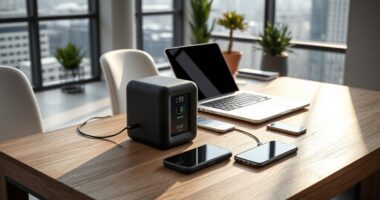
This checklist is for small business owners setting up a shipping station for the first time or filling gaps in an existing one. It covers the core tools for weighing, labeling, taping, and packing orders, with a separate advice-only section for bubble mailers. Keep your typical order sizes and daily shipping routine in mind as you choose what belongs on your station.

Get business pricing on office and shipping supplies
- Business-only prices and quantity discounts
- Tax-exempt purchasing
- Multiple users, one account, clear invoices
The sections follow the path of a package: weigh it, print its label, gather the right label stock, seal a box, and choose suitable packaging. Each product slot includes practical fit and compatibility considerations, so you can check whether a pick works with your labels, parcels, and available workspace.
Use this as a working checklist, not a requirement to buy everything at once. Start with the tools that address your current bottleneck, then confirm dimensions and compatibility against your actual shipments before ordering. For bubble mailers, use the guidance to decide whether that packaging style fits the items you send.
Thermal Shipping Label Printer
A label printer can make a shipping station easier to organize when you regularly prepare packages. The listed pick is the Rollo Wireless Shipping Label Printer, described as a Wi-Fi 4×6 thermal label printer. Before choosing it, check that your shipping workflow can send labels to this printer and that the device you plan to use can connect as needed.
A common mistake is treating every 4×6 label workflow as automatically compatible. Confirm the label format required by your shipping service, the printer’s connection options for your computer or mobile device, and whether your chosen label stock is supported. Also consider where the printer will sit: allow room for the printer and labels, and place it where printed labels can be reached without crossing over packing materials. If several people prepare orders, consider whether its connection setup fits the way they share the station.
For a first setup, test the complete process with the labels and devices you expect to use before relying on it for a busy shipping day. Check that labels print at the intended size and remain readable after application. Keeping the printer, label supply, and packing area within easy reach can help create a smooth labeling routine.
What to look for:
- Confirm your shipping service can provide labels in the 4×6 format.
- Check that your computer or mobile device can connect using the printer’s Wi-Fi setup.
- Verify the printer works with the label stock you plan to buy.
- Reserve a stable spot with room for the printer and label supply.
- Print a sample label and check its size and readability before regular use.
Rollo Wireless Shipping Label Printer – Wi-Fi 4×6 Thermal Label Printer

The Rollo Wireless Shipping Label Printer offers fast, high-quality thermal printing for shipping labels, supporting Wi-Fi and USB connections. It is compatible with major shipping platforms and marketplaces, and can also create custom labels with barcodes and QR codes.
Pros:
- Fast printing speed of 150mm/sec for high-volume shipping
- Supports wireless printing via AirPrint and Wi-Fi
- Compatible with major shipping platforms and marketplaces
- Durable print head with a lifespan of about 650,000 labels
Cons:
- Requires Wi-Fi or USB connection, no Ethernet support
- Limited to thermal printing, no ink or toner needed
- Design may be bulky for small workspaces
Best for: Small businesses seeking a Wi-Fi 4×6 thermal label printer.
Not ideal for: Workflows that require an unconfirmed label format or connection method.
Bottom line: Confirm device, service, and label-stock compatibility before making this printer part of your daily shipping routine.
Shipping Scale
A shipping scale helps you capture package weight as part of preparing an order. The listed pick is an Amazon Basics digital postal scale with a tare function and a stated 660 lb capacity. Match the scale to the parcels you actually send: consider the size and shape of your typical packed orders, where the scale will sit, and whether its display is easy to read with a package on the platform.
One common mistake is weighing an item before it is fully packed. The shipping weight can depend on the box, mailer, cushioning, and other packing materials, so weigh the finished parcel. The tare function may help when you place a container on the scale first; check the instructions to understand how it operates and whether it suits your weighing routine. Also verify how measurements are displayed and whether that unit matches the requirements of the service or shipping software you use.
Think through how the scale fits into your station. A crowded bench can make it harder to place a box steadily, while an awkward display position can slow down recording the measurement. Check the platform dimensions and compare them with your usual parcels before buying. The stated capacity is one specification to consider, but the practical fit of the platform and a clear weighing workflow matter for everyday order prep.
What to look for:
- Compare the scale platform dimensions with your usual packed parcels.
- Confirm its displayed weight units work with your shipping workflow.
- Check how the tare function operates in the product instructions.
- Choose a stable surface with enough clear space to set down each package.
- Weigh the complete parcel, including its packaging and contents.
Amazon Basics Digital Shipping Postal Scale with Tare Function, 660 lb Capacity,

This digital postal scale is designed for weighing shipping items with a heavy-duty yet portable build. It features a large back-lit LCD display, tare function, and multiple measurement units, supporting up to 660 pounds with 0.1-ounce precision.
Pros:
- High weight capacity of 660 pounds
- Large back-lit LCD for easy reading
- Multiple measurement units and tare function
Cons:
- Data cannot be transferred via USB
- Requires batteries or AC power for operation
Best for: Businesses that want a digital postal scale with tare functionality.
Not ideal for: Packages whose size or weight exceed the scale’s confirmed specifications.
Bottom line: Check the platform fit and unit requirements, then weigh each parcel after it is fully packed.
Shipping Label Rolls
Label stock is a small supply that can interrupt shipping when it runs out or does not suit the printer. The listed pick is a 4×6 thermal shipping label product described as a Bluetooth label maker for small businesses. Because the product name does not identify the exact roll format or printer compatibility, confirm those details before treating it as a refill for your label printer.
Buying labels based only on their 4×6 size is a common misstep. Check whether the labels are supplied as rolls or another format, how they load, and whether the printer supports that stock. The product name mentions Bluetooth, while the Rollo printer pick is described as Wi-Fi; verify the specific connection and device requirements rather than assuming the products work together. Also confirm whether the item is label stock, a separate label maker, or a combined product, since the name alone leaves that unclear.
Consider how much label stock you can store near the printer without cluttering the station. Keep spare labels in a convenient, dry storage spot and make sure whoever packs orders knows which stock is intended for which printer. Before buying in quantity, check the product details and test a small amount in your setup if possible. A confirmed match supports a reliable label supply and prevents last-minute changes to your packing process.
What to look for:
- Confirm whether the product is label rolls, a label maker, or both.
- Check the exact roll format and loading method.
- Verify compatibility with the specific printer model you use.
- Match the connection requirements to your device and workflow.
- Test a sample before relying on the stock for regular fulfillment.
Thermal Shipping Label Printer 4×6 Bluetooth Label Maker for Small Business

This compact thermal label printer uses direct thermal technology to produce crisp, black-and-white 4×6 labels at speeds up to 150mm/s, ideal for high-volume small business shipping. It features Bluetooth and USB connectivity, compatibility with major shipping platforms, and supports customizable templates via a user-friendly app.
Pros:
- High-quality thermal printing with sharp resolution
- Wireless Bluetooth and USB connectivity for flexibility
- Compatible with major shipping platforms like Amazon, USPS, UPS, FedEx, DHL
- Includes everything needed to start printing immediately
Cons:
- Prints in black and white only
- Limited to monochrome output
- Maximum print speed may be insufficient for extremely high-volume operations
Best for: Buyers who have confirmed the product format and printer match.
Not ideal for: Anyone needing a clearly specified roll without checking product details.
Bottom line: Verify what the product includes and confirm printer compatibility before ordering it as label stock.
Packing Tape Dispenser
A hand dispenser can keep box sealing supplies close at hand while you prepare outgoing orders. The listed pick is the 3M Scotch H180 hand dispenser for 2-inch tape. Check that the tape width and core or roll format you use fit the dispenser’s requirements, and make sure the handle feels manageable for the person who will seal packages most often.
A common buying mistake is checking only that tape is 2 inches wide. Dispenser fit can also depend on the roll and how the tape loads, so review the product details against the tape you plan to keep in stock. Consider how you seal boxes: frequent packing may make ease of handling especially relevant, while occasional use may call for a simpler setup. A dispenser should be easy to reach without crowding the area where boxes are folded and filled.
Plan a clear place for the dispenser and tape near the packing surface. Check how the blade is positioned and follow the product instructions for loading and safe handling. If multiple people share the station, make sure they can use the dispenser comfortably and return it to the same spot. Pairing a compatible tape roll with an accessible dispenser helps keep sealing consistent and convenient across orders.
What to look for:
- Confirm the dispenser accepts your tape’s width and roll format.
- Check the product details for how the tape roll loads.
- Choose a dispenser that the regular packer can handle comfortably.
- Place it within reach without taking over the box assembly area.
- Follow the instructions for loading and handling the blade.
3M Scotch Box Sealing Tape Hand Dispenser H180 for 2" Tape, Gray

This hand-held tape dispenser is designed for efficient sealing of shipping boxes in various settings. Made of durable plastic and metal, it features adjustable tension control and a pistol grip for easy one-handed operation, suitable for 2-inch tape rolls up to 60 yards long.
Pros:
- Durable construction suitable for high-volume use
- Adjustable tension control for optimal sealing
- Pistol grip allows for easy one-handed operation
Cons:
- Designed for industrial use only, not for consumers
- Limited to 2-inch tape rolls
- May be heavy for prolonged use
Best for: Packing stations using tape compatible with the H180 dispenser.
Not ideal for: Tape rolls whose width or format has not been confirmed to fit.
Bottom line: Match the tape roll to the dispenser requirements and keep the tool accessible at the packing surface.
Corrugated Shipping Boxes
The listed box pick is a 6x5x4 inch corrugated shipping box with “Secure Seal” in its product name. Box dimensions affect whether an item fits with the cushioning it needs and how much empty space remains. Measure the item you are shipping and account for protective materials before deciding whether this box size is suitable.
A frequent mistake is selecting a box that fits the product exactly before packing. Leave room for cushioning where needed, but avoid a fit so loose that the contents move freely. Confirm whether the listed dimensions refer to the interior or exterior, since that distinction changes usable space. Also consider the shape of the item: a listed length, width, and height can be a poor match for a product with an unusual profile even when the measurements appear close.
Think about the types of orders you send and whether one box size covers them. If it does not, keep a few appropriate sizes in your packing plan rather than forcing a poor fit. Check how the box closes and whether your chosen tape can seal its seams. Store boxes where they can stay in usable condition and be reached without blocking the packing area. A correctly sized carton supports secure, orderly packing and helps you use cushioning deliberately.
What to look for:
- Confirm whether the listed 6x5x4 dimensions are interior or exterior.
- Measure the item and allow space for necessary protective materials.
- Check the box shape against the product you intend to ship.
- Make sure your chosen tape can seal the box’s seams.
- Plan additional box sizes if your order dimensions vary.
Secure Seal 6x5x4 inch Corrugated Cardboard Packing Shipping Mailing Moving Cart

These durable 6x5x4 inch corrugated cardboard boxes are designed for secure shipping, moving, and storage. Made from high-quality, eco-friendly materials, they are lightweight yet strong, suitable for eCommerce, mailing, and general packaging needs.
Pros:
- Strong and reliable construction for secure shipping
- Eco-friendly and recyclable materials
- Versatile for various packaging needs
- Lightweight yet durable
Cons:
- Limited to specific sizes (6x5x4 inches)
- No specific weight capacity mentioned
Best for: Orders that fit the confirmed usable dimensions with room for packing materials.
Not ideal for: Items too large, unusually shaped, or requiring more cushioning space.
Bottom line: Measure both the item and needed cushioning, then confirm the box’s usable dimensions before packing.
Bubble Mailers
Bubble mailers can be a packaging option to consider for items that suit a flexible mailer rather than a rigid box. No specific product is listed for this slot, so use the guidance to assess the items you ship and your shipping workflow. Start by checking whether the contents can tolerate being packed in a flexible outer layer and whether they need more structure or protection.
A common mistake is choosing a mailer by the item’s bare dimensions alone. Account for how the item will be wrapped, the closure area, and the room needed to seal the mailer. Check the mailer’s usable interior dimensions and compare them with the packed item, allowing a comfortable fit without forcing the closure. Consider whether the item has corners or surfaces that could be damaged if the package bends or is compressed. When a mailer does not provide the structure the item needs, choose a box that fits with suitable cushioning.
Before stocking a mailer size, test the packing process with representative orders. Check that the item fits, the closure seals as intended, and the finished parcel works with your label workflow. Keep mailers organized by size if you use more than one, and store them close to the packing area. The right choice depends on the item’s shape and protection needs, so make fit and protection the first checks.
What to look for:
- Compare usable interior dimensions with the fully packed item.
- Leave enough room for the closure without forcing the contents.
- Consider whether the item needs rigid support or added cushioning.
- Test a representative package for fit and closure before stocking a size.
- Confirm the finished mailer works with your label and shipping workflow.
Build the station in an order that addresses your current shipping bottleneck: first the tool needed to weigh or label orders, then compatible label stock, followed by tape and packaging that fit your typical parcels. Check the product details before ordering so each part works with the devices, tape, and package sizes you already use. Add bubble mailers when the items you ship suit that format.
A practical station can grow as your order mix changes. Start with a small set of confirmed fits, keep supplies easy to reach, and adjust when a package regularly feels cramped or awkward to prepare. With the right checks in place, you can make shipping more organized and repeatable one order at a time.