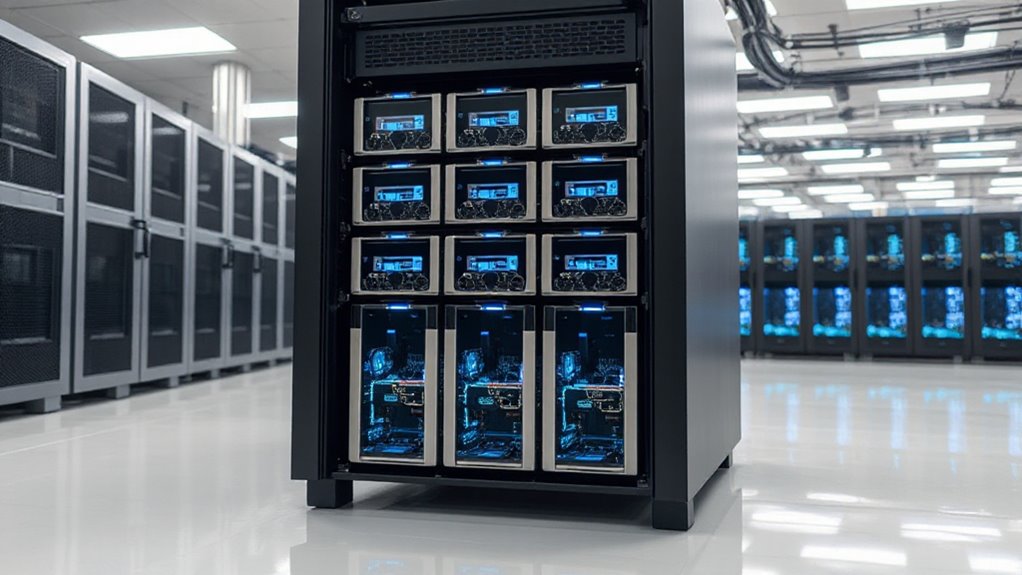

For most small businesses, I’d start with the Dell PowerEdge R630: its four SSDs and 128GB of memory make it a balanced choice for common business workloads. The Dell PowerEdge R720 stands out when high-capacity SATA storage and included Windows Server 2019 matter more than a compact chassis, while the Dell PowerEdge R640 models offer newer Xeon Gold platforms in 1U designs. The main tradeoffs are storage capacity versus speed, rack space versus expansion, and the support and power demands of renewed enterprise hardware. I compare all six options by their likely fit for small-business workloads, configuration, and practical ownership needs. Read on for the full breakdown and guidance on matching a server to your rack, software, and growth plans.

Get business pricing on office and shipping supplies
- Business-only prices and quantity discounts
- Tax-exempt purchasing
- Multiple users, one account, clear invoices
Key Takeaways
- The R630 is the most balanced starting point: its 128GB RAM and four 800GB SSDs pair substantial memory with fast listed storage, though the renewed system’s age and SSD capacity should be checked against workload needs.
- The R720 prioritizes bulk capacity: 16TB of listed SATA storage and Windows Server 2019 make it a different proposition from the SSD-equipped R630, but its 2U chassis uses more rack space.
- The two R640 listings are not interchangeable: one lists a 40-core Xeon Gold configuration and 10 bays; the other specifies two Xeon Gold 6134 CPUs and eight drive trays, so buyers should verify the exact processor and drive setup.
- The HP options suit narrower needs: the DL380p Gen8 offers 128GB RAM in 2U, while the older DL360 G7’s 72GB RAM and four SAS drives may fit a constrained legacy workload better than a new deployment.
- Renewed-server details can change the decision: warranty, firmware, drive health, rails, power draw, and operating-system licensing need confirmation; a headline configuration alone does not establish readiness for production.
| Dell PowerEdge R630 8-Bay SFF 1U Rackmount Server, Dual Xeon E5-2678 v3 2.5 GHz Processors, 128 GB DDR4 RAM, Four 800 GB SSDs, Dual 750 W Power Supplies (Renewed) |  | Best Overall | Form factor: 1U rackmount | Drive bays: 8 SFF | Processors: 2 × Intel Xeon E5-2678 v3, 12 cores each, 2.5 GHz | VIEW ON AMAZON | See Our Full Breakdown |
| HP ProLiant DL360 G7 1U Rack Server, Dual Xeon X5675, 72GB RAM, 4 × 900GB SAS HDDs (Renewed) |  | Best for Budget-Conscious Legacy Setups | Form factor: 1U rack server | Chassis: 8-bay, 2.5-inch | Processors: 2 × Intel Xeon X5675, 6 cores each, 3.06 GHz | VIEW ON AMAZON | See Our Full Breakdown |
| HP ProLiant DL380p Gen8 8-Bay 2.5-Inch Rack Server, Dual Xeon E5-2680, 128GB RAM, 600GB SAS Storage (Renewed) |  | Best for RAID-Ready General Business Use | Form factor: Rack mount | Drive bays: 8 × 2.5-inch | Processors: 2 × Intel Xeon E5-2680, 8 cores each, 2.7 GHz | VIEW ON AMAZON | See Our Full Breakdown |
| Dell PowerEdge R720 2U Rack Server, Dual Xeon E5-2670, 192GB RAM, 16TB SATA HDDs, Windows Server 2019 (Renewed) |  | Best for High-Capacity File Storage | Form factor: 2U rack server | Processors: 2 × Intel Xeon E5-2670, 8 cores each, 2.6 GHz | Memory: 192 GB registered | VIEW ON AMAZON | See Our Full Breakdown |
| Dell PowerEdge R640 1U Server, 40-Core Xeon Gold, 64GB RAM, 10 Bays, Rails (Renewed) |  | Best Premium Compute Platform | Form factor: 1U rack-mountable | Drive bays: 4 × 2.5-inch SAS and 6 × 2.5-inch NVMe | Processors: 2 × Intel Xeon Gold 6138, 20 cores each, 2.00 GHz | VIEW ON AMAZON | See Our Full Breakdown |
| Dell PowerEdge R640 1U Rack Server with 2 Intel Xeon Gold 6134 CPUs, 64GB RAM, 8 Drive Trays (Renewed) |  | Best for CPU-Heavy Workloads | Generation: 14th Generation | Form factor: 1U rack mount | Processors: 2 × Intel Xeon Gold 6134, 3.20GHz, 8 cores each | VIEW ON AMAZON | See Our Full Breakdown |
| rackmount server for small businesse | Form factor | Processors | Memory | Storage |
|---|---|---|---|---|
| Dell PowerEdge R630 8-Bay SFF | 1U rackmount | 2 × Intel Xeon E5-2678 v3, 12 cores each, 2.5 GHz | 128 GB DDR4, 2133 MHz | 4 × 800 GB SATA 6 Gbps SSDs |
| HP ProLiant DL360 G7 1U Rack S | 1U rack server | 2 × Intel Xeon X5675, 6 cores each, 3.06 GHz | 72 GB DDR3 PC3-10600R | 4 × 900 GB 10K SAS 2.5-inch HDDs |
| HP ProLiant DL380p Gen8 8-Bay | Rack mount | 2 × Intel Xeon E5-2680, 8 cores each, 2.7 GHz | 128 GB DDR3 registered | 600 GB total: 2 × 300 GB 10K SAS HDDs |
| Dell PowerEdge R720 2U Rack Se | 2U rack server | 2 × Intel Xeon E5-2670, 8 cores each, 2.6 GHz | 192 GB registered | 16 TB: 8 × 2 TB 7.2K 6 Gb/s SATA 3.5-inch HDDs |
| Dell PowerEdge R640 1U Server | 1U rack-mountable | 2 × Intel Xeon Gold 6138, 20 cores each, 2.00 GHz | 64 GB ECC registered DDR4, 2666 MHz | No drives or caddies included |
| Dell PowerEdge R640 1U Rack Se | 1U rack mount | 2 × Intel Xeon Gold 6134, 3.20GHz, 8 cores each | 64GB PC4-2133 DDR4 | — |
More Details on Our Top Picks
Dell PowerEdge R630 8-Bay SFF 1U Rackmount Server, Dual Xeon E5-2678 v3 2.5 GHz Processors, 128 GB DDR4 RAM, Four 800 GB SSDs, Dual 750 W Power Supplies (Renewed)
I’d rank the Dell PowerEdge R630 first for a small business that wants a fairly complete 1U server rather than a bare chassis to configure. Its 24 processor cores, 128 GB of DDR4 memory, and four SATA SSDs give it a more balanced starting point for mixed business workloads than the older HP ProLiant DL360 G7, which uses DDR3 and SAS drives. The four drives add up to 3.2 TB of listed storage, so routine file access should feel more responsive than on the 7.2K HDDs in the Dell PowerEdge R720. The tradeoff is that this is a renewed, pre-owned system, and its listed 1500 W power consumption deserves attention in a small office. I’d choose it for an existing rack; buyers prioritizing newer-generation performance should compare it with the R640.
Pros:- Two 12-core Xeon processors provide 24 total cores for concurrent workloads.
- 128 GB of DDR4 memory is included.
- Four 800 GB SATA SSDs provide 3.2 TB of listed capacity with faster access than the R720’s mechanical HDDs.
- Dual 750 W power supplies provide redundancy.
Cons:- Renewed condition means it is pre-owned rather than factory-new.
- The listed 1500 W power consumption may be a poor fit for offices with tight energy or cooling limits.
- The older R630 platform is less compelling for buyers seeking a newer-generation server.
Best for: Small businesses with an existing rack that need a ready-to-deploy 1U server for file services, virtualization, or business applications and value included SSD storage.
Not ideal for: Organizations seeking a newer-generation platform, low power draw, or a fresh system with predictable condition; this is renewed and lists 1500 W power consumption.
- Form factor:1U rackmount
- Drive bays:8 SFF
- Processors:2 × Intel Xeon E5-2678 v3, 12 cores each, 2.5 GHz
- Memory:128 GB DDR4, 2133 MHz
- Storage:4 × 800 GB SATA 6 Gbps SSDs
- Power supplies:2 × 750 W
- Listed power consumption:1500 W
- Condition:Renewed
Our verdict“Choose the R630 if you want a well-equipped 1U renewed server with included SSDs and memory, and can accommodate its power demands.”
HP ProLiant DL360 G7 1U Rack Server, Dual Xeon X5675, 72GB RAM, 4 × 900GB SAS HDDs (Renewed)
The HP ProLiant DL360 G7 is best viewed as a way to extend an existing legacy rack, not as the strongest foundation for a new small-business deployment. It offers 12 total Xeon cores, 72 GB of DDR3 memory, four 900 GB SAS drives, and a RAID controller, plus four Gigabit Ethernet ports and iLO remote management. That management and networking package gives it more built-in administration detail than the DL380p Gen8 listing, but its older DDR3 platform trails the R630’s DDR4 configuration. There’s also a setup catch: the description says the drives and memory upgrades require installation, so buyers should confirm exactly what arrives and budget time for assembly. I’d skip it for workloads where newer memory, included SSDs, or a longer-term platform matter more than supporting older equipment.
Pros:- Two six-core processors provide 12 total cores.
- Four 900 GB SAS drives offer 3.6 TB of listed capacity.
- Smart Array P410i-a RAID controller is included.
- Four Gigabit Ethernet ports and HP iLO remote management support network flexibility and remote administration.
Cons:- The DDR3 platform is older than the R630’s DDR4 configuration.
- The description says drives and memory upgrades require installation, adding setup work.
- Mechanical SAS drives are less responsive than the SSD storage listed for the R630.
Best for: Small businesses or IT contractors maintaining an existing ProLiant G7 environment who need a 1U server with remote management, RAID, and multiple Gigabit Ethernet ports.
Not ideal for: Teams building a new virtualization or storage platform that want DDR4 memory, SSD storage, or a ready-to-run configuration; installation of listed upgrades is required.
- Form factor:1U rack server
- Chassis:8-bay, 2.5-inch
- Processors:2 × Intel Xeon X5675, 6 cores each, 3.06 GHz
- Memory:72 GB DDR3 PC3-10600R
- Storage:4 × 900 GB 10K SAS 2.5-inch HDDs
- RAID controller:HP Smart Array P410i-a
- Networking:4 × Gigabit Ethernet
- Remote management:HP iLO 5 Standard
- Condition:Renewed
Our verdict“Pick the DL360 G7 to maintain a legacy ProLiant setup, but choose a newer platform if you’re starting a fresh business server deployment.”
HP ProLiant DL380p Gen8 8-Bay 2.5-Inch Rack Server, Dual Xeon E5-2680, 128GB RAM, 600GB SAS Storage (Renewed)
I’d place the HP ProLiant DL380p Gen8 between the stripped-back legacy DL360 G7 and the more storage-heavy Dell PowerEdge R720. It pairs 16 total Xeon cores and 128 GB of registered memory with an HP P420i RAID controller that has 512 MB of cache, giving a small business a useful base for general applications or a modest virtual machine host. The comparison with the R720 is telling: the HP includes RAID hardware and two 10K SAS drives, but its 600 GB total storage is far below the Dell’s listed 16 TB. It also uses DDR3 rather than the R630’s DDR4. Since this is a renewed system with a 90-day warranty, I’d favor it when the RAID controller and memory matter more than high capacity or a longer warranty period.
Pros:- Two eight-core Xeon processors provide 16 total cores.
- 128 GB of registered memory supports memory-intensive business workloads.
- P420i RAID controller includes 512 MB of cache.
- Two 300 GB 10K SAS drives are included.
Cons:- The 600 GB listed storage capacity is limited beside the R720’s 16 TB.
- DDR3 memory is an older platform choice compared with the R630’s DDR4.
- The renewed unit carries a 90-day warranty.
Best for: Small-business IT teams that need a rack server with substantial memory and a hardware RAID controller for general applications or a modest virtualization host.
Not ideal for: Businesses needing large out-of-the-box storage, newer DDR4 memory, or a longer warranty; it includes only 600 GB of SAS storage and has a 90-day warranty.
- Form factor:Rack mount
- Drive bays:8 × 2.5-inch
- Processors:2 × Intel Xeon E5-2680, 8 cores each, 2.7 GHz
- Memory:128 GB DDR3 registered
- Storage:600 GB total: 2 × 300 GB 10K SAS HDDs
- RAID controller:HP P420i, 512 MB cache
- Power supplies:2 × 750 W
- Warranty:90 days
- Condition:Renewed
Our verdict“Choose the DL380p Gen8 when RAID hardware and 128 GB of memory matter more than extensive storage or a longer warranty.”
Dell PowerEdge R720 2U Rack Server, Dual Xeon E5-2670, 192GB RAM, 16TB SATA HDDs, Windows Server 2019 (Renewed)
For a small business that needs room for shared files, archives, or backups, the Dell PowerEdge R720 makes a clearer case than the other storage-included options: it lists 16 TB across eight 2 TB SATA hard drives. Its 192 GB of registered memory and two eight-core Xeon processors also give it more memory than the R630 and DL380p Gen8. That capacity comes with a physical cost: this is a 2U server, not the 1U format of the HP DL360 G7 or Dell R640, so buyers need more rack space. The 7.2K HDDs will not match the R630’s SSD response, and the listing specifies software RAID rather than a hardware RAID controller. Windows Server 2019 and iDRAC7 add useful management and operating-system inclusions, but I’d choose it for capacity, not speed or compactness.
Pros:- Eight 2 TB drives provide 16 TB of listed SATA storage.
- 192 GB of registered memory is the largest listed memory configuration in this group.
- iDRAC7 with Lifecycle Controller supports remote management and routine tasks.
- Windows Server 2019 is included.
Cons:- The 2U chassis takes more rack space than the 1U R630 and R640.
- 7.2K SATA HDDs are slower than the SSDs included with the R630.
- The listing specifies software RAID, not a hardware RAID controller.
Best for: Small businesses that need a rack-mounted file, archive, or backup server with substantial included storage, memory, and Windows Server 2019.
Not ideal for: Offices with limited rack depth or space, and workloads that depend on fast storage access; this is a 2U system with 7.2K SATA HDDs.
- Form factor:2U rack server
- Processors:2 × Intel Xeon E5-2670, 8 cores each, 2.6 GHz
- Memory:192 GB registered
- Storage:16 TB: 8 × 2 TB 7.2K 6 Gb/s SATA 3.5-inch HDDs
- RAID:Software RAID
- Management:Embedded iDRAC7 with Lifecycle Controller
- Operating system:Windows Server 2019
- Condition:Renewed
Our verdict“Choose the R720 when included storage capacity and Windows Server 2019 outweigh 1U density and SSD-level responsiveness.”
Dell PowerEdge R640 1U Server, 40-Core Xeon Gold, 64GB RAM, 10 Bays, Rails (Renewed)
The Dell PowerEdge R640 is the compute-first choice in this group: its two Xeon Gold 6138 processors provide 40 total cores, and its DDR4 memory runs at 2666 MHz. That newer-generation configuration and iDRAC9 Enterprise licensing put it ahead of the older R630 and HP models for businesses planning demanding virtualized or application workloads. It also brings 25Gb SFP28, 10Gb SFP+, and 10Gb RJ-45 networking, plus sliding rails—useful in a rack that’s ready for higher-speed connections. The main compromise is substantial: no drives or caddies are included, and the 64 GB memory listing is lower than the R720’s 192 GB. I’d select it for processing capacity and network options, not as a ready-made storage server; the R630 is the more complete out-of-box pick.
Pros:- Two Xeon Gold 6138 processors provide 40 total cores.
- 64 GB of ECC registered DDR4 memory runs at 2666 MHz.
- iDRAC9 Express with Enterprise license supports remote management.
- Includes dual power supplies, sliding rails, and multiple 10Gb and 25Gb networking interfaces.
Cons:- No storage drives or caddies are included, unlike the R630 and R720.
- Its 64 GB memory is lower than the R720’s 192 GB and R630’s 128 GB.
- No software or front bezel is included.
Best for: Small-business IT teams with a compatible rack and storage plan that need high core count, fast network interfaces, and iDRAC9 remote management.
Not ideal for: Buyers who want a ready-to-use server with included storage, higher installed memory, or software; drives, caddies, and software are not included.
- Form factor:1U rack-mountable
- Drive bays:4 × 2.5-inch SAS and 6 × 2.5-inch NVMe
- Processors:2 × Intel Xeon Gold 6138, 20 cores each, 2.00 GHz
- Total cores:40
- Memory:64 GB ECC registered DDR4, 2666 MHz
- Storage:No drives or caddies included
- Power supplies:2 × 1100 W Platinum AC
- Remote management:iDRAC9 Express with Enterprise license
- Warranty:1 year
Our verdict“Choose the R640 if your priority is modern, high-core-count compute and fast networking, and you’re prepared to supply compatible drives and caddies.”
Dell PowerEdge R640 1U Rack Server with 2 Intel Xeon Gold 6134 CPUs, 64GB RAM, 8 Drive Trays (Renewed)
I’d choose this renewed PowerEdge R640 for a small business that needs substantial processor capacity in a compact 1U chassis. Its two Xeon Gold 6134 CPUs provide 16 cores total, while the included PERC H730p and dual power supplies add useful infrastructure for virtualization or business services. Compared with the R640 listing that has a 40-core Xeon configuration and 10 bays, this model offers fewer cores and drive positions, so it makes more sense when workloads favor clock speed and the setup is already planned around eight 2.5-inch drives.
The main limitation is readiness: all eight trays are empty, and rails, an operating system, and a bezel are absent. I’d also factor in the 90-day warranty when weighing a renewed server for business use. It suits buyers comfortable sourcing storage and handling installation, rather than teams seeking a ready-to-deploy system.
Pros:- Two Xeon Gold 6134 processors provide 16 cores with a 3.20GHz base speed
- PERC H730p RAID controller is included for configuring installed drives
- Dual 495W power supplies provide redundant power hardware
- Eight 2.5-inch drive trays and iDRAC 9 Express are included
Cons:- No hard drives are included, so storage must be sourced and installed separately
- Rails, bezel, and operating system are not included
- The 90-day warranty offers limited coverage for a business-critical server
Best for: Small IT teams running CPU-intensive virtual machines or business applications that can source their own 2.5-inch drives and rack hardware.
Not ideal for: Businesses that need a ready-to-run server, longer warranty coverage, included storage, or rails for immediate rack installation.
- Generation:14th Generation
- Form factor:1U rack mount
- Processors:2 × Intel Xeon Gold 6134, 3.20GHz, 8 cores each
- Memory:64GB PC4-2133 DDR4
- Drive bays and trays:8 × 2.5-inch SFF; eight empty trays
- RAID controller:Dell PERC H730p
- Power supplies:2 × 495W
- Remote access:iDRAC 9 Express
- Included accessories and coverage:Rails, bezel, and operating system not included; 90-day warranty
Our verdict“Choose this R640 if you need a compact, dual-CPU server and can supply storage, rails, and software yourself.”

How We Picked
I ranked these servers by how clearly their listed configurations address common small-business needs: virtualization and business applications, shared storage, rack-space limits, and manageable deployment. I gave more weight to a balanced configuration and useful details such as SSDs, memory, included software, drive bays, and rails than to processor counts alone. Because these are renewed enterprise systems, I also treated age, component condition, support, and verification needs as real ownership factors rather than assuming every listing is deployment-ready.
The R630 leads as the strongest all-around listed configuration, while the R720 follows for buyers who value included Windows Server 2019 and larger stated storage capacity. The R640s rank below those picks not because Xeon Gold hardware lacks appeal, but because their listings leave important configuration questions open and provide less memory or specified storage detail. The HP models round out the lineup for buyers with specific legacy, rack-space, or workload needs; their older platforms make them harder to recommend as default choices for a fresh small-business deployment.
| rackmount server for small businesse | RAID controller |
|---|---|
| Dell PowerEdge R630 8-Bay SFF | — |
| HP ProLiant DL360 G7 1U Rack S | HP Smart Array P410i-a |
| HP ProLiant DL380p Gen8 8-Bay | HP P420i, 512 MB cache |
| Dell PowerEdge R720 2U Rack Se | — |
| Dell PowerEdge R640 1U Server | — |
| Dell PowerEdge R640 1U Rack Se | Dell PERC H730p |
Factors to Consider When Choosing Rackmount Server For Small Businesses
Choosing a rackmount server is less about finding the biggest specification and more about avoiding a mismatch with your software, rack, and support plan. I’d settle those practical questions before comparing processor labels, especially when shopping renewed equipment.
Match the Server to the Workload
Start by listing what the server will actually run: file sharing, accounting software, virtualization, databases, or a mix of services. Those uses place different demands on memory, storage latency, and CPU capacity, so a high core count by itself can be misleading. For several virtual machines, memory headroom may matter more than a small difference in CPU generation. For a file server, drive capacity and a workable backup plan may carry more weight than fast SSDs. Check each application’s hardware and operating-system requirements before buying, and leave room for workload growth rather than sizing only for today. If the server will run one light business application, a simpler system may be easier to maintain than a heavily configured enterprise machine.
Plan Rack Space, Power, and Cooling Together
A 1U server saves vertical rack space, but that does not automatically make it the quieter or easier choice for a small office. A 2U chassis can provide a different balance of access and expansion, while also taking up more rack height. Enterprise servers can draw substantial power and produce more fan noise and heat than office-focused equipment, particularly under load. Check the rack’s depth, rail compatibility, circuit capacity, and cooling before ordering. Measure the route into the room as well as the rack itself, since heavy equipment and tight doorways can complicate installation. If the server will sit near staff, plan for noise and ventilation rather than treating those as afterthoughts.
Choose Storage for Both Speed and Recovery
Capacity figures do not tell the whole story: drive type, controller setup, RAID configuration, and the ability to restore data all matter. SSDs can help workloads that frequently read and write data, while larger SATA or SAS drives may suit bulk storage, depending on the configuration. RAID can help a server keep running through some drive failures, but it is not a backup and does not protect against accidental deletion or other data loss. Ask whether drives are included, what condition they are in, and whether the listed capacity is raw or usable after configuration. Confirm that the controller supports the array you intend to run. Keep a separate backup with a tested restore process, even if the server includes multiple drives.
Verify Renewed Hardware and Support Before Buying
A renewed server listing is a starting specification, not a complete service history. Ask what warranty applies, whether replacement parts are available, and whether the seller has tested memory, drives, power supplies, and management functions. Confirm that firmware can be updated and that the system is compatible with the operating system and software you plan to use. Older hardware can still serve a defined role, but age may limit support options and raise the chance of maintenance work. Check whether rails, drive trays, power cords, and any required network components are included rather than assuming they come with the chassis. For business-critical services, compare the cost and effort of keeping a renewed system running with the value of vendor support or a newer platform.
Budget for Licensing and Growth, Not Just the Chassis
The server’s listed components may not cover every part of a working deployment. Operating-system licensing, backup software, network adapters, storage expansion, and installation time can add meaningful cost and complexity. Verify that included software is licensed for your business and that the license can be transferred or activated as needed; a product title alone cannot settle that question. Think through how much memory, storage, and network capacity you may need over the next few years. Extra bays only help if compatible trays, drives, and controllers are available. Paying more for a configuration that fits your expected workload can reduce upgrades, but buying capacity you will not use can leave money tied up in power and maintenance.
Frequently Asked Questions
Is a renewed rackmount server a sensible choice for a small business?
It can be a sensible fit when the workload is well understood, the business has a secure rack and cooling, and someone can handle maintenance. Renewed enterprise hardware may offer substantial memory, storage, or expansion without requiring a new platform, but condition and support depend on the seller and specific unit. Ask for warranty terms, component testing details, and the server’s configuration before purchase. For a service that cannot tolerate downtime, weigh the cost of support and spare parts against the risk of relying on an older system. Keep independent backups whichever route you choose.
Should I choose SSDs or larger hard drives for business storage?
Choose based on the work the storage will do, not just the total capacity listed. SSDs can improve responsiveness for databases, virtual machines, and frequently accessed files, while hard drives can make sense for larger collections of less active data. A server may need a mix, but confirm that its controller, bays, and trays support the drive types you plan to install. Also ask whether the advertised capacity is raw or usable after redundancy is configured. Neither drive type replaces a separate backup or a tested recovery plan.
How much rack space should I reserve for a small-business server?
Reserve more than the server’s stated height: account for rails, cable clearance, airflow, and any switches or storage units you will mount nearby. A 1U model conserves vertical space, while a 2U system takes more room but may better suit a plan that needs a larger chassis. Check rack depth and rail compatibility, since a server that fits by height may still not fit safely front to back. Leave room for ventilation and future equipment instead of filling every open unit. Confirm power and cooling capacity before adding enterprise hardware to an office rack.
Does a server listing that includes Windows Server mean the license is ready for business use?
Not necessarily. The listing should state the exact edition and licensing terms, and the buyer should confirm that the license is valid, activated, and transferable for the intended business deployment. A preinstalled operating system does not by itself prove that the license is properly assigned or covers the planned users and workloads. Check whether the system includes installation media or recovery options, and confirm driver support for the server hardware. If licensing is unclear, get written clarification before relying on the software as part of your deployment plan.
How do I choose between the two Dell PowerEdge R640 listings?
Compare the exact processor configuration and included hardware rather than relying on the shared model name. One listing describes a 40-core Xeon Gold setup and 10 bays, while the other specifies two Xeon Gold 6134 CPUs and eight drive trays. Confirm the installed processor count and model, memory layout, drive backplane, included trays, rails, and power supplies with the seller. The bay count alone does not tell you which drives are present or what storage is usable. If your workload depends on a particular software license or CPU feature, verify compatibility before choosing either listing.
Conclusion
For most small businesses that want a balanced starting point, I’d choose the Dell PowerEdge R630, with its 128GB RAM and four listed SSDs. The Dell PowerEdge R720 is my best value-style fit for capacity-led needs when 16TB of SATA storage and included Windows Server 2019 align with the workload, subject to license checks. For buyers prioritizing a newer Xeon Gold platform, the Dell PowerEdge R640 listings are the premium candidates, but I’d verify their exact configurations before deciding between them. Beginners should favor the configuration whose operating system, warranty, rails, and support details are clearly confirmed; none should be treated as plug-and-play based on a headline alone. For legacy applications or a specific HP-based environment, the DL360 G7 or DL380p Gen8 may fit, but I would choose one only after confirming software compatibility and the support plan. The right pick is the one that fits your workload, rack, and maintenance capacity—not simply the server with the largest number in its listing.