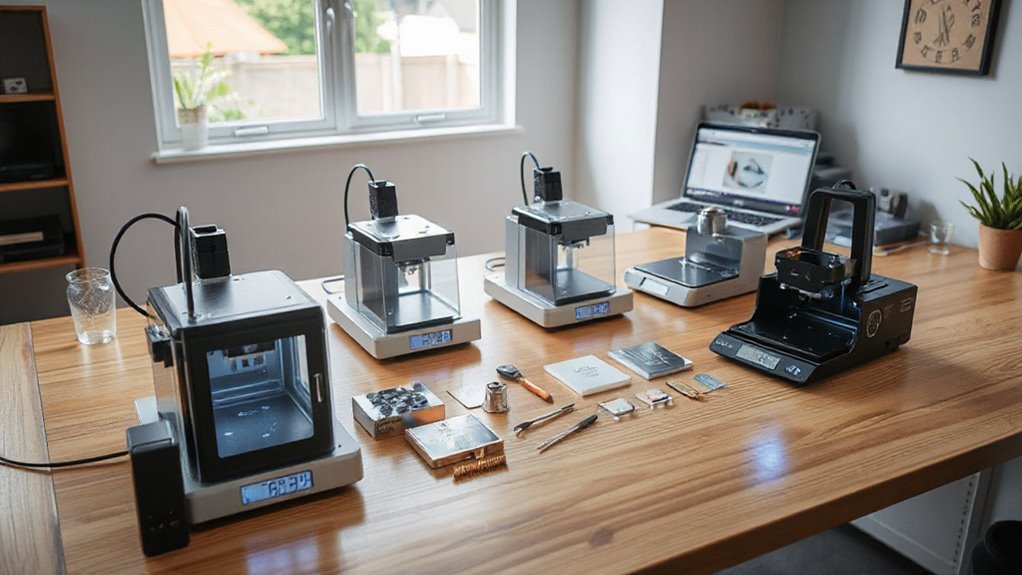

Finding the right desktop laser engraver for small businesses on Amazon USA involves balancing power, size, usability, and budget. The LaserPecker LP1 Plus stands out as the best overall pick for its ease of use and versatile features, while the ACMER K1 offers a powerful option for those needing higher wattage at a competitive price. For small-scale or hobbyist operations, the Foldable Laser Engraver T1 provides portability and precision without breaking the bank. The main tradeoffs include choosing between high power and compact design, or affordability versus advanced features. Continue reading for a detailed breakdown that will help you find the right fit for your small business needs.

Get business pricing on office and shipping supplies
- Business-only prices and quantity discounts
- Tax-exempt purchasing
- Multiple users, one account, clear invoices
Key Takeaways
- Power and size vary significantly, impacting suitability for different materials and workspace constraints.
- Advanced features like AI, camera integration, and enclosure are available but often come at a higher cost.
- Budget options tend to sacrifice some precision or cutting speed, making them better suited for light-duty tasks.
- Portability and compact design are common priorities for small businesses with limited space but may limit engraving size.
- Choosing the right laser wattage depends on your primary materials—higher wattage cuts faster and thicker materials.
| LaserPecker LP1 Plus Mini Laser Engraver for Beginners |  | Best for Portability and Simple On-the-Go Projects | Weight: 720g | Material Compatibility: wood, leather, acrylic, paper, fruit, felt, bamboo | Power: Power bank (not included) | VIEW ON AMAZON | See Our Full Breakdown |
| ACMER K1 12000mW Laser Engraver Machine, 150×150mm Desktop Laser Cutter |  | Best for Precision and Material Versatility in a Compact Format | Laser Power: 12W | Laser Spot Size: 0.08×0.08mm | Working Area: 150×150mm | VIEW ON AMAZON | See Our Full Breakdown |
| Carverall A1 Pro 5W Desktop Laser Engraver with Camera, AI, App Control |  | Best for Precise, User-Friendly Small-Scale Commercial Use | Power: 5W | Work Area: 3.94×3.94 inches | Max Height: 10.63 inches | VIEW ON AMAZON | See Our Full Breakdown |
| ACMER S1 Laser Engraver Machine, 2500mW Laser Cutter for Wood and Acrylic |  | Best for High-Precision Detailing on a Compact, Versatile Platform | Laser Power: 2500mW | Wavelength: 455±5nm | Working Area: 130 x 130mm | VIEW ON AMAZON | See Our Full Breakdown |
| Foldable Laser Engraver T1 7W for DIY, Craft & Small Business |  | Best for Versatile, Foldable Portability with Good Precision | Laser Power: 7W | Work Area: 200x150mm | Speed: 10,000mm/min | VIEW ON AMAZON | See Our Full Breakdown |
| K15 Pro Laser Engraver 10W Laser Engraving Machine for Metal, Wood, Acrylic, Glass, and Stone |  | Best Overall for Small Business Beginners | Laser Power: 10W | Work Area: 11.8×7.9 inches (A4) | Material Compatibility: Wood, acrylic, leather, coated metal, and more | VIEW ON AMAZON | See Our Full Breakdown |
| Twotrees TTS-10 Pro Laser Engraver, 10000mW High Precision Laser Cutter and Engraving Machine |  | Best for Heavy-Duty Projects and Metal Cutting | Laser Output Power: 10000mW | Working Size: 300x300mm | Material Compatibility: Wood, Metal, Acrylic, Glass, Stainless Steel | VIEW ON AMAZON | See Our Full Breakdown |
| Twotrees TTS-55 Pro Laser Engraver 5500mW, 300x300mm Work Area | | Best for High-Speed, Large-Scale Small Business Projects | Laser Power: 5500mW | Work Area: 300 x 300 mm | Material Compatibility: Wood, Leather, Acrylic, Paper, Stainless Steel, Glass | VIEW ON AMAZON | See Our Full Breakdown |
| BlazeX M3 10W Laser Engraver Machine with Enclosure and Accessories |  | Best for Beginners and Safety-Conscious Users | Laser Power: 10W | Accuracy: 0.01mm | Materials Compatibility: Wood, metal, glass, leather, coated metal | VIEW ON AMAZON | See Our Full Breakdown |
| A1 Pro 10W Mini Laser Engraver with Camera, Portable Desktop Laser Engraving Machine for Wood, Leather, Metal, Glass, Home DIY, Small Business |  | Best for Precision and Portability in Small Business Use | Power: 10W | Material Compatibility: Wood, leather, paper, plastic, metal, glass | Engraving Speed: 12000mm/min | VIEW ON AMAZON | See Our Full Breakdown |
| LONGER Ray5 Laser Engraver, 5500mW Portable Laser Cutter & Engraver, 12000mm/min High-Speed, for Wood, Acrylic, Glass & Leather, 130x130mm Work Area |  | Best for High-Speed Precision and Versatility in a Portable Design | Laser Power: 5.5W | Engraving Speed: 12,000mm/min | Working Area: 130x130mm | VIEW ON AMAZON | See Our Full Breakdown |
| ACMER S1 Laser Engraver Machine, 3500mW Laser Cutter for Wood and Acrylic, 130x130mm Work Area, Compact Desktop Design |  | Best for User-Friendly, Detailed Engraving with Versatile Software Support | Laser Power: 3500mW | Wavelength: 455±5nm | Focal Length: 2mm | VIEW ON AMAZON | See Our Full Breakdown |
| desktop laser engraver for small businesses on amazon usa | Laser Power | Material Compatibility |
|---|---|---|
| LaserPecker LP1 Plus Mini Lase | — | wood, leather, acrylic, paper, fruit, felt, bamboo |
| ACMER K1 12000mW Laser Engrave | 12W | — |
| Carverall A1 Pro 5W Desktop La | — | — |
| ACMER S1 Laser Engraver Machin | 2500mW | — |
| Foldable Laser Engraver T1 7W | 7W | — |
| K15 Pro Laser Engraver 10W Las | 10W | Wood, acrylic, leather, coated metal, and more |
| Twotrees TTS-10 Pro Laser Engr | — | Wood, Metal, Acrylic, Glass, Stainless Steel |
| Twotrees TTS-55 Pro Laser Engr | 5500mW | Wood, Leather, Acrylic, Paper, Stainless Steel, Glass |
| BlazeX M3 10W Laser Engraver M | 10W | — |
| A1 Pro 10W Mini Laser Engraver | — | Wood, leather, paper, plastic, metal, glass |
| LONGER Ray5 Laser Engraver | 5.5W | — |
| ACMER S1 Laser Engraver Machin | 3500mW | Wood, bamboo, leather, plastic, PCB, ceramics, aluminum oxide |
More Details on Our Top Picks
LaserPecker LP1 Plus Mini Laser Engraver for Beginners
The LaserPecker LP1 Plus stands out for its compact, lightweight design, weighing just 720g, making it perfect for small-scale projects or mobile engraving. Unlike larger, stationary models like the ACMER S1, this device prioritizes portability, allowing users to create on various materials like wood, leather, and paper with ease. Its quick setup—under 2 minutes—and app compatibility make it especially friendly for beginners who want instant results without technical fuss. However, its small size limits projects to tiny items, and it requires a smartphone or tablet to operate, which could be restrictive for some. Power bank compatibility adds convenience but also an extra expense since it’s not included.
Pros:- Extremely portable and lightweight for easy transportation
- Setup is quick, enabling fast start on projects
- Supports diverse materials for creative versatility
Cons:- Power bank not included, adding extra cost
- Limited to small projects due to size constraints
- Requires a smartphone or tablet for operation
Best for: Beginners, hobbyists, or small business owners needing portable, quick-use engraving solutions.
Not ideal for: Small businesses requiring larger working areas or heavy-duty production; users lacking smartphones or tablets for operation.
- Weight:720g
- Material Compatibility:wood, leather, acrylic, paper, fruit, felt, bamboo
- Power:Power bank (not included)
Our verdict“This compact engraver is ideal for those seeking mobility and simplicity, especially for small craft projects or on-the-go use.”
ACMER K1 12000mW Laser Engraver Machine, 150×150mm Desktop Laser Cutter
The ACMER K1 excels in delivering fine detail with a 0.08mm laser spot and 12W power, making it well-suited for detailed engraving and small cuts. Compared with the smaller LaserPecker LP1 Plus, the K1 offers a larger working area of 150×150mm, which is better for more substantial projects, yet remains portable at 2.4kg. Its support for multiple operating systems and software like LightBurn or LaserGRBL provides flexibility for users comfortable with software setup. However, its limited working space means it’s less suitable for larger projects, and the higher power might not be enough for cutting thicker materials like hardwood. Additionally, some familiarity with laser software is needed to maximize its capabilities.
Pros:- High accuracy with a fine laser spot and precise positioning
- Supports multiple materials and detailed designs
- Enclosed body with internal exhaust for safer operation
Cons:- Limited working area of 150×150mm may restrict larger projects
- Requires familiarity with software like LaserGRBL or LightBurn
- Power may be insufficient for cutting thicker or denser materials
Best for: Small business owners or hobbyists wanting high precision for detailed engraving on a variety of materials within a compact device.
Not ideal for: Users needing larger work areas or those inexperienced with laser software, as setup may be challenging and project size limited.
- Laser Power:12W
- Laser Spot Size:0.08×0.08mm
- Working Area:150×150mm
- Supported OS:macOS, Windows, Linux
Our verdict“This model fits small businesses and hobbyists focused on detailed, high-precision engraving in a portable format, with some software setup required.”
Carverall A1 Pro 5W Desktop Laser Engraver with Camera, AI, App Control
The Carverall A1 Pro offers a compelling blend of high precision, safety, and user-friendly features. Its 4K camera and AI prompts simplify alignment and design, making it accessible for beginners. With a 5W laser, it provides detailed engraving on small items like pet tags or jewelry, comparable to the ACMER S1 but with more advanced features like camera-assisted positioning. The enclosed design enhances safety, especially in homes with children or pets. The limited work area of roughly 4×4 inches might restrict larger projects, and the laser’s power is insufficient for thicker or harder materials. Users should be comfortable with software to leverage the AI and camera features fully.
Pros:- High-resolution 4K camera for accurate alignment
- AI prompts and app control simplify design process
- Safe enclosed design with added safety features
Cons:- Limited work area, not suitable for larger projects
- Laser power may not cut or engrave hard or thick materials effectively
- Requires some familiarity with software for full feature use
Best for: Small business owners or hobbyists seeking precise, safe, and easy-to-use engraving on small objects, especially in family-friendly environments.
Not ideal for: Large-scale or high-volume production requiring bigger work areas or more powerful lasers for cutting thicker materials.
- Power:5W
- Work Area:3.94×3.94 inches
- Max Height:10.63 inches
Our verdict“Perfect for small, detailed projects in a safe environment with advanced alignment features, ideal for craft-based small businesses.”
ACMER S1 Laser Engraver Machine, 2500mW Laser Cutter for Wood and Acrylic
The ACMER S1 provides high-precision engraving with a 2500mW diode laser, making it suitable for intricate designs on wood, acrylic, and leather. Its small footprint—130×130mm—compared to larger models like the T1 7W makes it ideal for hobbyists and small business owners focusing on detailed work. Its support for multiple software platforms like LightBurn and LaserGRBL offers versatility, but the limited working area confines larger projects. The laser’s certification as Class 4 demands careful handling, and additional safety precautions are necessary. While easy to set up, users should be comfortable with software and safety protocols to maximize its potential.
Pros:- High-precision detailed engraving results
- Supports multiple software platforms for versatility
- Compact, lightweight design for easy setup and transport
Cons:- Limited working area restricts project size
- Requires careful handling due to Class 4 laser safety standards
- Not suitable for heavier cutting tasks
Best for: Hobbyists or small-scale entrepreneurs needing detailed engraving on small items with a focus on precision.
Not ideal for: Businesses looking to cut or engrave larger pieces or those not comfortable managing safety precautions associated with Class 4 lasers.
- Laser Power:2500mW
- Wavelength:455±5nm
- Working Area:130 x 130mm
Our verdict“This device suits small-scale, detail-oriented projects where precision outweighs size, with a need for careful safety practices.”
Foldable Laser Engraver T1 7W for DIY, Craft & Small Business
The T1 7W stands out for its foldable, portable design that makes storage and transport straightforward, ideal for crafters and small businesses needing flexibility. Its 200×150mm work area offers more room than the S1 or the ACMER models, enabling slightly larger projects. The laser’s 7W power provides a good balance for detailed engraving and light cutting, suitable for materials like wood, leather, and coated metals. Compared to fixed models, the foldability adds convenience but may involve tradeoffs in stability and precision if not handled carefully. Its compatibility with industry-standard software like LightBurn and GRBL-based programs makes it accessible for users familiar with laser design workflows.
Pros:- Foldable design allows for compact storage and transport
- High precision with 0.01mm accuracy
- Supports a range of materials and standard laser software
Cons:- Limited to small workpieces due to size constraints
- Pre-treatment required for metal engraving
- Safety goggles are necessary during operation
Best for: DIY enthusiasts and small business owners needing an easily portable, versatile laser engraver for small to medium projects.
Not ideal for: Users requiring large-scale production or heavy cutting on thick materials, as the device is optimized for small surfaces and delicate work.
- Laser Power:7W
- Work Area:200x150mm
- Speed:10,000mm/min
- Precision:0.01mm
Our verdict“Ideal for portable, detailed engraving on small projects, especially suitable for crafters and hobbyists who value flexibility and precision.”
K15 Pro Laser Engraver 10W Laser Engraving Machine for Metal, Wood, Acrylic, Glass, and Stone
The K15 Pro stands out for its balance of affordability, ease of use, and versatility, making it ideal for small businesses just starting with laser engraving. Compared to the Twotrees TTS-10 Pro, which offers higher power and larger capacity, the K15 Pro is more compact and user-friendly, but with slightly limited capacity for larger projects. Its 4K resolution and fast speeds deliver precise results on a variety of materials, including coated metals, yet its smaller workspace restricts larger batch production. The wireless app control and easy assembly are especially appealing for DIY entrepreneurs who want quick setup and remote operation, though beginners may face a learning curve. Tradeoffs involve choosing a smaller work area for easier handling and setup, but at the expense of scalability.Pros:- User-friendly with free software and offline control options
- High precision with 4K clarity and fast engraving speeds
- Compact size suitable for limited workspace
- Upgradeable with additional laser heads
Cons:- Limited to small projects due to A4 workspace
- Requires some setup and learning curve for beginners
- Laser power may be insufficient for thicker metals without upgrades
Best for: Small-scale artisans or hobbyist entrepreneurs seeking a compact, versatile machine with upgrade potential.
Not ideal for: Established small businesses needing larger work areas or higher power for batch production of thicker metals.
- Laser Power:10W
- Work Area:11.8×7.9 inches (A4)
- Material Compatibility:Wood, acrylic, leather, coated metal, and more
- Max Cutting Thickness:12mm plywood, 8mm acrylic
- Precision:0.01mm
- Max Speed:15,000mm/min
Our verdict“Best suited for small entrepreneurs seeking a compact, precise, and upgradeable laser engraver for light-duty projects.”
Twotrees TTS-10 Pro Laser Engraver, 10000mW High Precision Laser Cutter and Engraving Machine
The Twotrees TTS-10 Pro offers an impressive 10,000mW laser power, making it more capable of cutting thicker materials like metal and plywood than most competitors, including the BlazeX M3. Its 300x300mm workspace is ample for small business batch projects, but its complex setup and safety considerations require a more technically skilled user. The compatibility with LaserGRBL and LightBurn ensures flexibility, yet safety concerns and the absence of an included air assist mean additional investments may be necessary for optimal results. For businesses aiming to cut or engrave thicker metals or larger pieces, this machine provides a significant advantage, but only if the user is prepared for a steeper learning curve. Tradeoffs involve balancing high power and size with increased complexity and safety needs.Pros:- High laser power suitable for thick materials
- Compatible with popular software platforms
- Large 300x300mm work area for versatile projects
- Upgradeable with metal air assist nozzle
Cons:- No air assist included, requiring additional purchase
- Complex setup and safety requirements
- Potential safety concerns with high-power laser
Best for: Small businesses focused on metal engraving and thicker material cutting, with some technical experience.
Not ideal for: Beginners or hobbyists with limited technical skills who prefer plug-and-play solutions.
- Laser Output Power:10000mW
- Working Size:300x300mm
- Material Compatibility:Wood, Metal, Acrylic, Glass, Stainless Steel
- Speed:30000mm/min
- Laser Spot Size:0.069mm
- Laser Class:Ⅳ
Our verdict“Ideal for small businesses needing powerful cutting capabilities on thick materials, provided they can handle the technical setup and safety precautions.”
Twotrees TTS-55 Pro Laser Engraver 5500mW, 300x300mm Work Area
The Twotrees TTS-55 Pro features a 5500mW laser and a sizable 300x300mm workspace, making it a strong choice for businesses that prioritize speed and versatility. Its advanced compression laser tech allows for high-speed engraving up to 30,000mm/min, surpassing models like the A1 Pro 10W in speed. While it offers wireless control and supports popular software, the setup can be more involved, and safety precautions are essential due to its power. This machine suits small business owners who need fast turnaround times on varied materials, but those with less technical experience might find it challenging to optimize. Tradeoffs include balancing high speed and power with safety and setup complexity.Pros:- High-speed engraving (up to 30,000mm/min)
- Large 300x300mm work area for multiple projects
- Wireless control and software compatibility
- Suitable for engraving and cutting various materials
Cons:- Requires careful safety precautions due to laser power
- Complex initial setup for optimal performance
- Potential noise during operation
Best for: Small businesses requiring rapid production on diverse materials with a focus on speed and efficiency.
Not ideal for: Users new to laser engravers who prefer straightforward setups and minimal safety concerns.
- Laser Power:5500mW
- Work Area:300 x 300 mm
- Material Compatibility:Wood, Leather, Acrylic, Paper, Stainless Steel, Glass
- Cutting Thickness:5mm plywood, 3mm acrylic, 0.7mm leather
- Engraving Speed:up to 30,000mm/min
- Connectivity:Wi-Fi, TF card, USB
Our verdict“Best for small businesses demanding fast, high-volume work on a variety of materials, with the ability to handle larger projects efficiently.”
BlazeX M3 10W Laser Engraver Machine with Enclosure and Accessories
The BlazeX M3 offers a 10W laser within a fully enclosed design, making it an appealing choice for newcomers and safety-minded small business owners. Its Class 1 safety rating and included enclosure provide peace of mind for home or classroom use, unlike open-frame models that pose safety risks. The high-precision engraving (0.01mm) and broad material compatibility cover most small business needs, from personalized gifts to prototypes. However, its relatively small workspace and the learning curve for full feature utilization may limit productivity for larger batches. Compared with the A1 Pro, which is more portable but less enclosed, the BlazeX M3 emphasizes safety over mobility. Tradeoffs involve prioritizing safety features at the expense of larger work capacity.Pros:- High-precision, detailed engraving results
- Fully enclosed for safe home and classroom use
- Compatible with multiple software platforms
- Includes accessories and safety protections
Cons:- Limited to small projects due to workspace size
- Learning curve for mastering all features
- Requires proper ventilation and safety measures
Best for: Beginners or hobbyists starting small-scale projects who prioritize safety and ease of use.
Not ideal for: Established small businesses needing larger volume capacity or advanced features for complex designs.
- Laser Power:10W
- Accuracy:0.01mm
- Materials Compatibility:Wood, metal, glass, leather, coated metal
- Safety Rating:Class 1
- Included Accessories:Protective enclosure, tool kit, honeycomb laser bed
- Max Material Thickness:12mm plywood, 8mm acrylic
Our verdict“Ideal for newcomers who want a safe, reliable, and precise laser engraver for small projects and learning the craft.”
A1 Pro 10W Mini Laser Engraver with Camera, Portable Desktop Laser Engraving Machine for Wood, Leather, Metal, Glass, Home DIY, Small Business
The A1 Pro 10W excels with its built-in HD camera, allowing for precise positioning and real-time preview—features that set it apart from less advanced models like the BlazeX M3. Its portable size and fully enclosed design make it a strong choice for home-based or mobile small businesses, especially those needing detailed personalization on a variety of materials including metals and glass. While its camera system simplifies alignment and design placement, the limited material height adjustment and some setup complexity may challenge complete beginners. Compared to larger, more powerful machines, it sacrifices capacity for convenience and safety, making it ideal for small-batch projects. Tradeoffs involve choosing ease of use and precision in a compact form over larger work volumes.Pros:- High-precision engraving with real-time camera positioning
- Supports multiple materials including metals and glass
- Portable, easy to set up, and safe with enclosed design
- Fast engraving speeds with stable operation
Cons:- Limited height adjustment for thicker materials
- Features may require additional software setup
- Some users may need tutorials to maximize features
Best for: Home-based artisans or small business owners requiring precise, portable engraving with real-time visual control.
Not ideal for: Large-scale production or heavy-duty industrial applications where bigger work areas and higher power are needed.
- Power:10W
- Material Compatibility:Wood, leather, paper, plastic, metal, glass
- Engraving Speed:12000mm/min
- Laser Class:Class 1
- Maximum Material Thickness:12mm plywood, 8mm acrylic
- Connectivity:WiFi, Type-C
Our verdict“Perfect for small businesses or hobbyists seeking precise, portable engraving with advanced positioning features.”
LONGER Ray5 Laser Engraver, 5500mW Portable Laser Cutter & Engraver, 12000mm/min High-Speed, for Wood, Acrylic, Glass & Leather, 130x130mm Work Area
The LONGER Ray5 stands out for its impressive 12,000mm/min engraving speed and high-precision 0.04×0.04mm spot size, making it ideal for small businesses needing quick, detailed results. Unlike the ACMER S1 with a lower 3500mW laser, the Ray5’s higher power accelerates production on materials like wood and leather. Its compact, pre-assembled form reduces setup time, but the limited 130x130mm work area may restrict larger projects, and some users report a steep learning curve. The safety features, including protective glasses and emergency stop, emphasize user safety, but the device requires some assembly and familiarity with laser operation to maximize its capabilities.Pros:- High engraving speed of 12,000mm/min for quick turnaround
- Exceptional precision with a 0.04×0.04mm spot size
- Portable, pre-assembled design simplifies initial setup
- Multiple safety features including protective glasses and emergency stop
Cons:- Limited work area may require multiple passes for larger objects
- Requires some assembly and familiarity with laser safety protocols
Best for: Small business owners who prioritize high-speed, high-precision engraving on small-scale projects
Not ideal for: Users aiming to work on larger items or needing a bigger work area, since the 130x130mm limit is restrictive
- Laser Power:5.5W
- Engraving Speed:12,000mm/min
- Working Area:130x130mm
- Item Weight:5.13 pounds
- Dimensions:11.5 x 11.26 x 6.5 inches
- Compatibility:macOS, Windows, Linux
- Supported Files:NC, DXF, BMP, JPG, PNG
Our verdict“This laser engraver is best suited for small businesses that need speed and precision in a portable package and can accept a smaller working area.”
ACMER S1 Laser Engraver Machine, 3500mW Laser Cutter for Wood and Acrylic, 130x130mm Work Area, Compact Desktop Design
The ACMER S1 offers a reliable 3500mW laser with a fine 0.04mm spot size, making it ideal for detailed engraving on small projects. Compared to the LONGER Ray5, it has a lower laser power but compensates with easier setup and compatibility with popular software like LightBurn and LaserGRBL. Its compact size and preassembled design appeal to beginners and home-based entrepreneurs, but the limited 130x130mm work area may be restrictive for larger designs. The laser’s wavelength and safety precautions require careful handling, which could be a concern for those new to laser engraving. Overall, this machine balances ease of use with detailed results, suited for those who want straightforward operation without sacrificing precision.Pros:- High-precision laser with a 0.04mm spot size for detailed work
- Preassembled and easy to set up, ideal for beginners
- Supports multiple software platforms including LightBurn and LaserGRBL
- Compact and portable, suitable for small spaces
Cons:- Limited work area of 130x130mm may restrict larger designs
- Lower laser power might slow cutting thicker or denser materials
- Safety precautions are necessary due to laser wavelength and power
Best for: Small business owners or hobbyists seeking detailed, precision engraving with simple setup and software compatibility
Not ideal for: Producers needing to work on larger projects or with higher laser wattage for thicker materials, due to its modest 3500mW laser
- Laser Power:3500mW
- Wavelength:455±5nm
- Focal Length:2mm
- Working Area:130 x 130mm
- Machine Size:250×250×162mm
- Weight:2kg
- Material Compatibility:Wood, bamboo, leather, plastic, PCB, ceramics, aluminum oxide
Our verdict“This engraver makes the most sense for small business owners and hobbyists who value detailed precision and easy operation over large-scale capacity.”
How We Picked
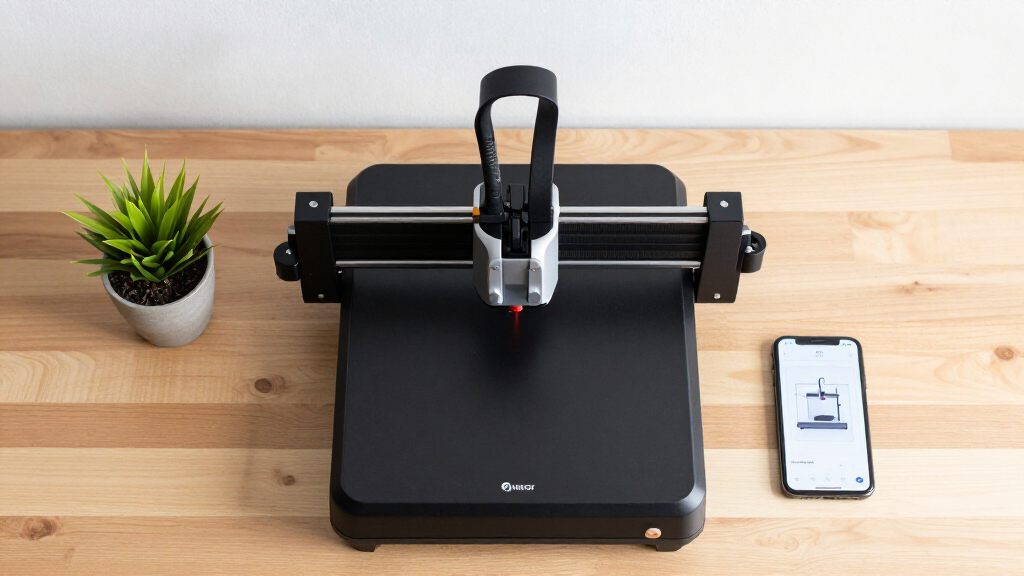
These products were selected based on performance, build quality, usability, and value for small business use. Priority was given to machines that balance power with compactness, ease of operation, and safety features suitable for non-professional environments. Each product was evaluated on its engravable materials, software support, and overall reliability, with a focus on options that cater specifically to small business needs on Amazon USA. The ranking reflects a combination of customer reviews, feature sets, and price-to-performance ratio, highlighting how each model suits different types of small business operations.| desktop laser engraver for small businesses on amazon usa | Material Compatibility |
|---|---|
| LaserPecker LP1 Plus Mini Lase | wood, leather, acrylic, paper, fruit, felt, bamboo |
| ACMER K1 12000mW Laser Engrave | — |
| Carverall A1 Pro 5W Desktop La | — |
| ACMER S1 Laser Engraver Machin | — |
| Foldable Laser Engraver T1 7W | — |
| K15 Pro Laser Engraver 10W Las | Wood, acrylic, leather, coated metal, and more |
| Twotrees TTS-10 Pro Laser Engr | Wood, Metal, Acrylic, Glass, Stainless Steel |
| Twotrees TTS-55 Pro Laser Engr | Wood, Leather, Acrylic, Paper, Stainless Steel, Glass |
| BlazeX M3 10W Laser Engraver M | — |
| A1 Pro 10W Mini Laser Engraver | Wood, leather, paper, plastic, metal, glass |
| LONGER Ray5 Laser Engraver | — |
| ACMER S1 Laser Engraver Machin | Wood, bamboo, leather, plastic, PCB, ceramics, aluminum oxide |
Factors to Consider When Choosing Desktop Laser Engraver For Small Businesses On Amazon Usa
Choosing the right desktop laser engraver for your small business involves considering several key factors beyond just the price. Understanding your primary materials, workspace limitations, and desired output quality helps narrow the options. It’s equally important to evaluate safety features, software compatibility, and upgrade potential. Making an informed decision can prevent costly mistakes and ensure your investment aligns with your business goals.Power and Material Compatibility
The wattage of your laser strongly influences what materials you can engrave or cut effectively. Higher watt models, such as 10W or more, excel at working with thicker or harder materials like metal or dense hardwoods, but they often come at a higher price and size. Lower watt options can still manage wood, acrylic, and leather, making them suitable for light commercial tasks or hobbyist projects. Choosing a machine with adjustable power settings adds versatility, especially if you plan to work with multiple materials.
Size and Workspace Constraints
Small business owners typically need a machine that fits comfortably within limited workspace. Compact or foldable models are advantageous here, though they may limit maximum engraving size. Larger work areas enable bigger projects but require more dedicated space and potentially more complex setup. Carefully measure your available workspace and compare it against the engraver’s maximum working area to avoid surprises. Balance size with your project needs to prevent frustration or underutilization.
Ease of Use and Software Compatibility
User-friendliness is essential, especially if you’re new to laser engraving. Look for models with intuitive software, clear instructions, and straightforward calibration. Some engravers include camera features for precise positioning, which can significantly improve workflow. Compatibility with common design software like Adobe Illustrator or CorelDRAW can streamline your process. Beware of models with proprietary software that might limit flexibility or require ongoing subscriptions—favor those with open-source or widely supported programs.
Safety Features and Maintenance
Safety should never be overlooked. Choose machines with enclosure options, emergency stops, and proper cooling systems to prevent accidents and ensure longevity. Regular maintenance, such as lens cleaning and airflow checks, is necessary to keep the engraver performing well. Machines with clear maintenance guides and accessible parts tend to be more reliable over time. Investing in safety features upfront can save costs and headaches later, especially for small teams or solo entrepreneurs.
Cost, Upgrades, and Support
While budget is a key consideration, prioritizing quality and upgrade potential often offers better long-term value. Cheaper models may lack durability or advanced features, leading to higher replacement costs. Check if the manufacturer offers customer support, spare parts, or upgrade options—these can extend the life of your machine. Consider whether the initial investment aligns with your projected business growth; sometimes paying more upfront results in a more reliable, scalable solution.
Frequently Asked Questions
Can I engrave metal with a desktop laser engraver for small businesses?
Engraving on metal generally requires a higher wattage laser and specific settings, which many desktop models may not support effectively. Some 10W or higher engravers can mark or etch metal surfaces, but they often need additional features like a rotary attachment or special coatings. For frequent metal work, investing in a machine specifically designed for metal engraving or considering a fiber laser might be worthwhile. Remember, safety precautions are especially important when working with reflective metals.
Is a higher wattage laser always better for small business engraving?
Not necessarily. While higher wattage lasers can cut and engrave thicker or harder materials faster, they also tend to be larger, more expensive, and more complicated to operate. For small business needs focused on wood, acrylic, or leather, a lower wattage machine with adjustable settings can provide sufficient power and better control. The key is matching wattage to your typical project materials rather than opting for the most powerful option available.
How important is software support when choosing a desktop laser engraver?
Software support plays a crucial role in how smoothly you can operate your engraver and realize your creative ideas. Good software should be intuitive, compatible with popular design programs, and include features like preview modes or auto-calibration. Limited or proprietary software can restrict your workflow and increase learning curves. Selecting a machine with well-established, open-source, or widely supported software options helps future-proof your investment and simplifies troubleshooting.
What safety features should I look for in a desktop laser engraver?
Safety features such as enclosures, emergency stop buttons, and proper ventilation are essential for protecting users and maintaining a safe workspace. Enclosures prevent accidental exposure to laser beams, while ventilation removes harmful fumes generated during engraving. Some models include automatic shutoff or safety interlocks that activate if the enclosure is opened. Prioritizing these features not only keeps your environment safe but also ensures compliance with safety standards, especially in small business settings.
Is it worth paying more for a laser engraver with camera or AI features?
Incorporating camera or AI features can significantly improve precision and ease of use, especially for complex or repeated designs. Cameras allow for accurate positioning and layout, reducing material waste and errors. AI and app controls can streamline workflows and enable remote operation. However, these features come at a higher price and often increase the machine’s complexity. If your small business relies on high-precision, high-volume engraving, investing in these advanced features can be justified; otherwise, simpler models may suffice.
Conclusion
For small businesses just starting out or working with a limited budget, the LaserPecker LP1 Plus offers a reliable balance of ease of use and versatility. If you’re looking for high power and speed for larger or more complex projects, the ACMER K1 or K15 Pro provide compelling options. Beginners or hobbyists should consider the Foldable Laser Engraver T1 for its portability and straightforward controls. For those needing advanced features like integrated cameras or AI, the Carverall A1 Pro and BlazeX M3 stand out despite their higher price points. Ultimately, your choice depends on your material focus, workspace, and desired complexity—match these factors carefully to find the best fit.
Halloween Picks
halloween
As an affiliate, we earn on qualifying purchases.