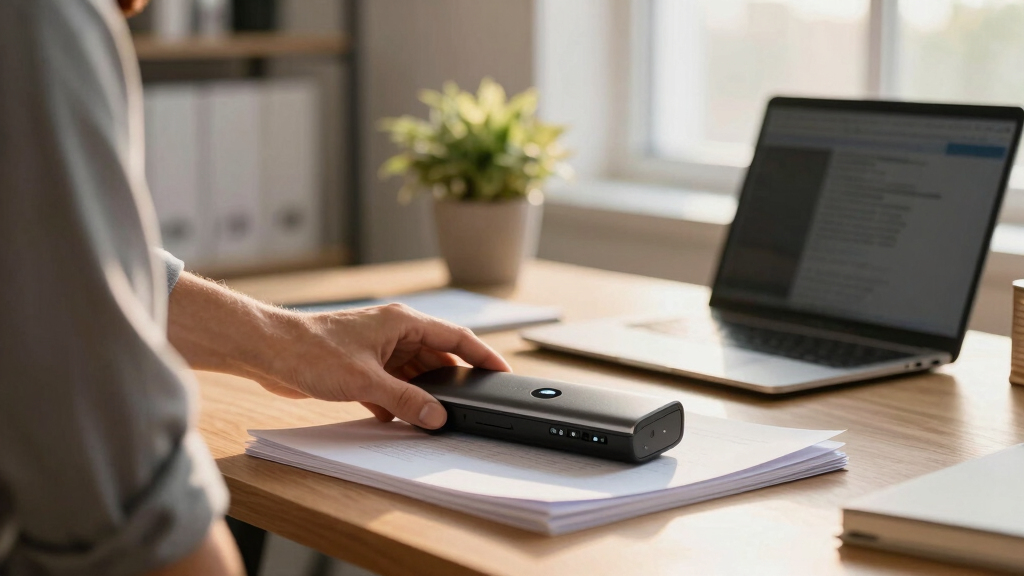

Finding the right wireless document scanner for hybrid teams involves balancing speed, portability, and connectivity. The best models facilitate seamless scanning whether you’re working remotely or in the office, with reliable wireless options that eliminate cables. The Epson Workforce ES-60W stands out for its portability, making it ideal for on-the-go scanning, while the Epson WorkForce ES-580W offers high-speed, multi-page capacity for busy teams. Tradeoffs often include choosing between compact size and scanning speed or feature set. Keep reading to see how these options compare and which one fits your team’s needs best.
Key Takeaways
- The top models balance speed, portability, and ease of use, with high-speed scanners suited for larger workloads and portable options for remote work.
- Auto document feeder features are crucial for efficiency but can add size and cost, so consider your volume needs carefully.
- Wireless connectivity varies in reliability; models with Wi-Fi Direct or dual-band support tend to offer better performance in hybrid environments.
- Price ranges reflect differences in features—premium models often include advanced software and larger capacities, while budget options prioritize portability.
- Compatibility with different operating systems and integration with cloud services can greatly impact workflow flexibility.


More Details on Our Top Picks
Epson RapidReceipt RR-600W Wireless Desktop Color 2-Sided Document & Tax Receipt Scanner with ScanSmart AI PRO Software
This model stands out for its advanced ScanSmart AI PRO technology, which intelligently converts scanned info into AI-ready data, making it ideal for hybrid teams needing seamless integration into financial software like QuickBooks. Compared with the ScanSnap iX1300, the RR-600W offers superior batch processing with its 100-page auto feeder, though it’s bulkier and more expensive. Its truefeed technology and duplex speed of 35 pages per minute ensure fast, two-sided scanning, but the larger size might be a drawback for tight spaces. The intuitive 4.3″ touchscreen allows PC-free operation, a feature not available on the smaller Epson WorkForce ES-50. While it excels in automating receipt and invoice workflows, the tradeoff is a higher price and somewhat complex setup. This pick makes the most sense for organizations that prioritize data extraction and integration, rather than portability or minimal space.
Pros:- Advanced ScanSmart AI PRO data extraction
- Robust 100-page auto feeder with skew protection
- PC-free scanning directly to email, cloud, or USB
Cons:- Larger footprint may not suit small spaces
- Higher cost compared to simpler scanners
- Setup complexity can be intimidating for beginners
Best for: Hybrid teams needing automated, AI-enhanced data extraction and integration into financial apps.
Not ideal for: Small offices or remote workers with limited space and no need for bulk processing.
- Scanner Type:Color, Duplex, 2-Sided
- Connection Type:Wi-Fi, USB
- Resolution:1200 dpi
- Media Size:Letter, Receipt
- Sheet Capacity:100 pages
- Wattage:3.1 watts
Bottom line: This is ideal for organizations that require high-volume, automated receipt processing with smart data management.
Epson Workforce ES-60W Wireless Portable Sheet-fed Document Scanner for PC and Mac
This pick is perfect for professionals who need compact, portable scanning with wireless flexibility. Compared to the larger ScanSnap iX1300, the ES-60W is much smaller at just 1.9″ by 10.7″ and weighs only 0.66 pounds, making it highly portable. It scans a single sheet in as little as 4 seconds, which is impressive for a mobile device, but its single-sheet capacity means it’s not suited for high-volume tasks like the ScanSnap iX2500. Its wireless auto-detection and battery operation provide convenience, but the smaller size results in a less robust paper handling system, occasionally leading to misfeeds or skewed scans—especially with receipts or fragile documents. The scanner supports cloud and device-to-device transfers, but its resolution at 600 dpi is lower than full desktop models, making it less ideal for photo or high-detail scans. It’s a great choice for fieldwork or remote workers needing quick, reliable scans without bulk.
Pros:- Extremely portable and lightweight
- Wireless auto-detection with battery support
- Fast 4-second single-page scans
Cons:- Limited to one sheet at a time, unsuitable for bulk tasks
- Lower resolution at 600 dpi, not ideal for photo scans
- Potential for misfeeds with receipts or fragile pages
Best for: Mobile professionals or remote workers needing quick, wireless, single-sheet scanning.
Not ideal for: High-volume offices or teams processing dozens of pages daily, due to its single-sheet capacity.
- Scanner Type:Portable, Single-sheet
- Connection Type:Wi-Fi, Battery
- Resolution:600 dpi
- Media Size:Up to 8.5″ x 72″
- Sheet Capacity:1 page
- Wattage:17 watts
Bottom line: Best suited for on-the-go scanning needs where portability outweighs volume capacity.
ScanSnap iX1300 Compact Wireless or USB Double-Sided Color Document, Photo & Receipt Scanner
This model makes a strong case for users with limited desk space who want double-sided, high-speed scanning. Compared with the larger ScanSnap iX2500, the iX1300 is more compact and easier to store, though it sacrifices some capacity with a smaller paper feeder. Its 30 pages per minute duplex speed is fast enough for most small to medium workflows, and its simple setup makes it user-friendly for beginners. However, at 600 dpi, it doesn’t match the resolution of desktop models like the iX2500, which can impact photo quality. The scanner excels at handling multiple document types, including IDs and business cards, but its smaller physical size means less durability for frequent heavy transport. It’s best for small offices or home users who need quick, reliable scans without taking up much space, but not for high-volume or photo-quality scanning.
Pros:- Compact, space-saving design
- Fast duplex scanning at 30 ppm
- Supports multiple document types including photos and IDs
Cons:- Lower resolution (600 dpi), less ideal for photo scans
- Smaller paper feed capacity than larger models
- Less durable for frequent transport
Best for: Small offices or home users needing space-efficient, fast duplex scanning.
Not ideal for: Large organizations or teams with high-volume scanning needs, due to capacity limitations.
- Scanner Type:Color, Duplex, 2-Sided
- Connection Type:USB, Wi-Fi
- Resolution:600 dpi
- Media Size:Letter, Photo
- Sheet Capacity:20 pages
- Wattage:17 watts
Bottom line: Ideal for compact spaces where quick two-sided scans of various documents are needed regularly.
ScanSnap iX1300 Compact Wireless or USB Double-Sided Color Document, Photo & Receipt Scanner
This model makes a strong case for users with limited desk space who want double-sided, high-speed scanning. Compared with the larger ScanSnap iX2500, the iX1300 is more compact and easier to store, though it sacrifices some capacity with a smaller paper feeder. Its 30 pages per minute duplex speed is fast enough for most small to medium workflows, and its simple setup makes it user-friendly for beginners. However, at 600 dpi, it doesn’t match the resolution of desktop models like the iX2500, which can impact photo quality. The scanner excels at handling multiple document types, including IDs and business cards, but its smaller physical size means less durability for frequent heavy transport. It’s best for small offices or home users who need quick, reliable scans without taking up much space, but not for high-volume or photo-quality scanning.
Pros:- Compact, space-saving design
- Fast duplex scanning at 30 ppm
- Supports multiple document types including photos and IDs
Cons:- Lower resolution (600 dpi), less ideal for photo scans
- Smaller paper feed capacity than larger models
- Less durable for frequent transport
Best for: Small offices or home users needing space-efficient, fast duplex scanning.
Not ideal for: Large organizations or teams with high-volume scanning needs, due to capacity limitations.
- Scanner Type:Color, Duplex, 2-Sided
- Connection Type:USB, Wi-Fi
- Resolution:600 dpi
- Media Size:Letter, Photo
- Sheet Capacity:20 pages
- Wattage:17 watts
Bottom line: Ideal for compact spaces where quick two-sided scans of various documents are needed regularly.
ScanSnap iX2500 Wireless or USB High-Speed Cloud Enabled Document, Photo & Receipt Scanner with Large 5″ Touchscreen and 100 Page Auto Document Fdr
This pick makes the most sense for teams or individuals needing high-volume, fast scanning with cloud integration. Compared to the ES-60W, the iX2500 offers a larger 100-sheet feeder, faster speeds (45 ppm duplex), and a 5″ touchscreen for easy operation without a PC. Its high resolution of 1200 dpi supports detailed scans, surpassing portable options, and its robust build is suited for repeated heavy use. However, the larger size and higher price point make it less suitable for tight spaces or casual use. Its advanced software and easy sharing capabilities favor office environments or busy workflows, but the size and cost are tradeoffs for those with limited space or budget. This device is ideal for dedicated workstations with high throughput needs.
Pros:- High-speed 45 ppm duplex scanning
- Large 100-page auto feeder
- High-resolution 1200 dpi for detailed scans
Cons:- Larger footprint not suited for small spaces
- Higher price compared to portable or smaller models
- Requires dedicated desk space for optimal use
Best for: Teams or professionals with high-volume scanning needs and space for a desktop device.
Not ideal for: Small offices or remote workers needing portable or space-saving options.
- Scanner Type:Color, Duplex, 2-Sided
- Connection Type:Wi-Fi, USB
- Resolution:1200 dpi
- Media Size:Letter, Photo
- Sheet Capacity:100 pages
- Wattage:17 watts
Bottom line: Ideal for high-volume environments that require fast, detailed scans with robust capacity.
ScanSnap iX2500 Receipt Edition, Works with QuickBooks, Wireless or USB High-Speed Cloud Enabled Invoices & Receipts Scanner
This model is tailored for organizations focused on automated bookkeeping, invoice, and receipt management. Compared with the standard iX1300, the Receipt Edition integrates directly with QuickBooks and offers dedicated features for invoice and receipt data extraction, making it a top choice for accounting workflows. Its large 5″ touchscreen simplifies profile selection and operation, while its high speed of 45 pages per minute supports high-volume processing. The 100-page feed and cloud connectivity make it suitable for busy finance teams, but the resolution is at 600 dpi, which is acceptable for invoices and receipts but less ideal for detailed photo scans. The device is less portable due to its size but excels in organized, automated financial workflows. This makes it perfect for bookkeeping teams needing fast, reliable, and software-integrated receipt processing.
Pros:- Direct QuickBooks integration
- Fast 45 ppm duplex scanning
- Supports multiple profiles for personalized workflows
Cons:- Bulkier than portable scanners
- Lower resolution (600 dpi) not suited for high-detail scans
- Less suitable for photo or detailed image scans
Best for: Bookkeeping teams or small finance offices managing large volumes of receipts and invoices.
Not ideal for: Remote workers or teams requiring a lightweight, portable scanner for occasional use.
- Scanner Type:Color, Duplex, 2-Sided
- Connection Type:Wi-Fi, USB
- Resolution:600 dpi
- Media Size:Letter, Receipt
- Sheet Capacity:100 pages
- Wattage:17 watts
Bottom line: Best for finance teams seeking automated, software-integrated receipt processing with high speed.
ScanSnap iX1300 Compact Wireless or USB Double-Sided Color Document, Photo & Receipt Scanner with Auto Document Feeder and Manual Feeder for Mac or PC, Black
This model stands out for its space-saving design that fits well into small offices or home setups, unlike bulkier scanners like the Epson Workforce ES-50. It offers duplex scanning speeds up to 30 ppm, with automatic de-skew and blank page removal that deliver crisp images with minimal user fuss. While setup is straightforward and it connects via USB or Wi-Fi, its reliance on ScanSnap Home software may be a drawback for users seeking more direct control or quick save options, compared to the Epson ES-50 which has a simpler interface. The ability to scan directly to cloud services makes it ideal for hybrid teams needing flexible workflows.
Pros:- Space-efficient, fits small desks easily
- Fast duplex scanning with automatic features
- Connects via Wi-Fi and USB for flexible setup
- Scan directly to cloud services
Cons:- ScanSnap Home software can be complex for some users
- Limited editing and customization options during scan
- Not suitable for high-volume enterprise use
Best for: Small business owners or home office users who need reliable, space-efficient scanning without sacrificing quality.
Not ideal for: High-volume environments or users needing advanced image editing features, due to its moderate speed and software limitations.
- Scanner Type:Document, Photo, Receipt
- Connection Type:USB, Wi-Fi
- Resolution:600 dpi
- Sheet Capacity:100
- Media Type:Paper, Plastic Cards
- Dimensions:6.26″D x 11.5″W x 6.34″H
- Weight:7.1 pounds
Bottom line: This scanner is perfect for small teams or individuals who prioritize space savings and decent speed with reliable wireless connectivity.
ScanSnap iX2400 High-Speed Simple One-Touch Button Color Document, Photo & Receipt Scanner with 100 Page Auto Document Feeder for Mac or PC, Black
Compared with the slightly smaller iX1300, the iX2400 offers faster speeds up to 45 ppm and a larger 100-sheet feeder, making it more suitable for users handling bigger batches of documents. Its reliable USB connection provides stable performance, but the software can feel cluttered, similar to the iX1300, which might hinder quick workflows for advanced users. Its high-speed duplex scanning and all-in-one software suite simplify organization for hybrid teams who need efficiency and ease of use on a budget.
Pros:- Fast scanning speed of 45 ppm
- Large 100-sheet capacity
- Reliable USB connection
- All-in-one management with ScanSnap Home
Cons:- Clunky software interface may slow productivity
- Limited advanced customization options
- No wireless connectivity built-in
Best for: Small offices or remote teams requiring high throughput with minimal fuss and a straightforward interface.
Not ideal for: Users needing extensive customization or integration with complex workflows, since the software remains somewhat bulky.
- Scanner Type:Document, Photo, Receipt
- Connection Type:USB
- Speed:45 ppm duplex
- Sheet Capacity:100
- Resolution:600 dpi
- Media Handling:Paper, Business Cards, Envelopes
- Dimensions:11.7″W x 4.9″H x 4.1″D
Bottom line: Great for teams that need rapid, reliable scanning with a large capacity at an affordable price point.
Epson WorkForce ES-50 Portable Sheet-Fed Document Scanner for PC and Mac
This compact, lightweight scanner is praised for its simplicity, making it ideal for users new to digital document management. Its single-sheet feed and quick 5.5-second scan time cater to occasional users who need quick scans of individual pages, unlike the larger Epson ES-320W which handles larger stacks more efficiently. While it offers good image quality at 300 dpi, it lacks duplex scanning and extensive software features, which might limit its usefulness for those with heavier workflow demands. Its USB-powered setup makes it perfect for on-the-go use.
Pros:- Extremely portable and lightweight
- Fast single-page scans
- USB-powered, no external power needed
- Compatible with Mac and Windows
Cons:- No duplex scanning capability
- Limited to single pages only
- Basic software with fewer customization options
Best for: Individuals or beginners who need quick, straightforward scans of single documents while traveling or working remotely.
Not ideal for: High-volume or multi-page batch scanning, as it only handles one sheet at a time and lacks duplex capability.
- Scanner Type:Document
- Connection Type:USB, Wi-Fi Direct
- Resolution:300 dpi
- Sheet Capacity:1
- Speed:5.5 seconds per page
- Media Size:Up to 8.5″ x 72″
- Weight:1.3 pounds
Bottom line: Ideal for occasional, on-the-go scanning needs for users just starting out with digital workflows.
HP PS150 Portable Document Scanner | Compact, Portable, Wireless Digital Scanner with Duplex Mode for Home & Office | Rechargeable, USB & Wi-Fi Direct, Compatible with Mac & Windows PC and Laptop
This model shines for its mobility, offering wireless connectivity via Wi-Fi Direct and rechargeable operation, making it suitable for on-the-move professionals. Its duplex scanning at 15 ppm is adequate for light workloads, but it falls short in speed compared to larger models like the Epson ES-50 or WorkForce ES-320W. Its resolution of 300 dpi is sufficient for typical documents but not ideal for high-quality images or detailed graphics, similar to the Epson PS-150 which is more suited for basic document scanning. Its software is user-friendly, ideal for those unfamiliar with complex setup processes.
Pros:- Wireless with Wi-Fi Direct
- Rechargeable battery for portable use
- Compact and lightweight design
- Easy to set up and use
Cons:- Slower duplex speed of 15 ppm
- Limited resolution (300 dpi) for detailed images
- Not suitable for large batch scanning
Best for: Professionals needing a portable, wireless scanner for occasional document and business card scans while traveling.
Not ideal for: Heavy-duty or high-volume environments where faster speeds and higher resolutions are necessary.
- Scanner Type:Document
- Connection Type:Wi-Fi Direct, USB
- Resolution:300 dpi
- Sheet Capacity:20
- Speed:15 ppm duplex
- Battery:Rechargeable
- Media Size:Legal, Letter
Bottom line: Best for mobile professionals who need wireless, on-the-go scanning with basic features and moderate speed.
Epson Workforce ES-C320W – Wireless Compact Desktop Document Scanner – 2-Sided Scanning Auto Doc Feeder – Can Scan Paper and Cards – Black
This compact scanner offers wireless and USB connectivity with duplex speeds up to 30 ppm, making it suitable for small teams that need efficient batch scanning. Its ability to handle different media types, including passports, sets it apart from simpler models like the Epson ES-50. The included Epson ScanSmart software simplifies workflows, but some users find the interface less intuitive than ScanSnap models. Its versatility and automatic features make it a good choice for hybrid teams wanting a balance of speed and media handling without the bulk of larger scanners.
Pros:- Wireless and USB connectivity
- 2-sided scanning at 30 ppm
- Handles various media including passports
- Compact desktop design
Cons:- Software interface less intuitive for some
- Moderate speed compared to high-end scanners
- Costlier than basic portable models
Best for: Small offices or teams needing versatile document handling with wireless convenience and decent speed.
Not ideal for: High-volume enterprise environments or users requiring extensive customization, as software and speed may be limiting.
- Scanner Type:Document, Passport
- Connection Type:Wi-Fi, USB
- Resolution:600 dpi
- Sheet Capacity:20
- Speed:30 ppm duplex
- Media Handling:Paper, ID Cards, Passports
- Dimensions:4.1″W x 11.7″H
Bottom line: A well-rounded choice for teams seeking compact, versatile, and wireless scanning at a reasonable price.
Epson Workforce ES-580W Wireless Color Duplex Tax Receipt & Desktop Document Scanner for PC and Mac with 100-sheet Auto Feeder (ADF), Intuitive 4.3′ Touchscreen
The Epson Workforce ES-580W stands out as the best choice for hybrid teams that require a reliable, high-speed scanner with wireless capabilities. Its ability to scan up to 35 pages per minute, handle duplex documents, and send files directly to cloud services or devices makes it perfect for fast-paced office environments. Compared to the Epson RapidReceipt RR-600W, this model offers a more streamlined touchscreen interface and better document handling, making it ideal for diverse paper types. However, its size and weight, while manageable, are still bulkier than portable options like the Epson WorkForce ES-60W. The main tradeoff is its higher price point and larger footprint, which may be less appealing for very tight spaces. Overall, this scanner is best suited for teams that prioritize speed, reliability, and seamless cloud integration.
Pros:- Handles up to 1200 dpi resolution for detailed scans
- Fast scanning speed of 35 pages per minute
- Wireless connectivity to multiple devices and cloud services
- Large 100-sheet auto feeder for high-volume batching
Cons:- Relatively bulky and heavier than portable competitors
- Higher price point may be a barrier for some budgets
Best for: Hybrid teams in need of a fast, dependable scanner with extensive connectivity and high-volume capacity.
Not ideal for: Small home offices or mobile workers who need a compact, portable scanner for occasional use.
- Scanner Type:Color Duplex Desktop
- Connection Type:Wi-Fi
- Resolution:300 dpi
- Sheet Capacity:100 sheets
- Wattage:580 watts
- Color Depth:30 bits
- Media Size:8.5 x 11 inches
- Dimensions:14.5″ D x 9.95″ W x 11.25″ H
- Weight:3.7 kg
Bottom line: This model makes the most sense for mid-sized teams or busy offices that need fast, reliable, and wireless scanning with high capacity.
How We Picked
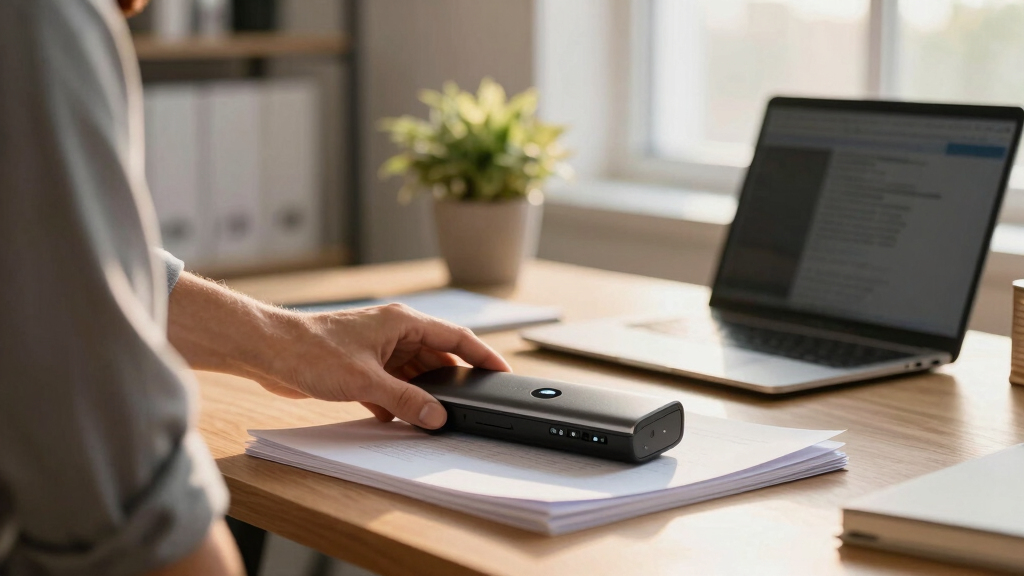
These scanners were evaluated based on performance, ease of use, build quality, connectivity options, and value for money. Priority was given to models that offer reliable wireless connections, fast scanning speeds, and features suited to hybrid work, such as auto feeders and portability. The ranking reflects a balance between these factors, with special attention to how well each device integrates into a hybrid setup—whether it’s for quick, occasional scans or high-volume, regular use. Cost-effectiveness was also considered, ensuring each pick offers a strong feature set for its price.
Factors to Consider When Choosing Wireless Document Scanner For Hybrid Teams
Choosing the right wireless document scanner for a hybrid team involves understanding several key factors. It’s not just about speed or size but also about how well the device integrates into your existing workflow and whether it can handle your typical document volume. Below, I cover the main considerations to help you make an informed decision that balances functionality with your budget.Scanning Speed and Capacity
For teams handling large volumes of documents, high-speed scanners with auto document feeders (ADFs) are essential. They save time by processing multiple pages quickly and reduce manual effort. However, for occasional or remote use, a smaller, portable scanner might suffice, sacrificing some speed for convenience and mobility. Consider your typical daily scan volume to determine whether investing in a high-capacity model makes sense or if a lightweight device will meet your needs.
Wireless Connectivity and Reliability
Wireless stability is critical in hybrid setups where multiple devices connect to the scanner. Look for models supporting dual-band Wi-Fi or Wi-Fi Direct, which tend to deliver more stable connections and faster data transfer. Avoid devices with only basic Wi-Fi or those that require constant re-pairing, as these can disrupt your workflow. Additionally, check compatibility with your operating systems and cloud platforms to streamline your document management.
Portability and Size
Portability becomes a major factor if your team works across locations or frequently moves between home and office. Compact, lightweight scanners like the Epson Workforce ES-50 excel in mobility but may lack features like auto feeders or high throughput. Conversely, larger desktop models often pack more functions but are less flexible for remote work. Determine your primary environment to find the right balance between size and functionality.
Software and Integration
Effective software integration can boost productivity, especially if your team relies on specific workflows. Look for scanners that come with comprehensive management software, support cloud services, and integrate with document storage or accounting tools. Poor software support can lead to manual workarounds, reducing the benefits of a wireless setup. Prioritize devices with user-friendly interfaces and ongoing software updates.
Build Quality and Durability
In a hybrid environment, a durable device that withstands frequent transport and use is worth investing in. Cheaper, plastic-built scanners may save money initially but could suffer from reliability issues over time. Premium models often feature robust construction and better warranties, ensuring they remain dependable under regular use. Consider your workflow’s intensity and choose a device that can handle daily demands without frequent repairs.
Frequently Asked Questions
Can these wireless scanners work with both Windows and Mac?
Most modern wireless scanners in this category support both Windows and Mac platforms, but it’s important to verify compatibility before purchasing. Look for models that explicitly list support for your operating system and come with appropriate drivers or software. Cloud-based workflows tend to be platform-agnostic, which can simplify cross-platform use, especially in hybrid teams with mixed device environments.
How secure are these wireless scanners for sensitive documents?
Wireless scanners with encryption support, such as WPA2 or WPA3, provide a higher level of security during data transfer. Some models also offer password protection or network segmentation options. It’s essential to configure your network securely and keep device firmware updated to protect sensitive documents. For highly confidential information, consider scanners with additional security features built-in or opt for wired connections when possible.
Are portable scanners suitable for high-volume scanning?
Portable scanners like the Epson Workforce ES-50 are designed for convenience and mobility, not high-volume throughput. They typically have smaller auto feeders or none at all, making them less suitable for frequent, large-scale scanning tasks. If your team needs to process hundreds of pages daily, higher-capacity desktop models with larger auto feeders will be more efficient and cost-effective over time.
What’s the typical battery life for portable wireless scanners?
Battery life varies between models, with most portable scanners lasting between 200 to 500 scans per charge. Devices with rechargeable batteries often support several hours of continuous use—enough for a day’s work in most cases. However, frequent recharging can become inconvenient, so consider your scanning volume and whether a device with longer battery life or the ability to work while plugged in might better suit your needs.
Do I need special apps or software to use these scanners wirelessly?
Many wireless scanners come with dedicated apps or software that facilitate setup and operation, often providing features like cloud upload, editing, or multi-user support. While some basic scanning functions can be accessed via standard operating system tools, using the manufacturer’s app typically ensures smoother integration and additional features. Check if the app is compatible with your device and whether regular updates are provided to maintain security and functionality.
Conclusion
For hybrid teams prioritizing overall performance and reliability, the Epson WorkForce ES-580W serves as the best overall choice, especially for high-volume workflows. Budget-conscious users or those needing portability should consider the Epson Workforce ES-50 or HP PS150, which offer decent features at lower costs. For users new to scanning or with light workloads, compact models with simple interfaces are ideal, while high-end options with advanced software and larger capacities suit larger, more demanding teams. Matching your specific needs—speed, portability, security, or budget—is key to selecting the right wireless document scanner for your hybrid environment.