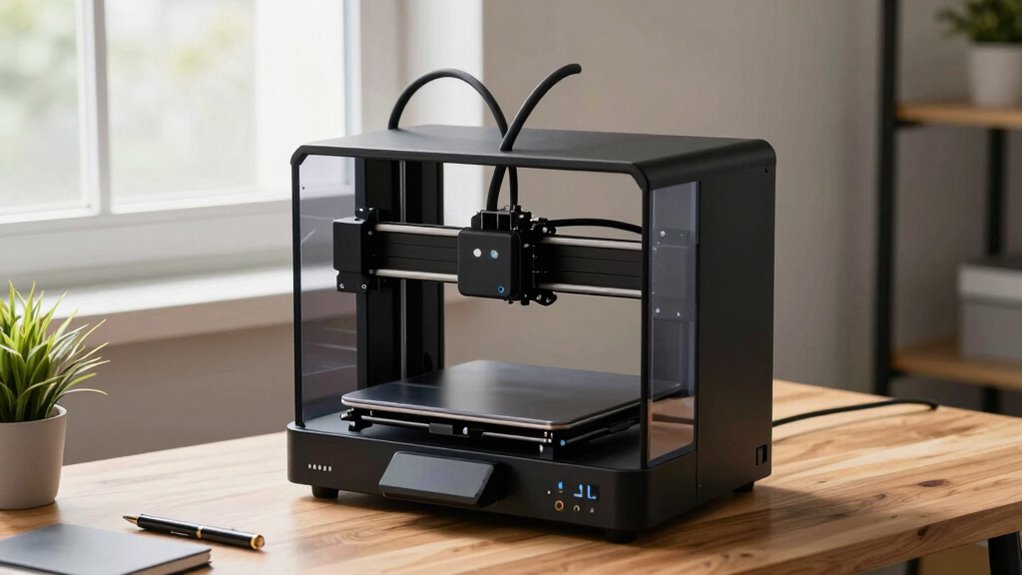

For quiet 3D printers for workspaces, I’d start with the Bambu Lab A1 as the best overall balance of desk-friendly operation, capability, and usability. The A1 mini suits tight spaces and smaller projects, while the enclosed Bambu Lab P1S is a stronger fit when containing printer noise and fumes matters more than an open design. The main tradeoffs are noise versus print speed, enclosure versus easy access, and compact size versus build volume. No printer is silent: fans, motors, and movement can still interrupt calls or focused work, especially nearby. Read on for how these seven options compare and which one fits your workspace.

Get business pricing on office and shipping supplies
- Business-only prices and quantity discounts
- Tax-exempt purchasing
- Multiple users, one account, clear invoices
Complete the kit


Key Takeaways
- The Bambu Lab A1 is the most balanced workspace pick: it offers more room for projects than the A1 mini without requiring the enclosed format of the P1S.
- Small footprint and low disruption are different goals: the A1 mini and Entina Tina2 Plus save desk space, but compactness alone does not make a printer inaudible.
- An enclosure changes the noise equation, not just the printer’s appearance: the P1S and Prusa CORE One L suit buyers prioritizing containment, though enclosure does not eliminate fan or motor sounds.
- Multi-color convenience adds activity and complexity: the SPARKX i7 Nano Combo makes sense for color-focused work, while the standard SPARKX i7 avoids the combo system when single-color printing is enough.
- Workspace needs favor different kinds of value: beginners and occasional makers may prefer the Tina2 Plus or A1 mini, while frequent, larger, or more material-demanding jobs can justify a more capable enclosed machine.
| Bambu Lab A1 mini 3D Printer with LED Lamp Kit |  | Best for Quiet Beginner Setups | Product type: 3D printer with LED Lamp Kit | Dimensions: 15.21 x 16.77 x 17.94 inches | Weight: 12.1 pounds | VIEW ON AMAZON | See Our Full Breakdown |
| Creality SPARKX i7 Nano Combo Multi-Color 3D Printer |  | Best for Automated Multi-Color Jobs | Model: i7 Nano Combo | Dimensions: 18.38 x 16.65 x 17.9 inches | Weight: 21.4 pounds | VIEW ON AMAZON | See Our Full Breakdown |
| Bambu Lab A1 FDM 3D Printer |  | Best for Quieter High-Speed Printing | Printing technology: FDM | Maximum acceleration: 10,000 mm/s² | Calibration: Automatic | VIEW ON AMAZON | See Our Full Breakdown |
| Bambu Lab P1S Enclosed FDM 3D Printer |  | Best Enclosed Workspace Printer | Printer type: FDM | Design: Enclosed CoreXY | Maximum printing speed: 500 mm/s | VIEW ON AMAZON | See Our Full Breakdown |
| Original Prusa CORE One L Enclosed CoreXY 3D Printer |  | Best for Engineering Materials and Cloud-Free Workflows | Build volume: 11.8 × 11.8 × 12.99 inches | Chamber temperature: Up to 60°C | Motion system: CoreXY | VIEW ON AMAZON | See Our Full Breakdown |
| Creality SPARKX i7 3D Printer |  | Best for Larger Desktop Projects | Build volume: 260 × 260 × 255 mm | Product dimensions: 16.6 × 17.9 × 18.5 inches | Weight: 29.7 pounds | VIEW ON AMAZON | See Our Full Breakdown |
| Entina Tina2 Plus 3D Printer |  | Best Compact Pick for Beginners | Maximum print speed: 250 mm/s | Heating time: About 40 seconds | Build plate: PEI spring steel | VIEW ON AMAZON | See Our Full Breakdown |
| quiet 3d printers for workspace | Weight | Dimensions | Connectivity |
|---|---|---|---|
| Bambu Lab A1 mini 3D Printer w | 12.1 pounds | 15.21 x 16.77 x 17.94 inches | — |
| Creality SPARKX i7 Nano Combo | 21.4 pounds | 18.38 x 16.65 x 17.9 inches | Wi-Fi |
| Bambu Lab A1 FDM 3D Printer | — | — | — |
| Bambu Lab P1S Enclosed FDM 3D | 38.9 pounds | 15.31 x 18.03 x 15.31 inches | — |
| Original Prusa CORE One L Encl | — | — | Can function without cloud connectivity |
| Creality SPARKX i7 3D Printer | 29.7 pounds | — | WiFi |
| Entina Tina2 Plus 3D Printer | 9.98 pounds | 11.4 × 8.6 × 8.6 inches | Wi-Fi, TF card, USB |
More Details on Our Top Picks
Bambu Lab A1 mini 3D Printer with LED Lamp Kit
For a desk-side printer, the A1 mini pairs automatic calibration with a stated noise level of ≤48 dB, giving beginners a simpler route into printing without a complex setup routine. Its compact footprint also makes it easier to place in a shared workspace than the heavier Creality SPARKX i7 Nano Combo. The included LED Lamp Kit adds a creative use for compatible printed models, while MakerWorld and the Bambu Handy app provide model access and print management. The tradeoff is capacity: its small format limits the size of objects it can produce, and the supplied details do not specify how quiet it is at different print speeds. Choose it for small projects and an approachable workflow, not for large parts or a verified silent-printing requirement.
Pros:- Automatic calibration reduces manual setup for new users.
- Specified noise level of ≤48 dB gives a concrete reference for workspace planning.
- Included LED Lamp Kit supports decorative projects beyond standard prints.
- MakerWorld and the Bambu Handy app provide model access and print management.
Cons:- Compact build size restricts the dimensions of printable objects.
- The supplied information does not explain noise levels at different speeds or during specific print tasks.
Best for: Beginners in shared or home workspaces who want automatic setup, small prints, and the option to make decorative LED models.
Not ideal for: People who need large-format parts or a documented noise profile across different print speeds.
- Product type:3D printer with LED Lamp Kit
- Dimensions:15.21 x 16.77 x 17.94 inches
- Weight:12.1 pounds
- Model number:PF002-M-EU
- Noise level:≤48 dB
- Calibration:Automatic
Our verdict“Choose the A1 mini for a compact, beginner-friendly desk printer with a stated noise figure and a fun lamp-making extra, but skip it if you need larger prints.”
Creality SPARKX i7 Nano Combo Multi-Color 3D Printer
The SPARKX i7 Nano Combo is the pick here for users who value automated filament handling and multi-color capability more than a documented noise rating. Automatic loading, retraction, and spool switching can reduce hands-on interruptions during longer jobs, while bed leveling and an AI monitoring camera add convenience for a printer that may run while you work nearby. By comparison, the Bambu Lab A1 mini lists a specific ≤48 dB noise level and is lighter; the Creality’s supplied details give no noise measurement and its 21.4-pound weight makes it less easy to move. Wi-Fi, Creality Cloud, and quick-swap components support remote management and maintenance, but some functions sit within that ecosystem. Its compact design also limits larger prints, so this is better for unattended, colorful desktop projects than oversized parts or noise-sensitive offices.
Pros:- Automatic filament loading, unloading, and spool switching reduce manual handling.
- Automatic bed leveling makes print preparation more straightforward.
- AI camera monitoring supports remote checks on active jobs.
- Quick-swap components can simplify maintenance.
Cons:- No noise level is supplied, making quiet-workspace suitability harder to judge.
- Compact design can constrain larger print jobs.
- Several features depend on the Creality ecosystem.
Best for: Workspace makers who want automated multi-color filament changes, remote monitoring, and fewer manual interventions during longer prints.
Not ideal for: Noise-sensitive offices that require a stated decibel figure, or users who want to avoid reliance on Creality’s connected features.
- Model:i7 Nano Combo
- Dimensions:18.38 x 16.65 x 17.9 inches
- Weight:21.4 pounds
- Print speed:Up to 500 mm/s
- Filament handling:Automatic feed, retract, and spool switching
- Bed leveling:Automatic
- Monitoring:AI camera
- Connectivity:Wi-Fi
Our verdict“Pick the SPARKX i7 Nano Combo for automated multi-color printing and remote oversight, not when verified low noise or large build capacity is the priority.”
Bambu Lab A1 FDM 3D Printer
The A1 stands out for workspace buyers who want speed without giving up a feature aimed directly at reducing motor noise: active motor noise cancellation. Automatic calibration and active flow rate compensation also help simplify setup and support consistent output, while the quick-swap nozzle makes routine maintenance less involved. That combination makes it a more capable step up from the compact A1 mini, though the mini has a stated ≤48 dB figure that the A1’s supplied data does not provide. The A1 also reaches acceleration up to 10,000 mm/s², but fast motion can still be intrusive in a quiet room; noise cancellation is not a guarantee of silence. Multi-color printing requires a separately available AMS lite, so buyers seeking color changes out of the box should compare the Creality SPARKX i7 Nano Combo instead.
Pros:- Active motor noise cancellation is designed to reduce motor noise during printing.
- Automatic calibration simplifies setup.
- Active flow rate compensation supports consistent extrusion.
- Quick-swap nozzle makes maintenance easier.
Cons:- The supplied product data does not include a measured noise level.
- Multi-color printing requires a separately available AMS lite.
- High acceleration may still create audible motion in a quiet workspace.
Best for: Makers sharing a workspace who want a full-featured FDM printer with motor-noise reduction, automatic calibration, and easier nozzle maintenance.
Not ideal for: Buyers who need a confirmed decibel specification or expect multi-color printing without adding the AMS lite.
- Printing technology:FDM
- Maximum acceleration:10,000 mm/s²
- Calibration:Automatic
- Flow rate compensation:Active
- Nozzle:1-Clip quick-swap
- Multi-color printing:Requires separately available AMS lite
- Noise reduction:Active motor noise cancellation
- Interface:Touchscreen
Our verdict“Choose the A1 for a capable printer with active motor noise cancellation, but favor the A1 mini if a stated decibel limit matters more than added performance features.”
Bambu Lab P1S Enclosed FDM 3D Printer
The P1S earns its place for buyers who need an enclosed printer and a wider material range, rather than for anyone choosing on a documented quietness claim. Its automatic bed leveling and setup designed to take about 15 minutes reduce the initial workload, while support for materials such as ABS and ASA opens projects beyond basic PLA and PETG. Compared with the open-frame Bambu Lab A1, the enclosure better suits users printing these materials, though neither supplied description gives a measured noise level. The P1S is also a substantial 38.9 pounds, making it less convenient to relocate than the A1 mini. High-speed motion is a further compromise for a shared office, and multi-color or multi-material printing requires the optional AMS. It makes the most sense when material flexibility and an enclosure outweigh portability and proven acoustic data.
Pros:- Enclosed CoreXY design supports printing with a broader range of filaments.
- Automatic bed leveling reduces manual setup.
- Setup is designed to take about 15 minutes.
- Optional Bambu Lab AMS enables up to 16 colors or materials.
Cons:- No measured noise level is provided for judging use near coworkers.
- At 38.9 pounds, it is less portable than the A1 mini.
- Multi-color or multi-material printing requires the optional AMS.
Best for: Workspace users who need an enclosed setup for a mix of common and advanced filaments, including ABS or ASA.
Not ideal for: People who need a lightweight printer, verified low operating noise, or multi-color printing without buying an optional AMS.
- Printer type:FDM
- Design:Enclosed CoreXY
- Maximum printing speed:500 mm/s
- Acceleration:20,000 mm/s²
- Multi-color printing:Up to 16 colors or materials with required Bambu Lab AMS
- Bed leveling:Automatic
- Supported filaments:PLA, PETG, TPU, PVA, PET, ABS, ASA; capable of PA and PC
- Dimensions:15.31 x 18.03 x 15.31 inches
- Weight:38.9 pounds
Our verdict“Choose the P1S when enclosure and material range matter more than portability or a verified noise figure.”
Original Prusa CORE One L Enclosed CoreXY 3D Printer
The CORE One L is the specialist choice for workspace users whose priority is larger engineering-material prints, not a confirmed quiet operation. Its 11.8 × 11.8 × 12.99-inch build volume and chamber temperature up to 60°C provide room and thermal control for materials such as ABS, ASA, PC, and nylon. That gives it a different role from the Bambu Lab P1S, which is also enclosed but has no chamber-temperature figure in the supplied data. The steel frame, automated setup sensors, and high-flow extrusion are aimed at precise, capable printing; its ability to work without cloud connectivity may also suit controlled or offline workspaces. The key limitation for this roundup is that no noise measurement or user-reported operating information is supplied, so I can’t rank its acoustic behavior against the A1 mini’s stated ≤48 dB. Choose for materials and independence, not proven quietness.
Pros:- Large build volume accommodates substantial parts.
- Heated chamber reaches up to 60°C for engineering materials.
- Automated sensors simplify setup and print preparation.
- Can function without cloud connectivity.
Cons:- No noise measurement is supplied, so quiet-workspace performance is unverified.
- Its engineering-material capabilities may be unnecessary for routine small PLA prints.
Best for: Engineers and product makers who need larger enclosed prints in ABS, ASA, PC, or nylon and prefer a printer that can operate without cloud connectivity.
Not ideal for: Noise-sensitive buyers who require published acoustic data, or users whose work only involves small, basic-material prints.
- Build volume:11.8 × 11.8 × 12.99 inches
- Chamber temperature:Up to 60°C
- Motion system:CoreXY
- Frame:Steel exoskeleton
- Design:Enclosed
- Supported materials:ASA, ABS, PC, Nylon
- Connectivity:Can function without cloud connectivity
Our verdict“Choose the CORE One L for large enclosed engineering-material jobs and offline operation, but not if documented quietness is your deciding factor.”
Creality SPARKX i7 3D Printer
The SPARKX i7 suits a workspace where print capacity and remote oversight matter more than the smallest footprint. Its 260 × 260 × 255 mm build volume gives it room for larger parts than the compact Entina Tina2 Plus, while automatic bed leveling and a built-in camera can reduce hands-on setup and let you check jobs remotely. Those conveniences help keep printer visits from interrupting desk work, but the supplied details do not state a noise level, so I would not treat it as a proven quietest-in-class pick. The tool-free quick-swap hotend simplifies maintenance; multi-color printing, by contrast, requires the separately sold CFS Lite. At nearly 18.5 inches tall and 29.7 pounds, it also takes more dedicated space than the lightweight Tina2 Plus.
Pros:- 260 × 260 × 255 mm build volume accommodates larger desktop projects than the compact Tina2 Plus.
- Automatic bed leveling reduces manual setup before printing.
- Built-in camera supports remote monitoring and time-lapse recording.
- Tool-free quick-swap hotend makes replacement and maintenance simpler.
Cons:- No acoustic or noise-level specification is provided, making quiet-workspace performance hard to judge.
- CFS Lite is sold separately for multi-color printing.
- Its 16.6 × 17.9 × 18.5-inch dimensions and 29.7-pound weight demand a dedicated, sturdy spot.
Best for: Workspace users who need a larger build area, remote print monitoring, and straightforward hotend maintenance.
Not ideal for: People sharing a small or noise-sensitive office who need verified quiet operation, or buyers expecting multi-color printing in the box.
- Build volume:260 × 260 × 255 mm
- Product dimensions:16.6 × 17.9 × 18.5 inches
- Weight:29.7 pounds
- Connectivity:WiFi
- Bed leveling:Automatic
- Build plate:Flexible PEI
- Hotend:Tool-free quick-swap
- Multi-color printing:Supported with optional CFS Lite system
Our verdict“Choose the SPARKX i7 if you need a roomy desktop printer with remote monitoring, but look elsewhere if verified quietness or a compact footprint is your priority.”
Entina Tina2 Plus 3D Printer
The Tina2 Plus is the lineup’s small, ready-to-use option for a beginner’s desk, classroom, or shared home workspace. At 11.4 × 8.6 × 8.6 inches and 9.98 pounds, it is much easier to place or move than the larger Creality SPARKX i7. Automatic leveling, a PEI spring-steel plate, and Wi-Fi app control lower the barriers to starting a print, while TF card and USB connections offer alternatives if app control is not a fit. Its listed maximum speed of 250 mm/s may help shorten jobs, but speed alone says little about noise, and no sound measurement is supplied. The partially enclosed frame does not fully isolate hot or moving components, so this is a supervised-use choice—not the enclosed-workspace alternative to the Bambu Lab P1S.
Pros:- Fully assembled design reduces setup work for first-time users.
- Compact 11.4 × 8.6 × 8.6-inch dimensions and 9.98-pound weight suit small desks.
- Automatic leveling and a PEI spring-steel build plate simplify routine printing.
- Wi-Fi app control plus TF card and USB printing offer several ways to start jobs.
Cons:- Partially enclosed frame does not fully isolate hot or moving components.
- Designed for supervised use, limiting unattended printing.
- No stated noise measurement confirms how well it fits a quiet workspace.
Best for: Beginners, teachers, and home users who want a fully assembled, lightweight printer for supervised use in a limited workspace.
Not ideal for: People who need a fully enclosed printer, unsupervised operation, or confirmed low-noise performance for a quiet office.
- Maximum print speed:250 mm/s
- Heating time:About 40 seconds
- Build plate:PEI spring steel
- Leveling:Automatic
- Connectivity:Wi-Fi, TF card, USB
- Compatibility:Windows, macOS, Linux, Chromebook
- Dimensions:11.4 × 8.6 × 8.6 inches
- Weight:9.98 pounds
Our verdict“Pick the Tina2 Plus for a compact, beginner-friendly printer you can supervise, but choose an enclosed model if workspace separation or unattended use matters.”

How We Picked
I ranked these printers around the realities of using one near people who work: noise-related design, footprint, enclosure, usability, and the amount of printing capability each option brings. A quiet workspace pick should be manageable to set up and maintain, but it also needs to suit the projects and materials the buyer plans to run. Since noise varies with print speed, fan settings, material, and distance, I treat design features as useful clues rather than a guarantee of silent operation.
The A1 ranks first for balance: it offers more build room than the A1 mini while avoiding the larger enclosed-machine commitment. The A1 mini and Tina2 Plus serve space-conscious and beginner buyers; the SPARKX models split between multi-color capability and a simpler single-printer setup. The P1S and Prusa CORE One L rank for buyers who place greater value on an enclosure and broader capability, with added size and complexity as tradeoffs. These are role-based recommendations, not a claim that one model will be quiet in every room.
| quiet 3d printers for workspace | Connectivity |
|---|---|
| Bambu Lab A1 mini 3D Printer w | — |
| Creality SPARKX i7 Nano Combo | Wi-Fi |
| Bambu Lab A1 FDM 3D Printer | — |
| Bambu Lab P1S Enclosed FDM 3D | — |
| Original Prusa CORE One L Encl | Can function without cloud connectivity |
| Creality SPARKX i7 3D Printer | WiFi |
| Entina Tina2 Plus 3D Printer | Wi-Fi, TF card, USB |
Factors to Consider When Choosing Quiet 3d Printers For Workspaces
Quietness depends on more than the printer’s name or enclosure. I’d match the machine to the room, the job schedule, and the person most affected by its sound before comparing features.
Decide how close the printer will be to people
A printer across a room can be acceptable where the same machine beside a microphone or shared desk is distracting. Think about the noisiest moments, such as rapid head movement, cooling fans, and startup or shutdown, rather than judging by a single advertised noise figure. A separate room, stable surface, and some distance can make a larger difference to comfort than moving between two similar open-frame models. For a small office with frequent calls, prioritize placement and enclosure options before chasing maximum speed. Avoid putting the printer inside a closed cabinet unless ventilation, heat, and access are handled safely.
Treat print speed as a noise and scheduling choice
Fast settings can finish a job sooner, but brisk movement and stronger cooling may make the printer more noticeable while it runs. Slower settings can be a better fit for daytime work when steadier operation matters more than throughput, though they extend the time the machine is active. Consider when long jobs can run: an overnight print may keep daytime noise down, but only if the machine and setup are appropriate for unattended operation. A common mistake is buying for peak speed when most workspace jobs are small and could be scheduled outside focus hours. Match speed to workload rather than assuming the fastest mode is the best setting.
Choose an enclosure for the whole environment
An enclosure can help contain sound and reduce exposure to drafts, while also making some materials easier to print. It does not remove mechanical noise, and fans may still be audible; enclosed printers can also take up more room and make routine access less direct. Buyers should check ventilation and material guidance instead of assuming a closed frame makes every filament appropriate for an office. If the main goal is keeping a basic printer out of the way, an open compact model may be easier to place. Pay extra for an enclosure when its added containment and material flexibility solve an actual workspace need.
Buy enough build volume, but not unused capacity
A larger build area gives room for bigger parts and batches, yet it usually asks for more desk or floor space. A compact printer can be the better choice for prototypes, small fixtures, and occasional personal projects, especially where the desk is shared. Before choosing, measure the machine’s full working footprint, including room for access, filament, and any material-handling accessory. Buyers often focus on the listed build volume and overlook the space needed to load, clear, and maintain the printer. If projects regularly exceed a small machine’s limits, moving up a size can prevent repeated splitting and assembly.
Count the noise and upkeep of add-on systems
Multi-color systems can reduce manual color changes, but they add components, filament handling, and opportunities for extra motion or material waste. That complexity may be worthwhile for office prototypes, labeled parts, or presentation models where color is part of the brief. For functional parts that are usually printed in one material, a simpler setup can be easier to manage and less active during a job. Think about who will clear jams, manage filament, and keep the machine ready between tasks. Do not select a combo system just for the possibility of using color later if the workspace mainly needs straightforward prints.
Plan around maintenance and the people sharing the room
Loose panels, worn parts, debris, or a poor surface can add rattles that have little to do with a printer’s basic design. Choose a spot with stable support and enough clearance to inspect the machine without moving office equipment. In shared workplaces, agree on print hours, material choices, and who handles maintenance before the first long job. A printer that is easy to pause and access can be more practical than a more capable model that nobody wants to service. Keep spare parts and routine cleaning in the ownership plan, since a neglected machine may become noisier and less reliable.
Frequently Asked Questions
Can I run a 3D printer beside my desk during video calls?
Possibly, but none of these models should be treated as silent, and the result depends on distance, print settings, room acoustics, and microphone placement. A compact machine may fit beside a desk without being unobtrusive during fast moves or cooling. If calls are frequent, place the printer farther away or schedule prints around meetings before relying on software noise filtering. An enclosure may help contain some sound, but it will not remove fans and motor noise. Test the intended location with a short print before committing to a permanent setup.
Is an enclosed printer always the quieter choice for a shared office?
No. An enclosure can reduce some airborne sound and make the machine less exposed to the room, but fan noise and vibration can still carry through the case or desk. Enclosed models also tend to need more space and may require more thought about ventilation and access. A well-placed open printer on a stable surface can be less disruptive than an enclosed unit beside a coworker. Choose an enclosure when containment or material needs matter as well as noise, not as a promise of silent operation.
Should I choose a multi-color printer if I mostly make office prototypes?
Choose multi-color capability when color conveys information, helps distinguish parts, or matters in presentation models. For most fit checks, brackets, and functional prototypes, single-color printing is often simpler and avoids the added handling associated with a multi-color system. That matters in a workspace where setup time and interruption can be as important as the finished part. If your need is occasional, compare the value of a combo system against changing filament manually for a small number of jobs. Buy for regular use rather than a speculative future project.
How much build volume do I need for a desk-side printer?
Start with the largest part you expect to print, then allow room for repeated jobs or batches if those are common. For small prototypes and personal tools, a compact machine may be enough and easier to fit into an office. Larger parts can require a bigger printer or splitting a model into sections, which adds design and assembly work. Measure the whole printer footprint too, not just its printable area, and include clearance for opening, loading, and maintenance. If large prints are rare, occasional access to a larger machine may be more practical than giving up desk space every day.
Which printer should I choose if workspace noise matters more than print speed?
Favor a setup that lets you print at a calmer pace, place the machine away from people, and contain some sound where practical. In this lineup, the enclosed P1S or Prusa CORE One L may suit buyers who also want enclosure-related benefits, while the A1 mini and Tina2 Plus are easier to fit into tight spaces. None guarantees low noise under every setting, and a smaller footprint does not automatically mean quieter operation. Check the intended location and consider when the printer will run before paying for added speed or features. If the room must stay quiet during focused work, scheduling prints outside those hours is often the more dependable solution.
Conclusion
For most workspace buyers, I’d choose the Bambu Lab A1 as the best overall, since it balances useful build room with a more straightforward setup than the enclosed options. The A1 mini is my best value for a compact desk, while the Prusa CORE One L is the best premium pick for buyers who want an enclosed machine and room for more demanding projects. For a first printer or occasional small jobs, the Entina Tina2 Plus is the beginner-focused option; the A1 mini is a stronger alternative if you want more capability in a small footprint. Choose the SPARKX i7 Nano Combo for multi-color work, the standard SPARKX i7 for a simpler Creality route, or the P1S when enclosure and broader printing needs matter most. If quiet operation is the deciding factor, plan the printer’s location and schedule alongside the model: none of these choices makes a 3D printer silent.