
The best PoE switch for security cameras overall is the TP-Link Omada SG2428LP, thanks to its managed controls and room to grow a larger camera network. For a straightforward system with many cameras, the NETGEAR GS324P offers 24 ports without the complexity of managed setup; for a small installation, the TP-Link TL-SG1005P keeps things compact. The main tradeoffs are port count, total PoE power, and management features: a switch can have enough ports yet still lack the power budget for every camera. I compare those priorities across all 10 options below, including managed, unmanaged, compact, and camera-brand-focused picks. Continue reading for the full breakdown and guidance on matching a switch to your camera count and future plans.

Get business pricing on office and shipping supplies
- Business-only prices and quantity discounts
- Tax-exempt purchasing
- Multiple users, one account, clear invoices
Key Takeaways
- Managed control sets the top pick apart: the TP-Link Omada SG2428LP suits buyers who want network controls for a larger camera setup, while the 24-port NETGEAR GS324P favors simpler plug-and-play use.
- Port count alone does not determine camera capacity: check the switch’s total PoE budget against the combined draw of your cameras, especially when infrared lighting, heaters, or pan-tilt functions raise demand.
- Small systems have several compact choices: the TP-Link TL-SG1005P and NETGEAR GS305P both target modest installs, while the 8-port TP-Link LS108GP leaves more room for added cameras.
- Higher port counts suit expansion, not every buyer: the TP-Link TL-SG1218MP, TP-Link TL-SG116P, and 28-port Omada model make more sense when the camera count or planned growth justifies their larger footprint.
- The lineup includes distinct installation approaches: the REOLINK RLA-PS1 is a camera-brand-focused option, while the 16-port managed switch with VLAN, QoS, and SFP features appeals to buyers seeking specific network controls.
| TP-Link TL-SG116P 16-Port Gigabit PoE+ Switch |  | Best for Larger Camera Systems | Ports: 16 Gigabit RJ45 | PoE standard: 802.3at/af PoE+ | Maximum power per port: 30W | VIEW ON AMAZON | See Our Full Breakdown |
| NETGEAR GS324P 24-Port Gigabit Ethernet Unmanaged PoE+ Switch |  | Best for High Port Count | Total ports: 24 Gigabit Ethernet | PoE+ ports: 16 | PoE power budget: 190W | VIEW ON AMAZON | See Our Full Breakdown |
| TP-Link TL-SG1005P 5-Port Gigabit PoE+ Switch |  | Best for Small Camera Setups | Ports: 5 Gigabit RJ45: 4 PoE+ and 1 non-PoE | PoE standards: IEEE 802.3af/at | Maximum PoE power per port: 30W | VIEW ON AMAZON | See Our Full Breakdown |
| UGREEN 10-Port Gigabit PoE+ Ethernet Switch |  | Best for Isolating Camera Ports | Total ports: 10 | PoE+ ports: 8; IEEE 802.3at/af | Uplink ports: 2 Gigabit | VIEW ON AMAZON | See Our Full Breakdown |
| TP-Link LS108GP 8-Port Gigabit PoE+ Ethernet Switch |  | Best for Eight-Camera Expansion | Ports: 8 Gigabit RJ45 | PoE standard: 802.3at/af | Maximum PoE power per port: 30W | VIEW ON AMAZON | See Our Full Breakdown |
| TP-Link Omada SG2428LP 28-Port Gigabit Managed PoE+ Switch |  | Best for Managed, Expandable Camera Networks | Total ports: 28 | PoE+ ports: 16; IEEE 802.3af/at, up to 30 W per port | Non-PoE ports: 8 Gigabit RJ45 | VIEW ON AMAZON | See Our Full Breakdown |
| NETGEAR GS305P 5-Port Gigabit Ethernet PoE+ Unmanaged Switch |  | Best Compact Pick for a Small Camera Cluster | Total ports: 5 Gigabit Ethernet | PoE+ ports: 4 | PoE power budget: 63 W | VIEW ON AMAZON | See Our Full Breakdown |
| TP-Link TL-SG1218MP 18-Port Gigabit PoE+ Switch |  | Best High-Power Plug-and-Play Pick | Total ports: 18 | PoE+ ports: 16 | PoE standard: IEEE 802.3af/at | VIEW ON AMAZON | See Our Full Breakdown |
| 16-Port Managed PoE+ Ethernet Switch with 2 Gigabit Uplink, 1 x 1.25G SFP, 240W Built-in Power, VLAN, QoS, Fanless Metal, Plug & Play (Wall Mount/Rack Mount) |  | Best for Feature-Rich Control on a Tight Budget | Listed number of ports: 19 | Advertised PoE ports: 16 | Advertised PoE budget: 240 W | VIEW ON AMAZON | See Our Full Breakdown |
| REOLINK RLA-PS1 10-Port Gigabit PoE Switch |  | Best for Reolink and Mixed-Camera Setups | Total ports: 10 | PoE ports: 8 | Gigabit uplink ports: 2 | VIEW ON AMAZON | See Our Full Breakdown |
| poe switches for security camera | Total ports | PoE+ ports |
|---|---|---|
| TP-Link TL-SG116P 16-Port Giga | — | — |
| NETGEAR GS324P 24-Port Gigabit | 24 Gigabit Ethernet | 16 |
| TP-Link TL-SG1005P 5-Port Giga | — | — |
| UGREEN 10-Port Gigabit PoE+ Et | 10 | 8; IEEE 802.3at/af |
| TP-Link LS108GP 8-Port Gigabit | — | — |
| TP-Link Omada SG2428LP 28-Port | 28 | 16; IEEE 802.3af/at, up to 30 W per port |
| NETGEAR GS305P 5-Port Gigabit | 5 Gigabit Ethernet | 4 |
| TP-Link TL-SG1218MP 18-Port Gi | 18 | 16 |
| 16-Port Managed PoE+ Ethernet | — | — |
| REOLINK RLA-PS1 10-Port Gigabi | 10 | — |
More Details on Our Top Picks
TP-Link TL-SG116P 16-Port Gigabit PoE+ Switch
I’d choose the TL-SG116P when a camera setup needs more PoE ports than a compact switch can provide, without moving to a rack-sized installation. Its 16 Gigabit PoE+ ports and 120W shared budget give it room for a distributed camera system, though the budget still needs to be matched against the cameras’ combined draw. Compared with the NETGEAR GS324P, it has fewer total network ports and less PoE capacity, but its smaller desktop form and 250m Extend mode can suit a long-reach camera run. The tradeoff is that Extend mode drops the link to 10 Mbps, so it is better for a suitable low-bandwidth endpoint than a high-resolution stream. PoE auto recovery is useful for remote cameras, but it requires configuration; this remains an unmanaged switch, not a tool for detailed network control.
Pros:- Sixteen Gigabit PoE+ ports support a sizable camera installation.
- 120W total PoE budget accommodates multiple powered devices when their combined draw fits.
- Extend mode supports PoE transmission up to 250m for compatible long runs.
- Fanless metal case runs quietly, and PoE auto recovery can restart unresponsive devices after configuration.
Cons:- The 120W power budget is shared and may limit how many high-draw cameras can run together.
- Extend mode reduces transmission speed to 10 Mbps.
- Unmanaged operation does not provide detailed network configuration.
Best for: Homeowners or small-site installers connecting up to 16 PoE cameras who want Gigabit ports and a compact desktop switch.
Not ideal for: Installers needing more than 120W of camera power, managed VLAN controls, or full-speed data over extended cable runs.
- Ports:16 Gigabit RJ45
- PoE standard:802.3at/af PoE+
- Maximum power per port:30W
- Total PoE power budget:120W
- Extend mode range:Up to 250m at 10 Mbps
- Case and cooling:Metal case; fanless
- Dimensions:11.26 × 4.4 × 1.16 in
Our verdict“Pick the TL-SG116P for a larger camera setup that needs 16 PoE ports in a quiet desktop switch, provided its shared power budget is sufficient.”
NETGEAR GS324P 24-Port Gigabit Ethernet Unmanaged PoE+ Switch
When camera count and spare network connections matter more than fine-grained control, the GS324P is the strongest fit here: it has 24 Gigabit ports, 16 of them PoE+, with a shared 190W budget. That gives an installer space to connect cameras alongside recorders or other wired equipment, while dynamic power allocation shares available PoE capacity across devices. Compared with the TP-Link TL-SG116P, it offers eight additional network ports and more total PoE power, but it is larger and still does not provide managed configuration. Its fanless design suits quiet spaces, and desktop or rack mounting gives it more placement flexibility than the smaller TP-Link options. The main limitation is the split between 24 total ports and 16 PoE+ ports: buyers should count powered cameras separately rather than assume every port supplies PoE.
Pros:- Twenty-four Gigabit Ethernet ports provide room for cameras and other wired devices.
- Sixteen PoE+ ports and a 190W shared budget support larger powered-device deployments.
- Plug-and-play setup avoids a configuration step for straightforward installations.
- Fanless metal construction supports quiet desktop or rack-mounted placement.
Cons:- Only 16 of the 24 ports supply PoE+.
- The 190W PoE budget is shared, so available power depends on the combined device draw.
- Unmanaged design lacks detailed network configuration.
Best for: Small-business installers building a camera network with up to 16 PoE devices plus additional wired equipment, especially where rack mounting is useful.
Not ideal for: Buyers who need PoE on all 24 ports, managed network controls, or a compact switch for a small camera setup.
- Total ports:24 Gigabit Ethernet
- PoE+ ports:16
- PoE power budget:190W
- Maximum data transfer rate:24 Gbps
- Mounting options:Desktop or rack mount
- Cooling:Fanless
- Dimensions:13 × 8.1 × 1.7 in
Our verdict“Choose the GS324P when you need many total connections and up to 16 PoE camera ports in a quiet desktop or rack-mount switch.”
TP-Link TL-SG1005P 5-Port Gigabit PoE+ Switch
For a few cameras near a router or recorder, I’d favor the TL-SG1005P over a larger switch whose extra ports would sit unused. It provides four PoE+ ports and one non-PoE Gigabit port, with a 65W total budget; that last port can connect an NVR or another wired device without using a powered camera connection. Its fanless metal case and desktop or wall-mount options also make placement easier in a small utility area. Compared with the eight-port TP-Link LS108GP, this model takes less space but gives up four PoE ports, so it leaves less room for later camera additions. The 30W per-port ceiling is useful for compatible devices, yet the shared 65W budget—not the per-port maximum—sets the practical combined load. It is unmanaged, so buyers needing VLAN setup should look elsewhere.
Pros:- Four Gigabit PoE+ ports suit a compact multi-camera installation.
- The 65W total budget provides more capacity than a very low-power compact option.
- One non-PoE Gigabit port can connect an NVR or other wired device.
- Fanless metal case supports quiet desktop or wall-mounted placement.
Cons:- Only four ports provide PoE+, leaving little room for camera expansion.
- The 65W total budget is shared across powered devices.
- Unmanaged operation does not support detailed network configuration.
Best for: Homeowners or small-shop owners connecting up to four PoE cameras who want a quiet switch with a separate port for an NVR or router.
Not ideal for: Anyone planning more than four PoE cameras, expecting substantial future expansion, or needing managed network features.
- Ports:5 Gigabit RJ45: 4 PoE+ and 1 non-PoE
- PoE standards:IEEE 802.3af/at
- Maximum PoE power per port:30W
- PoE power budget:65W
- Features:802.1p/DSCP QoS, IGMP Snooping, IEEE 802.3X flow control
- Mounting:Desktop or wall mount
- Cooling and case:Fanless metal case
Our verdict“Choose the TL-SG1005P for a quiet, four-camera installation where compact size matters more than expansion capacity.”
UGREEN 10-Port Gigabit PoE+ Ethernet Switch
The UGREEN 10-Port has a useful middle-ground layout for camera installations: eight PoE+ ports for cameras and two Gigabit uplinks for connections such as an NVR and router. Port Isolation adds a camera-network separation option that the simpler TP-Link TL-SG1005P does not list, while Extend mode reaches up to 820 feet for compatible long-distance runs. That combination can suit an installation spread across a property, but distance comes with a power caveat: the 60W shared budget is modest for eight powered devices, so the camera load needs careful matching. Automatic recovery applies to ports 1–6 in Extend Mode, not every PoE port in every mode. Unlike the TP-Link LS108GP, this switch includes two dedicated uplinks, but its lower total PoE capacity makes it a less comfortable choice for a dense set of power-hungry cameras.
Pros:- Eight Gigabit PoE+ ports pair with two separate Gigabit uplinks.
- Port Isolation offers a camera-network separation option.
- Extend mode supports transmission distances up to 820 feet for compatible connections.
- Metal case and plug-and-play operation suit straightforward installations.
Cons:- The 60W total PoE budget is limited for eight powered cameras.
- Power overload management sheds ports in priority order.
- Automatic PoE recovery is limited to ports 1–6 in Extend Mode.
Best for: Installers connecting up to eight lower-draw cameras who want two dedicated uplinks and port isolation for a spread-out system.
Not ideal for: Buyers powering several high-draw cameras at once or needing automatic PoE recovery across all ports and operating modes.
- Total ports:10
- PoE+ ports:8; IEEE 802.3at/af
- Uplink ports:2 Gigabit
- Maximum PoE power per port:30W
- Total PoE power budget:60W
- Extend mode range:Up to 820 ft
- Case and warranty:Metal case; 24 months
Our verdict“Pick the UGREEN when two uplinks, port isolation, and long cable reach matter more than generous shared PoE power.”
TP-Link LS108GP 8-Port Gigabit PoE+ Ethernet Switch
The LS108GP is a straightforward step up for buyers outgrowing a four-port switch: it offers eight Gigabit PoE+ ports, a 65W shared budget, and extended transmission up to 820 feet. That reach can help connect a camera farther from the network cabinet, while PoE auto recovery can reboot an unresponsive powered device. Compared with the UGREEN 10-Port, it has the same number of PoE+ ports and a slightly larger stated power budget, but it lacks the UGREEN’s two dedicated uplinks and listed Port Isolation mode. It is also unmanaged, so its appeal is plug-and-play simplicity rather than network tuning. The key constraint is capacity: 65W across eight PoE ports may suit modest-draw cameras, but buyers with several high-power models should calculate the combined load before choosing it.
Pros:- Eight Gigabit PoE+ ports provide a clear expansion path from a small camera switch.
- Extended PoE transmission supports distances up to 820 feet.
- PoE auto recovery can reboot unresponsive powered devices.
- Fanless metal case supports quiet desktop or wall-mounted installation.
Cons:- The 65W shared budget can constrain a full set of higher-draw cameras.
- Unmanaged operation offers no detailed network configuration.
- It does not list dedicated uplink ports, unlike the UGREEN 10-Port.
Best for: Homeowners or small offices expanding from a few cameras to as many as eight, with long cable runs and modest combined camera power needs.
Not ideal for: Installers needing managed controls, dedicated uplink ports, or enough shared PoE power for multiple high-draw cameras.
- Ports:8 Gigabit RJ45
- PoE standard:802.3at/af
- Maximum PoE power per port:30W
- Total PoE power budget:65W
- Switching capacity:16 Gbps
- Extended PoE distance:Up to 820 ft
- Mounting and case:Desktop or wall mount; metal case
Our verdict“Choose the LS108GP for eight-camera expansion and extended cable reach when a 65W shared power budget fits the camera load.”
TP-Link Omada SG2428LP 28-Port Gigabit Managed PoE+ Switch
I’d choose the Omada SG2428LP when a camera system needs room to grow and network controls beyond basic plug-and-play. Its 16 PoE+ ports can power cameras while eight non-PoE Gigabit ports serve recorders or other wired equipment; four SFP slots also allow fiber uplinks. Compared with the simpler TP-Link TL-SG1218MP, this switch offers managed controls and more non-PoE connectivity, but its 150 W budget is lower than that model’s 250 W. That shared budget makes camera count and per-camera draw worth checking before installation. VLAN, QoS, and security features can help separate camera traffic from other devices, while fanless cooling suits quiet spaces. The tradeoff is that management brings more setup work, and only 16 of its 28 ports supply PoE.
Pros:- Managed VLAN, QoS, routing, and security features support network segmentation.
- Sixteen PoE+ ports can power cameras while eight non-PoE ports handle other devices.
- Four Gigabit SFP slots provide flexible fiber uplink options.
- Fanless metal design and five-year warranty suit quieter installations.
Cons:- The 150 W shared PoE budget is lower than the TP-Link TL-SG1218MP’s 250 W.
- Only 16 of the 28 ports provide PoE+.
- Managed features may require more setup than an unmanaged camera switch.
Best for: Small-business camera installers who need VLAN controls, quiet operation, and spare ports for recorders, access points, or fiber uplinks.
Not ideal for: Buyers who want the highest PoE capacity for a dense camera deployment or a simple unmanaged switch with no configuration work.
- Total ports:28
- PoE+ ports:16; IEEE 802.3af/at, up to 30 W per port
- Non-PoE ports:8 Gigabit RJ45
- SFP ports:4 Gigabit
- PoE budget:150 W
- Management:Omada cloud, web GUI, CLI, SNMP, RMON
- Cooling:Fanless
- Dimensions:8.7 × 17.3 × 1.7 in
- Warranty:5 years
Our verdict“Choose it for a quiet, managed camera network that needs varied ports and uplink flexibility, but not for maximum PoE capacity.”
NETGEAR GS305P 5-Port Gigabit Ethernet PoE+ Unmanaged Switch
For a few nearby cameras, I’d favor the NETGEAR GS305P over a rack-sized switch: four PoE+ ports and one additional Gigabit port keep a small installation simple. Its 63 W shared budget gives more power headroom than the four-port TP-Link TL-SG1005P listed elsewhere in this roundup, though the NETGEAR still cannot scale to the eight camera ports on the REOLINK RLA-PS1. Setup is plug-and-play, and fanless cooling avoids adding switch noise near a desk or recorder. That simplicity has a real limit: there are no VLAN or traffic-management controls, so it is a poor fit for an installation that needs camera-network separation. I’d also plan around four PoE devices, since the fifth port does not provide power.
Pros:- Four PoE+ ports suit a small camera cluster.
- The 63 W shared budget supports connected devices within a compact setup.
- Fanless metal construction runs silently.
- Desktop and wall-mount placement options simplify installation.
Cons:- Unmanaged operation provides no VLAN or traffic controls.
- Only four ports supply PoE+.
- A five-port layout leaves little room to add wired non-PoE devices.
Best for: Homeowners or small offices powering up to four nearby cameras who want a quiet, uncomplicated desktop or wall-mounted switch.
Not ideal for: Installers building a larger camera network or anyone who needs VLANs, port configuration, or PoE for more than four devices.
- Total ports:5 Gigabit Ethernet
- PoE+ ports:4
- PoE power budget:63 W
- Switch type:Unmanaged
- Data rate:1000 Mbps
- Case material:Metal
- Cooling:Fanless
- Mounting:Desktop or wall mount
Our verdict“Pick the GS305P for a quiet, straightforward setup with four or fewer PoE cameras, not for a network that needs management or expansion.”
TP-Link TL-SG1218MP 18-Port Gigabit PoE+ Switch
The TL-SG1218MP stands out for powering a larger camera group without requiring managed-switch setup. It has 16 PoE+ ports and a 250 W shared budget, giving it substantially more total PoE capacity than the Omada SG2428LP’s 150 W. That makes it a stronger fit when several cameras or other powered devices draw from the same switch, though the Omada is the better choice for VLAN controls and managed network policies. Two non-PoE Gigabit ports and two combo SFP slots provide options for non-powered devices and uplinks, but the non-PoE count is limited. QoS and IGMP Snooping add useful traffic handling while preserving a plug-and-play approach. The budget is still shared, so 30 W per port does not mean every port can draw that amount at once.
Pros:- Sixteen PoE+ ports support a broad camera installation.
- The 250 W shared budget exceeds the Omada SG2428LP’s 150 W.
- Plug-and-play setup avoids managed-switch configuration.
- QoS, IGMP Snooping, and combo SFP slots add useful network and uplink options.
Cons:- The 250 W total is shared across all PoE ports.
- Only two Gigabit ports are non-PoE.
- It lacks the managed VLAN controls available on the Omada SG2428LP.
Best for: Camera installers who need up to 16 PoE+ connections and substantial shared power capacity without configuring a managed switch.
Not ideal for: Buyers who need VLAN-based camera separation, extensive non-PoE ports, or a switch whose full PoE capacity is available to every port simultaneously.
- Total ports:18
- PoE+ ports:16
- PoE standard:IEEE 802.3af/at
- Maximum power per PoE port:30 W
- Total PoE budget:250 W
- Non-PoE ports:2 Gigabit
- Combo SFP slots:2
- Switch type:Plug-and-play Gigabit Ethernet
Our verdict“Choose this model for a larger plug-and-play camera deployment that needs a generous shared PoE budget rather than managed network controls.”
16-Port Managed PoE+ Ethernet Switch with 2 Gigabit Uplink, 1 x 1.25G SFP, 240W Built-in Power, VLAN, QoS, Fanless Metal, Plug & Play (Wall Mount/Rack Mount)
The STEAMEMO’s appeal is its combination of managed controls and flexible setup modes: VLAN, QoS, DHCP snooping, and remote management are listed alongside a switch between managed and unmanaged operation. That gives camera installers more traffic-control options than the plug-and-play TL-SG1218MP, and its claimed 240 W PoE budget is close to that model’s 250 W. However, I would treat this choice cautiously: the supplied specifications conflict, listing 100 Mbps data transfer and 200 W maximum power despite the product description’s Gigabit uplinks and 240 W PoE budget. Those discrepancies matter when choosing equipment for a camera system, where uplink speed and available power affect practical capacity. Fanless construction and wall- or rack-mount support are useful, but I’d verify the exact hardware specifications before relying on it.
Pros:- Listed managed features include VLAN, QoS, and DHCP snooping.
- The product description advertises a 240 W PoE budget and up to 30 W per port.
- Fanless metal construction supports quiet operation.
- Wall- and rack-mount options suit different installation layouts.
Cons:- Provided specs list 100 Mbps data transfer, conflicting with the Gigabit-uplink description.
- The listed 200 W maximum power conflicts with the advertised 240 W PoE budget.
- Specification discrepancies make capacity planning less certain than with the TP-Link TL-SG1218MP.
Best for: Technically comfortable buyers who want VLAN and QoS features, silent operation, and flexible mounting, and can confirm the exact port-speed and power specifications before purchase.
Not ideal for: Installers who need clearly documented Gigabit performance or dependable confirmation of the available PoE budget for a security-camera system.
- Listed number of ports:19
- Advertised PoE ports:16
- Advertised PoE budget:240 W
- Maximum power listed in specs:200 W
- Listed data transfer rate:100 Mbps
- Listed interfaces:PoE, SFP
- Case material:Metal
- Mounting:Wall mount or rack mount
- Dimensions:10.63 × 7.09 × 1.77 in
Our verdict“Consider it only if you can verify its port speed and power figures first; otherwise, the TL-SG1218MP has clearer capacity specifications.”
REOLINK RLA-PS1 10-Port Gigabit PoE Switch
The REOLINK RLA-PS1 is a practical middle ground for buyers who have outgrown a five-port unit but do not need 16 powered connections. Eight PoE ports and two Gigabit uplinks give a modest camera system room for a recorder or network connection without taking every port away from cameras. Its 120 W shared budget is lower than the TP-Link TL-SG1218MP’s 250 W, so it suits moderate device loads better than a dense deployment. Priority-based power management can help reserve supply for designated ports, and automatic detection avoids sending PoE power to non-PoE devices. Like the TL-SG1218MP, it is plug-and-play rather than managed, so it does not offer VLAN controls. Desktop or wall placement and a metal case keep installation options straightforward.
Pros:- Eight PoE ports support more cameras than the NETGEAR GS305P’s four.
- Two Gigabit uplinks provide dedicated connections for network equipment.
- Priority-based power management and non-PoE detection help manage connected devices.
- Plug-and-play operation and desktop or wall mounting simplify deployment.
Cons:- The 120 W shared budget is lower than the TP-Link TL-SG1218MP’s 250 W.
- The unmanaged design does not provide VLAN configuration.
- Power capacity must be shared among connected PoE devices.
Best for: Home and small-business camera owners who need eight PoE connections, Gigabit uplinks, and simple installation, including Reolink system users.
Not ideal for: Large camera deployments with high combined power demand or network owners who need managed VLAN and QoS configuration.
- Total ports:10
- PoE ports:8
- Gigabit uplink ports:2
- PoE standards:IEEE 802.3af/at
- Maximum power per PoE port:30 W
- Total PoE budget:120 W
- Data transfer rate:1000 Mbps
- Mounting:Desktop or wall
- Maximum operating temperature:45 °C
Our verdict“Choose the RLA-PS1 for a straightforward eight-camera-class setup with Gigabit uplinks, but look elsewhere for high power capacity or managed controls.”
How We Picked
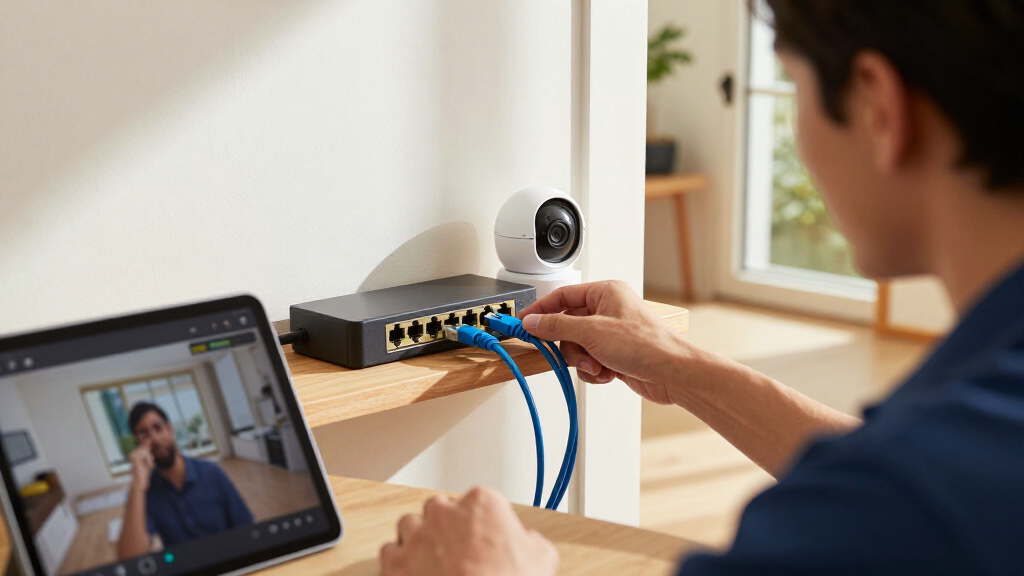
I compared these switches by the factors that affect camera installations most: available PoE ports, total power budget, network speed, management controls, and installation fit. A high port count helps only when the switch can supply the connected cameras’ combined power, so I treated power capacity and port count as separate checks rather than interchangeable measures. I also considered whether a buyer is likely to benefit from VLANs, QoS, uplinks, or monitoring, and whether those features add useful control or needless setup work.
The ranking favors switches that fit a clear security-camera use case and balance capacity with practical operation. The managed TP-Link Omada SG2428LP leads for larger systems that benefit from configuration options; the NETGEAR GS324P ranks as a simpler high-port alternative. Compact models sit lower for overall use but remain strong choices for small camera counts, while specialized and less fully specified options are positioned around their narrower advantages. Before buying, verify each model’s current PoE budget, supported PoE standard, and mounting and cooling requirements against the cameras and installation site.
Factors to Consider When Choosing Poe Switches For Security Cameras
Choosing a switch is not just a matter of matching the number of camera cables to the port count. I would start with the cameras’ power needs, then decide how much network control and room for growth the installation requires. These checks can prevent an undersized switch or an unnecessarily complex setup.
Calculate PoE Power, Not Just the Number of Ports
Add the maximum power draw of every camera you expect to run at once, then compare that total with the switch’s stated PoE budget. Leave headroom rather than planning to use the entire budget, since cameras with infrared illumination, heaters, or motorized movement may draw more than a basic fixed camera. A switch can advertise enough PoE ports but still lack the total wattage to power all of them simultaneously. Check both the individual port limit and the overall budget. A mismatch may cause devices to fail to start or behave unpredictably under heavier load. If camera specifications are unclear, confirm them with the manufacturer before choosing a switch.
Plan for Camera Growth and Port Needs
Count cameras, but also account for the router, recorder, access point, or other wired equipment that may need switch ports. Some models list uplink ports separately from PoE camera ports, so read the port layout rather than relying on the headline number. A few spare ports can make future additions easier and reduce the need to replace the switch after one expansion. On the other hand, buying a much larger switch than the installation needs can add cost, space, and power use without helping camera performance. Estimate likely growth over the next few years, not every possible future device. For a fixed small system, a compact five- or eight-port model may be a better fit than a rack-oriented unit.
Choose Managed or Unmanaged Based on the Network
Unmanaged switches suit buyers who want cameras connected with minimal network setup. Managed switches can provide VLANs, traffic controls, and monitoring features that help separate camera traffic or troubleshoot a larger installation. Those controls matter more when cameras share infrastructure with staff, guests, or other business devices. They also bring configuration decisions that may be unnecessary for a basic home setup. A common mistake is paying for management features without knowing who will configure and maintain them. If separation and visibility are priorities, confirm which controls the switch supports and whether they match your router and network plan.
Check Uplinks, Recorder Placement, and Network Speed
Camera streams travel through the switch toward a recorder or network, so consider how that traffic aggregates at the uplink. Gigabit Ethernet is a common fit for many installations, but a crowded system or a fast connection to a recorder may call for higher-capacity uplink options. Confirm whether uplink ports can also supply PoE; they often serve a different purpose from camera-facing PoE ports. Think about where the recorder sits and how long the cable run is between it and the switch. A switch with an SFP port may help connect separate network areas, but it adds little if the rest of the network cannot use that connection. Match switch features to the entire path, not only the cameras.
Match Cooling, Mounting, and Location to the Install
A switch’s physical design affects where it can operate reliably. Rack or wall mounting can keep a larger installation organized, while a compact unit may fit a home cabinet or small utility space. Fanless designs can reduce noise, but they still need ventilation and may be a poor fit for a sealed enclosure or a hot location. Fans can help move heat away from a higher-capacity switch, at the cost of noise and another component that may need attention. Check the manufacturer’s operating-temperature guidance and leave room around vents. For outdoor cameras, place the switch indoors in a suitable protected location unless the switch itself is rated for the environment.
Consider Camera Compatibility and Power Resilience
Most standard PoE cameras work across compatible equipment, but confirm the camera and switch support the same PoE standard and power requirements. Brand-focused switches can be convenient when paired with matching camera ecosystems, yet they may offer less flexibility if you later mix manufacturers. Also decide what should happen during a power interruption: a switch alone does not keep cameras online if the switch or recorder loses power. A properly sized UPS can support the network equipment during brief outages, though runtime depends on the total load. Check whether the switch has features such as recovery behavior or status indicators that help with maintenance. These system-level choices can matter as much as the switch itself for dependable recording.
Frequently Asked Questions
How many cameras can one PoE switch support?
The practical limit is the lower of the available PoE ports and the switch’s total power budget. Add each camera’s maximum draw and compare the sum with the switch’s PoE budget, while leaving some headroom. Also reserve ports for the recorder, router, or other wired devices if they connect through the same switch. A model with many ports may still be unsuitable if its power budget is too small for the chosen cameras. Check the camera and switch specifications together before deciding how many units to connect.
Do I need a managed PoE switch for home security cameras?
Not always: an unmanaged switch is often enough when the cameras only need a basic wired connection to a recorder or router. Managed features can help if you want to separate camera traffic with VLANs, set traffic priorities, or monitor network behavior. Those tools are more useful when the camera system shares a network with other users or devices. They also require setup and occasional administration, so they may add little value to a small, isolated system. Choose managed equipment when you have a specific control or troubleshooting need, rather than for the label alone.
Can I connect PoE cameras from different brands to the same switch?
Often, yes, if each camera and the switch use compatible PoE standards and the switch can supply the required power. The camera’s recording or management software may still depend on brand-specific features, so network compatibility does not guarantee every feature will work across systems. Review the camera’s power requirements and supported network protocols before combining brands. A brand-focused switch may be convenient for a matching system, while a standards-based switch can suit a mixed setup. For a system expected to grow, check compatibility with planned future cameras as well.
Should I choose a switch with more ports than I need today?
A modest number of spare ports can make adding cameras or replacing equipment simpler, especially if new cable runs are difficult. Avoid sizing only for the current camera count if you already expect expansion, but do not pay for a large switch without a realistic use for its extra capacity. Include non-camera devices that will use the switch, such as a recorder or access point. Then check that the total PoE budget can handle both the current setup and likely additions. If growth is uncertain, compare the cost and installation needs of a larger switch with the option of adding a second switch later.
Will a PoE switch keep my cameras recording during a power outage?
No, not on its own: the switch needs power, and the recorder or network connection may also need power for recording to continue. A UPS can keep connected equipment running for a limited period, but its runtime depends on the combined load and battery capacity. Include the switch, recorder, and any essential network devices when estimating that load. Also check how the recorder stores footage, since local recording may continue differently from cloud or remote access during an outage. For critical coverage, plan backup power for the full recording path rather than only the switch.
Conclusion
For a larger camera network that benefits from management controls, I would choose the TP-Link Omada SG2428LP as the best overall. Buyers who want many ports with a simpler setup should look at the NETGEAR GS324P, while the TP-Link TL-SG1005P is my best value-style choice for a small installation that does not need extra capacity. The TP-Link TL-SG1005P or NETGEAR GS305P are also the easiest starting points for beginners with only a few cameras; compare their power budgets before choosing. For a premium, feature-led setup, consider the Omada SG2428LP or the 16-port managed switch with VLAN, QoS, and SFP features, depending on the controls and layout you need. If you want a camera-brand-focused option, consider the REOLINK RLA-PS1; if you need more camera ports without managed configuration, compare the larger NETGEAR and TP-Link unmanaged models. In every case, verify camera compatibility, PoE budget, and mounting needs before buying.