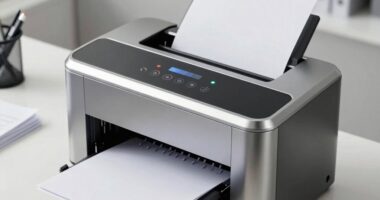
When choosing a color laser printer for your small business, compare ink cartridge longevity, print resolution, and speed to guarantee high quality and efficiency. Look for cost-effective features like high toner yield and low cost-per-page to save long-term expenses. Check connectivity options such as Wi-Fi and mobile compatibility to simplify workflow. Considering these factors will help you find a model that balances quality and cost savings—more details can keep you better prepared for your decision.

Get business pricing on office and shipping supplies
- Business-only prices and quantity discounts
- Tax-exempt purchasing
- Multiple users, one account, clear invoices
Key Takeaways
- Evaluate toner cartridge longevity and cost efficiency to reduce replacements and operating expenses.
- Compare print resolution and quality options to ensure sharp, professional results for business materials.
- Consider printing speed and workflow efficiency to meet deadlines and handle high-volume tasks effectively.
- Check connectivity features like Wi-Fi and mobile device compatibility for flexible, seamless printing.
- Assess cost-effective features such as high toner yield and low cost-per-page for long-term savings.

Choosing the right color laser printer is fundamental for small businesses that need high-quality, professional-looking documents without breaking the bank. When you’re evaluating options, it’s important to consider factors like ink cartridge longevity and print resolution options. Ink cartridge longevity directly impacts your operating costs and workflow efficiency. A printer with longer-lasting toner can save you money over time by reducing the frequency of replacements, and it minimizes downtime, guaranteeing your team stays productive. You want a model that balances quality with capacity, especially if your business relies heavily on color prints for marketing materials, reports, or client presentations. Pay attention to the toner yield ratings—higher yields mean fewer cartridge changes and better value. Additionally, print resolution options are vital for achieving sharp, detailed results, especially when printing marketing materials or professional reports. The higher the dpi, the more detailed and vibrant your prints will be. Some models provide adjustable resolution settings, giving you flexibility depending on whether you’re printing a draft or a final presentation. This feature helps you conserve toner when high resolution isn’t necessary, saving costs without sacrificing quality. Beyond ink cartridge longevity and print resolution, consider the printer’s speed and connectivity options. Fast print speeds ensure you can handle multiple jobs efficiently, especially during busy periods. Connectivity features like Wi-Fi, Ethernet, and mobile device compatibility enable you to print from various devices without hassle. This flexibility can streamline your workflow and enhance overall productivity. When assessing potential models, it’s also helpful to look for cost-effective features, which can contribute to lower ongoing expenses. It’s also worth evaluating the initial cost versus ongoing expenses, as the upfront price may not reflect long-term savings or costs. Sometimes a cheaper model might seem appealing initially but could have higher toner costs or lower cartridge longevity, leading to more frequent replacements. Investing in a model with high toner yield can significantly reduce operating costs over time, especially when considering cost-per-page to gauge overall efficiency.
best color laser printer for small business
As an affiliate, we earn on qualifying purchases.
As an affiliate, we earn on qualifying purchases.
Frequently Asked Questions
How Do Color Laser Printers Compare to Inkjet Printers?
Color laser printers generally offer better color accuracy and faster print speeds compared to inkjet printers. You’ll notice sharper, more consistent colors, especially on large or frequent print jobs. Inkjet printers excel in photo quality but tend to be slower and less precise with color accuracy for text or graphics. If you prioritize speed and vibrant, professional-looking prints, a color laser printer is the smarter choice for your small business.
What Is the Typical Lifespan of a Color Laser Printer?
A color laser printer typically lasts around 3 to 5 years, depending on usage and maintenance. You can extend its lifespan by regularly performing color calibration to guarantee print quality and managing paper handling to prevent jams. Properly cleaning the printer and using recommended supplies also help it run smoothly longer. Keep an eye on parts like drums and toner cartridges, replacing them as needed to maximize your printer’s longevity.
Are Color Laser Printers Energy-Efficient for Small Businesses?
Think of your printer as a delicate balance on a tightrope, where energy consumption tips the scale. Color laser printers are generally energy-efficient for small businesses, especially modern models with eco-friendly features. They reduce environmental impact by using less power during standby and sleep modes, helping you save on energy costs. By choosing the right printer, you support sustainability while maintaining vibrant, professional-quality prints.
How Often Do Toner Cartridges Need Replacement?
Toner cartridges typically last between 2,000 and 6,000 pages, depending on your printing volume. You’ll need to replace them more often if you print frequently. To save costs, consider toner recycling programs and check the cartridge warranty for coverage against defects. Regularly monitoring your toner levels helps prevent unexpected runs out, and choosing a printer with a dependable warranty guarantees you’re protected when replacements are needed.
What Security Features Are Available on Color Laser Printers?
You’ll find that many color laser printers offer security features like color encryption, which protects your sensitive data during printing, and user authentication, ensuring only authorized staff access the device. These features help prevent data breaches and unauthorized use. When choosing a printer, look for models that support these security options to keep your business information safe and maintain compliance with data protection standards.
Conclusion
Choosing the right color laser printer is like finding the perfect paintbrush—you want one that suits your style and gets the job done smoothly. Remember, a small investment in the right printer can turn your busy office into a well-oiled machine, much like a well-tuned orchestra. As you weigh your options, think about your needs and future growth. With the right choice, you’ll be printing with confidence, ready to create your best work yet.
Halloween Picks
halloween
As an affiliate, we earn on qualifying purchases.