
🔍 Read the full analysis: How To Organize Your AI Workflow Automation Gear For 2026 on ThorstenMeyerAI.com

Get business pricing on office and shipping supplies
- Business-only prices and quantity discounts
- Tax-exempt purchasing
- Multiple users, one account, clear invoices
TL;DR
A checklist published by ThorstenMeyerAI.com outlines equipment for an AI workflow workspace, including a microphone, webcam, portable SSD, dock, mouse and UPS. It advises checking compatibility and prioritizing the equipment gaps that disrupt work rather than buying every category at once.
ThorstenMeyerAI.com has published a 2026 checklist for people assembling an AI workflow workspace, covering audio, video, storage, desk connectivity, input and power protection. The checklist’s guidance centers on matching each item to a user’s existing computer, ports, space and routine, rather than treating the list as a requirement to buy a full set of gear, as detailed in the original checklist.
In its checklist, ThorstenMeyerAI.com names six categories: a USB microphone, autofocus webcam, portable SSD, USB-C docking station, ergonomic wireless mouse and uninterruptible power supply, or UPS. The article supplies specific product names for three categories: the RØDE PodMic USB Dynamic Broadcast Microphone, the SanDisk 2TB Extreme Portable SSD and the Targus USB-C Universal Quad 4K Docking Station with 100W Power Delivery. It does not name a webcam, mouse or UPS. For a broader look at AI workflow automation tools, see the related guide.
For the microphone, ThorstenMeyerAI.com advises checking whether the user’s computer or hub supports the intended connection. The RØDE product name identifies USB-C and XLR connections, but the checklist cautions readers not to assume those connections will work with every computer or accessory. It also identifies cable reach and practical desk positioning as setup considerations.
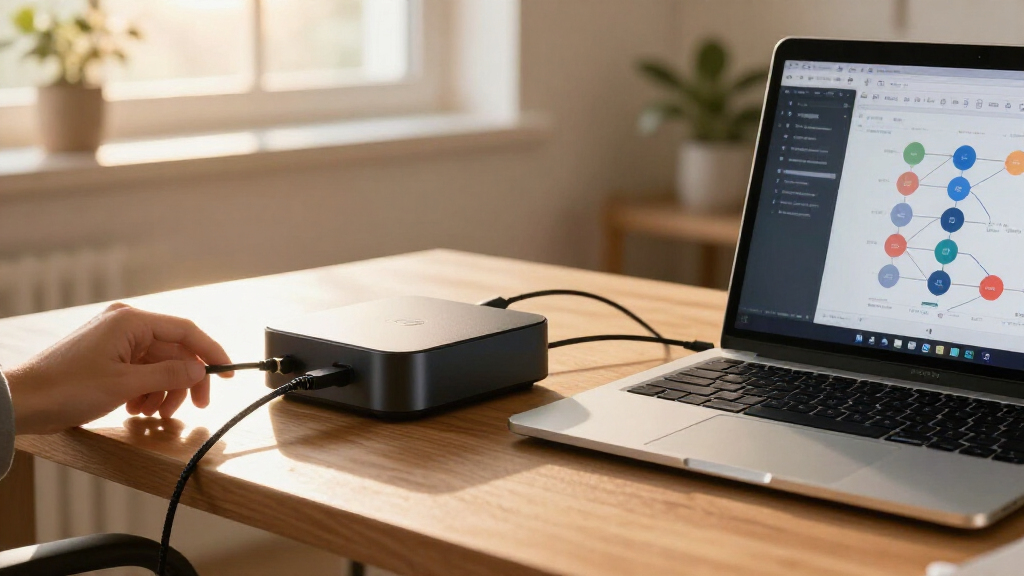
For storage and docking, the checklist emphasizes matching products to the user’s setup rather than making performance guarantees. ThorstenMeyerAI.com identifies the SanDisk drive as a 2TB portable SSD and advises comparing that capacity with the user’s files and verifying ports, cables, performance and durability details separately. The Targus dock’s product name cites USB-C, quad 4K and 100W power delivery; the article says to check the computer’s capabilities and monitor setup instead of assuming every advertised feature will work with every device.
RØDE PodMic USB Dynamic Broadcast Microphone, XLR + USB-C
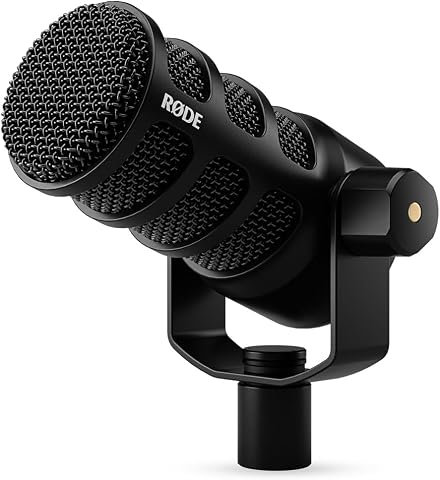
The RØDE PodMic USB is a versatile broadcast microphone with both XLR and USB-C connections, suitable for streaming, podcasts, and recording. It features onboard audio processing with APHEX DSP, noise rejection for speech clarity, and zero-latency monitoring for real-time audio feedback.
Pros:
- Versatile XLR and USB-C connectivity for flexible setup
- Built-in audio processing enhances sound quality
- Effective noise rejection for clear speech
- Zero-latency monitoring for real-time audio
Cons:
- May require additional equipment for professional XLR use
- Bulkier design compared to traditional microphones
Best for: Workspaces that want USB-C and XLR connection options
Not ideal for: Setups that cannot accommodate its listed connections
Bottom line: Choose it when its USB-C or XLR connections fit the equipment and recording workflow you already have.
Compatibility Before New Equipment
ThorstenMeyerAI.com’s checklist argues that new equipment can make a workspace less useful if it introduces connection problems or does not suit the user’s routine. The article notes, for example, that a dock needs to support the host computer and the intended monitors and peripherals. It also says storage needs depend on the files a person keeps and whether the drive will be used across computers.
For people managing recordings, calls and project files, the article presents pre-purchase checks as a way to avoid unnecessary equipment and setup interruptions. It recommends prioritizing the gaps that interrupt work most often, rather than buying all six categories at once. The checklist is framed as a planning aid, not as a claim that every AI workflow requires every item.
A Checklist Across Desk Tasks
ThorstenMeyerAI.com organizes its checklist around everyday activities: recording narration or spoken notes, joining calls, moving project files, connecting desk peripherals, using a mouse and protecting equipment with backup power. Its coverage therefore extends beyond AI software to the computer workspace used to support those tasks.
The article is not a full product comparison: it names picks in some categories and provides selection criteria in others. It also does not give detailed specifications for every item. ThorstenMeyerAI.com directs readers to verify product information and compatibility for their own setup before buying.
Specs and Setup Still Need Checking
The supplied ThorstenMeyerAI.com source material does not establish whether any listed product has been tested with particular computers, operating systems, docks or software. The article names no specific webcam, mouse or UPS and provides no prices, availability or publication date. The supplied text cuts off after beginning a compatibility checklist for the dock, so it does not provide further details about display and connection requirements.
The article’s product names do not confirm performance, durability or compatibility. Those details, along with the user’s ports, operating setup, available desk space and connected devices, remain matters to verify. ThorstenMeyerAI.com does not claim that all six categories are needed or that the named products are suitable for every user.
Check Your Setup Before Buying
ThorstenMeyerAI.com’s checklist suggests mapping each potential purchase to the devices and tasks already in use. It advises readers to check computer and hub ports, monitor connections, cable reach, mounting space and the software required for calls or recordings. For storage, the article recommends estimating which files need to travel and confirming the drive works with each intended computer.
The checklist also recommends ranking the problems that most often interrupt work and addressing those first. For any product under consideration, readers should review current specifications and compatibility information; the source provides no later update or buying timetable.
Key Questions
Does the checklist say every user needs all six items?
No. ThorstenMeyerAI.com recommends checking the setup and prioritizing the gaps that disrupt work most often, rather than buying every category at once.
Which products are named in the checklist?
ThorstenMeyerAI.com names the RØDE PodMic USB Dynamic Broadcast Microphone, the SanDisk 2TB Extreme Portable SSD and the Targus USB-C Universal Quad 4K Docking Station with 100W Power Delivery. The article does not specify a webcam, mouse or UPS model.
What should buyers check before choosing a USB-C dock?
The checklist advises checking the computer’s USB-C capabilities and whether the dock will support the intended monitors and peripherals. Its advertised features do not by themselves establish compatibility with a particular setup.
Does the source confirm performance or durability for the SSD?
No. ThorstenMeyerAI.com lists the drive as a 2TB portable SSD and advises readers to verify performance and durability details in the product information.
Source: ThorstenMeyerAI.com