
For a compact elliptical machine in an office, I’d start with the JLL Mini Smart Magnetic Elliptical for its magnetic resistance and app support. The Sunny Health & Fitness Smart Mini adds connected tracking, while the Cubii JR1 keeps the setup simple for low-impact movement at a desk. The main tradeoffs are manual versus powered motion, how much floor space the unit occupies, and whether its stride fits beneath your desk. I compare all nine options by office usability, controls, build, and likely user needs. Read on for the full breakdown and help matching a model to your workspace.

Get business pricing on office and shipping supplies
- Business-only prices and quantity discounts
- Tax-exempt purchasing
- Multiple users, one account, clear invoices
Key Takeaways
- JLL Mini Smart Magnetic leads for buyers who want adjustable magnetic resistance and app connectivity in a compact format.
- Sunny Health & Fitness Smart Mini is a connected alternative, while motorized models shift the choice toward powered motion and remote controls.
- The lineup splits between manually pedaled units such as the Cubii JR1 and electric trainers designed to move the pedals for the user.
- A compact footprint alone does not guarantee desk fit: pedal height, knee clearance, and chair position can decide whether the machine works in an office.
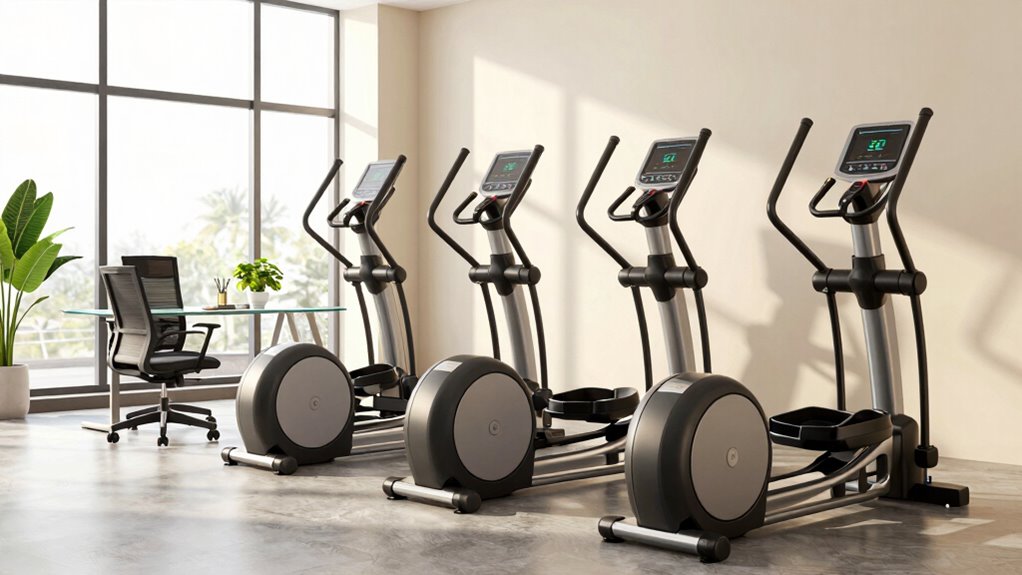
- The CURSOR ET30 has a different role from the under-desk pedal units; buyers should compare its larger exercise-machine format against their available space.
| JLL Mini Smart Magnetic Elliptical Machine with SunnyFit App |  | Best for Adjustable Magnetic Resistance | Resistance: 8-level magnetic | Connectivity: Bluetooth; SunnyFit app | Display: LCD: time, speed, distance, calories, and auto-scan | VIEW ON AMAZON | See Our Full Breakdown |
| Sunny Health & Fitness Smart Mini Under Desk Elliptical Trainer |  | Best for App-Based Seated Workouts | Exercise type: Low-impact seated elliptical | Speed: Adjustable speed levels | Connectivity: Bluetooth | VIEW ON AMAZON | See Our Full Breakdown |
| Electric Under-Desk Elliptical Machine for Seniors |  | Best for Remote-Controlled Seated Exercise | Operation: Electric, manual and preset modes | Manual speeds: 12 | Preset modes: 3 (P1–P3) | VIEW ON AMAZON | See Our Full Breakdown |
| MERACH Under-Desk Elliptical Leg Exerciser |  | Best for Preset Program Variety | Motor: 60W | Manual speed levels: 12 | Automatic programs: 12 (P1–P12) | VIEW ON AMAZON | See Our Full Breakdown |
| CURSOR FITNESS Under Desk Elliptical Machine with Remote |  | Best for Lightweight Portability | Automatic programs: 12 (P1–P12) | Manual speed levels: 12 | Motion: Forward and reverse | VIEW ON AMAZON | See Our Full Breakdown |
| Under-Desk Electric Elliptical Leg Exerciser |  | Best for Adjustable Electric Workouts | Modes: Manual with 12 speed settings; 3 automatic preset programs | Pedal direction: Forward and reverse | Display: LCD | VIEW ON AMAZON | See Our Full Breakdown |
| Cubii JR1 Under-Desk Elliptical Pedal Exerciser |  | Best for Low-Impact Seated Pedaling | Type: Under-desk elliptical pedal exerciser | Exercise style: Low-impact, seated | Display: LCD fitness tracker | VIEW ON AMAZON | See Our Full Breakdown |
| CURSOR ET30 Elliptical Exercise Machine |  | Best for Higher-Capacity Home Use | Model: ET30 | Brand: CURSOR FITNESS | Drive system: Magnetic | VIEW ON AMAZON | See Our Full Breakdown |
| PUTNEN Under-Desk Electric Elliptical Machine |  | Best Compact Electric Pick | Modes: Manual with 12 speed levels; automatic programs P1–P3 | Pedal direction: Forward and backward | Dimensions: 14.8 × 13.8 × 6.3 inches | VIEW ON AMAZON | See Our Full Breakdown |
| compact elliptical machines office | Display |
|---|---|
| JLL Mini Smart Magnetic Ellipt | LCD: time, speed, distance, calories, and auto-scan |
| Sunny Health & Fitness Smart M | LCD monitor |
| Electric Under-Desk Elliptical | LCD: time, speed, distance, count, and calories |
| MERACH Under-Desk Elliptical L | — |
| CURSOR FITNESS Under Desk Elli | — |
| Under-Desk Electric Elliptical | LCD |
| Cubii JR1 Under-Desk Elliptica | LCD fitness tracker |
| CURSOR ET30 Elliptical Exercis | — |
| PUTNEN Under-Desk Electric Ell | LCD showing speed, distance, count, time, and calories |
More Details on Our Top Picks
JLL Mini Smart Magnetic Elliptical Machine with SunnyFit App
The JLL Mini Smart suits office workers who want to control resistance directly rather than rely on motor-driven programs. Its eight magnetic levels and forward or reverse pedaling offer more hands-on variation than the 12-speed electric MERACH, while the SunnyFit app adds guided workouts and live metrics. At 25.5 × 18.3 × 10.4 inches, it needs a measured spot beneath the desk, and its 220-pound capacity may rule it out for some buyers. It arrives pre-assembled, and the included resistance bands give seated sessions another option. The tradeoff is app dependence for connected features; shoppers who prefer preset motorized routines and a remote may find the CURSOR FITNESS easier to operate from a chair.
Pros:- Eight magnetic resistance levels provide direct control over workout effort
- Forward and reverse pedaling adds movement variety
- SunnyFit app connectivity provides guided workouts and real-time metrics
- Pre-assembled design includes resistance bands and a carry handle
Cons:- 220-pound weight capacity limits who can use it
- App features require a Bluetooth-connected smartphone
- Its stated footprint may be too large for especially tight desk setups
Best for: Office workers who want adjustable magnetic resistance, app-guided sessions, and a pre-assembled seated or standing option
Not ideal for: Buyers over its 220-pound weight limit or anyone who wants motorized preset programs and remote control
- Resistance:8-level magnetic
- Connectivity:Bluetooth; SunnyFit app
- Display:LCD: time, speed, distance, calories, and auto-scan
- Pedals:Dual-direction, anti-slip
- Dimensions:25.5 × 18.3 × 10.4 in
- Weight capacity:220 lbs
- Included features:Dual resistance bands; carry handle
- Assembly:Pre-assembled
Our verdict“Choose the JLL if magnetic resistance and app-guided variety matter more than motorized presets or a smaller stated footprint.”
Sunny Health & Fitness Smart Mini Under Desk Elliptical Trainer
This Sunny Health & Fitness model is a straightforward fit for someone who wants quiet seated movement with app-linked workouts and no assembly. Its adjustable speeds and LCD make basic tracking accessible, while the SunnyFit app adds scenic tours and workout options. Compared with the JLL Mini Smart, it does not specify numbered magnetic resistance levels or standing use, so it is better framed as a seated desk companion than a more versatile pedal platform. A square steel base, floor stabilizers, adjustable foot straps, and auto-stop address stability and foot placement. The tradeoff is that pulse tracking requires a compatible heart rate monitor sold separately, and app functions depend on a smartphone and Bluetooth. Buyers who want onboard preset modes and a remote may prefer the Electric Under-Desk Elliptical Machine for Seniors.
Pros:- No assembly required
- Quiet, low-impact seated motion suits office use
- SunnyFit app offers workouts and scenic tours
- Steel base, stabilizers, adjustable straps, and auto-stop support stable use
Cons:- App features require Bluetooth and a smartphone
- Compatible heart rate monitor is sold separately
- Product details do not specify numbered resistance levels or standing use
Best for: Desk workers seeking a ready-to-use seated exerciser with app workouts, scenic tours, and basic safety features
Not ideal for: Buyers who want standing workouts, specified resistance increments, or pulse tracking without a separate monitor
- Exercise type:Low-impact seated elliptical
- Speed:Adjustable speed levels
- Connectivity:Bluetooth
- Display:LCD monitor
- Tracked metrics:Time, calories, speed, and pulse
- Safety features:Square steel base, floor stabilizers, adjustable foot straps, and auto-stop
- Assembly:No assembly required
- Warranty:1-year structural frame warranty
Our verdict“Pick this Sunny Health & Fitness model for an easy-start seated routine with app content and built-in stability features.”
Electric Under-Desk Elliptical Machine for Seniors
For seated users who would rather select a pace than pedal manually, this electric exerciser offers 12 manual speeds, three preset modes, and a remote. The remote matters at a desk: settings can be changed without leaning down to reach the unit. Its LCD tracks time, speed, distance, count, and calories, and reverse pedaling adds a small change in motion. Compared with the 12 manual speeds and 12 programs on the MERACH, this model offers fewer presets, but its controls and stated one-year warranty with lifetime after-sales support give it a clear simplicity-focused role. It is designed for seated use, so it cannot match the JLL Mini Smart’s stated standing option. Buyers who prefer physical resistance adjustment or a standing-capable machine should look elsewhere.
Pros:- Remote control allows seated adjustments without reaching for the unit
- Twelve manual speeds provide pace choices
- Three presets and reverse pedaling add variation
- LCD tracks five workout metrics
Cons:- Seated use only, unlike the JLL Mini Smart’s stated seated or standing use
- Three preset modes offer fewer routines than the MERACH’s 12 programs
- Touch-button operation may require bending or reaching when the remote is not used
Best for: Seated users who want motor-assisted movement and the ability to change speed or mode by remote
Not ideal for: People seeking standing workouts, magnetic resistance they control by pedaling, or a wide selection of preset programs
- Operation:Electric, manual and preset modes
- Manual speeds:12
- Preset modes:3 (P1–P3)
- Pedaling directions:Forward and reverse
- Display:LCD: time, speed, distance, count, and calories
- Controls:Touch buttons and remote control
- Warranty:1 year
- After-sales support:Lifetime
Our verdict“Choose this model if remote-controlled, motor-assisted seated exercise is your priority and three preset modes are enough.”
MERACH Under-Desk Elliptical Leg Exerciser
The MERACH is the program-focused choice here: its 12 automatic programs sit alongside 12 manual speeds, so users can follow a set routine or choose their own pace. A remote and touchscreen offer two ways to adjust it, while forward and reverse motion helps vary a seated session. Its stated noise level of less than 15 dB makes it appealing for shared offices, though that figure alone does not describe how it sounds in every setup. Compared with the Electric Under-Desk Elliptical Machine for Seniors, the MERACH doubles the number of presets; compared with the JLL Mini Smart, it is motorized and lacks the stated standing option. The main space-planning drawback is that no dimensions or unit weight are provided, making desk-fit checks harder.
Pros:- Twelve automatic programs plus 12 manual speed levels offer multiple ways to set a session
- Remote and touchscreen controls provide flexible adjustment
- Forward and reverse motion supports movement variation
- Stated noise level is less than 15 dB
Cons:- Designed for seated exercise rather than full-body or standing workouts
- No dimensions or unit weight are provided for desk-fit planning
- Motorized programs may not suit buyers seeking direct magnetic resistance like the JLL Mini Smart
Best for: Seated office users who want a choice of automatic routines and manual speeds with remote operation
Not ideal for: Buyers who need verified dimensions before fitting an exerciser beneath a specific desk or want standing use
- Motor:60W
- Manual speed levels:12
- Automatic programs:12 (P1–P12)
- Motion:Forward and reverse
- Noise level:Less than 15 dB
- Controls:Touchscreen and remote
- Display metrics:Time, distance, speed, counter, and calories
Our verdict“Pick the MERACH if you want the broadest stated preset selection among the reviewed motorized options and can confirm its fit before buying.”
CURSOR FITNESS Under Desk Elliptical Machine with Remote
At a stated 7 lbs with a footprint of 0.12 square meters, the CURSOR FITNESS is the clearest pick for someone who needs to move an exerciser between desks or store it after work. Its 12 automatic programs, 12 manual speed levels, and forward or reverse motion give it more preset variety than the Electric Under-Desk Elliptical Machine for Seniors, while the included remote avoids repeated bending to adjust settings. The LCD adds stride count to time, speed, distance, and calories, and operating noise is listed below 15 dB. The portability details come with a planning gap: exact dimensions and user weight limit are not stated. Like the MERACH, it is designed for seated low-impact exercise rather than a standing workout.
Pros:- Stated 7-pound weight supports portability
- 0.12-square-meter footprint is useful for compact setups
- Remote control and LCD tracking reduce the need to reach down
- Twelve programs, 12 manual speeds, and reverse motion provide options
Cons:- Exact dimensions and user weight limit are not specified
- Designed for seated exercise rather than full-body workouts
- A stated 30% vertical lift angle may need to suit the user’s desk and leg clearance
Best for: Office workers who need a lightweight seated exerciser they can carry between workspaces or put away after use
Not ideal for: Buyers who need exact dimensions or a stated user weight limit before choosing equipment
- Automatic programs:12 (P1–P12)
- Manual speed levels:12
- Motion:Forward and reverse
- Display metrics:Time, speed, distance, calories, and stride count
- Operating noise:Under 15 dB
- Weight:7 lbs
- Footprint:0.12 sq. meters
- Vertical lift angle:30%
- Warranty and support:1-year warranty; 24/7 CURSORCARE support
Our verdict“Choose the CURSOR FITNESS if easy carrying and storage matter most, provided its unspecified dimensions and weight limit work for your setup.”
Under-Desk Electric Elliptical Leg Exerciser
Twelve manual speed settings give this electric pedal exerciser more pace control than the PUTNEN Under-Desk Electric Elliptical Machine, which also offers automatic programs but is documented with a fixed compact footprint and weight. Three preset modes add a simple option for people who would rather start moving without choosing a speed. The remote control is useful at a desk because adjustments do not require reaching down, while the LCD tracks time, distance, count, and calories. Forward and reverse pedaling adds another way to vary seated movement. Its quiet operation and compact design suit shared office spaces, though the listing gives no dimensions or weight, making desk clearance and portability harder to judge. I would choose it for its controls, but prefer the Cubii JR1 if a clearly described seated exercise style matters more.
Pros:- Twelve manual speed settings plus three automatic programs
- Remote allows seated adjustments without bending
- LCD tracks time, distance, count, and calories
- Forward and reverse pedaling support movement variation
Cons:- No dimensions or weight are provided to confirm desk fit or portability
- No durability information is included in the supplied product details
Best for: Desk workers who want electric assistance, several speed choices, and a remote for seated adjustments
Not ideal for: Buyers who need confirmed dimensions, weight, or durability details before fitting an exerciser under a specific desk
- Modes:Manual with 12 speed settings; 3 automatic preset programs
- Pedal direction:Forward and reverse
- Display:LCD
- Tracked metrics:Time, distance, count, and calories
- Control:Remote control
- Design:Compact and portable
- Noise:Designed for quiet operation
Our verdict“Choose this model if adjustable electric movement and remote controls matter more than having verified size and durability information.”
Cubii JR1 Under-Desk Elliptical Pedal Exerciser
The Cubii JR1 is the clearest fit here for buyers focused on low-impact movement while seated: its product details explicitly describe that exercise style, while the CURSOR ET30 is a freestanding home elliptical with a 12-inch stride. The JR1 keeps its feedback simple, showing calories, strides, and distance on an LCD. It can pair with the Cubii mobile app, but the data must be entered manually, so it is less convenient for anyone expecting automatic syncing. Compared with the electric Under-Desk Electric Elliptical Leg Exerciser, the JR1’s listed details do not include preset modes, speed settings, or remote controls. That makes it a more straightforward option for tracking seated pedaling, but a weaker match for people who want powered assistance or hands-off workout logging.
Pros:- Designed for low-impact exercise while seated
- LCD displays calories, strides, and distance
- Suitable for use at home or in an office
- Cubii app provides an option to record workout stats
Cons:- App tracking requires manually entering display data
- Supplied details do not list electric assistance or preset workout modes
Best for: Office workers who want a low-impact seated pedaler with simple on-device tracking
Not ideal for: Buyers who want powered pedal movement, preset programs, remote adjustments, or automatic app syncing
- Type:Under-desk elliptical pedal exerciser
- Exercise style:Low-impact, seated
- Display:LCD fitness tracker
- Tracked metrics:Calories, strides, and distance
- App support:Cubii mobile app; stats entered manually
- Use setting:Home or office
Our verdict“Pick the JR1 if straightforward seated pedaling and basic tracking suit you better than electric controls or automatic app logging.”
CURSOR ET30 Elliptical Exercise Machine
The 350-pound weight capacity makes the CURSOR ET30 stand apart from the seated pedal exercisers in this group, including the Cubii JR1. It is a compact home elliptical with a magnetic drive and eight resistance levels, so it suits buyers seeking a more conventional workout beside a desk rather than pedaling discreetly beneath one. Its 12-inch stride supports low-impact movement, though that length may feel short to some users. The magnetic system is described as quiet, but the product details do not list specific monitor metrics, leaving less clarity about workout tracking than the PUTNEN, whose display is specified to show speed, distance, count, time, and calories. I would rank the ET30 for capacity and adjustable resistance, while skipping it if under-desk clearance is the main requirement.
Pros:- Listed user capacity of 350 pounds
- Eight resistance levels allow workout adjustment
- Magnetic drive is described as quiet
- Low-impact movement with a 12-inch stride
Cons:- The 12-inch stride may feel short for some users
- LCD tracking metrics are not specified
- Its home elliptical format is less clearly suited to under-desk use than seated pedal exercisers
Best for: Home exercisers who want adjustable magnetic resistance and a listed capacity of up to 350 pounds
Not ideal for: Office workers who need a pedal unit to fit beneath a desk or users who prefer a longer stride
- Model:ET30
- Brand:CURSOR FITNESS
- Drive system:Magnetic
- Resistance levels:8
- Stride length:12 inches
- Weight capacity:350 lbs
- Monitor:LCD
Our verdict“Choose the ET30 for a quiet, resistance-adjustable home elliptical with a high listed capacity, provided its stride and footprint fit your space.”
PUTNEN Under-Desk Electric Elliptical Machine
Among these four products, the PUTNEN is the easiest to size up for a tight workspace: its 14.8 × 13.8 × 6.3-inch footprint and 8.1-pound weight are provided, unlike the Under-Desk Electric Elliptical Leg Exerciser. That helps buyers check desk clearance and move it between rooms. It pairs those practical dimensions with 12 manual speed levels, three automatic programs, forward and backward pedaling, and a remote. The LCD also lists more metrics than the Cubii JR1 display, including speed, time, and count alongside distance and calories. The tradeoff is low-intensity seated movement: it may not satisfy someone seeking a demanding workout, and the remote batteries are sold separately. I would favor the PUTNEN for space-conscious buyers who want clearly specified electric controls.
Pros:- Listed compact dimensions make desk-fit checks easier
- Lightweight at 8.1 pounds for moving between rooms
- Manual speeds and three automatic programs offer control choices
- LCD lists speed, distance, count, time, and calories
Cons:- Remote batteries are not included
- Seated low-impact exercise may not meet higher-intensity training goals
Best for: Remote or office workers with limited floor space who want a lightweight electric pedal exerciser with documented dimensions
Not ideal for: People seeking high-intensity exercise or buyers who want a remote ready to use without separately sourced batteries
- Modes:Manual with 12 speed levels; automatic programs P1–P3
- Pedal direction:Forward and backward
- Dimensions:14.8 × 13.8 × 6.3 inches
- Weight:8.1 lbs
- Display:LCD showing speed, distance, count, time, and calories
- Remote control:Included; batteries sold separately
- Service:Three-month return service and lifetime after-sales service
Our verdict“Choose the PUTNEN if a documented small footprint, light weight, and electric controls are your main office-use priorities.”

How We Picked
I ranked these machines around the demands of office use: a compact footprint, a motion pattern that can coexist with seated work, accessible controls, and a build suited to repeated use. I also separated self-powered pedaling from motorized operation, since those approaches serve different mobility and effort preferences. App support and remotes count as useful extras only when they improve control or tracking without adding friction.
The JLL Mini Smart Magnetic takes the lead for balancing resistance control, connectivity, and desk-friendly intent. The Sunny model follows for its smart features, while the Cubii JR1 earns a place for straightforward manual pedaling. Electric options rank by how well their powered operation and controls suit users who want assistance; the remaining choices are more specialized, and the CURSOR ET30 sits apart because its form factor calls for more room than a typical under-desk unit.
| compact elliptical machines office | Display |
|---|---|
| JLL Mini Smart Magnetic Ellipt | LCD: time, speed, distance, calories, and auto-scan |
| Sunny Health & Fitness Smart M | LCD monitor |
| Electric Under-Desk Elliptical | LCD: time, speed, distance, count, and calories |
| MERACH Under-Desk Elliptical L | — |
| CURSOR FITNESS Under Desk Elli | — |
| Under-Desk Electric Elliptical | LCD |
| Cubii JR1 Under-Desk Elliptica | LCD fitness tracker |
| CURSOR ET30 Elliptical Exercis | — |
| PUTNEN Under-Desk Electric Ell | LCD showing speed, distance, count, time, and calories |
Factors to Consider When Choosing Compact Elliptical Machines Office
I’d measure the work area and decide how I want the pedals to move before comparing extras. These checks help avoid choosing a machine that fits its product description but not the desk, chair, or work routine.
Measure for knee and chair clearance
Measure the open space from the floor to the underside of the desk, then account for how far your knees rise as you pedal. A machine can fit beneath the desktop and still push your legs into an uncomfortable position. Check the pedal height and the unit’s front-to-back footprint, not just its overall width. Leave enough room to pull the chair back and get in and out without lifting the machine every time. If you share the desk, plan for the tallest user’s comfortable leg path. A quick cardboard outline on the floor can help you test chair placement before buying.
Choose manual or motorized movement
Manual units rely on your legs to drive the pedals, so they suit people who want to control their own effort. Motorized models move the pedals for you and can be a better match when assisted movement is the priority. The motor changes the experience: consider whether you need a remote and whether speed settings are easy to reach while seated. Do not assume powered operation means a stronger workout; it changes who supplies the effort. If more than one person will use the machine, list each person’s mobility and exercise preferences first. That makes the choice between active pedaling and powered movement clearer.
Check desk compatibility with your work
Think about the tasks you do while pedaling, since a movement level that feels fine during a call may distract you while typing precisely. Larger pedal circles and faster settings can make it harder to keep a steady posture. If concentration matters, prioritize smooth control at a gentle pace over the largest set of resistance settings. Also check whether the machine’s controls can be reached without leaning forward or interrupting work. Try to identify a place to store it when you need the floor clear. A machine that is easy to move aside is more likely to fit a shared or flexible office.
Treat apps and displays as secondary
App pairing and workout displays can make activity easier to track, but they do not tell you whether the stride feels comfortable at your desk. Decide which information you will actually use, such as time, distance, or activity history. If you already track movement elsewhere, a basic display may be enough. For app-connected models, check whether tracking requires a phone to remain nearby and whether setup works with your preferred device. A remote may matter more than an app when you need to change settings while seated. Choose the control method that fits your routine instead of paying attention to feature count alone.
Plan for noise, movement, and floor protection
In a quiet office or video-call space, sound and stability matter alongside exercise features. Product descriptions may not capture how a particular surface affects vibration, so check whether the machine has feet designed to grip and whether a protective mat is recommended. A mat can also help keep the unit from creeping across smooth flooring. Consider the weight and handles if you will move it between rooms or tuck it away after work. Keep cables clear of your feet and chair wheels on powered models. For a shared workspace, ease of moving and storing the unit can matter more than a small difference in display features.
Frequently Asked Questions
Can I use an under-desk elliptical while typing?
Often, but the fit and pace matter more than the product category. Start at a gentle speed and check whether your knees, chair, and hands stay in comfortable positions while typing. If your legs bump the desk or your upper body rocks, the setup is not working for that task. Consider using the machine during calls or reading and pausing for precision-heavy work. A compact footprint does not guarantee enough knee clearance.
Should I choose a manual or electric under-desk elliptical?
Choose manual pedaling if you want to supply the movement and adjust effort through your own pace. Consider an electric model if powered pedal motion better suits your mobility or activity preference. The difference is not simply about workout intensity; it is about who drives the pedals and how much control you want while seated. Compare controls, available settings, and whether you can operate them without reaching awkwardly. If several people will share it, make the decision around the person who needs the most assistance.
How do I know whether a compact elliptical will fit my desk?
Measure the floor area, desk clearance, and the space your knees need through a full pedal cycle. Check the machine’s listed height and length, then compare them with your actual seated posture rather than relying on desk dimensions alone. A low desk or high chair can make an otherwise compact machine uncomfortable. Leave room to move the chair and enter or leave the workstation. If measurements are close, choose a layout that lets you return or reposition the unit easily.
Will an office elliptical disturb coworkers or video calls?
Noise and vibration can vary with the machine, floor, pace, and how firmly it sits in place. If you work in a shared or quiet room, prioritize stable feet, smooth speed control, and a pace you can maintain without rocking. A protective mat may reduce movement across hard flooring, though it cannot promise silence. Test it during a low-stakes task before using it through meetings. Keep a plan for moving it aside if its sound or motion becomes distracting.
Is the CURSOR ET30 a good choice if I need an under-desk machine?
The ET30 is listed as an elliptical exercise machine, while most picks here are designed as under-desk pedal exercisers. That difference makes its available floor space and seated clearance the first things to check. If you need a unit that can stay beneath a desk during work, compare its dimensions and pedal path carefully with the smaller under-desk options. It may suit someone seeking a more conventional exercise-machine format and who has room to accommodate it. Confirm the product’s dimensions and intended setup before choosing it for office use.
Conclusion
For most office buyers, I’d choose the JLL Mini Smart Magnetic as the best overall fit because it combines resistance adjustment with app support in a desk-oriented design. The Cubii JR1 is my best value-style pick for someone who wants simple manual pedaling, while the Sunny Health & Fitness Smart Mini suits buyers who put connected tracking high on their list. For beginners, I’d favor a straightforward manual unit if they want to control their own pace, or a motorized option if assisted movement is the goal. Buyers with specific mobility needs should compare the remote-controlled electric models, including the CURSOR FITNESS and senior-focused exerciser, by control access and pedal motion. Choose the CURSOR ET30 only if its larger exercise-machine format fits your available space; for any pick, verify desk and knee clearance before settling on a model.
Halloween Picks
halloween
As an affiliate, we earn on qualifying purchases.