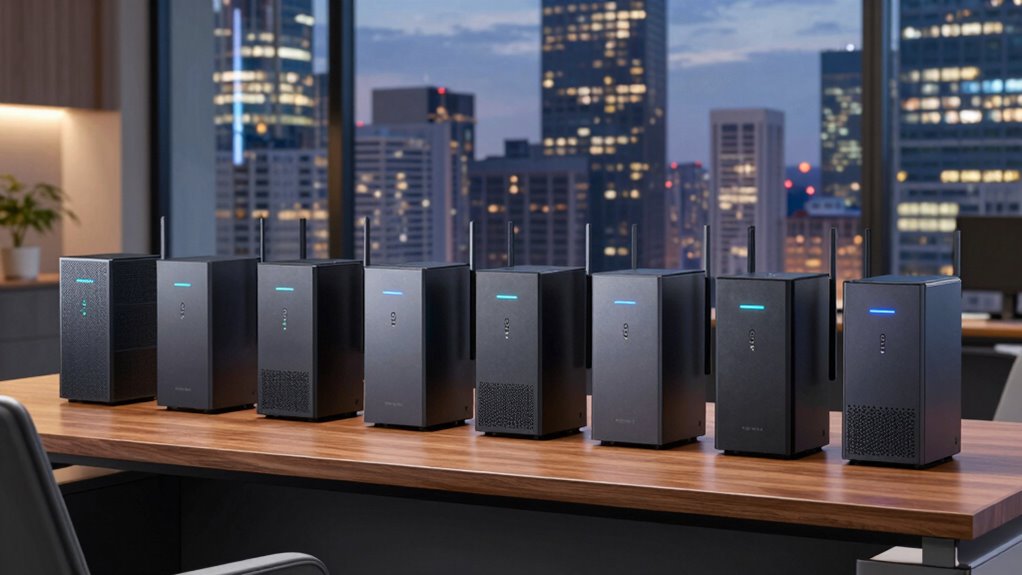

For most small offices, I’d start with the TP-Link Deco XE75 2-Pack: its two-unit mesh setup offers a practical way to extend coverage beyond a single router. The TP-Link Archer AXE75 is a strong alternative for a compact office that can use one router, while the eero Pro 6E suits buyers who value a simpler mesh setup. The key tradeoff is between whole-office coverage and the control or wired features of a standalone router; adding mesh units can help with reach but takes more space and setup. Wi-Fi 6E adds a 6 GHz band for compatible devices, but it does not solve weak broadband, poor placement, or every building’s dead zones. Read on for the full breakdown and a guide to matching a router to your office layout.

Get business pricing on office and shipping supplies
- Business-only prices and quantity discounts
- Tax-exempt purchasing
- Multiple users, one account, clear invoices
Key Takeaways
Mesh capacity is the standout difference: the Deco XE75 2-Pack and 3-Pack offer more coverage options than the single-unit routers, but a third unit only makes sense when distance or walls justify it.
The Archer AXE75 is the simpler one-router contender: it offers a tri-band Wi-Fi 6E option without asking buyers to plan a multi-unit mesh layout.
Not every office needs a gaming router: the Archer GXE75 and MSI RadiX AXE6600 are aimed at gaming-oriented needs, which may not matter as much as coverage and stable access for a typical work team.
Setup priorities vary: eero Pro 6E and Deco mesh models favor multi-unit coverage, while Archer models make more sense for buyers who prefer a conventional router form.
Model and bundle details matter: the Deco XE75 appears as a 1-Pack, 2-Pack, and 3-Pack, while the AXE7800 listing is renewed; buyers should compare unit count and condition, not just model names.
| Amazon eero Pro 6E Wi-Fi 6E Mesh Router, 1-Pack |  | Best for Simple Mesh Expansion | Wi-Fi type: Wi-Fi 6E | Package: 1-pack | Coverage: Up to 2,000 sq. ft. | VIEW ON AMAZON | See Our Full Breakdown |
| TP-Link Archer AXE7800 Tri-Band Wi-Fi 6E Router (Renewed) |  | Best for Wired Connections and Port Options | Wi-Fi standard: Wi-Fi 6E (802.11ax) | Bands: Tri-band, including 6 GHz | Maximum combined data rate: Up to 7.8 Gbps | VIEW ON AMAZON | See Our Full Breakdown |
| TP-Link Deco XE75 Tri-Band Wi-Fi 6E Mesh System, 1-Pack | 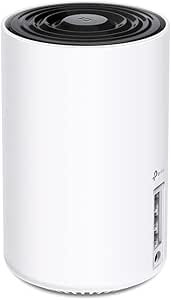 | Best for Joining an Existing Deco Mesh | Wi-Fi standard: Wi-Fi 6E | Bands: Tri-band: 6 GHz, 5 GHz, and 2.4 GHz | Maximum combined speed: Up to 5,400 Mbps | VIEW ON AMAZON | See Our Full Breakdown |
| Minions Kevin Wi-Fi 6E AXE5400 Tri-Band Router |  | Best for Flexible Operating Modes | Wi-Fi generation: Wi-Fi 6E (802.11ax) | Bands: 2.4 GHz, 5 GHz, and 6 GHz | Maximum combined wireless speed: Up to 5.4 Gbps theoretical | VIEW ON AMAZON | See Our Full Breakdown |
| TP-Link Archer AXE75 AXE5400 Tri-Band Wi-Fi 6E Router |  | Best Value Feature Set | Wi-Fi generation: Wi-Fi 6E | Bands: Tri-band: 6 GHz, 5 GHz, and 2.4 GHz | Maximum combined data rate: 5,400 Mbps | VIEW ON AMAZON | See Our Full Breakdown |
| TP-Link Deco XE75 AXE5400 Tri-Band Wi-Fi 6E Mesh System, 2-Pack |  | Best Value Mesh for Medium Offices | Wi-Fi generation: Wi-Fi 6E | Bands: Tri-band: 2.4 GHz, 5 GHz, and 6 GHz | Maximum combined data rate: 5,400 Mbps | VIEW ON AMAZON | See Our Full Breakdown |
| TP-Link Deco XE75 AXE5400 Tri-Band WiFi 6E Mesh System, 3-Pack |  | Best for Large or Multi-Room Offices | Wi-Fi standard: Wi-Fi 6E | Bands: Tri-band: 2.4 GHz, 5 GHz, and 6 GHz | Maximum combined data rate: 5,400 Mbps | VIEW ON AMAZON | See Our Full Breakdown |
| TP-Link Archer GXE75 Tri-Band Wi-Fi 6E Gaming Router, AXE5400 | 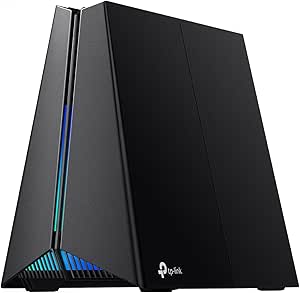 | Best for Wired Workstations and Gaming | Wi-Fi standard: Wi-Fi 6E | Bands: 6 GHz, 5 GHz, and 2.4 GHz | Maximum Wi-Fi speed: 5.4 Gbps | VIEW ON AMAZON | See Our Full Breakdown |
| MSI RadiX AXE6600 WiFi 6E Tri-Band Gaming Router |  | Best for Traffic Prioritization | Wi-Fi standard: Wi-Fi 6E (802.11ax) | Bands: 2.4 GHz, 5 GHz, and 6 GHz | Maximum data transfer rate: 6.6 Gbps | VIEW ON AMAZON | See Our Full Breakdown |
| wifi 6e routers for small office | Bands | Wi-Fi standard |
|---|---|---|
| Amazon eero Pro 6E Wi-Fi 6E Me | — | — |
| TP-Link Archer AXE7800 Tri-Ban | Tri-band, including 6 GHz | Wi-Fi 6E (802.11ax) |
| TP-Link Deco XE75 Tri-Band Wi- | Tri-band: 6 GHz, 5 GHz, and 2.4 GHz | Wi-Fi 6E |
| Minions Kevin Wi-Fi 6E AXE5400 | 2.4 GHz, 5 GHz, and 6 GHz | — |
| TP-Link Archer AXE75 AXE5400 T | Tri-band: 6 GHz, 5 GHz, and 2.4 GHz | — |
| TP-Link Deco XE75 AXE5400 Tri- | Tri-band: 2.4 GHz, 5 GHz, and 6 GHz | — |
| TP-Link Deco XE75 AXE5400 Tri- | Tri-band: 2.4 GHz, 5 GHz, and 6 GHz | Wi-Fi 6E |
| TP-Link Archer GXE75 Tri-Band | 6 GHz, 5 GHz, and 2.4 GHz | Wi-Fi 6E |
| MSI RadiX AXE6600 WiFi 6E Tri- | 2.4 GHz, 5 GHz, and 6 GHz | Wi-Fi 6E (802.11ax) |
More Details on Our Top Picks
Amazon eero Pro 6E Wi-Fi 6E Mesh Router, 1-Pack
The eero Pro 6E is a strong fit for a small office that values straightforward coverage and expects to add mesh nodes if the floor plan demands it. Its stated range reaches up to 2,000 sq. ft., while TrueMesh aims to reduce dead spots—an advantage over the single-router Archer AXE75 when an office has awkward coverage gaps. The 2.5 Gb Ethernet port can serve a fast wired connection, and support for more than 100 devices suits a busy mix of computers, phones, and connected equipment.
The tradeoff is less wired flexibility: it has only two Ethernet ports, compared with the Archer AXE7800’s broader port selection. Setup also requires a supported iOS or Android device and internet service, and some security and management tools require a subscription. I’d choose it for easy expansion, not for an office that needs lots of direct wired connections or subscription-free administration.
Pros:- Wi-Fi 6E adds a 6 GHz band for compatible devices.
- Coverage is specified for up to 2,000 sq. ft.
- TrueMesh is designed to help address dead spots.
- Includes one 2.5 Gb and one 1 Gb Ethernet port.
Cons:- Only two Ethernet ports limit direct wired connections.
- Setup requires a supported mobile device and internet service.
- Some security and network-management features require a subscription.
Best for: Small offices that want app-led setup, coverage for a modest floor plan, and the option to extend coverage with eero mesh equipment.
Not ideal for: Offices with several wired workstations or buyers who want all security and management features without a separate subscription.
- Wi-Fi type:Wi-Fi 6E
- Package:1-pack
- Coverage:Up to 2,000 sq. ft.
- Device support:More than 100 devices
- Maximum network speed:Up to 2.3 Gbps
- Maximum wireless speed:Up to 1.6 Gbps
- Ethernet:One 2.5 Gb port and one 1 Gb port
- Dimensions:5.6 × 5.4 × 2.0 in
Our verdict“Choose the eero Pro 6E if easy mesh expansion matters more than having numerous Ethernet ports or subscription-free management.”
TP-Link Archer AXE7800 Tri-Band Wi-Fi 6E Router (Renewed)
Among these picks, the Archer AXE7800 is the clearest choice for an office that needs one router to serve many wireless devices while also connecting wired equipment. Its listed 7.8 Gbps combined wireless speed, support for up to 200 devices, five Ethernet ports, and two USB ports give it more connection flexibility than the two-port eero Pro 6E or the Minions Kevin router. The 2.5 Gbps WAN/LAN port is useful when a compatible internet connection or wired device can take advantage of it.
This model has a significant condition tradeoff: it is renewed and carries a listed 90-day limited warranty, unlike the Archer AXE75’s stated two-year warranty for most home products. Its headline wireless rate is combined across bands, not a promise of one device’s speed. I’d favor it for a port-heavy setup only if the renewed condition and shorter warranty suit the buyer.
Pros:- Tri-band Wi-Fi 6E with combined wireless speeds listed up to 7.8 Gbps.
- Supports up to 200 devices.
- Offers a 2.5 Gbps WAN/LAN port, four additional Ethernet ports, and two USB ports.
- Includes WPA3 security and OneMesh support.
Cons:- Renewed condition may not suit buyers seeking a new unit.
- The listed warranty is limited to 90 days.
- The combined speed figure does not represent the speed available to a single device.
Best for: Small offices connecting several wired devices, USB peripherals, and a large number of Wi-Fi clients through one router.
Not ideal for: Buyers who want a new router, a longer warranty, or a mesh-first system with coverage specified for a particular floor area.
- Wi-Fi standard:Wi-Fi 6E (802.11ax)
- Bands:Tri-band, including 6 GHz
- Maximum combined data rate:Up to 7.8 Gbps
- Device capacity:Up to 200 devices
- Ethernet ports:One 2.5 Gbps WAN/LAN, one 1 Gbps WAN/LAN, three Gigabit LAN
- USB ports:2
- Security:WPA2-PSK and WPA3
- Condition and warranty:Renewed; 90-day limited warranty
Our verdict“Pick the renewed Archer AXE7800 for its unusually flexible wired and USB connections if its condition and short warranty are acceptable.”
TP-Link Deco XE75 Tri-Band Wi-Fi 6E Mesh System, 1-Pack
The single-unit Deco XE75 makes most sense for a small office that already uses compatible TP-Link Deco equipment or wants to begin a system that can grow. It can work as a standalone router, but its defining advantage is compatibility with other Deco mesh systems. Its 6 GHz band can connect compatible devices or serve as wireless backhaul, giving it more mesh-focused flexibility than the conventional Archer AXE75. Support for up to 200 devices also suits offices with many wireless clients.
This is a 1-pack, so its mesh potential does not mean it automatically provides multi-node coverage out of the box. The Archer AXE7800 offers more specified wired and USB ports, while this unit leans on app-based management and HomeShield features. A modem is required for most internet providers, and devices need Wi-Fi 6E support to use 6 GHz directly. I’d pick it for Deco compatibility, not for extensive wired connectivity.
Pros:- Works as a standalone router and is compatible with other TP-Link Deco mesh systems.
- Tri-band Wi-Fi 6E includes a 6 GHz band for backhaul or compatible devices.
- Supports up to 200 devices.
- Deco app provides setup and management, with HomeShield security features.
Cons:- The 1-pack does not include additional mesh nodes.
- Most internet providers require a separate modem.
- Direct use of the 6 GHz band requires compatible client devices.
Best for: Small offices already using TP-Link Deco mesh equipment, or owners who plan to add compatible Deco units as coverage needs grow.
Not ideal for: Offices needing multiple Ethernet connections from the router or buyers expecting a single 1-pack to provide multi-node mesh coverage.
- Wi-Fi standard:Wi-Fi 6E
- Bands:Tri-band: 6 GHz, 5 GHz, and 2.4 GHz
- Maximum combined speed:Up to 5,400 Mbps
- 6 GHz speed:2,402 Mbps (HE160)
- 5 GHz speed:2,402 Mbps (HE160)
- 2.4 GHz speed:574 Mbps
- Device capacity:Up to 200 devices
- Management and security:Deco app; HomeShield network security, IoT protection, and basic parental controls
Our verdict“Choose the Deco XE75 1-pack if Deco mesh compatibility is central to your office plan, rather than a large selection of wired ports.”
Minions Kevin Wi-Fi 6E AXE5400 Tri-Band Router
The Minions Kevin AXE5400 earns a distinct place for its operating-mode flexibility: it can serve as a router, access point, repeater, or compatible mesh device. That makes it more adaptable than the single-purpose setup implied by a conventional standalone router such as the Archer AXE75, especially for an office repurposing existing network equipment. It also includes a 2.5GbE WAN port, WPA3, tri-band Wi-Fi 6E, and support for up to 128 connected devices.
The limits are less office-friendly than the feature list might suggest. It has just two listed ports—one WAN and one Gigabit LAN—so wired expansion is narrow compared with the Archer AXE7800. Its 5.4 Gbps figure is theoretical, and mesh pairing is restricted to compatible Davolink Minions routers. I’d consider it for a specific mode or design preference, but not as the first pick for broad wired connectivity or flexible mesh mixing.
Pros:- Offers router, access point, repeater, and compatible mesh modes.
- Tri-band Wi-Fi 6E includes 2.4 GHz, 5 GHz, and 6 GHz bands.
- Includes a 2.5GbE WAN port and WPA3 security.
- Supports up to 128 connected devices.
Cons:- Only two ports are listed, including one Gigabit LAN port.
- Mesh pairing is limited to compatible Davolink Minions routers.
- The 5.4 Gbps combined rate is theoretical and depends on device and network conditions.
Best for: Small offices that need router, access point, or repeater modes and have a reason to use compatible Davolink Minions mesh equipment.
Not ideal for: Teams with several wired devices or buyers seeking mesh compatibility across a wide range of router brands.
- Wi-Fi generation:Wi-Fi 6E (802.11ax)
- Bands:2.4 GHz, 5 GHz, and 6 GHz
- Maximum combined wireless speed:Up to 5.4 Gbps theoretical
- Maximum connected devices:128
- Ports:2 total: 2.5GbE WAN and 1Gbps Gigabit LAN
- Security:WPA3
- Supported modes:Router, access point, repeater, compatible mesh
- Memory:256 MB RAM
Our verdict“Choose the Minions Kevin when its multiple operating modes fit your network plan, but skip it if you need more wired ports or broad mesh compatibility.”
TP-Link Archer AXE75 AXE5400 Tri-Band Wi-Fi 6E Router
The Archer AXE75 is a balanced standalone option for a small office that wants Wi-Fi 6E features without making mesh the main purchase. Its 5,400 Mbps combined rating spans the 6 GHz, 5 GHz, and 2.4 GHz bands, while EasyMesh compatibility leaves room to extend coverage with compatible equipment. VPN server and client functions can also suit teams that need router-level VPN options. Compared with the Deco XE75, this is the more conventional router choice; the Deco is better aligned with buyers building around TP-Link’s mesh system.
The AXE75’s wired side is its main constraint: the listed LAN bandwidth is 1,000 Mbps, so its 6E wireless capability does not come with faster-than-Gigabit LAN connections. It also requires a modem for most providers. I’d rank it as the best-value feature set for offices prioritizing wireless, VPN, and expansion options over multi-gig wired networking.
Pros:- Tri-band Wi-Fi 6E offers a dedicated 6 GHz band.
- EasyMesh compatibility allows coverage expansion with compatible equipment.
- Supports OpenVPN, PPTP, and L2TP VPN server and client functions.
- Includes WPA3 and HomeShield network protection.
Cons:- Listed LAN port bandwidth is limited to 1,000 Mbps.
- A separate modem is required for most internet providers.
- The combined 5,400 Mbps rating is not a single-device speed.
Best for: Small offices seeking a Wi-Fi 6E standalone router with VPN functions, WPA3, and the option to expand through EasyMesh.
Not ideal for: Offices that need multi-gig LAN connections, several high-speed wired workstations, or an all-in-one modem-router.
- Wi-Fi generation:Wi-Fi 6E
- Bands:Tri-band: 6 GHz, 5 GHz, and 2.4 GHz
- Maximum combined data rate:5,400 Mbps
- Band speeds:6 GHz: 2,402 Mbps; 5 GHz: 2,402 Mbps; 2.4 GHz: 574 Mbps
- Processor and RAM:1.0 GHz dual-core CPU; 512 MB RAM
- Antennas:8 fixed antennas
- Ports:5; listed LAN port bandwidth is 1,000 Mbps
- VPN and mesh:OpenVPN, PPTP, and L2TP; EasyMesh
Our verdict“Pick the Archer AXE75 for a feature-rich Wi-Fi 6E standalone router if Gigabit wired ports are sufficient for your office.”
TP-Link Deco XE75 AXE5400 Tri-Band Wi-Fi 6E Mesh System, 2-Pack
For a small office with dead zones across several rooms, I’d choose this two-unit Deco XE75 over a single-router design such as the TP-Link Archer GXE75. Its mesh setup is rated for up to 5,500 square feet, while the 6 GHz band adds a less-congested option for compatible devices. The stated capacity of up to 200 devices also suits offices with laptops, phones, printers, and smart equipment sharing the network. The Deco app keeps setup and management approachable, and HomeShield adds network security features.
The tradeoff is that this is a coverage-first system, not a high-speed wired hub: its Ethernet ports are gigabit, and the advertised 5,400 Mbps is shared across three bands. Choose the three-pack XE75 instead if your floor plan needs another mesh point; for a compact office with good router placement, its extra coverage may be unnecessary. A modem is required for most providers.
Pros:- Two-unit mesh system rated to cover up to 5,500 square feet.
- Tri-band Wi-Fi 6E includes a 6 GHz band for compatible devices.
- Rated to support up to 200 connected devices.
- Deco app management and HomeShield security features.
Cons:- Ethernet ports are limited to 1 Gbps, which may constrain faster wired connections.
- The combined 5,400 Mbps figure is shared across bands, not a per-device speed.
- A modem is required for most internet service providers.
Best for: Small offices spread across multiple rooms that need mesh coverage, straightforward app management, and support for many connected devices.
Not ideal for: A compact office with reliable single-router coverage, or a team that needs multi-gigabit wired networking rather than gigabit Ethernet.
- Wi-Fi generation:Wi-Fi 6E
- Bands:Tri-band: 2.4 GHz, 5 GHz, and 6 GHz
- Maximum combined data rate:5,400 Mbps
- Device capacity:Up to 200 devices
- Pack size:2 units
- Ethernet ports:6 total; gigabit LAN
- Management and security:Deco app; HomeShield features; WPA-Personal, WPA2-Personal, and WPA3-Personal
Our verdict“Choose the two-pack XE75 when your office needs room-to-room mesh coverage without stepping up to the larger three-pack.”
TP-Link Deco XE75 AXE5400 Tri-Band WiFi 6E Mesh System, 3-Pack
The three-pack Deco XE75 earns its place for offices where one or two access points are unlikely to reach every work area. Its stated coverage rises to 7,200 square feet, compared with 5,500 square feet for the two-pack, and the extra unit gives more flexibility for placing mesh nodes across a larger or awkward floor plan. Like the smaller set, it offers tri-band Wi-Fi 6E, app management, and capacity for up to 200 devices. The added node can matter more to coverage than the unchanged 5,400 Mbps combined rating.
Compared with the two-pack, the main benefit is broader mesh placement—not a higher advertised speed or device limit. It also has nine gigabit Ethernet ports across the units, but no multi-gig LAN is listed. I’d skip it for a small, open office where the two-pack can cover the floor, and I’d look at the Archer GXE75 if a single router with a 2.5 Gbps port better suits the layout. Most providers require a separate modem.
Pros:- Three mesh units provide more placement options across a large office.
- Rated coverage of up to 7,200 square feet.
- Tri-band Wi-Fi 6E includes a 6 GHz band for compatible devices.
- Nine gigabit Ethernet ports across the system and app-based management.
Cons:- The combined speed rating remains 5,400 Mbps, the same as the two-pack.
- The stated device capacity is still up to 200, rather than higher than the two-pack.
- A modem is required for most internet service providers.
Best for: Growing or spread-out small offices with distant rooms, multiple work areas, or coverage gaps that call for three mesh units.
Not ideal for: Small, open-plan offices that can be covered by two units, or businesses prioritizing multi-gigabit wired ports over mesh reach.
- Wi-Fi standard:Wi-Fi 6E
- Bands:Tri-band: 2.4 GHz, 5 GHz, and 6 GHz
- Maximum combined data rate:5,400 Mbps
- Device capacity:Up to 200 devices
- Package quantity:3 units
- Ethernet ports:9 total; gigabit LAN
- Management and compatibility:TP-Link Deco app; Alexa compatible; modem required for most providers
Our verdict“Pick the three-pack over the two-pack XE75 when your office layout needs another mesh node, not simply a higher speed rating.”
TP-Link Archer GXE75 Tri-Band Wi-Fi 6E Gaming Router, AXE5400
The Archer GXE75 is the most office-ready single-router pick here for teams that want a fast wired connection alongside Wi-Fi 6E. Its 2.5 Gbps WAN/LAN port can serve a compatible multi-gig connection or wired device, while three additional gigabit LAN ports accommodate workstations and printers. Gaming traffic acceleration is aimed at games, but traffic prioritization and monitoring can also help when latency-sensitive calls share bandwidth with other activity. Unlike the Deco XE75 systems, it is not a multi-unit mesh kit; it puts the emphasis on a central router and wired connections.
That makes it a better fit for a compact office with good router placement than for a long or partitioned floor plan. EasyMesh support leaves room to extend coverage, though an added node is a separate step. Its 5.4 Gbps figure is shared across bands, and the 6 GHz band benefits only compatible devices. With a stated limit of 100 connected devices, it also has less headroom than the Deco models’ 200-device rating.
Pros:- A 2.5 Gbps WAN/LAN port supports compatible multi-gig links or wired devices.
- Four additional gigabit Ethernet ports provide useful wired connectivity.
- Tri-band Wi-Fi 6E includes 6 GHz, 5 GHz, and 2.4 GHz bands.
- Gaming traffic features, network management, and EasyMesh support.
Cons:- One router may not cover an office with distant rooms or substantial obstructions.
- The listed maximum connected-device capacity is 100, below the Deco XE75 systems’ 200.
- The 6 GHz band is useful only for devices that support Wi-Fi 6E.
Best for: Small offices with a central router location, multi-gig internet or wired equipment, and staff who need dependable low-latency connections.
Not ideal for: Spread-out offices that need multiple mesh units immediately, or environments expecting more than 100 connected devices.
- Wi-Fi standard:Wi-Fi 6E
- Bands:6 GHz, 5 GHz, and 2.4 GHz
- Maximum Wi-Fi speed:5.4 Gbps
- Band speeds:6 GHz: 2,402 Mbps; 5 GHz: 2,402 Mbps; 2.4 GHz: 574 Mbps
- Ports:1 USB; 1 × 2.5 Gbps WAN/LAN; 1 × 1 Gbps WAN/LAN; 3 × 1 Gbps LAN
- Maximum connected devices:100
- Processor:Quad-core CPU
- Mesh support and security:EasyMesh; WPA3, DoS protection, SPI firewall, and IP/MAC filters
Our verdict“Choose the Archer GXE75 over a Deco XE75 kit when wired multi-gig connectivity matters more than out-of-the-box multi-unit coverage.”
MSI RadiX AXE6600 WiFi 6E Tri-Band Gaming Router
The MSI RadiX AXE6600 is the performance-focused choice for a small office that regularly mixes video calls, large downloads, streaming, and gaming. Its 6.6 Gbps maximum data rate is the highest listed among these four products, and AI QoS is designed to prioritize selected traffic so busy periods are less likely to disrupt real-time work. A 1.8 GHz quad-core processor and 512 MB of RAM round out the hardware. Compared with the Archer GXE75, the RadiX has a higher advertised combined rate, while the Archer provides a clearer, more extensive port breakdown—including a specified 2.5 Gbps WAN/LAN port.
That distinction matters for office buying: MSI lists LAN bandwidth of 2,500 Mbps but provides limited port detail, so I would not choose it when a specific number of wired connections is central to the setup. The six fixed antennas and larger listed dimensions also make it less discreet than a mesh node. Its RGB lighting is personal styling, not a work-network advantage; the Deco XE75 kits are better suited to offices needing broad mesh coverage.
Pros:- Tri-band Wi-Fi 6E with a stated maximum data rate of 6.6 Gbps.
- AI QoS can prioritize gaming, streaming, and work traffic.
- 1.8 GHz quad-core processor and 512 MB of RAM.
- Supports WPA-PSK, WPA2-PSK, and WPA3-PSK security protocols.
Cons:- The specifications give limited port detail, making wired expansion harder to plan than with the Archer GXE75.
- It is a single router rather than a multi-unit mesh system like the Deco XE75.
- Large listed dimensions and customizable RGB lighting may not suit a discreet office setup.
Best for: Small teams sharing bandwidth across calls, streaming, downloads, and gaming that want traffic prioritization in a single-router setup.
Not ideal for: Offices needing several clearly specified Ethernet connections, subtle hardware, or mesh coverage across separated rooms.
- Wi-Fi standard:Wi-Fi 6E (802.11ax)
- Bands:2.4 GHz, 5 GHz, and 6 GHz
- Maximum data transfer rate:6.6 Gbps
- Processor and memory:1.8 GHz quad-core; 512 MB RAM
- Antennas:6 fixed antennas
- Listed LAN port bandwidth:2,500 Mbps
- Security protocols:WPA-PSK, WPA2-PSK, and WPA3-PSK
- Dimensions:16.3 × 12.5 × 5.4 in.
Our verdict“Choose the RadiX AXE6600 when prioritizing mixed traffic is your main need, but favor the Archer GXE75 if you need clearly documented wired ports.”

How We Picked
I ranked these Wi-Fi 6E routers for small offices by how well their design fits common office needs: dependable coverage across work areas, practical setup, flexibility as the office changes, and features that serve work rather than only headline specifications. I gave mesh systems credit for offering a way to address distance and room layout, while considering the extra hardware and planning that multiple units require. For standalone routers, I weighed their appeal for simpler layouts against the limits of relying on one access point.
The order also reflects fit and tradeoffs, not a claim that one model will perform best in every building. The Deco XE75 2-Pack ranks first as a balanced starting point for an office that needs more than one coverage point; the Archer AXE75 follows for a smaller, single-router setup. The 3-Pack, eero, and other mesh options serve different coverage and setup preferences, while gaming-focused models rank lower for general office use unless their specialized focus matches the buyer. I treated the renewed AXE7800 listing with added caution because condition and included items can differ from a new product.
| wifi 6e routers for small office | Wi-Fi standard |
|---|---|
| Amazon eero Pro 6E Wi-Fi 6E Me | — |
| TP-Link Archer AXE7800 Tri-Ban | Wi-Fi 6E (802.11ax) |
| TP-Link Deco XE75 Tri-Band Wi- | Wi-Fi 6E |
| Minions Kevin Wi-Fi 6E AXE5400 | — |
| TP-Link Archer AXE75 AXE5400 T | — |
| TP-Link Deco XE75 AXE5400 Tri- | — |
| TP-Link Deco XE75 AXE5400 Tri- | Wi-Fi 6E |
| TP-Link Archer GXE75 Tri-Band | Wi-Fi 6E |
| MSI RadiX AXE6600 WiFi 6E Tri- | Wi-Fi 6E (802.11ax) |
Factors to Consider When Choosing Wifi 6e Routers For Small Offices
Choosing an office router starts with the space and the way people work, not the biggest number on a box. I’d sort these buying factors before deciding whether a single router, mesh system, or specialized model belongs on the shortlist.
Match the Layout Before Adding Mesh Units
A single router can be enough for a compact, open office where workstations sit near the network equipment. Long corridors, enclosed rooms, dense walls, or a second floor can make a mesh system more useful than a faster-sounding single router. Count the areas that need reliable access, including meeting rooms and shared workspaces, rather than estimating by square footage alone. A second unit needs a sensible location with a usable connection back to the main router; placing it inside a dead zone can limit its benefit. The Deco XE75 bundles offer different unit counts, but more units are not automatically better. I’d start with the smallest setup that can cover the actual layout and add hardware only when a real coverage gap calls for it.
Check Whether Your Devices Can Use 6 GHz
Wi-Fi 6E’s 6 GHz band is useful only when client devices support it, so an office full of older laptops may gain little from that feature today. Make an inventory of the devices used for calls, file transfers, and other demanding work before paying for 6E capability. The band can offer a less crowded connection for compatible devices, but its reach through obstacles can be more limited than lower-frequency bands. That makes placement and room layout especially relevant in offices with several closed rooms. Keep the router’s other bands in mind for legacy equipment, printers, and visitors. A Wi-Fi 6E label is a capability, not a promise that every device will connect on 6 GHz.
Prioritize Wired Connections for Fixed Equipment
Wi-Fi is convenient for laptops and phones, but fixed devices such as desktop computers, network storage, and some printers may benefit from Ethernet. Check the number and placement of wired ports against the equipment you plan to connect before choosing a router. A standalone model may fit a central equipment area, while mesh placement can complicate direct wiring unless a satellite is near the devices that need it. Also check whether your office can route Ethernet between rooms; a wired access point can be a stronger remedy for a difficult layout than adding wireless mesh nodes. Don’t assume that a wireless router replaces a separate switch when many wired endpoints are involved. Planning wired connections early can prevent a mismatch between the router and office infrastructure.
Separate Office Needs from Gaming Features
The Archer GXE75 and MSI RadiX AXE6600 are gaming-focused models, which can make sense when the office also supports gaming or a particular latency-sensitive setup. For routine business use, gaming-oriented features may matter less than coverage, device compatibility, and straightforward administration. Consider whether the people managing the network will use specialized traffic controls or just need stable access for work devices. A feature you will not configure should not outweigh a better fit for the office layout. If work and gaming share one network, check how the router’s management options match your needs rather than assuming a gaming label guarantees better office performance. This distinction helps keep the shortlist focused on useful capabilities.
Weigh Setup Simplicity Against Control
Some buyers want a quick setup and minimal routine management; others need detailed control over network settings and connected equipment. Mesh products such as eero and Deco are natural candidates when extending coverage is a priority, while a conventional Archer router may suit someone who prefers a single central device. Before buying, check what management features are available, whether they require an account or app, and how the system handles updates and guest access. Those details affect daily administration more than a theoretical peak speed. In a small office, identify who will manage the router when staff or device needs change. A setup that the responsible person can maintain is often a better fit than one with features nobody uses.
Treat Renewed Listings and Bundle Sizes Carefully
A renewed router can be a reasonable choice when the listing clearly explains its condition, included accessories, and return or support terms. The AXE7800 here is specifically listed as renewed, so compare those details with the new-product options rather than treating the model name as the whole story. For mesh bundles, confirm whether the listing is a 1-Pack, 2-Pack, or 3-Pack and plan where each unit will go. A larger bundle can leave hardware unused if the office is small, while a single unit may not address separate rooms. Check that the exact model and included components match the intended setup before ordering. This simple verification helps avoid paying for the wrong configuration or expecting a unit that is not included.
Frequently Asked Questions
Is a Wi-Fi 6E router worthwhile if most office devices are older?
It can still support older Wi-Fi devices, but those devices will not use the 6 GHz band unless they are Wi-Fi 6E compatible. If only one or two devices support 6E, the added band may be a smaller benefit than improving coverage or wiring fixed workstations. Check the wireless capabilities of the laptops and phones staff actually use, not just newer devices that may arrive later. A Wi-Fi 6E router can make sense as an upgrade with future device changes in mind, but it is not a direct speed boost for every client. The office layout and broadband service still set important limits.
Should I choose the Deco XE75 2-Pack or 3-Pack for a small office?
Choose based on the number of separate coverage areas, not the fact that one bundle contains more units. A 2-Pack is a more restrained starting point for many small offices that need a main router and one additional coverage point. A 3-Pack may suit a spread-out or multi-floor space with several rooms that are hard to reach from one location. Each added unit needs a useful position and may add setup and management overhead. If the office is compact and open, the third unit may not provide a meaningful benefit.
Can a mesh system replace Ethernet in a small office?
Mesh can extend wireless coverage, but it does not automatically replace wired connections for equipment that benefits from Ethernet. Desktop computers, network storage, and other stationary devices may work more predictably over a cable. A wireless link between mesh units can also be affected by walls and placement, so it is not the same as a wired connection between rooms. If running cable is feasible, it can complement mesh or support a wired access point. Decide which devices are mobile and which stay put before relying on wireless coverage for everything.
Is a gaming-focused Wi-Fi 6E router a good fit for a work office?
It can be a fit if the office has gaming equipment or needs the particular controls offered by a gaming-oriented model. For a typical office focused on meetings, email, and shared files, those features may not address the main challenge, which is often coverage or simple administration. Compare the router’s management tools and placement needs with the actual network tasks instead of treating the gaming label as a general performance advantage. A conventional Archer model or mesh setup may be a more direct match for ordinary work use. Choose a gaming model when its specialized role is relevant to your office.
What should I verify before buying the renewed Archer AXE7800?
Read the listing for the exact condition, included power supply and accessories, and the seller’s return and support terms. Confirm that the product is the AXE7800 version you intend to buy and that it suits your planned single-router layout. Compare its condition and included items with new alternatives before deciding. For a business network, also plan how you would restore or replace the router if the unit does not meet expectations. A renewed listing can be viable, but the listing details matter more than the model name alone.
Conclusion
For most small offices that need broader coverage, my best overall pick is the TP-Link Deco XE75 2-Pack; it balances a multi-unit layout with a restrained bundle size. I’d call the Archer AXE75 the best value-style fit for buyers seeking a straightforward single-router option, while the Deco XE75 3-Pack is the best premium-style choice for a larger or more divided workspace that can use the added coverage point. The eero Pro 6E is my best pick for beginners who prefer a mesh-oriented setup, and the Archer GXE75 or MSI RadiX AXE6600 make more sense for offices with specific gaming needs. Choose the Deco XE75 1-Pack when you want mesh-family flexibility without committing to multiple units, and consider the renewed AXE7800 only after checking its condition and listing terms. For a compact office with compatible 6E devices, start with the Archer AXE75; for separate rooms or floors, begin with the Deco 2-Pack.
Halloween Picks
halloween
As an affiliate, we earn on qualifying purchases.