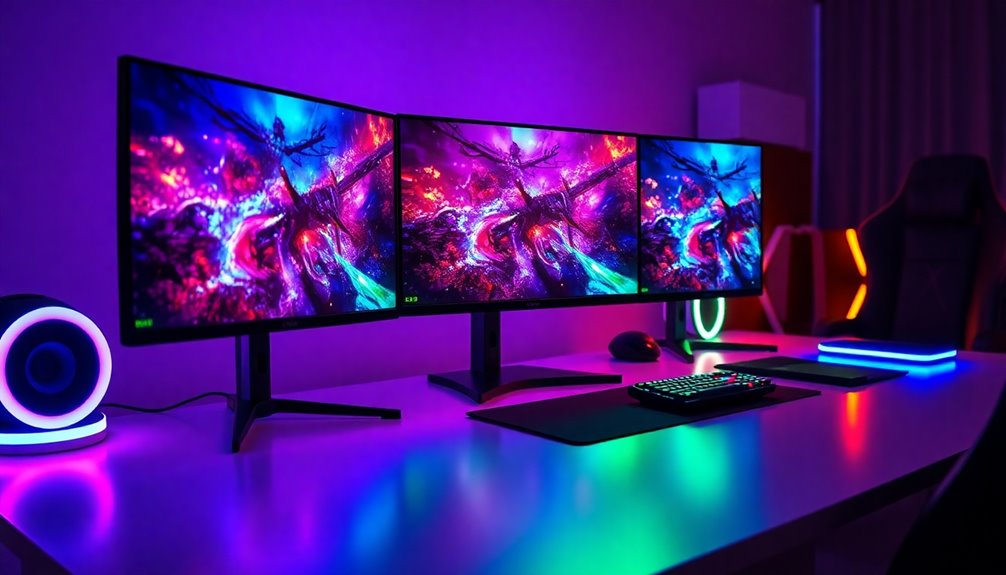

If you’re looking to elevate your gaming setup, choosing the right monitor is essential. The best gaming monitors combine high refresh rates, fast response times, and vivid displays to deliver smooth, immersive gameplay. The Samsung 32″ Odyssey G5 Series stands out as the overall best thanks to its balance of performance and affordability. For those prioritizing ultra-high resolution, the Dell 27″ S2725QS 4K UHD offers stunning detail, while the SANSUI 32 Inch Curved 240Hz is perfect for competitive gamers seeking ultra-fast response times. However, selecting the right monitor involves tradeoffs, such as balancing resolution, refresh rate, size, and price. Keep reading for a detailed breakdown to help you find your ideal gaming monitor.

Get business pricing on office and shipping supplies
- Business-only prices and quantity discounts
- Tax-exempt purchasing
- Multiple users, one account, clear invoices
Key Takeaways
- High refresh rates (at least 144Hz) are vital for smooth gameplay, especially in competitive titles.
- Resolution matters: 4K offers stunning detail but may require more powerful hardware, while FHD is more budget-friendly.
- Curved screens enhance immersion but can be less practical for productivity or multi-monitor setups.
- Panel technology impacts image quality and response times; IPS panels deliver better color but may be slower than VA or TN.
- Size and aspect ratio should match your gaming style and desk space, with ultrawide options offering a broader field of view.
| Samsung 32″ Odyssey G5 (G50F) Series QHD Gaming Monitor |  | Best Overall for Versatile High-Performance Gaming | Screen Size: 32 inches | Resolution: 2560 x 1440 (QHD) | Refresh Rate: 180Hz | VIEW ON AMAZON | See Our Full Breakdown |
| Dell 27″ S2725QS 4K UHD IPS Monitor – 120Hz, FreeSync Premium, ComfortView Plus |  | Best for High-Resolution Productivity and Light Gaming | Screen Size: 27 inches | Resolution: 4K UHD | Refresh Rate: 120Hz | VIEW ON AMAZON | See Our Full Breakdown |
| SANSUI 24 Inch Curved 160Hz Gaming Monitor (FHD 1080p, Fast VA, Freesync, HDR) |  | Best for Budget-Friendly Entry-Level Gaming | Screen Size: 24 inches | Resolution: 1920 x 1080 (FHD) | Refresh Rate: 160Hz | VIEW ON AMAZON | See Our Full Breakdown |
| Samsung 32″ Odyssey G55C Series QHD 1000R Curved Gaming Monitor |  | Best for Immersive Curved Gaming at QHD Resolution | Screen Size: 32 inches | Resolution: 2560 x 1440 (QHD) | Refresh Rate: 165Hz | VIEW ON AMAZON | See Our Full Breakdown |
| Samsung 27″ Odyssey G5 (G50F) QHD Gaming Monitor |  | Best for Versatile QHD Gaming with Ergonomic Stand | Screen Size: 27 inches | Resolution: 2560 x 1440 (QHD) | Refresh Rate: 180Hz | VIEW ON AMAZON | See Our Full Breakdown |
| SANSUI 32 Inch Curved 240Hz FHD 1080P Gaming Monitor |  | Best Large Screen for Immersive, Competitive Play | Screen Size: 32 inches | Resolution: 1920 x 1080 (FHD 1080p) | Refresh Rate: 240Hz | VIEW ON AMAZON | See Our Full Breakdown |
| Dell SE2726HG 27-inch FHD 240Hz IPS Gaming Monitor |  | Best for Vivid Colors and Eye Comfort in a Compact Size | Screen Size: 27 inches | Resolution: 1920 x 1080 (FHD) | Refresh Rate: 240Hz | VIEW ON AMAZON | See Our Full Breakdown |
| SANSUI 34 Inch Curved Ultrawide Gaming Monitor 240Hz UWQHD 3440×1440 |  | Best Ultrawide for Immersive, High-Resolution Gaming | Screen Size: 34 inches | Resolution: 3440 x 1440 (UWQHD) | Aspect Ratio: 21:9 | VIEW ON AMAZON | See Our Full Breakdown |
| SANSUI 27 Inch Curved 240Hz FHD 1080P Gaming Monitor |  | Best for Versatile, High-Speed Gaming at a Compact Size | Screen Size: 27 inches | Resolution: 1920 x 1080 (FHD) | Refresh Rate: 240Hz | VIEW ON AMAZON | See Our Full Breakdown |
| Sceptre 22-Inch FHD 1080p Gaming Monitor, 144Hz, HDMI & DisplayPort, Built-in Speakers, Machine Black (E225W-FW144) |  | Best Budget Compact for Entry-Level Gaming | Screen Size: 22 inches | Resolution: 1920 x 1080 (FHD) | Refresh Rate: 144Hz | VIEW ON AMAZON | See Our Full Breakdown |
| Acer KB272 G0bi 27″ FHD IPS 120Hz Gaming Monitor |  | Best Overall for Balanced Gaming Performance | Screen Size: 27 inches | Resolution: 1920 x 1080 (Full HD) | Panel Type: IPS | VIEW ON AMAZON | See Our Full Breakdown |
| Dell SE2426HG 24-inch FHD 240Hz IPS Gaming Monitor |  | Best for Fast-paced Competitive Gaming | Screen Size: 23.8 inches | Resolution: 1920 x 1080 (FHD 1080p) | Panel Technology: IPS | VIEW ON AMAZON | See Our Full Breakdown |
| Samsung 27″ Essential S3 (S36GD) Series FHD 1800R Curved Computer Monitor |  | Best for Immersive Casual Gaming and Comfort | Screen Size: 27 inches | Resolution: Full HD | Curvature: 1800R | VIEW ON AMAZON | See Our Full Breakdown |
| AOC Q27G41ZE 27″ QHD Gaming Monitor, 260Hz Overclocked, IPS, NVIDIA G-SYNC |  | Best for High-Resolution Competitive Gaming | Screen Size: 27 inches | Resolution: 2560 x 1440 (QHD) | Panel Type: IPS | VIEW ON AMAZON | See Our Full Breakdown |
| Sceptre Curved 27-inch Prime Gaming Monitor (C275B-FW180T) – 180Hz, 1ms, 1500R, Built-in Speakers, Machine Black |  | Best for Affordable Curved Gaming and Versatility | Screen Size: 27 inches | Resolution: Full HD | Curvature: 1500R | VIEW ON AMAZON | See Our Full Breakdown |
| gaming monitor | Screen Size | Resolution | Refresh Rate | Response Time |
|---|---|---|---|---|
| Samsung 32" Odyssey G5 | 32 inches | 2560 x 1440 (QHD) | 180Hz | 1ms (GtG) |
| Dell 27" S2725QS 4K UHD IPS Mo | 27 inches | 4K UHD | 120Hz | 0.03ms |
| SANSUI 24 Inch Curved 160Hz Ga | 24 inches | 1920 x 1080 (FHD) | 160Hz | 1ms MPRT |
| Samsung 32" Odyssey G55C Serie | 32 inches | 2560 x 1440 (QHD) | 165Hz | 1ms (MPRT) |
| Samsung 27" Odyssey G5 | 27 inches | 2560 x 1440 (QHD) | 180Hz | 1ms (GtG) |
| SANSUI 32 Inch Curved 240Hz FH | 32 inches | 1920 x 1080 (FHD 1080p) | 240Hz | 1ms MPRT |
| Dell SE2726HG 27-inch FHD 240H | 27 inches | 1920 x 1080 (FHD) | 240Hz | 0.5ms |
| SANSUI 34 Inch Curved Ultrawid | 34 inches | 3440 x 1440 (UWQHD) | 240Hz | 1ms MRPT |
| SANSUI 27 Inch Curved 240Hz FH | 27 inches | 1920 x 1080 (FHD) | 240Hz | 1ms MPRT |
| Sceptre 22-Inch FHD 1080p Gami | 22 inches | 1920 x 1080 (FHD) | 144Hz | 1ms |
| Acer KB272 G0bi 27" FHD IPS 12 | 27 inches | 1920 x 1080 (Full HD) | Up to 120Hz | 1ms VRB |
| Dell SE2426HG 24-inch FHD 240H | 23.8 inches | 1920 x 1080 (FHD 1080p) | 240 Hz | 0.5ms (fast IPS) |
| Samsung 27" Essential S3 | 27 inches | Full HD | 100Hz | — |
| AOC Q27G41ZE 27" QHD Gaming Mo | 27 inches | 2560 x 1440 (QHD) | 240Hz (260Hz overclocked) | 0.3ms MPRT |
| Sceptre Curved 27-inch Prime G | 27 inches | Full HD | 180Hz (overclocked) | 1ms BR |
More Details on Our Top Picks
Samsung 32″ Odyssey G5 (G50F) Series QHD Gaming Monitor
This model stands out for its impressive combination of a 180Hz refresh rate and 1ms response time, making it ideal for fast-paced gaming where responsiveness is critical. Compared to the Samsung G55C, it offers a higher resolution (QHD vs. QHD with stronger curve), providing sharper visuals, though its HDR10 support is less robust, limiting high-dynamic-range experiences. Its IPS panel ensures wide viewing angles, which is beneficial for multiplayer setups or multi-monitor configurations. The ergonomic stand adds flexibility, but the monitor lacks built-in speakers or USB hubs, which could be a drawback for some users seeking all-in-one convenience. Overall, this monitor balances speed, clarity, and adjustability, making it a versatile choice for serious gamers who want both performance and comfort.
Pros:- High 180Hz refresh rate with 1ms response time for ultra-smooth gameplay
- QHD resolution paired with an IPS panel ensures crisp, detailed visuals and wide angles
- Gaming features like Black Equalizer and Virtual Aim Point enhance visibility and accuracy
- Height-adjustable ergonomic stand for customized positioning
Cons:- Limited HDR performance due to HDR10 with no local dimming
- No built-in speakers or USB hub, reducing all-in-one functionality
Best for: gamers who prioritize high refresh rates and wide viewing angles for competitive and immersive gameplay
Not ideal for: users seeking integrated audio or advanced HDR performance for cinematic visuals
- Screen Size:32 inches
- Resolution:2560 x 1440 (QHD)
- Refresh Rate:180Hz
- Response Time:1ms (GtG)
- Panel Type:IPS
- HDR Support:HDR10
Our verdict“This monitor is best suited for competitive gamers who need speed, clarity, and ergonomic flexibility without the need for integrated audio.”
Dell 27″ S2725QS 4K UHD IPS Monitor – 120Hz, FreeSync Premium, ComfortView Plus
This Dell model excels in delivering vibrant, detailed images thanks to its 4K UHD resolution and 99% sRGB coverage, making it an excellent choice for creative professionals and casual gamers. Compared with the Samsung G5, it sacrifices some gaming speed—its 120Hz refresh rate and 0.03ms response time are impressive but slightly less aggressive than ultra-fast gaming monitors. Its ComfortView Plus reduces blue light effectively, supporting long hours of use without eye strain, which is perfect for extended work or play sessions. The ultra-thin bezel and sleek design add aesthetic appeal, but the response time listed as 5ms in some sources might not satisfy highly competitive gamers. This monitor’s strengths lie in its combination of high resolution, color accuracy, and comfort, though it’s less suited for fast-paced, twitch shooting games.
Pros:- Sharp 4K UHD resolution with 99% sRGB for accurate, vivid colors
- Fast 120Hz refresh rate with ultra-low 0.03ms response time ensures smooth visuals
- Blue light reduction through ComfortView Plus minimizes eye fatigue
- Sleek, ultra-thin bezel design enhances multi-monitor setups
Cons:- Response time listed as 5ms in some places, which may not meet competitive gaming standards
- HDR support is limited and may not provide true high-dynamic-range experience
Best for: creative professionals who want a vibrant display for editing alongside casual gaming or multitasking
Not ideal for: hardcore gamers who need the fastest response times and high-refresh-rate gaming features
- Screen Size:27 inches
- Resolution:4K UHD
- Refresh Rate:120Hz
- Response Time:0.03ms
- Panel Type:IPS
- HDR:HDR ready
Our verdict“This monitor suits creative users and casual gamers who value resolution and color fidelity over extreme speed.”
SANSUI 24 Inch Curved 160Hz Gaming Monitor (FHD 1080p, Fast VA, Freesync, HDR)
The SANSUI ES-G24C1L offers a compelling mix of affordability and gaming features with its 160Hz refresh rate and 1ms MPRT response time, making it a solid choice for newcomers or those on a tighter budget. Its 1500R curved VA panel provides an immersive experience at a smaller size, ideal for casual and intermediate gamers. While it supports HDR and FreeSync, its 1080p resolution and limited ergonomic adjustments (tilt only) mean it’s less suitable for users craving high-end visuals or extensive comfort. Compared to larger, more adjustable monitors like the Samsung G5, this provides good performance at a lower price point, but sacrifices resolution and versatile ergonomics. It’s best for budgets that prioritize smooth gameplay over ultra-high resolution or extensive adjustability.
Pros:- High 160Hz refresh rate with 1ms MPRT for smooth, responsive gameplay
- Curved VA panel with 1500R curvature for immersive viewing
- Supports FreeSync and HDR for enhanced visuals
- Includes HDMI cable and VESA mounting support
Cons:- Limited to 1080p resolution, which may feel outdated for some users
- Minimal ergonomic adjustment options limit long-term comfort
Best for: entry-level gamers seeking a smooth experience without a high price tag
Not ideal for: enthusiasts wanting 1440p or 4K resolution and more ergonomic flexibility
- Screen Size:24 inches
- Resolution:1920 x 1080 (FHD)
- Refresh Rate:160Hz
- Response Time:1ms MPRT
- Panel Type:Fast VA
- HDR Support:Yes
Our verdict“This monitor is a good option for budget-conscious gamers who want decent speed and immersion in a compact size.”
Samsung 32″ Odyssey G55C Series QHD 1000R Curved Gaming Monitor
This Samsung Odyssey G55C distinguishes itself with its 1000R curvature that nearly matches the human eye’s natural field of view, creating an immersive gaming experience. Its 165Hz refresh rate and 1ms MPRT response time ensure swift, blur-free visuals, comparable to the G5 but with a more aggressive curve that enhances peripheral vision. HDR10 support adds contrast but is limited without local dimming. Compared to flat monitors like the Odyssey G5, this curved model offers a more enveloping experience for single-player or story-driven games, but it might be less practical for multitasking or multi-monitor setups. Its blue light filters and flicker-free technology promote comfort during long sessions, making it suitable for extended gaming marathons.
Pros:- 1000R curvature provides a highly immersive experience
- High 165Hz refresh rate with 1ms response time ensures smooth play
- Supports HDR10 for enhanced contrast and color depth
- Blue light and flicker-free features for extended comfort
Cons:- HDR10 support is limited without local dimming, affecting true HDR performance
- Curved design may be less practical for multitasking or office use
Best for: players who value immersive visuals and curved screens for story-rich or single-player games
Not ideal for: users needing flat screens for multitasking or those with limited desk space for large curves
- Screen Size:32 inches
- Resolution:2560 x 1440 (QHD)
- Refresh Rate:165Hz
- Response Time:1ms (MPRT)
- Curvature:1000R
- HDR Support:HDR10
Our verdict“This monitor is ideal for immersive gaming experiences where curvature enhances engagement over multitasking needs.”
Samsung 27″ Odyssey G5 (G50F) QHD Gaming Monitor
The Samsung Odyssey G5 (G50F) is a well-rounded choice for gamers seeking a balance between speed and image quality. Its 180Hz refresh rate and 1ms GtG response time deliver responsive gameplay, comparable to higher-tier models like the G55C, but with a slightly less aggressive curve and a smaller size. The IPS panel ensures wide viewing angles and sharp visuals, while features like Black Equalizer and Virtual Aim Point improve visibility in darker scenes. The ergonomic stand with height, tilt, swivel, and pivot adjustments makes it adaptable for long gaming sessions. Its HDR10 support is basic, and it lacks USB hubs or built-in speakers, which could be a drawback for some users. Overall, it’s a versatile monitor that balances speed, clarity, and comfort for a broad range of gamers.
Pros:- High 180Hz refresh rate with 1ms GtG response for responsiveness
- IPS panel with wide viewing angles and sharp visuals
- Gaming features like Black Equalizer and Virtual Aim Point improve in-game visibility
- Ergonomic stand with full adjustability for comfort
Cons:- HDR10 support is limited, offering no true HDR experience
- No built-in USB or speakers, reducing all-in-one convenience
Best for: gamers who want a flexible, high-refresh-rate QHD monitor with good viewing angles
Not ideal for: those seeking advanced HDR or integrated audio features
- Screen Size:27 inches
- Resolution:2560 x 1440 (QHD)
- Refresh Rate:180Hz
- Response Time:1ms (GtG)
- Panel Type:IPS
- HDR Support:HDR10
Our verdict“This monitor offers a solid blend of speed, visual clarity, and ergonomic flexibility for versatile gaming setups.”
SANSUI 32 Inch Curved 240Hz FHD 1080P Gaming Monitor
This 32-inch curved monitor stands out for its expansive screen size, making it ideal for players who want an immersive experience. Compared with smaller models like the SANSUI 27 Inch Curved 240Hz FHD, it offers a wider field of view, but the resolution remains at 1080p, which can feel pixelated on such a large display. Its 1500R curvature enhances immersion, while the 240Hz refresh rate and 1ms response time ensure smooth motion—crucial for fast-paced gaming. However, the lack of higher resolution limits clarity, and only one HDMI port could restrict multi-device setups. This monitor makes the most sense for gamers prioritizing a large, curved display but willing to accept lower resolution for size and immersion.
Pros:- Large 32-inch curved display enhances immersion
- High 240Hz refresh rate with 1ms response for smooth gameplay
- Wide 178° viewing angle with VESA mount support
- Included DP cable allows immediate 240Hz connection
Cons:- Only 1080p resolution on a 32-inch screen can appear pixelated
- Limited connectivity with just one HDMI port
- No built-in speakers for audio
Best for: Gamers seeking a large, immersive curved display for competitive gaming where size and smoothness matter most
Not ideal for: Players who prefer high-resolution visuals or need multiple ports for peripherals and consoles
- Screen Size:32 inches
- Resolution:1920 x 1080 (FHD 1080p)
- Refresh Rate:240Hz
- Response Time:1ms MPRT
- Curvature:1500R
- Panel Type:LCD (LED)
Our verdict“This monitor is best suited for gamers who want a large curved screen with ultra-smooth motion, accepting resolution limitations.”
Dell SE2726HG 27-inch FHD 240Hz IPS Gaming Monitor
The Dell SE2726HG offers a balanced mix of speed, color accuracy, and comfort, making it an appealing choice for gamers who also value visual fidelity. Unlike the SANSUI 32 Inch Curved 240Hz, it’s smaller and more suitable for desk environments with limited space, but the resolution remains at 1080p, which may feel less sharp on a 27-inch screen. Its IPS panel ensures wide viewing angles and vivid colors, with 99% sRGB coverage, a significant upgrade over TN-based displays. The 0.5ms response time and 240Hz refresh rate deliver responsive gameplay, but the stand only supports tilt adjustments—no height or swivel. This monitor makes the most sense for gamers who want accurate colors and eye comfort without sacrificing speed, but it’s less ideal for those needing ergonomic flexibility.
Pros:- Fast 240Hz refresh rate with 0.5ms response time for responsive gaming
- Wide viewing angles and vivid color with IPS panel
- Blue-light reduction and TÜV Rheinland certification enhance comfort
- Compact size fits well on smaller desks
Cons:- 1080p resolution may seem low for a 27-inch screen
- Limited stand adjustment options—only tilt supported
- No built-in speakers
Best for: Gamers who want a color-accurate, fast display in a manageable size with eye comfort features
Not ideal for: Players who need adjustable stands or higher resolutions for detailed visuals
- Screen Size:27 inches
- Resolution:1920 x 1080 (FHD)
- Refresh Rate:240Hz
- Response Time:0.5ms
- Panel Type:IPS
- Connectivity:2x HDMI, DisplayPort 1.4
Our verdict“Ideal for color-conscious gamers seeking speed and comfort in a smaller, high-performance display.”
SANSUI 34 Inch Curved Ultrawide Gaming Monitor 240Hz UWQHD 3440×1440
This 34-inch ultrawide monitor excels in delivering an expansive, immersive experience, especially when compared with traditional 16:9 screens like the SANSUI 27 Inch Curved 240Hz. Its 3440×1440 resolution and 21:9 aspect ratio provide a panoramic view, perfect for both gaming and multitasking. The 240Hz refresh rate and 1ms response time ensure smooth motion, while gaming features like AI Crosshair and HDR400 add functionality. The multiple HDMI 2.1 and DisplayPort 1.4 ports support modern gaming hardware, but the lack of built-in speakers and limited ergonomic adjustments (tilt only) might diminish convenience. This monitor appeals to gamers seeking maximum screen real estate and high performance but who are okay with limited stand flexibility.
Pros:- Vivid ultrawide 3440×1440 resolution enhances immersion
- Fast 240Hz refresh rate and 1ms MRPT support smooth gameplay
- Multiple HDMI 2.1 and DP 1.4 ports for flexible connections
- Gaming features like AI Crosshair and HDR400
Cons:- No built-in speakers, requiring external audio
- Limited ergonomic adjustments—only tilt support
- Higher price point due to ultrawide and high specs
Best for: Players wanting an ultrawide, high-res experience for immersive gaming and multitasking
Not ideal for: Gamers needing height or swivel adjustments or built-in audio solutions
- Screen Size:34 inches
- Resolution:3440 x 1440 (UWQHD)
- Aspect Ratio:21:9
- Refresh Rate:240Hz
- Response Time:1ms MRPT
- HDR:HDR400
Our verdict“Best for gamers who prioritize expansive views and high-resolution ultrawide gaming without needing adjustable stands.”
SANSUI 27 Inch Curved 240Hz FHD 1080P Gaming Monitor
This 27-inch curved monitor offers a solid balance between speed, size, and visual quality, making it suitable for gamers seeking a responsive display without taking up too much desk space. Its 1500R curvature enhances immersion on a standard-sized screen, with a 240Hz refresh rate and 1ms response time ensuring fluid gameplay. The high 130% sRGB and 95% DCI-P3 color coverage provide vibrant visuals, especially compared with TN panels. While the 1080p resolution may feel limited for some at this size, the inclusion of HDR, FreeSync, and a sturdy metal stand adds value. However, no height or swivel adjustments mean it’s less flexible ergonomically. This monitor is ideal for gamers who want speed and color accuracy in a versatile, compact package.
Pros:- Fast 240Hz refresh rate with 1ms response time
- Wide color coverage (130% sRGB, 95% DCI-P3) for vibrant visuals
- Curved design enhances immersion
- Durable metal stand with VESA compatibility
Cons:- 1080p resolution may appear pixelated on a 27-inch screen
- Limited stand adjustments—only tilt supported
- No built-in speakers
Best for: Gamers seeking a smaller, fast, and colorful display for versatile gaming and multimedia use
Not ideal for: Players requiring higher resolutions or extensive ergonomic adjustments
- Screen Size:27 inches
- Resolution:1920 x 1080 (FHD)
- Refresh Rate:240Hz
- Response Time:1ms MPRT
- Curvature:1500R
- Color Gamut:130% sRGB, 95% DCI-P3
Our verdict“Great for gamers who want a compact, speedy, and colorful display with good visual fidelity and a curved design.”
Sceptre 22-Inch FHD 1080p Gaming Monitor, 144Hz, HDMI & DisplayPort, Built-in Speakers, Machine Black (E225W-FW144)
The Sceptre E225W-FW144 delivers reliable gaming performance in a small 22-inch package, making it perfect for entry-level gamers or those with limited space. Its 144Hz refresh rate and 1ms response time provide smooth motion on a budget, although it doesn’t match the ultra-fast 240Hz options of larger monitors like the Dell SE2726HG. The built-in speakers add convenience, but the limited connectivity—just one HDMI port—may restrict multi-device use. The smaller size can feel cramped compared to larger gaming monitors, but for casual or beginner gamers, this offers a decent balance of speed and affordability. It’s a solid choice for those new to gaming or with space constraints.
Pros:- Fast 144Hz refresh rate with 1ms response time
- Includes built-in speakers for clutter-free audio
- Affordable, compact size ideal for small desks
- Blue-Light Shift technology reduces eye strain
Cons:- Only one HDMI input limits device connectivity
- Small 22-inch screen may feel cramped for immersive gaming
- Lower resolution relative to larger monitors
Best for: Beginners or casual gamers who want a compact, affordable, and responsive display
Not ideal for: Experienced gamers seeking ultrawide, high-resolution, or extensive connectivity options
- Screen Size:22 inches
- Resolution:1920 x 1080 (FHD)
- Refresh Rate:144Hz
- Response Time:1ms
- Display Type:LED
- Connectivity:1x HDMI, DisplayPort
Our verdict“Best suited for entry-level gamers or those with limited space who want reliable speed and basic features at an affordable price.”
Acer KB272 G0bi 27″ FHD IPS 120Hz Gaming Monitor
This Acer model stands out for delivering a well-rounded gaming experience with a 120Hz refresh rate and a fast 1ms VRB response time, making it a strong choice for gamers seeking smooth visuals without breaking the bank. Its IPS panel ensures sharp, vibrant images, which is a step above TN options, but the 1080p resolution on a 27-inch screen can feel less detailed compared to higher-res alternatives like the AOC Q27G41ZE. While the brightness of 250 nits is modest, it’s adequate for most indoor setups. Compared to the Dell SE2426HG with its higher 240Hz refresh rate, Acer’s 120Hz may seem less responsive for competitive gamers, but it offers a better balance for casual and immersive gaming. The monitor’s adaptive sync support helps eliminate tearing, although it’s limited to FreeSync, making it less future-proof for NVIDIA GPU users.
Pros:- Smooth 120Hz refresh rate enhances casual gaming and videos
- Fast 1ms response time reduces ghosting and smearing
- IPS panel provides vibrant, accurate colors
Cons:- 1080p resolution may feel lackluster on a 27-inch screen
- Brightness of 250 nits is relatively low for bright rooms
Best for: Gamers who want a reliable, all-around monitor with smooth performance at a reasonable price.
Not ideal for: High-end competitive players who prioritize over 144Hz refresh rates or 1440p resolution for sharper image quality.
- Screen Size:27 inches
- Resolution:1920 x 1080 (Full HD)
- Panel Type:IPS
- Refresh Rate:Up to 120Hz
- Response Time:1ms VRB
- Adaptive Sync:FreeSync Compatible
Our verdict“This monitor offers a balanced mix of performance and affordability, ideal for casual gamers or those new to gaming monitors.”
Dell SE2426HG 24-inch FHD 240Hz IPS Gaming Monitor
This Dell monitor excels with an impressive 240Hz refresh rate and a very fast 0.5ms response time, making it an excellent choice for competitive gamers who need ultra-smooth motion. Its IPS panel ensures consistent color and wide viewing angles, which is a step up from older TN panels. The inclusion of AMD FreeSync Premium and HDMI VRR supports tear-free gameplay across both PC and console, giving it an edge over models like the Acer KB272 that only support FreeSync. However, its 1080p resolution on a 24-inch display is standard but may not satisfy those wanting sharper images on larger screens or for creative work. The stand only tilts, lacking height or swivel adjustments, which could affect ergonomics for prolonged use. Still, the high refresh rate and quick response make it ideal for eSports and fast action titles.
Pros:- Extremely high 240Hz refresh rate for ultra-smooth gameplay
- Fast 0.5ms response time reduces motion blur
- Wide 178-degree IPS viewing angles ensure consistent image quality
Cons:- Only 1080p resolution, limiting detail on larger screens
- Stand offers tilt only, no height or pivot adjustments
Best for: Serious competitive gamers who prioritize responsiveness and smoothness above all else.
Not ideal for: Casual players or those seeking higher-resolution visuals for immersive single-player experiences.
- Screen Size:23.8 inches
- Resolution:1920 x 1080 (FHD 1080p)
- Panel Technology:IPS
- Refresh Rate:240 Hz
- Response Time:0.5ms (fast IPS)
- Adaptive Sync:AMD FreeSync Premium, HDMI VRR
Our verdict“This monitor is tailored for competitive gamers who need the fastest response and maximum responsiveness.”
Samsung 27″ Essential S3 (S36GD) Series FHD 1800R Curved Computer Monitor
The Samsung S36GD’s 1800R curved design wraps around your vision, creating a more immersive experience that’s particularly appealing for casual gaming or multimedia consumption. Its 100Hz refresh rate offers decent motion clarity, though it’s less suited for high-speed competitive titles compared to models with 144Hz or higher. The curvature enhances depth perception, reducing peripheral distractions, while the TÜV-certified eye comfort features help mitigate eye strain during long sessions. Its adjustable Game Mode fine-tunes visuals for different game types, but the Full HD resolution on a 27-inch screen can feel pixelated for users accustomed to QHD or 4K displays. This monitor suits gamers who prioritize immersive visuals and comfort over ultra-high refresh rates or resolution.
Pros:- Curved 1800R design enhances immersion
- Decent 100Hz refresh rate reduces lag
- Eye comfort technology minimizes blue light and flicker
Cons:- Only 1080p resolution, which may appear pixelated on 27 inches
- Limited to 100Hz, less ideal for competitive gaming
Best for: Casual gamers or those who prefer immersive, comfortable viewing experiences for extended play sessions.
Not ideal for: Fast-paced competitive players or users seeking high-resolution displays for detailed graphics work.
- Screen Size:27 inches
- Resolution:Full HD
- Curvature:1800R
- Refresh Rate:100Hz
- Eye Comfort:TÜV-certified
- Series:Essential S3 (S36GD)
Our verdict“This monitor is best suited for immersive, comfortable gaming experiences rather than high-speed competitive play.”
AOC Q27G41ZE 27″ QHD Gaming Monitor, 260Hz Overclocked, IPS, NVIDIA G-SYNC
The AOC Q27G41ZE combines a sharp QHD resolution with an ultra-high 260Hz overclocked refresh rate, making it a top choice for competitive gamers who want crisp visuals and silky-smooth motion. Its 0.3ms MPRT response time minimizes motion blur, and the IPS panel delivers vibrant, consistent colors across wide viewing angles. Support for both Adaptive-Sync and NVIDIA G-SYNC broadens compatibility, unlike the Dell or Acer models that support only AMD FreeSync. The frameless design with tilt adjustment adds modern aesthetics and ergonomic flexibility. However, the high refresh rate is only accessible via DisplayPort, and the lack of height or pivot adjustments could limit ergonomic fine-tuning. This monitor excels in fast-paced, high-res gaming scenarios, especially for users who want maximum responsiveness without sacrificing image quality.
Pros:- 260Hz overclocked refresh rate for ultra-smooth gaming
- 0.3ms MPRT minimizes motion blur
- QHD IPS panel offers vibrant, sharp images
Cons:- High refresh rate only via DisplayPort, limiting connectivity
- No height or pivot adjustments, only tilt
Best for: High-level gamers seeking a combination of high resolution and ultra-fast refresh rates for competitive play.
Not ideal for: Casual users or those on a strict budget, as the premium features come at a higher cost and limited ergonomic adjustments.
- Screen Size:27 inches
- Resolution:2560 x 1440 (QHD)
- Panel Type:IPS
- Refresh Rate:240Hz (260Hz overclocked)
- Response Time:0.3ms MPRT
- Adaptive Sync:NVIDIA G-SYNC / Adaptive-Sync
Our verdict“This monitor is perfect for competitive gamers demanding high resolution and ultra-fast response times in a sleek design.”
Sceptre Curved 27-inch Prime Gaming Monitor (C275B-FW180T) – 180Hz, 1ms, 1500R, Built-in Speakers, Machine Black
The Sceptre C275B-FW180T offers a compelling mix of curved design and high refresh rate at an accessible price point. Its 1500R curvature enhances immersion, making it a suitable choice for casual gamers who want a more engaging experience without high-end specs. The 180Hz overclocked refresh rate and 1ms blur reduction provide smooth gameplay, comparable to more expensive models like the Samsung S36GD, but its 1080p resolution may be a limiting factor for users expecting sharper visuals on a 27-inch screen. Built-in speakers and multiple ports add convenience, while Blue-Light Shift helps reduce eye strain. However, the resolution and the limited adjustability mean it’s better suited for casual or multi-purpose use rather than professional or ultra-competitive gaming.
Pros:- Curved 1500R design enhances immersion
- High 180Hz overclocked refresh rate for smooth gameplay
- Built-in speakers and multiple connectivity options
Cons:- 1080p resolution may appear pixelated on 27 inches
- Limited to 1500R curvature and basic adjustability
Best for: Budget-conscious gamers who prioritize immersion and versatility for casual gaming or multimedia use.
Not ideal for: High-level competitive gamers or users needing high-resolution visuals for detailed work or advanced gaming.
- Screen Size:27 inches
- Resolution:Full HD
- Curvature:1500R
- Refresh Rate:180Hz (overclocked)
- Response Time:1ms BR
- Series:C275B-FW180T
Our verdict“This monitor provides immersive curved gaming at an affordable price, ideal for casual players seeking versatility.”

How We Picked
The monitors included in this list were evaluated based on performance, build quality, usability, and value. We prioritized models with high refresh rates (minimum 120Hz) and low response times to ensure smooth gameplay. Display quality, including resolution and panel type, was also a key factor, along with features like adaptive sync and ergonomic design. Cost-effectiveness was considered, but models that offered a clear performance advantage for their price ranked higher. Our goal was to identify monitors that balance gaming performance with durability and practicality, making the list useful for a range of gamers from beginners to enthusiasts.Factors to Consider When Choosing Gaming Monitors
Choosing the right gaming monitor involves understanding several key factors that influence your gameplay and setup. Beyond specs, consider how each feature aligns with your gaming style, hardware, and space. Making an informed decision can prevent costly mistakes and ensure your investment enhances your overall experience.Refresh Rate and Response Time
High refresh rates, typically 144Hz or higher, are essential for fluid motion and reducing motion blur in fast-paced games. Response time, ideally 1-3ms, minimizes ghosting and input lag. Combining these two ensures your actions translate quickly and accurately on screen, which is especially critical in competitive gaming. However, higher refresh and response times often come at increased cost, so balance your needs with your budget.
Resolution and Screen Size
Resolution impacts image clarity; 1080p FHD is standard and budget-friendly, while 1440p QHD and 4K UHD offer sharper visuals but demand more powerful hardware. Screen size should match your desk space and your gaming style—larger screens enhance immersion but can be overwhelming in smaller setups. Ultrawide monitors expand your field of view but may require additional GPU power. Consider what resolution and size will maximize your gaming experience without sacrificing performance.
Panel Technology
IPS panels deliver superior color accuracy and viewing angles, making them ideal for visually rich games. VA panels, with higher contrast ratios, enhance dark scene details but may have slower response times. TN panels are the fastest and most affordable, suitable for competitive gamers prioritizing speed over color fidelity. Understanding these differences helps you pick a panel that aligns with your gaming priorities.
Adaptive Sync and Connectivity
Features like FreeSync and G-SYNC reduce screen tearing and stuttering, providing smoother gameplay when paired with compatible GPUs. Check the monitor’s inputs—HDMI, DisplayPort, USB-C—to ensure compatibility with your gaming setup. Additional features like built-in speakers or adjustable stands can also improve usability, but often add to the cost. Prioritize adaptive sync if you want the most seamless competitive experience.
Ergonomics and Build Quality
Adjustable stands, VESA compatibility, and screen curvature influence comfort and setup flexibility. Long gaming sessions can cause fatigue if the monitor isn’t ergonomically sound, so look for tilt, swivel, and height adjustments. A sturdy build and quality materials extend lifespan, especially if you move your setup frequently. These practical considerations often get overlooked but significantly impact your daily use.
Frequently Asked Questions
Is a 144Hz refresh rate enough for competitive gaming?
For most competitive gamers, a 144Hz refresh rate provides a noticeable improvement over standard 60Hz, offering smoother motion and quicker response times. While higher refresh rates like 240Hz can give an edge in fast-paced titles, the difference becomes less pronounced beyond 144Hz for casual players. Your hardware must also support higher frame rates to fully benefit from these monitors, so consider your entire setup when choosing.
Should I prioritize resolution over refresh rate?
It depends on your gaming preferences and hardware. Higher resolutions like 4K offer stunning visuals but require powerful GPUs to maintain high frame rates, especially in demanding games. If you play fast-paced titles or competitive shooters, a high refresh rate at 1080p or 1440p might deliver better overall performance. Balancing resolution and refresh rate based on your hardware and gaming style is key for satisfaction.
Are ultrawide monitors worth it for gaming?
Ultrawide monitors provide an immersive experience by expanding your field of view, which can be highly engaging for open-world and simulation games. However, they often come at a higher cost and may require more powerful hardware to run smoothly at high resolutions and refresh rates. Compatibility with your games and desk space should also influence your decision, but for many, ultrawides offer a distinct edge in immersion.
Is G-SYNC or FreeSync more important?
Both G-SYNC and FreeSync reduce screen tearing, but G-SYNC is proprietary to NVIDIA GPUs while FreeSync works with AMD hardware. The choice depends on your GPU—if you use an NVIDIA card, G-SYNC compatibility is essential, whereas FreeSync offers more budget-friendly options for AMD users. Some monitors support both, providing flexibility. The key is to match the feature to your graphics card for the smoothest experience.
How much should I invest in a gaming monitor?
Investing more generally yields better performance, build quality, and features like higher refresh rates and better panels. However, the most expensive monitor isn’t always necessary, especially for casual or beginner gamers. Define your priorities—whether it’s competitive speed, visual fidelity, or immersive size—and allocate your budget accordingly. A balanced approach often provides the best value for your gaming needs.
Conclusion
For those new to gaming or with a limited budget, models like the Sceptre 22-Inch FHD 1080p offer solid performance at a low cost. Enthusiasts seeking a premium experience should consider the AOC Q27G41ZE, with its high refresh rate and G-SYNC support. If you want the best overall balance, the Samsung 32″ Odyssey G5 combines size, performance, and affordability. Gamers focused on competitive play will benefit from ultrafast monitors like the SANSUI 32 Inch Curved 240Hz. To make the most of your investment, match your monitor choice with your hardware and gaming style for a truly satisfying experience.
Halloween Picks
halloween
As an affiliate, we earn on qualifying purchases.