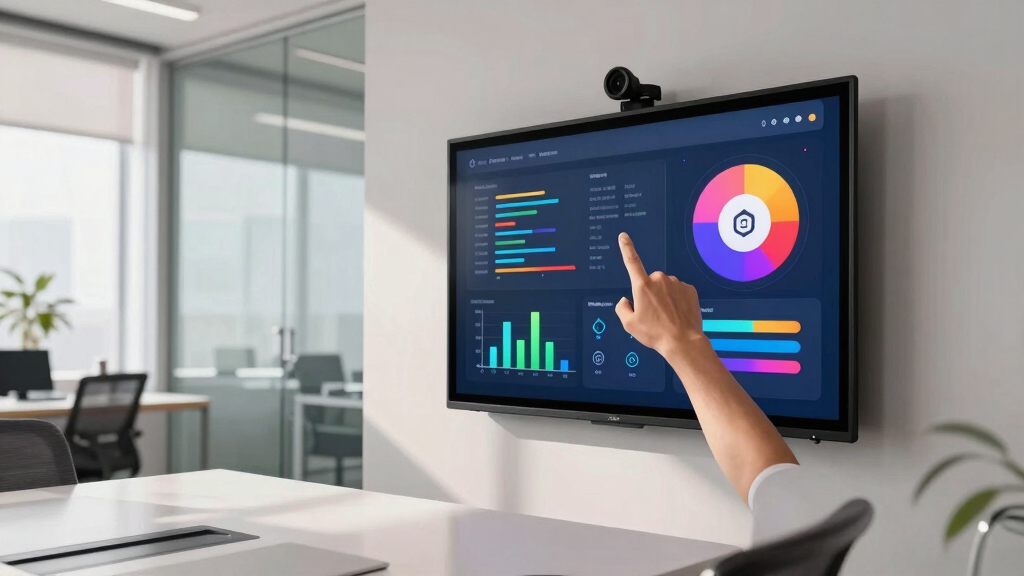

Choosing the right touchscreen display for a coworking meeting room involves balancing size, connectivity, and functionality. The PoE Texas 8″ Conference Room Scheduler stands out for its ease of installation and seamless calendar integration, making it ideal for quick setups and minimal fuss. In contrast, the 15.6-inch Digital Signage Display offers a larger, more interactive experience suited for collaborative environments. The 15.6″ Android Signage combines portability with versatile features, perfect for dynamic spaces that need a flexible digital whiteboard. Each option presents tradeoffs: smaller displays are easier to deploy but offer limited interactivity, while larger screens provide more engagement at a higher cost and complexity.

Get business pricing on office and shipping supplies
- Business-only prices and quantity discounts
- Tax-exempt purchasing
- Multiple users, one account, clear invoices
Key Takeaways
- Size and portability vary significantly, impacting installation and user experience.
- Connectivity options like PoE, wireless mirroring, and multiple ports influence setup ease and content sharing.
- Pricing and subscription costs differ, affecting long-term value and maintenance.
- Intended use cases range from simple scheduling to interactive collaboration and content sharing.
- Tradeoffs include display size, battery life, customization costs, and installation complexity.


| Touchscreen display for coworking meeting room | Screen Size | Battery | Storage | Ports |
|---|---|---|---|---|
| PoE Texas 8" Conference Room S | 8 inches | — | — | — |
| 15.6-inch Digital Signage Disp | 15.6 inches | 10000 mAh, supports 4-6 hours of use | 64GB | RJ45, HDMI-IN, USB-A x2, MicroSD, DC |
| 15.6" Digital Signage with 100 | 15.6 inches | 10000mAh, 4-6 hours | 2+32GB | RJ45, HDMI, USB, MicroSD |
More Details on Our Top Picks
PoE Texas 8″ Conference Room Scheduler with Color Changing LED Status – PoE Powered Touch Screen Tablet for Meeting Room Booking
This PoE Texas 8-inch scheduler excels in straightforward room management, with its simple wall-mounted design and PoE connectivity making it a breeze to install using existing network infrastructure. It integrates with major calendar platforms like Outlook 365 and Google Workspace, ensuring seamless scheduling without subscription fees for the basic app. Compared to larger displays, this model’s compact size limits interactivity but makes it ideal for quick status updates outside meeting rooms. The customizable LED indicators help quickly communicate room status, yet optional customization and reliance on network connection can add complexity and costs.
Pros:- Easy to install using existing network infrastructure
- Syncs with all major calendar platforms
- No subscription fees for basic app
Cons:- Optional customization costs $3.99/month per device
- Requires a network connection to operate
- Limited to 8-inch display size
Best for: Organizations seeking a minimal yet effective scheduling solution that can be installed quickly with existing infrastructure.
Not ideal for: Teams that require detailed collaboration, content sharing, or interactive whiteboarding.
- Screen Size:8 inches
- Connectivity:PoE (Power over Ethernet), Wi-Fi (optional)
- Compatibility:Zoom Rooms, Microsoft Teams, Outlook 365, Google Workspace, Robin, Skedda, YAROOMS
- Power:PoE (802.3af) or included power adapter
- Installation:Wall mount, network cable connection
- Warranty:1 year
Our verdict“A practical, budget-friendly solution for simple room scheduling outside coworking spaces.”
15.6-inch Digital Signage Display with Adjustable Stand, Capacitive Touch Screen, Wireless Mirroring, Android 13, 4GB RAM, 64GB Storage
This 15.6-inch digital signage display offers a larger, high-resolution screen with multi-touch capabilities, making it suitable for interactive presentations and content sharing. Its Android 13 OS and wireless mirroring capabilities allow for flexible content control from various devices, ideal for dynamic coworking environments where content needs to change frequently. However, its advanced features and larger size come at a higher cost and potential complexity in setup. The limited battery life restricts portability, but its built-in ports and adjustable stand make it versatile for fixed or semi-mobile setups, though it may be overkill for simple scheduling needs.
Pros:- High-resolution 15.6-inch FHD display
- Multi-touch capacitive screen
- Wireless mirroring for content sharing
- Adjustable stand for flexible positioning
Cons:- Battery life limited to 4-6 hours
- Potentially high cost due to advanced features
- No detailed weight info, affecting portability
Best for: Teams that prioritize interactivity, content sharing, and a larger display for collaborative tasks.
Not ideal for: Spaces requiring a quick, plug-and-play scheduling device without much interactivity.
- Screen Size:15.6 inches
- Resolution:1920×1080
- Touch Screen:Capacitive, 10-point multi-touch
- Battery:10000 mAh, supports 4-6 hours of use
- Operating System:Android 13
- Storage:64GB
- RAM:4GB
- Ports:RJ45, HDMI-IN, USB-A x2, MicroSD, DC
Our verdict“A feature-rich, interactive display best suited for collaborative workspaces that can accommodate higher investment.”
15.6″ Digital Signage with 10000mAh Battery, Capacitive Touchscreen Advertising Display, Adjustable Stand, Android 13 Commercial LCD Monitor with Auto Play, Wireless Screen Mirroring, 2+32GB, White
This 15.6-inch Android signage with built-in battery combines portability with advanced features like wireless screen sharing and auto-play, making it suitable for spaces that need flexible, on-the-go displays. Its ultra-narrow bezel and lightweight design allow it to be repositioned easily, and the all-metal stand supports multiple angles, ideal for quick reconfigurations. While its battery life supports 4-6 hours of continuous use, this limits all-day deployment without recharging. It’s a solid choice for environments where mobility and multi-purpose use outweigh the need for a permanent installation, though it may be less cost-effective for fixed setups.
Pros:- Portable, lightweight design with built-in battery
- Supports wireless screen sharing from multiple devices
- Adjustable stand with versatile positioning
- All-in-one smartboard and advertising platform
Cons:- Battery life limited to 4-6 hours
- Potentially higher price point considering features
- Limited internal storage (2+32GB)
Best for: Dynamic coworking spaces needing portable, interactive displays that double as digital whiteboards.
Not ideal for: Spaces requiring constant operation or high-performance hardware for intensive tasks.
- Screen Size:15.6 inches
- Battery:10000mAh, 4-6 hours
- Touchscreen:Capacitive, 10-point
- OS:Android 13
- Storage:2+32GB
- Weight:2.3 lbs
- Ports:RJ45, HDMI, USB, MicroSD
- Stand:Adjustable all-metal stand
Our verdict“A versatile, portable interactive display perfect for flexible coworking environments that need mobility and multi-functionality.”
How We Picked
Our selection process focused on balancing affordability, ease of installation, interactivity, and suitability for coworking environments. We considered displays that integrate seamlessly with common calendar platforms, support wireless content sharing, and are easy to set up without specialized tools. Durability, user interface, and additional features like adjustable stands or built-in batteries were also key factors. The goal was to identify options that cater to different coworking needs — from simple scheduling displays to versatile interactive screens — ensuring each product offers a clear advantage in its role while acknowledging practical limitations.
| Touchscreen display for coworking meeting room | Ports |
|---|---|
| PoE Texas 8" Conference Room S | — |
| 15.6-inch Digital Signage Disp | RJ45, HDMI-IN, USB-A x2, MicroSD, DC |
| 15.6" Digital Signage with 100 | RJ45, HDMI, USB, MicroSD |
Factors to Consider When Choosing Touchscreen Display For Coworking Meeting Room
Selecting a touchscreen display for a coworking meeting room requires considering size, interactivity, connectivity, and mobility. Larger screens offer more engagement but may be harder to install and more costly. Smaller, wall-mounted options focus on simple scheduling or status updates, while portable displays provide flexibility for dynamic spaces. Compatibility with existing systems and ease of content sharing are also key factors that influence the best choice for your team’s workflow.Display Size and Installation
Size matters in determining how users interact with the display. Smaller screens like the 8-inch PoE Texas model are best for quick status indicators outside rooms, while 15.6-inch options suit collaborative tasks or whiteboarding. Consider whether the display will be wall-mounted, desk-mounted, or portable, and choose accordingly. Wall-mounted units are more permanent and typically simpler to install, whereas portable screens offer flexibility but may require battery management or additional stands.
Connectivity and Compatibility
Ease of setup and content sharing depends on connectivity options like PoE, Wi-Fi, or wired ports. PoE offers straightforward installation without power cords but requires a compatible network. Wireless mirroring and multi-port options facilitate content sharing from multiple devices, crucial for interactive meetings. Compatibility with platforms such as Zoom, Microsoft Teams, or Android apps ensures smooth integration into your existing workflow.
Interactivity and Portability
Touchscreen capabilities enhance collaboration, whether through multi-touch gestures or digital whiteboarding. Larger screens with advanced touch features support multiple users simultaneously, ideal for brainstorming sessions. Portability becomes key in flexible coworking spaces—batteries and adjustable stands allow you to reposition displays quickly, but often at a higher cost. Balance your need for mobility against the complexity of setup and maintenance.
Cost and Long-term Value
Pricing varies widely, from budget-friendly options like the PoE Texas scheduler to premium, feature-rich displays with batteries and advanced interactivity. Consider ongoing costs such as subscription fees for apps or customization. A more expensive device might offer greater versatility and durability, but if your needs are simple, a basic model could be more cost-effective in the long run.
Frequently Asked Questions
Can these displays integrate with existing calendar platforms?
Yes, most of these touchscreen displays, especially the PoE Texas scheduler, are designed to sync with popular calendar platforms like Outlook 365, Google Workspace, and Microsoft Teams. This integration simplifies scheduling and room management, making it easier for teams to see real-time availability without manual updates. Be sure to check compatibility with your specific systems before purchase to ensure seamless operation.
Are wireless content sharing features reliable for large groups?
Wireless mirroring and content sharing are generally reliable when connected to a stable Wi-Fi network. Larger screens like the 15.6-inch Android display support multiple devices and can handle high-resolution content, making them suitable for group collaboration. However, network stability and bandwidth limitations can sometimes cause lag or disconnections, so a robust Wi-Fi setup is recommended for critical meetings.
How important is battery life for these displays?
Battery life is a key factor mainly for portable displays. The 15.6-inch models with built-in batteries support several hours of use, enabling flexible placement without power cords. For fixed installations, battery life is less critical, but for portable units, it determines how long you can use the device without recharging. Always consider your meeting duration and mobility needs when evaluating battery specs.
Do I need special tools or skills to install these displays?
Most wall-mounted options like the PoE Texas scheduler require minimal tools—typically just a wall drill and network connection. Portable displays with adjustable stands are straightforward to set up and reposition without specialized skills. However, more complex installations involving multiple ports or PoE setup might benefit from professional help to ensure proper wiring and configuration, especially in larger or wired networks.
What should I consider when choosing between a fixed and portable display?
Fixed displays are ideal for permanent setups, offering stable, long-term operation with minimal movement. Portable displays provide flexibility to change locations quickly, which is valuable in coworking environments that frequently reconfigure. However, portability often involves tradeoffs like battery management and higher costs. Assess your workspace’s layout and how often you need to move the display to select the most suitable option.
Conclusion
For coworking spaces prioritizing straightforward, cost-effective scheduling outside meeting rooms, the PoE Texas 8″ scheduler makes sense. Teams seeking a larger, more interactive experience should lean toward the 15.6-inch Android signage for collaboration and content sharing. If flexibility and portability are paramount, the 15.6″ battery-powered Android display offers a compelling all-in-one solution. Matching your specific workflow, installation constraints, and budget will ensure you choose the display that best supports your coworking environment.
Halloween Picks
halloween
As an affiliate, we earn on qualifying purchases.