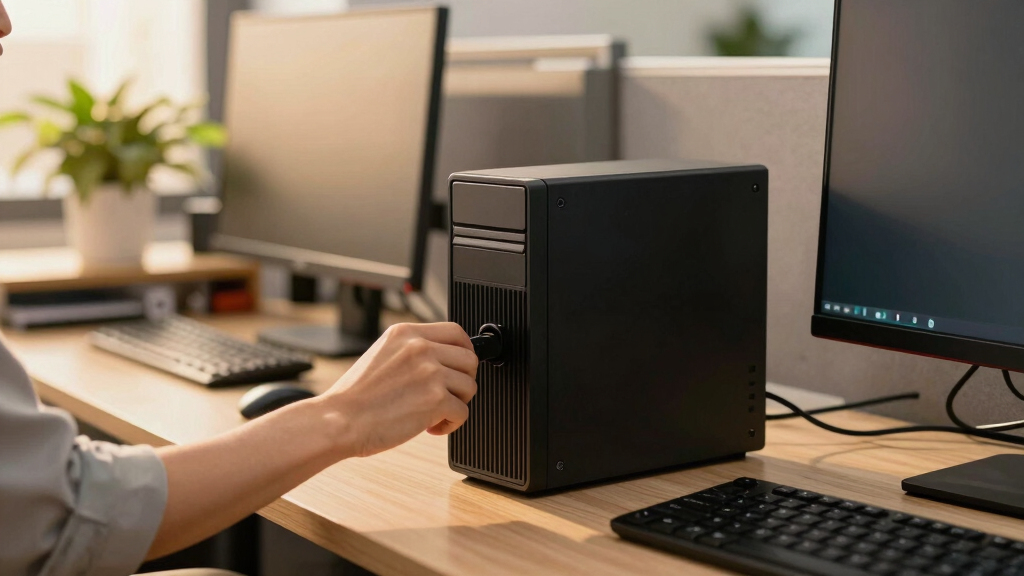

Choosing the best desktop UPS units for office workstations involves balancing power capacity, reliability, and affordability. The APC BX1500M stands out as the overall best pick for its dependable performance and user-friendly features. For those seeking a quieter, more energy-efficient option, the CyberPower EC850LCD offers great value. Meanwhile, the CyberPower CP1500AVRLCD provides a balance of advanced features and solid backup time. The main tradeoffs in this category often revolve around size, cost, and the complexity of features—more capacity and advanced sine wave output typically mean higher prices and larger units. Continue reading for a detailed breakdown of each model and how they compare for your office needs.

Get business pricing on office and shipping supplies
- Business-only prices and quantity discounts
- Tax-exempt purchasing
- Multiple users, one account, clear invoices
Complete the kit


Key Takeaways
- The top-rated UPS units combine reliable backup power with surge protection tailored for office electronics.
- Models with pure sine wave output are better suited for sensitive equipment like NAS and high-end PCs, but often cost more.
- Size and form factor matter; compact units are easier to fit on desks but may offer less capacity.
- Higher capacity units tend to provide longer backup times but come at a higher price and larger footprint.
- Ease of use, such as LCD displays and simple setup, significantly improves the user experience, especially for non-technical users.
| APC BX1500M UPS Battery Backup & Surge Protector for Computers and Electronics |  | Best Overall | VA Capacity: 1500VA | Wattage: 900W | Backup Runtime: up to 68 minutes at 100W | VIEW LATEST PRICE | See Our Full Breakdown |
| CyberPower CP1500AVRLCD3 Intelligent LCD UPS Battery Backup |  | Best for Advanced Monitoring | VA Capacity: 1500VA | Wattage: 900W | Charge Time: 8 hours | VIEW LATEST PRICE | See Our Full Breakdown |
| CyberPower EC850LCD Ecologic UPS Battery Backup and Surge Protector |  | Best Compact Choice | VA Capacity: 850VA | Wattage: 510W | Runtime: 2 minutes | VIEW LATEST PRICE | See Our Full Breakdown |
| APC Battery Backup 650VA/390W Uninterruptible Power Supply for PC, BE650G1 |  | Best Budget Support | VA Capacity: 650VA | Wattage: 390W | Runtime at 100W: 22 minutes | VIEW LATEST PRICE | See Our Full Breakdown |
| CyberPower CP1500PFCLCD PFC Sinewave UPS Battery Backup and Surge Protector |  | Best for Power Sensitive Devices | VA Capacity: 1500VA | Wattage: 1000W | Outlets: 12 (6 backup & surge, 6 surge only) | VIEW LATEST PRICE | See Our Full Breakdown |
| APC BE600M1 UPS Battery Backup & Surge Protector for Computer, Router, NAS |  | Best Budget-Friendly Backup with Easy Maintenance | Runtime at 100W: 23 minutes | Number of outlets: 5 with battery backup and surge protection, 2 surge-only | USB port: 1.5A | VIEW LATEST PRICE | See Our Full Breakdown |
| APC 1350VA/810W Pure Sine Wave UPS for Computer and Electronics |  | Best for Sensitive Devices and Longer Backup Needs | Capacity: 1350VA/810W | Runtime at 100W: 54 minutes | Outlets: 6 battery backup, 4 surge-only | VIEW LATEST PRICE | See Our Full Breakdown |
| desktop UPS units for office workstation | VA Capacity | Wattage | Outlets | Warranty |
|---|---|---|---|---|
| APC BX1500M UPS Battery Backup | 1500VA | 900W | 10 total (5 battery backup, 5 surge-only) | — |
| CyberPower CP1500AVRLCD3 Intel | 1500VA | 900W | — | 3 years |
| CyberPower EC850LCD Ecologic U | 850VA | 510W | — | 3 years |
| APC Battery Backup 650VA/390W | 650VA | 390W | 8 (4 backup + surge, 4 surge-only) | 3 years |
| CyberPower CP1500PFCLCD PFC Si | 1500VA | 1000W | 12 (6 backup & surge, 6 surge only) | 3 years |
| APC BE600M1 UPS Battery Backup | — | — | — | — |
| APC 1350VA/810W Pure Sine Wave | — | — | 6 battery backup, 4 surge-only | — |
More Details on Our Top Picks
APC BX1500M UPS Battery Backup & Surge Protector for Computers and Electronics
The APC BX1500M stands out as the best overall choice for office workstations that need dependable backup power and comprehensive device protection. It offers a robust 1500VA/900W capacity with up to 68 minutes of runtime at 100W load, surpassing smaller units like the APC BE650G1 in capacity and runtime. Its multiple outlets, including five with battery backup and five surge-only, ensure all essential peripherals are protected. The LCD display provides real-time updates on status and power conditions, making it user-friendly for daily monitoring. However, the unit’s bulkier size and the need for separate battery replacement parts are notable tradeoffs. Compared with the CyberPower CP1500PFCLCD, it provides similar capacity but lacks sine wave output, which the latter offers for active PFC power supplies. This pick makes the most sense for users seeking a reliable, high-capacity UPS for multiple devices that can handle longer outages.
Pros:- Provides up to 68 minutes of backup power at 100W load
- Multiple outlets with surge protection for all critical devices
- User-friendly LCD for real-time status updates
- Energy Star certified for high efficiency
Cons:- Battery replacement involves purchasing separately
- Limited backup runtime at higher loads
- Bulkier design requiring adequate space
Best for: Small to medium-sized office workstations that require long backup durations and comprehensive device protection.
Not ideal for: Minimalist setups or users with limited space, as its size may be cumbersome and it provides more capacity than needed for simple tasks.
- VA Capacity:1500VA
- Wattage:900W
- Backup Runtime:up to 68 minutes at 100W
- Outlets:10 total (5 battery backup, 5 surge-only)
- Battery Type:Replaceable (APCRBC124, sold separately)
- Efficiency:Energy Star certified
Our verdict“This UPS is best suited for office setups needing reliable, long-lasting backup power for multiple devices with detailed monitoring features.”
CyberPower CP1500AVRLCD3 Intelligent LCD UPS Battery Backup
The CyberPower CP1500AVRLCD3 offers a compact, mini-tower form factor with a focus on detailed monitoring, making it ideal for tech-savvy users who want clear insights into their power status. Its 1500VA/900W capacity provides reliable backup, similar to the APC BX1500M, but with a more space-efficient design. The unit’s color LCD display displays detailed information about power conditions, battery status, and load, surpassing the more basic LCD of the APC BX1500M. Its automatic voltage regulation (AVR) helps extend battery life by stabilizing power fluctuations. Still, the 8-hour charge time is longer than some users may prefer, and its 900W maximum power could limit support for high-power devices. Compared with the APC BX1500M, it excels in user interface but offers similar capacity with a smaller footprint. This makes it perfect for office users who prioritize ease of use and detailed real-time data.
Pros:- Reliable battery backup with simulated sine wave output
- Color LCD display shows detailed power, load, and battery info
- Automatic voltage regulation extends battery life
- Compact mini-tower form factor
Cons:- Limited to 900W maximum power support
- 8-hour battery recharge may be too long for frequent outages
- Design is less portable for frequent transport
Best for: Tech-savvy office workers who want detailed, real-time power monitoring and a compact design.
Not ideal for: Users with high-power equipment or those who need extremely long backup times, as its runtime and capacity are more moderate.
- VA Capacity:1500VA
- Wattage:900W
- Charge Time:8 hours
- Form Factor:Mini-Tower
- Output Voltage:120 volts
- Warranty:3 years
Our verdict“This UPS is ideal for office users who want detailed monitoring in a compact, space-efficient design without supporting extremely high-power loads.”
CyberPower EC850LCD Ecologic UPS Battery Backup and Surge Protector
The CyberPower EC850LCD offers a compact, affordable solution for protecting basic office electronics like computers and routers. Its 850VA/510W capacity is suitable for smaller setups, unlike the larger APC BX1500M or CyberPower CP1500 models. Its energy-saving ECO mode helps reduce power consumption, which benefits environmentally conscious users. The multifunction LCD provides real-time updates on battery status and power conditions, comparable to more advanced displays but in a smaller footprint. Runtime is limited to approximately 2 minutes during outages, making it less suitable for extended power failures, and full management features require a USB connection. Compared to the larger models, it sacrifices some capacity and runtime for a smaller size and lower cost. This pick is best for users with minimal equipment who want basic backup and surge protection without occupying much space.
Pros:- Compact size fits easily into small spaces
- Energy-efficient ECO mode reduces power consumption
- Multifunction LCD displays detailed status
- 3-year warranty including batteries
Cons:- Limited runtime of around 2 minutes during outages
- Requires USB connection for full management features
- Lower capacity not suitable for high-power devices
Best for: Small office setups or individuals seeking a space-saving, budget-friendly UPS for essential devices.
Not ideal for: Environments with frequent outages or high-power devices, as its runtime and capacity are limited.
- VA Capacity:850VA
- Wattage:510W
- Runtime:2 minutes
- Form Factor:Compact
- Input Voltage:120 volts
- Warranty:3 years
Our verdict“This UPS is best suited for small, basic office setups where space and budget are priorities over extended backup times.”
APC Battery Backup 650VA/390W Uninterruptible Power Supply for PC, BE650G1
The APC BE650G1 offers a dependable backup solution for basic office workstations with its 650VA/390W capacity. Its 22-minute runtime at 100W load is sufficient for short outages, especially compared to smaller units like the CyberPower EC850LCD. It features multiple outlets for essential devices and an easy-to-replace battery, making it accessible for budget-conscious users. While its capacity is limited for larger setups, it handles typical office peripherals effectively. The limited runtime at higher loads and the need to buy a separate replacement battery are tradeoffs. Compared with the APC BX1500M, it provides less capacity and runtime, but at a lower price point. This model is ideal for users who want reliable backup power without the need for supporting multiple high-power devices or extended outages.
Pros:- Reliable backup power during outages
- Multiple outlets for essential devices
- User-replaceable battery
- Affordable option for basic needs
Cons:- Limited runtime for higher loads
- Battery replacement requires purchasing a separate model
- Lower capacity than larger UPS units
Best for: Home office users with minimal equipment who need a reliable, affordable backup solution.
Not ideal for: Offices with high-power devices or longer outage requirements, as its runtime and capacity are modest.
- VA Capacity:650VA
- Wattage:390W
- Runtime at 100W:22 minutes
- Outlets:8 (4 backup + surge, 4 surge-only)
- Warranty:3 years
- Protection:$75,000 Equipment Protection
Our verdict“This UPS makes sense for users needing basic, reliable backup power at an affordable price point for small office setups.”
CyberPower CP1500PFCLCD PFC Sinewave UPS Battery Backup and Surge Protector
The CyberPower CP1500PFCLCD excels in protecting power-sensitive workstations and networking equipment with its 1500VA/1000W capacity and pure sine wave output. Its multiple outlets—including both battery backup and surge-only—support comprehensive device protection. The color LCD offers clear, detailed real-time information on power status, load, and battery health, a step above basic indicator lights. Its automatic voltage regulation (AVR) ensures stable power, reducing stress on active PFC power supplies. Unlike the other models, it does not specify backup runtime, which may limit planning for longer outages. Compared with the APC BX1500M, it offers higher power support and sine wave output but at a higher cost and potentially more complex setup. This makes it ideal for office environments with active PFC equipment or users who prioritize power quality and detailed monitoring.
Pros:- Provides pure sine wave output for active PFC devices
- Multiple outlets with backup and surge protection
- Color LCD displays detailed real-time info
- Automatic voltage regulation enhances power stability
Cons:- No explicit backup runtime duration provided
- Requires connection to a power source via a 5 ft cord
- Limited outlet types (NEMA 5-15R only)
Best for: Workstations with active PFC power supplies or office environments where power quality is critical.
Not ideal for: Users seeking long backup times or minimal setup, as runtime details are not specified and it may be more complex to configure.
- VA Capacity:1500VA
- Wattage:1000W
- Outlets:12 (6 backup & surge, 6 surge only)
- Display:Color LCD
- Input:NEMA 5-15P
- Warranty:3 years
Our verdict“This UPS is best suited for power-sensitive office equipment that requires high power quality and detailed monitoring for optimal performance.”
APC BE600M1 UPS Battery Backup & Surge Protector for Computer, Router, NAS
The APC BE600M1 stands out for offering reliable short-term backup power at an accessible price point, making it ideal for basic office setups. Compared with larger units like the APC 1350VA/810W UPS, this model provides fewer minutes of runtime at higher loads, but its ease of use and low ongoing costs make it a strong choice for those who need simple surge protection and occasional backup. Its multiple outlets and a USB port for phone charging add convenience, while the easy battery replacement feature helps keep long-term costs low. However, the limited runtime at higher loads means it’s less suited for power-dependent equipment, and replacing the battery requires an additional purchase, which could be inconvenient for some users.
Pros:- Provides reliable short-term backup power during outages
- Surge protection shields devices from damaging power surges
- Easy-to-replace battery reduces long-term maintenance costs
- Multiple outlets accommodate various devices
Cons:- Limited runtime at higher power loads limits its effectiveness for longer outages
- Battery replacement requires purchasing separate batteries, adding ongoing costs
Best for: Small office workers who need basic surge protection and short-term backup for essential devices like routers and NAS.
Not ideal for: Users with high power demands or those requiring extended backup time, as this unit’s runtime drops quickly under load.
- Runtime at 100W:23 minutes
- Number of outlets:5 with battery backup and surge protection, 2 surge-only
- USB port:1.5A
- Form factor:Compact, desktop-friendly
- Battery replacement:Yes, user-replaceable
- Surge protection:Yes
Our verdict“This pick is ideal for users seeking an affordable, straightforward backup solution for essential office devices with minimal complexity.”
APC 1350VA/810W Pure Sine Wave UPS for Computer and Electronics
The APC 1350VA/810W UPS delivers high-quality, clean sine wave power, making it well-suited for sensitive electronics like computers and AV equipment. Unlike the APC BE600M1, which primarily offers short backup times, this model boasts a runtime of up to 54 minutes at 100W, providing more flexibility during outages. Its LCD display offers clear visibility into system status, while the user-replaceable battery extends the unit’s lifespan without replacing the entire UPS. The multiple outlets, including surge-only options, and built-in surge protection for Ethernet and coaxial connections, make it a comprehensive power protection system. The main tradeoff is its larger size, which requires more space, and the need to purchase a separate replacement battery model for ongoing maintenance, adding a slight complexity for less tech-savvy users.
Pros:- Delivers clean sine wave power ideal for sensitive devices
- Long backup runtime up to 54 minutes at 100W load
- LCD display provides detailed system information
- User-replaceable battery for extended lifespan
Cons:- Battery replacement involves purchasing a separate model, adding ongoing costs
- Bulkier size requires ample space for placement
- Limited runtime at higher loads may still be short for some needs
Best for: Power users with sensitive electronics who require longer backup times and clean power, such as home offices with multiple high-end devices.
Not ideal for: Small or minimalist workstations where space is limited or users need only brief backup durations, as the unit’s size and cost may be overkill.
- Capacity:1350VA/810W
- Runtime at 100W:54 minutes
- Outlets:6 battery backup, 4 surge-only
- Surge protection:Yes, coaxial and Ethernet
- USB Ports:USB-C and USB-A (5V/3A)
- Battery:User-replaceable (APCRBC161)
Our verdict“This model suits users needing extended backup duration and high-quality power for sensitive office electronics, with an emphasis on long-term reliability.”

How We Picked
These UPS units were evaluated based on a combination of performance, build quality, usability, and value. Priority was given to models that offer consistent power output, reliable surge protection, and sufficient backup time for typical office workstations. We also considered ease of installation, interface clarity, and maintenance requirements. The ranking reflects a balance between cost and features, aiming to recommend options suitable for a range of office environments—from basic setups to more advanced, sensitive equipment. Devices with advanced waveforms, higher capacities, and better build quality ranked higher, but tradeoffs like size and price were also factored into the final list.Factors to Consider When Choosing Best Desktop UPS Units For Office Workstations
When selecting the best desktop UPS units for office workstations, it’s important to consider several key factors beyond basic capacity. Understanding these will help you avoid common pitfalls and choose a model that truly fits your needs, whether for a simple home office or a busy corporate environment.Capacity and Power Output
The capacity of a UPS, usually measured in volt-amperes (VA) and watts (W), determines how much equipment it can support during a power outage. For most office setups, a unit with at least 650VA/390W will handle a computer, monitor, and router comfortably. Larger capacities, such as 1500VA or more, provide longer backup times but increase size and cost. Overestimating capacity can lead to unnecessary expense, while underestimating risks leaving your equipment vulnerable during outages.
Waveform Type
The type of output waveform—simulated sine wave versus pure sine wave—affects compatibility with sensitive electronics. Pure sine wave UPS units deliver cleaner power, reducing the risk of hardware issues, especially with NAS devices or high-end PCs. Simulated sine wave models are usually less expensive but may cause noise or instability with sensitive gear. Weigh the importance of equipment safety against budget constraints when choosing between these waveform types.
Backup Time
The duration a UPS can keep your equipment running depends on its capacity and the load connected. For typical office workstations, aim for at least 5-10 minutes of backup to save your work and shut down properly. Larger units naturally provide longer backup, but they also cost more and take up more space. Consider whether you need enough time to finish critical tasks or just to bridge short outages.
Ease of Use and Interface
An intuitive LCD display and straightforward setup can significantly improve your experience, especially if you’re not technically inclined. These features help monitor battery health, power conditions, and provide alerts, reducing surprises during outages. Some models have software for automatic shutdowns or energy management, which can be a valuable addition for busy offices. Avoid overly complex setups if simplicity is your priority.
Size, Design, and Placement
Size and shape matter when fitting a UPS into your workspace. Compact models are easier to place on desks or shelves but may sacrifice capacity or backup time. Larger, tower-style units can support more equipment but take up more space. Consider your available area and whether a portable or fixed installation makes more sense. Also, look for units with sturdy build quality to withstand frequent use and movement.
Additional Features and Future Proofing
Features like USB or Ethernet surge protection, automatic voltage regulation, and software integration can add value. These extras help safeguard your equipment from surges and voltage fluctuations common in office environments. Think about your future needs—if you plan to upgrade hardware or add devices, choosing a model with extra capacity or expandability can save money long-term. Beware of models that lack essential protections for sensitive electronics.
Frequently Asked Questions
How long should a UPS provide backup power during an outage?
The ideal backup duration depends on your specific workflow. For most office tasks, 5 to 10 minutes is sufficient to save work and shut down equipment properly. If your office relies on critical servers or high-availability systems, longer backup times—up to 30 minutes—may be necessary. Larger capacity models generally deliver extended runtime, but consider whether that length of backup is necessary for your needs, or if a shorter, more affordable unit suffices.
Is a pure sine wave UPS necessary for office electronics?
While simulated sine wave UPS units are often cheaper, a pure sine wave model delivers cleaner, more stable power, which reduces wear and tear on sensitive devices like NAS, modems, and high-end PCs. For basic office setups with standard desktops and non-critical equipment, simulated sine wave units may be adequate. However, if you use sensitive electronics or want maximum reliability, investing in a pure sine wave UPS provides peace of mind and better long-term performance.
Can I connect multiple devices to a single UPS?
Yes, most desktop UPS units are designed to support several devices simultaneously, but the total load must stay within the unit’s rated capacity. Overloading can cause the UPS to shut down or fail to provide backup during an outage. It’s best to prioritize critical equipment—like your computer, monitor, and router—and avoid plugging in non-essential devices that could push the capacity beyond safe limits. Using a power strip with surge protection can also help organize connections efficiently.
How often should I replace my UPS battery?
UPS batteries generally last between 3 to 5 years, depending on usage and environmental conditions. Signs of aging include reduced backup time or failure to hold a charge. Regularly testing your UPS and monitoring battery health indicators can help you plan replacements before a failure occurs. Replacing batteries promptly ensures your equipment remains protected and ready during unexpected outages.
Is it worth paying more for a higher-capacity UPS?
Investing in a higher-capacity UPS makes sense if you need longer backup times, support for additional devices, or future expansion. Higher capacity units also tend to offer better build quality and more features, which can enhance reliability. However, if your setup is simple—just a computer, monitor, and router—a smaller, less expensive model may be sufficient. Consider your current and future needs carefully to avoid overspending while ensuring your equipment remains protected.
Conclusion
For most office workstations, the APC BX1500M offers a balanced combination of capacity, reliability, and ease of use, making it the best overall choice. Budget-conscious users will appreciate the CyberPower EC850LCD for its affordability and decent backup time, while those with sensitive equipment should consider the CyberPower CP1500PFCLCD with pure sine wave output. Beginners or small home offices benefit from straightforward models like the APC BE600M1, which are simple to set up and maintain. Larger or more critical environments should look at premium options with extended runtime and advanced features, ensuring maximum protection for their equipment and data.
Halloween Picks
halloween
As an affiliate, we earn on qualifying purchases.