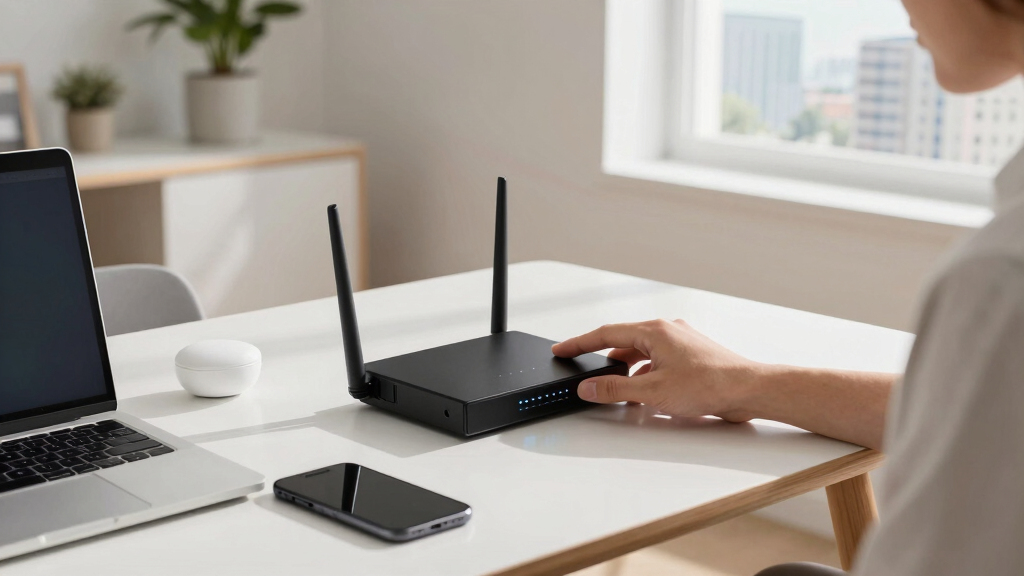

Choosing the right office networking router for hybrid work means balancing performance, security, and ease of management. The TP-Link AXE5400 Tri-Band WiFi 6E Router stands out as the overall best for its advanced speed and coverage. For a budget-friendly option with solid reliability, the TP-Link AX5400 WiFi 6 Router (Archer AX73) makes a compelling case. Meanwhile, the Ubiquiti UDR7 offers excellent scalability for growing teams. The main challenge is finding a router that offers enough speed without complexity or excessive cost. Continue reading to see how these options—and others—measure up for your hybrid work setup.

Get business pricing on office and shipping supplies
- Business-only prices and quantity discounts
- Tax-exempt purchasing
- Multiple users, one account, clear invoices
Key Takeaways
- Performance and coverage are the top priorities for hybrid work, with Tri-Band WiFi 6E leading the charge.
- Security features like VPN support and advanced firewalls are crucial for protecting sensitive office data.
- Ease of management varies widely; models with intuitive interfaces save time for non-IT users.
- Multi-WAN support becomes important for redundancy and maintaining reliable internet connections.
- Price points reflect different feature sets; more expensive models generally offer better scalability and security.
| TP-Link AXE5400 Tri-Band WiFi 6E Router |  | Best Overall for Hybrid Office Connectivity | WiFi Speed: up to 5400 Mbps | WiFi Bands: Tri-Band (6 GHz, 5 GHz, 2.4 GHz) | 6 GHz Speed: 2402 Mbps | VIEW LATEST PRICE | See Our Full Breakdown |
| Omada ER7412-M2 Multi-Gigabit VPN Router |  | Best for Network Security and Multi-WAN Management | WAN/LAN ports: 2× 2.5G RJ45, 8× Gigabit RJ45, 2× SFP | Load balancing: Yes, on up to 11 WAN ports | VPN protocols: SSL, IPSec, GRE, WireGuard, PPTP, L2TP, OpenVPN | VIEW LATEST PRICE | See Our Full Breakdown |
| TP-Link BE6500 Dual-Band WiFi 7 Router (BE400) |  | Best for High-Speed, Large Coverage Homes | Wi-Fi Technology: Wi-Fi 7 | Maximum Speed: 5764 Mbps on 5 GHz | Coverage: Up to 2,400 sq. ft. | VIEW LATEST PRICE | See Our Full Breakdown |
| TP-Link ER605 V2 Wired Gigabit VPN Router |  | Best for Wired Security and Bandwidth Optimization | Number of Gigabit Ports: 5 | WAN Ports: 3 | LAN Ports: 2 | VIEW LATEST PRICE | See Our Full Breakdown |
| UbiQuiti UDR7 |  | Best for Compact, Multi-Function Office Networking | Wi-Fi: Tri-band Wi-Fi 7 (802.11be) | Max throughput: 2.3 Gb/s IDS/IPS gateway, 10.6 Gb/s wireless | Coverage: Approximately 1750 sq ft | VIEW LATEST PRICE | See Our Full Breakdown |
| Ubiquiti EdgeRouter 4 Ethernet LAN Wired Router |  | Best for High-Performance Wired Networks | Ports: 4 Gigabit Ethernet, 1 SFP | Performance: 3.4 million packets/sec | Line Rate: 4 Gbps | VIEW LATEST PRICE | See Our Full Breakdown |
| TP-Link AX5400 WiFi 6 Router (Archer AX73) |  | Best for Wireless Speed and Coverage | WiFi Speed: 5400 Mbps | Technology: WiFi 6, 4T4R, HE160 | Antennas: 6× antennas | VIEW LATEST PRICE | See Our Full Breakdown |
| Ubiquiti EdgeRouter 4 |  | Best for Versatile Connectivity and Silent Operation | Ethernet ports: 3 10/100/1000 Mbps | Serial port: 1 RJ45 | SFP port: 1 | VIEW LATEST PRICE | See Our Full Breakdown |
| NETGEAR 10G/Multi-Gigabit Dual WAN Cloud Managed Pro Router (PR60X) |  | Best for Business-Grade Performance and Reliability | LAN/WAN port: 10G/Multi-Gigabit | WAN port: 2.5G | LAN ports: three 2.5G | VIEW LATEST PRICE | See Our Full Breakdown |
| D-Link Gigabit VPN Router DSR-250V2 |  | Best for Secure Remote Access in Small to Medium Networks | Ports: 4 Gigabit Ethernet | WAN: 1×1Gbps + 1×1Gbps configurable | VPN Tunnels: up to 75 | VIEW LATEST PRICE | See Our Full Breakdown |
| Cudy Gigabit Multi-WAN Router R700 |  | Best for Advanced Multi-ISP Management | Number of WAN Ports: 5 GbE | OpenWRT Support: Yes | VPN Protocols: WireGuard, OpenVPN, IPsec, PPTP, L2TP | VIEW LATEST PRICE | See Our Full Breakdown |
| TP-Link ER7206 Multi-WAN Professional Wired Gigabit VPN Router |  | Best for High-Capacity, Security-Focused Offices | WAN Ports: 1 Gigabit SFP, 1 Gigabit WAN, 2 Gigabit WAN/LAN, 1 Gigabit LAN | Max Client Devices: 150,000 | Max Clients: 700 | VIEW LATEST PRICE | See Our Full Breakdown |
| Omada Fusion 2.5G Multi-WAN Wired VPN Router |  | Best for Simplified High-Speed Connectivity with Cloud Control | Management: Cloud-based Omada Cloud portal | Setup: Bluetooth via Omada App | Processor: Quad-Core CPU | VIEW LATEST PRICE | See Our Full Breakdown |
| Ubiquiti Networks UDR7 UniFi Dream Router 7 |  | Best for Managed High-Performance Networking with WiFi 7 | WiFi: WiFi 7 with 6 GHz support | Device Management: Full UniFi application suite | Device Capacity: 30+ devices, 300+ clients | VIEW LATEST PRICE | See Our Full Breakdown |
More Details on Our Top Picks
TP-Link AXE5400 Tri-Band WiFi 6E Router
This router stands out for its impressive tri-band WiFi 6E speeds, making it ideal for offices with multiple high-bandwidth devices like video conferencing, large file transfers, or streaming. Compared to the TP-Link BE6500 WiFi 7 router, the AXE5400 offers reliable performance with broad device support, but it lacks the latest WiFi 7 features and may be less future-proof. Its advanced security, VPN support, and EasyMesh compatibility make it a strong choice for comprehensive coverage and security. The main tradeoff involves complexity: casual users might find its feature set overwhelming, and it requires a compatible modem to function with most ISPs.
Pros:- Fast tri-band WiFi speeds up to 5400 Mbps suitable for multiple devices
- Supports VPN and security features with TP-Link HomeShield
- EasyMesh compatibility for seamless whole-home coverage
- High-performance dual-core CPU ensures reliable operation
Cons:- Requires a separate modem for most internet services
- Advanced feature set may be too complex for casual users
- No detailed hardware specs or user-friendly setup guide included
Best for: IT managers or remote workers needing reliable, secure, multi-device coverage in a hybrid work environment
Not ideal for: Home users seeking a simple setup or budget-conscious buyers, as its advanced features come with a higher price and complexity
- WiFi Speed:up to 5400 Mbps
- WiFi Bands:Tri-Band (6 GHz, 5 GHz, 2.4 GHz)
- 6 GHz Speed:2402 Mbps
- Processor:1.0 GHz dual-core CPU
- Memory:512 MB High-Speed Memory
- Compatibility:EasyMesh-compatible
- Security:TP-Link HomeShield
Our verdict“This router is ideal for tech-savvy professionals who need robust, secure, multi-device coverage in a hybrid office setting.”
Omada ER7412-M2 Multi-Gigabit VPN Router
This VPN router excels at managing complex, multi-line internet connections, standing out for its load balancing across up to 11 WAN links, making it suitable for offices with multiple broadband providers or backup needs. Compared to the TP-Link ER605 V2, it offers more sophisticated security and multi-Gigabit port support, but it lacks Wi-Fi capabilities, limiting it to wired setups which may not suit all hybrid work environments. Its robust VPN protocols and DoS protection make it a strong choice for security-focused IT teams. The tradeoff involves a steeper learning curve for setup and management, requiring technical expertise to maximize its capabilities.
Pros:- Supports load balancing across up to 11 WAN connections
- Robust security features including VPN, DoS/DDoS protection
- Flexible connectivity with multiple ports and SFP slots
- Ideal for multi-line broadband management
Cons:- Setup complexity requires technical knowledge
- No built-in wireless for Wi-Fi coverage
- Limited user interface for casual users
Best for: IT administrators or network engineers managing multi-line broadband environments with security priorities
Not ideal for: Home users or small offices needing plug-and-play Wi-Fi, as this device is primarily wired and complex to configure
- WAN/LAN ports:2× 2.5G RJ45, 8× Gigabit RJ45, 2× SFP
- Load balancing:Yes, on up to 11 WAN ports
- VPN protocols:SSL, IPSec, GRE, WireGuard, PPTP, L2TP, OpenVPN
- Security features:DoS/DDoS protection, filtering, DPI, IPS/IDS
- Max throughput:Unknown
- Setup:Technical, CLI-based management
Our verdict“Best suited for advanced office networks requiring multi-WAN management and security, not for simple home setups.”
TP-Link BE6500 Dual-Band WiFi 7 Router (BE400)
The BE6500 leverages WiFi 7’s latest technology, making it ideal for demanding hybrid work environments with many smart devices and high throughput needs. Its multi-link operation and mesh support provide extensive coverage, comparable to the TP-Link AXE5400 but with faster speeds on the 5 GHz band, making it suitable for streaming, gaming, and large file transfers. While its premium price may deter budget buyers, its user-friendly setup and security features make it accessible for those willing to invest in future-proofing their home or small office network. The main tradeoff lies in its cost and the potential overwhelm of its advanced features for non-technical users.
Pros:- Wi-Fi 7 with speeds up to 5764 Mbps on 5 GHz
- Supports up to 90 devices with extensive coverage
- Mesh support with EasyMesh and Multi-Link Operation
- Easy setup via mobile app or web interface
Cons:- Premium price point might be prohibitive
- Complex features may be overwhelming for non-technical users
- Limited detailed hardware specifications publicly available
Best for: Home offices or small businesses needing high-speed, reliable Wi-Fi with extensive coverage and device support
Not ideal for: Budget-conscious users or those seeking a simple, no-fuss router, as the premium price and complex features could be barriers
- Wi-Fi Technology:Wi-Fi 7
- Maximum Speed:5764 Mbps on 5 GHz
- Coverage:Up to 2,400 sq. ft.
- Number of Devices:Supports up to 90 devices
- Ports:1x 2.5 Gbps WAN/LAN, 1x 2.5 Gbps LAN, 3x 1 Gbps LAN
- Antennas:6 high-performance antennas
- Security:Advanced cybersecurity features
Our verdict“Ideal for tech-savvy users seeking cutting-edge Wi-Fi 7 performance for large, device-rich environments.”
TP-Link ER605 V2 Wired Gigabit VPN Router
The ER605 V2 excels in wired environments, offering five gigabit ports and multiple WAN options for bandwidth flexibility. Compared to wireless routers like the BE6500 or AXE5400, it focuses on security, stable wired connections, and VPN support, making it great for office setups prioritizing reliable, secure connections. Its support for mobile broadband via USB adds flexibility, but the lack of Wi-Fi makes it unsuitable for environments where wireless connectivity is needed. The setup can be intricate, best suited for organizations with dedicated IT staff managing network infrastructure.
Pros:- Multiple gigabit ports with flexible WAN and LAN options
- Supports mobile broadband via USB for backup
- Strong VPN support with up to 20 LAN-to-LAN IPsec tunnels
- Robust security features including firewalls and filtering
Cons:- No built-in Wi-Fi, limiting flexibility
- Setup complexity for non-technical users
- Primarily suitable for wired networks only
Best for: Small to medium offices requiring secure, wired internet with load balancing and VPN features
Not ideal for: Home users or hybrid setups that rely heavily on wireless connectivity, due to its wired-only design
- Number of Gigabit Ports:5
- WAN Ports:3
- LAN Ports:2
- USB WAN Port:Yes
- VPN Support:Yes, up to 20 LAN-to-LAN IPsec
- Security Features:Firewall, DoS defense, filtering
Our verdict“Best for office environments that rely on wired connections and prioritize security and bandwidth management over wireless flexibility.”
UbiQuiti UDR7
The UbiQuiti UDR7 combines routing, Wi-Fi 7, and PoE switching into a single compact device, simplifying office setups where space and integration matter. Its tri-band Wi-Fi 7 provides high throughput, supporting demanding hybrid work needs, especially with multiple cameras and smart devices. The built-in microSD offers local video recording, adding security and surveillance capabilities. Compared to standalone routers like the AXE5400, the UDR7 offers a more integrated approach, but its setup can be complex, especially for users unfamiliar with networking. Cameras are sold separately, which adds to the total cost if surveillance is required.
Pros:- Combines router, PoE switch, and gateway functions in one device
- Supports high-speed tri-band Wi-Fi 7
- Includes PoE port and fiber WAN options
- Preinstalled microSD for surveillance recording
Cons:- Cameras are sold separately, increasing overall cost
- Setup complexity requiring technical knowledge
- Limited detailed hardware specifications publicly available
Best for: Small or medium offices seeking an all-in-one device with high-speed Wi-Fi and PoE capabilities for security devices or VoIP systems
Not ideal for: Users who prefer separate, dedicated networking devices or lack technical expertise, given the complexity of setup
- Wi-Fi:Tri-band Wi-Fi 7 (802.11be)
- Max throughput:2.3 Gb/s IDS/IPS gateway, 10.6 Gb/s wireless
- Coverage:Approximately 1750 sq ft
- LAN ports:3 x 2.5G RJ45
- WAN ports:1 x 2.5G RJ45, 1 x 10G SFP+
- PoE port:Yes, 15.4W
- MicroSD card:64GB, supports network video recorder
Our verdict“Best suited for small offices wanting an integrated, high-speed Wi-Fi solution with security recording features, assuming technical setup is manageable.”
Ubiquiti EdgeRouter 4 Ethernet LAN Wired Router
The Ubiquiti EdgeRouter 4 stands out for its impressive routing capacity, capable of handling up to 3.4 million packets per second and a line rate of 4 Gbps. Unlike the NETGEAR PR60X, which offers multi-gigabit ports and dual WAN for larger or more complex setups, the EdgeRouter 4 is designed for those who prioritize raw performance and scalability in wired environments. However, it lacks Wi-Fi capabilities and is limited to wired connections, making it less suitable for hybrid work scenarios that depend on wireless access. Its managed via UNMS, providing an intuitive control for network administrators but demanding some technical knowledge for initial setup. This device is ideal for a dedicated wired backbone in an office, where high-speed, reliable wired routing is essential.
Pros:- High routing performance with 3.4 million packets/sec capacity
- Supports rack mounting for flexible deployment
- Managed via user-friendly UNMS system
Cons:- No Wi-Fi or wireless capabilities
- Requires technical expertise for setup and management
Best for: IT professionals managing high-performance wired networks in hybrid offices needing scalable, wired routing.
Not ideal for: Small businesses or home offices relying on Wi-Fi, as it offers no wireless features and requires technical setup.
- Ports:4 Gigabit Ethernet, 1 SFP
- Performance:3.4 million packets/sec
- Line Rate:4 Gbps
- Management:UNMS compatible
- Rack Mountable:Yes
Our verdict“This router makes the most sense for offices that need a robust wired backbone rather than wireless coverage.”
TP-Link AX5400 WiFi 6 Router (Archer AX73)
The TP-Link AX5400 WiFi 6 Router excels in delivering blazing-fast wireless speeds up to 5400 Mbps, making it ideal for households or small offices with multiple devices. Unlike the Ubiquiti EdgeRouter 4, which focuses solely on wired routing, the AX73 supports Wi-Fi 6, MU-MIMO, and OFDMA technologies, ensuring smooth streaming, video conferencing, and file sharing across various devices. Its extensive coverage with six antennas and beamforming makes it a strong choice for hybrid workers who rely heavily on wireless connectivity. However, it requires a separate modem for internet access and doesn’t include dedicated wired routing features, limiting its use as a primary router in enterprise environments. This pick works best for small teams or home offices needing reliable, high-speed Wi-Fi without complex network management.
Pros:- Ultra-fast WiFi speeds up to 5400 Mbps
- Supports multiple devices with MU-MIMO and OFDMA
- Extensive coverage with six antennas and beamforming
- Built-in security features
Cons:- Requires a separate modem for internet service
- Limited wired routing features for enterprise needs
Best for: Small teams or individuals needing fast, reliable wireless coverage for hybrid work.
Not ideal for: Organizations requiring advanced wired routing, security, or integration with enterprise network management systems.
- WiFi Speed:5400 Mbps
- Technology:WiFi 6, 4T4R, HE160
- Antennas:6× antennas
- USB Ports:1× USB 3.0
- Operating Temperature:0℃40℃
Our verdict“This router makes the most sense for wireless-focused hybrid setups that prioritize speed and coverage over wired network complexity.”
Ubiquiti EdgeRouter 4
The Ubiquiti EdgeRouter 4 offers a flexible, fanless design suitable for quiet office environments, with multiple connectivity options including serial and SFP ports. Compared to the Ubiquiti EdgeRouter 4 Ethernet LAN Wired Router, this model emphasizes a quieter operation and additional port versatility, making it a good choice for deployment on desks or walls. However, it has limited Ethernet speeds at 1 Gbps and no Wi-Fi support, which restricts its use in hybrid settings where wireless access is crucial. Its serial and SFP ports provide extra connectivity options, but the absence of Wi-Fi means it’s not suitable as a primary router for wireless tasks. It’s best for small office setups needing silent, flexible wired connectivity with multiple mounting options.
Pros:- Fanless, silent operation
- Multiple mounting options including desk, wall, and rack
- Includes serial and SFP ports for versatile connectivity
Cons:- Limited to 1 Gbps Ethernet speeds
- No Wi-Fi capabilities
Best for: Small offices needing silent, versatile wired connectivity with multiple mounting options.
Not ideal for: Homes or hybrid setups relying heavily on Wi-Fi, as it offers no wireless features.
- Ethernet ports:3 10/100/1000 Mbps
- Serial port:1 RJ45
- SFP port:1
- Power consumption:13 Watts
- Design:Fanless
Our verdict“This router is well-suited for quiet, flexible wired environments but isn’t suitable as a wireless hub.”
NETGEAR 10G/Multi-Gigabit Dual WAN Cloud Managed Pro Router (PR60X)
The NETGEAR PR60X shines in high-speed environments with multi-gigabit ports and dual WAN failover, making it ideal for small to medium-sized businesses that need reliable, high-capacity networking. Unlike the TP-Link AX5400, which is more consumer-focused, the PR60X offers enterprise-grade features like remote management, VLAN support, and VPN tunnels, but its setup can be complex for less experienced users. Its focus on multi-gigabit throughput and failover makes it suitable for hybrid work environments where uninterrupted connectivity is critical. However, the advanced features come with a higher price point and a steeper learning curve, which might deter small offices without dedicated IT support. This router is best for organizations that prioritize speed, reliability, and security over simplicity.
Pros:- Multi-gigabit ports for fast network performance
- Dual WAN with failover ensures uptime
- Supports advanced security and remote management
Cons:- Complex setup requiring technical knowledge
- Subscription needed for full remote management features
Best for: Small to medium-sized businesses requiring high-speed, reliable, and secure hybrid networks.
Not ideal for: Home offices or small teams with limited technical expertise or budget constraints.
- LAN/WAN port:10G/Multi-Gigabit
- WAN port:2.5G
- LAN ports:three 2.5G
- SFP+ port:10G
- VPN support:IPSec, OpenVPN, WireGuard
- Client connections:up to 100
Our verdict“This router is ideal for organizations needing enterprise-level performance and reliability in hybrid environments.”
D-Link Gigabit VPN Router DSR-250V2
The D-Link DSR-250V2 offers enterprise-grade security and robust VPN support, making it a solid choice for remote work and hybrid setups requiring secure connectivity. It supports up to 75 VPN tunnels, surpassing the Ubiquiti EdgeRouter 4 in VPN capacity, and provides dual WAN failover for uninterrupted internet. Unlike the TP-Link AX5400, which excels in wireless speed, the DSR-250V2 is focused on security and reliability in wired networks. Its complex setup process, however, may be a barrier for less technically oriented users, and it lacks Wi-Fi, limiting its use as a primary wireless router. This device is best suited for small organizations needing secure remote access and redundant internet connections without the need for Wi-Fi.
Pros:- Supports up to 75 VPN tunnels for secure remote access
- Dual WAN failover for continuous connectivity
- Enterprise-grade security and encryption
Cons:- Complex setup requiring technical knowledge
- No built-in Wi-Fi
Best for: Small to medium-sized organizations prioritizing VPN security and reliable wired connectivity.
Not ideal for: Home users or hybrid setups needing integrated wireless access or simple plug-and-play solutions.
- Ports:4 Gigabit Ethernet
- WAN:1×1Gbps + 1×1Gbps configurable
- VPN Tunnels:up to 75
- Firewall Throughput:950 Mbps
- Sessions:50,000
- VLANs:16
Our verdict“This router is best for organizations needing secure, reliable wired connections with extensive VPN support, but not for wireless-dependent environments.”
Cudy Gigabit Multi-WAN Router R700
The Cudy R700 stands out for its support of up to 5 ISPs with automatic failover and load balancing, making it ideal for offices that require uninterrupted internet connectivity. Its compatibility with OpenWRT unlocks extensive customization options, surpassing basic routers like the Ubiquiti UDR7, which lacks multi-WAN support. However, this flexibility introduces complexity; users unfamiliar with advanced networking may find setup challenging. The built-in VPN protocols and security features ensure secure remote access, an essential feature for hybrid work. Compared with simpler solutions, the R700 offers robust control but demands technical knowledge for optimal deployment. This pick makes the most sense for IT-savvy teams or businesses needing resilient, multi-ISP connectivity.Pros:- Supports up to 5 ISP connections with automatic failover and load balancing
- Full OpenWRT support for advanced customization
- Built-in VPN protocols for secure remote access
- Flexible management via web GUI and Cudy App
Cons:- Complex setup requiring technical expertise
- No transparent pricing info available
- May be overwhelming for less experienced users
Best for: IT professionals or tech-savvy small business owners seeking advanced multi-WAN management and customization.
Not ideal for: Small offices or home users without networking experience, as setup and management can be complex.
- Number of WAN Ports:5 GbE
- OpenWRT Support:Yes
- VPN Protocols:WireGuard, OpenVPN, IPsec, PPTP, L2TP
- Security Features:SPI firewall, DoS prevention, IP/MAC binding, domain filtering, DMZ
- Management:Web GUI, Cudy App, TR-069
- Diagnostic Tools:Ping, Traceroute, NSLookup, system logs
Our verdict“This router suits technically skilled users needing resilient, multi-ISP connectivity for hybrid work environments.”
TP-Link ER7206 Multi-WAN Professional Wired Gigabit VPN Router
The TP-Link ER7206 excels with its multiple WAN ports, supporting high network capacity and a large number of connected devices—up to 700 clients—making it suitable for busy office environments. Its integrated SDN support offers flexible management, outperforming the Omada Fusion in raw capacity and security options. Nonetheless, its setup complexity may deter less technical users, and the lack of Wi-Fi capabilities limits its use as a standalone wireless router. The security features, including firewall and DoS defenses, make it a solid choice for organizations prioritizing data protection. If you need a wired backbone that handles many users securely, this model offers impressive scalability but requires expert configuration. It’s best for medium to large offices with dedicated IT staff.Pros:- Multiple WAN ports optimize bandwidth and redundancy
- Supports up to 150,000 clients and 700 devices
- Robust security features and high VPN capacity
- Integrated SDN for flexible network management
Cons:- Setup may require advanced networking knowledge
- Limited information on cloud service costs
- No integrated Wi-Fi, necessitating separate access points
Best for: IT teams managing large, security-sensitive office networks requiring stable wired backbone and high device capacity.
Not ideal for: Small home offices or users seeking simple plug-and-play Wi-Fi solutions, due to complex setup and focus on wired connectivity.
- WAN Ports:1 Gigabit SFP, 1 Gigabit WAN, 2 Gigabit WAN/LAN, 1 Gigabit LAN
- Max Client Devices:150,000
- Max Clients:700
- VPN Support:Up to 100 LAN-to-LAN IPsec, 50 OpenVPN, 50 L2TP, 50 PPTP
- Security Features:Firewall, DoS defense, IP/MAC/URL filtering
- Management:Cloud management via TP-Link Omada
Our verdict“This router is ideal for medium to large offices needing secure, high-capacity wired connectivity with advanced management features.”
Omada Fusion 2.5G Multi-WAN Wired VPN Router
The Omada Fusion offers a compelling mix of high-speed connectivity, thanks to its 2.5G port, along with multi-WAN load balancing and auto failover—features comparable to the TP-Link ER7206 but with easier cloud management. The touchscreen allows quick troubleshooting, which can be a real time-saver during busy workdays. Its Bluetooth setup simplifies deployment, making it more accessible than the ER7206 for non-expert users. However, the security features are less detailed, and the higher price point might be a barrier for small budgets. This model is best suited for offices that need reliable, fast internet with minimal fuss, provided they are okay with a slightly higher investment. It’s ideal for tech-aware teams prioritizing speed and simplicity.Pros:- Fast 2.5G ports ensure high-speed connectivity
- Easy cloud management and remote access
- Bluetooth setup simplifies deployment
- Multi-WAN load balancing and auto failover
Cons:- Limited details on security features
- Potentially high cost for advanced features
- May be complex for less technical users
Best for: Small to medium offices seeking fast, reliable internet with easy cloud management and minimal setup fuss.
Not ideal for: Very security-sensitive environments or users with limited technical skills who prefer straightforward, non-cloud solutions.
- Management:Cloud-based Omada Cloud portal
- Setup:Bluetooth via Omada App
- Processor:Quad-Core CPU
- Ports:Five 2.5G ports
- Features:Multi-WAN load balancing, auto failover, touchscreen troubleshooting
Our verdict“This router suits offices prioritizing fast, reliable internet with simplified cloud management and quick setup.”
Ubiquiti Networks UDR7 UniFi Dream Router 7
The Ubiquiti UDR7 delivers impressive WiFi 7 speeds with 6 GHz support, making it ideal for offices that need fast wireless connectivity for multiple devices—over 30 devices and 300 clients. Its integrated UniFi management suite simplifies device control, surpassing the other wired-focused options like the TP-Link ER7206 or Omada Fusion in wireless performance. Yet, it’s geared toward users familiar with the UniFi ecosystem; setup can be daunting without prior experience. The combination of 10G SFP+ and PoE ports supports a high-speed wired backbone, but the complexity and potential cost make it less suitable for small or non-technical teams. This router is best for tech-savvy offices aiming for cutting-edge wireless performance alongside manageable device control.Pros:- Supports WiFi 7 with 6 GHz for ultra-fast wireless
- Full UniFi management suite for seamless device control
- Multiple high-speed ports including 10G SFP+ and PoE
- Handles over 30 devices and 300 clients efficiently
Cons:- Complex setup for users unfamiliar with UniFi
- No clear pricing or availability info
- Designed for advanced users, not beginners
Best for: Advanced users or IT teams seeking high-speed WiFi 7 and comprehensive device management for busy offices.
Not ideal for: Small offices or less experienced users who prefer simplified, plug-and-play routers without UniFi ecosystem complexity.
- WiFi:WiFi 7 with 6 GHz support
- Device Management:Full UniFi application suite
- Device Capacity:30+ devices, 300+ clients
- Switch Ports:4 ports including 1 PoE, 1 10G SFP+, 1 2.5 GbE WAN
Our verdict“This router is ideal for tech-savvy offices seeking cutting-edge wireless speeds with robust device management integrated into the UniFi ecosystem.”

How We Picked
These products were evaluated based on their ability to support hybrid work environments efficiently and securely. Key criteria included network performance (speed, coverage, stability), security features (VPN, firewalls, guest networks), ease of setup and management, scalability for future growth, and value for the price. We prioritized routers that balance these factors well, ensuring they meet the demands of a modern office without unnecessary complexity or cost. Products were ranked based on their overall ability to deliver reliable, fast, and secure network connections tailored to hybrid work needs.Factors to Consider When Choosing Office Networking Router For Hybrid Work
When selecting an office router for hybrid work, consider several critical factors to ensure seamless connectivity and security. A high-performance router can prevent frustrating lag during video calls, while robust security features protect sensitive information. Ease of use is equally important, especially if non-technical staff will manage the network. Additionally, scalability and multi-WAN support can future-proof your setup against growing demands. Understanding these factors helps avoid common pitfalls like overpaying for features you don’t need or choosing a device that can’t handle your network load.Performance and Coverage
For hybrid work, a router must deliver fast speeds and broad coverage to support multiple devices and high-bandwidth activities. Look for models with WiFi 6 or WiFi 6E, which provide faster speeds and better handling of multiple connections. Consider the size of your office space; larger areas may require mesh capabilities or high-gain antennas. Underestimating coverage can lead to dead zones and inconsistent connectivity, disrupting remote meetings and file sharing.
Security Features
Security is a top concern in home and office networks alike. Routers with built-in VPN support, advanced firewalls, and intrusion detection help safeguard sensitive data. For hybrid work, especially with remote employees, secure guest networks and parental controls add layers of protection. Overlooking security features can expose your network to breaches, risking data loss or compliance violations. Prioritize models that offer easy firmware updates and security management tools.
Ease of Management
A user-friendly interface and management app can save time and reduce frustration. Routers with simplified setup processes and clear dashboards allow non-technical users to configure and monitor the network easily. Automated updates and troubleshooting tools add reliability, minimizing downtime. Complex management systems may offer advanced features but can be overwhelming for small teams or those without dedicated IT staff.
Scalability and Multi-WAN
If your office relies on multiple internet sources or plans to expand, multi-WAN support becomes a valuable feature. It allows automatic failover and load balancing, maintaining connection even if one ISP experiences issues. Not all routers offer this capability, and neglecting it could mean network interruptions during outages. Consider future needs when choosing a router, especially for larger teams or remote branch offices.
Price and Value
While premium routers offer extensive features, they come at a higher cost. Balance your budget with the features you truly need, such as security, multi-device support, and scalability. Cheaper models might suffice for small teams or less demanding environments, but they can fall short on speed or security. Investing a bit more upfront can often save money over time by avoiding frequent upgrades or security breaches.
Frequently Asked Questions
How do I know if a router supports my internet speed?
Check the router’s specifications for its maximum supported speed, typically listed in gigabits per second (Gbps). For hybrid work, a router supporting at least WiFi 6 or WiFi 6E is advisable, as these standards accommodate higher speeds and multiple devices simultaneously. Also, verify that the router’s WAN port supports multi-Gigabit connections if your internet plan delivers speeds above 1 Gbps. Matching your internet plan’s capacity ensures you’re not bottlenecked at the router.
Is multi-WAN support necessary for a small home office?
Multi-WAN support is less critical for small home offices with a single reliable internet connection. However, if you depend on consistent connectivity for remote work or have multiple service providers, multi-WAN can offer redundancy and load balancing. It helps prevent disruptions during ISP outages, which can be particularly disruptive in a hybrid setup. For most small teams, a single high-quality connection suffices unless redundancy is a priority.
Should I prioritize security features over speed in my router?
Both security and speed are vital for hybrid work environments. Prioritizing security ensures your network and data are protected from breaches, especially when remote employees access company resources. A router with strong security features, combined with adequate speed, provides a balanced setup. Ignoring security for speed can expose your network to threats, so opt for a model that offers both without compromise when possible.
How important is ease of setup and management?
Ease of setup and intuitive management tools are important for saving time and reducing errors. A router with a straightforward setup process and a user-friendly app can help non-technical staff get connected quickly. Clear management dashboards allow ongoing monitoring and troubleshooting, minimizing downtime. If your team lacks dedicated IT personnel, prioritize models with simple interfaces and automated updates.
Can I upgrade a router later if my needs grow?
Many modern routers support firmware updates and can be integrated into larger mesh systems or multi-router setups, allowing for future expansion. However, some features like multi-WAN or advanced security may only be available in higher-end models. When selecting a router, consider its upgrade path—models with modular components or compatibility with mesh systems tend to offer more flexibility. Planning for future growth can save time and money down the line.
Conclusion
For small offices or teams just starting with hybrid work, the TP-Link AX5400 WiFi 6 Router (Archer AX73) offers excellent value and ease of use. Larger teams or those prioritizing security and scalability will benefit from the Ubiquiti UDR7 or the NETGEAR 10G/Multi-Gigabit Dual WAN Cloud Managed Pro Router. If budget is less of a concern and top-tier performance is needed, the TP-Link AXE5400 Tri-Band WiFi 6E Router stands out as an overall best pick. For beginners, simple management interfaces make setup less intimidating, while enterprises with complex needs should look for multi-WAN and security features. Tailor your choice based on your current needs and future plans to ensure your network supports your hybrid work environment effectively.
Halloween Picks
halloween
As an affiliate, we earn on qualifying purchases.