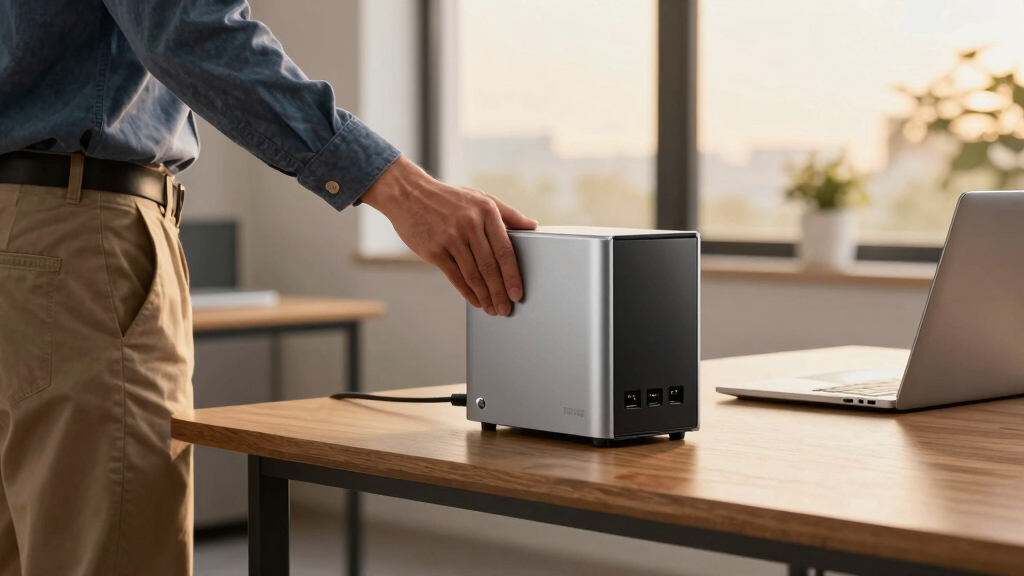

Choosing the right NAS device for small business backup involves balancing performance, ease of use, expandability, and cost. The Synology DS223 stands out as the best overall due to its reliable performance and user-friendly interface, while the Terramaster F6-424 offers impressive capacity and speed for larger data needs. The UGREEN NAS DXP4800 Plus provides advanced features for businesses that require high-speed networking and multimedia capabilities. Each option presents tradeoffs, such as cost versus features or ease of setup versus expandability. Continue reading for a detailed comparison to find the best fit for your small business needs.

Get business pricing on office and shipping supplies
- Business-only prices and quantity discounts
- Tax-exempt purchasing
- Multiple users, one account, clear invoices
Key Takeaways
- The top-ranked NAS devices balance performance, ease of setup, and expandability for small business needs.
- Diskless models often offer better value but require compatible drives and setup knowledge.
- Higher port counts and faster network interfaces (like 10GbE) are crucial for data-heavy workflows.
- Pre-bundled options with drives simplify setup but tend to be more expensive upfront.
- Build quality and manufacturer support significantly impact long-term reliability and ease of maintenance.





More Details on Our Top Picks
Synology 2-Bay DiskStation DS223j (Diskless)
This Synology model stands out for its reliable security features and multi-platform support, making it ideal for small businesses that prioritize data privacy. Compared with the UGREEN NAS DXP4800, the DS223j offers a more straightforward, user-friendly interface and proven software ecosystem, though it requires users to supply their own drives. Its built-in support for remote access, multi-device backups, and security monitoring makes it a versatile choice for small teams. The main tradeoff is that it’s diskless, so setup involves selecting compatible drives, which could be a hurdle for less technical users.
Pros:- Secure private cloud with multi-platform access
- Supports remote monitoring with IP cameras
- Reliable hardware backed by 2-year warranty
Cons:- Requires additional drives for storage capacity
- Setup may be complex for non-technical users
Best for: Small business owners needing a secure, easy-to-manage private cloud and automated backups.
Not ideal for: Businesses looking for high storage capacity out-of-the-box or integrated surveillance features without additional setup.
- Storage Bays:2-bay
- Model:DS223j
- Type:Diskless
- Warranty:2 years
- Supported Features:Private cloud, file sharing, automated backups, security monitoring
Our verdict“This device suits small businesses seeking a dependable, secure NAS with robust backup and remote access capabilities.”
UGREEN NAS DH2300 2-Bay Desktop NAS Support Capacity 64TB Diskless
The UGREEN NAS DH2300 is tailored for users new to NAS, offering a simple setup process and large capacity support for up to 64TB. Unlike the Synology DS223j, which emphasizes security and remote access, this model focuses on ease of use and media organization, making it perfect for personal backups and media storage. Its AI photo organization and security features add value for non-technical users, but it falls short in advanced server functions and Wi-Fi support, requiring an external USB adapter for wireless connectivity. Overall, it provides a straightforward experience at a lower price point, but lacks some enterprise features.
Pros:- User-friendly with simple setup
- Supports up to 64TB storage capacity
- Includes AI features for photo management
Cons:- No Wi-Fi support without external adapter
- Limited to basic NAS functions, not suitable for server applications
Best for: Home users or small business owners new to NAS seeking a simple, large-capacity backup device.
Not ideal for: Businesses needing advanced server capabilities, virtual machines, or Wi-Fi support without external accessories.
- Support Capacity:64TB
- Diskless:Yes
- RAM:4GB
- Network Interface:1GbE
- Video Output:4K HDMI
Our verdict“Ideal for beginners needing large storage and easy setup, but not for advanced enterprise use.”
TERRAMASTER F6-424 NAS Storage 6-Bay with Quad-Core CPU and 8GB DDR5 RAM
The TERRAMASTER F6-424 offers a significant upgrade in performance with its quad-core CPU and up to 32GB RAM, making it suitable for small businesses that need fast, reliable data management. Compared with the UGREEN DXP2800, it emphasizes enterprise-grade features like multiple RAID options and high-speed data transfer, but it’s more complex to set up and does not include drives. Its dual 2.5GbE ports support link aggregation for faster network speeds, making it a solid choice for data-heavy workflows. The main compromise is that it’s diskless, and setup may require some technical knowledge to optimize RAID configurations.
Pros:- Supports various RAID configurations for flexibility
- High-speed transfer with dual 2.5GbE ports
- Easy SSD installation with tool-free design
Cons:- No included drives; diskless design
- Setup complexity due to RAID options
Best for: Small businesses requiring high-speed data transfer and flexible RAID options with room for growth.
Not ideal for: Less technical users or those seeking an all-in-one device with pre-installed drives and simple setup.
- CPU:N95 Quad-Core 3.4GHz
- RAM:8GB DDR5
- Ethernet Ports:Dual 2.5GbE
- Maximum RAM:32GB
- Drive Bays:6
- Supported RAID:RAID 0/1/5/6/10/JBOD/Single
Our verdict“This NAS is best for small operations demanding fast, scalable storage with advanced RAID support, assuming technical proficiency.”
UGREEN NAS DXP2800 2-Bay Network Attached Storage – Intel N100 Quad-Core, 8GB DDR5, 2.5GbE, 2 M.2 NVMe Slots, 4K HDMI, Diskless
The UGREEN NAS DXP2800 combines high capacity and advanced features suitable for power users, offering up to 80TB of storage and support for media streaming, AI photo organization, and multi-device sharing. Compared with the Synology DS223j, it offers faster network interfaces and more flexible hardware options like M.2 slots for SSDs, though it requires technical knowledge for initial setup and doesn’t include disks. Its versatility makes it appealing for remote workers managing large media libraries but may be overkill for straightforward backups. Setup, especially configuring AI features or RAID, can be complex for non-technical users.
Pros:- Supports up to 80TB storage capacity
- High-performance Intel N100 processor
- Includes dual M.2 NVMe slots for SSD caching
Cons:- Requires technical setup and configuration
- No included disks, additional costs apply
Best for: Remote workers or tech-savvy small business owners with large media libraries and advanced data management needs.
Not ideal for: Users seeking plug-and-play simplicity or those who prefer pre-configured solutions without additional setup complexity.
- Processor:Intel N100 Quad-Core
- RAM:8GB DDR5
- Network Speed:2.5GbE
- Maximum Storage:80TB
- Connectivity:4K HDMI
Our verdict“This NAS is geared toward tech-savvy users needing large storage and advanced media features, with some setup complexity.”
UGREEN NAS DXP4800 GT 4-Bay Desktop NAS with AMD R2514 CPU, 8GB DDR4 RAM, Dual 10GbE, M.2 NVMe Slots, 4K HDMI, Diskless
The UGREEN DXP4800 GT stands out with its AMD Ryzen embedded CPU and dual 10GbE ports, making it suitable for demanding workflows and large-scale data handling. It supports up to 144TB of storage and offers extensive connectivity options, including multiple M.2 NVMe slots for caching. Compared to the TERRAMASTER F6-424, this model provides faster network interfaces and more expansion options, but it’s also more complex to set up and carries a higher price tag. Its non-included drives and RAM upgrades requiring specific modules add to the initial investment and setup time. Nevertheless, it provides excellent scalability for growing small businesses.
Pros:- Powerful AMD Ryzen CPU for multitasking
- Dual 10GbE ports for fast network transfer
- Supports up to 144TB storage with multiple expansion options
Cons:- Drives not included; additional purchase needed
- Setup can be complex due to extensive features
Best for: Small businesses or remote offices needing high-performance, extensive storage, and multi-layered security.
Not ideal for: Less technical users or those seeking a simple, ready-to-use NAS with minimal setup.
- CPU:AMD Ryzen R2514
- Cores:4 cores
- Threads:8 threads
- Max GHz:3.70GHz
- Max Storage Capacity:144TB
- Network Ports:2x 10GbE
Our verdict“This NAS is tailored for demanding environments requiring high performance, large capacity, and versatile connectivity, assuming technical expertise.”
Asustor Lockerstor 4 Gen3 AS6804T 4-Bay NAS Diskless
The Asustor Lockerstor 4 Gen3 stands out for its powerful AMD Ryzen quad-core processor and extensive memory, making it ideal for businesses that require virtualization, video editing, or AI workloads. Compared with the UGREEN NAS DXP4800 Plus, this model offers significantly higher processing power and more M.2 NVMe slots for fast SSD caching, but it comes as a diskless unit, adding to the overall cost and setup complexity. Its dual 10GbE ports support high-speed network environments, which is a step above most small business NAS options. However, its price and technical sophistication may be overwhelming for casual or small-scale users who prefer plug-and-play simplicity. This pick makes the most sense for tech-savvy teams needing robust multitasking and intense data processing capabilities.
Pros:- Powerful AMD Ryzen quad-core processor for demanding tasks
- 16GB ECC DDR5 memory supports multitasking and virtualization
- Multiple M.2 NVMe slots for fast SSD caching
- Dual 10GbE ports for high-speed network connectivity
Cons:- Requires additional purchase of drives, increasing initial costs
- Complex setup may be too technical for casual users
Best for: Small businesses with demanding workloads like virtualization, video editing, or AI processing that can handle a more complex setup.
Not ideal for: Startups or small teams seeking straightforward backups without the need for high-end performance or extensive configuration.
- Processor:AMD Ryzen 3.8GHz Quad-Core
- Memory:16GB ECC DDR5
- Number of Bays:4
- M.2 NVMe Slots:4
- Network Ports:Dual 5GbE & 10GbE
- Form Factor:Desktop
- Diskless:Yes
Our verdict“This NAS is best suited for small businesses with intensive workloads that can manage a more sophisticated, high-performance device.”
Zero1 2-Bay Desktop NAS, Beginner-Ready Silent Home Storage with 2.5GbE, Support for Up to 60TB (Diskless), Docker, Remote Access, 4GB RAM, 4K HDMI
The Zero1 2-Bay NAS is designed for users new to NAS, offering a straightforward, quiet, and compact solution. Its 2.5GbE connectivity delivers faster transfers than basic Gigabit models, making it suitable for home backups or light media streaming. While it lacks the expandability of 4-bay models like the Synology DS223, its simple interface and remote access features make it accessible for beginners or small offices with modest needs. Compared to the UGREEN NAS DXP4800 Plus, it emphasizes ease of use over advanced features, with limited hardware upgrade options. Its lack of included drives means users must purchase storage separately, which adds to the initial configuration effort. This NAS is ideal for users seeking a hassle-free, silent device for personal or light business storage without complex features.
Pros:- Easy to set up and manage for beginners
- Fast 2.5GbE network connectivity
- Quiet operation and compact design
- Supports remote access for flexible file management
Cons:- Limited to 2 bays, restricting expansion
- No included drives, requiring additional purchase
- Lacks advanced features like encryption or virtualization
Best for: Home users or small offices needing simple backup and media streaming with minimal setup fuss.
Not ideal for: Businesses requiring high-performance virtualization, large-scale storage, or advanced security features.
- Capacity:Up to 60TB (diskless)
- Connectivity:2.5GbE
- RAM:4GB
- Supports:Docker, 4K HDMI
- Weight:2kg
Our verdict“This NAS is a solid choice for small offices or home users prioritizing simplicity and quiet operation over advanced capabilities.”
UGREEN NAS DXP4800 Plus 4-Bay NAS with Intel Pentium Gold 8505, 8GB DDR5 RAM, 128GB SSD, 10GbE, 4K HDMI, Diskless
The UGREEN NAS DXP4800 Plus offers a strong balance of performance and expandability for small businesses that need more than just basic storage. Its Intel Pentium Gold processor and 8GB DDR5 RAM make it capable of running virtual machines and Docker containers, putting it ahead of many consumer-grade NAS options like the Synology DS223. The inclusion of a 128GB SSD enhances boot and app speeds, while 10GbE connectivity ensures fast data transfer. Compared with the Synology DS223, this model appeals to users who require more computational power and network speed, but it lacks Wi-Fi support, which could limit flexibility in some environments. Its diskless design means additional drive purchases, which can add to the setup cost. This device suits small offices with technical staff comfortable with hardware setup and network configuration.
Pros:- Powerful Intel Pentium Gold 8505 CPU for multitasking
- 8GB DDR5 RAM supports virtual machines and Docker
- Includes 128GB SSD for quick system operation
- 10GbE and 2.5GbE ports for rapid data transfer
Cons:- Requires separate purchase of drives
- No built-in Wi-Fi support, wired only
- More complex setup compared to entry-level NAS
Best for: Small business teams needing high performance, virtualization, and fast network access without major compromises on hardware capabilities.
Not ideal for: Very small teams or startups with basic backup needs who prefer simplicity and lower upfront costs.
- Processor:Intel Pentium Gold 8505
- RAM:8GB DDR5
- Built-in Storage:128GB SSD
- Network Ports:1x 10GbE, 1x 2.5GbE
- Number of Bays:4
- Max Storage Capacity:144TB
Our verdict“This NAS is ideal for small offices that need robust performance and virtualization capabilities in a wired environment.”
Synology DS223 2-Bay DiskStation NAS with 8TB Bundle (2 x 4TB Seagate IronWolf HDDs)
The Synology DS223 offers a familiar, user-friendly interface with a reliable quad-core processor and hot-swappable drives, making it a good fit for small businesses that prioritize dependable storage. Compared with the more advanced UGREEN DXP4800 Plus, the DS223 is less powerful but easier to manage and maintain. Its 2GB RAM supports basic backup functions and file sharing, though it may lag under heavier workloads. The included Seagate IronWolf drives simplify initial setup, and the device’s straightforward design reduces the learning curve for non-technical users. However, its limited expandability and lower processing power make it less suitable for demanding virtualization or intensive data processing tasks. This model makes sense for small teams needing dependable, easy-to-use storage without complex setup.
Pros:- Reliable quad-core processor ensures stable operation
- Includes two 4TB Seagate IronWolf drives for immediate use
- Hot-swappable drives for easy maintenance
- Simple, intuitive interface for non-technical users
Cons:- Limited to 2 bays, less flexible for large storage needs
- Only 2GB RAM may restrict performance under load
Best for: Small businesses or offices seeking a reliable, easy-to-manage NAS for regular data backups and file sharing.
Not ideal for: Enterprises or power users requiring virtualization, heavy multitasking, or advanced security features.
- Processor:Realtek RTD1619B Quad-Core 1.7 GHz
- Memory:2 GB DDR4
- LAN Port:1 x RJ-45 1GbE
- USB Ports:3 x USB 3.2 Gen 1
- HDD Capacity:8TB (2 x 4TB Seagate IronWolf)
Our verdict“This NAS is well-suited for small offices needing dependable, easy-to-manage storage without advanced features.”
Synology DS223j 2-Bay NAS with 8TB Storage Bundle (2x 4TB Seagate IronWolf)
The Synology DS223j provides essential NAS features for small businesses or home offices at a lower price point. Its quad-core Realtek processor and 1GB RAM deliver basic backup and file sharing capabilities, with the included Seagate IronWolf drives ensuring reliable storage. Compared to the DS223 model, the DS223j emphasizes affordability and simplicity, sacrificing some performance and advanced features like encryption or virtualization support. Its straightforward setup suits users who want a dependable storage system without complexity, but its limited RAM and processing power could hinder performance with larger or more demanding workloads. The lack of built-in security features means it’s best for less sensitive data or environments with external security measures.
Pros:- Cost-effective and easy to set up
- Includes two 4TB IronWolf drives for immediate use
- Simple interface suitable for beginners
- Reliable for basic storage needs
Cons:- Limited 1GB RAM restricts multitasking
- No advanced security or virtualization features
Best for: Small offices or personal users needing a reliable, low-cost backup solution for everyday files and media.
Not ideal for: Businesses requiring advanced security, virtualization, or intensive data processing.
- CPU Model:Realtek RTD1619B
- System Memory:1 GB DDR4
- Number of Bays:2
- Storage Capacity:8TB (2x 4TB Seagate IronWolf)
- LAN Port:1x RJ-45 1GbE
- USB Ports:2x USB 3.2 Gen 1
Our verdict“This NAS delivers dependable storage for small-scale backup needs at an accessible price point, with limited performance overhead.”
Synology DS225+ Private Cloud Media Server – 2-Bay Diskless NAS with Intel CPU
The Synology DS225+ stands out for small businesses seeking a combined media server and private cloud. Its support for 4K streaming and automated backups makes it ideal for businesses that need to serve media content or centralize data securely. Compared with the DS223, which focuses on basic file sharing, the DS225+ offers more advanced multimedia and surveillance capabilities. The main tradeoff is its diskless design, meaning you’ll need to purchase compatible drives separately, which adds to initial costs. Its robust Intel CPU and snapshot technology provide reliable data protection, but the setup can be complex for users unfamiliar with Synology’s interface. This pick makes the most sense for small businesses with multimedia needs or those integrating smart surveillance, willing to invest in drives and a slightly steeper learning curve.
Pros:- Supports 4K media streaming for professional presentations or media content
- Automated backup options enhance data security and recovery
- Includes support for IP cameras and AI detection for surveillance
Cons:- Requires purchasing hard drives separately, increasing initial investment
- Setup can be challenging for users unfamiliar with advanced NAS features
Best for: Small businesses that want a media-rich environment combined with data backup and surveillance features
Not ideal for: Businesses looking for a plug-and-play solution with minimal setup or without plans for media streaming
- Model:DS225+
- Type:Private Cloud Media Server
- Number of Bays:2
- CPU:Intel
- Features:4K streaming, automated backups, RAID redundancy, snapshot technology, support for IP cameras
- Warranty:3 years
Our verdict“Ideal for small businesses that need multimedia capabilities and surveillance, accepting some setup complexity.”
Synology DS223 2-Bay Diskless NAS Home & Office Backup Hub
The Synology DS223 offers a straightforward solution for small offices and home businesses aiming to centralize data. Its primary advantage over the DS225+ is simplicity—it’s designed for file sharing, automated backups, and basic surveillance without the added complexity of multimedia streaming or AI features. This makes it more accessible to users new to NAS, but it also means fewer multimedia capabilities and surveillance options compared to the DS225+. Like the DS225+, it’s diskless, so purchasing drives separately is necessary, which could increase costs if not budgeted for. Its reliable hardware and ongoing software updates provide confidence in data security, but the setup might still challenge complete beginners. This device works best for small teams that prioritize easy file access and backup over media or surveillance features.
Pros:- Centralizes files from multiple devices for easy access
- Supports automated backups for diverse devices and platforms
- Reliable hardware with consistent software updates
Cons:- Requires purchasing hard drives separately, adding to total cost
- Lacks advanced multimedia and AI surveillance features
Best for: Small offices or home-based businesses needing reliable, centralized file storage and backup
Not ideal for: Businesses requiring multimedia streaming or advanced surveillance features
- Model:DS223
- Type:2-Bay NAS
- Diskless:Yes
- Warranty:2 years
Our verdict“Best suited for small teams prioritizing simple, reliable file sharing and backup solutions without multimedia complexity.”
How We Picked
The products in this roundup were evaluated based on several key factors relevant to small business users. Performance benchmarks such as data transfer speeds, processor power, and RAM capacity determined how well each NAS could handle backup and file sharing tasks. Usability was assessed through setup complexity, management interface, and support features, ensuring even less tech-savvy users could operate them effectively. Expandability options, like drive bays and upgrade paths, were also considered to match future growth. Additionally, value for money, build quality, and manufacturer support influenced the final rankings, with a focus on delivering reliable, scalable solutions tailored to small businesses.Factors to Consider When Choosing NAS Device For Small Business Backup
When choosing a NAS device for small business backup, it’s essential to consider factors beyond just storage capacity. The right device should match your current data needs while allowing room for growth. Compatibility with existing infrastructure, such as network speeds and drive types, can prevent bottlenecks. Ease of use and management features matter if your team lacks dedicated IT support. Cost considerations should balance upfront investment with long-term reliability and support. Carefully evaluating these aspects helps ensure your investment remains effective as your business evolves.Performance and Network Speed
For small business backups, data transfer speed is critical. Devices equipped with gigabit Ethernet are standard, but devices with 10GbE support can significantly reduce backup times, especially as data volume grows. Consider your network infrastructure—upgrading to faster network interfaces can be worth the investment for faster backups and remote access. Additionally, a powerful processor and ample RAM ensure the NAS can handle multiple simultaneous backup tasks without slowdown.
Expandability and Scalability
Many small businesses underestimate the importance of future-proofing. Look for NAS models with extra drive bays or support for SSD caching, which can extend lifespan and improve performance as your storage needs increase. Diskless options can offer better initial value but require compatible drives and some technical know-how. Assess whether the device supports easy drive upgrades or additional hardware like M.2 SSD slots to enhance performance down the line.
Ease of Setup and Management
A simple setup process and intuitive management interface save time and reduce frustration. Manufacturers like Synology excel here, offering user-friendly apps and comprehensive support. For small businesses without dedicated IT staff, features like automated backups, cloud integration, and remote management improve efficiency. Beware of overly complex systems that require extensive configuration—these can become a bottleneck during critical backup windows.
Cost and Total Value
Upfront costs vary widely, especially when considering bundled drives versus diskless models. While bundled options simplify setup, they often come at a premium. Conversely, diskless units require compatible drives, which can add to the initial expense but offer more flexibility. Evaluate long-term reliability, support, and expansion options to determine the best overall value for your budget. Remember, investing in a slightly more expensive, reliable device can save money on repairs and replacements later.
Build Quality and Support
A durable build and strong customer support can make a significant difference in minimizing downtime. Brands like Synology and Asustor are known for quality hardware and responsive technical support, which is vital for small businesses relying heavily on their data infrastructure. Consider warranty terms, firmware update policies, and community resources when selecting a device to ensure ongoing reliability.
Frequently Asked Questions
Can I use a NAS device for both backup and remote file access?
Yes, most NAS devices support remote access features that allow users to connect from anywhere, making them suitable for both backup and file sharing. Features like VPN, cloud sync, and dedicated apps facilitate secure remote access. However, enabling remote access may require additional configuration and security measures, such as strong passwords and encryption, to protect sensitive business data. It’s essential to choose a device with robust security options if remote access is a priority.
Is it better to buy a pre-bundled NAS with drives or a diskless model?
Pre-bundled NAS with drives offers simplicity and quick setup, ideal for small businesses that want an all-in-one solution. However, these packages tend to be more expensive initially. Diskless models provide greater flexibility, allowing you to choose your drives based on capacity and performance needs, potentially saving money over time. The right choice depends on your technical comfort level and future expansion plans.
How important is network speed for NAS backup in small businesses?
Network speed directly impacts backup times and data accessibility. Gigabit Ethernet is standard, but for larger data volumes or frequent backups, a 10GbE connection can dramatically reduce transfer times. Upgrading your network infrastructure might be necessary if you opt for high-speed NAS devices. Investing in faster network hardware ensures your backup routines don’t bottleneck your workflow, especially as your data needs grow.
What features should I prioritize if I lack dedicated IT support?
If your team doesn’t have dedicated IT personnel, prioritize NAS devices with user-friendly interfaces, automated backup options, and strong customer support. Devices like Synology are known for their intuitive management systems and extensive online resources. Features like push notifications for issues, cloud integration, and easy firmware updates can also prevent potential problems from escalating. Simplified setup and maintenance save time and reduce the risk of data loss caused by misconfiguration.
How much storage capacity do I need for small business backups?
The required storage depends on your current data volume and growth expectations. A common approach is to choose a device with at least 2-3 times your current storage needs to accommodate future data. For small businesses with limited backup data, 4-8TB might suffice, but those with larger files or multimedia content should consider 16TB or more. Planning for scalability from the start prevents costly migrations and ensures your backup system remains effective over time.
Conclusion
For small businesses seeking a reliable, user-friendly solution, the Synology DS223 offers a balanced mix of performance, expandability, and ease of management, making it the best overall choice. Those prioritizing value and flexibility might prefer diskless options like the UGREEN NAS DXP4800 Plus, which allows tailored drive setups. If your business requires high-speed networking and multimedia support, the UGREEN NAS DXP4800 GT stands out as a premium pick. Beginners or businesses without dedicated IT staff will find the Zero1 2-Bay Desktop NAS straightforward and easy to operate. Ultimately, select based on your current needs and future growth plans to ensure your backup system supports your business effectively.