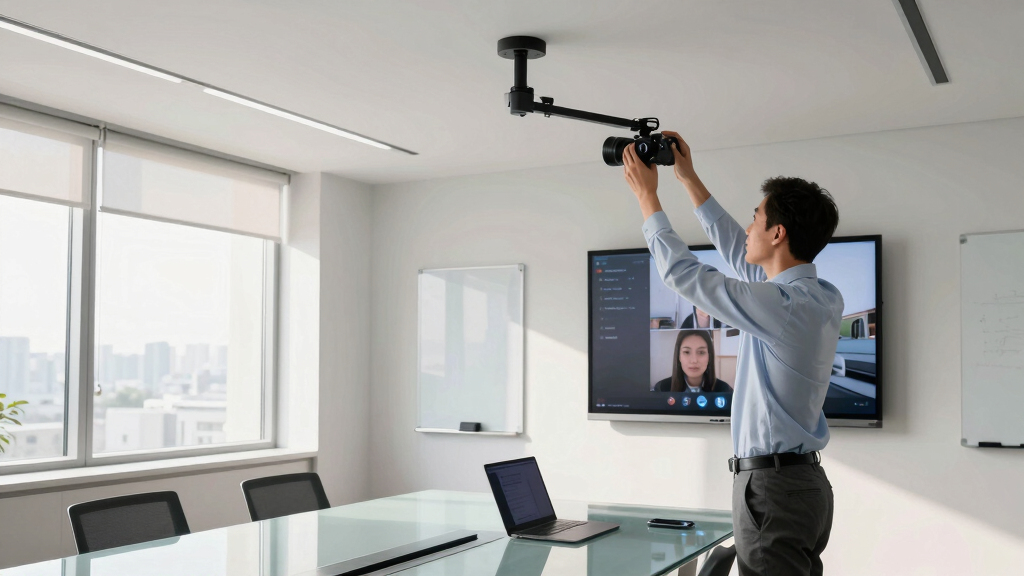
When selecting a camera for huddle room meetings, the goal is to find a device that combines clear video quality with ease of use in a small space. The Logitech MeetUp stands out as the overall best choice for its reliable 4K resolution and integrated microphone system, ideal for creating a seamless meeting experience. The Yealink UVC34 offers a versatile, plug-and-play solution for teams that prioritize simplicity and sharp visuals. Meanwhile, the Owl Labs Meeting Owl 3 provides an immersive 360° view with AI-driven speaker tracking for larger or more dynamic huddle rooms. Keep reading for a comprehensive breakdown of these options and more, so you can find the perfect fit for your space and needs.

Get business pricing on office and shipping supplies
- Business-only prices and quantity discounts
- Tax-exempt purchasing
- Multiple users, one account, clear invoices
Complete the kit



Key Takeaways
- Top picks combine high-quality video with simple setup for quick deployment in huddle rooms.
- AI features like auto-framing and speaker tracking are game changers for dynamic meetings.
- Wider lenses and panoramic views help include everyone without multiple cameras.
- Value varies significantly—more expensive models often offer advanced AI and better build quality.
- Choosing between all-in-one systems and modular setups depends on room size and future scalability.


| Camera for huddle room meeting | Field of View | Connectivity |
|---|---|---|
| Logitech MeetUp Video Conferen | 120° (expandable to 170° with motorized pan/tilt) | USB plug-and-play |
| Yealink UVC34 4K Video Confere | 120° | USB-A |
| COOLPO Camera 360 | — | USB |
| PANOCORE360 All-in-One Meeting | 360° | — |
| Jabra PanaCast 180° Panoramic | 180° | USB-C |
| Yealink 4K Video Conference Ca | — | 7m USB-B to USB-A cable |
| Owl Labs Meeting Owl 3 | 360° | — |
| Logitech Rally Camera | — | — |
| 4K Conference Room Camera Syst | 120° | — |
More Details on Our Top Picks
Logitech MeetUp Video Conferencing System 4K with Microphones
The Logitech MeetUp stands out for delivering high-quality 4K video with a wide 120° field of view, making it ideal for small and huddle rooms that need a broad perspective. Its beamforming microphones and flexible pan/tilt provide clear audio and adjustable camera angles, surpassing basic fixed cameras like the PANOCORE360 in versatility. However, the system’s need for additional components like expansion microphones and somewhat complex setup may deter users seeking simple plug-and-play solutions. Compared with the Yealink UVC34, MeetUp offers broader mounting options and better room coverage, but it demands more configuration. This pick makes the most sense for teams prioritizing customizable setup and comprehensive room coverage, even if setup complexity is a tradeoff.
Pros:- High-quality 4K video with a wide 120° field of view
- Flexible mounting options for various room types
- Clear audio with beamforming microphones
Cons:- Expansion microphone sold separately, adding cost
- Complex setup for less tech-savvy users
Best for: Small teams or organizations that require flexible mounting options and wide coverage in their huddle rooms.
Not ideal for: Users seeking an ultra-simple, all-in-one device with minimal setup, as this system involves multiple components and configuration.
- Resolution:4K Ultra HD
- Field of View:120° (expandable to 170° with motorized pan/tilt)
- Microphones:3 built-in microphones (expandable with an optional mic)
- Compatibility:PC, Mac, laptop, MacBook, tablet
- Mounting Options:Wall, credenza, TV mount
- Connectivity:USB plug-and-play
Our verdict“Ideal for teams needing customizable, high-resolution video with flexible mounting, despite a more involved setup process.”
Yealink UVC34 4K Video Conference Camera System for Huddle Rooms, Teams & Zoom Certified
The Yealink UVC34 offers a compact, all-in-one solution that excels in small rooms needing high-quality visuals and audio. Its AI auto framing and 120° field of view ensure everyone stays in frame, which is a step up from fixed-angle cameras like the PANOCORE360. The integrated microphone array and speakers streamline setup, making it perfect for users who want quick deployment without additional equipment. Unlike the Logitech MeetUp, UVC34’s built-in AI auto framing simplifies meeting management, but it’s limited in room size—less suited for larger or highly variable spaces. Its plug-and-play setup is ideal for teams prioritizing ease of use over extensive customization. This makes it best for small to medium-sized teams who value simplicity and reliable auto framing.
Pros:- High-quality 4K video with AI auto framing
- Integrated microphone array and speakers for all-in-one convenience
- Plug-and-play setup with no drivers needed
Cons:- Limited to small and crowded rooms
- Requires USB-A port, which may not be compatible with newer devices
Best for: Small teams or remote-first organizations that want an easy-to-deploy, AI-enhanced camera system with minimal setup.
Not ideal for: Larger conference rooms or setups requiring extensive room coverage or modular configurations, as its design prioritizes simplicity over scalability.
- Resolution:4K Ultra HD (8MP)
- Field of View:120°
- Microphone Array:8 microphones
- Speaker Power:5W
- Connectivity:USB-A
- Auto Framing:Yes
Our verdict“Best suited for small teams seeking straightforward, auto-framed 4K video with minimal setup effort.”
COOLPO Camera 360, Smart Video Conference Room Camera with AI Speaker Tracking and Noise Cancellation
The COOLPO 360 offers an expansive panoramic view with its 360° camera, making it ideal for hybrid meetings that require full-room visibility. Its AI speaker tracking and noise cancellation elevate the experience over fixed-angle cameras like the Jabra PanaCast, providing more dynamic engagement. The high number of microphones and AI features translate into clearer, more focused audio, but the device’s advanced capabilities come at a higher cost and with less detailed info on compatibility, which might concern budget-conscious buyers. Unlike the Pano, which offers a narrower but sharper 180° view, COOLPO’s all-encompassing coverage is perfect for large or irregularly shaped rooms where comprehensive visibility is needed. It’s best for organizations prioritizing immersive, panoramic meetings with sophisticated AI features.
Pros:- 360° panoramic view with no stitching required
- AI-driven speaker tracking for engaging meetings
- High-quality microphones and noise cancellation
Cons:- Potentially higher cost due to advanced AI features
- Limited details on software compatibility
Best for: Medium to large hybrid meeting spaces that need complete room coverage and advanced AI tracking.
Not ideal for: Small or budget-sensitive setups where simplicity or lower cost is a priority, as its advanced features may come with higher price points.
- Resolution:4K
- View Angle:360°
- Microphones:8 high-quality microphones
- Connectivity:USB
- AI Features:Speaker tracking, noise cancellation
Our verdict“Best for organizations seeking immersive panoramic coverage and intelligent tracking in medium to large rooms.”
PANOCORE360 All-in-One Meeting Camera – 360° Conference Camera for PC & Mac with AI Voice Isolation, 1080P Output, Local Recording, Compatible with Zoom/Teams/Webex
The PANOCORE360 provides a 360° view with auto-focus on active speakers, making it suitable for small to medium rooms needing flexible coverage. Its 1080P resolution may fall short compared to 4K options like Yealink or COOLPO, but the local MicroSD recording feature is a strong advantage for teams wanting stored footage without relying on cloud services. The device’s compatibility with major platforms like Zoom, Teams, and Webex adds to its versatility, though the setup can be cumbersome with multiple cables and the need for MicroSD cards, which are sold separately. Compared with the Jabra PanaCast, PANOCORE360 offers full-room panoramic coverage, but at a lower resolution and with a slightly more complex setup. It’s best for users who value active speaker focus and local recording in smaller space configurations.
Pros:- Provides full 360° view with auto-focus on active speakers
- Supports local recording via MicroSD card
- Compatible with major platforms like Zoom, Teams, Webex
Cons:- Lower resolution compared to 4K cameras
- Requires MicroSD card for recording, sold separately
Best for: Small to medium-sized teams needing flexible 360° coverage with local recording and active speaker focus.
Not ideal for: Large conference rooms or users preferring high-resolution video, as 1080P may be limiting and setup more complex.
- Camera Resolution:1080P
- Field of View:360°
- Microphone Range:10 ft (3 m)
- Recording:MicroSD (sold separately)
- Platform Compatibility:Zoom, Teams, Webex
- AI Features:Speaker focus
Our verdict“Best for smaller teams needing flexible panoramic view with active speaker tracking and local storage options.”
Jabra PanaCast 180° Panoramic 4K Video Conference Camera
The Jabra PanaCast offers a streamlined, 180° panoramic view with 4K resolution, making it a strong choice for conference rooms where full coverage is essential. Its three 13 MP cameras stitch a seamless image, providing a clear view of entire spaces with minimal setup—plug-and-play simplicity that outperforms more complex systems like the Logitech MeetUp. While the 180° view is narrower than the 360° options, it still covers most standard conference rooms effectively. Its automatic zoom and easy integration with platforms like Teams and Zoom make it ideal for busy environments that need quick deployment and reliable performance. However, its higher cost and limited coverage compared to 360° cameras might make it less appealing for larger or irregularly shaped rooms.
Pros:- Provides a full 180° panoramic view with 4K resolution
- Easy to set up with plug-and-play design
- Automatic zoom and seamless stitching for clear video
Cons:- Requires USB-C port, limiting compatibility with some devices
- Higher price point may deter budget-conscious buyers
Best for: Professional conference rooms requiring full 180° coverage with quick setup and high-quality 4K video.
Not ideal for: Large or irregularly shaped spaces that need complete 360° coverage, or users on a tight budget, as it’s relatively costly.
- Resolution:4K
- Field of View:180°
- Number of Cameras:3
- Camera Megapixels:13 MP each
- Connectivity:USB-C
- Compatibility:Microsoft Teams, Zoom
Our verdict“Ideal for professional conference rooms that prioritize simple setup and high-quality panoramic video over full 360° coverage.”
Yealink 4K Video Conference Camera System for PC, Huddle Room, Teams & Zoom | All-in-One UVC34 Webcam with 8 Microphones & Speaker, 120° Wide Angle, AI Auto Framing, Plug & Play Conference Meeting Bar
The Yealink UVC34 stands out as the most comprehensive solution for huddle rooms that need high-quality video and audio. Its 4K resolution and 120° wide field of view deliver sharp, expansive footage, surpassing the 1080p quality of the Owl Labs Meeting Owl 3. The integrated AI auto framing and speaker tracking make meetings more engaging and less manual, while the 8-microphone array ensures clear audio across larger spaces. Compared to the Logitech Rally, which is highly regarded but lacks detailed specs here, the UVC34’s plug-and-play setup and platform certifications make it a flexible choice. The main tradeoff involves the cable length—a 7-meter USB cable may be cumbersome in smaller rooms—and its premium price reflects its advanced features.
Pros:- Ultra HD 4K video with a broad 120° field of view
- Advanced AI features like auto framing and speaker tracking
- Built-in 8-microphone array for clear, room-filling audio
Cons:- Requires a lengthy 7-meter USB cable that may be awkward in tight spaces
- Premium cost may be a barrier for smaller organizations
- Limited info on included mounting options
Best for: Medium to large huddle rooms where high-quality video and advanced AI features are a priority
Not ideal for: Small, personal workspaces or budgets-conscious setups due to higher cost and setup complexity
- Connectivity:7m USB-B to USB-A cable
- Platform Certification:Microsoft Teams, Zoom, universal compatibility
- Privacy Feature:Electric privacy shutter
- Microphone Array:8 microphones
- Pickup Range:5 meters
- Camera Resolution:Ultra HD 4K
Our verdict“This camera makes the most sense for organizations needing a high-end, all-in-one video solution in mid-sized conference rooms.”
Owl Labs Meeting Owl 3 – 360° HD Conference Room Camera with AI-Driven Speaker Tracking and Microphone Pickup
The Meeting Owl 3 excels in delivering full-room coverage through its 360° video and audio capabilities, ideal for dynamic hybrid meetings. Its 1080p HD resolution and 18-foot microphone pickup range create an immersive experience, especially compared to the more static Logitech Rally, which offers high-quality but less comprehensive room capture. The automatic speaker tracking ensures active participants are always in focus, simplifying the conferencing experience. However, its reliance on USB plug-and-play makes expansion or integration with larger rooms more challenging, and the higher price point might deter smaller teams. Unlike the Yealink UVC34, it prioritizes room-wide audio-visual coverage over detailed camera control.
Pros:- Complete 360° video and audio coverage
- Automatic speaker tracking enhances hybrid participation
- Plug-and-play setup for quick deployment
Cons:- May need extra microphones for larger rooms
- Higher price for advanced features
- Dependent solely on USB connection, limiting scalability
Best for: Small to medium rooms where full 360° coverage and ease of use are critical
Not ideal for: Large, complex conference spaces where additional mics or advanced features are required
- Video Resolution:1080p HD
- Audio Pickup Range:18 feet
- Field of View:360°
- Compatibility:MS Teams, Zoom, Google Meet
- Setup:Plug & Play USB
- Expandable:Yes
Our verdict“Ideal for teams seeking simple, all-in-one room coverage with minimal setup fuss.”
Logitech Rally Camera
The Logitech Rally Camera is favored for its reliable, high-quality video that offers excellent framing, making it suitable for professional settings. Unlike the other options, it lacks detailed technical specs here, but its reputation for consistent performance makes it a go-to for organizations demanding top-tier image quality. It’s a better fit for conference rooms where static framing and high-resolution video are prioritized, rather than dynamic auto framing or 360° coverage. The main tradeoff is that without detailed specs, it’s harder to compare features directly, and it may require additional equipment for comprehensive audio. Still, for those who value dependable video quality above all, it’s a strong choice.
Pros:- High-quality, professional-grade video
- Excellent framing and image stability
- Trusted brand with a reputation for reliability
Cons:- Lack of detailed specifications limits feature comparison
- No integrated audio solutions included
- Potentially higher cost for similar features in newer models
Best for: Large conference rooms requiring reliable, high-quality video with professional framing
Not ideal for: Small or hybrid rooms needing AI auto framing or 360° coverage
- Video Quality:High-quality, detailed imaging
Our verdict“Best suited for organizations prioritizing impeccable video quality over advanced auto framing or coverage features.”
4K Conference Room Camera System with Dual Speakers, AI Auto Framing, and Wide-Angle Lens
This all-in-one conference system is designed for medium to large rooms, combining 4K resolution with AI auto framing and speaker tracking. Its wide 120° lens and 5X zoom provide flexible room coverage, outperforming many basic cameras in adaptability. The inclusion of dual built-in speakers and noise reduction makes it a strong choice for hybrid meetings where audio clarity is key, compared to smaller systems like the Owl Labs. The device’s easy setup suits larger spaces, but it might be overkill for small rooms and comes at a higher price point, especially if platform integration is limited. Its comprehensive approach makes it ideal for environments needing both high-quality visuals and audio.
Pros:- AI auto framing and speaker tracking for engaging meetings
- Wide-angle lens with 5X zoom for flexible coverage
- Integrated dual speakers and noise reduction enhance audio clarity
Cons:- May be expensive for small or personal setups
- Requires compatible platforms for full feature utilization
- All-in-one design might limit customization options
Best for: Medium to large conference rooms that require both high-quality video and robust audio features
Not ideal for: Small meeting spaces or users with tight budgets due to cost and complexity
- Camera Resolution:4K
- Field of View:120°
- Zoom:5X
- Microphone Array:4 microphones with noise reduction
- Speakers:Dual built-in
- Auto Framing:Yes
Our verdict“This system fits organizations that need a powerful, integrated video and audio solution for larger or complex conference rooms.”

How We Picked
These products were evaluated based on video quality, ease of installation, usability, and value for small meeting spaces. Priority was given to models with 4K resolution, AI-driven framing, and reliable microphone systems, as these features directly impact meeting clarity and user experience. We also considered build quality, compatibility with common conferencing platforms, and price to determine overall value. The ranking reflects a balance of performance, versatility, and affordability, helping buyers find options suitable for various huddle room setups and budgets.Factors to Consider When Choosing Camera For Huddle Room Meetings
Choosing the right camera for a huddle room involves more than just resolution. It’s important to consider how the camera’s field of view, AI features, and integration options match your meeting environment. A good camera should be easy to install, require minimal maintenance, and adapt to different room sizes and configurations. Considering these factors can help avoid common pitfalls like poor framing, inadequate audio, or expensive reconfigurations down the line.Field of View and Coverage
For small huddle rooms, a wide-angle lens—typically 120° or more—ensures everyone is visible without needing multiple cameras. Panoramic or 360° cameras can eliminate blind spots entirely, but may introduce distortion or require more processing power. Think about your room size and seating arrangement to choose a camera that provides adequate coverage without sacrificing image quality or creating clutter.
AI and Auto-Framing Features
AI-driven features like auto-framing, speaker tracking, and noise cancellation greatly enhance meeting flow by maintaining focus on active speakers and adjusting framing automatically. These features are especially helpful in dynamic meetings or when participants move around. However, they often come at a higher cost and may require more processing power, so consider your budget and room complexity when evaluating these options.
Ease of Setup and Compatibility
Most huddle room cameras now aim for plug-and-play simplicity, but some still require professional installation or additional hardware. Look for models with universal compatibility with platforms like Zoom, Teams, or Webex, and check if they support USB, HDMI, or IP connections. An intuitive interface and minimal configuration help ensure the camera can be deployed quickly and maintained easily.
Audio Integration
Clear audio is as important as video in huddle rooms. Some cameras include built-in microphones or are paired with dedicated audio systems, which can reduce echo and background noise. When choosing, consider whether you need an all-in-one solution or if separate microphones or speaker systems might better suit your room’s acoustics and size.
Budget and Future Scalability
Pricing varies widely, with more advanced AI and wider coverage models costing more. Smaller budgets might favor simpler cameras that still deliver decent quality, but investing in a slightly pricier option with AI features could pay off in smoother meetings and less frustration. Also, consider whether the camera system can be upgraded or integrated into a larger conference setup in the future, especially if your team grows or your needs evolve.
Frequently Asked Questions
Do I need a 4K camera for my huddle room?
While 4K resolution provides sharper images and more detail, it isn’t always necessary for small huddle rooms, especially if bandwidth or hardware limits exist. Many 1080p cameras deliver sufficient clarity for most meetings, but if your team values high detail or plans to record sessions, a 4K model can be a worthwhile investment. Consider your room size and usage needs when choosing resolution to balance quality and cost.
Are AI features essential in a huddle room camera?
AI features like auto-framing and speaker tracking improve the meeting experience by keeping participants in view without manual adjustments. These are particularly helpful in rooms where participants move around or when multiple people speak. However, they can add to the cost and complexity, so if your meetings are more static or budget-constrained, a simpler camera without AI might still meet your needs effectively.
Can I use a standard webcam in a huddle room?
Standard webcams can work in small rooms with limited participants, especially if budget is a concern. However, they often lack wide-angle lenses, AI features, and integrated microphones, which can limit their effectiveness. For a more professional, clutter-free setup with better coverage and audio, dedicated conference cameras designed specifically for meeting rooms are generally a better choice.
How important is microphone quality in a huddle room camera?
Microphone quality is vital because poor audio can diminish the meeting experience, making it hard to hear or understand speakers. Many conference cameras now include multiple microphones or work seamlessly with external audio systems. When evaluating options, consider whether the camera’s microphones are sufficient for your room size and whether you need additional equipment to ensure clear communication.
Should I prioritize a all-in-one camera system or separate components?
All-in-one systems offer simplicity and quick setup, making them appealing for small, dedicated huddle spaces. However, modular setups can provide greater flexibility, allowing you to upgrade components over time or customize coverage for larger or more complex rooms. Your choice depends on your current room size, future growth plans, and how much you value ease of installation versus expandability.
Conclusion
For small, straightforward huddle rooms, the Logitech MeetUp offers a reliable, all-in-one solution with excellent video and audio quality, making it ideal for most users. Those seeking a budget-friendly yet capable option might prefer the Yealink UVC34, which balances simplicity and performance. If your room is more dynamic or larger, the Owl Labs Meeting Owl 3 provides immersive coverage with AI tracking, perfect for active sessions. Beginners will appreciate plug-and-play models, while larger teams or those with future scalability in mind should consider systems with AI features and wider coverage. Your best choice hinges on your room size, meeting style, and budget.Halloween Picks

9 ft Halloween Inflatable Haunted Castle with Dragon and Ghost

12-Foot Inflatable Pumpkin Halloween Archway with LED Lights

MGparty 14.5 ft Halloween Inflatable Walk-In Pumpkin House with LED Lights
As an affiliate, we earn on qualifying purchases.