For podcast production, the JBL 305P MkII is my best overall pick for its room-filling stereo image and useful listening detail, while the Yamaha HS5 suits editors who want a revealing midrange and the Mackie CR3.5 gives beginners a compact, adjustable setup. The right choice depends on whether you need to judge dialogue clearly, hear low-frequency noise, fit speakers on a crowded desk, or connect devices beyond your editing computer. Larger monitors can expose more bass, but they need space and careful placement; smaller models are easier to accommodate but may not reveal deep rumble as well. Connectivity and room controls also vary, so a feature-rich speaker is not automatically the best editing tool. Read on for the full comparison and buying advice.

Get business pricing on office and shipping supplies
- Business-only prices and quantity discounts
- Tax-exempt purchasing
- Multiple users, one account, clear invoices
Key Takeaways
- The JBL 305P MkII leads for general editing: its stereo presentation makes it a flexible choice for dialogue editing and checking a mix across the listening space.
- Yamaha’s HS models favor revealing playback: the HS5 is the more desk-friendly reference option, while the larger HS8 makes more sense when space and listening distance can support it.
- Small speakers suit close desk setups: Mackie CR3.5, M-Audio BX3, and Yamaha HS4 are easier to place, though their compact woofers give less insight into deep room rumble.
- Connectivity changes the use case: Ortizan C7 adds Bluetooth, while the wired monitors are a better fit when the speakers will stay connected to an audio interface or production computer.
- Speaker size alone does not determine suitability: PreSonus Eris E7 XT and HS8 offer a larger-monitor route, but a poorly matched room or desk can make a compact nearfield the more practical choice.
| Yamaha HS8 8-Inch Powered Studio Monitor Pair, Black |  | Best for Full-Range Monitoring | Model: HS8 | Configuration: Pair of powered monitors | Frequency response: 38 Hz–30 kHz | VIEW ON AMAZON | See Our Full Breakdown |
| JBL 305P MkII 5-Inch 2-Way Powered Studio Reference Monitors (Pair) |  | Best Overall for Most Podcast Rooms | Configuration: Pair of 2-way powered monitors | Woofer: 5 inches | Tweeter: 1 inch | VIEW ON AMAZON | See Our Full Breakdown |
| Mackie CR3.5 Studio Monitors (Pair), 3.5-Inch Woofers, Tone Knob, Black |  | Best for Compact Podcast Desks | Model: CR3.5 | Configuration: Pair | Woofer: 3.5 inches | VIEW ON AMAZON | See Our Full Breakdown |
| Ortizan C7 Powered Studio Monitors Pair with Bluetooth 5.3 |  | Best for Flexible Connectivity | Configuration: Pair | Woofer: 3.5-inch carbon fiber | Tweeter: 0.75-inch silk dome | VIEW ON AMAZON | See Our Full Breakdown |
| PreSonus Eris E7 XT Two-Way Active Studio Monitor |  | Best for Wide-Area Listening | Speaker type: Two-way active studio monitor | Configuration: Single monitor | Low-frequency driver: 6.5-inch woven composite | VIEW ON AMAZON | See Our Full Breakdown |
| M-Audio BX3 3.5″ Wired Studio Monitor Speakers (Pair) |  | Best for Tight Desktops | Speaker size: 3.5 inches | Total power: 120W | Configuration: Bi-amplified active/passive pair | VIEW ON AMAZON | See Our Full Breakdown |
| Yamaha HS4 Powered Studio Monitor Pair (Black) |  | Best for Near-Field Voice Editing | Configuration: 2-way bass-reflex powered pair | Woofer: 4.5-inch cone | Tweeter: 1-inch dome | VIEW ON AMAZON | See Our Full Breakdown |
| Yamaha HS5 Powered Studio Monitors, Pair |  | Best for Accuracy-Focused Editing | Quantity: 2 monitors | Type: 2-way bass-reflex, bi-amplified near-field monitors | Woofer: 5-inch cone | VIEW ON AMAZON | See Our Full Breakdown |
| Edifier MR4.5 Bi-Amped Studio Monitor Speakers (White, Pair) |  | Best for Flexible Hybrid Setups | Model: MR4.5 | Total power: 80W RMS | Woofer: 4.5 inches | VIEW ON AMAZON | See Our Full Breakdown |
| ULTIMEA BS-3 3-Way Powered Bookshelf Speakers |  | Best for Podcasting and Home Entertainment | Speaker type: 3-way powered bookshelf | Woofer: 5.25 inches | Tweeter: 1 inch | VIEW ON AMAZON | See Our Full Breakdown |
| top rated studio monitor speakers for podcast production | Woofer | Configuration | Tweeter | Frequency response |
|---|---|---|---|---|
| Yamaha HS8 8-Inch Powered Stud | 8-inch cone | Pair of powered monitors | 1-inch dome | 38 Hz–30 kHz |
| JBL 305P MkII 5-Inch 2-Way Pow | 5 inches | Pair of 2-way powered monitors | 1 inch | — |
| Mackie CR3.5 Studio Monitors | 3.5 inches | Pair | — | — |
| Ortizan C7 Powered Studio Moni | 3.5-inch carbon fiber | Pair | 0.75-inch silk dome | — |
| PreSonus Eris E7 XT Two-Way Ac | — | Single monitor | — | — |
| M-Audio BX3 3.5" Wired Studio | — | Bi-amplified active/passive pair | — | — |
| Yamaha HS4 Powered Studio Moni | 4.5-inch cone | 2-way bass-reflex powered pair | 1-inch dome | 60 Hz–22 kHz (-10 dB) |
| Yamaha HS5 Powered Studio Moni | 5-inch cone | — | 1-inch dome | 54 Hz–30 kHz |
| Edifier MR4.5 Bi-Amped Studio | 4.5 inches | — | 1-inch silk dome | 50 Hz–40 kHz |
| ULTIMEA BS-3 3-Way Powered Boo | 5.25 inches | — | 1 inch | 50 Hz |
More Details on Our Top Picks
Yamaha HS8 8-Inch Powered Studio Monitor Pair, Black
For podcast producers who need to hear low-frequency problems clearly, the Yamaha HS8 pair offers the deepest stated bass extension in this group, reaching 38 Hz. Its 8-inch woofer and separate low- and high-frequency amplification can make rumble, plosives, and room noise easier to assess than on compact choices such as the Mackie CR3.5. That reach is useful when editing voices alongside music or sound effects, but it does not replace treating the room or using a pop filter. The tradeoff is scale: these monitors are larger than the JBL 305P MkII and small-desk models, so they need space and sensible placement. The provided description does not list room-correction controls or included accessories, which may matter when setting them up in an untreated workspace.
Pros:- Pair includes two powered monitors for stereo monitoring.
- 38 Hz–30 kHz stated frequency response reaches into low-frequency noise and detail.
- Bi-amplification dedicates separate power to the woofer and tweeter.
- 8-inch woofer provides more low-frequency reach than the Mackie CR3.5’s 3.5-inch drivers.
Cons:- Larger cabinets need more desk or stand space than compact options such as the JBL 305P MkII.
- Provided product details do not specify room-adjustment controls.
- Included accessories are not specified.
Best for: Podcast editors with a dedicated room who need to check voice recordings, music, and low-frequency noise on full-range monitors.
Not ideal for: Small-desk users or producers working in a tight room who cannot accommodate 8-inch monitors or control their placement.
- Model:HS8
- Configuration:Pair of powered monitors
- Frequency response:38 Hz–30 kHz
- Amplification:120 W bi-amp per monitor (75 W LF + 45 W HF)
- Woofer:8-inch cone
- Tweeter:1-inch dome
- Color:Black
Our verdict“Choose the HS8 pair if your podcast workspace can fit larger monitors and you want more low-frequency reach for editing voices and accompanying audio.”
JBL 305P MkII 5-Inch 2-Way Powered Studio Reference Monitors (Pair)
The JBL 305P MkII pair is a balanced pick for podcast rooms where clear voice monitoring and flexible placement matter more than the deepest bass. Its Image Control Waveguide supports precise stereo imaging, while Boundary EQ and HF Trim let you adjust the sound when the speakers sit near walls or sound too bright. That gives it a setup advantage over the Yamaha HS8, whose supplied details do not list comparable room controls. Balanced XLR and TRS inputs also suit common recording interfaces. The 5-inch woofer is a practical middle ground: less demanding on space than the HS8, but not as compact as the Mackie CR3.5 or Ortizan C7. Its limits are the smaller low-frequency driver and the need to tune controls by ear for the room; it cannot correct poor acoustics on its own.
Pros:- Image Control Waveguide supports clear imaging for stereo editing.
- Boundary EQ and HF Trim help adapt playback to speaker placement and room balance.
- Balanced XLR and 1/4-inch TRS inputs connect to common studio equipment.
- Pair format provides stereo monitoring without the larger footprint of the Yamaha HS8.
Cons:- 5-inch woofers provide less low-frequency reach than the Yamaha HS8’s 8-inch drivers.
- Room controls require adjustment and cannot compensate for poor acoustic treatment.
Best for: Independent podcasters and small production teams who want room-adjustment controls, balanced interface connections, and a stereo pair.
Not ideal for: Producers who need strong low-frequency extension from their monitors or have no space for cabinets around 12 inches tall.
- Configuration:Pair of 2-way powered monitors
- Woofer:5 inches
- Tweeter:1 inch
- Amplifiers:Dual 41-watt Class-D
- Peak SPL:108 dB
- Inputs:Balanced XLR and 1/4-inch TRS
- Controls:Boundary EQ and HF Trim
- Dimensions:11.7 × 7.3 × 9.1 inches
Our verdict“Pick the JBL 305P MkII pair for a flexible, interface-ready setup in a typical podcast room where placement controls are useful.”
Mackie CR3.5 Studio Monitors (Pair), 3.5-Inch Woofers, Tone Knob, Black
When desk space is the main constraint, the Mackie CR3.5 pair offers a straightforward way to monitor edits in stereo. Its 3.5-inch woofers suit a small workspace better than the Yamaha HS8 or PreSonus Eris E7 XT, while the Location Switch is intended to help manage bass response when the speakers sit near a wall. The Tone Knob gives users a way to change voicing, though podcast editors should check that any tonal adjustment has not hidden harshness or excess bass in a voice track. Isolation pads and cables are included, making the supplied setup details more specific than the Yamaha HS8 listing. The central compromise is limited scale: these compact monitors are less suited to judging low-frequency noise or filling a larger room than the JBL 305P MkII.
Pros:- Compact 3.5-inch woofer format suits small desks.
- Location Switch helps adapt bass response to placement near a wall.
- Tone Knob provides a simple way to adjust voicing.
- Pair includes isolation pads and cables.
Cons:- Small woofers offer less low-frequency assessment than the JBL 305P MkII’s 5-inch drivers.
- Designed for desks and small studios, limiting suitability for larger rooms.
- Tone adjustment can make it harder to judge neutral voice balance if left enabled.
Best for: New podcasters editing speech at a small desk who want a compact stereo pair with basic placement and voicing controls.
Not ideal for: Editors mixing bass-heavy music or monitoring several people in a larger studio, where the small drivers may limit low-end assessment and coverage.
- Model:CR3.5
- Configuration:Pair
- Woofer:3.5 inches
- Color:Black
- Controls:Tone Knob and Location Switch
- Included accessories:Isolation pads and cables
Our verdict“Choose the CR3.5 pair for compact speech-editing setups where included accessories and desk-friendly size matter more than deep bass.”
Ortizan C7 Powered Studio Monitors Pair with Bluetooth 5.3
The Ortizan C7 pair suits podcasters who want one set of speakers for an interface, computer, and casual wireless playback. Its connection mix includes balanced TRS, USB with a built-in 24-bit DAC, RCA, AUX, and Bluetooth 5.3, giving it more listed input options than the JBL 305P MkII. That can simplify switching between a recording setup and everyday listening. For editing, the 3.5-inch woofer keeps the cabinets compact, but it also gives the C7 less stated low-frequency scale than the Yamaha HS8 or JBL pair. The product description claims a flat response but supplies no frequency range or room-adjustment controls, so buyers have less specification detail for judging monitoring accuracy and placement needs. Bluetooth is convenient for playback checks, though wired connections make more sense for critical editing.
Pros:- Balanced TRS, USB, RCA, AUX, and Bluetooth 5.3 cover varied sources.
- Built-in 24-bit DAC supports direct USB audio playback.
- Compact 3.5-inch woofer format suits smaller workspaces.
- Pair provides stereo monitoring.
Cons:- 3.5-inch woofers provide less low-frequency reach than the Yamaha HS8 or JBL 305P MkII.
- Provided specs do not include a frequency response range or room-adjustment controls.
- Bluetooth playback is less appropriate than a wired connection for critical editing.
Best for: Home podcasters who switch between a balanced audio interface, computer playback, and wireless listening on compact speakers.
Not ideal for: Editors who need detailed published response specifications, room-tuning controls, or stronger low-frequency monitoring.
- Configuration:Pair
- Woofer:3.5-inch carbon fiber
- Tweeter:0.75-inch silk dome
- Connectivity:Bluetooth 5.3, USB, RCA, 3.5 mm AUX, 6.35 mm balanced TRS
- DAC:24-bit
- Color:Black
Our verdict“Pick the Ortizan C7 if you value many ways to connect compact speakers more than detailed monitoring specifications or extended bass.”
PreSonus Eris E7 XT Two-Way Active Studio Monitor
For a podcast room where more than one person needs to hear edits, the PreSonus Eris E7 XT has a stated 100° horizontal × 60° vertical waveguide dispersion and a wide listening sweet spot. Its 6.5-inch woven composite woofer also offers more low-frequency scale than the compact Mackie CR3.5 or Ortizan C7. Acoustic controls can help tailor playback to the room, though the description notes that adjustment is needed to achieve a flat response. The important buying detail is that this listing is for one monitor, unlike the Yamaha HS8 and JBL 305P MkII listings, which include pairs. Buyers seeking stereo monitoring need to account for that and obtain a second unit. It is a less convenient choice for a solo editor seeking a ready-to-use pair.
Pros:- Wide stated waveguide dispersion supports listening across a broader area.
- 6.5-inch woofer offers more low-frequency scale than the Mackie CR3.5.
- Acoustic controls allow room adjustments.
- Ported enclosure is designed to extend bass response.
Cons:- Sold as a single monitor, so stereo monitoring requires a second unit.
- Room adjustment is needed to achieve a flat frequency response.
- Larger driver and floor-standing mounting description may not suit compact desks.
Best for: Podcast teams reviewing edits together in a treated or adjustable room, especially when a broad listening area is useful.
Not ideal for: Solo creators who need a complete stereo pair in one purchase or want a small monitor for a crowded desk.
- Speaker type:Two-way active studio monitor
- Configuration:Single monitor
- Low-frequency driver:6.5-inch woven composite
- High-frequency driver:1.25-inch silk dome
- Maximum sound output:104 dB
- Waveguide dispersion:100° horizontal × 60° vertical
- Enclosure:Ported
- Included software:Studio One Prime and Studio Magic plug-in suite
Our verdict“Choose the Eris E7 XT when broad listening coverage matters and you are prepared to build a matched stereo setup from individual monitors.”
M-Audio BX3 3.5″ Wired Studio Monitor Speakers (Pair)
The M-Audio BX3 is a practical choice when podcast editing has to fit beside a laptop, interface, and mic on a crowded desk. Its 3.5-inch Kevlar woofers and silk dome tweeters provide stereo playback for checking edits, while the wired connection avoids Bluetooth latency during recording. Multiple input types make it easy to connect common desktop gear, and the front headphone jack helps with quick swaps between speakers and private listening. Compared with the Yamaha HS4, the BX3 offers more front-panel convenience and a stated 120W total system power, but its smaller drivers are less suited to judging low voice rumble or room noise. The rear EQ controls can be awkward to reach, and this is a wired-only setup.
Pros:- Compact 3.5-inch speaker format suits crowded desktop setups
- Wired playback avoids Bluetooth latency during live monitoring
- 1/4-inch, 1/8-inch, and RCA inputs accommodate common audio sources
- Front headphone jack makes switching to private monitoring straightforward
Cons:- Small woofers offer limited help when checking deep voice rumble
- EQ controls on the rear are inconvenient to adjust often
- No Bluetooth or other wireless playback
Best for: Podcasters editing at a compact desk who want wired playback, flexible connections, and an accessible headphone jack.
Not ideal for: Editors who need to judge deep bass or frequently adjust speaker EQ from the listening position.
- Speaker size:3.5 inches
- Total power:120W
- Configuration:Bi-amplified active/passive pair
- Woofer material:Kevlar
- Tweeter material:Silk dome
- Cabinet material:MDF
- Inputs:1/4-inch TRS, 1/8-inch TRS, RCA
- Front panel:1/8-inch AUX input and headphone jack
Our verdict“Choose the BX3 for a space-conscious wired podcast desk where connection flexibility matters more than deep-bass checking.”
Yamaha HS4 Powered Studio Monitor Pair (Black)
The Yamaha HS4 suits a small room where the monitors sit close to the editor and a restrained, accurate presentation is the priority. Its 4.5-inch woofer and 1-inch dome tweeter cover a wider range than the smaller M-Audio BX3 drivers, while room control and high trim let you adapt the sound to a desk or nearby wall. XLR/TRS combo inputs are useful for connecting an audio interface, with RCA and stereo mini inputs for other sources. The listed response reaches down to 60 Hz, so the HS4 can help reveal some low-frequency voice buildup, though it will not show the deepest rumble as clearly as the larger Yamaha HS5’s stated 54 Hz extension. Output is intended for near-field listening, not filling a large room.
Pros:- 4.5-inch woofer provides more low-frequency reach than compact 3.5-inch monitors
- XLR/TRS combo inputs suit common audio interfaces
- Room control and high trim allow basic acoustic adjustment
- Includes speaker cable, stereo mini-RCA cable, and anti-slip pads
Cons:- Frequency response is specified down to 60 Hz, limiting deep-bass assessment
- Power is aimed at near-field listening rather than larger rooms
- Fewer stated amplification details than the Yamaha HS5
Best for: Solo podcasters working close to their speakers in a small treated or desk-based editing space, especially with an audio interface.
Not ideal for: People mixing in a larger room or relying on speakers to assess very deep bass and sub-bass noise.
- Configuration:2-way bass-reflex powered pair
- Woofer:4.5-inch cone
- Tweeter:1-inch dome
- Frequency response:60 Hz–22 kHz (-10 dB)
- Output power:26 W and above
- Inputs:XLR/TRS combo, RCA, stereo mini
- Controls:Room control and high trim
- Color:Black
Our verdict“Pick the HS4 for close-range podcast editing when interface connectivity and room adjustments matter more than deep-bass reach.”
Yamaha HS5 Powered Studio Monitors, Pair
For podcast producers who want speakers that prioritize revealing what is in the recording, the Yamaha HS5 is the strongest fit in this batch. Its 5-inch woofer and 1-inch dome tweeter are bi-amplified, and the listed 54 Hz–30 kHz response gives more range for checking voice body, room tone, and high-frequency noise than the HS4. Balanced XLR and TRS inputs also make a direct connection to a recording interface simple. Compared with the more connectivity-focused Edifier MR4.5, the HS5 keeps the stated feature set centered on studio monitoring rather than Bluetooth and app controls. That focus means fewer casual playback options, and the product data does not list room-adjustment controls. These powered monitors also need wired power at the desk.
Pros:- Bi-amplified design separates low- and high-frequency amplification
- 5-inch woofer and stated 54 Hz lower response extend below the HS4
- XLR and TRS inputs accept balanced or unbalanced signals
- Near-field format is suited to focused desktop or small-studio monitoring
Cons:- No Bluetooth or consumer RCA input is listed
- Room-adjustment controls are not specified in the provided product data
- Requires a wired power connection
Best for: Podcast editors with an audio interface who prioritize hearing tonal problems and editing decisions over wireless convenience.
Not ideal for: Buyers seeking Bluetooth playback, app-based room calibration, or a broad set of everyday consumer inputs.
- Quantity:2 monitors
- Type:2-way bass-reflex, bi-amplified near-field monitors
- Woofer:5-inch cone
- Tweeter:1-inch dome
- Frequency response:54 Hz–30 kHz
- Amplification:70W total (45W LF + 25W HF)
- Inputs:XLR and TRS phone jack
- Enclosure materials:MDF, polypropylene, and silk
Our verdict“Choose the HS5 when accurate, interface-connected voice editing matters more than wireless playback or extra convenience features.”
Edifier MR4.5 Bi-Amped Studio Monitor Speakers (White, Pair)
The Edifier MR4.5 is the flexible pick for podcasters who want studio connections for editing and wireless playback for everyday listening. Its 80W RMS bi-amped design, 4.5-inch woofer, and stated 50 Hz–40 kHz response offer a wide playback range, while XLR/TRS inputs can connect to a recording interface. Bluetooth 6.0 with LDAC, plus RCA, AUX, and a headphone jack, makes it easier to share the same setup across a computer, phone, and headphones. Compared with the Yamaha HS5, the MR4.5 offers more ways to connect and listed DSP tuning, but the HS5’s monitoring-focused positioning may suit editors who prefer a simpler studio setup. The MR4.5 pair is relatively heavy, and detailed EQ adjustment takes app use or reaching rear controls.
Pros:- XLR/TRS, RCA, AUX, Bluetooth, and headphone connectivity cover varied sources
- Bi-amped 80W RMS system supports separate low- and high-frequency reproduction
- Listed 50 Hz–40 kHz response spans a broad range for voice and general playback
- DSP tuning offers a way to adapt sound to the listening setup
Cons:- Pair weight of 6.63 kg makes repositioning less convenient
- Detailed EQ changes require the app or rear-panel controls
- Bluetooth playback is convenient but does not replace a wired interface connection for production
Best for: Podcasters who edit through an interface but also want one speaker pair for phone playback, casual listening, and multiple wired sources.
Not ideal for: Editors who want a simple, dedicated near-field monitor setup without app-dependent EQ or frequent rear-panel adjustments.
- Model:MR4.5
- Total power:80W RMS
- Woofer:4.5 inches
- Tweeter:1-inch silk dome
- Frequency response:50 Hz–40 kHz
- Bluetooth:Version 6.0 with LDAC
- Inputs:XLR, TRS, RCA, AUX, headphone jack
- Pair weight:6.63 kg
Our verdict“Choose the MR4.5 if you need studio inputs and wireless everyday playback in the same podcast workspace.”
ULTIMEA BS-3 3-Way Powered Bookshelf Speakers
The ULTIMEA BS-3 is the outlier for creators who want their podcast desk to double as a TV or gaming audio setup. A three-way design with a dedicated midrange driver aims to keep voices distinct from bass and treble, and HDMI ARC, optical, USB, RCA, and Bluetooth 6.0 make the speaker pair easier to share across devices than the Yamaha HS5. Its 5.25-inch woofer and stated 50 Hz low end may provide fuller playback than compact desktop monitors, but the product data describes it as a powered bookshelf speaker rather than a dedicated studio monitor. That makes it less clearly suited to judging subtle mix balance than the HS5. Shelf mounting also takes more desk or room space, and app-based EQ adds another control step.
Pros:- Dedicated midrange driver separates voice playback from woofer and tweeter duties
- HDMI ARC, optical, USB, RCA, and Bluetooth connect varied home devices
- 5.25-inch woofer and stated 50 Hz response support fuller general playback
- App-controlled EQ provides sound-profile adjustments
Cons:- Bookshelf design takes more space than compact near-field monitors
- Product data does not list balanced XLR or TRS inputs for an audio interface
- Home entertainment focus makes it a less direct choice for reference mixing than the Yamaha HS5
Best for: Podcast creators who want clear dialogue playback alongside TV, gaming, and music audio from a single bookshelf speaker pair.
Not ideal for: Mix editors seeking a dedicated studio monitor with clearly specified balanced interface inputs and near-field tuning.
- Speaker type:3-way powered bookshelf
- Woofer:5.25 inches
- Tweeter:1 inch
- Power output:70W RMS
- Frequency response:50 Hz
- Distortion:0.1%
- Connectivity:HDMI ARC, optical, RCA, USB, Bluetooth 6.0
- Control method:App
Our verdict“Pick the BS-3 when dialogue clarity and broad home-device connectivity matter more than a dedicated studio-monitor workflow.”
How We Picked
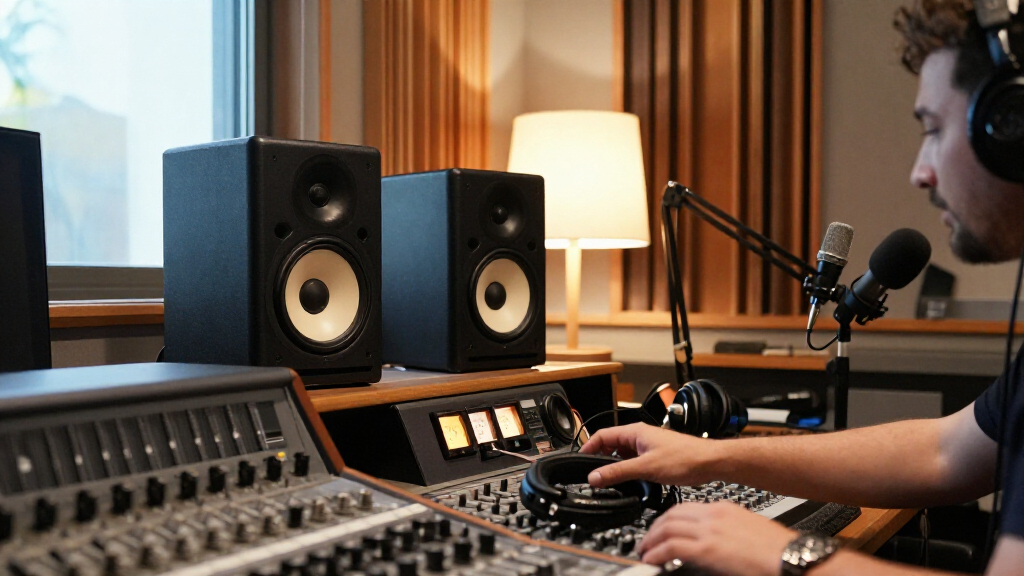
I ranked these speakers around podcast tasks: hearing speech edits, judging tonal balance, spotting noise and plosives, and checking a finished mix at a desk. I weighed dialogue clarity, stereo presentation, useful room or tone controls, connection options, physical size, and how well each model fits a realistic home production setup. A speaker’s intended use and layout matter alongside its driver size; Bluetooth convenience, for example, can help with casual playback but does not replace a dependable wired production connection.
The JBL 305P MkII takes the top position as the most balanced fit across editing and mix checks. I placed the Yamaha HS5 and larger HS8 among the reference-focused options, with their relative ranking shaped by desk and room demands. Compact models rank well for limited spaces and entry-level setups, while options with consumer-oriented features or less established studio positioning are best matched to specific needs rather than every podcast workflow. The lineup includes both individual monitors and pairs, so buyers should confirm package contents before choosing.
Factors to Consider When Choosing Top Rated Studio Monitor Speakers For Podcast Production
Before choosing a monitor, I would match it to the recording and editing setup rather than shopping by driver size or feature count. These decisions help avoid a speaker that sounds impressive in a demo but makes dialogue harder to judge at your desk.
Start With Your Listening Distance and Room
Nearfield monitors are designed to be heard from relatively close, which can help reduce the room’s influence in a small workspace. A bigger woofer does not automatically give better podcast monitoring: if the speakers sit too close to a wall or your desk is narrow, bass response and stereo balance can become harder to interpret. Measure the available width and likely listening distance before choosing larger cabinets. Leave room to position both speakers symmetrically and angle them toward your ears. If that layout is not possible, a compact pair may give more consistent results than a larger model squeezed into place.
Decide How Much Bass You Need to Hear
Podcast mixes rarely need the extended bass response sought by music producers, but low-frequency awareness still helps reveal HVAC rumble, desk vibration, plosives, and handling noise. Smaller monitors can make that content less obvious, so pair them with headphones when checking subtle low-end problems. A larger monitor can make rumble easier to hear, though it may also exaggerate bass if the room or placement is a poor match. Avoid using bass fullness as a shortcut for judging dialogue quality. Choose enough low-end visibility for your cleanup work, then check the final mix on headphones and ordinary playback devices.
Prioritize Speech Clarity Over a Pleasant Demo Sound
A speaker that makes voices sound flattering can hide the harshness, muddiness, or sibilance listeners will hear elsewhere. For editing, the useful monitor is one that helps you notice changes in consonants, room tone, and compression without requiring a loud playback level. If possible, compare familiar spoken-word recordings at a consistent volume rather than judging from music demos alone. Tone controls can help adapt a speaker to a desk or room, but heavy adjustment may mask problems in the recording. Keep processing decisions grounded in reference listening across more than one playback system.
Plan the Signal Chain and Connections
Check what outputs your interface, computer, or mixer provides before buying speakers; a mismatch can mean extra cables or adapters. Many studio monitors expect a wired source, while Bluetooth-equipped models add convenience for phone playback and quick checks. Wireless listening can introduce latency or compression, so use a wired connection for editing decisions when the speaker supports it. Also check whether volume controls are easy to reach from your seated position and whether the pair uses separate power connections. These small workflow details matter during repeated edits and recording sessions.
Choose for Editing, Recording, or Both
If you record in the same room, monitors can feed sound back into an open microphone, so headphones may be the safer choice during takes. Speakers become more useful for editing, guest review, and final mix checks after recording. Decide whether one pair needs to cover all these jobs or whether you can use headphones for tracking and monitors for playback. For a shared desk, compact cabinets and accessible controls may matter more than maximum output. A clear workflow can prevent you from paying for capabilities that will rarely affect your podcast production.
Know When a Bigger Monitor Is Worth the Space
Moving up to a larger cabinet can help when you sit farther away, work in a larger treated room, or want to hear more low-frequency information. It is less useful if the speaker must sit close to a wall or your room has untreated bass problems. Room treatment and placement can improve monitoring more than a driver-size upgrade, particularly for voice-focused work. Before spending for a larger model, consider whether stands, isolation pads, or acoustic treatment would address the problem you actually hear. Pay for extra scale when your room and working distance can make use of it.
Frequently Asked Questions
Do I need studio monitors to edit a podcast, or are headphones enough?
Headphones are valuable for catching clicks, mouth noise, and subtle edits, and they avoid sound leaking into a live microphone. Monitors make it easier to judge how dialogue sits in a room and to listen for long stretches without wearing headphones. Many podcast producers use both because each reveals different issues. If you can only choose one, prioritize the tool that fits your recording space and workflow; a treated, quiet desk setup favors monitors, while a shared or noisy room may favor headphones. You can still check a finished mix on everyday speakers before publishing.
Will small monitors reveal plosives and background rumble well enough?
They can reveal many speech problems, especially when placed close and used at a moderate level, but compact woofers may give you less information about very low rumble. Plosives also create audible bursts through midrange and distortion, so they are not only a bass issue. Use a pair of good headphones as a second check for HVAC noise, handling thumps, and subsonic energy. If low-frequency cleanup is a regular part of your work, larger monitors can help when your room supports them. A high-pass filter and careful microphone technique remain important regardless of speaker size.
Is Bluetooth a good connection for podcast editing?
Bluetooth can be handy for casual listening or checking a mix from a phone, but I would use a wired connection for editing and production decisions. Wireless audio can add latency and may alter the signal, which makes it less dependable for timing edits or judging fine tonal changes. Confirm which wired inputs are available if a model also offers Bluetooth. If your computer or interface lacks a matching output, include the needed cable or interface connection in your setup plan. Treat Bluetooth as a convenience feature rather than the main studio link.
Should I choose a pair of monitors or a single monitor?
A matched pair is the practical choice for stereo placement checks and consistent listening across both channels. Some listings describe one active monitor or a single unit, while others include a pair, so verify the box contents before ordering. A single speaker can still be useful for checking mono dialogue, but it cannot replace stereo monitoring for panning or channel balance. Podcast mixes often center voices, yet stereo music, remote guest tracks, and sound effects can still benefit from two speakers. Also check whether each speaker needs its own power outlet and signal cable.
How much room treatment do I need before upgrading to larger monitors?
You do not need a professional studio to start monitoring, but speaker placement and the room can affect what you hear. Begin by setting the monitors symmetrically, keeping them stable, and avoiding a position that traps one speaker in a corner. Listen to familiar speech and note whether bass or reflections vary strongly as you move your head. If the room produces obvious changes, basic treatment and isolation may improve decisions more than a larger pair. Consider larger monitors once your room and listening distance let you hear their added range clearly.
Conclusion
For most home podcast editors, I recommend the JBL 305P MkII as the best overall because it balances speech work and broader mix checks. The Mackie CR3.5 is my best value and beginner pick for a compact desk setup with straightforward tone adjustment, while the Yamaha HS8 is the premium choice for buyers with room to place larger monitors properly. Choose the Yamaha HS5 if you want a revealing reference in a more manageable size, or the Ortizan C7 if Bluetooth playback is a specific priority. For tight spaces, look at the Yamaha HS4 or M-Audio BX3; if you need more cabinet scale, compare the PreSonus Eris E7 XT. The Edifier MR4.5 and ULTIMEA BS-3 fit buyers who favor their particular speaker format and feature mix. Choose based on your room, wired connections, and how you will check low-frequency noise—not the largest woofer you can fit.