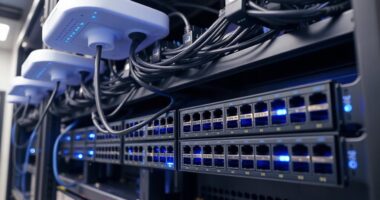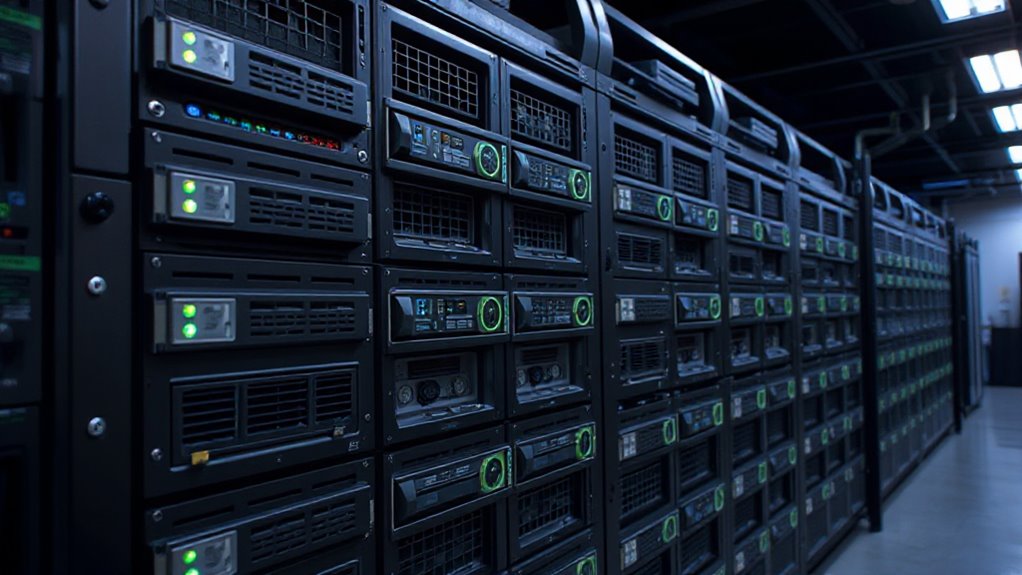

For a rackmount server for lab setups buyer guide, my best overall pick is the Supermicro SYS-5019D-4C-FN8TP, whose short-depth design suits racks where space is tight. The Dell PowerEdge R630 is a stronger fit for buyers who want substantial memory and established enterprise hardware, while the quiet 2U Core Ultra 7 system better suits a lab in a shared room. The central tradeoff is between used enterprise capacity and newer, quieter hardware, with rack depth, power draw, and management needs shaping the right choice. I also include learning guides and a chassis for readers building or planning their own systems. Continue reading for the full comparison and advice on matching a server to your rack and workload.

Get business pricing on office and shipping supplies
- Business-only prices and quantity discounts
- Tax-exempt purchasing
- Multiple users, one account, clear invoices
Key Takeaways
- The Supermicro SYS-5019D-4C-FN8TP leads for compact racks: its short-depth 1U format addresses a physical constraint that many full-depth enterprise servers do not.
- The Dell R630 offers a more ready-to-run enterprise platform: its 128GB RAM and SSD storage suit virtualization labs better than the older R710’s spinning-disk configuration.
- The quiet 2U Core Ultra 7 system prioritizes room comfort: it trades enterprise-server conventions for a newer platform that may fit a home office better.
- The Rosewill RSV-L4412U is a chassis, not a complete server: buyers need to source compatible components, making it a build project rather than a quick setup.
- Three entries are learning resources, not rack hardware: the Proxmox/Docker/TrueNAS/OPNsense book and the two broader homelab guides help with planning, while the server-maintenance book focuses on hardware and troubleshooting.
| Homelab Build Guide: Building Your Own Server Infrastructure with Proxmox, Docker, TrueNAS, and OPNsense |  | Best for Planning a Multi-Service Homelab | Format: Guide | Subject: Home server infrastructure | Named platform: Proxmox | VIEW ON AMAZON | See Our Full Breakdown |
| Building Your Own Home Server and Homelab: A Beginner-Friendly Guide to Networking, Virtualization, and Self-Hosting |  | Best for Beginner Rack-Lab Planners | Format: Guide | Audience: Beginners | Subject: Home server and homelab | VIEW ON AMAZON | See Our Full Breakdown |
| Dell PowerEdge R630 1U Server, 2× Xeon E5-2690 v4, 128GB RAM, 2× 1TB SSD (Renewed) |  | Best Overall for Dense Virtualization Labs | Model: Dell PowerEdge R630 | Form factor: 1U rack mount | Drive bays: 8 × 2.5-inch SFF | VIEW ON AMAZON | See Our Full Breakdown |
| HP ProLiant DL360p Gen8 1U Rackmount Server – Dual Intel Xeon E5-2640 (2.5 GHz), 64 GB DDR3 RAM, 8×300 GB 10K SAS HDDs, P420i RAID, 4×Gigabit NIC, Redundant Power Supplies (Renewed) |  | Best for SAS Storage and Network Lab Exercises | Form factor: 1U rackmount | Processors: 2 × Intel Xeon E5-2640, 6 cores each | Processor speed: 2.5 GHz | VIEW ON AMAZON | See Our Full Breakdown |
| Server Hardware and Troubleshooting: A Guide to Building and Maintaining Rack Servers | 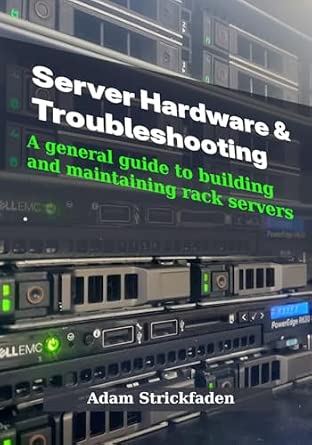 | Best for Rack-Server Maintenance Learning | Format: Guide | Subject: Rack servers | Coverage: Building rack servers | VIEW ON AMAZON | See Our Full Breakdown |
| Supermicro SYS-5019D-4C-FN8TP Short-Depth 1U Rackmount Server |  | Best for Space-Constrained Network Labs | Processor: Intel Xeon D-2123IT, 4 cores, 2.2–3.0 GHz | Maximum memory: 512GB ECC LRDIMM | Network ports: 2x 10G SFP+, 2x 10GBase-T RJ45, 4x GbE RJ45 | VIEW ON AMAZON | See Our Full Breakdown |
| Rosewill RSV-L4412U 4U Rackmount Server Chassis |  | Best for High-Capacity Storage Builds | Model: Rosewill RSV-L4412U | Form factor: 4U rackmount chassis | Motherboard compatibility: Extended ATX | VIEW ON AMAZON | See Our Full Breakdown |
| The Complete Homelab Guide: Build Your Self-Hosted Infrastructure |  | Best for Planning a First Self-Hosted Lab | Product type: Guide to building self-hosted infrastructure | Topics: Servers, networking, self-hosted services, Proxmox, Docker, Kubernetes, and security | Applications covered: 25+ | VIEW ON AMAZON | See Our Full Breakdown |
| Dell PowerEdge R710 Refurbished Server, 2x Xeon X5670, 144GB RAM, 6x 2TB HDD |  | Best for a Preconfigured Legacy Storage Lab | Model: Dell PowerEdge R710 6B LFF | Processors: 2x Intel Xeon X5670; 12 cores total | Processor speed: 2.93 GHz in title; 2.83 GHz in description | VIEW ON AMAZON | See Our Full Breakdown |
| Quiet 2U Rackmount Computer with Intel Core Ultra 7 265, 32GB DDR5 RAM, 1TB SSD, and Windows 11 Pro |  | Best for a Modern Windows-Based Lab Node | Processor: Intel Core Ultra 7 265; product details list 20 cores and 20 threads | Processor speed: 3.9 GHz base, up to 5.5 GHz boost | Memory: 32GB DDR5 5600 | VIEW ON AMAZON | See Our Full Breakdown |
| rackmount server for lab setups buyer guide | Coverage |
|---|---|
| Homelab Build Guide: Building | — |
| Building Your Own Home Server | Networking |
| Dell PowerEdge R630 1U Server | — |
| HP ProLiant DL360p Gen8 1U Rac | — |
| Server Hardware and Troublesho | Building rack servers |
| Supermicro SYS-5019D-4C-FN8TP | — |
| Rosewill RSV-L4412U 4U Rackmou | — |
| The Complete Homelab Guide: Bu | — |
| Dell PowerEdge R710 Refurbishe | — |
| Quiet 2U Rackmount Computer wi | — |
More Details on Our Top Picks
Homelab Build Guide: Building Your Own Server Infrastructure with Proxmox, Docker, TrueNAS, and OPNsense
This guide is the planning-oriented pick for readers who want to run several services on a rackmount lab server rather than simply install an operating system. Its stated focus on Proxmox, Docker, TrueNAS, and OPNsense connects virtualization, containers, storage, and network security—useful areas to map out before choosing hardware. Compared with Building Your Own Home Server and Homelab, which is explicitly aimed at beginners and covers broader foundations, this title points more directly toward a multi-platform infrastructure stack. That focus could help buyers frame server requirements, but the listing supplies no chapter details, depth, or hardware-selection guidance, so I can’t judge how much rack-specific setup it covers. Choose it for its named software scope, not as a substitute for server specifications or hands-on documentation.
Pros:- Names four relevant homelab platforms across virtualization, containers, storage, and networking.
- Its infrastructure focus can help readers plan how multiple server roles fit together.
- Provides a software-stack angle that complements hardware-focused guides such as Server Hardware and Troubleshooting.
Cons:- The product information gives no chapter outline, so depth and coverage cannot be confirmed.
- No rack dimensions, component guidance, or specific hardware compatibility information is provided.
- The listed software focus may be less useful to readers who want a broad beginner introduction first.
Best for: Homelab builders planning to combine Proxmox virtualization with Docker services, TrueNAS storage, and OPNsense networking.
Not ideal for: Buyers seeking a verified rack-server hardware manual, detailed chapter list, or a beginner-first introduction; the available description does not confirm those details.
- Format:Guide
- Subject:Home server infrastructure
- Named platform:Proxmox
- Named platform:Docker
- Named platform:TrueNAS
- Named platform:OPNsense
Our verdict“Choose this guide if your rackmount lab plan centers on Proxmox, Docker, TrueNAS, and OPNsense, but seek a separate source for confirmed hardware and rack-installation details.”
Building Your Own Home Server and Homelab: A Beginner-Friendly Guide to Networking, Virtualization, and Self-Hosting
For a first homelab build, this guide has the clearest stated starting point in the group: it is beginner-friendly and covers networking, virtualization, and self-hosting. Those subjects help a new builder understand what a rack server will do before committing to a particular platform or workload. Compared with Homelab Build Guide: Building Your Own Server Infrastructure with Proxmox, Docker, TrueNAS, and OPNsense, this title signals broader introductory coverage rather than a named software stack. That can suit readers still sorting out fundamentals, though the description does not confirm rack-mount installation, hardware selection, or specific exercises. It is a learning resource, not a server purchase recommendation: the listing offers no component specs, so pair it with product documentation when comparing a compact system like the Supermicro SYS-5019D-4C-FN8TP with a larger rack build.
Pros:- Explicitly aimed at beginners, making its intended reader easy to identify.
- Covers networking, a foundation for connecting and segmenting lab services.
- Includes virtualization and self-hosting, two common reasons to build a homelab.
- Its broad scope contrasts with guides centered on a particular software stack.
Cons:- The available description does not confirm specific rackmount hardware or installation coverage.
- No chapter list or technical depth is supplied.
- Does not identify particular virtualization or self-hosting platforms.
Best for: First-time homelab builders who need a foundation in networking, virtualization, and self-hosted services before choosing rack hardware.
Not ideal for: Experienced administrators seeking advanced Proxmox, storage, or rack-server troubleshooting instructions, since the listing only describes broad subject areas.
- Format:Guide
- Audience:Beginners
- Subject:Home server and homelab
- Coverage:Networking
- Coverage:Virtualization
- Coverage:Self-hosting
Our verdict“Pick this as a first step if you need homelab fundamentals before selecting a rack server, but look elsewhere for platform-specific and rack-installation detail.”
Dell PowerEdge R630 1U Server, 2× Xeon E5-2690 v4, 128GB RAM, 2× 1TB SSD (Renewed)
The renewed Dell PowerEdge R630 is the strongest all-around hardware pick here for a lab that needs many concurrent virtual machines in a compact chassis. Its 28 Xeon cores and 128GB of DDR4 provide a more substantial virtualization base than the HP ProLiant DL360p Gen8’s 12 cores and 64GB, while the two SATA SSDs offer ready-to-use local storage capacity. The 1U footprint and dual power supplies suit a rack where density and redundancy matter. The tradeoffs are practical: the listing excludes rails, bezel, and operating system, and the 90-day warranty is limited. Its older-generation platform also won’t suit buyers prioritizing a newer, quieter desktop-style server such as the Quiet 2U Rackmount Computer. Check rack depth and cooling needs before buying.
Pros:- Two 14-core processors provide 28 cores for running multiple lab workloads.
- 128GB of DDR4 memory gives virtual machines more room than the HP DL360p Gen8 configuration.
- Two 1TB SATA SSDs and a PERC H730 RAID controller are included.
- Dual Platinum power supplies and iDRAC 8 Express support redundancy and remote administration.
Cons:- Rails, bezel, and operating system are not included, adding setup requirements.
- The 90-day warranty offers a limited coverage window for renewed hardware.
- A 1U enterprise server can bring rack-depth, cooling, and noise demands that may not fit a quiet home lab.
Best for: Lab operators who need a dense 1U virtualization host with substantial memory, multiple CPU cores, SSD storage, and redundant power.
Not ideal for: Noise-sensitive home offices, buyers needing rails or an operating system in the box, and those seeking a newer-generation platform.
- Model:Dell PowerEdge R630
- Form factor:1U rack mount
- Drive bays:8 × 2.5-inch SFF
- Processors:2 × Intel Xeon E5-2690 v4, 14 cores each
- Processor speed:2.60 GHz
- Memory:128GB DDR4 PC4-2133
- Storage:2 × 1TB SATA SSD
- RAID controller:Dell PERC H730, 1GB cache
- Remote access:iDRAC 8 Express
Our verdict“Choose the R630 for a compact, high-core-count virtualization host if you can supply the missing rails and OS and accommodate enterprise-server cooling and noise.”
HP ProLiant DL360p Gen8 1U Rackmount Server – Dual Intel Xeon E5-2640 (2.5 GHz), 64 GB DDR3 RAM, 8×300 GB 10K SAS HDDs, P420i RAID, 4×Gigabit NIC, Redundant Power Supplies (Renewed)
The HP ProLiant DL360p Gen8 has a distinct lab role: it arrives with eight 10K SAS drives, hardware RAID, and four Gigabit Ethernet ports, giving storage and network experiments more built-in components to work with. That configuration can be useful for practicing drive arrays, multi-interface routing, or older enterprise workflows without sourcing those parts separately. Compared with the Dell PowerEdge R630, it has fewer cores, half the memory, and an older DDR3 platform, so I’d favor the Dell for heavier virtualization workloads. The HP’s 2.5-inch SAS set is also less flexible than a modern SSD-focused build, and its 2012 release year may constrain newer software support. With no OS included and only a 90-day limited warranty, this is better as a purpose-built learning platform than a long-term general host.
Pros:- Eight 300GB 10K SAS drives offer a ready-made platform for storage and RAID practice.
- The P420i hardware RAID controller is included.
- Four Gigabit Ethernet ports support multi-interface networking labs.
- Dual redundant power supplies add hardware redundancy.
Cons:- Its 64GB DDR3 memory and 12 total CPU cores trail the R630 for virtualization capacity.
- The 2012 generation may lack support for newer software features.
- No operating system is included, and the warranty is limited to 90 days.
Best for: Homelab learners practicing SAS storage arrays, hardware RAID, and multi-port Gigabit networking on a 1U enterprise server.
Not ideal for: Buyers who need high memory capacity, newer platform support, quiet operation, or a general-purpose host for many demanding virtual machines.
- Form factor:1U rackmount
- Processors:2 × Intel Xeon E5-2640, 6 cores each
- Processor speed:2.5 GHz
- Memory:64GB DDR3 SDRAM, PC3-10600R
- Storage:8 × 300GB 10K SAS SFF HDD
- RAID controller:HP Smart Array P420i
- Network interface:4 × Gigabit Ethernet NIC
- Power supplies:2 × redundant power supply units
- Year released:2012
Our verdict“Choose the DL360p Gen8 for hands-on SAS, RAID, and network-port experiments, but prefer the R630 for a stronger general-purpose virtualization host.”
Server Hardware and Troubleshooting: A Guide to Building and Maintaining Rack Servers
This guide’s stated emphasis on building and maintaining rack servers makes it the most directly relevant reading option here for someone responsible for physical server upkeep. That angle differs from Building Your Own Home Server and Homelab, which is described around networking, virtualization, and self-hosting rather than rack hardware maintenance. It may fit alongside a used server purchase such as the Dell PowerEdge R630, where installation and troubleshooting knowledge matters as much as the component list. Still, the product description gives no chapter outline, specific procedures, or supported server generations, so I can’t confirm whether it covers modern management tools, rail installation, or common refurbished-hardware faults. Treat it as a possible maintenance-focused companion, not a confirmed service manual or replacement for vendor documentation.
Pros:- Its stated topic directly addresses rack-server building and maintenance.
- The maintenance angle complements software-focused homelab guides.
- Could serve as a general learning companion when setting up used rack hardware.
Cons:- No chapter list or specific troubleshooting topics are provided.
- The listing does not identify supported server models or hardware generations.
- Coverage of rack rails, remote management, and refurbished-server issues is unconfirmed.
Best for: Rack-lab owners looking for a general guide to building and maintaining rack servers alongside manufacturer documentation.
Not ideal for: Readers who need confirmed model-specific repair steps, a detailed buying checklist, or a guide explicitly centered on Proxmox and self-hosted services.
- Format:Guide
- Subject:Rack servers
- Coverage:Building rack servers
- Coverage:Maintaining rack servers
- Technical detail:Not specified in the product description
- Supported models:Not specified in the product description
Our verdict“Consider this guide if your main learning need is rack-server upkeep, but verify its contents before relying on it for model-specific repairs.”
Supermicro SYS-5019D-4C-FN8TP Short-Depth 1U Rackmount Server
The 9.8-inch depth makes this Supermicro a strong fit for shallow racks, wall cabinets, and labs where a full-depth server would be awkward. Its Xeon D quad-core platform is more modest than the dual-processor Dell PowerEdge R710, but the trade is a far smaller chassis with front I/O and an unusually useful mix of 10GbE and Gigabit Ethernet connections. Dedicated IPMI lets an administrator manage the system remotely, a practical advantage when the rack is tucked away. Support for up to 512GB of ECC LRDIMM memory leaves room for specialized workloads, though the supplied product information does not specify installed memory. Storage is the main constraint: it accommodates four 2.5-inch drives or two 3.5-inch drives, well below the Rosewill RSV-L4412U’s 12 hot-swap bays. Choose it for compact compute and networking, not a large disk array.
Pros:- 9.8-inch short depth suits shallow racks and compact cabinets
- Two 10G SFP+ ports, two 10GBase-T ports, and four Gigabit Ethernet ports support varied network lab setups
- Dedicated IPMI enables remote administration
- Supports up to 512GB of ECC LRDIMM memory
Cons:- Drive support tops out at four 2.5-inch drives or two 3.5-inch drives
- Quad-core processor offers less core capacity than the dual-processor Dell PowerEdge R710
- Listing does not specify installed memory or drives
Best for: Lab owners with shallow racks who need remote management, multiple network interfaces, and a compact server for routing, virtualization, or embedded workloads.
Not ideal for: Buyers building a storage-heavy lab or seeking a clearly specified ready-to-run configuration; the drive capacity is limited and installed memory and storage are not stated.
- Processor:Intel Xeon D-2123IT, 4 cores, 2.2–3.0 GHz
- Maximum memory:512GB ECC LRDIMM
- Network ports:2x 10G SFP+, 2x 10GBase-T RJ45, 4x GbE RJ45
- Management:Dedicated IPMI port
- Drive support:4x 2.5-inch drives or 2x 3.5-inch drives
- Form factor and depth:1U rackmount; 9.8 inches deep
- Dimensions:17.2 x 9.8 x 1.7 inches
Our verdict“Choose this Supermicro for a shallow-rack lab that values dense networking and remote management over high drive capacity.”
Rosewill RSV-L4412U 4U Rackmount Server Chassis
For a lab centered on shared storage, the Rosewill RSV-L4412U brings a clear advantage: 12 hot-swap drive bays for SATA or SAS disks, along with space for an Extended ATX motherboard. That makes it a more flexible storage foundation than the Supermicro SYS-5019D-4C-FN8TP, whose drive support stops at four 2.5-inch or two 3.5-inch drives. This is a chassis, not a complete server, so the buyer must supply the motherboard, processor, memory, and other core components. Its 4U height and seven expansion slots leave room for a more expandable build, while the listed fan information is inconsistent: the description says five fans, but another field lists only two. Compared with the ready-configured Dell PowerEdge R710, it demands more assembly and validation, but gives the builder more choice over the platform and drive layout.
Pros:- 12 hot-swap bays support 3.5-inch or 2.5-inch SATA/SAS drives
- Extended ATX motherboard compatibility allows a broad range of build choices
- Seven expansion slots provide room for add-in cards
- Front status indicators and a locking front panel aid rack-side operation
Cons:- Chassis only; motherboard, processor, memory, and other core components must be sourced separately
- 4U size takes more rack space than the 1U Supermicro SYS-5019D-4C-FN8TP
- Cooling fan count is unclear in the supplied information, which lists five in the description and two in a field
Best for: DIY lab builders assembling a TrueNAS, backup, or shared-storage server who need many hot-swap bays and Extended ATX motherboard compatibility.
Not ideal for: Buyers who need a complete server ready to deploy, or labs with limited rack space; this 4U chassis requires separate components and substantial rack height.
- Model:Rosewill RSV-L4412U
- Form factor:4U rackmount chassis
- Motherboard compatibility:Extended ATX
- Drive bays:12 hot-swap 3.5-inch/2.5-inch SATA I, II, III, and SAS
- Expansion slots:7
- Cooling fans:Description specifies 5: three 120 mm front and two 80 mm rear; another field lists 2
- Front I/O and indicators:2x USB 3.0; power, HDD, and LAN indicators; locking front panel
- Maximum power supply output:800 watts
Our verdict“Pick the Rosewill when drive capacity and DIY flexibility matter more than a small footprint or a ready-to-run system.”
The Complete Homelab Guide: Build Your Self-Hosted Infrastructure
This book is the non-hardware pick in a server-focused roundup, aimed at readers who need a plan for what to run after choosing a machine. Its subject list spans Proxmox, Docker, Kubernetes, networking, and security, plus more than 25 self-hosted applications. That makes it a different kind of purchase from the Rosewill RSV-L4412U chassis: the Rosewill supplies a physical foundation for a storage build, while this guide is intended to help shape the services and infrastructure around the server. It may also complement the Homelab Build Guide listed elsewhere in the roundup, though the supplied details do not show how their coverage differs. There is no information here about format, depth of instruction, or specific hardware examples, so I would not treat it as a substitute for component-level server advice. It suits readers planning a lab, not buyers seeking rack hardware.
Pros:- Covers infrastructure planning from servers and networking through self-hosted services
- Includes topics on Proxmox, Docker, and Kubernetes
- Addresses security as part of a self-hosted setup
- Lists more than 25 essential applications
Cons:- It is a guide, not server hardware or rack equipment
- Supplied product information does not describe the book’s format or level of detail
- No product description or review details are provided to verify specific examples or guidance
Best for: New homelab builders who want a broad starting point for virtualization, containers, network services, security, and self-hosted applications.
Not ideal for: Readers looking for a rackmount server, verified hardware compatibility guidance, or a detailed account of the book’s format and instructional depth.
- Product type:Guide to building self-hosted infrastructure
- Topics:Servers, networking, self-hosted services, Proxmox, Docker, Kubernetes, and security
- Applications covered:25+
Our verdict“Choose this guide to plan the software and services for a new homelab, but look elsewhere for rack hardware or verified build instructions.”
Dell PowerEdge R710 Refurbished Server, 2x Xeon X5670, 144GB RAM, 6x 2TB HDD
The refurbished PowerEdge R710 stands out for arriving with a substantial set of components already in place: 144GB of DDR3 memory, six 2TB hard drives, an H700 RAID controller, dual power supplies, rails, and a bezel. That makes it a more immediately usable storage-and-compute package than the Rosewill RSV-L4412U, which is only a chassis and requires a full component build. Its two Xeon X5670 processors provide 12 cores total, but this is an older platform than the newer Core Ultra 7 system in the lineup, and the listing does not include an operating system. The listed processor speed also conflicts between title and description, so I would verify the configuration before buying. At 57.5 pounds and with large listed dimensions, it is a poor match for shallow or lightweight racks. Consider it for a legacy lab where included drives and conventional rack hardware are more useful than compactness or a newer platform.
Pros:- Includes two Xeon X5670 processors and 144GB of DDR3 memory
- Six 2TB hard drives and an H700 RAID controller are included
- Ships with dual power supplies, bezel, and rails
- Certified refurbished condition includes a minimum 90-day warranty
Cons:- No operating system is included
- Processor speed is inconsistent between the title and description
- At 57.5 pounds with large listed dimensions, it is difficult to place in compact labs
Best for: Lab operators who want a refurbished, component-rich rack server with installed bulk storage, RAID hardware, rails, and dual power supplies for legacy workloads.
Not ideal for: Buyers prioritizing low-power operation, a compact rack footprint, a current-generation platform, or an operating system included with the server.
- Model:Dell PowerEdge R710 6B LFF
- Processors:2x Intel Xeon X5670; 12 cores total
- Processor speed:2.93 GHz in title; 2.83 GHz in description
- Memory:144GB DDR3 SDRAM
- Storage and RAID:6x 2TB 3.5-inch HDD; H700 controller with 512MB
- Power supplies:2
- Included accessories:DVD-ROM drive, bezel, and rails
- Condition and warranty:Certified refurbished; minimum 90-day warranty
- Weight:57.5 pounds
Our verdict“Choose the R710 for a refurbished legacy lab that values included storage and components over compact size and newer hardware.”
Quiet 2U Rackmount Computer with Intel Core Ultra 7 265, 32GB DDR5 RAM, 1TB SSD, and Windows 11 Pro
This 2U system is the most ready-to-use modern desktop-style option in this batch: it includes Windows 11 Pro, 32GB of DDR5 memory, and a 1TB NVMe SSD, so a lab operator can start with a working system rather than assembling the Rosewill RSV-L4412U chassis. The Core Ultra 7 265 is listed with 20 cores and boost speeds up to 5.5GHz, though the product information conflicts with a 10-core claim in the title; I would confirm the exact processor configuration before purchase. Four expansion slots and two 3.5-inch bays leave room for add-ons, but its integrated graphics and modest listed storage expansion make it less suited to GPU-heavy workloads or large disk pools than the Dell PowerEdge R710. The 2U, 18-pound chassis is easier to handle than that refurbished Dell, while the supplied 32GB memory is less generous than the Dell’s 144GB.
Pros:- Includes Windows 11 Pro, 32GB DDR5 memory, and a 1TB NVMe SSD
- Listed 20-core processor reaches up to 5.5GHz boost
- Four expansion slots and two 3.5-inch drive bays allow future additions
- 18-pound 2U chassis is easier to handle than the 57.5-pound Dell PowerEdge R710
Cons:- Processor core count conflicts between the product title and details
- Integrated graphics limits suitability for GPU-dependent workloads
- Two 3.5-inch bays provide less disk capacity than the Rosewill RSV-L4412U chassis
Best for: Lab users who want a relatively modern rackmount Windows machine for development, desktop applications, or a general-purpose compute node with room for expansion cards.
Not ideal for: Buyers who need discrete GPU acceleration, extensive internal drive capacity, or a fully verified processor specification before ordering.
- Processor:Intel Core Ultra 7 265; product details list 20 cores and 20 threads
- Processor speed:3.9 GHz base, up to 5.5 GHz boost
- Memory:32GB DDR5 5600
- Storage:1TB PCIe NVMe M.2 SSD
- Graphics and operating system:Integrated Intel UHD Graphics; Windows 11 Pro
- Form factor and expansion:2U rackmount; 4 expansion slots; mATX motherboard
- Drive bays:2x 3.5-inch
- Weight and warranty:18 pounds; 3-year limited hardware warranty
Our verdict“Pick this system for a modern, Windows-ready lab node, but verify the processor details and skip it for GPU-heavy or high-capacity storage roles.”

How We Picked
I ranked these ten options by how directly they help someone create a working lab, not by treating every entry as the same kind of product. For hardware, I weighed compute and memory capacity, included storage, rack depth and chassis format, expandability, and likely suitability for a home or shared workspace. I also separated complete systems from bare chassis, since a chassis requires a parts plan and assembly while a server can be a more immediate platform.
The order favors useful fit across common lab needs: the short-depth Supermicro ranks ahead for space-constrained racks, the R630 follows for its stronger ready-built virtualization profile, and the quiet 2U system earns a distinct place for noise-sensitive environments. Older refurbished servers remain options for buyers who value included capacity, but age, power, storage type, and upkeep make them less broadly appealing. The books are ranked as planning and learning aids rather than substitutes for hardware; their value depends on whether the buyer needs practical setup guidance, beginner instruction, or server maintenance knowledge.
| rackmount server for lab setups buyer guide | Coverage |
|---|---|
| Homelab Build Guide: Building | — |
| Building Your Own Home Server | Networking |
| Dell PowerEdge R630 1U Server | — |
| HP ProLiant DL360p Gen8 1U Rac | — |
| Server Hardware and Troublesho | Building rack servers |
| Supermicro SYS-5019D-4C-FN8TP | — |
| Rosewill RSV-L4412U 4U Rackmou | — |
| The Complete Homelab Guide: Bu | — |
| Dell PowerEdge R710 Refurbishe | — |
| Quiet 2U Rackmount Computer wi | — |
Factors to Consider When Choosing Rackmount Server For Lab Setups Buyer Guide
Choosing lab hardware starts with the room, workload, and amount of maintenance you are willing to take on. These factors help separate a compact appliance-like system from a used enterprise server or a parts-based build.
Match Rack Depth Before Comparing CPU Specs
Measure usable rack depth, including room for cables, rails, and airflow, before choosing a server. A 1U label describes height, not how far the chassis extends into the rack. Short-depth hardware can solve a real fit problem, while full-depth enterprise systems may clash with shallow racks or leave little space for rear cable bends. Check rail compatibility and the distance between posts rather than relying on the cabinet’s advertised depth alone. If the rack is not yet installed, compare the server dimensions with the rack’s usable depth and leave room for ventilation and service access. This prevents a capable machine from becoming an awkward fit.
Plan for Noise, Heat, and Power at Home
Enterprise servers can move a lot of air through small chassis, which often means fan noise that is hard to live with near a desk or bedroom. A quiet 2U design may make more sense for an occupied room even if it gives up some familiar server-platform features. Heat output also affects room comfort and cooling needs, especially when several machines run continuously. Check power requirements and whether the system’s fans or power supplies can be tuned for your environment; do not assume a rack cabinet will make a loud server quiet. For a garage or dedicated equipment room, noise may matter less than serviceability and capacity. Decide where the system will operate before choosing by rack format alone.
Size Memory and Storage for the Workload You Will Actually Run
Virtual machines and memory-heavy services can benefit more from RAM capacity than from adding another processor tier. Storage needs vary: SSDs suit responsive boot and VM workloads, while larger hard drives can provide more bulk capacity for file services and backups. The included drives on a refurbished server may be old or mismatched with your reliability goals, so plan for replacement or a separate backup target. Check drive bays, interface types, controller behavior, and whether the system can boot from the storage you intend to use. Leave headroom for growth, but avoid paying in power and complexity for capacity your lab will not use. A clear workload list helps turn headline specifications into a practical build plan.
Treat Used Enterprise Hardware as a Maintenance Commitment
Refurbished servers can bring substantial memory, redundant power, and enterprise management features into a lab, but age changes the ownership calculation. Verify firmware availability, supported operating systems, parts access, and the condition of fans, drives, and power supplies. Older platforms may consume more electricity and produce more heat than a newer system doing similar work. Ask whether the machine includes rails, drive caddies, and the exact storage configuration shown, since missing parts can slow setup. Keep a spare-drive and backup plan if the server will hold anything you cannot afford to lose. Used hardware works best when the buyer is comfortable diagnosing faults and sourcing replacements.
Choose Between a Complete Server, a Chassis, and a Learning Guide
A complete server is the most direct route to a running lab, while a bare chassis is a foundation that still needs a motherboard, processor, memory, storage, cooling, and power planning. Before buying a chassis, confirm board size, cooler clearance, drive layout, power-supply format, and front-panel connections. Learning books solve a different problem: they can help map services, networking, and maintenance before hardware arrives, but they do not supply compute capacity. Beginners may benefit from a guide that explains networking and virtualization, while an experienced builder may prefer a focused reference on server troubleshooting. Avoid treating a book, chassis, and complete server as interchangeable choices. Pick the format that fits the work you want to do next.
Check Management, Networking, and Expansion Needs
Lab workloads often grow from one host into storage, networking, and firewall experiments, so expansion can matter as much as the initial CPU. Check onboard network speed and port count, PCIe slots, memory limits, and storage-controller options against the services you plan to run. Remote management can make a rack-mounted system easier to recover when it has no monitor attached, but features and licensing vary by platform and generation. For router or firewall labs, confirm network-interface compatibility with your intended software rather than assuming every port will work as expected. A compact server may save rack space but leave less room for cards and drives. Buy around the next likely experiment, not just today’s installation.
Frequently Asked Questions
Is the Dell R630 a better choice than the R710 for a virtualization lab?
The R630 is the stronger general fit here for buyers who want a newer enterprise platform with 128GB RAM and SSD storage already listed. The R710’s 144GB RAM and six hard drives may appeal when memory or included bulk storage matters more than platform age. Neither specification alone confirms future upgrade support, drive health, or power use, so check those details before choosing. For a lab that will run several VMs, compare memory needs and storage performance against the workloads you plan to host. Choose the R710 only if its older platform and maintenance demands suit your setup.
Can I use the Rosewill RSV-L4412U as a complete server?
No, the RSV-L4412U is a rackmount chassis, so it provides the enclosure rather than a ready-to-run server. You will need compatible core components, including a motherboard, processor, memory, storage, power supply, and cooling. Check board dimensions, drive-bay requirements, cooler clearance, and power-supply fit before ordering parts. A chassis build gives you more control over component choice, but it also shifts compatibility checks and assembly work to you. If you want to start running lab software quickly, a complete system is the simpler route.
Should I choose a short-depth server or a quiet 2U system for a home lab?
Choose based on the constraint you cannot change: rack space or room noise. The short-depth Supermicro is better aligned with a shallow rack, while the quiet 2U Core Ultra 7 system is aimed at settings where sound matters. Measure the rack and identify where the machine will run before weighing processor specifications. A short chassis is not automatically quiet, and a quiet system still needs enough depth and airflow. If both constraints apply, compare dimensions, acoustic details, cooling, and the workload support of the exact configuration.
Are the included drives in a refurbished server suitable for important lab data?
Included drives can be useful for getting a lab started, but their presence does not establish their remaining service life. Check drive health, age, interface, and capacity, and replace suspect disks before relying on them. A RAID controller can help with availability but does not replace a separate backup. For experiments, the supplied storage may be adequate; for files you cannot lose, keep another copy outside the server. Confirm the exact drive configuration and caddies included with the unit before planning around them.
Which of these books should I read before buying rack hardware?
If you are new to networking, virtualization, and self-hosting, the beginner-friendly home server guide is the clearest starting point among these entries. The Proxmox, Docker, TrueNAS, and OPNsense-focused book is more useful when you already have a platform in mind and want to plan services. The server hardware and troubleshooting guide suits readers focused on maintenance and diagnosis. The Complete Homelab Guide offers another broad planning resource, so compare its scope with the specific skills you lack. None replaces checking a server’s dimensions, compatibility, and power needs before purchase.
Conclusion
For most buyers seeking a rack-ready lab platform, I recommend the Supermicro SYS-5019D-4C-FN8TP as best overall, particularly when rack depth is limited. The Dell PowerEdge R630 is my best value-style enterprise pick for buyers prioritizing substantial memory and included SSDs, while the quiet 2U Core Ultra 7 system is the best premium-style choice for a shared room. Beginners should start with Building Your Own Home Server and Homelab if they need guidance before committing to hardware. For a custom build, choose the Rosewill RSV-L4412U only if you are ready to source and verify every component; for older, memory-heavy experiments, the R710 may fit if its age and upkeep are acceptable. The right choice is the one that fits your rack, room, and tolerance for maintenance—not simply the server with the longest specification list.