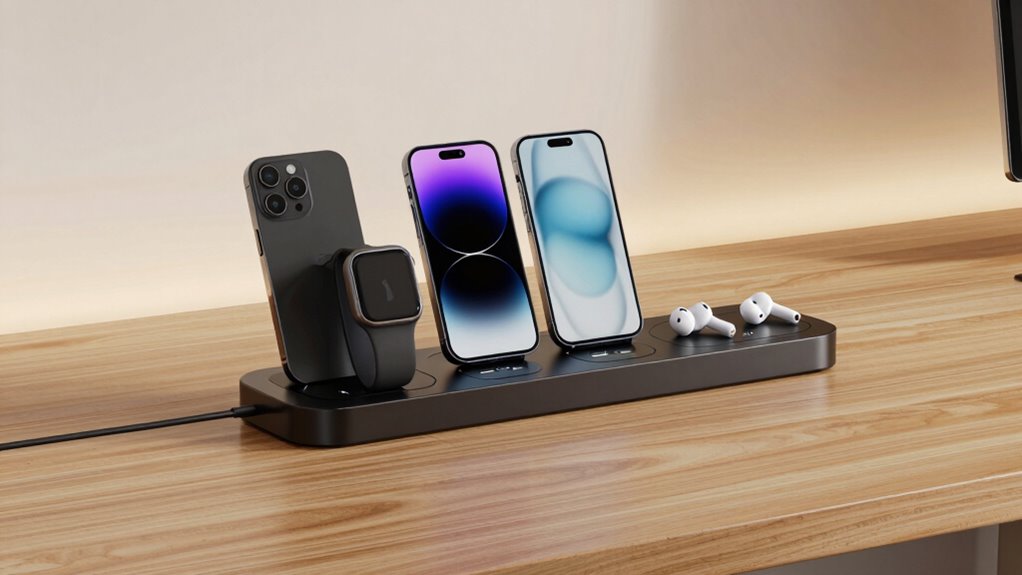

Multidevice charging stations can clear cable clutter, but the right choice depends on how many devices you charge and whether they need USB, wireless charging, or both. My best overall pick is the 100W 10-Port USB Charging Station with Adjustable Dividers and Cables, which combines room for several devices with flexible organization. The Zobirez 10-Port 750W model stands out for its mix of USB-C and USB-A ports, while the GETPALS foldable wireless station suits Apple users who value a compact setup. The main tradeoffs are port variety versus total capacity, fixed versus adjustable organization, and shared charging versus device-specific wireless docks. Read on for the full breakdown, buying advice, and recommendations by household and use case.

Get business pricing on office and shipping supplies
- Business-only prices and quantity discounts
- Tax-exempt purchasing
- Multiple users, one account, clear invoices
Key Takeaways
- The 100W 10-Port station with adjustable dividers and cables is the most balanced choice for buyers who want several wired devices organized together rather than a large power rating alone.
- The Zobirez 750W model is the standout for port variety because its listed five USB-C and five USB-A ports suit households with a mix of newer and older devices.
- High wattage and port count do not tell the whole story. The 20-port Moezuti and 10-port high-output models cater to larger charging loads, but buyers should check how power is shared across connected devices.
- Wireless stations solve a different problem from multiport USB hubs. The Acer, Anlmz, and GETPALS options focus on charging compatible Apple devices and may be less useful for mixed-device households.
- Included cables and adjustable dividers can matter more day to day than extra ports. The 50W cable bundles and 100W adjustable station emphasize ready-to-use organization, while stand and foldable designs prioritize placement and portability.
| 50W 6-Port USB Charging Station with Cables |  | Best for Simple Shared Charging | Total wattage: 50 W | USB ports: 6 | Output: 5 V, 2.4 A | VIEW ON AMAZON | See Our Full Breakdown |
| 50W 6-Port USB Charging Station with Stand |  | Best for Case-Friendly Device Slots | Total wattage: 50 W | USB ports: 6 | Maximum output per port: 2.4 A | VIEW ON AMAZON | See Our Full Breakdown |
| Acer Gadget 7-in-1 Wireless Charging Station with Bluetooth Clock |  | Best Bedside Multidevice Station | Simultaneous charging capacity: Up to 6 devices | Charging options: 2 wireless phone chargers, wireless earbud charger, Apple Watch charger, USB-A port, and USB-C port | Adapter support: 30 W adapter | VIEW ON AMAZON | See Our Full Breakdown |
| MERGROLY 320W 10-Port Multi-Device Charging Station |  | Best for Mixed USB-C and USB-A Devices | Total output: 320 W | Total ports: 10: 5 USB-C and 5 USB-A | USB-C output: 2 × 65 W and 3 × 30 W | VIEW ON AMAZON | See Our Full Breakdown |
| Zobirez 10-Port 750W Charging Station with 5 USB-C and 5 USB-A Ports |  | Best for High-Power USB-C Charging | Claimed total output: 750 W | Total ports: 10 | USB-C ports: 5, up to 120 W each | VIEW ON AMAZON | See Our Full Breakdown |
| 100W 10-Port USB Charging Station with Adjustable Dividers and Cables |  | Best for Organized Family Charging | Total output: 100 watts | Ports: 10 total: 5 USB-C and 5 USB-A | USB-C output: Up to 5V/3A per port | VIEW ON AMAZON | See Our Full Breakdown |
| Lcssio 300W Charging Station – 8-Port Fast Charger |  | Best for Laptop-and-Phone Desks | Power output: 300W | USB ports: 8 total: 5 USB-C and 3 USB-A | Dual high-power outputs: 2 × 65W | VIEW ON AMAZON | See Our Full Breakdown |
| Anlmz 3-in-1 Wireless Charging Station for Apple Devices |  | Best Compact Wireless Pick for Apple Users | Connector type: USB-C | Input: 9V, 2A | Wattage: 18W | VIEW ON AMAZON | See Our Full Breakdown |
| 20-Port 600W Moezuti Charging Station for Multiple Devices with 10 Cables |  | Best for Shared Offices and Large Device Groups | Ports: 20 mixed: 2 × 65W PD USB-C, 10 × 30W PD USB-C, 8 × 20W QC USB-A | Total power output: 600W | Input voltage: 120V | VIEW ON AMAZON | See Our Full Breakdown |
| 510W Charging Station for Multiple Devices, 10-Port Charger Organizer |  | Best High-Power 10-Port Organizer | Total power output: 510W | Ports: 10 total: 5 USB-C and 5 USB-A | USB-C power per port: Up to 100W for laptops; 65W for tablets and phones | VIEW ON AMAZON | See Our Full Breakdown |
| Zobirez 420W 10-Port Fast USB Charging Station for Multiple Devices, White |  | Best High-Power Mix for Shared Desks | Total output: 420W | Ports: 10 total: 5 USB-C and 5 USB-A | Power distribution: 2 × 65W, 3 × 45W, 5 × 30W | VIEW ON AMAZON | See Our Full Breakdown |
| Zobirez 420W 10-Port Fast USB Charging Station for Multiple Devices, Black |  | Best Dark-Finish High-Capacity Station | Total output: 420W | Ports: 10 total: 5 USB-C and 5 USB-A | Power distribution: 2 × 65W PD, 3 × 45W, 5 × 30W | VIEW ON AMAZON | See Our Full Breakdown |
| GETPALS 3-in-1 Foldable Wireless Charging Station for iPhone, Apple Watch, and AirPods |  | Best Compact Apple Travel Pick | Device capacity: 3 devices | Phone output: Up to 7.5W | Earbud output: 3W | VIEW ON AMAZON | See Our Full Breakdown |
| MSTJRY 5-Port USB-A Charging Station with 7 Cables |  | Best for Organized USB-A Charging | Model: KCE0 | Ports: 5 USB-A | Total wattage: 50W | VIEW ON AMAZON | See Our Full Breakdown |
| multidevice charging station | Included cables | Material |
|---|---|---|
| 50W 6-Port USB Charging Statio | — | — |
| 50W 6-Port USB Charging Statio | 6 mixed USB charging cables | Flame-retardant ABS |
| Acer Gadget 7-in-1 Wireless Ch | — | — |
| MERGROLY 320W 10-Port Multi-De | 8: 4 USB-C to USB-C, 3 USB to Lightning, 1 USB to Micro | Flame-retardant ABS |
| Zobirez 10-Port 750W Charging | — | Flame-retardant ABS |
| 100W 10-Port USB Charging Stat | 10 mixed USB cables | — |
| Lcssio 300W Charging Station | 6 mixed cables for iPhone/iPad, Type-C, and Micro-B | — |
| Anlmz 3-in-1 Wireless Charging | — | — |
| 20-Port 600W Moezuti Charging | 10 short cables: 4 Type-C, 2 iPhone charger, 2 USB-C, and 2 Micro-USB | Flame-retardant ABS |
| 510W Charging Station for Mult | 8 short mixed cables: 3 iPhone/iPad, 3 Type-C, 1 USB-C, and 1 Micro USB | Flame-retardant ABS, one-piece design |
| Zobirez 420W 10-Port Fast USB | 8 short mixed cables | Flame-retardant ABS |
| Zobirez 420W 10-Port Fast USB | — | Flame-retardant ABS |
| GETPALS 3-in-1 Foldable Wirele | — | — |
| MSTJRY 5-Port USB-A Charging S | 7: 3 Apple-compatible, 2 Micro-USB, 2 USB-C | — |
More Details on Our Top Picks
50W 6-Port USB Charging Station with Cables
This is a straightforward choice for households that need one organized place to charge several phones, watches, or tablets. Its six USB ports and included cables make it more ready to use than the 50W 6-Port USB Charging Station with Stand, though the cable types and lengths are not specified here either. Divided slots with silicone pads help keep devices upright and reduce clutter on a shared table. At 50W total and 2.4A output, it suits everyday charging better than high-demand laptop setups; the MERGROLY 320W model is a more capable fit for laptops and a larger device mix. The tradeoff is limited detail about cable compatibility, so buyers with newer USB-C devices should check their cable needs before relying on the included set.
Pros:- Six USB ports support simultaneous charging for a shared household setup
- Includes six charging cables and a USB-A to USB-C adapter
- Divided slots and silicone pads help organize and steady devices
- Short-circuit, overheating, and overcharge protection are listed
Cons:- Included cable types and lengths are unspecified
- Its 50W total output is not suited to high-power laptop charging
Best for: Households that want a simple tabletop hub for charging up to six phones, tablets, or smartwatches together.
Not ideal for: People charging several laptops or those who need clearly specified cable types and lengths for a USB-C-heavy setup.
- Total wattage:50 W
- USB ports:6
- Output:5 V, 2.4 A
- Input:120 V AC
- Power cord length:4.92 ft
- Dimensions:7.08 × 4.33 × 1.37 in
- Connectors:USB Type-A and USB Type-C
- Mounting type:Tabletop
Our verdict“Choose this for organized everyday charging of several smaller devices, not for a high-output laptop station.”
50W 6-Port USB Charging Station with Stand
The wider, clearly specified 1-inch slots are the main reason I’d choose this six-device dock over the 50W 6-Port USB Charging Station with Cables: they are designed to accommodate phones and tablets with cases. It also includes six mixed USB cables and a USB-A to USB-C adapter, while a smart chip adjusts current for connected devices. Its built-in watch holder adds a place to park a watch, but the watch’s charging cable is not included, so the holder does not make it a complete watch-charging solution. Like the other 50W station, this model is aimed at phones and tablets rather than laptop charging. The USB-A ports can also mean extra adapters for newer USB-C-only devices, making the Acer Gadget a better fit for buyers who prefer wireless charging.
Pros:- Six ports can charge devices at once, with up to 2.4A output per port
- Wide slots are specified to fit phones and tablets with cases
- Includes six mixed cables and a USB-A to USB-C adapter
- Anti-slip pads and listed electrical protections support an orderly shared setup
Cons:- Watch charging cable is not included
- USB Type-A ports may require adapters for newer USB-C devices
Best for: Families or shared spaces where several cased phones and tablets need a stable, organized charging spot.
Not ideal for: Buyers who need a complete Apple Watch charging setup or want USB-C ports without adapters.
- Total wattage:50 W
- USB ports:6
- Maximum output per port:2.4 A
- Output voltage:5 V
- Slot dimensions:1 in wide × 1.3 in high
- Included cables:6 mixed USB charging cables
- Included adapter:USB-A to USB-C
- Material:Flame-retardant ABS
- Mounting type:Tabletop
Our verdict“Pick this over the other 50W dock when wide, case-friendly slots matter more than built-in wireless charging.”
Acer Gadget 7-in-1 Wireless Charging Station with Bluetooth Clock
Unlike the cable-and-slot focus of the two 50W USB stations, this Acer combines two wireless phone pads with charging areas for earbuds and an Apple Watch, plus USB-A and USB-C ports. That mix can make a bedside table tidier for people with compatible Apple gear and Android phones, while the Bluetooth-synced clock, temperature display, and adjustable lighting add useful nightstand functions. The compromise is device fit: phone cases should be under 2 mm thick, AirPods need careful centering, and Samsung Watch is not supported. It also calls for a 30W adapter, unlike the included-cable approach of the 50W 6-Port USB Charging Station with Stand. I’d favor this model for wireless convenience, but choose a wired multiport station for thicker cases or a broader watch ecosystem.
Pros:- Combines wireless phone, earbud, and Apple Watch charging with USB-A and USB-C ports
- Clock syncs by Bluetooth and displays the day and indoor temperature
- Adjustable warm or cool lighting adds bedside utility
- Lists overcurrent, overvoltage, and temperature protection, plus an 18-month warranty
Cons:- Phone cases should be less than 2 mm thick
- Not compatible with Samsung Watch, and AirPods must be centered
- A 30W adapter is supported, but the product data does not list it as included
Best for: Bedside users with compatible phones, wireless-charging earbuds, and an Apple Watch who want fewer loose cables and a clock in one unit.
Not ideal for: Samsung Watch owners, people with thick phone cases, or anyone seeking a universal wired station for mixed devices.
- Simultaneous charging capacity:Up to 6 devices
- Charging options:2 wireless phone chargers, wireless earbud charger, Apple Watch charger, USB-A port, and USB-C port
- Adapter support:30 W adapter
- Clock:Bluetooth time sync; displays day of the week and indoor temperature
- Lighting:Adjustable warm or cool lighting
- Recommended case thickness:Less than 2 mm
- Safety features:Overcurrent, overvoltage, and temperature protection
- Watch compatibility:Apple Watch; not compatible with Samsung Watch
Our verdict“Choose this bedside-focused option if your devices match its wireless compatibility limits and you value the clock and lighting.”
MERGROLY 320W 10-Port Multi-Device Charging Station
With five USB-C and five USB-A ports, this is the most balanced fit in this group for a desk or family area where newer and older devices share one station. Its 320W total output includes two 65W USB-C ports and three 30W USB-C ports, giving compatible laptops a more suitable option than either 50W six-port dock. Eight short cables and wide, case-friendly slots help with everyday organization, although only eight cables are included for ten ports. The Apple Watch holder is a parking spot, not a charger; its cable must be supplied separately. Compared with the Zobirez 10-Port 750W station, the MERGROLY lists lower per-port USB-C output, but its stated power and port breakdown provide a more restrained basis for planning a mixed-device setup.
Pros:- Ten ports include an even split of USB-C and USB-A
- Two USB-C ports are rated at 65W for compatible laptops
- Eight included short cables cover several common connector types
- Wide slots and anti-slip features help organize cased devices
Cons:- Only eight cables are included for ten ports
- Apple Watch charging cable is not included
- USB-C output is lower than the Zobirez station’s claimed per-port maximum
Best for: Desk-sharing households or small teams charging a mix of USB-C laptops, phones, tablets, and older USB-A devices.
Not ideal for: People who need a charging cable for every slot or a complete Apple Watch charging arrangement out of the box.
- Total output:320 W
- Total ports:10: 5 USB-C and 5 USB-A
- USB-C output:2 × 65 W and 3 × 30 W
- Compatible devices:Phones, laptops, tablets, and other USB devices
- Input voltage:110 V
- Included cables:8: 4 USB-C to USB-C, 3 USB to Lightning, 1 USB to Micro
- Apple Watch holder:Included; charging cable not included
- Material:Flame-retardant ABS
Our verdict“Choose the MERGROLY for a clearly divided mix of USB-C and USB-A charging, especially when compatible laptops share the station.”
Zobirez 10-Port 750W Charging Station with 5 USB-C and 5 USB-A Ports
This Zobirez targets buyers who want a large desktop station with five high-output USB-C ports alongside five USB-A ports. The listed maximum of 120W per USB-C port makes it the highest-output option in this batch on paper, ahead of the MERGROLY 320W station’s 65W USB-C ports. That headroom only helps when a connected device and cable support the required power, so the claimed 750W total should not be read as a guarantee that every device will charge at its maximum rate at once. The fixed, case-friendly slots and ten included cables make it more complete as an organizer than the MERGROLY, but the included cables are short, with most listed at 11 inches. I’d choose it for a power-hungry mixed-device desk, not for buyers who need flexible cable reach.
Pros:- Ten ports combine five USB-C and five USB-A connections
- USB-C ports are rated up to 120W each for compatible devices
- Includes a power cord and ten charging cables
- Fixed slots organize up to ten devices and accommodate cases
Cons:- High output depends on compatible devices and cables
- Most included cables measure only 11 inches
- The 750W total output is a claimed maximum, not a per-device charging guarantee
Best for: Users with compatible high-power USB-C laptops and multiple devices who want ten organized charging positions in one desktop station.
Not ideal for: People who need longer included cables, or buyers whose devices and cables cannot make use of the stated high USB-C output.
- Claimed total output:750 W
- Total ports:10
- USB-C ports:5, up to 120 W each
- USB-A ports:5, up to 30 W each
- Input voltage:120 V
- Included accessories:Power cord and 10 charging cables
- Material:Flame-retardant ABS
- Color:Black
Our verdict“Choose this over the MERGROLY when high USB-C output matters more than longer cables or a more conservative power specification.”
100W 10-Port USB Charging Station with Adjustable Dividers and Cables
This station prioritizes device organization and connector variety over laptop-grade charging. Its five USB-C and five USB-A ports, paired with 11 removable dividers, make it easier to keep a household’s phones, tablets, e-readers, and headphones together than a basic multiport adapter. Ten included cables also help get a mixed-device setup running without sourcing every lead separately.
The tradeoff is power: the 100W total output is shared across as many as ten devices, and each USB-C port is specified at up to 5V/3A. That makes it less suited to charging power-hungry laptops than the Lcssio 300W or Moezuti 20-port station. I’d choose this one for a tidy family charging shelf, not for a desk where fast laptop charging is the main job.
Pros:- Ten ports split evenly between USB-C and USB-A accommodate a mix of newer and older devices.
- Eleven removable dividers let buyers adjust slots for phones and tablets, including devices with cases.
- Ten mixed cables are included for a ready-to-use shared charging area.
- Overheating, overvoltage, overload, short-circuit, and overcurrent protections are specified.
Cons:- The 100W total output is modest for ten devices charging simultaneously.
- USB-C is limited to 5V/3A per port, with no individual device charging speeds specified.
- The included cables may not suit every device or preferred desk layout.
Best for: Families or shared households that want to charge and sort up to ten phones, tablets, and small USB devices in one place.
Not ideal for: Laptop users who need high-wattage USB-C charging or buyers who want specified per-device fast-charging performance.
- Total output:100 watts
- Ports:10 total: 5 USB-C and 5 USB-A
- USB-C output:Up to 5V/3A per port
- USB-A output:Up to 5V/2.4A per port
- Input voltage:110 volts
- Included dividers:11 adjustable, removable
- Included cables:10 mixed USB cables
- Warranty:2-year free replacement coverage
Our verdict“Choose this station for adjustable, well-sorted family charging, but pick the Lcssio or Moezuti if high-power laptop charging matters more.”
Lcssio 300W Charging Station – 8-Port Fast Charger
The Lcssio earns its place through higher-power USB-C charging, not maximum port count. Two 65W outputs give compatible laptops a much more capable charging option than the 100W 10-Port USB Charging Station, while the other ports can handle phones and accessories. With eight ports total, it suits a work desk where a few demanding devices matter more than filling every slot.
Its fixed housing has wider device slots and anti-slip pads, so it can keep a compact lineup stable, but it lacks the adjustable dividers of the 100W station. The stated 300W total should not be read as 300W available to one device: the listed high-power outputs are two 65W ports, plus 30W and 20W outputs. I’d skip it if you need many USB-A fast-charge connections or use a non-North-American plug.
Pros:- Two 65W USB-C outputs are suited to compatible laptop charging.
- Eight ports support a mix of USB-C and USB-A devices.
- Anti-slip pads and a solid housing help keep the station in place.
- Six mixed cables are included, along with protections against current, voltage, heat, and short-circuit faults.
Cons:- Eight ports offer less capacity than the Moezuti’s 20-port layout.
- The housing is non-removable, so device-slot spacing cannot be reconfigured.
- The specified plug compatibility is limited to North American Type A.
Best for: Home-office users charging one or two compatible laptops alongside phones, tablets, and accessories from a stable desktop station.
Not ideal for: Buyers needing more than eight ports, adjustable device dividers, high-power USB-A charging, or plug compatibility outside North America.
- Power output:300W
- USB ports:8 total: 5 USB-C and 3 USB-A
- Dual high-power outputs:2 × 65W
- Additional power outputs:1 × 30W and 1 × 20W
- Input voltage:110V
- Output voltage and current:20V, 20A
- Included cables:6 mixed cables for iPhone/iPad, Type-C, and Micro-B
- Safety features:Flame-retardant protection; overcurrent, overvoltage, heat, and short-circuit protection
Our verdict“Pick the Lcssio for a stable desk setup with two laptop-capable USB-C ports, not for maximum device capacity or flexible slot spacing.”
Anlmz 3-in-1 Wireless Charging Station for Apple Devices
Unlike the USB hubs in this roundup, the Anlmz is a dedicated wireless dock for three Apple devices: an iPhone, Apple Watch, and AirPods. One USB-C power connection keeps a bedside table or small desk less cluttered than a station with separate cables for each device. It also includes an 18W adapter and offers foreign-object detection, a useful safeguard around loose metal items.
This is a narrow-fit option rather than a general multidevice charger. It has one USB port and relies on Qi wireless charging, so it cannot serve a household’s USB-C laptops or varied devices like the Lcssio or Moezuti. Alignment may take care because it is not MagSafe, and the supplied product information differs on case thickness: it describes support up to 5mm but also warns that cases over 2.5mm can reduce efficiency. I’d treat thinner cases as the safer fit.
Pros:- Charges an iPhone, Apple Watch, and AirPods at the same time.
- A single USB-C power connection reduces cable clutter on a tabletop.
- The 18W adapter and USB-C cable are included.
- Foreign-object detection and a soft blue status light are specified.
Cons:- Non-MagSafe alignment may require careful placement of the iPhone.
- Thicker cases can reduce charging efficiency, with conflicting stated case-thickness guidance.
- The blue LED may be distracting in a dark bedroom.
Best for: Apple-device owners who want a compact bedside or tabletop dock for an iPhone, Apple Watch, and AirPods.
Not ideal for: Mixed-device households, laptop users, or anyone who needs several wired USB charging ports or MagSafe alignment.
- Connector type:USB-C
- Input:9V, 2A
- Wattage:18W
- Output:9V, 2A
- USB ports:1
- Charging standard:Qi
- Power source:Corded
- Mounting type:Tabletop
Our verdict“Choose the Anlmz for a compact three-device Apple bedside setup, but opt for a multiport USB station if you charge mixed brands or laptops.”
20-Port 600W Moezuti Charging Station for Multiple Devices with 10 Cables
The Moezuti is the lineup’s capacity pick: 20 mixed ports let a shared office, classroom, or busy household charge far more devices at once than the eight-port Lcssio. Its port mix includes two 65W USB-C PD outputs, ten 30W USB-C PD ports, and eight 20W USB-A QC ports, so it can serve laptops alongside phones and smaller gear. Ten short cables and a 5-foot power cord help keep a central station supplied.
That capacity comes with a larger footprint, and the included cables are only 11 inches long, which can limit placement around a desk. It also has no wireless charging, unlike the Anlmz, and its many ports may be excessive for a personal workstation. The 600W figure describes total station output, not the power of each port; buyers should match devices to the listed port ratings.
Pros:- Twenty USB-C and USB-A ports support large groups of devices from one station.
- Two 65W USB-C PD ports can serve compatible laptops.
- Ten included short cables and a 5-foot power cord support a more organized setup.
- Flame-retardant ABS housing and GaN V safety technology are specified.
Cons:- The large port count means a substantial footprint for personal desk use.
- Included cables are 11 inches long and may not reach devices positioned farther away.
- There is no wireless charging option.
Best for: Shared offices, classrooms, and large households that regularly need wired charging for many devices, including compatible laptops.
Not ideal for: Small desks, buyers who prefer wireless charging, or users who need long included cables to reach devices away from the station.
- Ports:20 mixed: 2 × 65W PD USB-C, 10 × 30W PD USB-C, 8 × 20W QC USB-A
- Total power output:600W
- Input voltage:120V
- Output current:5A
- Weight:1.6 pounds
- Included cables:10 short cables: 4 Type-C, 2 iPhone charger, 2 USB-C, and 2 Micro-USB
- Power cord:5 feet
- Material:Flame-retardant ABS
Our verdict“Choose the Moezuti when one station must serve a crowd of wired devices; for a smaller laptop desk, the Lcssio takes less capacity off the table.”
510W Charging Station for Multiple Devices, 10-Port Charger Organizer
This station is a higher-output alternative to the 100W 10-Port USB Charging Station for buyers who want ten organized wired connections without stepping up to the Moezuti’s 20-port footprint. Its five USB-C and five USB-A ports suit a mixed lineup, while the stated up-to-100W USB-C laptop output gives compatible laptops a stronger option than the 100W station’s specified 5V/3A ports. Smart Power Management is intended to allocate output across connected devices.
The main drawback is practical rather than port-related: the eight included cables are short, so devices may need to sit close to the hub or use separate longer leads. Also, the product data lists 510W total output but does not specify how power is divided when several high-demand devices charge together. Compared with the Moezuti, this model trades half the port count for a more compact ten-port arrangement.
Pros:- Five USB-C and five USB-A ports support a broad mix of devices.
- USB-C output is listed up to 100W for laptops.
- Smart Power Management is designed to adjust port output for connected devices.
- Flame-retardant ABS construction and multiple electrical protections are specified.
Cons:- The eight included cables are short and may constrain device placement.
- The power allocation across simultaneous high-demand connections is not specified.
- Ten ports provide less shared capacity than the Moezuti’s 20-port design.
Best for: Home-office or household buyers who need ten mixed USB connections and want a specified high-power USB-C option for a compatible laptop.
Not ideal for: Large shared spaces needing more than ten ports, or desk setups where devices must sit far from the station and short cables will not reach.
- Total power output:510W
- Ports:10 total: 5 USB-C and 5 USB-A
- USB-C power per port:Up to 100W for laptops; 65W for tablets and phones
- USB-A power per port:Up to 30W
- Material:Flame-retardant ABS, one-piece design
- Included cables:8 short mixed cables: 3 iPhone/iPad, 3 Type-C, 1 USB-C, and 1 Micro USB
Our verdict“Pick this station for ten mixed wired connections with a high-power USB-C option, but choose the Moezuti if your priority is charging the largest group at once.”
Zobirez 420W 10-Port Fast USB Charging Station for Multiple Devices, White
The white Zobirez is a strong fit for a shared desk where laptops and smaller devices need power at the same time. Its five USB-C and five USB-A ports offer more connection variety than the MSTJRY five-port USB-A station, while two 65W ports can handle compatible laptops and the remaining ports serve phones, tablets, and accessories. The wide device slots and included short cables help keep a group of devices arranged in one place rather than spread across separate adapters.
The tradeoff is its desktop footprint: this is a substantial organizer, not a compact travel charger. Its bundled cables are short, so a distant outlet may call for a longer power cord or charging cables. I’d choose it over the GETPALS foldable station when several wired devices need charging, but GETPALS is the clearer pick for a compact Apple-device travel setup.
Pros:- Ten ports combine five USB-C and five USB-A connections for mixed device generations
- Two 65W ports and three 45W ports support faster charging for compatible devices
- Extra-wide slots accommodate larger phones and tablets
- Eight short mixed cables and non-slip pads help organize a fixed desk setup
Cons:- Large footprint can crowd a small desk
- Short included cables may not reach devices placed farther from the station
- The 110V AC input may limit suitability outside compatible electrical systems
Best for: Households or shared workspaces charging several USB-C laptops, tablets, and older USB-A devices together
Not ideal for: Travelers and small desks where a bulky station or short included cables would be inconvenient
- Total output:420W
- Ports:10 total: 5 USB-C and 5 USB-A
- Power distribution:2 × 65W, 3 × 45W, 5 × 30W
- Input:110V AC
- Material:Flame-retardant ABS
- Color:White
- Included cables:8 short mixed cables
- Other included items:Power cord
Our verdict“Choose this white Zobirez if a shared desk needs high output and varied ports, and skip it if compact size matters more than capacity.”
Zobirez 420W 10-Port Fast USB Charging Station for Multiple Devices, Black
This black Zobirez brings the same practical mix as the white version: ten ports split evenly between USB-C and USB-A, with two 65W ports for compatible laptops and lower-output ports for smaller devices. That makes it a more flexible wired charging hub than the MSTJRY five-port USB-A station, particularly for a household that has both newer USB-C gear and older accessories. The included short cables and wide slots make it easier to keep devices together instead of using individual wall adapters.
The distinction from the white Zobirez is mainly appearance, so I’d pick the finish that suits the desk rather than treating it as a different performance tier. Its listed dimensions and 1.6-pound weight still make it a stationary organizer, not a portable option like the GETPALS foldable wireless station. Check available surface space before choosing it; high capacity comes with a noticeably larger desk commitment.
Pros:- Five USB-C and five USB-A ports serve a broad mix of devices
- Two 65W ports can charge compatible laptops
- Includes short mixed cables for immediate desk organization
- Flame-retardant ABS body and non-slip pads support a stable setup
Cons:- The 1.6-pound unit and listed dimensions make it less suited to travel
- Short included cables can restrict device placement
- The black finish offers no functional distinction from the white version
Best for: Users with a dark desk setup who need one stationary hub for multiple laptops, phones, tablets, and USB-A accessories
Not ideal for: People who need a portable charger or have limited room for a full-size desk organizer
- Total output:420W
- Ports:10 total: 5 USB-C and 5 USB-A
- Power distribution:2 × 65W PD, 3 × 45W, 5 × 30W
- Input:110V AC
- Dimensions:1.77 × 1.57 × 1.77 inches (as listed)
- Weight:1.6 pounds
- Material:Flame-retardant ABS
- Color:Black
Our verdict“Pick the black Zobirez for a fixed, high-capacity charging spot that matches a dark workspace, but not for a compact or travel-first setup.”
GETPALS 3-in-1 Foldable Wireless Charging Station for iPhone, Apple Watch, and AirPods
The GETPALS takes a different approach from the wired multiport hubs: it combines wireless charging for a compatible iPhone, Apple Watch, and AirPods in a foldable unit. That makes it much easier to pack than either 420W Zobirez station, which is designed to stay on a desk and charge a larger mix of devices through cables. For an Apple-device owner who wants fewer separate charging pads on a bedside table or while traveling, the compact form and charging indicators offer a tidy, focused setup.
Its limits are just as specific. Phone output tops out at 7.5W, and watch and earbud output are lower, so this is not a fast-charging hub for laptops or a crowd of devices. AirPods need a compatible wireless charging case, and cases with metal rings, pockets, or magnets are not recommended. I’d choose the MSTJRY or Zobirez instead for wired device variety and higher capacity.
Pros:- Charges a compatible phone, watch, and earbuds at the same time
- Foldable form is more travel-friendly than the Zobirez desk stations
- Qi wireless charging avoids separate charging cables at each device
- Includes overcurrent, overvoltage, and overheating protection
Cons:- Phone output is limited to 7.5W, with lower outputs for watch and earbuds
- Requires compatible Apple devices and a wireless charging case for some AirPods
- Metal-ring, pocket, and magnetic cases are not recommended
Best for: Apple-device owners who want a foldable bedside or travel station for a compatible iPhone, Apple Watch, and AirPods
Not ideal for: Buyers charging laptops, Android-heavy device collections, or multiple devices beyond the three supported wireless positions
- Device capacity:3 devices
- Phone output:Up to 7.5W
- Earbud output:3W
- Watch output:2.5W
- Total wattage:15W
- Wireless standard:Qi
- Connector:USB Type-C
- Case compatibility:Cases up to 4mm thick
- Design and protection:Foldable; overcurrent, overvoltage, and overheating protection
Our verdict“Choose GETPALS for a compact three-device Apple wireless setup, not as a substitute for a high-output wired station.”
MSTJRY 5-Port USB-A Charging Station with 7 Cables
The MSTJRY is the straightforward organizer in this group: it charges up to five devices through USB-A and uses six removable dividers to keep phones and tablets upright and separated. Its included seven cables cover Apple-compatible, Micro-USB, and USB-C connections, which is useful for a household with older devices that still charge from USB-A. Compared with the 420W Zobirez stations, it gives up USB-C output ports and laptop-level charging capacity, but takes a simpler, lower-capacity approach to keeping a few devices together.
At 50W total, it suits phones, headsets, power banks, and many tablets better than a collection that includes power-hungry laptops. The automatic current adjustment and port protection are practical touches, though setup depends on seating the cord and dividers firmly. I’d favor this over GETPALS for several wired devices, but choose GETPALS for a foldable, cable-light Apple travel setup.
Pros:- Five ports charge several devices from one station
- Seven included cables cover Apple-compatible, Micro-USB, and USB-C devices
- Six removable dividers help separate and support devices
- Automatic current adjustment and built-in port protection are included
Cons:- All five charging ports are USB-A, unlike the USB-C-equipped Zobirez models
- 50W total output is a poor fit for laptop charging or several high-demand devices
- Power cord and dividers need firm seating during setup
Best for: Families organizing up to five phones, tablets, headsets, or power banks that can charge from USB-A
Not ideal for: People who need USB-C charging ports, laptop charging, or a compact travel-friendly station
- Model:KCE0
- Ports:5 USB-A
- Total wattage:50W
- Input voltage:110V
- Included cables:7: 3 Apple-compatible, 2 Micro-USB, 2 USB-C
- Dividers:6 removable dividers
- Weight:1.2 pounds
- Color:White
- Compatible devices:Phones, tablets, headsets, and power banks
Our verdict“Choose MSTJRY for an organized, modest-capacity USB-A charging area, but look to a Zobirez station for USB-C devices and higher power needs.”

How We Picked
I compared the 14 stations by the jobs buyers need them to do: charge several devices from one location, keep a shared setup organized, and fit the devices and cables a household already owns. I gave weight to port count and port mix, listed power capacity, included cables, adjustable dividers or stands, and whether a product provides wired charging, wireless charging, or both. A high output figure can be useful for a busy setup, but it does not by itself show how quickly every connected device will charge at once, so I treated power claims as one factor rather than a complete performance verdict.
The ranking favors useful flexibility and clear everyday fit over a single headline specification. Stations with multiple port types and organization features can suit more households; compact wireless docks rank better for buyers with compatible devices than for families needing universal wired charging. I also considered the tradeoffs: cable bundles may reduce setup work but can limit cable choice, while high-capacity multiport units may take up more space and require buyers to check their actual power needs. Product names and listed specifications inform these comparisons; I do not imply hands-on testing or claim unlisted charging speeds or compatibility.
| multidevice charging station | Material |
|---|---|
| 50W 6-Port USB Charging Statio | — |
| 50W 6-Port USB Charging Statio | Flame-retardant ABS |
| Acer Gadget 7-in-1 Wireless Ch | — |
| MERGROLY 320W 10-Port Multi-De | Flame-retardant ABS |
| Zobirez 10-Port 750W Charging | Flame-retardant ABS |
| 100W 10-Port USB Charging Stat | — |
| Lcssio 300W Charging Station | — |
| Anlmz 3-in-1 Wireless Charging | — |
| 20-Port 600W Moezuti Charging | Flame-retardant ABS |
| 510W Charging Station for Mult | Flame-retardant ABS, one-piece design |
| Zobirez 420W 10-Port Fast USB | Flame-retardant ABS |
| Zobirez 420W 10-Port Fast USB | Flame-retardant ABS |
| GETPALS 3-in-1 Foldable Wirele | — |
| MSTJRY 5-Port USB-A Charging S | — |
Factors to Consider When Choosing Multidevice Charging Stations
Before choosing among multidevice charging stations, start with the devices you own and the place where they will charge. A station that appears to offer more capacity may still be a poor fit if it lacks the port types you need or takes up too much space. These factors help separate useful specifications from numbers that may not change your daily setup.
Match Port Types to Your Devices
Make a quick inventory of which devices use USB-C, USB-A, or a wireless charging surface before comparing port counts. A station with many ports can still leave you short if most of them do not match your cables. Mixed USB-C and USB-A layouts are helpful in homes where newer phones sit alongside older accessories. If nearly everything you own uses USB-C, a station with a large share of USB-A ports may create extra adapters and clutter. Also check whether the included cables have the connectors and lengths your devices need. Choosing for the devices you charge now, while leaving a little room for likely replacements, is usually more useful than maximizing the raw port total.
Read Power Figures as Shared Capacity
A station’s listed wattage describes a product-level capacity claim, not necessarily the charging rate each connected device receives at the same time. When several devices draw power together, available output may be divided among ports. Buyers who charge tablets or other higher-draw devices alongside small accessories should look for clear information about per-port output and simultaneous charging behavior. If the listing does not provide those details, avoid assuming that every port can deliver the maximum rate at once. A very high wattage figure may suit a demanding shared setup, but it can be unnecessary for a few phones and earbuds. Port quality, device compatibility, and the number of devices normally connected should guide the decision alongside total wattage.
Choose Organization That Fits Your Device Shapes
Dividers and stands are not just decorative extras: they can keep phones upright, reduce cable tangles, and make a shared charging area easier to use. Adjustable dividers offer more flexibility when devices vary in width or when a tablet needs space that a phone would not. Fixed slots may take less setup, but can be awkward for bulky cases or devices with unusual proportions. Check the station’s dimensions and think about where cables exit before setting it on a crowded desk or bedside table. Included cables can make setup simpler, though buyers may prefer their own cables for specific lengths or connector types. The best organizer is the one that holds your actual devices without blocking access to ports or buttons.
Decide Whether Wireless Charging Is Worth the Tradeoff
Wireless stations reduce the need to plug in each device, but they only serve devices compatible with the charging surfaces they provide. Multi-device Apple docks can create a tidy bedside setup for a compatible iPhone, Apple Watch, and AirPods, yet they are less adaptable than a bank of USB ports when household devices change. Positioning also matters: a device may need to sit correctly on its charging area, and a case or accessory can affect fit. Wireless designs can be convenient for a predictable set of devices, while wired stations are generally easier to share across varied gadgets. Before buying, verify compatibility for each device rather than relying on a broad label such as “wireless charging.”
Balance Capacity Against Space and Portability
Stations with many ports, cables, and dividers can simplify a household charging hub, but they need a stable surface and enough room for devices to sit side by side. A compact foldable dock is easier to pack or move, though it cannot replace a large wired station for a family’s full collection of electronics. Measure the intended spot and include the space needed for cables and connected devices, not just the charger’s base. For travel, a design that folds or packs neatly may matter more than maximum port count. For a permanent shared desk, organization and capacity may be worth a larger footprint. Avoid buying extra capacity that your setup cannot comfortably accommodate.
Check What Comes in the Box and What You Still Need
Included cables can reduce the number of separate purchases and help get a station running sooner, but the bundle may not cover every device or preferred cable length. Count the supplied cables and compare their connectors with your devices before treating them as a complete solution. Some stations provide a stand or dividers but leave buyers to supply suitable cables, while others bundle several leads to support a ready-made setup. Also check whether a product’s description distinguishes the charging station from any power adapter or other required accessory. A lower port count with the right cables can be more convenient than a larger station that needs multiple add-ons. Keep a spare cable or two available if the station will serve several people.
Frequently Asked Questions
Will a 10-port charging station charge ten devices at full speed at once?
Not necessarily. A port count tells you how many connections are available, not how much power each port can deliver simultaneously. The station’s total output may be shared across connected devices, and devices themselves draw power at different rates. Check the listing for per-port output and details about simultaneous use if charging speed matters to you. If those details are not stated, treat a large port count as a convenience and organization feature rather than proof of fast charging for every device.
Should I choose a station with included cables or buy my own?
Included cables are handy when their connectors and lengths match the devices you plan to charge. They can cut setup clutter, but a bundle may not include every cable type you need or offer the reach you prefer. Buying cables separately gives you more choice, especially if devices sit at different distances from the station. Check the cable count and connector types before deciding that a bundled station is ready for your whole household. If you already own suitable cables, prioritize port layout and organization over the bundle.
Is a wireless 3-in-1 dock a better choice than a USB charging station?
It depends on whether your charging routine centers on a small set of compatible devices or a mix of gadgets. A 3-in-1 dock can keep a compatible iPhone, Apple Watch, and AirPods together with fewer separate cables. A USB station is usually a more flexible fit for mixed brands, tablets, controllers, and other accessories that need wired connections. Check device and case compatibility for a wireless dock before buying, since the charging surfaces are not universal. If you need to charge many different devices, a multiport station is the more adaptable starting point.
How much extra capacity should I leave for future devices?
Leave enough room for devices you are likely to add, but do not choose a station solely for the largest port count. Consider which connector types your next phone, tablet, or accessory is likely to use, and whether those devices will share the station every day. A few spare ports can be useful in a household where devices rotate, while a very large station may waste desk space if most connections remain unused. It also helps to check whether the station’s power capacity suits the likely mix of devices, not just their number. A balanced port mix often ages better than a high count of one port type.
What should I check before putting a charging station on a bedside table?
Check the station’s footprint, device orientation, cable routing, and whether the display or indicator lights suit a bedroom. A stand or divider design can keep phones upright, but the occupied space includes the devices and their cables, not only the charger base. For a wireless dock, confirm that your devices sit securely on their charging areas and that cases do not interfere. A large multiport station may work better on a desk or shared counter than on a small bedside surface. If several people will use it, make sure each device can be connected and removed without shifting the others.
Conclusion
For most households, I recommend the 100W 10-Port USB Charging Station with Adjustable Dividers and Cables as the best overall because its mix of capacity and flexible organization addresses everyday wired charging needs. For best value, the 50W 6-Port USB Charging Station with Cables is a sensible pick for a smaller setup that benefits from included leads without requiring a high port count. Buyers wanting a premium-capacity option can look at the Zobirez 10-Port 750W station for its listed USB-C and USB-A mix, while remembering to verify how output is shared across devices. For beginners, the 50W 6-Port USB Charging Station with Stand offers a straightforward way to group a modest number of devices. For Apple users who want a compact wireless bedside or travel setup, the GETPALS foldable 3-in-1 is the specific-use choice; for a larger collection of wired devices, consider the 20-Port Moezuti instead. Choose by connector needs and everyday footprint first, then use capacity and included accessories to narrow the field.