
For IT admins comparing KVM switches on Amazon USA, the UGREEN 4-Computer HDMI KVM Switch with 6 USB Ports is my best overall pick for managing several systems and shared peripherals. The GREATHTEK 4-Port HDMI KVM Switch suits a smaller workstation that still needs four-computer access, while the Cable Matters 20 Gbps USB-C KVM Switch stands out for USB-C setups needing high-wattage power delivery. The main tradeoffs are how many computers and displays you need to control, which video connections your devices support, and whether a switch can share the USB accessories your workflow depends on. A headline resolution or refresh rate does not guarantee compatibility with every computer, monitor, or cable. Read on for the full comparison, setup considerations, and recommendations by IT workload.

Get business pricing on office and shipping supplies
- Business-only prices and quantity discounts
- Tax-exempt purchasing
- Multiple users, one account, clear invoices
Key Takeaways
- Four-computer control separates the multi-host picks: UGREEN’s 4-computer HDMI models and the GREATHTEK four-port options are more suited to shared admin stations than the two-computer switches.
- Dual-monitor KVMs solve a different problem from high-resolution single-monitor models: the CMSTEDCD HDMI and ATLAHET DisplayPort dual-monitor options target workstations that need two screens per selected computer.
- DisplayPort matters when the workstation is built around DisplayPort monitors: the ATLAHET 2-computer model and the 4K-at-144Hz dual-monitor option should be compared against HDMI alternatives by connection needs, not headline specs alone.
- USB-C power delivery is a specialized advantage: Cable Matters combines switching for three computers with up to 140W power delivery, which may suit compatible USB-C laptops but is not a substitute for checking device and charging support.
- Small differences can affect day-to-day administration: a wired remote can make port selection easier when the switch is out of reach, while extra USB ports help only if they match the peripherals that must be shared.
| UGREEN HDMI KVM Switch for 2 Computers and 1 Monitor, 4K@60Hz, 4 USB Ports |  | Best for Straightforward Two-Computer Desks | Computer inputs: 2 | Monitor support: 1 HDMI monitor | USB ports: 4 | VIEW ON AMAZON | See Our Full Breakdown |
| UGREEN Triple-Monitor KVM Switch for 2 Computers |  | Best for Triple-Monitor Workstations | Computer inputs: 2 | Monitor support: Up to 3 | Video connections per computer: 2 DisplayPort 1.4 and 1 HDMI 2.1 | VIEW ON AMAZON | See Our Full Breakdown |
| UGREEN 4-Computer HDMI KVM Switch with 6 USB Ports |  | Best for Managing Four Computers with Display Retention | Computer inputs: 4 | Monitor outputs: 1 | USB ports: 4 USB 3.0 and 2 USB 2.0 | VIEW ON AMAZON | See Our Full Breakdown |
| CMSTEDCD Dual-Monitor 2-Port 8K HDMI KVM Switch with 4-Port USB 3.0 Hub |  | Best for Dual-HDMI Display Setups | Computer inputs: 2 | Monitor outputs: 2 HDMI | USB ports: 4 USB 3.0 | VIEW ON AMAZON | See Our Full Breakdown |
| GREATHTEK 4-Port HDMI KVM Switch, 4K at 60Hz, with USB 3.0 and USB-C |  | Best for Mixed USB-A and USB-C Peripherals | Computer inputs: 4 | Monitor outputs: 1 | Maximum resolution: 3840 × 2160 at 60Hz | VIEW ON AMAZON | See Our Full Breakdown |
| GREATHTEK 4-Port HDMI KVM Switch with Wired Remote, 4K@60Hz, USB 3.0 |  | Best for Four-PC 4K Workspaces | Model: S7415H-H | Computers supported: 4 | Video connection: HDMI | VIEW ON AMAZON | See Our Full Breakdown |
| 2-Port HDMI KVM Switch for Two Computers and One Monitor, 4K at 60 Hz |  | Best Simple Two-PC Pick | Computers supported: 2 | Display connection: HDMI | Maximum resolution: 4K at 60Hz | VIEW ON AMAZON | See Our Full Breakdown |
| CMSTEDCD 2-Port 8K HDMI KVM Switch for Two Computers |  | Best High-Resolution Two-PC Pick | Model: GMXUS-SW219 | Computers supported: 2 | Maximum resolution: 8K at 60Hz | VIEW ON AMAZON | See Our Full Breakdown |
| ATLAHET Dual-Monitor DisplayPort KVM Switch for 2 Computers |  | Best for Dual-Display Admin Desks | Model: SW223 | Computers supported: 2 | Displays: 2 DisplayPort monitors | VIEW ON AMAZON | See Our Full Breakdown |
| UGREEN 8K HDMI KVM Switch for 4 Computers with 4 USB 3.0 Ports |  | Best Premium Four-Computer Pick | Model: 55397 | Computers supported: 4 | Video connection: HDMI | VIEW ON AMAZON | See Our Full Breakdown |
| Cable Matters 20 Gbps USB-C KVM Switch for 3 Computers with 140W Power Delivery |  | Best for USB-C and Thunderbolt Workstations | Computer inputs: 3 | Connectivity: USB4, USB-C, Thunderbolt 4 | Data transfer speed: Up to 20 Gbps | VIEW ON AMAZON | See Our Full Breakdown |
| Dual-Monitor DisplayPort KVM Switch for 2 Computers, 4K at 144Hz, with 4 USB 3.0 Ports |  | Best for Dual-Monitor High-Refresh Setups | Computer inputs: 2 | Monitor outputs: 2 DisplayPort monitors | Maximum resolution: 3840 × 2160 at 144Hz | VIEW ON AMAZON | See Our Full Breakdown |
| ATLAHET 4-Port Dual-Monitor HDMI KVM Switch for 4 Computers | 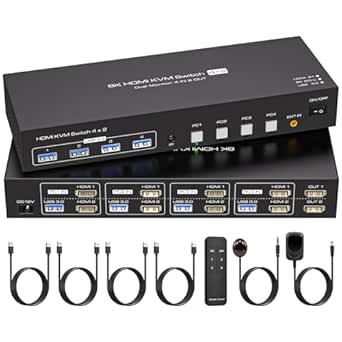 | Best for Four-Computer Dual-HDMI Desks | Computer inputs: 4 | Monitor outputs: 2 HDMI | Maximum resolution: 8K at 60Hz or 4K at 120Hz | VIEW ON AMAZON | See Our Full Breakdown |
| Hearvo USB 3.0 HDMI KVM Switch for 2 Computers and 1 Monitor, 4K at 60Hz | 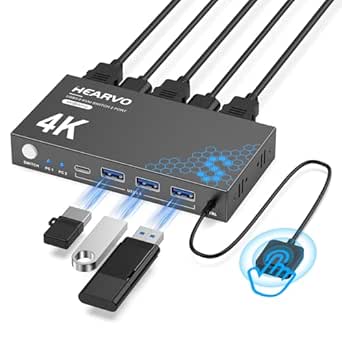 | Best for a Straightforward Single-Monitor Desk | Computer inputs: 2 | Monitor outputs: 1 HDMI | Maximum resolution: 4K at 60Hz | VIEW ON AMAZON | See Our Full Breakdown |
| kvm switch for it admins on amazon usa | USB ports | Maximum resolution | Computer inputs | Switching methods |
|---|---|---|---|---|
| UGREEN HDMI KVM Switch for 2 C | 4 | 4K at 60Hz | 2 | Unit button or desktop controller |
| UGREEN Triple-Monitor KVM Swit | 4 USB 3.0 | Up to 8K at 60Hz | 2 | — |
| UGREEN 4-Computer HDMI KVM Swi | 4 USB 3.0 and 2 USB 2.0 | 4K at 60Hz | 4 | Button or wired desktop controller |
| CMSTEDCD Dual-Monitor 2-Port 8 | 4 USB 3.0 | 8K at 60Hz | 2 | Panel button or wired controller |
| GREATHTEK 4-Port HDMI KVM Swit | 3 USB 3.0 and 1 USB-C | 3840 × 2160 at 60Hz | 4 | Front-panel buttons and wired remote |
| GREATHTEK 4-Port HDMI KVM Swit | 3 USB-A 3.0 and 1 USB-C | 4K at 60Hz (3840 × 2160) | — | — |
| 2-Port HDMI KVM Switch for Two | 2 USB 2.0 | 4K at 60Hz | — | — |
| CMSTEDCD 2-Port 8K HDMI KVM Sw | 2 USB 2.0 | 8K at 60Hz | — | — |
| ATLAHET Dual-Monitor DisplayPo | — | — | — | — |
| UGREEN 8K HDMI KVM Switch for | 4 total: 3 USB-A and 1 USB-C | 8K at 60Hz | — | — |
| Cable Matters 20 Gbps USB-C KV | — | — | 3 | — |
| Dual-Monitor DisplayPort KVM S | 4 USB 3.0 | 3840 × 2160 at 144Hz | 2 | Panel button and wired desktop controller |
| ATLAHET 4-Port Dual-Monitor HD | 4 USB 3.0; backward compatible with USB 2.0, 1.1, and 1.0 | 8K at 60Hz or 4K at 120Hz | 4 | Panel buttons and infrared remote |
| Hearvo USB 3.0 HDMI KVM Switch | 4: 3 USB-A and 1 USB-C | 4K at 60Hz | 2 | On-unit button and wired remote |
More Details on Our Top Picks
UGREEN HDMI KVM Switch for 2 Computers and 1 Monitor, 4K@60Hz, 4 USB Ports
This is the simplest fit for an admin who needs to share one display and everyday USB gear between a work machine and a second computer. 4K at 60Hz support suits standard high-resolution office monitors, while the included desktop controller lets you switch without reaching behind the desk. Its driver-free compatibility with Windows, macOS, and Linux is useful in mixed-device setups. Compared with the UGREEN 4-Computer HDMI KVM Switch, this model handles fewer computers but arrives with HDMI and USB cables, reducing setup work. The tradeoff is a deliberately basic feature set: it supports only one monitor, has no hotkey switching or EDID emulation, and is not compatible with docking stations. Both USB cables must be connected for operation, so it is less convenient for desks relying on a dock.
Pros:- Shares one HDMI monitor and up to four USB devices between two computers
- Supports resolutions up to 4K at 60Hz
- Includes HDMI and USB cables plus a desktop controller
- Works with Windows, macOS, and Linux without driver installation
Cons:- Supports only one monitor and two computers
- No keyboard hotkey switching or EDID emulation
- Not compatible with docking stations, and both USB cables must be connected
Best for: IT admins switching one keyboard, mouse, and other USB peripherals between two directly connected Windows, macOS, or Linux computers.
Not ideal for: Admins with multiple monitors, docking-station-based computers, or a need for keyboard hotkeys or EDID emulation.
- Computer inputs:2
- Monitor support:1 HDMI monitor
- USB ports:4
- Maximum resolution:4K at 60Hz
- HDMI features:HDMI 2.0, HDCP 2.2/1.4, HDR, 3D
- Switching methods:Unit button or desktop controller
- Compatibility:Windows, macOS, Linux
- Included accessories:2 USB A-to-B cables, 2 HDMI cables, desktop controller, user guide
- 4K at 60Hz cable limit:HDMI cable length up to 5 m
Our verdict“Choose this for a tidy, cable-included two-computer desk with one monitor, but skip it if your setup depends on docks or multiple displays.”
UGREEN Triple-Monitor KVM Switch for 2 Computers
For admins who need to keep three screens attached while moving between two computers, this is the most display-focused choice in the group. It combines two DisplayPort connections and one HDMI connection per computer, with support up to 8K at 60Hz or 4K at 240Hz when the computers, monitors, and cables support those modes. The included desktop controller gives a convenient switching point, and the supplied video cables cut down on parts sourcing. Compared with the CMSTEDCD Dual-Monitor 2-Port 8K HDMI KVM, this UGREEN model can serve a third monitor, but it demands more from each computer: both need suitable triple-display output and multiple video ports. It also needs external power and lacks hotkey switching and EDID emulation, so it favors capable fixed workstations over quick, minimal setups.
Pros:- Switches up to three monitors and four USB 3.0 peripherals between two computers
- Supports up to 8K at 60Hz or 4K at 240Hz with compatible equipment
- Includes a desktop controller and the listed DisplayPort, HDMI, and USB cables
- Offers mirror and extend display modes
Cons:- Each computer needs compatible triple-display output and multiple video ports
- Requires the included 12V DC power adapter
- No keyboard hotkey switching or EDID emulation
Best for: IT admins with two computers that each support three external displays and a workstation built around multiple monitors.
Not ideal for: Admins using laptops with limited video outputs, needing EDID emulation, or wanting a compact, unpowered two-display switch.
- Computer inputs:2
- Monitor support:Up to 3
- Video connections per computer:2 DisplayPort 1.4 and 1 HDMI 2.1
- Video outputs:2 DisplayPort and 1 HDMI
- Maximum resolution:Up to 8K at 60Hz
- Maximum refresh rate:Up to 4K at 240Hz
- USB ports:4 USB 3.0
- Switching and display modes:Push button or desktop controller; mirror and extend
- Power and compatibility:12V DC adapter; Windows and Linux
Our verdict“Pick this when three displays are a firm requirement and both computers can drive them; otherwise, a dual-monitor or single-monitor KVM is simpler.”
UGREEN 4-Computer HDMI KVM Switch with 6 USB Ports
This UGREEN earns its place for admins who need to control four computers from one HDMI monitor and share more than the usual keyboard and mouse. Six USB ports give room for several peripherals, while EDID emulation helps preserve display settings when switching—an advantage over the two-computer UGREEN HDMI KVM and the GREATHTEK 4-Port HDMI model, which does not list that feature. The wired controller also makes switching easier from a seated position. The tradeoff is a more involved cable setup: every computer needs HDMI and USB-A-to-USB-C data connections, and the HDMI cables and power adapter are not included. That means more procurement work than the cable-included two-computer pick. It is also not supported with docking stations, so direct computer connections are the safer match.
Pros:- Controls four computers from one monitor
- Provides four USB 3.0 and two USB 2.0 ports for shared devices
- EDID emulation helps retain display settings when switching
- Includes a wired desktop controller and supports Windows, macOS, and Linux
Cons:- HDMI cables and power adapter are not included
- Requires HDMI and USB-A-to-USB-C data cables for each computer
- Not compatible with docking stations
Best for: IT admins or lab operators managing four directly connected computers that share one display and several USB peripherals.
Not ideal for: Dock-based workstations or teams that want a ready-to-connect kit with HDMI cables and a power adapter included.
- Computer inputs:4
- Monitor outputs:1
- USB ports:4 USB 3.0 and 2 USB 2.0
- Maximum resolution:4K at 60Hz
- USB data speeds:USB 3.0 up to 5Gbps; USB 2.0 up to 480Mbps
- Display features:HDMI 2.0, HDCP 2.2/1.4, HDR, 3D, EDID emulation
- Switching methods:Button or wired desktop controller
- Computer cables required:HDMI and USB-A-to-USB-C per computer
- Operating system compatibility:Windows, macOS, Linux
Our verdict“Choose this four-computer option if EDID retention and six USB connections matter more than a complete cable bundle.”
CMSTEDCD Dual-Monitor 2-Port 8K HDMI KVM Switch with 4-Port USB 3.0 Hub
This is the HDMI-focused option for an admin who wants two monitors shared between two computers without moving cables by hand. Its stated support reaches 8K at 60Hz or 4K at 120Hz, and four USB 3.0 ports cover common shared peripherals. A wired controller offers a practical alternative to pressing the unit’s panel button. Compared with the UGREEN Triple-Monitor KVM, the CMSTEDCD serves two screens rather than three and uses HDMI for both outputs, which may suit systems already wired around HDMI. Its main limitation is a condition that can be easy to miss: extended display needs two HDMI outputs on each computer. The switch does not offer keyboard hotkeys, and high-power USB devices require the included 12V adapter. Check the source computer’s ports before choosing it.
Pros:- Shares two HDMI monitors and four USB 3.0 devices between two computers
- Supports up to 8K at 60Hz and 4K at 120Hz
- Offers copy and extended display modes
- Includes a wired controller and 12V power adapter
Cons:- Extended display requires two HDMI outputs on each computer
- No keyboard hotkey switching
- High-power USB devices need the external power adapter
Best for: IT admins with two computers that each have two HDMI outputs and need a shared dual-monitor desk.
Not ideal for: Users whose computers lack dual HDMI outputs, or admins who need keyboard hotkeys or a three-monitor arrangement.
- Computer inputs:2
- Monitor outputs:2 HDMI
- USB ports:4 USB 3.0
- USB data transfer speed:5 Gbps
- Maximum resolution:8K at 60Hz
- 4K resolution support:Up to 4K at 120Hz
- Switching methods:Panel button or wired controller
- Power supply:12V DC
- Dimensions and material:5.91 x 2.56 x 1.42 inches; metal
Our verdict“Select this for a two-monitor HDMI setup when both computers have the required outputs; otherwise, the UGREEN triple-monitor model may suit a DisplayPort-heavy desk better.”
GREATHTEK 4-Port HDMI KVM Switch, 4K at 60Hz, with USB 3.0 and USB-C
The GREATHTEK is a useful middle ground for admins who need one monitor shared across four computers but want a dedicated USB-C peripheral port alongside USB 3.0. Its included HDMI, USB, power, and controller cables make it more ready for a four-machine desk than the UGREEN 4-Computer HDMI KVM, which requires separate HDMI cables and does not include a power adapter. Both are single-monitor choices, but UGREEN adds EDID emulation and two extra USB ports; GREATHTEK instead provides a USB-C connection and a stated 4K-at-60Hz ceiling. Switching uses front-panel buttons or the wired remote, not keyboard hotkeys. That keeps operation simple, but admins who rely on hotkeys or need EDID retention should look elsewhere. Confirm that the USB-C port suits the device you plan to share.
Pros:- Connects four computers to one monitor
- Supports up to 3840 × 2160 at 60Hz
- Combines three USB 3.0 ports with one USB-C port
- Includes a wired remote and listed HDMI, USB, and power cables
Cons:- Does not support keyboard hotkey switching
- Supports only one monitor
- Has fewer USB ports and no listed EDID emulation compared with the UGREEN 4-Computer model
Best for: IT admins sharing one 4K monitor across four computers who need both USB 3.0 and a USB-C port for peripherals.
Not ideal for: Admins who need multiple monitors, keyboard hotkeys, EDID emulation, or more than four shared USB connections.
- Computer inputs:4
- Monitor outputs:1
- Maximum resolution:3840 × 2160 at 60Hz
- USB ports:3 USB 3.0 and 1 USB-C
- Switching methods:Front-panel buttons and wired remote
- Hotkey switching:Not supported
- Operating voltage:5 V
- Dimensions and weight:8.3 × 0.9 × 3 inches; 16 oz
- Included accessories:HDMI cable, 4 USB 3.0 cables, power cable, USB controller cable, wired remote
Our verdict“Choose this for four computers and a mixed USB-A/USB-C peripheral setup, but favor the UGREEN alternative if EDID emulation or six USB ports matters more.”
GREATHTEK 4-Port HDMI KVM Switch with Wired Remote, 4K@60Hz, USB 3.0
For an IT admin who needs to share one 4K display and fast USB peripherals across four machines, the GREATHTEK S7415H-H is a practical fit. Its 4K at 60Hz HDMI output and USB 3.0 ports suit a desk where webcams, storage, or other accessories move between systems. The included wired remote makes switching easier when the switch itself sits out of reach, and the supplied cable kit gets much of the setup together in one box.
Compared with the two-computer UGREEN 8K HDMI KVM Switch, this GREATHTEK serves more computers but gives up higher-resolution support. Its main tradeoff is cabling: each computer needs separate HDMI and USB connections, and there is no hotkey switching. Choose it for a four-machine 4K desk, not a compact, keyboard-driven setup.
Pros:- Connects four computers to one HDMI display
- Supports 4K at 60Hz
- USB 3.0 ports support data transfer up to 5Gbps
- Includes a wired remote and a set of connection cables
Cons:- Does not support hotkey switching
- Each computer needs separate HDMI and USB cabling
Best for: IT admins managing up to four HDMI computers at a shared 4K desk who need USB 3.0 peripherals and a reachable wired controller.
Not ideal for: Admins who need hotkey switching, 8K output, or a minimal-cable setup; each computer requires separate HDMI and USB connections.
- Model:S7415H-H
- Computers supported:4
- Video connection:HDMI
- Maximum resolution:4K at 60Hz (3840 × 2160)
- USB ports:3 USB-A 3.0 and 1 USB-C
- USB data speed:Up to 5Gbps
- Switching:Front-panel button or wired remote
- Construction:Metal; graphite gray
Our verdict“Choose this GREATHTEK if four computers and shared USB 3.0 devices matter more than hotkey control or 8K video.”
2-Port HDMI KVM Switch for Two Computers and One Monitor, 4K at 60 Hz
This two-computer HDMI switch is the straightforward option for an admin who needs to share a display, keyboard, and mouse between a pair of machines without adding an external power supply. 4K at 60Hz handles a standard high-resolution desk, while the included wired controller lets you switch without reaching behind the equipment. Its plug-and-play setup is simpler than the four-computer GREATHTEK S7415H-H, which is better suited to a busier bench.
The simpler setup comes with real limits. Its USB 2.0 ports top out at 480Mbps, so moving storage or sharing high-bandwidth accessories is less appealing than with the USB 3.0 models here. HDMI cables are not included, hotkey switching is unavailable, and the listing advises against Mac use. It makes sense for two compatible computers and basic peripherals, not a mixed-OS or data-heavy admin station.
Pros:- Connects two computers to one HDMI monitor
- Supports 4K at 60Hz
- Includes a wired desktop controller
- Does not require an external power supply
Cons:- USB 2.0 data speed is limited to 480Mbps
- HDMI cables are not included
- Not recommended for Mac devices and lacks hotkey switching
Best for: IT staff sharing a monitor and basic USB peripherals between two HDMI-equipped, non-Mac computers who want a simple, externally unpowered setup.
Not ideal for: Mac users, admins sharing fast USB storage, or anyone who needs HDMI cables supplied or hotkey-based control.
- Computers supported:2
- Display connection:HDMI
- Maximum resolution:4K at 60Hz
- USB ports:2 USB 2.0
- USB data speed:Up to 480Mbps
- Switching:Unit button or wired desktop controller
- Power:5V; no external power supply required
- Compatibility note:Not recommended for Mac devices
Our verdict“Pick this model for a basic two-PC HDMI desk where simple switching matters more than fast peripheral sharing or broad OS suitability.”
CMSTEDCD 2-Port 8K HDMI KVM Switch for Two Computers
The CMSTEDCD is the resolution-focused choice for an admin sharing one HDMI monitor between two computers. It lists support for 8K at 60Hz and 4K at up to 240Hz, offering more headroom than the 4K-at-60Hz two-computer switch in this batch. That advantage only pays off when the computers, display, and HDMI cable all support the chosen mode; 8K calls for a compatible 8K cable. A desktop controller and driver-free setup keep everyday switching uncomplicated.
For routine office displays, the extra video capability may not justify choosing it over the simpler two-port option, especially since both use USB 2.0 and neither offers hotkey switching. This model does list compatibility with Windows, macOS, Linux, and Unix, giving it a broader stated OS range than the other two-port HDMI pick. I’d choose it for a capable high-refresh or 8K display, not for faster shared peripherals.
Pros:- Supports up to 8K at 60Hz and 4K at up to 240Hz
- Lists compatibility with Windows, macOS, Linux, and Unix
- Includes a desktop controller
- Requires no driver installation
Cons:- USB 2.0 ports are less suited to high-bandwidth peripherals
- No hotkey switching
- 8K output requires compatible computers, display, and HDMI cable
Best for: IT admins connecting two compatible systems to an 8K or high-refresh HDMI monitor who need stated support across Windows, macOS, Linux, or Unix.
Not ideal for: Admins whose main need is fast shared USB storage, hotkey switching, or a 4K office setup that cannot use the higher video modes.
- Model:GMXUS-SW219
- Computers supported:2
- Maximum resolution:8K at 60Hz
- High-refresh support:Up to 4K at 240Hz
- USB ports:2 USB 2.0
- Switching:Panel button or desktop controller
- Compatibility:Windows, macOS, Linux, and Unix
- Dimensions:3.86 × 2.36 × 0.63 inches
Our verdict“Choose the CMSTEDCD when your two-PC setup can use its high-resolution or high-refresh support, rather than for USB speed.”
ATLAHET Dual-Monitor DisplayPort KVM Switch for 2 Computers
When an admin’s workflow depends on two screens, the ATLAHET solves a different problem from the single-monitor HDMI switches in this batch: it shares two DisplayPort monitors and up to four USB devices between two computers. Its listed video modes—8K at 60Hz or 4K at 120Hz—offer headroom for compatible displays, while USB 3.0 supports shared-device data speeds up to 5Gbps. A wired remote can keep switching within reach even if the metal unit sits with the rest of the cabling.
This is a more specialized purchase than the UGREEN 8K HDMI KVM Switch: ATLAHET provides dual displays, but needs two DisplayPort outputs on each computer and DisplayPort inputs on both monitors. It also requires 12V external power, and keyboard hotkeys are not supported. Skip it if your workstation is HDMI-only or if you want to switch with keyboard commands.
Pros:- Shares two DisplayPort monitors between two computers
- Supports up to 8K at 60Hz or 4K at 120Hz
- Shares up to four USB 3.0 devices at speeds up to 5Gbps
- Offers both front-panel and wired-remote switching
Cons:- Each computer needs two DisplayPort outputs and each monitor needs a DisplayPort input
- Requires a 12V external power supply
- Does not support keyboard hotkey switching or Bluetooth devices without USB receivers
Best for: IT admins with two DisplayPort monitors and two computers who need to share both screens and up to four USB devices.
Not ideal for: Users with HDMI-only displays or computers, limited access to external power, or a requirement for keyboard hotkey switching.
- Model:SW223
- Computers supported:2
- Displays:2 DisplayPort monitors
- Maximum video modes:8K at 60Hz or 4K at 120Hz
- USB devices:Up to 4 USB 3.0 devices
- USB data speed:Up to 5Gbps
- Switching:Panel button or wired remote
- Power:12V external power required
- Construction:Aluminum
Our verdict“Pick the ATLAHET if dual DisplayPort screens are essential; choose a single-monitor HDMI switch for a simpler or more compatible desk.”
UGREEN 8K HDMI KVM Switch for 4 Computers with 4 USB 3.0 Ports
For an admin who wants four machines, one HDMI display, and several shared peripherals at a single station, the UGREEN 55397 combines four-computer switching with four USB 3.0 ports, including USB-C. It supports 8K at 60Hz and lists Windows, macOS, and Linux compatibility. The wired controller helps when the switch is tucked beside a rack or monitor stand. Compared with the 4K-only GREATHTEK S7415H-H, this UGREEN raises the stated resolution ceiling and adds a USB-C port.
That expanded capability brings setup demands: every computer needs separate HDMI and USB-A-to-C connections, and external power is recommended for stable operation. It also lacks hotkey switching and EDID emulation, and the product is not compatible with use through a docking station. This is the stronger fit for a direct-connected four-PC desk with higher-resolution needs, not a dock-centered setup or one that depends on automatic display handling.
Pros:- Connects four computers to one HDMI monitor
- Supports up to 8K at 60Hz
- Provides four USB 3.0 ports, including one USB-C
- Includes a wired desktop controller and supports Windows, macOS, and Linux
Cons:- Each computer needs separate HDMI and USB-A-to-C connections
- External power is recommended for stable use
- No hotkey switching or EDID emulation; not compatible through a docking station
Best for: IT admins connecting four computers directly to one HDMI display who want 8K support and shared USB-A and USB-C peripherals.
Not ideal for: Dock-based workstations, users who need EDID emulation or hotkey control, and setups where the required per-computer cabling is impractical.
- Model:55397
- Computers supported:4
- Video connection:HDMI
- Maximum resolution:8K at 60Hz
- USB ports:4 total: 3 USB-A and 1 USB-C
- USB data speed:Up to 5Gbps
- Switching:Push button or wired desktop controller
- Compatible operating systems:Windows, macOS, and Linux
Our verdict“Choose the UGREEN for a direct-connected four-PC desk that needs 8K and versatile USB sharing, but avoid it if your workflow depends on a dock or EDID emulation.”
Cable Matters 20 Gbps USB-C KVM Switch for 3 Computers with 140W Power Delivery
This is the most specialized pick here: it switches a compatible USB-C or Thunderbolt 4 monitor or dock among three computers, rather than handling a conventional multi-monitor HDMI setup. The included RF remote avoids reaching for the unit, and up to 140W Power Delivery can charge the selected computer through the KVM. Compared with the Hearvo, which is simpler for one HDMI monitor and standard USB peripherals, this Cable Matters model suits desks built around USB-C connectivity and higher-power laptops. Its tradeoffs are significant for mixed fleets: only the active computer receives charging, macOS supports one external display, and the 20 Gbps link may limit display stability or resolution versus a direct connection. It also calls for the included USB4 cables; docks with captive cables are not recommended.
Pros:- Shares a compatible USB-C or Thunderbolt 4 monitor or dock among three computers
- Provides up to 140W Power Delivery to the selected computer
- RF remote switching requires no additional software or drivers
- Supports high-resolution output on compatible systems
Cons:- Only the selected computer receives charging
- 20 Gbps bandwidth may affect display stability or resolution compared with a direct connection
- Not recommended for docks with captive cables, and macOS supports only one external display
Best for: IT administrators switching one compatible USB-C or Thunderbolt 4 monitor or dock between three laptops, especially systems that benefit from high-wattage charging.
Not ideal for: Teams using captive-cable docks, macOS users who need multiple external displays, or desks requiring a direct, unrestricted display connection.
- Computer inputs:3
- Connectivity:USB4, USB-C, Thunderbolt 4
- Data transfer speed:Up to 20 Gbps
- Power Delivery:Up to 140W; active computer only
- Video output:Up to 8K at 30Hz on Windows; up to 4K at 60Hz on macOS
- Switching control:RF remote
- Operating voltage:28V
Our verdict“Choose this for a three-computer USB-C or Thunderbolt desk with compatible gear, but skip it if you need simultaneous laptop charging or broad multi-display support.”
Dual-Monitor DisplayPort KVM Switch for 2 Computers, 4K at 144Hz, with 4 USB 3.0 Ports
For an administrator who needs two DisplayPort monitors at a high refresh rate, this model puts 4K at 144Hz ahead of convenience features. It switches two computers and shares four USB 3.0 devices, with either a button on the unit or a wired desktop controller. That makes it a better match for a dual-screen workstation than the Hearvo, which supports only one HDMI monitor, and a more direct fit than the Cable Matters USB-C model when the desk is built around DisplayPort. The installation asks more of the cable plan: each computer needs two DisplayPort cables plus a USB cable, and the video cables are not included. There is no keyboard hotkey switching, so users who prefer commands from their desk keyboard should look elsewhere.
Pros:- Shares two monitors and four USB devices between two computers
- Supports up to 4K at 144Hz with up to 48 Gbps video bandwidth
- Offers both a panel button and a wired desktop controller
- USB 3.0 ports support data transfer up to 5 Gbps
Cons:- Each computer needs two DisplayPort cables and one USB cable
- DisplayPort cables are not included
- Does not support keyboard hotkey switching
Best for: IT administrators managing two DisplayPort-equipped computers on a dual-monitor desk where 4K high-refresh output and shared USB accessories matter.
Not ideal for: Buyers who need HDMI, want fewer cables, rely on keyboard hotkeys, or do not already have suitable DisplayPort cables.
- Computer inputs:2
- Monitor outputs:2 DisplayPort monitors
- Maximum resolution:3840 × 2160 at 144Hz
- Video bandwidth:Up to 48 Gbps
- USB ports:4 USB 3.0
- USB data rate:Up to 5 Gbps
- Switching methods:Panel button and wired desktop controller
- Power adapter:12V DC
Our verdict“Pick this for a two-computer DisplayPort workstation that needs dual 4K high-refresh monitors, provided the extra cabling and controller-based switching suit your desk.”
ATLAHET 4-Port Dual-Monitor HDMI KVM Switch for 4 Computers
When the requirement is four computers sharing a pair of HDMI screens, the ATLAHET covers more endpoints than the two-computer DisplayPort KVM in this lineup. It also offers EDID emulation, which can help keep windows in place when switching, plus panel and infrared remote controls. Its stated ceiling of 8K at 60Hz or 4K at 120Hz is ambitious, but the practical result depends on the computers, displays, and cabling. This is a more useful fit for multi-system administration than the Hearvo, which handles only two computers and one monitor. The connection requirements deserve attention before buying: every computer needs two HDMI ports, the switch needs an external 12V/1A supply, and switching by keyboard hotkey is not supported.
Pros:- Controls four computers while sharing two HDMI monitors
- Supports up to 8K at 60Hz or 4K at 120Hz, subject to system compatibility
- EDID emulation can help preserve window positions when switching
- Includes panel buttons and an infrared remote
Cons:- Each computer needs two HDMI ports
- Requires an external 12V/1A power supply
- Does not support keyboard hotkey switching
Best for: IT administrators who regularly switch among four computers while sharing two HDMI monitors and USB peripherals.
Not ideal for: Users whose computers lack two HDMI outputs, who need hotkey switching, or whose setup uses DisplayPort or USB-C video.
- Computer inputs:4
- Monitor outputs:2 HDMI
- Maximum resolution:8K at 60Hz or 4K at 120Hz
- USB ports:4 USB 3.0; backward compatible with USB 2.0, 1.1, and 1.0
- Switching methods:Panel buttons and infrared remote
- Display modes:Duplicate and extended
- Power requirement:12V/1A external power supply
- Dimensions:9.3 × 3.4 × 1.4 inches
Our verdict“Choose this when four computers must share two HDMI displays; skip it if your systems lack dual HDMI outputs or you need keyboard-based switching.”
Hearvo USB 3.0 HDMI KVM Switch for 2 Computers and 1 Monitor, 4K at 60Hz
The Hearvo is the simpler single-screen choice for an admin sharing one HDMI monitor and common peripherals between two computers. Its 4K at 60Hz support, adaptive EDID, and plug-and-play setup cover a familiar office workflow without the dual-display cabling of the DisplayPort KVM or the four-computer requirements of the ATLAHET. Four USB ports—including one USB-C port—give a desk some flexibility for peripherals, while the wired remote lets the switch sit out of easy reach. The limit is also its defining compromise: it handles just one monitor and two computers. It offers less headroom for expanding a multi-system admin station than either the ATLAHET or Cable Matters model, and its USB data rate tops out at 5 Gbps.
Pros:- Shares one HDMI monitor and USB peripherals between two computers
- Supports up to 4K at 60Hz with adaptive EDID
- Provides four USB ports, including one USB-C port
- Includes both an on-unit button and a wired remote
Cons:- Supports only one monitor and two computers
- USB data transfer is limited to up to 5 Gbps
- Requires a 5V power supply
Best for: IT staff who need to share one HDMI monitor and up to four USB peripherals between two computers with simple button or remote switching.
Not ideal for: Administrators needing dual monitors, more than two computer inputs, or a USB-C video connection rather than USB-C peripheral access.
- Computer inputs:2
- Monitor outputs:1 HDMI
- Maximum resolution:4K at 60Hz
- USB ports:4: 3 USB-A and 1 USB-C
- USB data transfer speed:Up to 5 Gbps
- Switching methods:On-unit button and wired remote
- Video features:HDCP 2.2 and adaptive EDID
- Power requirement:5V
Our verdict“Choose the Hearvo for a two-computer, one-monitor HDMI desk with mixed USB peripherals, but not for a growing multi-display or multi-host setup.”

How We Picked
I ranked these switches for IT admin work by looking first at computer count and display arrangement: managing four systems, switching between two computers, and running two monitors are distinct needs. I then weighed the stated video connection and capabilities, USB port count, and useful workflow features such as a wired remote or USB-C power delivery. A higher resolution or refresh rate is not automatically a better fit if the workstation, cables, or connected systems cannot support it.
The order favors models that address a common shared workstation need with a useful mix of host capacity, display support, and peripheral sharing. Specialized dual-monitor and USB-C choices rank for the setups they serve rather than being treated as universal upgrades. I also account for setup complexity and compatibility checks: product listings do not replace confirming the required host cables, monitor outputs, operating-system support, and power-delivery behavior before purchase.
Factors to Consider When Choosing Kvm Switch For It Admins On Amazon Usa
Before choosing a KVM switch, I would map the actual workstation: systems to connect, monitors to share, and peripherals that need to follow the selected computer. That simple inventory often matters more than a maximum resolution printed in a listing. These checks can also prevent common mismatches between a KVM’s ports and the video outputs or USB-C capabilities of your equipment.
Match the host count to the workstation
Count every computer that needs access to the shared monitor and input devices, including a spare admin machine if it will stay connected. A two-port KVM may be the simpler choice for a primary workstation and one test system, while four-port models reduce the need to swap cables when several servers or PCs require desk access. Do not assume that a four-computer model can serve four users at once; a KVM generally selects which connected host uses the shared console. If only two systems are active, unused ports can mean extra cable runs and a larger switching unit without much benefit. Choose capacity for the likely working setup, not every device in the office inventory.
Plan the display layout before choosing HDMI or DisplayPort
Write down the video output on each computer and the input on each monitor before selecting a switch. Dual-monitor switching requires the right number of video connections per host, not merely two screens plugged into the KVM. Mixing HDMI and DisplayPort can add adapters or create resolution limits, so matching the switch to the workstation’s native connection is usually cleaner. If a laptop uses a dock, check which display outputs the dock exposes and whether both screens can operate through it. This prevents a common mistake: buying a dual-display KVM based on its monitor count without confirming the full signal path from each computer.
Treat resolution and refresh rate as a whole-chain requirement
A KVM’s advertised resolution or refresh rate is only one part of display compatibility. The computer’s graphics output, monitor input, cable quality and length, and any dock or adapter also affect the result. Admins who need a high-refresh display should verify support for the intended resolution at that refresh rate across every connected host, not just one. For office consoles used mainly for terminal work, remote management, and documentation, a more modest display mode may be adequate and easier to support. Avoid paying for a specification that the workstation cannot deliver, but do not overlook the limits of a KVM that sits between a capable computer and monitor.
Count USB devices and check what must switch
List the keyboard, mouse, storage devices, security keys, and other USB accessories that must move with the active computer. A larger USB hub count can reduce desk clutter, but port quantity alone does not tell you how devices behave when switching. Check whether the KVM’s USB connections match the devices you plan to share and whether any high-bandwidth peripheral needs a direct connection instead. If storage or specialist equipment is involved, verify that switching will not interrupt a task or disconnect a device unexpectedly. I would keep a separate peripheral directly attached when its availability or uninterrupted operation matters more than sharing it across hosts.
Check USB-C power delivery against each laptop
USB-C KVMs with power delivery can reduce the number of cables at a laptop desk, but the wattage figure is not a universal charging guarantee. Confirm that each laptop accepts charging over the relevant USB-C port and that the KVM’s power arrangement supports the intended device. Also check whether video, data, and charging are all carried through the connections you plan to use; USB-C connectors can support different capabilities across devices and cables. A high-power workstation laptop may still need its own adapter under heavy load. Choose a power-delivery model for a verified laptop setup, rather than assuming the port shape alone means full compatibility.
Choose a control method that fits the physical setup
Switch buttons and wired remotes affect usability most when the KVM is mounted behind a monitor, under a desk, or inside a rack-side workstation. Before buying, check where the selector will sit and whether the supplied control method can reach the intended spot. Switching shortcuts may be convenient, but they can conflict with software or keyboard layouts, so confirm how selection works for the model. In shared IT spaces, visible controls can make handoffs more predictable than a selector hidden among cables. A remote is useful only when its placement and cable length suit the desk; otherwise, it adds another lead to manage.
Frequently Asked Questions
Should I choose a four-computer KVM if I only switch between two machines today?
I would choose four ports only if the extra computers are likely to share the console or if avoiding future recabling matters. More host connections can simplify a growing admin bench, but they can also add cable clutter and leave ports unused. For a stable two-machine desk, a two-port model is usually the more direct match. Compare the extra capacity against the space and cabling it adds. Also check that the model’s display and USB layout suits the two systems you already have.
Will a dual-monitor KVM work with a laptop dock?
It can, but the dock must provide the video outputs the KVM expects, and the laptop must support the desired number of external displays. Check the dock’s supported display modes and whether it uses HDMI, DisplayPort, or USB-C video for each screen. Then confirm that the KVM has the matching inputs for every host. Adapters may add another compatibility point and can limit resolution or refresh rate. Test the complete connection plan on paper before ordering, rather than relying on the dock’s connector count alone.
Is an 8K-capable KVM a good choice for a standard office admin station?
Only if the connected computers and monitor can use the higher display mode or you want headroom for a planned upgrade. For many admin desks, reliable support for the actual resolution and refresh rate in use matters more than a large maximum-resolution claim. Verify the supported mode across all hosts, cables, adapters, and displays. A model with more ports or a better-matched display connection may serve the workflow better than an 8K label. Do not treat that label as proof of compatibility with every 4K or high-refresh setup.
Some KVMs provide USB ports for shared peripherals, but check the device requirements and how switching affects connections. A storage device may disconnect when control moves to another computer, which can interrupt file operations if it is in use. Security keys and specialist devices may also depend on direct USB access or specific host behavior. For anything tied to a running task or login workflow, verify compatibility and switching behavior before making it part of the shared setup. Keeping a critical device connected directly to one host can be safer than switching it.
How do I know whether USB-C power delivery will charge my laptop through the KVM?
Confirm that the laptop supports charging through the USB-C port you plan to connect and that the KVM’s power-delivery setup matches the laptop’s needs. The advertised wattage indicates a stated ceiling, not a promise that every connected laptop will draw that amount. Cable capability, the laptop’s power profile, and workload can all affect charging. Some high-performance laptops may still need their own charger while under sustained load. Check the product documentation for supported charging behavior and keep the laptop’s adapter available until the complete setup is verified.
Conclusion
For a shared admin console handling several systems, my best overall choice is the UGREEN 4-Computer HDMI KVM Switch with 6 USB Ports, thanks to its host capacity and room for shared peripherals. The best value in capability for a four-host HDMI workflow is the GREATHTEK 4-Port HDMI KVM Switch; check its connection layout against your devices before choosing it. For a best premium, specialized fit, the Cable Matters USB-C model is the standout for compatible laptop setups that can use its 140W power delivery. The best for beginners is the straightforward 2-Port HDMI KVM Switch for Two Computers and One Monitor, provided its listed connections match the desk. For specific needs, choose a dual-monitor model for two-screen control, the DisplayPort options for a DisplayPort-based workstation, or a wired-remote model when the switch will be hard to reach. Match the KVM to your host count, display path, and peripherals before buying.
Halloween Picks

Max Fun 10-Foot Halloween Dragon and Pumpkin Inflatable Archway with LED Lights

Kalolary 12ft Halloween Witch Haunted House Inflatable Archway

JOYIN 5-Foot Halloween Animatronic Drinking Skeleton
As an affiliate, we earn on qualifying purchases.