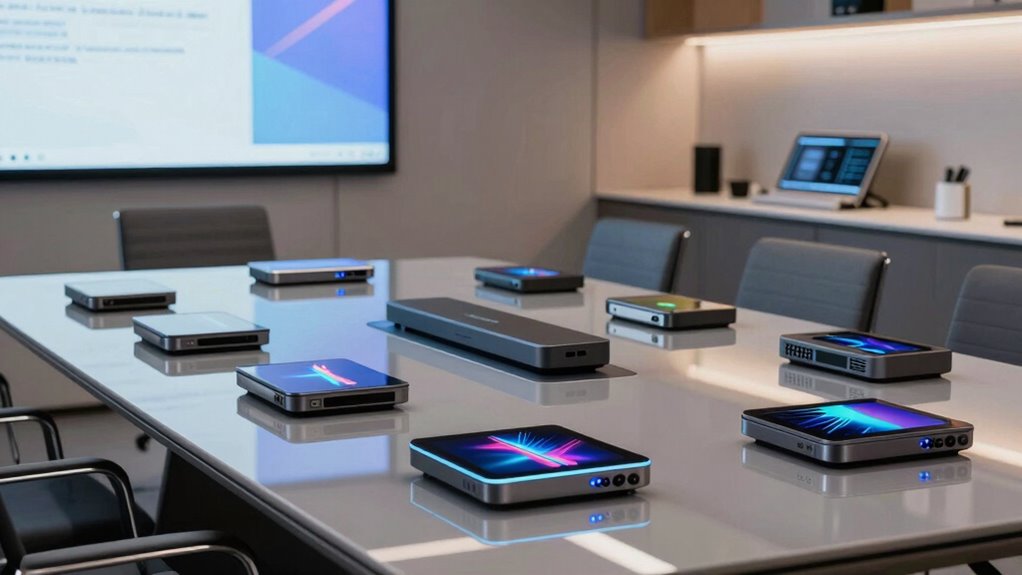

When selecting a high end wireless presentation system for conference rooms, the goal is seamless, reliable connectivity that supports multiple users and devices. The Barco CSC-1 ClickShare Complete stands out for its robust collaboration features and ease of use, making it ideal for large enterprise environments. The BenQ InstaShow WDC25 offers straightforward setup with excellent compatibility, perfect for teams prioritizing simplicity. However, these systems often require a significant investment, and tradeoffs include balancing features against budget constraints. Continue reading to see how each option stacks up for different needs and environments.

Get business pricing on office and shipping supplies
- Business-only prices and quantity discounts
- Tax-exempt purchasing
- Multiple users, one account, clear invoices
Key Takeaways
- The best systems combine reliable performance with easy integration into existing conference room setups.
- Top picks like the Barco CSC-1 excel in scalability and collaboration features suitable for larger teams.
- Price and complexity vary widely; simpler systems often sacrifice some advanced features for ease of use.
- Compatibility with various devices and platforms remains a key factor in effective selection.
- Durability and future-proofing are essential for high-end systems that will be used regularly over years.
| Barco CSE-200 Wireless Presentation System |  | Best for Small to Medium Conference Rooms | Wireless connection: Yes | Number of sources simultaneous on screen: 2 | Number of connections: 16 | VIEW ON AMAZON | See Our Full Breakdown |
| Barco CSC-1 ClickShare Complete Wireless Presentation System |  | Best for Seamless Collaboration in Conference Rooms | VIEW ON AMAZON | See Our Full Breakdown | |||
| MeetHub Kit Wireless Presentation and Conference System |  | Best for High-Quality, Flexible Wireless Sharing | Resolution: True 4K | Wireless Transmission Range: 165 ft | Output: Dual HDMI | VIEW ON AMAZON | See Our Full Breakdown |
| Barco ClickShare C-10 Wireless Presentation and Collaboration System |  | Best for Hybrid and Large Conference Rooms | Compatibility: Microsoft Teams, Zoom, Webex | Display Resolution: Full HD | Security: ISO27001 Certified | VIEW ON AMAZON | See Our Full Breakdown |
| BenQ InstaShow WDC25 Wireless Presentation System |  | Best for Instant, High-Resolution Sharing with Minimal Setup | Resolution: 4K UHD | Playback Rate: 4K/60Hz | Security: CVSS 4.0, HDCP, WPA3 | VIEW ON AMAZON | See Our Full Breakdown |
| Barco ClickShare C-10 Wireless Presentation and Collaboration System | | Best Overall for Medium to Large Conference Rooms | Type: Wireless Presentation System | Suitable Room Size: Medium to Large | Features: Wireless Display, Content Sharing, Video Conferencing | VIEW ON AMAZON | See Our Full Breakdown |
| ViewSonic ViewShare WPD-900 Wireless Presentation System with 1080p Full HD, Miracast, AirPlay, USB-C, HDMI, and USB Inputs |  | Best for Seamless Mobile Device Integration and Large Rooms | Resolution: 1080p Full HD | Wireless Range: 98 feet | Compatibility: Miracast, AirPlay | VIEW ON AMAZON | See Our Full Breakdown |
| Monoprice One-Click USB-C Wireless Presenter 4K Conference System |  | Best for High-Resolution, Multi-Platform Presentations | Resolution Support: 4K@60Hz | Compatibility: Windows, Mac, iOS, Android, Miracast | Number of Transmitters: 2 included, supports up to 16 with extras | VIEW ON AMAZON | See Our Full Breakdown |
| Barco ClickShare CSC-1 Wireless Presentation System (Certified Refurbished) |  | Best Budget-Friendly for Small to Medium Conference Rooms | Item Package Weight: 5.0 Pounds | Item Package Quantity: 1 | Product Type: Remote Control | VIEW ON AMAZON | See Our Full Breakdown |
| high end wireless presentation system for conference room | Compatibility |
|---|---|
| Barco CSE-200 Wireless Present | — |
| Barco CSC-1 ClickShare Complet | — |
| MeetHub Kit Wireless Presentat | Windows, macOS, iOS, Android |
| Barco ClickShare C-10 Wireless | Microsoft Teams, Zoom, Webex |
| BenQ InstaShow WDC25 Wireless | — |
| Barco ClickShare C-10 Wireless | Requires compatible hardware |
| ViewSonic ViewShare WPD-900 Wi | Miracast, AirPlay |
| Monoprice One-Click USB-C Wire | Windows, Mac, iOS, Android, Miracast |
| Barco ClickShare CSC-1 Wireles | — |
More Details on Our Top Picks
Barco CSE-200 Wireless Presentation System
The Barco CSE-200 stands out for its simplicity and security in small to medium-sized meeting spaces. Unlike the larger Barco ClickShare C-10, it supports only two sources simultaneously, which may limit flexibility in bigger meetings. However, its ease of setup and secure wireless connections make it ideal for teams prioritizing straightforward, secure sharing without complex infrastructure. Its support for up to 16 devices ensures multiple participants can connect, but the two-source limit could be a bottleneck for larger collaborative sessions. Compared to multi-source options, it favors quick, secure sharing over extensive connectivity. This model suits smaller teams and environments where security and ease-of-use matter most.
Pros:- Supports up to 16 devices for broad device compatibility
- Easy wireless connection to the display
- Enhanced security features for protected meetings
Cons:- Limited to only two sources at once, restricting multi-user collaboration
- Designed specifically for smaller rooms, not scalable for larger spaces
Best for: Small to medium-sized teams needing quick, secure wireless sharing in dedicated meeting rooms.
Not ideal for: Large conference facilities or teams requiring more than two simultaneous sources or extensive device support.
- Wireless connection:Yes
- Number of sources simultaneous on screen:2
- Number of connections:16
- Includes:2 buttons
Our verdict“This system is best suited for smaller teams seeking secure, straightforward wireless presentation capabilities.”
Barco CSC-1 ClickShare Complete Wireless Presentation System
The Barco CSC-1 ClickShare offers a comprehensive solution for conference rooms that need versatile device support and straightforward sharing. While lacking detailed specs in this overview, it is known for its user-friendly interface and robust connectivity, making it a favorite among organizations that prioritize seamless collaboration. Compared to the MeetHub Kit, it may lack some of the advanced features like 4K support, but its proven reliability and compatibility with multiple conferencing platforms make it a strong choice for professional settings. Its simplicity and device support are ideal for environments where quick, reliable content sharing is essential. However, the absence of detailed specifications means buyers should verify compatibility with their existing hardware.
Pros:- Simple wireless content sharing from multiple devices
- Supports a variety of device types and platforms
- Designed for quick, hassle-free meetings
Cons:- Limited detailed technical specifications available
- Requires compatible hardware setup for full functionality
Best for: Organizations seeking a reliable, easy-to-use wireless sharing system for conference rooms with diverse device ecosystems.
Not ideal for: Teams requiring 4K resolution or advanced features like wireless HDMI or no hardware limitations.
Our verdict“This pick is ideal for organizations prioritizing ease of use and broad device support in conference settings.”
MeetHub Kit Wireless Presentation and Conference System
The MeetHub Kit excels in delivering high-resolution visuals with true 4K support and a wireless range of 165 feet, making it perfect for large or flexible room layouts. Its plug-and-play design and compatibility with Windows, macOS, iOS, and Android give it an edge over systems like BenQ InstaShow WDC25, which requires specific device support for touchback. While the MeetHub offers no network dependency—ideal for quick setup—it requires devices with USB-C or wireless capability. Its dual HDMI output supports multitasking presentations, a feature not always present in simpler systems. The limited details on included accessories mean users should verify what’s supplied before purchase.
Pros:- Supports true 4K resolution for premium visuals
- Wireless range up to 165 ft offers flexible room arrangements
- Plug-and-play setup with no network needed
- Compatible with multiple device platforms
Cons:- Requires devices with USB-C or wireless capability, limiting some users
- Limited information on included accessories or additional features
Best for: Professionals seeking high-quality, no-fuss wireless sharing with extensive device and platform compatibility.
Not ideal for: Smaller teams or setups with only basic device support, as it requires compatible hardware for full features.
- Resolution:True 4K
- Wireless Transmission Range:165 ft
- Output:Dual HDMI
- Compatibility:Windows, macOS, iOS, Android
- Connectivity:Wireless HDMI, USB-C
- Features:Quad View, BYOM support, no network required
Our verdict“This system is perfect for large rooms needing high-quality visuals and flexible, hassle-free connectivity.”
The Barco ClickShare C-10 is designed for larger, hybrid conference environments demanding enterprise-grade security and advanced collaboration features. It supports popular platforms like Microsoft Teams, Zoom, and Webex, with full HD display and annotation tools, making it suitable for complex, multi-participant meetings. Compared to the BenQ InstaShow WDC25, it offers more extensive enterprise integration and the ability to support multiple users simultaneously with touchback control. The need for existing room infrastructure and the more complex setup might be a barrier for some organizations, but its security certification and versatile features justify the investment for larger enterprises.
Pros:- Supports hybrid meetings with multiple users
- Enterprise-grade security (ISO27001 certified)
- Includes annotation, blackboarding, and touchback control
Cons:- Requires existing room setup for full functionality
- Setup can be complex for less experienced users
Best for: Mid-sized to large conference rooms requiring hybrid collaboration, enterprise security, and multi-user support.
Not ideal for: Small teams or rooms with limited infrastructure, as setup complexity and cost may outweigh benefits.
- Compatibility:Microsoft Teams, Zoom, Webex
- Display Resolution:Full HD
- Security:ISO27001 Certified
- Connectivity:Multiple enterprise options
- Features:Wireless sharing, annotation, touch back
Our verdict“This system is best for large, security-sensitive conference rooms with demanding collaboration needs.”
BenQ InstaShow WDC25 Wireless Presentation System
The BenQ InstaShow WDC25 excels in delivering quick, driver-free wireless sharing with 4K UHD resolution and secure encryption. Its one-tap connectivity ensures that meetings start rapidly without the need for drivers or complicated setup, making it ideal for fast-paced environments. Compared to the MeetHub Kit, it offers less flexibility in device compatibility—mainly supporting devices with wireless mirroring—yet it compensates with straightforward security features like WPA3 and HDCP. The need for compatible interactive displays for touchback limits its use in certain setups, but for organizations emphasizing simplicity and high visual quality, this is a compelling choice.
Pros:- Driver-free, instant connection with one tap
- Supports high-resolution 4K UHD visuals
- Secure with advanced encryption protocols
- Allows remote slide control from interactive displays
Cons:- Limited to devices supporting wireless mirroring
- Dependent on compatible interactive displays for touchback features
Best for: Large meeting rooms where quick, high-quality wireless sharing and simple operation are priorities.
Not ideal for: Teams requiring extensive device compatibility or advanced features like dual HDMI output or no device limitations.
- Resolution:4K UHD
- Playback Rate:4K/60Hz
- Security:CVSS 4.0, HDCP, WPA3
- Connectivity:HDMI, USB-C
- Features:Driver-free, Screen Mirroring, Wireless Touchback Control, Cloud Management
Our verdict“Ideal for fast-paced, high-resolution meetings where simplicity and security are key factors.”
Barco ClickShare C-10 Wireless Presentation and Collaboration System
The Barco ClickShare C-10 stands out for its robust integration of wireless content sharing and video conferencing, making it a versatile choice for medium to large meeting spaces. Compared with the Barco CSC-1, it offers a more comprehensive collaboration experience, supporting larger groups and richer features. The main tradeoff is that, as a renewed product, it may have a limited warranty and requires compatible hardware for optimal performance. Its ease of use and scalability make it ideal for organizations looking for a reliable, all-in-one solution.
Pros:- Supports seamless wireless content sharing and video conferencing
- Designed for medium to large conference rooms, accommodating bigger groups
- Easy to deploy and use with minimal setup
Cons:- Refurbished status may limit warranty and support options
- Requires compatible hardware, which could increase overall setup complexity
Best for: IT managers and conference coordinators in enterprises needing reliable, scalable collaboration in sizable rooms
Not ideal for: Small teams or budgets-conscious buyers, since the system’s complexity and cost may be overkill for smaller meetings
- Type:Wireless Presentation System
- Suitable Room Size:Medium to Large
- Features:Wireless Display, Content Sharing, Video Conferencing
- Compatibility:Requires compatible hardware
- Warranty:Limited with renewed product
- Setup:Plug-and-play for compatible hardware
Our verdict“This system is best for larger organizations seeking a dependable, integrated wireless presentation solution that can handle substantial meeting environments.”
ViewSonic ViewShare WPD-900 Wireless Presentation System with 1080p Full HD, Miracast, AirPlay, USB-C, HDMI, and USB Inputs
The ViewSonic ViewShare WPD-900 excels in environments where multiple presenters with diverse devices need quick, reliable screen sharing, thanks to its plug-and-play setup and impressive 98-foot range. It outperforms the Barco ClickShare C-10 in terms of native support for Miracast and AirPlay, making it ideal for users with a variety of mobile devices. The main limitation is that it depends on compatible devices for Miracast and AirPlay, and lacks detailed information on DRM streaming, which could restrict use for certain content. Its long-range capability and multi-user support make it a strong choice for collaborative, tech-forward rooms.
Pros:- Long wireless range up to 98 feet for large rooms
- Supports multiple simultaneous users with up to 8 transmitters
- Plug-and-play setup simplifies deployment
Cons:- Dependent on device compatibility for Miracast and AirPlay
- Limited info on DRM content streaming capabilities
Best for: Teams that prioritize quick sharing from multiple mobile devices across large conference spaces
Not ideal for: Organizations with primarily Windows-only environments or those requiring advanced content security features
- Resolution:1080p Full HD
- Wireless Range:98 feet
- Compatibility:Miracast, AirPlay
- Inputs:USB-C, HDMI, USB
- Supports:Up to 8 transmitters
- Setup:Plug-and-play
Our verdict“This pick makes the most sense for teams needing flexible, multi-device wireless sharing in sizable conference environments.”
Monoprice One-Click USB-C Wireless Presenter 4K Conference System
The Monoprice One-Click USB-C Wireless Presenter offers high-end 4K video support at 60Hz, surpassing many competitors like the ViewSonic WPD-900 in resolution clarity. Its compatibility across Windows, Mac, iOS, Android, and Miracast makes it highly versatile, especially for organizations with diverse device ecosystems. However, it requires additional transmitters for more than two simultaneous connections, which can increase complexity and cost. Its support for ultra-high resolution makes it ideal for presentations involving detailed visuals or design work.
Pros:- Supports stunning 4K@60Hz video sharing
- Compatible with multiple operating systems, including iOS and Android
- Allows multiple users to share content simultaneously
Cons:- Additional transmitters needed for more connections beyond two
- Limited included transmitters—only two in the package
Best for: Design firms and tech teams needing crisp visuals from multiple device types in collaborative settings
Not ideal for: Small teams or budget-sensitive users who do not need 4K resolution or multiple simultaneous sharing
- Resolution Support:4K@60Hz
- Compatibility:Windows, Mac, iOS, Android, Miracast
- Number of Transmitters:2 included, supports up to 16 with extras
- Inputs:USB-C, HDMI
- Wireless Range:Not specified
- Setup:Wireless, multi-platform
Our verdict“This system suits users who prioritize ultra-high-definition sharing and multi-platform compatibility in dynamic meetings.”
Barco ClickShare CSC-1 Wireless Presentation System (Certified Refurbished)
The Barco ClickShare CSC-1 offers a reliable, simplified solution for professional conference rooms at a lower cost, especially as a certified refurbished unit. Compared to the full-featured ClickShare C-10, it provides essential wireless sharing with a remote control, making it easy for users to operate. However, the limited details on compatibility and the absence of specific connectivity options might restrict its use in complex setups. It’s a practical option for smaller teams seeking straightforward wireless sharing without the need for extensive features.
Pros:- Facilitates simple wireless content sharing
- Includes a remote control for user-friendly operation
- Certified refurbished, offering cost savings with reliable performance
Cons:- Limited information on compatibility and connection options
- No reviews or user feedback available, making reliability less certain
Best for: Small to medium-sized conference rooms where ease of use and affordability are priorities
Not ideal for: Large organizations or advanced users requiring detailed feature sets and extensive compatibility
- Item Package Weight:5.0 Pounds
- Item Package Quantity:1
- Product Type:Remote Control
- Item Package Dimension:18 L x 15 W x 18 H Inches
- Warranty:Certified refurbished
- Connectivity:Limited details
Our verdict“This unit makes sense for budget-conscious teams seeking dependable wireless sharing in smaller or less complex conference environments.”

How We Picked
I evaluated these wireless presentation systems based on performance reliability, ease of installation and use, build quality, and compatibility with diverse devices and operating systems. Additional factors included scalability for larger conference rooms, security features, and overall value considering the premium price point. Products were ranked according to how well they balanced these criteria, with a focus on systems that deliver consistent, high-quality connectivity in professional environments. The top picks stand out for their robustness, user experience, and ability to support demanding corporate use cases.| high end wireless presentation system for conference room | Compatibility |
|---|---|
| Barco CSE-200 Wireless Present | — |
| Barco CSC-1 ClickShare Complet | — |
| MeetHub Kit Wireless Presentat | Windows, macOS, iOS, Android |
| Barco ClickShare C-10 Wireless | Microsoft Teams, Zoom, Webex |
| BenQ InstaShow WDC25 Wireless | — |
| Barco ClickShare C-10 Wireless | Requires compatible hardware |
| ViewSonic ViewShare WPD-900 Wi | Miracast, AirPlay |
| Monoprice One-Click USB-C Wire | Windows, Mac, iOS, Android, Miracast |
| Barco ClickShare CSC-1 Wireles | — |
Factors to Consider When Choosing High End Wireless Presentation System For Conference Rooms
Choosing a high end wireless presentation system involves more than just feature lists. You should consider compatibility with your existing hardware, the system’s ability to support multiple users simultaneously, and the ease of management and integration into your conference room environment. Security features are also critical to protect sensitive information. Additionally, think about scalability if your organization plans to grow or upgrade. Budget considerations and future-proofing should guide your decision, ensuring the system remains effective over years of use.Performance and Reliability
High-end systems must deliver stable, lag-free connections to prevent disruptions during meetings. Look for products with proven wireless protocols and minimal latency, especially if your conference rooms are large or have complex layouts. Investing in a system with robust performance reduces frustration and downtime, making it worth the higher price for mission-critical use cases.
Compatibility and Device Support
Ensure the system works seamlessly across all your devices—Windows, Mac, Android, iOS—and supports various connection types like HDMI, USB-C, and Miracast. A system with broad compatibility prevents conversions or additional adapters, streamlining the user experience. Beware of systems that are limited to specific platforms, as this can create bottlenecks in multi-device environments.
Ease of Use and Management
An intuitive interface and straightforward setup process are vital, especially for frequent users or less tech-savvy teams. Look for features like one-click sharing, quick device pairing, and simple management dashboards for IT staff. Overly complex systems may hinder adoption and reduce the overall value, so prioritize solutions that balance power with simplicity.
Security and Future-Proofing
High-end systems should incorporate encryption, user authentication, and other security measures to protect confidential meeting content. Additionally, consider a platform that offers software updates and compatibility with new devices or standards over time. Investing in a future-proof system minimizes the need for frequent replacements and upgrades.
Scalability and Room Integration
If your organization anticipates growth or needs to support larger conference rooms, select a system that scales easily. Features like multiple display support, network integration, and expandability should be evaluated. Proper integration with existing AV infrastructure ensures smooth deployment and reduces long-term operational costs.
Frequently Asked Questions
Can a high end wireless presentation system support multiple users at once?
Yes, most high end systems are designed to support multiple users simultaneously, facilitating collaboration in conference rooms. Features like multiple connection ports, user switching, and dedicated collaboration modes enable several participants to share content without interruption. When evaluating systems, verify the maximum number of concurrent users supported to ensure it matches your team size and meeting style.
How secure are these wireless presentation systems for sensitive discussions?
Security is a critical aspect of high-end systems, with many offering encryption protocols, user authentication, and secure network integration. Systems with enterprise-grade security features help prevent unauthorized access and protect confidential information. It’s advisable to choose solutions with regular software updates and compliance with industry standards to maintain security over time.
Are these systems compatible with existing AV equipment?
Most high-end solutions are designed with compatibility in mind, supporting standard HDMI, USB-C, or DisplayPort connections, along with wireless interfaces. However, it’s important to verify compatibility with your current AV hardware to avoid costly upgrades or adapters. Well-integrated systems simplify deployment and ensure consistent performance across devices.
What is the typical setup time for a high end wireless presentation system?
Setup times vary depending on the system’s complexity, but high-end options often feature plug-and-play capabilities that allow for quick deployment, sometimes within minutes. Systems that require extensive wiring or configuration can extend setup times, so consider your operational needs. For frequent reconfigurations, look for solutions emphasizing ease of installation and management.
Is it better to buy a system with built-in collaboration tools or separate software?
Integrated collaboration features within the hardware simplify operation and reduce compatibility issues, often providing smoother user experiences. However, dedicated software solutions can offer more advanced features and customization. The best choice depends on your specific needs—if you prioritize simplicity and reliability, all-in-one systems tend to be preferable; for advanced functionalities, supplementary software might be beneficial.
Conclusion
For organizations seeking the best overall experience, the Barco CSC-1 ClickShare Complete offers unmatched scalability and collaboration features, making it ideal for enterprise-level conference rooms. Those prioritizing value without sacrificing performance should consider the BenQ InstaShow WDC25, which provides reliable connectivity at a more accessible price point. For users new to high-end systems or with straightforward needs, simpler options like ViewSonic ViewShare WPD-900 provide an easy, effective solution. Larger companies or those with complex setups should look into scalable, security-focused systems like the Barco CSE-200 or C-10. Ultimately, matching the system’s features to your room size, user volume, and security requirements will ensure the best investment for your conference environment.