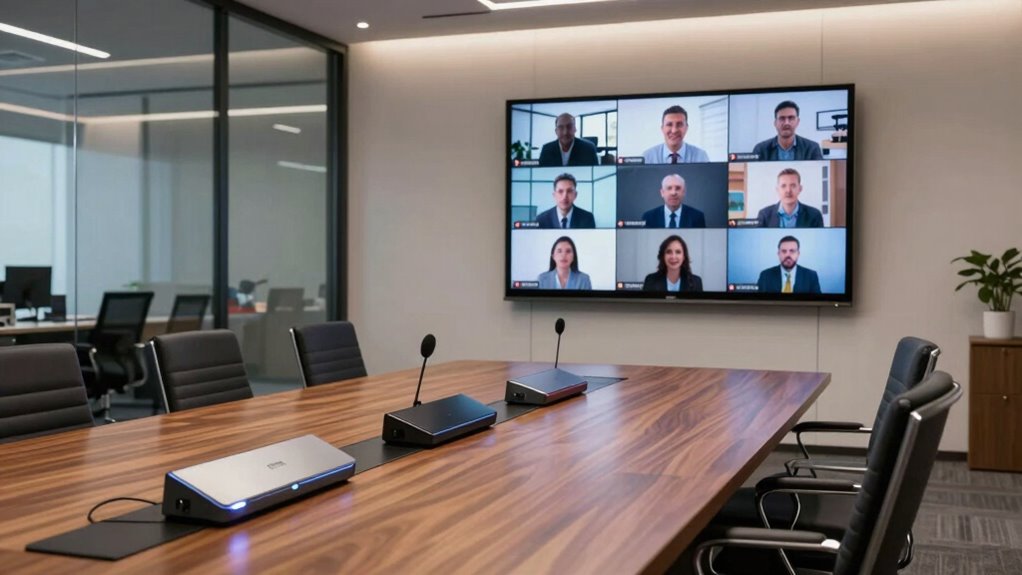

Choosing the right video conferencing meeting bar for your conference room can significantly enhance communication and collaboration. The Yealink MeetingBar A10 stands out as the best overall for its all-in-one design and ease of use, while the Poly Studio X70 is ideal for large, high-capacity rooms with advanced features. Meanwhile, the Jabra PanaCast 50 offers panoramic 4K video perfect for medium-sized spaces. Buyers often face tradeoffs between cost, complexity, and feature set—more affordable models may lack advanced auto-framing, while premium options bring higher investment but superior performance. Continue reading for a detailed breakdown of the best options to match your room size, budget, and collaboration needs.

Get business pricing on office and shipping supplies
- Business-only prices and quantity discounts
- Tax-exempt purchasing
- Multiple users, one account, clear invoices
Key Takeaways
- The best overall choice balances ease of use with comprehensive features, as exemplified by the Yealink MeetingBar A10.
- Room size significantly influences the ideal pick; larger rooms benefit from systems like the Poly Studio X70 with advanced auto-framing and expansive coverage.
- Price varies widely, with premium options offering advanced AI features, but many mid-range models deliver solid performance for smaller budgets.
- Compatibility with collaboration platforms like Teams and Zoom remains a critical factor for seamless integration.
- Design and setup complexity can impact ongoing maintenance; all-in-one systems generally simplify installation and daily use.
| Yealink MeetingBar A10 All-in-One Video Conferencing System with CTP18 Touch Panel |  | Best Overall for Small Rooms and Home Offices | Camera: 4K wide-angle, 120-degree lens | Microphones: 8 MEMS microphones | Display: 8-inch touch panel (CTP18) | VIEW ON AMAZON | See Our Full Breakdown |
| Jabra PanaCast 50 180° Panoramic 4K Meeting Room Webcam, Black |  | Best for Panoramic View and Versatile Setup | Field of View: 180° | Camera Resolution: 4K | Number of Cameras: 3 | VIEW ON AMAZON | See Our Full Breakdown |
| Poly Studio X50 with TC8 Touch Controller – 4K Video & Audio Conferencing System for Mid-Size Rooms |  | Best for Mid-Size Rooms with High-Quality Audio and Video | Camera: 4K | Microphone Pickup Range: 25 feet | Includes: Camera, stereo speakers, microphones, TC8 Touch Controller | VIEW ON AMAZON | See Our Full Breakdown |
| Yealink 4K Video Conference Camera System for PC, Huddle Room, Teams & Zoom with Microphones & Speaker |  | Best for Flexible Deployment in Small to Medium Rooms | Resolution: 4K Ultra HD | Field of View: 120° | Microphone Array: 8 microphones | VIEW ON AMAZON | See Our Full Breakdown |
| 4K Conference Room Camera System with Dual Speakers, AI Auto Framing, and Speaker Tracking |  | Best for Large and Medium Rooms with Auto Tracking | Camera Resolution: 4K | Field of View: 120° | Zoom: 5X | VIEW ON AMAZON | See Our Full Breakdown |
| Yealink MeetingBar A25 – All-in-One 4K Video Conferencing Solution for Small Rooms |  | Best Overall for Small Room Integration and Simplicity | Camera System: Triple 4K cameras with 151° FOV | Microphone Array: 8 MEMS microphones | Voice Pickup Range: 5 meters | VIEW ON AMAZON | See Our Full Breakdown |
| Poly Studio V52 USB Video Bar for Meeting Rooms |  | Best for Medium-Sized Conference Rooms with Sharp 4K Clarity | Resolution: 3840 x 2160 (4K UHD) | Frame Rate: 60 fps | Camera Resolution: 20 Megapixels | VIEW ON AMAZON | See Our Full Breakdown |
| Jabra PanaCast 40 Video Bar System for Small Meeting Rooms |  | Best for Panoramic Room Coverage with AI Features | Field of View: 180° | Video Resolution: 4K | Microphones: Six beamforming, noise-cancelling | VIEW ON AMAZON | See Our Full Breakdown |
| Yealink UVC40 E2 & VCM35 Expansion Microphone Bundle 4K Video Conference System |  | Best for Flexible Coverage and Auto-Framing in Small to Medium Rooms | Resolution: 4K Ultra-HD | Field of View: 120° | Microphone Range: 6m/360° | VIEW ON AMAZON | See Our Full Breakdown |
| Poly Studio X30 with TC8 Touch Controller – 4K Video & Audio Conferencing System for Small Rooms |  | Best for Simplicity and All-in-One Design in Small Spaces | Video Resolution: 4K | Compatibility: Teams, Zoom | Design: All-in-One, lightweight | VIEW ON AMAZON | See Our Full Breakdown |
| Poly Studio X70 Video Bar for Large Conference Rooms |  | Best for Large Conference Rooms | Video Quality: Dual 4K lenses, 20 MP sensors | Audio Quality: Stereo speakers, aluminum cone tweeters, advanced bass ports | Compatibility: Works with Teams, Zoom | VIEW ON AMAZON | See Our Full Breakdown |
| Yealink UVC34 4K Video Conference Camera System for Huddle Rooms, Teams & Zoom Certified |  | Best for Small and Crowded Rooms | Resolution: 4K Ultra HD | Microphone Array: 8 microphones | Field of View: 120° | VIEW ON AMAZON | See Our Full Breakdown |
| Poly Studio R30 4K Video Conference System – Camera, Microphone, and Speaker Bar for Small Rooms |  | Best for Small Rooms and Huddle Spaces | Resolution: 4K | Field of View: 120 degrees | Digital Zoom: 5x | VIEW ON AMAZON | See Our Full Breakdown |
| video conferencing meeting bar for conference room | Connectivity | Field of View | Compatibility |
|---|---|---|---|
| Yealink MeetingBar A10 All-in- | Wi-Fi, Bluetooth, Ethernet, HDMI | — | — |
| Jabra PanaCast 50 180° Panoram | USB-A | 180° | Microsoft Teams, Zoom |
| Poly Studio X50 with TC8 Touch | — | — | Zoom, Microsoft Teams, H.323, SIP |
| Yealink 4K Video Conference Ca | USB-B to USB-A | 120° | — |
| 4K Conference Room Camera Syst | Plug & Play | 120° | — |
| Yealink MeetingBar A25 | Direct connection to CTP25 touch panel | — | Microsoft Teams, Zoom, BYOD |
| Poly Studio V52 USB Video Bar | RJ-45, HDMI, USB | 95° | — |
| Jabra PanaCast 40 Video Bar Sy | — | 180° | Microsoft Teams |
| Yealink UVC40 E2 & VCM35 Expan | — | 120° | Broad, including Teams and Zoom |
| Poly Studio X30 with TC8 Touch | Wireless and wired content sharing | — | Teams, Zoom |
| Poly Studio X70 Video Bar for | — | — | Works with Teams, Zoom |
| Yealink UVC34 4K Video Confere | USB-A | 120° | — |
| Poly Studio R30 4K Video Confe | USB | 120 degrees | — |
More Details on Our Top Picks
Yealink MeetingBar A10 All-in-One Video Conferencing System with CTP18 Touch Panel
This all-in-one system stands out for its seamless integration of camera, microphones, and touch control in a compact package, making it ideal for small meeting rooms or home offices. Compared to the Jabra PanaCast 50, which offers panoramic 4K video but lacks an integrated control panel, the Yealink A10 simplifies setup and operation with its Android-based touch panel. Nonetheless, it is limited to small environments and doesn’t support larger conference halls, which could be a drawback for growing teams. Its AI auto framing and speaker tracking deliver a professional video experience, while the multiple connectivity options make deployment straightforward.
Pros:- All-in-one design with integrated camera, microphones, and speakers
- Supports AI auto framing and speaker tracking for professional video quality
- Certified for Microsoft Teams and Zoom for compatibility
- Easy plug-and-play setup with multiple connectivity options
Cons:- Designed primarily for small rooms, not suitable for larger spaces
- Requires external monitor for video output
Best for: Small teams or remote workers needing an easy-to-deploy, all-in-one conference system
Not ideal for: Larger conference rooms or organizations requiring extensive room coverage, due to its limited size and room capacity
- Camera:4K wide-angle, 120-degree lens
- Microphones:8 MEMS microphones
- Display:8-inch touch panel (CTP18)
- Operating System:Android 13
- Connectivity:Wi-Fi, Bluetooth, Ethernet, HDMI
- Features:Auto Framing, AI Speaker Tracking, Electric Privacy Shutter
Our verdict“This system makes the most sense for small meeting rooms or home offices seeking simplicity and quality in a compact package.”
Jabra PanaCast 50 180° Panoramic 4K Meeting Room Webcam, Black
The Jabra PanaCast 50 excels at capturing a broad room view with its 180° field of view and three 13 MP cameras, providing a comprehensive perspective that works well in larger rooms. Compared to the Poly Studio X50, which integrates audio and video in a mid-size system, the PanaCast 50 offers a higher resolution and a panoramic shot, though it may require additional audio equipment for full sound coverage. Its plug-and-play USB-A connectivity makes it straightforward to set up, but users with newer laptops might need adapters, and its higher price reflects its advanced features. It’s ideal for organizations prioritizing wide-angle coverage and easy deployment.
Pros:- High-quality 4K panoramic video with 180° field of view
- Easy plug-and-play setup
- Compatible with major platforms like Teams and Zoom
- Adjustable field of view for versatile room coverage
Cons:- Requires USB-A port, may need adapters for newer laptops
- Potentially high cost for its advanced panoramic features
Best for: Organizations that need a panoramic, high-resolution camera for medium to large conference rooms
Not ideal for: Smaller offices or users with limited USB-A ports, since it relies on older connectivity standards
- Field of View:180°
- Camera Resolution:4K
- Number of Cameras:3
- Microphones:8
- Connectivity:USB-A
- Compatibility:Microsoft Teams, Zoom
Our verdict“Ideal for teams seeking expansive room coverage with high-resolution video, especially in larger conference settings.”
Poly Studio X50 with TC8 Touch Controller – 4K Video & Audio Conferencing System for Mid-Size Rooms
The Poly Studio X50 offers a comprehensive solution tailored for mid-size rooms, featuring a 4K camera combined with stereo speakers and microphones capable of covering up to 25 feet. Unlike the Yealink MeetingBar A10, which is more suited for small rooms, the X50’s larger audio and video coverage makes it a more versatile choice for teams needing high-quality presentations and discussions. Its inclusion of a dedicated touch controller simplifies operation, but the system’s cost may be prohibitive for small or casual users. It’s perfect for teams who want a plug-and-play setup with reliable performance in a dedicated conference space.
Pros:- All-in-one design with integrated camera, microphones, and speakers
- High-quality 4K video and professional audio
- Seamless compatibility with Zoom, Teams, and other cloud platforms
- Includes dedicated TC8 touch controller for easy operation
Cons:- Price may be high for small or casual setups
- Designed specifically for mid-size rooms, not suitable for large halls
Best for: Mid-size teams requiring a plug-and-play, high-quality audio-visual system for meetings
Not ideal for: Small offices or budgets-conscious users, since it’s priced for mid-size room deployments
- Camera:4K
- Microphone Pickup Range:25 feet
- Includes:Camera, stereo speakers, microphones, TC8 Touch Controller
- Compatibility:Zoom, Microsoft Teams, H.323, SIP
- Mounting Options:Top or underneath display
- Room Size:Mid-size (up to 10 participants)
Our verdict“Best suited for medium-sized conference rooms aiming for professional-grade video and audio with easy operation.”
Yealink 4K Video Conference Camera System for PC, Huddle Room, Teams & Zoom with Microphones & Speaker
This all-in-one Yealink system combines 4K ultra HD video with an 8-microphone array for effective coverage up to 5 meters. Compared to the Poly Studio X50, which is designed for mid-size rooms, this system offers more flexibility for smaller spaces, with AI auto framing and face enhancement to optimize video quality. Its broad platform certification simplifies deployment across Teams and Zoom, but it relies on USB connectivity, which might limit placement options or require extensions in larger rooms. Its security feature, an electric privacy shutter, adds peace of mind. It’s a versatile choice for those needing reliable, clear video in small or flexible setups.
Pros:- High-quality 4K video with wide-angle view
- Advanced AI auto framing and face enhancement
- Includes electric privacy shutter for security
- Broad platform certification for easy deployment
Cons:- USB connection may need extensions for larger rooms
- Higher cost compared to basic webcams
Best for: Small to medium rooms requiring high-quality video with AI features and security measures
Not ideal for: Large conference halls or setups where extensive room coverage is necessary
- Resolution:4K Ultra HD
- Field of View:120°
- Microphone Array:8 microphones
- Microphone Range:5 meters
- Sensor:1/2.8-inch CMOS
- Connectivity:USB-B to USB-A
Our verdict“Ideal for small to medium conference spaces seeking a flexible, high-quality, AI-enabled video system.”
4K Conference Room Camera System with Dual Speakers, AI Auto Framing, and Speaker Tracking
This comprehensive system is tailored for larger or medium-sized rooms, featuring AI auto framing, presenter and speaker tracking, and a 5X zoom to keep participants engaged. Compared to the Yealink MeetingBar A10, which is more suited for small environments, this setup offers broader room coverage and enhanced tracking capabilities, making it ideal for hybrid meetings with multiple speakers. The dual speakers and noise reduction microphones improve audio clarity, but its price and room size requirements might make it less suitable for small or home offices. It simplifies setup with a plug-and-play approach while delivering dynamic video and audio engagement.
Pros:- Automatic auto framing and speaker tracking
- Wide-angle 120° lens with 5X zoom for flexible framing
- Dual built-in speakers for clear audio
- All-in-one design compatible with major platforms
Cons:- May be costly for small or casual environments
- Requires ample space for optimal use
Best for: Medium to large conference rooms where automatic framing and speaker tracking are priorities
Not ideal for: Small offices or home setups, due to its size and cost
- Camera Resolution:4K
- Field of View:120°
- Zoom:5X
- Microphone Array:4 microphones
- Speakers:Dual built-in
- Connectivity:Plug & Play
Our verdict“Best for larger conference spaces seeking dynamic auto-tracking and comprehensive coverage with minimal setup effort.”
Yealink MeetingBar A25 – All-in-One 4K Video Conferencing Solution for Small Rooms
The Yealink MeetingBar A25 stands out for delivering high-quality 4K video combined with an ultra-wide 151° field of view, making it ideal for small rooms where space is limited but clarity is essential. Compared to the Jabra PanaCast 40, which offers a 180° panoramic view, the A25’s triple-camera setup provides consistent resolution and seamless coverage, but it may not capture as wide an area. Its built-in 8-microphone array ensures clear audio pickup within 5 meters, supporting noise reduction and full-duplex conversations. The device supports multiple platforms like Microsoft Teams and Zoom, streamlining deployment, especially in environments requiring secure login. However, it’s primarily designed for small rooms, so larger spaces might find its coverage insufficient. Additionally, the reliance on a compatible touch panel can add complexity and cost for some setups. This pick makes the most sense for organizations seeking a straightforward, high-quality video bar that integrates smoothly into small conference rooms.
Pros:- High-resolution 4K video with ultra-wide 151° field of view
- Exceptional noise reduction and audio pickup up to 5 meters
- Supports multiple platforms including Teams and Zoom
- Secure, simple deployment with integrated login
Cons:- Designed primarily for small rooms, limiting coverage for larger spaces
- Requires compatible touch panel for full functionality
- Higher cost compared to simpler single-camera models
Best for: Small organizations or teams needing a simple, high-quality all-in-one video solution with easy integration.
Not ideal for: Larger conference rooms or enterprises requiring expansive coverage and multiple camera angles, as the A25’s narrow scope may fall short.
- Camera System:Triple 4K cameras with 151° FOV
- Microphone Array:8 MEMS microphones
- Voice Pickup Range:5 meters
- Full-Duplex Technology:3 meters
- Compatibility:Microsoft Teams, Zoom, BYOD
- Connectivity:Direct connection to CTP25 touch panel
Our verdict“Ideal for small rooms requiring a sleek, high-quality, all-in-one conferencing solution that supports multiple platforms.”
Poly Studio V52 USB Video Bar for Meeting Rooms
The Poly Studio V52 is tailored for medium-sized conference rooms, offering crisp 4K UHD resolution at 60 fps and a 95° field of view, making it suitable for spaces where more coverage is needed than small rooms can provide. Unlike the Yealink MeetingBar A25, which excels in small settings, the V52’s broader room coverage and higher frame rate support more dynamic presentations and movement. Its noise reduction and integrated microphones improve audio clarity, but details on additional features like AI auto framing are limited, which could be a drawback compared to more advanced models. The connectivity options—RJ-45, HDMI, USB—allow flexible integration with existing setups. It’s a solid choice for teams that need a reliable, high-resolution camera for mid-sized rooms but may be less ideal for very large or very small spaces where coverage or simplicity is prioritized. The V52’s tradeoff lies in its focus on medium rooms, not small or expansive environments.
Pros:- Sharp 4K UHD video at 60 fps for smooth, detailed visuals
- 95° field of view offers better room coverage than narrower models
- Noise reduction enhances audio clarity in busy environments
- Flexible connectivity options for various setups
Cons:- Limited details on advanced features like AI auto framing
- Designed specifically for medium rooms, limiting versatility
- May be overkill for small conference spaces
Best for: Mid-sized organizations seeking a high-quality, reliable 4K video system for conference rooms that aren’t overly large or small.
Not ideal for: Small rooms or large auditoriums, where the limited field of view or coverage may be insufficient.
- Resolution:3840 x 2160 (4K UHD)
- Frame Rate:60 fps
- Camera Resolution:20 Megapixels
- Field Of View:95°
- Room Size:Medium
- Connectivity:RJ-45, HDMI, USB
Our verdict“Best suited for medium-sized rooms needing high-resolution video and reliable audio, but less ideal for small or very large spaces.”
Jabra PanaCast 40 Video Bar System for Small Meeting Rooms
The Jabra PanaCast 40 offers a 180° panoramic 4K view, capturing the entire room without blind spots, ideal for small meeting rooms where capturing everyone is key. Compared to the Yealink MeetingBar A25, which emphasizes high-quality zoom and platform support, the PanaCast 40’s standout feature is its AI-powered speaker tracking and multiple view options, making virtual meetings more inclusive and engaging. Its six beamforming microphones and built-in speaker create a balanced audio experience, but the system’s reliance on Microsoft Teams for full functionality might limit flexibility in some environments. Setup is straightforward—plug-and-play under 12 minutes—yet its higher cost might be a barrier for budget-conscious teams. This system excels for small rooms where full visibility and AI-driven features outweigh the need for ultra-high resolution or narrow coverage.
Pros:- 180° panoramic view eliminates blind spots
- AI-powered speaker tracking and view switching
- Easy to install and quick to set up
- Full-room coverage ideal for small team meetings
Cons:- Requires Microsoft Teams environment for full features
- Limited suitability for larger rooms due to fixed wide-angle view
- Higher price point relative to basic webcams
Best for: Small teams or organizations prioritizing room-wide coverage and AI features for engaging virtual meetings.
Not ideal for: Large conference rooms or environments requiring extensive camera zoom or multi-camera setups, since the 180° view may be too broad or limited for bigger spaces.
- Field of View:180°
- Video Resolution:4K
- Microphones:Six beamforming, noise-cancelling
- Speaker:Built-in
- Compatibility:Microsoft Teams
- Setup:Plug-and-play, under 12 minutes
Our verdict“Perfect for small meeting rooms where full-room visibility and AI features improve the virtual experience.”
Yealink UVC40 E2 & VCM35 Expansion Microphone Bundle 4K Video Conference System
The Yealink UVC40 E2 bundle combines a 4K camera with a 120° wide-angle lens and expandable microphones, making it a versatile choice for small to medium rooms. Compared to the Poly Studio X30, which prioritizes simplicity and wireless content sharing, the UVC40’s auto-framing and speaker tracking enable more dynamic meetings with less manual adjustment. Its expandable microphones support larger rooms within its range, but the need for USB connections and potential extra cables can complicate setup compared to wireless options. While it’s priced higher, the broad compatibility and AI features justify the investment for organizations seeking adaptable coverage and professional-quality AV. This system is well-suited for those who want a blend of auto-framing and expandability but may be less ideal for very budget-conscious teams or those preferring all-in-one solutions.
Pros:- High-quality 4K video with 120° wide-angle lens
- AI auto framing and speaker tracking for engaging meetings
- Expandable microphones support larger rooms
- Broad device compatibility and easy setup
Cons:- Requires USB connection, possibly needing extra cables
- Premium price point may be high for small organizations
- Limited remote management details
Best for: Small to medium-sized organizations wanting flexible, intelligent video with expandable audio coverage.
Not ideal for: Very small rooms or organizations on tight budgets, since the system’s cost and setup complexity might be prohibitive.
- Resolution:4K Ultra-HD
- Field of View:120°
- Microphone Range:6m/360°
- Includes:UVC40 E2, VCM35 mic, remote
- Compatibility:Broad, including Teams and Zoom
- Setup:Plug-and-play
Our verdict“A flexible, AI-powered system ideal for small to medium rooms that need auto-framing and expandability.”
Poly Studio X30 with TC8 Touch Controller – 4K Video & Audio Conferencing System for Small Rooms
The Poly Studio X30 offers a compact, all-in-one package with 4K video and integrated audio, making it a natural choice for small rooms that prioritize ease of use. Unlike the Yealink MeetingBar A25 or the Jabra PanaCast 40, which focus on high-end cameras or panoramic views, the X30 emphasizes a straightforward setup with wireless content sharing and compatibility with popular platforms like Teams and Zoom. Its integrated microphone and speaker simplify installation, but it may lack the advanced auto-framing or room coverage features found in more sophisticated systems. Designed specifically for small rooms, the X30’s simplicity comes with limited expandability or customization options, which could be a drawback for growing teams or those seeking advanced AI features. It’s best for users who want a plug-and-play, space-efficient conferencing solution without fuss.
Pros:- Compact, all-in-one design simplifies setup
- Supports popular platforms like Teams and Zoom natively
- High-quality 4K video and professional audio
- Wireless content sharing enhances flexibility
Cons:- Limited room coverage and auto-framing features
- Designed solely for small rooms, not scalable for larger spaces
- Lacks advanced AI or auto tracking capabilities
Best for: Small teams or organizations seeking a simple, all-in-one, easy-to-deploy video conferencing system for small rooms.
Not ideal for: Large conference rooms or teams needing advanced auto-framing or room-wide coverage, as the X30’s design focuses on basic, compact setups.
- Video Resolution:4K
- Compatibility:Teams, Zoom
- Design:All-in-One, lightweight
- Includes:Touch Controller TC8
- Connectivity:Wireless and wired content sharing
- Audio Technology:NoiseBlockAI
Our verdict“Best suited for small rooms where simplicity and straightforward deployment outweigh advanced features.”
Poly Studio X70 Video Bar for Large Conference Rooms
The Poly Studio X70 stands out for its exceptional 4K video quality with dual lenses and advanced tracking, making it ideal for conference rooms up to 25 feet long. Compared to the Poly Studio X50, which is better suited for mid-sized spaces, the X70 offers a more immersive experience with enhanced room coverage and professional audio features like noise reduction. However, this level of performance comes with a higher price tag and the need for compatible cloud management tools, which could be a barrier for smaller organizations. Its seamless integration with Zoom and Teams, combined with cloud-based management via Poly Lens, ensures high uptime and easier oversight. The tradeoff is that it’s more complex and costly, making it less suitable for smaller or budget-conscious setups.
Pros:- Exceptional 4K dual-lens video with professional tracking
- Room-filling audio with noise reduction technology
- Seamless integration with major platforms like Zoom and Teams
- Cloud-based management for high uptime and analytics
Cons:- High cost may deter smaller organizations
- Requires compatible cloud services and management software
Best for: Large organizations needing high-quality, professional video for expansive conference rooms
Not ideal for: Small teams or organizations with limited budgets, as the X70 may be prohibitively expensive and overly advanced for simple needs
- Video Quality:Dual 4K lenses, 20 MP sensors
- Audio Quality:Stereo speakers, aluminum cone tweeters, advanced bass ports
- Compatibility:Works with Teams, Zoom
- Suitable Room Size:Up to 25 ft long
Our verdict“This pick makes the most sense for large, well-funded conference rooms where premium quality and management are priorities.”
Yealink UVC34 4K Video Conference Camera System for Huddle Rooms, Teams & Zoom Certified
The Yealink UVC34 offers a compelling package for small and crowded meeting spaces, with 4K ultra HD resolution and AI auto-framing that ensures everyone stays in view. It’s a strong performer compared to the Poly Studio R30, which shares similar auto-framing features, but the UVC34’s wider 120° field of view makes it better at capturing larger groups within limited space. The plug-and-play USB-A connectivity simplifies setup, although its reliance on this port can be limiting for users with newer laptops lacking USB-A. While the AI auto-framing is effective in many scenarios, it may struggle in highly dynamic environments. This balance of features and affordability makes it suitable for small rooms but less so for larger or more flexible spaces.
Pros:- High-quality 4K video with effective auto-framing
- Wide 120° field of view captures entire room
- Plug-and-play USB-A connection simplifies setup
- Built-in noise-proof technology ensures clear audio
Cons:- Limited to small and crowded rooms, not suitable for large spaces
- Requires USB-A port, which may not be available on all devices
- Auto-framing can be less precise in very lively environments
Best for: Small teams or organizations with limited space needing reliable auto-framing and easy setup
Not ideal for: Larger conference rooms or spaces requiring more advanced audio or flexible connectivity options
- Resolution:4K Ultra HD
- Microphone Array:8 microphones
- Field of View:120°
- Zoom:5x digital zoom
- Connectivity:USB-A
- Special Features:AI auto framing, remote management
Our verdict“This camera is ideal for small rooms where auto-framing and ease of use are top priorities, but it won’t scale well for larger spaces.”
Poly Studio R30 4K Video Conference System – Camera, Microphone, and Speaker Bar for Small Rooms
The Poly Studio R30 provides a compact, all-in-one 4K video conferencing solution designed explicitly for small rooms, with AI auto-framing and noise reduction that ensure clear, professional meetings. It’s a clear choice compared to the Yealink UVC34, offering similar auto-framing but with a slightly more integrated system that combines camera, microphone, and speaker in a single package. The R30’s plug-and-play USB connection and broad platform compatibility streamline deployment, but its limited size and scope mean it’s less suitable for larger rooms or flexible setups. Its focus on simplicity makes it perfect for small, dedicated huddle spaces but not for environments requiring advanced audio options or expansive coverage.
Pros:- High-quality 4K video with auto-framing and tracking
- Rich, clear audio with noise suppression
- All-in-one system simplifies setup and management
- Compatible with major platforms like Zoom and Teams
Cons:- Designed primarily for small rooms, not scalable for larger spaces
- Limited details on mounting options and expandability
- No wireless connectivity options available
Best for: Small teams or startups needing quick, reliable video with minimal setup
Not ideal for: Large conference rooms or environments requiring extensive audio coverage or multiple camera angles
- Resolution:4K
- Field of View:120 degrees
- Digital Zoom:5x
- Microphone Array:3 microphones
- Connectivity:USB
- Suitable for:Small/huddle rooms
Our verdict“This system suits small rooms needing an easy-to-deploy, professional-quality video setup without extra complexity or cost.”
How We Picked
The products in this roundup were evaluated based on performance, usability, build quality, and compatibility with major video conferencing platforms. We prioritized systems that offer reliable audio and video quality, easy installation, and user-friendly interfaces. Price-to-performance ratios were also considered to identify options that deliver value across different budget levels. Additionally, we examined the scalability of each system, especially for varying room sizes, and assessed how well they integrate with existing hardware. This approach ensures that each pick addresses specific needs while maintaining high standards of quality and ease of use.Factors to Consider When Choosing Video Conferencing Meeting Bar For Conference Rooms
Selecting the right video conferencing meeting bar involves understanding several key factors that impact performance and usability. Beyond just features, consider how the system fits your room size, your team’s collaboration tools, and your budget. Making the wrong choice can lead to poor audio/video quality, complicated setup, or compatibility issues. Here are the main considerations to keep in mind when evaluating options.Room Size and Coverage
The size of your conference room determines the type of system you need. Smaller huddle rooms require compact, easy-to-install bars that focus on clarity and simplicity. Medium to large rooms benefit from systems with AI auto-framing and multiple microphones to ensure everyone is visible and heard. Larger spaces might need systems with wider field-of-view lenses and multiple speakers to cover the entire area effectively. Choosing a system that matches your room size prevents issues like poor audio pickup or incomplete video framing.
Compatibility and Platform Support
Ensuring your meeting bar works seamlessly with your preferred collaboration platforms, such as Microsoft Teams, Zoom, or Google Meet, is essential. Some systems are optimized for specific platforms, offering better integration and easier management. Compatibility issues can cause frustration and reduce productivity. It’s wise to verify platform support before purchase, especially if your organization plans to switch or use multiple platforms. Investing in a system with broad compatibility reduces future upgrade costs and simplifies user adoption.
Audio and Video Quality
High-quality microphones and speakers are vital for clear communication. Look for systems with noise suppression, echo cancellation, and automatic gain control. Video resolution, ideally 4K, ensures sharp images, which are especially important for detailed visuals or presentation sharing. Some models include AI-enhanced auto-framing and speaker tracking, which improve engagement and reduce the need for manual camera adjustments. Weigh these features against your budget to find a balance that meets your clarity expectations.
Ease of Installation and Use
Simplicity in setup and daily operation can save time and reduce technical headaches. All-in-one systems with integrated microphones, cameras, and controllers are generally easier to install and maintain. Conversely, systems requiring multiple components or custom wiring can be more complex and costly. User-friendly interfaces with remote management features also help IT teams and end-users operate the system smoothly. Consider your team’s technical expertise when evaluating installation complexity.
Budget and Value
While high-end systems offer advanced features, they come with higher costs. Mid-range options often strike a good balance between price and performance, providing essential features for most conference rooms. Be cautious of overly cheap systems that cut corners on audio, video, or build quality, as they can undermine meeting productivity. Think about the total cost of ownership, including potential upgrades or replacements, and choose a system that delivers the best value for your specific needs.
Frequently Asked Questions
Can I upgrade my existing conference room system to a meeting bar later?
Yes, many modern video conferencing meeting bars are designed for easy integration and can replace older setups. However, compatibility with existing hardware and room layout should be verified before purchase. Upgrading can improve audio and video quality significantly, but some setups may require additional accessories or adjustments for optimal performance. It’s advisable to consult with a tech specialist to ensure a smooth transition and avoid unforeseen compatibility issues.
What is the typical lifespan of a video conferencing meeting bar?
Most systems are built to last around 3-5 years with regular use, but this varies based on build quality, usage intensity, and maintenance. High-end models with robust components tend to last longer and may offer firmware updates that extend their functional lifespan. Investing in a reputable brand can provide better durability and ongoing support. Regular maintenance and keeping firmware up to date are key to maximizing your system’s longevity.
Is it better to choose an all-in-one system or a modular setup?
All-in-one systems are typically easier to install and manage, making them ideal for most conference rooms that prioritize simplicity. Modular setups may offer more customization and scalability but can be more complex and costly to maintain. The choice depends on your room size, future expansion plans, and technical expertise. For most users seeking straightforward operation, all-in-one options provide a more reliable and hassle-free experience.
How important is AI auto-framing and speaker tracking in a meeting bar?
Features like AI auto-framing and speaker tracking significantly enhance the meeting experience by keeping participants in frame automatically and focusing on active speakers. These capabilities are especially useful in larger rooms or when multiple people speak frequently. They reduce the need for manual camera adjustments and help remote attendees feel more engaged. However, they often come at a higher cost, so consider your room size and meeting style when prioritizing these features.
Should I prioritize 4K video resolution over other features?
4K resolution provides sharper images, which can improve clarity during presentations and visuals. However, higher resolution demands more bandwidth and better network infrastructure, and may not be necessary in smaller rooms or for basic video calls. For most conference rooms, a balance of good resolution and reliable connectivity is more important. If your meetings involve detailed visuals or remote collaboration, investing in 4K can be beneficial, but ensure your network and hardware support it effectively.
Conclusion
For those seeking a versatile, easy-to-use system, the Yealink MeetingBar A10 offers excellent all-in-one functionality suitable for small to medium rooms. Organizations with larger spaces or advanced needs should consider the Poly Studio X70 for its expansive coverage and AI features. Budget-conscious buyers will find value in mid-range options like the Jabra PanaCast 50, which balances quality with affordability. Beginners or smaller setups benefit from simple plug-and-play models, while large enterprises requiring seamless integration might opt for premium, scalable solutions. Carefully match your room size, collaboration tools, and budget to the ideal system for your environment.