If you’re shopping for a high-end Wi-Fi 7 router for high speed internet, the real decision isn’t whether to upgrade — it’s how much raw throughput, port capacity, and coverage you actually need for your plan. The ASUS ROG Rapture GT-BE98 Pro earns my top spot for its quad-band design and 10G WAN port that can genuinely saturate multi-gig connections, while the TP-Link Archer BE900 offers a similar flagship experience with a friendlier interface, and the GL.iNet GL-BE9300 Flint 3 stands out if VPN flexibility and five 2.5G ports matter more than maximum theoretical speed. The main tradeoff in this category is simple: the fastest quad-band routers demand a premium and need compatible client devices to show their potential, while cheaper tri-band models already deliver more speed than most gigabit plans can use. Below, I break down all twelve routers, who each one is for, and who should skip it. Keep reading for the full ranking.

Get business pricing on office and shipping supplies
- Business-only prices and quantity discounts
- Tax-exempt purchasing
- Multiple users, one account, clear invoices
Key Takeaways
- Quad-band routers (GT-BE98 Pro, Archer BE900) only justify their premium if you have multi-gig internet or a house full of Wi-Fi 7 devices — on gigabit plans, tri-band models like the RT-BE96U deliver nearly identical real-world results.
- Port configuration separated the lineup more than wireless specs: the Flint 3’s five 2.5G ports make it the best fit for wired-heavy setups, while several pricier routers still ship with only one multi-gig LAN.
- The certified refurbished Nighthawk RS300 was the sharpest value in the comparison, offering WiFi 7 performance well below the flagship tier — a smart entry point if cosmetic condition doesn’t bother you.
- NETGEAR‘s Nighthawk line splits cleanly by home size: the RS90 covers smaller homes, the RS500 stretches to 3,000 sq ft, and the RS600 suits large households with heavy simultaneous use.
- The Ubiquiti UDR7 is the outlier of the group — less about raw speed, more about network control and clean integration into a UniFi ecosystem, making it the wrong pick for speed-chasers but right for tinkerers.
| GL.iNet GL-BE9300 Flint 3 Tri-Band Wi-Fi 7 VPN Router |  | Best for Privacy Power Users | Wi-Fi Standard: Wi-Fi 7 (802.11be) | Bands: Tri-band (2.4/5/6 GHz) | Max Speed: 9 Gbps | VIEW ON AMAZON | See Our Full Breakdown |
| ASUS RT-BE96U Tri-Band WiFi 7 Router |  | Best Overall | Wi-Fi Standard: WiFi 7 (802.11be) | Bands: Tri-band with 6 GHz | Max Speed: Up to 19 Gbps | VIEW ON AMAZON | See Our Full Breakdown |
| TP-Link Archer BE600 Tri-Band Wi-Fi 7 Router (BE9700) |  | Best Value Pick | Wi-Fi Standard: Wi-Fi 7 (BE9700) | Bands: Tri-band: 2.4 / 5 / 6 GHz | Max Combined Speed: 9.7 Gbps | VIEW ON AMAZON | See Our Full Breakdown |
| TP-Link Archer BE670 Tri-Band Wi-Fi 7 Router (BE12000) |  | Best for Large Homes | Wi-Fi Standard: Wi-Fi 7 (BE12000) | Bands: Tri-band (6 / 5 / 2.4 GHz) | Max Speeds: 5,765 + 5,765 + 688 Mbps | VIEW ON AMAZON | See Our Full Breakdown |
| NETGEAR Nighthawk RS300 Tri-Band WiFi 7 Router (Certified Refurbished) | 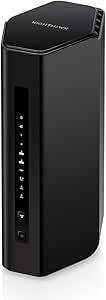 | Best Budget Entry to Wi-Fi 7 | Condition: Certified Refurbished | Wi-Fi Standard: WiFi 7 (802.11ax compatible) | Bands: Tri-band (2.4 / 5 / 6 GHz) | VIEW ON AMAZON | See Our Full Breakdown |
| NETGEAR Nighthawk RS600 Tri-Band WiFi 7 Router |  | Best Value High-Performance Pick | Brand: NETGEAR | Wi-Fi generation: WiFi 7 (802.11be) | Frequency bands: Tri-band, including 6 GHz | VIEW ON AMAZON | See Our Full Breakdown |
| NETGEAR Nighthawk RS90 WiFi 7 Router (Up to 2,000 sq ft, 3.6 Gbps) |  | Best Entry-Level WiFi 7 | WiFi Standard: WiFi 7 | Max Speed: 3.6 Gbps | Bands: Dual-band (2.4 GHz, 5 GHz) | VIEW ON AMAZON | See Our Full Breakdown |
| TP-Link Archer BE900 Quad-Band Wi-Fi 7 Router |  | Best Feature-Rich Flagship | Wi-Fi standard: Wi-Fi 7 | Bands: Quad-band: dual 5 GHz, one 6 GHz, one 2.4 GHz | Maximum advertised Wi-Fi speed: Up to 24.4 Gbps | VIEW ON AMAZON | See Our Full Breakdown |
| ASUS ROG Rapture GT-BE98 Pro Quad-Band WiFi 7 Gaming Router |  | Best for Competitive Gaming | WiFi Standard: WiFi 7 (802.11be) | Frequency bands: Quad-band, including dual 6 GHz bands | Maximum data transfer rate: 30 Gbps | VIEW ON AMAZON | See Our Full Breakdown |
| NETGEAR Nighthawk RS500 WiFi 7 Tri-Band Router (12 Gbps, 3,000 sq ft Coverage) |  | Best for Large Families | WiFi Standard: WiFi 7 (tri-band: 2.4 GHz, 5 GHz, 6 GHz) | Max Speed: 12 Gbps | Coverage: Up to 3,000 sq. ft. | VIEW ON AMAZON | See Our Full Breakdown |
| ASUS RT-BE9700 Tri-Band WiFi 7 Router |  | Best for Flexibility | WiFi standard: WiFi 7 (802.11be) | Frequency bands: Tri-band: 2.4 GHz, 5 GHz, 6 GHz | Maximum data rate: Up to 9.7 Gbps | VIEW ON AMAZON | See Our Full Breakdown |
| Ubiquiti UniFi Dream Router 7 (UDR7) |  | Best Ecosystem Gateway | Processor: Quad-core ARM Cortex-A53, 1.5 GHz | Wi-Fi standard: Wi-Fi 7 (802.11be) | Frequency bands: Tri-band: 2.4 GHz, 5 GHz, 6 GHz | VIEW ON AMAZON | See Our Full Breakdown |
| high end wi fi 7 router for high speed internet | Wi-Fi Standard | Bands | Coverage | Security |
|---|---|---|---|---|
| GL.iNet GL-BE9300 Flint 3 Tri- | Wi-Fi 7 (802.11be) | Tri-band (2.4/5/6 GHz) | Up to 2,000 sq ft | WPA3, WPA2-Enterprise, WPS |
| ASUS RT-BE96U Tri-Band WiFi 7 | WiFi 7 (802.11be) | Tri-band with 6 GHz | — | AiProtection Pro (Trend Micro), subscription-free |
| TP-Link Archer BE600 Tri-Band | Wi-Fi 7 (BE9700) | Tri-band: 2.4 / 5 / 6 GHz | Up to 2,600 sq ft | HomeShield, WPA3, VPN client/server |
| TP-Link Archer BE670 Tri-Band | Wi-Fi 7 (BE12000) | Tri-band (6 / 5 / 2.4 GHz) | Up to 3,000 sq ft | WPA3, TP-Link HomeShield |
| NETGEAR Nighthawk RS300 Tri-Ba | WiFi 7 (802.11ax compatible) | Tri-band (2.4 / 5 / 6 GHz) | Up to 2,500 sq ft | WPA3, auto firmware updates, NETGEAR Armor (1-year) |
| NETGEAR Nighthawk RS600 Tri-Ba | — | — | Up to 3,300 sq. ft. | — |
| NETGEAR Nighthawk RS90 WiFi 7 | — | Dual-band (2.4 GHz, 5 GHz) | Up to 2,000 sq. ft. | Advanced Router Protection; NETGEAR Armor (30-day trial) |
| TP-Link Archer BE900 Quad-Band | Wi-Fi 7 | Quad-band: dual 5 GHz, one 6 GHz, one 2.4 GHz | — | — |
| ASUS ROG Rapture GT-BE98 Pro Q | — | — | — | — |
| NETGEAR Nighthawk RS500 WiFi 7 | — | — | Up to 3,000 sq. ft. | — |
| ASUS RT-BE9700 Tri-Band WiFi 7 | — | — | — | — |
| Ubiquiti UniFi Dream Router 7 | Wi-Fi 7 (802.11be) | — | — | WPA2, WPA3, WPA-Enterprise, PPSK |
More Details on Our Top Picks
GL.iNet GL-BE9300 Flint 3 Tri-Band Wi-Fi 7 VPN Router
This option stands out for something almost no other router in this lineup does: hardware that genuinely cares about VPN and network privacy. With WireGuard and OpenVPN speeds up to 680 Mbps, it runs encrypted tunnels far faster than typical consumer routers, where VPN throughput often collapses to a fraction of that. The five 2.5G Ethernet ports also give it unusually flexible wired connectivity — more multi-gig LAN ports than the NETGEAR RS300, which offers only two 2.5G LAN jacks.
The tradeoff is capacity rather than speed. Its 9 Gbps wireless ceiling and 2,000 sq ft coverage trail the TP-Link Archer BE670, which claims 12 Gbps across 3,000 sq ft. Where this model pulls ahead is control: Linux-based firmware with 8 GB of storage invites plugins, AdGuard Home ad blocking, and deep customization that mainstream brands discourage. A firmware update on day one is needed for best performance, which tells you this is built for tinkerers, not plug-and-play buyers.
Pros:- Very fast WireGuard/OpenVPN throughput up to 680 Mbps
- Five 2.5G Ethernet ports for multi-gig wired backbones
- Built-in AdGuard Home ad/tracker blocking and Bark parental controls
- Open Linux firmware with 8 GB storage for plugins and customization
Cons:- Firmware update required at initial setup for best performance
- VPN speeds vary depending on ISP and VPN provider
- Coverage and raw throughput trail larger rivals like the Archer BE670
Best for: Privacy-conscious DIY users who want fast VPN tunnels, ad blocking, and an open Linux platform they can customize
Not ideal for: Buyers wanting maximum coverage and set-and-forget simplicity — its 2,000 sq ft rating is modest and it expects hands-on setup
- Wi-Fi Standard:Wi-Fi 7 (802.11be)
- Bands:Tri-band (2.4/5/6 GHz)
- Max Speed:9 Gbps
- Ports:5x 2.5G Ethernet
- VPN Speed:Up to 680 Mbps (OpenVPN/WireGuard)
- RAM / Storage:1 GB DDR4 / 8 GB eMMC
- Coverage:Up to 2,000 sq ft
- Security:WPA3, WPA2-Enterprise, WPS
Our verdict“This pick makes the most sense for enthusiasts who treat a router as a privacy and tinkering platform rather than an appliance.”
ASUS RT-BE96U Tri-Band WiFi 7 Router
If the goal is a high-end Wi-Fi 7 router that excels at everything without pigeonholing the buyer, this is the pick I’d put at the top. The RT-BE96U pairs a 19 Gbps maximum wireless ceiling with two 10 Gbps WAN/LAN ports — matching the flagship-grade wired connectivity of routers like the TP-Link Archer BE900, but with a cleaner setup story and none of the gaming excess of the ROG Rapture GT-BE98 Pro.
What separates it from the TP-Link Archer BE600 is headroom: 320 MHz channels and 4096-QAM mean the 6 GHz band stays fast even under load, and AiMesh support lets you expand coverage later by adding another ASUS node instead of replacing everything. AiProtection Pro is included subscription-free, an advantage over NETGEAR, which gates its Armor security behind ongoing fees after the first year. The honest drawback is that most homes don’t have client devices or internet plans that can stress this hardware yet, so buyers are paying a premium for future-proofing.
Pros:- Two 10 Gbps WAN/LAN ports for multi-gig fiber and wired backbones
- 320 MHz channels and 4096-QAM keep the 6 GHz band fast under load
- AiMesh lets coverage expand later without replacing the router
- Subscription-free AiProtection Pro network security
Cons:- Premium hardware most current client devices and internet plans can’t fully utilize
- Large footprint takes up real shelf space compared to compact rivals
Best for: Households with multi-gig fiber who want one router to serve a smart home, home office, and 4K/8K streaming for years to come
Not ideal for: Buyers on sub-gigabit internet plans — the dual 10G ports and 19 Gbps ceiling are wasted money at those speeds
- Wi-Fi Standard:WiFi 7 (802.11be)
- Bands:Tri-band with 6 GHz
- Max Speed:Up to 19 Gbps
- Max Bandwidth:320 MHz
- Modulation:4096-QAM
- 10G Ports:Two WAN/LAN ports
- Mesh Support:AiMesh
- Security:AiProtection Pro (Trend Micro), subscription-free
Our verdict“The safest high-end buy in this roundup: flagship speeds, 10G wired connectivity, and no subscription traps.”
TP-Link Archer BE600 Tri-Band Wi-Fi 7 Router (BE9700)
Not everyone needs the RT-BE96U’s second 10G port or the BE900’s quad-band radios, and this model is where the price-to-performance curve sweetens. The 9.7 Gbps combined tri-band throughput and a single 10 Gbps WAN/LAN port cover everything a multi-gig fiber household realistically does today, while the 2,600 sq ft coverage rating and 120-device capacity beat the Flint 3’s smaller footprint for whole-home use.
Compared with its sibling, the Archer BE670, this router trades a little top-end speed and coverage but keeps the same 10G WAN port and the Tether app’s painless setup — making it the smarter buy for typical homes rather than sprawling ones. The USB 3.0 port for shared storage or a 4G failover is a nice touch at this tier. The catch is universal to Wi-Fi 7 right now: without 6 GHz-capable laptops and phones, most of that bandwidth sits idle, and the 5 GHz band carries the real load.
Pros:- 9.7 Gbps tri-band throughput with a 10 Gbps WAN/LAN port
- Coverage up to 2,600 sq ft supporting 120 devices
- USB 3.0 port for storage sharing or failover
- Simple Tether app setup with HomeShield security and parental controls
Cons:- Full Wi-Fi 7 benefits require newer 6 GHz client devices
- Less raw speed and coverage than the step-up Archer BE670
- Real-world performance depends heavily on home layout
Best for: Fiber households upgrading to Wi-Fi 7 who want multi-gig wired speeds and whole-home coverage without flagship pricing
Not ideal for: Very large homes over 2,600 sq ft or households full of older 5 GHz-only devices that won’t touch the 6 GHz band
- Wi-Fi Standard:Wi-Fi 7 (BE9700)
- Bands:Tri-band: 2.4 / 5 / 6 GHz
- Max Combined Speed:9.7 Gbps
- Ports:1x 10G WAN/LAN, 1x 2.5G WAN/LAN, 3x 2.5G LAN, USB 3.0
- Coverage:Up to 2,600 sq ft
- Max Devices:Up to 120
- Processor:Quad-core CPU
- Security:HomeShield, WPA3, VPN client/server
Our verdict“The best balance of price, multi-gig wired speed, and coverage for a typical upgrading household.”
TP-Link Archer BE670 Tri-Band Wi-Fi 7 Router (BE12000)
When coverage is the deciding factor, this model outruns the rest of TP-Link’s trio here. At 12 Gbps across 8 streams with 3,000 sq ft of rated coverage and 128 connected devices, it’s built for multi-story houses where the Archer BE600’s 2,600 sq ft might leave dead zones at the edges. The 5 GHz band getting a full 5,765 Mbps of its own matters more than the headline number — it means high-count smart homes aren’t fighting over one fast band.
Against the NETGEAR Nighthawk RS500, which offers similar 12 Gbps and 3,000 sq ft claims, this router counters with EasyMesh expandability and a friendlier Tether app experience, though its three 1G LAN ports feel dated next to the Flint 3’s five 2.5G ports. That’s the real tradeoff: wireless brawn over wired flexibility. Buyers should also note it won’t pair with TP-Link’s Deco mesh systems, so future expansion means staying within the EasyMesh ecosystem.
Pros:- 12 Gbps tri-band speeds across 8 streams with 320 MHz channels
- Coverage up to 3,000 sq ft supporting 128 devices
- 10G WAN/LAN plus 2.5G port and USB 3.0
- EasyMesh support for expanding coverage later
Cons:- Three LAN ports limited to 1 Gbps
- Not compatible with TP-Link Deco mesh systems
- Requires a separate modem
Best for: Owners of large or multi-story homes with 100+ connected devices who need one router to blanket the whole space
Not ideal for: Wired-first buyers with several multi-gig devices — three of its LAN ports are only 1 Gbps
- Wi-Fi Standard:Wi-Fi 7 (BE12000)
- Bands:Tri-band (6 / 5 / 2.4 GHz)
- Max Speeds:5,765 + 5,765 + 688 Mbps
- Ports:1x 10G WAN/LAN, 1x 2.5G WAN/LAN, 3x 1G LAN, USB 3.0
- Coverage:Up to 3,000 sq ft
- Max Devices:128
- Antennas:6 high-gain external
- Security:WPA3, TP-Link HomeShield
Our verdict“The strongest single-router option here for blanketing a big house in Wi-Fi 7 without adding mesh nodes.”
NETGEAR Nighthawk RS300 Tri-Band WiFi 7 Router (Certified Refurbished)
For buyers who want current-generation Wi-Fi 7 hardware without current-generation pricing, this certified refurbished Nighthawk is the pragmatic route in. The specs hold up well against new rivals: 9.3 Gbps tri-band throughput, a 2.5 Gig internet port, and coverage up to 2,500 sq ft for 100 devices — comfortably ahead of the Flint 3’s footprint, if short of the Archer BE670’s range.
Where the compromises live is in wired expansion and long-term cost. Two of its four LAN ports are only 1 Gbps, so multi-gig wired networks will feel cramped compared with the RT-BE96U’s dual 10G ports. And the bundled NETGEAR Armor subscription only lasts a year before recurring fees, whereas ASUS includes AiProtection Pro free forever. The refurbished condition itself is the other asterisk — buyers trade some peace of mind on hardware history for a lower entry point. This model is better suited to first-time Wi-Fi 7 upgraders on gigabit-class plans than to enthusiasts chasing maximum throughput.
Pros:- 9.3 Gbps tri-band Wi-Fi 7 with 6 GHz support
- 2.5 Gig internet port plus two 2.5 Gig LAN ports
- 2,500 sq ft coverage for up to 100 devices
- Automatic firmware updates and a year of NETGEAR Armor included
Cons:- Certified refurbished, not new
- Two of four LAN ports are limited to 1 Gbps
- NETGEAR Armor requires a paid subscription after the first year
Best for: Value-focused upgraders on gigabit-class internet who want tri-band Wi-Fi 7 and 6 GHz support at a reduced price
Not ideal for: Wired-heavy households or buyers who insist on new hardware — half the LAN ports are 1G and the unit is refurbished
- Condition:Certified Refurbished
- Wi-Fi Standard:WiFi 7 (802.11ax compatible)
- Bands:Tri-band (2.4 / 5 / 6 GHz)
- Max Wireless Speed:9.3 Gbps
- Ports:1x 2.5G WAN, 2x 2.5G LAN, 2x 1G LAN
- Coverage:Up to 2,500 sq ft
- Max Devices:100
- Security:WPA3, auto firmware updates, NETGEAR Armor (1-year)
Our verdict“A sensible low-cost doorway into Wi-Fi 7 for average-sized homes, provided refurbished hardware and future subscription fees don’t bother you.”
NETGEAR Nighthawk RS600 Tri-Band WiFi 7 Router
The RS600 hits a sweet spot that the more expensive RS90 can’t touch: tri-band WiFi 7 with a dedicated 6 GHz band, advertised speeds up to 18 Gbps, and a genuine 10 Gig LAN port for multi-gig internet and fast local transfers. Compared with the Nighthawk RS90, which is dual-band and tops out at 3.6 Gbps, this model is built for households where gigabit-plus plans and WiFi 7 laptops already exist. Coverage of up to 3,300 sq. ft. and support for 150 devices put it ahead of the RS500 as well. The tradeoff is real, though: this is a renewed unit with only a 90-day warranty, so buyers give up long-term protection in exchange for the performance. Anyone uncomfortable with refurbished networking gear should pay more for a new RS500 instead.
Pros:- Tri-band WiFi 7 with a dedicated 6 GHz band
- One 10 Gig LAN port plus three 1 Gig LAN ports
- Coverage up to 3,300 sq. ft. and support for 150 devices
- Advertised wireless speeds up to 18 Gbps
Cons:- Renewed product with uncertain prior use
- Only a 90-day limited warranty
Best for: Multi-gig internet subscribers who want flagship-class tri-band WiFi 7 performance at a lower price and don’t mind refurbished hardware
Not ideal for: Buyers who want full manufacturer warranty coverage and pristine-condition hardware for a long-term primary router
- Brand:NETGEAR
- Wi-Fi generation:WiFi 7 (802.11be)
- Frequency bands:Tri-band, including 6 GHz
- Maximum wireless speed:18 Gbps
- Coverage:Up to 3,300 sq. ft.
- Supported devices:Up to 150
- LAN ports:One 10 Gigabit and three 1 Gigabit
- Security protocol:WPA3
- Warranty:90-day limited warranty (renewed)
Our verdict“A smart buy for savvy shoppers who want near-flagship WiFi 7 throughput and can accept refurb risk.”
NETGEAR Nighthawk RS90 WiFi 7 Router (Up to 2,000 sq ft, 3.6 Gbps)
The RS90 makes WiFi 7 approachable. It trades the 6 GHz band and raw throughput of the Nighthawk RS600 for a simpler dual-band setup that still handles everyday gigabit-class internet comfortably, with MU-MIMO and OFDMA keeping dozens of devices from stepping on each other. The 2.5 Gig WAN port means it won’t bottleneck a multi-gig plan at the modem side, even if its four LAN ports top out at 1 Gig. Setup through the Nighthawk app is the most friction-free experience in this lineup, which is exactly the point. Just know the tradeoffs: there’s no 6 GHz band, so WiFi 7 perks are partially muted, and NETGEAR Armor becomes a paid subscription after 30 days. Larger or multi-story homes should step up to a mesh system or the tri-band RS500.
Pros:- WiFi 7 speeds up to 3.6 Gbps with MU-MIMO and OFDMA
- Multi-gig ready 2.5G WAN port
- Guided setup and remote management via Nighthawk app
- Covers up to 2,000 sq. ft. for up to 50 devices
Cons:- Dual-band only — no 6 GHz band
- NETGEAR Armor requires a paid subscription after the 30-day trial
- Multi-story or very large homes may need a mesh system
Best for: First-time router upgraders in apartments or mid-size homes who want WiFi 7 readiness with simple app-based setup
Not ideal for: Enthusiasts with WiFi 7 client devices expecting 6 GHz performance, or owners of very large multi-story homes
- WiFi Standard:WiFi 7
- Max Speed:3.6 Gbps
- Bands:Dual-band (2.4 GHz, 5 GHz)
- Coverage:Up to 2,000 sq. ft.
- Max Devices:50
- WAN Port:1x 2.5 Gig
- LAN Ports:4x 1 Gig Ethernet
- Security:Advanced Router Protection; NETGEAR Armor (30-day trial)
- App:Nighthawk App (iOS/Android)
Our verdict“An easy, low-drama entry into WiFi 7 for average homes that don’t need 6 GHz or extreme throughput.”
TP-Link Archer BE900 Quad-Band Wi-Fi 7 Router
The Archer BE900 is the spec-sheet standout of this group: quad-band Wi-Fi 7 with dual 5 GHz bands plus 6 GHz, advertised speeds up to 24.4 Gbps, and a port array — two 10 Gbps, four 2.5 Gbps, and a 1 Gbps — that embarrasses the single-10G setup on the Nighthawk RS600. Twelve beamforming antennas and EasyMesh support let it anchor a whole-home network, something the more gaming-focused ASUS ROG GT-BE98 Pro doesn’t emphasize. The practical tradeoffs: it’s physically enormous, it needs a separate modem for most providers, and it won’t play with TP-Link’s Deco mesh ecosystem. If you don’t own multiple multi-gig devices, much of that hardware sits idle. For wired-heavy smart homes and bandwidth-hungry households, this option makes the most sense; for a simple two-bedroom setup, the RS90 does the same job for far less complexity.
Pros:- Quad-band Wi-Fi 7 with dual 5 GHz and 6 GHz bands
- Two 10 Gbps and four 2.5 Gbps Ethernet ports
- 12 antennas with beamforming for stronger coverage
- EasyMesh compatibility for expandable whole-home Wi-Fi
Cons:- Requires a separate modem for most internet providers
- Not compatible with Deco mesh systems
- Overkill — and physically large — for average homes
Best for: Tech enthusiasts and smart homes with many wired devices, multi-gig internet, and plans to expand into a mesh setup later
Not ideal for: Buyers with sub-gigabit internet plans or TP-Link Deco mesh systems, who would pay for hardware they can’t use
- Wi-Fi standard:Wi-Fi 7
- Bands:Quad-band: dual 5 GHz, one 6 GHz, one 2.4 GHz
- Maximum advertised Wi-Fi speed:Up to 24.4 Gbps
- Streams:16
- Antennas:12
- Ethernet ports:1x 10 Gbps combo WAN/LAN, 1x 10 Gbps WAN/LAN, 4x 2.5 Gbps, 1x 1 Gbps
- USB ports:2
- Mesh compatibility:EasyMesh
- Setup:TP-Link Tether app or web interface
Our verdict“The most connectively loaded router here, best for users who will actually use its ports and quad-band capacity.”
ASUS ROG Rapture GT-BE98 Pro Quad-Band WiFi 7 Gaming Router
The GT-BE98 Pro leads this lineup on paper with quad-band WiFi 7 including dual 6 GHz bands and a 30 Gbps maximum rate, but its real identity is the triple-level game acceleration that prioritizes game traffic before it ever leaves the router. Multi-Link Operation lets a compatible device hold simultaneous band connections, cutting latency in a way the TP-Link Archer BE900 — which prioritizes capacity and port count — doesn’t match. The wired side is generous too: dual 10G and four 2.5G ports cover LAN parties and direct-attached servers. Compared with the Nighthawk RS600, this model is better suited to latency-sensitive players than to large families just wanting coverage. The honest caveat is that real-world speed and range depend heavily on your environment and clients, so paying for 30 Gbps without WiFi 7 devices to exploit it buys little. It’s also a big, aggressive-looking box that won’t blend into a living room.
Pros:- Quad-band WiFi 7 with dual 6 GHz bands and 320 MHz channels
- Multi-Link Operation for lower-latency simultaneous connections
- Dual 10G and four 2.5G wired ports
- Triple-level game acceleration and QoS
Cons:- Actual speed and coverage vary with environment and client hardware
- Gamer-focused design and size won’t suit every home
- Premium hardware that underdelivers without WiFi 7 clients
Best for: Competitive gamers and streamers with WiFi 7-capable devices who prioritize low latency and heavy wired connectivity
Not ideal for: Casual users or design-conscious households who just need reliable everyday coverage and won’t use the gaming features
- WiFi Standard:WiFi 7 (802.11be)
- Frequency bands:Quad-band, including dual 6 GHz bands
- Maximum data transfer rate:30 Gbps
- Wired ports:Dual 10G and four 2.5G
- Security protocols:WPA2-Enterprise, WPA3-Personal, WPS
- Features:QoS, triple-level game acceleration, guest mode, parental controls, access point mode
- Antenna type:Fixed external antennas
Our verdict“The pick for latency-obsessed gamers with multi-gig plans — overkill for everyone else.”
NETGEAR Nighthawk RS500 WiFi 7 Tri-Band Router (12 Gbps, 3,000 sq ft Coverage)
The RS500 is the balanced family option in this Nighthawk trio. It keeps the 6 GHz tri-band design shared with the RS600 but scales it to a saner 12 Gbps and 120 devices, which is still more capacity than a typical household of streamers, gamers, and smart devices will stress. Where the RS90 caps out at 50 devices and no 6 GHz band, this model handles crowd-heavy homes comfortably; where the RS600 is renewed with a 90-day warranty, the RS500 is new hardware with full support — the real reason to choose it. Its two 2.5G ports (one WAN, one LAN) cover multi-gig internet, though the absence of a 10G port puts it behind the Archer BE900 for wired enthusiasts. The recurring annoyance is NETGEAR Armor becoming a paid subscription after 30 days, and walls or floors can still shave down that 3,000 sq. ft. claim.
Pros:- Tri-band WiFi 7 with 6 GHz band and speeds up to 12 Gbps
- Covers up to 3,000 sq. ft. with support for 120 devices
- Multi-gig wired ports including two 2.5G Ethernet
- Simple setup and remote management via the Nighthawk app
Cons:- NETGEAR Armor requires a paid subscription after the 30-day trial
- No 10 Gig port despite the 12 Gbps wireless claim
- Very large or obstructed homes may still need a mesh system
Best for: Busy households with 50+ connected devices that want tri-band WiFi 7, 6 GHz readiness, and full new-product warranty coverage
Not ideal for: Wired-heavy users who need 10G LAN ports, or buyers unwilling to pay a subscription for full security features
- WiFi Standard:WiFi 7 (tri-band: 2.4 GHz, 5 GHz, 6 GHz)
- Max Speed:12 Gbps
- Coverage:Up to 3,000 sq. ft.
- Device support:Up to 120 devices
- Antennas:6 external antennas
- WAN port:1x 2.5 Gigabit
- LAN ports:1x 2.5 Gigabit, 3x 1 Gigabit
- Features:MU-MIMO, OFDMA, Advanced Router Protection, auto firmware updates
- Subscription:NETGEAR Armor (30-day free trial, then paid)
Our verdict“The most sensible new-condition tri-band Nighthawk for device-dense family homes that don’t need 10G wired speeds.”
ASUS RT-BE9700 Tri-Band WiFi 7 Router
What sets the RT-BE9700 apart from flashier picks like the ASUS ROG Rapture GT-BE98 Pro is its sheer versatility rather than raw quad-band muscle. Its 6 GHz band pushes up to 5764 Mbps with 320 MHz channels and Multi-Link Operation, which translates to lag-free 8K streaming and responsive gaming when your devices can use it. The real value here is flexibility: five operating modes mean this box can serve as a router, access point, media bridge, or AiMesh node if you later build a whole-home mesh. USB tethering for 4G LTE or 5G is a genuinely useful backup if your fiber line ever drops — something most competitors in this lineup, including the NETGEAR Nighthawk RS300, don’t handle as gracefully. Compared with the TP-Link Archer BE600, ASUS’s software ecosystem (AiProtection, VPN, parental controls) feels more mature.
Pros:- 320 MHz channels and Multi-Link Operation unlock the full WiFi 7 speed advantage on the 6 GHz band
- Five operating modes plus AiMesh make it a future-proof building block for whole-home coverage
- USB tethering enables automatic 4G LTE/5G failover for unreliable wired connections
- Mature ASUS software with AiProtection, built-in VPN, and parental controls included at no subscription cost
Cons:- Full performance requires WiFi 7-compatible client devices, so mixed-device homes won’t see headline speeds
- Ethernet port configuration isn’t clearly specified, which matters for multi-gig wired backbones
Best for: Tech-savvy households with multi-gig internet who want a router that can later double as a mesh node or failover to cellular internet
Not ideal for: Buyers with mostly older WiFi 5/6 devices — the 9.7 Gbps headline assumes WiFi 7 clients that can use 320 MHz channels
- WiFi standard:WiFi 7 (802.11be)
- Frequency bands:Tri-band: 2.4 GHz, 5 GHz, 6 GHz
- Maximum data rate:Up to 9.7 Gbps
- Band data rates:2.4 GHz: 1032 Mbps; 5 GHz: 2882 Mbps; 6 GHz: 5764 Mbps
- Memory:1 GB DDR4 RAM, 256 MB flash
- Operating modes:Router, AiMesh node, access point, media bridge, repeater
- Security & extras:AiProtection, VPN, parental controls, Alexa, USB 4G LTE/5G tethering
Our verdict“This pick makes the most sense for buyers who want a do-everything WiFi 7 router that grows with their network instead of being replaced by it.”
Ubiquiti UniFi Dream Router 7 (UDR7)
The UDR7 isn’t competing with pure throughput monsters like the TP-Link Archer BE900 or ASUS RT-BE96U — it’s playing a different game entirely. This is a cloud gateway first and a router second, bundling tri-band WiFi 7, a 10G SFP+ WAN port, three 2.5 GbE LAN ports, and a PoE port into a desktop box that runs UniFi’s Network, Protect, Access, Talk, and Connect applications. For anyone already invested in UniFi cameras or access points, this single device replaces several boxes. The 6 GHz band reaching 5.7 Gbps keeps wireless performance competitive, and 3 GB of RAM comfortably handles multiple applications simultaneously. The tradeoff is wired capacity: three LAN ports is sparse next to the eight-port setups on flagship gaming routers, and only one of them delivers PoE. Compared with the GL.iNet Flint 3, the UDR7 offers far more management depth but demands more networking knowledge to use it well.
Pros:- 10G SFP+ WAN plus 2.5 GbE LAN ports make it ready for multi-gig fiber today
- Runs the full UniFi application suite, consolidating network, security camera, and access management in one device
- 3 GB of RAM handles multiple UniFi applications without slowdown
- Integrated PoE port and microSD storage support expandability without extra hardware
Cons:- Only three LAN ports with PoE on just one, limiting wired expansion for larger setups
- UniFi’s controller-based management is overkill and confusing for users who don’t need its advanced features
Best for: UniFi ecosystem owners and self-hosting enthusiasts who want one gateway to run cameras, door access, VLANs, and WiFi 7 from a single interface
Not ideal for: Plug-and-play buyers who just want fast WiFi — the UniFi controller approach involves a steeper learning curve and adds complexity typical routers avoid
- Processor:Quad-core ARM Cortex-A53, 1.5 GHz
- Wi-Fi standard:Wi-Fi 7 (802.11be)
- Frequency bands:Tri-band: 2.4 GHz, 5 GHz, 6 GHz
- WAN ports:1 × 10G SFP+, 1 × 2.5 GbE RJ45
- LAN ports:3 × 2.5 GbE RJ45 (1 PoE)
- Wireless throughput:6 GHz: 5.7 Gbps; 5 GHz: 4.3 Gbps; 2.4 GHz: 688 Mbps
- Memory & storage:3 GB RAM, microSD slot
- Security:WPA2, WPA3, WPA-Enterprise, PPSK
Our verdict“This model is better suited to network hobbyists and UniFi loyalists who value unified control over maximum port count or gaming-focused tuning.”

How We Picked
I ranked these twelve routers on four buyer-facing criteria. Real-world throughput came first: I favored routers with 10G or 2.5G WAN ports and tri-band or quad-band layouts that can actually use multi-gig internet plans, not just impressive spec-sheet numbers. Port capacity mattered next, because a high-speed connection is wasted if your router can’t hand that speed to wired devices. Coverage and hardware — antenna design, processor, and square-footage claims — separated models for large homes from those better suited to apartments. Finally, I weighed value and audience fit: a refurbished unit, a beginner-friendly app experience, or an enthusiast platform each earned their rank by serving a specific buyer well rather than chasing the highest number.
The ranking logic follows a simple order: flagship multi-gig performers lead, versatile all-rounders fill the middle, and specialized picks — value, beginners, or ecosystem builds — close out the list where their niche is clear. Every router here earned a place by doing one job distinctly better than a cheaper alternative could.
| high end wi fi 7 router for high speed internet | Wi-Fi Standard |
|---|---|
| GL.iNet GL-BE9300 Flint 3 Tri- | Wi-Fi 7 (802.11be) |
| ASUS RT-BE96U Tri-Band WiFi 7 | WiFi 7 (802.11be) |
| TP-Link Archer BE600 Tri-Band | Wi-Fi 7 (BE9700) |
| TP-Link Archer BE670 Tri-Band | Wi-Fi 7 (BE12000) |
| NETGEAR Nighthawk RS300 Tri-Ba | WiFi 7 (802.11ax compatible) |
| NETGEAR Nighthawk RS600 Tri-Ba | — |
| NETGEAR Nighthawk RS90 WiFi 7 | — |
| TP-Link Archer BE900 Quad-Band | Wi-Fi 7 |
| ASUS ROG Rapture GT-BE98 Pro Q | — |
| NETGEAR Nighthawk RS500 WiFi 7 | — |
| ASUS RT-BE9700 Tri-Band WiFi 7 | — |
| Ubiquiti UniFi Dream Router 7 | Wi-Fi 7 (802.11be) |
Factors to Consider When Choosing High End Wi Fi 7 Router For High Speed Internet
Before you pick a router from this list, it helps to understand what actually drives performance differences in the high-end Wi-Fi 7 space — and where buyers commonly overspend or underbuy. These are the factors that shaped my ranking and should shape your decision too.
Match the Router to Your Internet Plan, Not Your Ambitions
The most common mistake in this category is buying a router far faster than your internet connection. A quad-band BE27,000-class router like the GT-BE98 Pro can theoretically move 27 Gbps, but if your ISP delivers 1 Gbps, no router can exceed that ceiling. The router’s job is to distribute that speed efficiently across devices, which a well-designed tri-band model handles just as well. Conversely, if you’ve upgraded to a 2 Gbps or faster plan, anything without a 2.5G or 10G WAN port becomes the bottleneck, regardless of its wireless rating. Start with your plan speed, then buy one tier of headroom above it for future upgrades — no more.
Tri-Band vs. Quad-Band: What the Extra Band Actually Buys You
Tri-band routers offer one 2.4 GHz and two 5 GHz-class radios (or 5 GHz plus 6 GHz in Wi-Fi 7). Quad-band models add a second 6 GHz radio. That second 6 GHz band matters in two scenarios: homes with many Wi-Fi 7 client devices competing for the cleanest spectrum, and setups using wireless backhaul in a mesh configuration. If your devices are mostly Wi-Fi 6 or older, they can’t touch the 6 GHz bands at all, and the quad-band premium buys you nothing today. This is why mid-list tri-band picks like the Archer BE670 rank so well for most households — they hit the sweet spot of price and capability.
Wired Ports Are the Hidden Differentiator
Wireless specs get the marketing attention, but the LAN configuration often decides long-term satisfaction. Multi-gig internet means little if your router’s wired ports top out at 1 Gbps — a limitation still present on several premium models in this comparison. Count your wired devices first: NAS units, desktops, smart TVs, and consoles all benefit from 2.5G ports. The GL.iNet Flint 3, with five 2.5G ports, was built for exactly this buyer. Also check whether the WAN port is 10G if you have (or plan to get) a fiber plan above 2 Gbps, because that single port determines your ceiling for everything downstream.
Coverage Claims vs. Your Actual Floor Plan
Manufacturer coverage numbers assume open spaces and minimal interference — real homes with plaster walls, appliances, and multiple floors can cut effective range by half. A router rated for 3,000 sq ft, like the Nighthawk RS500, might comfortably cover 1,800 sq ft across two floors. Rather than shopping by square-footage claims, map where your dead zones are. If a single powerful router can’t reach them, a mesh system or adding access points later beats buying an even bigger single unit. Buyers who plan to expand should lean toward ecosystem-friendly options like the Ubiquiti UDR7 or NETGEAR’s mesh-compatible Nighthawk line.
Software, Support, and Subscription Traps
High-end routers differ sharply in what their software includes for free. Some manufacturers gate useful features — parental controls, security scanning, traffic prioritization — behind recurring subscriptions, which quietly raises the lifetime cost of an otherwise reasonable purchase. ASUS and GL.iNet include most features outright, while TP-Link and NETGEAR mix free basics with paid tiers. For tinkerers, open-source firmware support (a GL.iNet strength) extends a router’s useful life well beyond the typical upgrade cycle. Read what’s free versus subscription-based before committing, because a $50-per-year add-on changes the math between two similarly priced routers.
When Refurbished Makes Sense
Certified refurbished units, like the Nighthawk RS300 in this lineup, offer flagship-adjacent performance at mid-tier cost. The tradeoffs are real but manageable: shorter warranty periods, possible cosmetic wear, and limited return windows. For a technology category where new models arrive yearly and prices fall quickly, refurbished hardware can be the rational choice — a router is not a device most people keep pristine, and the internal hardware is identical to new stock. Check the seller’s warranty terms specifically, not just the manufacturer’s, since refurbishers typically provide their own coverage. Buyers who want zero risk should stick with new units; value-focused buyers should give refurbished serious weight.
Frequently Asked Questions
Do I need a quad-band router like the GT-BE98 Pro or Archer BE900 for high-speed internet?
Only if you have a multi-gig internet plan (2 Gbps or above) or a household dense with Wi-Fi 7 client devices. Quad-band routers add a second 6 GHz radio, which reduces congestion when many modern devices compete for bandwidth simultaneously. On a standard gigabit plan, a strong tri-band model like the ASUS RT-BE96U or Archer BE670 delivers real-world speeds that are indistinguishable from the quad-band flagships. The honest reason to pay the quad-band premium is future-proofing: if you plan to upgrade your internet plan or replace devices over the next few years, the extra band will eventually earn its keep. Otherwise, the money is better spent elsewhere.
Is a certified refurbished router like the Nighthawk RS300 a risky buy?
The hardware risk is low — certified refurbished units pass functional testing and use the same internal components as new stock. The real differences are warranty length (often 90 days to a year instead of a full manufacturer term) and possible cosmetic imperfections on the housing. For a device that sits on a shelf and has no moving parts, those tradeoffs are mild. What matters most is verifying the warranty terms and return window before buying, since refurbisher coverage varies widely. If you want flagship-tier Wi-Fi 7 performance without the flagship price, this route is one of the smartest value plays in the entire category.
Will a Wi-Fi 7 router make my older devices faster?
No — your existing devices will connect at their own maximum standard, whether that’s Wi-Fi 5 or Wi-Fi 6. A Wi-Fi 7 router won’t push an older laptop past its hardware limits. That said, there are two indirect benefits. First, features like Multi-Link Operation and better airtime scheduling can reduce congestion, which modestly improves how older devices perform in a busy home. Second, every device you upgrade to Wi-Fi 7 moves off the crowded 5 GHz band onto 6 GHz, freeing capacity for the older devices that remain. If all your hardware is pre-Wi-Fi 6E, a cheaper Wi-Fi 6 router may serve you just as well until you refresh your devices.
What’s the difference between the GL.iNet Flint 3 and the mainstream brands for high-speed use?
The Flint 3 prioritizes wired capacity and software flexibility over headline wireless numbers. Its five 2.5G ports outclass most consumer routers at any price, and its native VPN support (WireGuard preinstalled) suits privacy-focused users or anyone who routes traffic through a VPN regularly. Mainstream brands like ASUS and NETGEAR counter with stronger guest-network features, better parental controls out of the box, and more polished mobile apps. Where ASUS routers aim at families and gamers, GL.iNet aims at tinkerers and wired-heavy setups. If your high-speed connection feeds mostly Ethernet devices rather than wireless ones, the Flint 3 is arguably the better tool despite its lower marketing profile.
Why is the Ubiquiti UDR7 in a high-end router roundup when its speeds are lower?
Because ‘high-end’ describes build quality and network control, not just throughput. The UDR7 is an entry point into Ubiquiti’s UniFi ecosystem, which offers professional-grade network management — VLANs, per-client analytics, traffic routing rules — that consumer routers can’t match. Its wireless speeds sit below the tri-band flagships here, so speed-chasers should skip it. But buyers who want visibility into their network, plan to add UniFi access points later, or run a home office with serious segmentation needs get capabilities no ASUS or TP-Link model provides. It earns its place by serving a different definition of premium, not by competing on the same spec sheet.
Conclusion
The right pick depends entirely on your situation. For the best overall choice, the ASUS ROG Rapture GT-BE98 Pro leads with quad-band throughput and a 10G WAN port that can handle any internet plan available today. For best value, the certified refurbished NETGEAR Nighthawk RS300 delivers genuine Wi-Fi 7 performance at a mid-tier price, with the GL.iNet Flint 3 as the value pick for wired-heavy homes thanks to its five 2.5G ports. For best premium alternative, the TP-Link Archer BE900 matches near-flagship capability with a friendlier interface. For beginners, the Nighthawk RS90 offers simple setup and solid coverage for smaller homes. And for specific needs: the Archer BE670 for large households on tri-band budgets, the RT-BE9700 for ASUS loyalists who want speed without the gaming branding, and the Ubiquiti UDR7 for network enthusiasts building a managed ecosystem. Match the router to your plan speed and floor plan, and you’ll land on the right one.