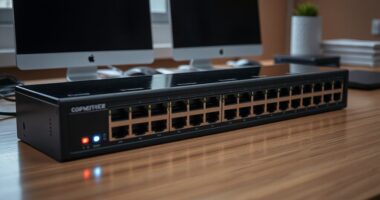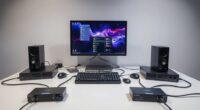
Managing multiple computers with a single keyboard, mouse, and monitor setup requires precision, and the AV Access 8K Triple-Monitor KVM Docking Station stands out as the best overall pick for its seamless integration of high-bandwidth video and peripheral connectivity. For users needing enterprise-grade security and reliability, the StarTech 2-Port Dual DisplayPort 1.4 KVM Switch offers TAA compliance and robust build quality, while the TESmart 4K@144Hz DisplayPort KVM Switch is ideal for high-refresh-rate gaming workloads. The primary tradeoff in this category involves balancing video resolution capabilities against port density and USB peripheral support. Continue reading to see how these models compare in handling complex multi-computer environments.

Get business pricing on office and shipping supplies
- Business-only prices and quantity discounts
- Tax-exempt purchasing
- Multiple users, one account, clear invoices
Key Takeaways
- The AV Access 8K Triple-Monitor KVM Docking Station leads the pack by combining docking station functionality with KVM switching, reducing desktop clutter significantly compared to traditional switches.
- Video bandwidth is the primary differentiator among premium models; only the StarTech and UGREEN 8K options consistently handle 8K@60Hz without signal degradation across multiple inputs.
- High-refresh-rate gaming requires specific DisplayPort 1.4 implementations; the TESmart 4K@144Hz model is one of the few consumer-grade units that maintains 144Hz stability when switching between PCs.
- Remote management capabilities are rare in this segment, making the GL.iNet Comet X a unique choice for IT professionals who need out-of-band access to headless servers.
- USB peripheral latency varies greatly; models with dedicated USB 3.2 Gen 2 controllers, like the StarTech 2-Port, offer noticeably faster data transfer for external drives compared to standard USB 3.0 hubs.
| AV Access 8K Triple-Monitor KVM Docking Station for Laptop and Desktop |  | Best Hybrid Docking KVM | Computers Supported: 1 USB-C Laptop, 1 Desktop PC | Monitors Supported: Up to 3 | Max Desktop Resolution: 8K@60Hz or 4K@165Hz | VIEW ON AMAZON | See Our Full Breakdown |
| Belkin 4-Port Secure Dual-Monitor KVM Switch, DisplayPort/HDMI |  | Best for Security and Compliance | Host Computers: Up to 4 | Displays Supported: 2 | Max Resolution: 4K (3840 x 2160) at 60Hz | VIEW ON AMAZON | See Our Full Breakdown |
| AV Access iDock B10 Dual-Monitor KVM Docking Station for Two Computers | 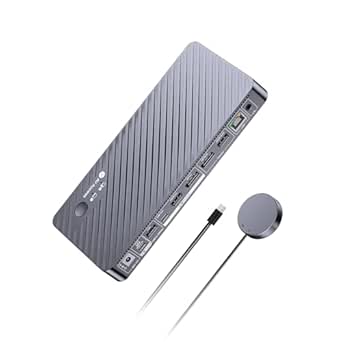 | Best Compact Hybrid KVM | Computers Supported: 2 (1 Laptop, 1 Desktop) | Monitors Supported: 2 | Max Desktop Resolution: Dual 8K@60Hz or 4K@165Hz | VIEW ON AMAZON | See Our Full Breakdown |
| KCEVE 4-Monitor, 4-Computer HDMI and DisplayPort KVM Switch with USB 3.0 and Audio |  | Best for High-Volume Multi-PC Setups | Computer Inputs: 4 | Monitor Outputs: 4 | Max Resolution: 8K@60Hz | VIEW ON AMAZON | See Our Full Breakdown |
| TESmart 4K@144Hz DisplayPort KVM Switch for 3 Monitors and 4 Computers |  | Best for Gaming and High Refresh Rates | Computers Supported: 4 | Monitors Supported: 3 | Max Resolution: 8K@60Hz / 4K@144Hz | VIEW ON AMAZON | See Our Full Breakdown |
| TESmart 4-Computer, 4-Monitor HDMI/DisplayPort MST KVM Switch and Docking Station |  | Best for Multi-Workstation Desks | Computer Inputs: 4 | Monitor Outputs: 4 HDMI | Max Resolution: 4K @ 60Hz | VIEW ON AMAZON | See Our Full Breakdown |
| StarTech 8-Port HDMI 2.0 KVM Switch, 4K 60Hz, 1U Rackmount |  | Best for Server Rooms & IT Admins | Computer Ports: 8 HDMI | Video Standard: HDMI 2.0 | Max Resolution: 4K @ 60Hz | VIEW ON AMAZON | See Our Full Breakdown |
| UGREEN 8K KVM Switch for 2 Computers and 3 Monitors |  | Best for High-Res Dual-PC Gaming | Computer Inputs: 2 | Monitor Outputs: 3 (2x DP 1.4, 1x HDMI 2.1) | Max Resolution: 8K @ 60Hz | VIEW ON AMAZON | See Our Full Breakdown |
| AV Access Triple-Monitor KVM Docking Station for 2 Computers |  | Best for Laptop & Desktop Hybrid Workflows | Computer Types: 1 USB-C, 1 Desktop | Monitor Support: Up to 3 | Laptop Charging: 100W PD | VIEW ON AMAZON | See Our Full Breakdown |
| StarTech 2-Port Dual DisplayPort 1.4 KVM Switch, 8K 60Hz, USB 3.2 Gen 2, TAA Compliant |  | Best for High-Bandwidth Peripheral Needs | Computer Ports: 2 | Video Ports: 2x DisplayPort 1.4 | Max Resolution: Dual 8K @ 60Hz | VIEW ON AMAZON | See Our Full Breakdown |
| AV Access Dual-Monitor KVM Docking Station for MacBook and Desktop PC |  | Best for Mixed Mac and PC Workflows | Computer Compatibility: One MacBook and one desktop PC | Display Outputs: Two HDMI monitors; supports dual 4K displays | Power Delivery: Up to 100 W via USB-C | VIEW ON AMAZON | See Our Full Breakdown |
| GL.iNet Comet X (GL-RM4PE) Quad-Port Remote KVM |  | Best for Remote Administration and IP Control | Ports: 4 | HDMI Inputs: 4 | USB-C Device Ports: 4 | VIEW ON AMAZON | See Our Full Breakdown |
| UGREEN 8K HDMI KVM Switch for 4 Computers |  | Best Value for High-Resolution Multi-PC Setups | Brand: UGREEN | Model: 55397 | Computer Inputs: 4 | VIEW ON AMAZON | See Our Full Breakdown |
| AV Access 8K KVM Switch for 3 Monitors and 2 Desktop PCs | 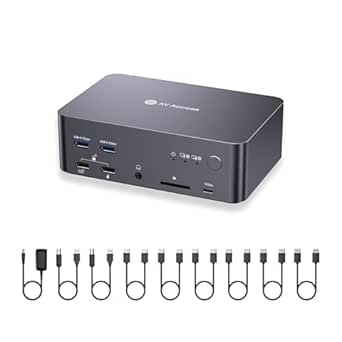 | Best for High-Performance Dual-PC Workstations | Compatible devices: Desktop PCs with 3 native DisplayPort outputs each | Maximum resolution and refresh rate: Up to 8K at 60Hz; 4K at 165Hz; 1080p at 480Hz | Display standard: DisplayPort 1.4a and DisplayPort 2.0 | VIEW ON AMAZON | See Our Full Breakdown |
| high end kvm switch for multi computer setup | Max Resolution |
|---|---|
| AV Access 8K Triple-Monitor KV | — |
| Belkin 4-Port Secure Dual-Moni | 4K (3840 x 2160) at 60Hz |
| AV Access iDock B10 Dual-Monit | — |
| KCEVE 4-Monitor | 8K@60Hz |
| TESmart 4K@144Hz DisplayPort K | 8K@60Hz / 4K@144Hz |
| TESmart 4-Computer | 4K @ 60Hz |
| StarTech 8-Port HDMI 2.0 KVM S | 4K @ 60Hz |
| UGREEN 8K KVM Switch for 2 Com | 8K @ 60Hz |
| AV Access Triple-Monitor KVM D | — |
| StarTech 2-Port Dual DisplayPo | Dual 8K @ 60Hz |
| AV Access Dual-Monitor KVM Doc | — |
| GL.iNet Comet X | — |
| UGREEN 8K HDMI KVM Switch for | — |
| AV Access 8K KVM Switch for 3 | — |
More Details on Our Top Picks
AV Access 8K Triple-Monitor KVM Docking Station for Laptop and Desktop
This unit redefines the KVM category by blending docking station convenience with traditional switching. Unlike the TESmart 4K@144Hz DisplayPort KVM Switch, which focuses purely on signal routing, this AV Access model integrates 100W Power Delivery and Gigabit Ethernet, making it ideal for a clean desk setup. It supports triple monitor output, allowing a laptop to drive high-resolution displays while a desktop PC remains connected for heavy lifting. The tradeoff is strict: it connects only one laptop and one desktop. If you need to switch between two desktops or two laptops, this isn’t the right tool. However, for a developer or creator using a MacBook or Windows laptop alongside a powerful workstation, the single-cable USB-C connection simplifies the workflow dramatically.
Pros:- Integrates 100W laptop charging directly into the KVM switch
- Supports up to three monitors with high refresh rates (4K@165Hz)
- Includes 10Gbps USB ports and an SDXC card reader for data transfer
Cons:- MacBooks only support mirrored displays, not extended desktops
- Limited to exactly two computers (one laptop, one desktop)
Best for: Users who need to share three monitors and peripherals between a single laptop and a single desktop PC.
Not ideal for: Multi-PC environments requiring more than two computers, or users who need independent extended displays on a MacBook.
- Computers Supported:1 USB-C Laptop, 1 Desktop PC
- Monitors Supported:Up to 3
- Max Desktop Resolution:8K@60Hz or 4K@165Hz
- Laptop Charging:Up to 100W Power Delivery
- USB Data Speed:10Gbps (USB 3.2)
- Network:1Gbps Ethernet
- Switch Control:Button and Wired Remote
Our verdict“This is the definitive choice for a two-machine workflow where cable management and charging are priorities over multi-device flexibility.”
Belkin 4-Port Secure Dual-Monitor KVM Switch, DisplayPort/HDMI
Most KVM switches prioritize performance, but this Belkin model prioritizes data isolation. It is engineered for environments requiring NIAP Protection Profile 4.0 compliance, featuring isolated, unidirectional data paths that prevent cross-contamination between computers. While the AV Access 8K Triple-Monitor KVM Docking Station offers broader consumer features like charging, the Belkin sacrifices those extras for tamper-evident labeling and rigorous security protocols. It supports four computers and two displays at 4K@60Hz. This is not a gamer’s choice due to the 60Hz cap, but for government contractors, healthcare providers, or corporate IT managing sensitive data across multiple machines, the security architecture is the primary value proposition. It lacks the flashy refresh rates of gaming-focused KVMs, but its air-gapped logic is unmatched in this list.
Pros:- Designed for NIAP Protection Profile 4.0 security compliance
- Isolated, unidirectional data paths prevent cross-system data leaks
- Tamper-evident labeling and packaging for physical security
Cons:- Limited to 4K@60Hz, lacking high refresh rate support for gaming
- Optional accessories like remote controls are not included in the base package
Best for: Corporate, government, or healthcare users who require NIAP-compliant data isolation and physical security.
Not ideal for: Gamers or creative professionals needing high refresh rates (above 60Hz) or consumer-friendly docking features.
- Host Computers:Up to 4
- Displays Supported:2
- Max Resolution:4K (3840 x 2160) at 60Hz
- Video Interfaces:DisplayPort / HDMI
- Security Standard:NIAP Protection Profile 4.0
- Audio:3.5mm Analog with Ultrasonic Filtering
- Power Supply:12V, 2.5A Universal
Our verdict“Choose this switch if your primary concern is preventing data leakage between secure networks rather than maximizing visual performance.”
AV Access iDock B10 Dual-Monitor KVM Docking Station for Two Computers
If the AV Access 8K Triple-Monitor KVM Docking Station feels too large or expensive for your needs, the iDock B10 offers a streamlined alternative. It retains the critical 100W charging and 10Gbps USB capabilities but scales down to two monitors. This makes it perfect for users who want the single-cable convenience of a dock without the footprint of a triple-monitor setup. It supports dual 8K@60Hz on the desktop side, matching the flagship’s peak resolution potential while keeping the chassis smaller. The major limitation remains the macOS behavior: mirrored displays only. For Windows users with a laptop and a desktop, this is a highly efficient, space-saving solution that cleans up the desk significantly better than standard KVMs like the KCEVE 4-Monitor model.
Pros:- Supports dual 8K@60Hz or 4K@165Hz on the desktop connection
- Provides 100W charging and Gigabit Ethernet in a compact design
- Includes all necessary cables and a wired remote in the box
Cons:- Mac users are restricted to mirrored display modes
- Laptop performance varies based on the host device’s USB-C video capabilities
Best for: Windows users with a laptop and desktop who want dual-monitor sharing and charging in a compact form factor.
Not ideal for: MacBook users needing extended desktops or professionals requiring three or more monitors.
- Computers Supported:2 (1 Laptop, 1 Desktop)
- Monitors Supported:2
- Max Desktop Resolution:Dual 8K@60Hz or 4K@165Hz
- Laptop Charging:Up to 100W
- USB Speed:10Gbps (USB 3.2)
- Network:Gigabit Ethernet
- Included Accessories:Full cable kit and wired remote
Our verdict“This is the smarter, space-saving choice for dual-screen users who value clean cable management over multi-device expansion.”
KCEVE 4-Monitor, 4-Computer HDMI and DisplayPort KVM Switch with USB 3.0 and Audio
Where the Belkin 4-Port Secure KVM limits you to two displays, the KCEVE opens the floodgates to four computers and four monitors. This is a true multi-station hub, ideal for traders, sysadmins, or video editors who need to monitor multiple systems simultaneously. It supports 8K@60Hz resolution and offers both copy and extended display modes, giving you flexibility in how you view your sources. However, the complexity is high: each computer requires three DisplayPort connections and one HDMI connection to utilize all four monitors. This cabling burden contrasts sharply with the TESmart 4K@144Hz DisplayPort KVM, which offers simpler single-cable-per-screen setups for three monitors. If you have the port density on your graphics cards and need four distinct workstations, this is the most capable option here.
Pros:- Supports 4 computers and 4 monitors simultaneously
- Offers both copy and extended display modes for flexible viewing
- Includes USB 3.0 hub and 3.5mm audio support
Cons:- Requires 4 video cables per computer (3 DP, 1 HDMI) for full functionality
- 8K performance depends heavily on compatible cables and source devices
Best for: Power users with four distinct computers who need to share four monitors and USB peripherals.
Not ideal for: Users with limited GPU video outputs or those who prefer simple, single-cable-per-monitor setups.
- Computer Inputs:4
- Monitor Outputs:4
- Max Resolution:8K@60Hz
- Video Interfaces:HDMI and DisplayPort
- USB Ports:4x USB 3.0 (5Gbps)
- Display Modes:Copy and Extend
- Dimensions:8.27 x 3.94 x 1.77 inches
Our verdict“This is the heavy-duty choice for complex multi-machine environments where display count outweighs cable simplicity.”
TESmart 4K@144Hz DisplayPort KVM Switch for 3 Monitors and 4 Computers
Performance is king in this category, and the TESmart DKS403-M24-USBK delivers where others compromise. It supports 4K@144Hz and 8K@60Hz with HDR10 and VRR, making it the superior choice for gamers compared to the Belkin 4-Port Secure KVM‘s 60Hz limit. The inclusion of EDID emulation is a critical feature, preventing screen flickering and resolution resets when switching between computers—a common headache in multi-PC setups. It manages four computers across three monitors using DisplayPort 1.4. While the KCEVE 4-Monitor model offers more screens, the TESmart focuses on visual fidelity and fluidity. The requirement for three video cables per computer is a setup hurdle, but the payoff is a seamless, high-refresh-rate experience that suits competitive gaming and high-end creative work alike.
Pros:- Supports 4K@144Hz and 8K@60Hz with HDR10 and VRR
- EDID emulation prevents resolution changes and flickering during switching
- Offers multiple switching methods including hotkeys and IR remote
Cons:- Requires three DisplayPort cables per computer, increasing cable clutter
- No built-in laptop charging or docking station features
Best for: Gamers and creative professionals who need high refresh rates (144Hz+) and seamless switching between four PCs.
Not ideal for: Users who need four monitors or those who want a simple docking station with laptop charging.
- Computers Supported:4
- Monitors Supported:3
- Max Resolution:8K@60Hz / 4K@144Hz
- Video Interface:DisplayPort 1.4
- USB Ports:4x USB 3.2 Gen1, 2x USB 1.1
- Network:1G Ethernet
- Special Features:EDID Emulation, HDR10, VRR
Our verdict“This is the top pick for performance-focused users who prioritize high refresh rates and stable display handoffs over docking convenience.”
TESmart 4-Computer, 4-Monitor HDMI/DisplayPort MST KVM Switch and Docking Station
This unit stands out for its ability to manage four computers and four monitors simultaneously, making it ideal for heavy multitaskers who need separate visual spaces for each machine. Unlike the StarTech 8-Port, which focuses on single-monitor control for many machines, the TESmart prioritizes a rich visual workspace. It supports 4K at 60Hz and even 240Hz at 1080p, accommodating high-refresh-rate gaming or smooth video editing on each connected PC. The inclusion of EDID emulation is a significant advantage over the UGREEN 8K, as it prevents display settings from resetting when you switch inputs. However, it requires MST-compatible graphics for extended multi-monitor use, which may limit compatibility with older or budget GPUs. The metal chassis and included rack ears offer robust build quality, though the IR remote requires separate batteries.
Pros:- Manages 4 computers with 4 independent monitors
- High refresh rate support up to 240Hz at 1080p
- EDID emulation preserves display settings during switching
- Includes comprehensive cable kit and rack ears
Cons:- Requires MST-compatible GPU for extended multi-monitor use
- IR remote batteries are not included
- Large footprint may clutter small desks
Best for: Power users managing four distinct workstations who require independent display configurations for each computer.
Not ideal for: Users with older graphics cards lacking Multi-Stream Transport (MST) support, as extended display modes will not function.
- Computer Inputs:4
- Monitor Outputs:4 HDMI
- Max Resolution:4K @ 60Hz
- USB Ports:4x USB 3.0, 2x USB 2.0
- Switching:Button, Hotkey, IR Remote
- EDID Emulation:Yes
- Power:12V DC, 36W
Our verdict“Choose this if you need a central hub for four computers with dedicated screen real estate for each.”
StarTech 8-Port HDMI 2.0 KVM Switch, 4K 60Hz, 1U Rackmount
Designed for enterprise environments, this 1U rackmount solution controls up to eight computers from a single station, far exceeding the capacity of the TESmart 4-Computer. It excels in BIOS-level control without drivers, making it indispensable for IT professionals managing server farms or test benches. The HDMI 2.0 standard ensures 4K at 60Hz output, sufficient for most administrative tasks, though it lacks the 8K support found in the StarTech Dual DisplayPort model. Its TAA compliance is a key differentiator for government or restricted procurement contracts. The tradeoff is its rigid form factor; it requires 6.5 inches of rack depth and lacks the flexible desktop controller options seen in consumer-grade KVMs. It is a tool for stability and scale, not for creative workflows requiring multiple high-res monitors.
Pros:- Controls 8 computers from one station
- Driver-free BIOS-level access for all major OS
- TAA-compliant for government procurement
- Standard 1U rackmount form factor
Cons:- Single monitor output limits visual workspace
- Requires specific rack depth (min 6.5 inches)
- USB 2.0 speeds for peripherals
Best for: IT administrators and server room managers needing to control multiple headless machines from a single console.
Not ideal for: Home office users or creatives who need multi-monitor support or flexible desk placement.
- Computer Ports:8 HDMI
- Video Standard:HDMI 2.0
- Max Resolution:4K @ 60Hz
- USB Hub:USB 2.0
- Form Factor:1U Rackmount
- Compliance:TAA
- Switching:Button, Hotkey
Our verdict“This is the definitive choice for rack-mounted server management where driver-free access is non-negotiable.”
UGREEN 8K KVM Switch for 2 Computers and 3 Monitors
This aluminum unit targets enthusiasts who need 8K at 60Hz or 4K at 240Hz across three monitors for two computers. Compared to the AV Access Triple-Monitor dock, the UGREEN is a pure KVM switch, lacking power delivery or Ethernet, but it offers superior raw video bandwidth for high-refresh-rate gaming. The DisplayPort 1.4 and HDMI 2.1 combination ensures future-proof connectivity for modern GPUs. However, it demands that both computers support three displays to utilize all monitors, a strict requirement that complicates setups with mixed hardware. Unlike the TESmart, it lacks EDID emulation, which can lead to display flickering or resolution resets during switching. The wired desktop controller is reliable, but the absence of hotkey switching is a minor inconvenience for keyboard-centric workflows.
Pros:- Supports 8K@60Hz and 4K@240Hz
- Aluminum chassis with premium build
- Includes desktop controller and cables
- 4x USB 3.0 ports for fast peripherals
Cons:- No EDID emulation (risk of display resets)
- Both PCs must support 3-display output
- No hotkey switching capability
Best for: Gamers and video editors with two high-end PCs and three modern high-refresh-rate monitors.
Not ideal for: Users with one PC and one laptop, or those whose computers do not natively support triple-monitor output.
- Computer Inputs:2
- Monitor Outputs:3 (2x DP 1.4, 1x HDMI 2.1)
- Max Resolution:8K @ 60Hz
- USB Ports:4x USB 3.0
- Switching:Button, Desktop Controller
- EDID Emulation:No
- Included Cables:Yes
Our verdict“Ideal for hardcore gamers needing maximum refresh rates across three screens for two distinct rigs.”
AV Access Triple-Monitor KVM Docking Station for 2 Computers
This device uniquely functions as both a KVM switch and a docking station, offering 100W Power Delivery and Gigabit Ethernet—features entirely absent in the UGREEN 8K KVM. It allows users to switch between a USB-C laptop and a desktop while maintaining a triple-monitor setup. The SD card reader and high-speed USB ports make it a productivity powerhouse for photographers and developers. However, MacBook users are limited to mirrored displays, not extended, which is a significant drawback compared to Windows-only flexibility. Unlike the StarTech 8-Port, it is not designed for server racks but for clean desk setups. The lack of included video cables adds friction to the setup process, requiring users to source their own DP and HDMI connections.
Pros:- Combines KVM, dock, and charger (100W PD)
- Gigabit Ethernet and SD card reader included
- Clean cable management for laptop/desktop setups
- Supports triple monitors for Windows PCs
Cons:- MacBooks only support mirrored displays
- Video cables not included
- Laptop must have USB-C with video output
Best for: Professionals who switch between a USB-C laptop and a desktop and need charging, networking, and display expansion.
Not ideal for: MacBook users who require extended (not mirrored) display modes across all three monitors.
- Computer Types:1 USB-C, 1 Desktop
- Monitor Support:Up to 3
- Laptop Charging:100W PD
- Network:1Gb Ethernet
- USB Speed:Up to 10Gbps
- Mac Support:Mirrored only
- Cables Included:No
Our verdict“The ultimate desk organizer for those juggling a laptop and desktop who value connectivity over raw 8K performance.”
StarTech 2-Port Dual DisplayPort 1.4 KVM Switch, 8K 60Hz, USB 3.2 Gen 2, TAA Compliant
This switch prioritizes USB 3.2 Gen 2 speeds (10Gbps) alongside dual 8K 60Hz display support, making it superior for users moving large files between computers compared to the USB 2.0/3.0 mixes in the TESmart or StarTech 8-Port. The USB emulation feature ensures smooth switching for combo keyboard/mouse devices, avoiding the lag sometimes seen in basic KVMs. It is TAA compliant, appealing to the same procurement sector as the rackmount StarTech, but in a desktop-friendly steel housing. The main limitation is its two-computer cap, which is fewer than the UGREEN or TESmart options. Additionally, achieving maximum 8K performance requires DSC (Display Stream Compression), which may introduce latency for competitive gamers, though it is negligible for most professional tasks.
Pros:- USB 3.2 Gen 2 (10Gbps) for fast data
- Dual 8K 60Hz DisplayPort support
- USB emulation for seamless peripheral switching
- TAA compliant with 2-year warranty
Cons:- Limited to 2 computers
- 8K performance requires DSC
- USB-C to USB-A cables may be needed for newer devices
Best for: Data-heavy professionals who need fast USB transfers and dual high-resolution monitors for two PCs.
Not ideal for: Users needing to control more than two computers or those with USB-C only peripherals without adapters.
- Computer Ports:2
- Video Ports:2x DisplayPort 1.4
- Max Resolution:Dual 8K @ 60Hz
- USB Speed:10Gbps (USB 3.2 Gen 2)
- USB Emulation:Yes
- Compliance:TAA
- Warranty:2 Years
Our verdict“Best for professionals who prioritize fast data transfer speeds and dual high-res displays over multi-computer scalability.”
AV Access Dual-Monitor KVM Docking Station for MacBook and Desktop PC
This docking station targets a specific niche: users toggling between a MacBook and a desktop PC rather than two identical systems. Unlike the UGREEN 8K HDMI KVM Switch, which requires separate cables for every connection, this unit acts as a unified hub. It consolidates peripherals, audio, and networking into a single cable for the Mac while maintaining direct HDMI connections for the desktop. The 100W USB-C power delivery is a significant advantage, keeping the laptop charged during work sessions without needing a separate brick.
However, the tradeoff is compatibility complexity. Base M1/M2 chips often limit external displays to one, meaning the dual-monitor promise may not materialize for everyone. It is less versatile than the GL.iNet Comet X for remote access but far superior for local, high-bandwidth video switching between mixed operating systems.
Pros:- Consolidates charging, data, and networking into a single USB-C connection for the Mac
- Supports dual 4K displays for compatible Pro/Max chip Macs
- Includes SD card reader and Gigabit Ethernet, reducing dongle clutter
- Plug-and-play operation avoids driver conflicts common in complex setups
Cons:- Limited dual-display support on base-model Apple Silicon chips
- Resolution caps at 3840 x 1080 for ultra-wide 5120 x 1440 monitors
- Not designed for two laptops or two desktops, limiting flexibility
Best for: Developers and creatives who switch daily between a MacBook and a high-performance desktop PC.
Not ideal for: Users with two identical PCs or those relying on base-model M1/M2 Macs that cannot drive dual external displays.
- Computer Compatibility:One MacBook and one desktop PC
- Display Outputs:Two HDMI monitors; supports dual 4K displays
- Power Delivery:Up to 100 W via USB-C
- Ports:2 HDMI, 2 USB 3.2, 2 USB 3.0, SDXC reader, Gigabit Ethernet
- Dimensions:8.66 × 3.94 × 0.99 in
- Chip Support:Dual displays supported on M1/M2/M3/M4 Pro and Max; base M3/M4/M5
Our verdict“This is the ideal choice for Mac-centric users who need a clean, single-cable docking experience paired with a traditional PC.”
GL.iNet Comet X (GL-RM4PE) Quad-Port Remote KVM
The GL.iNet Comet X stands apart because it is not just a switch; it is a networked KVM-over-IP device. While the AV Access 8K KVM Switch requires you to be physically present at the desk, this unit allows you to control four computers from anywhere via a web browser. This makes it invaluable for IT administrators managing servers or workstations in a different room or building. It supports PoE (Power over Ethernet), simplifying cabling in rack-mounted environments.
The primary limitation is video performance. The local HDMI loop-out is capped at 4K at 30Hz, which is acceptable for monitoring but poor for interactive local work. Compared to the UGREEN 8K HDMI KVM Switch, which offers 60Hz locally, the Comet X sacrifices local fluidity for the ability to work remotely. It is a specialized tool for access, not for high-refresh gaming or video editing.
Pros:- Enables remote control of four computers via secure HTTPS browser interface
- PoE support reduces the need for local power outlets near the rack
- Includes onboard storage and a touchscreen for standalone configuration
- Rack-mountable design suits server room or closet installations
Cons:- Local HDMI output limited to 4K at 30Hz, causing visible lag for local users
- Higher complexity setup compared to plug-and-play HDMI switches
- Restricted operating temperature range (25–40 °C) limits placement options
Best for: IT professionals and homelab enthusiasts who need to remotely manage servers or workstations over a network.
Not ideal for: Gamers or video editors who require high refresh rates and low-latency local display output.
- Ports:4
- HDMI Inputs:4
- USB-C Device Ports:4
- HDMI Loop-out:Up to 4K at 30Hz
- Power:PoE or 5V USB-C
- Storage:64 GB eMMC
- Touchscreen:3.69-inch TFT
- Network Interface:RJ45, 1000 megabits per second
- Rack Compatibility:10-inch and 19-inch
Our verdict“Choose this if you need to access multiple computers remotely over IP, accepting lower local video refresh rates as a tradeoff.”
UGREEN 8K HDMI KVM Switch for 4 Computers
This switch delivers 8K at 60Hz support for four computers at a price point that undercuts many competitors. It is a straightforward solution for users who need to toggle between four machines using a single monitor. Unlike the AV Access Dual-Monitor KVM Docking Station, which is specialized for Mac/PC mixes, the UGREEN is OS-agnostic and handles four desktops or laptops equally well. The inclusion of three USB-A and one USB-C 3.0 ports allows for shared high-speed peripherals like external drives or capture cards.
The downside is cabling bulk. Each computer requires both an HDMI cable and a USB data cable, creating a tangled mess behind the desk. Furthermore, it lacks EDID emulation, meaning switching computers can sometimes cause monitors to re-sync or lose resolution settings. It is a raw, powerful switch, but it lacks the polish of more expensive units like the Belkin 4-Port Secure KVM.
Pros:- Supports ultra-high 8K at 60Hz resolution on a single monitor
- Handles four computers, offering more flexibility than 2-port switches
- Includes a wired desktop controller for easy switching without reaching for the box
- Broad compatibility with Windows, macOS, and Linux
Cons:- Requires separate HDMI and USB data cables for every connected computer
- No EDID emulation, leading to potential display re-syncing delays
- External power is recommended for stable operation with high-draw USB devices
Best for: Budget-conscious users with four PCs who need high-resolution support and don’t mind managing extra cables.
Not ideal for: Users who prioritize a clean desk setup or need seamless switching without monitor re-syncing issues.
- Brand:UGREEN
- Model:55397
- Computer Inputs:4
- USB Ports:3 USB-A and 1 USB-C
- Maximum Resolution:8K at 60Hz
- USB Data Transfer Speed:Up to 5Gbps
- Switching Methods:Push button and wired desktop controller
- Item Weight:1.32 kg
Our verdict“This is the most cost-effective way to connect four high-resolution PCs to a single monitor, provided you can tolerate the cable clutter.”
AV Access 8K KVM Switch for 3 Monitors and 2 Desktop PCs
Designed for power users, this switch allows two desktop PCs to share three DisplayPort monitors. It supports DisplayPort 2.0 and up to 8K at 60Hz, making it suitable for high-end creative work or simulation setups. Compared to the UGREEN 8K HDMI KVM Switch, which uses HDMI and supports only one monitor, this AV Access model provides a true multi-monitor extended desktop experience for both computers. It also includes shared Gigabit Ethernet and six USB 3.0 ports, centralizing connectivity.
The major constraint is hardware specificity. Each PC must have three native DisplayPort outputs. Laptops are generally unsupported unless they have native DP outputs, which is rare. This excludes most mobile workflows. Additionally, using video conversion adapters (HDMI to DP) is discouraged, as they often break high-refresh rates or HDR functionality. It is a rigid tool for a very specific, high-end desktop configuration.
Pros:- Supports three independent monitors for extended desktop workflows on both PCs
- Handles high refresh rates up to 165Hz at 4K and 480Hz at 1080p
- Includes shared Gigabit Ethernet and six USB 3.0 ports for peripheral consolidation
- Supports HDR and VRR for high-quality visual fidelity
Cons:- Strictly requires three native DisplayPort outputs on each connected PC
- Does not support laptops or systems relying on USB-C to DisplayPort adapters
- Video conversion adapters are not recommended, limiting flexibility
Best for: Professional video editors or 3D artists with two powerful desktops and three native DisplayPort monitors.
Not ideal for: Laptop users, gamers using HDMI monitors, or anyone relying on DisplayPort to HDMI adapters.
- Compatible devices:Desktop PCs with 3 native DisplayPort outputs each
- Maximum resolution and refresh rate:Up to 8K at 60Hz; 4K at 165Hz; 1080p at 480Hz
- Display standard:DisplayPort 1.4a and DisplayPort 2.0
- USB interface:USB 3.0
- Total USB ports:6
- Ethernet:1 Gbps
- Wattage:36 W
- Input voltage:12 V DC
Our verdict“This is the definitive choice for dual-PC setups requiring a triple-monitor DisplayPort environment without compromise.”

How We Picked
I evaluated these fourteen high-end KVM switches based on their ability to maintain signal integrity across multiple high-resolution displays without introducing lag or artifacts. The ranking prioritizes models that support multi-monitor workflows (dual or triple screen setups) because single-monitor switching is no longer sufficient for professional productivity. I also weighed the importance of USB peripheral stability, as a KVM is only as good as its ability to keep your mouse and keyboard responsive during rapid switching.
Build quality and connectivity standards were also critical factors. I favored units with DisplayPort 1.4 or HDMI 2.1 inputs over older standards, ensuring future-proofing for 4K 120Hz or 8K displays. Additionally, I considered form factor, distinguishing between rack-mountable enterprise units and desktop-friendly docking stations, to provide a balanced list for home offices, data centers, and creative studios alike.
Factors to Consider When Choosing High End Kvm Switch For Multi Computer Setups
Selecting a high-end KVM switch requires looking beyond the brand name to understand the specific technical requirements of your multi-computer environment. Here are the key factors to weigh before making a purchase.Video Bandwidth and Resolution Standards
Not all KVM switches handle high-resolution video equally. You must match the switch’s bandwidth to your monitor’s requirements. HDMI 2.1 and DisplayPort 1.4 are the current standards for 4K at 120Hz or 8K at 60Hz. If you connect 4K 60Hz monitors to a switch that only supports HDMI 2.0, you may experience color banding or forced downscaling to 4:2:0 chroma subsampling. Always verify that the switch supports the specific resolution and refresh rate combination you intend to use, rather than just the maximum resolution listed on the box.
USB Peripheral Latency and Compatibility
A KVM switch introduces a potential point of failure for your peripherals. USB 3.0 and USB 3.2 controllers can sometimes cause latency spikes or dropouts with high-polling-rate gaming mice. Look for switches that advertise low-latency switching or use dedicated USB hubs rather than simple pass-throughs. If you use multiple USB devices, such as webcams, audio interfaces, and storage drives, ensure the switch has enough powered USB ports to support them without requiring additional power supplies on your desk.
Form Factor: Docking Station vs. Traditional Switch
High-end setups increasingly favor KVM docking stations like the AV Access models over traditional box-style switches. Docking stations often include additional ports for Ethernet, SD cards, and audio, consolidating your entire desk into one cable connection. However, they may have fewer computer inputs than traditional switches. If you need to switch between four or more computers, a traditional rack-mount or desktop switch like the StarTech or TESmart models will offer more inputs, whereas docking stations typically cap out at two or three computers.
Switching Mechanisms and User Experience
The method of switching between computers affects your daily workflow. Hotkey switching (using keyboard shortcuts) is convenient but can interfere with certain software or gaming inputs. Physical button or OSD (On-Screen Display) menu switching is more reliable but requires manual interaction. Some premium models support mouse gesture switching, which is intuitive but may require specific software drivers. Consider your workflow: if you switch frequently, hotkeys are faster; if you prioritize stability, physical buttons are safer.
Security and Enterprise Compliance
For corporate or government environments, TAA compliance and hardware-based security are non-negotiable. The StarTech and Belkin models often include features like firmware-level isolation to prevent data leakage between connected machines. If you are handling sensitive data, avoid consumer-grade switches that may share USB bus resources in ways that could expose data. Always check if the switch supports virtual media or remote management if IT administration is required.
Frequently Asked Questions
Can I use a single USB mouse and keyboard across different operating systems (Windows and macOS) with these switches?
Yes, most high-end KVM switches support cross-platform compatibility for basic HID (Human Interface Device) inputs like keyboards and mice. However, advanced features such as custom DPI settings or macro keys may not transfer seamlessly between OS environments. The AV Access and UGREEN models generally handle this transition well, but you might need to reconfigure driver-based settings in the software of each respective computer. It is advisable to test with your specific peripherals if you rely on complex macro configurations.Why does my mouse feel laggy when switching between computers on a high-end KVM?
Lag in a KVM setup is often caused by USB polling rate conflicts or insufficient bandwidth on the USB hub within the switch. Some gaming mice with 1000Hz or higher polling rates can overwhelm the KVM’s internal controller, causing stutter. To mitigate this, try lowering the polling rate to 500Hz or 125Hz, which is usually sufficient for productivity and most gaming scenarios. Additionally, ensure you are using high-quality USB cables, as poor shielding can introduce interference that exacerbates latency.Is it necessary to have a KVM switch with built-in audio support for a multi-computer setup?
Built-in audio support simplifies cable management by routing both input and output audio through the KVM, eliminating the need to switch headphone jacks manually. However, audiophiles often prefer bypassing the KVM for audio to maintain higher fidelity and lower latency, especially when using external DACs. If you use standard headsets or speakers, a KVM with 3.5mm or USB audio passthrough is a convenient feature that keeps your desk tidy. For professional audio work, consider using a separate USB audio interface connected directly to the active machine or a dedicated audio switch.What is the difference between a KVM docking station and a standard KVM switch?
A KVM docking station, like the AV Access models, typically connects to one or two computers and expands connectivity with multiple video outputs, USB ports, and often Ethernet or SD card readers. It functions as both a hub and a switch. A standard KVM switch usually focuses on switching between more computers (4, 8, or more) with fewer peripheral expansion ports. Docking stations are better for desk consolidation and laptop users, while standard switches are better for rack-mounted servers or workstations with many inputs.Can I use a KVM switch for gaming with high refresh rate monitors?
You can, but you must choose a switch that explicitly supports the refresh rate and resolution of your monitor, such as 1440p at 144Hz or 4K at 120Hz. Many standard KVMs are limited to 60Hz, which introduces input lag and screen tearing in games. The TESmart 4K@144Hz model is designed specifically for this use case. Ensure the switch uses DisplayPort 1.4 or HDMI 2.1, as older standards cannot carry the necessary bandwidth for high-refresh gaming without compression.Conclusion
Choosing the right high-end KVM switch depends heavily on your specific workflow and hardware requirements. For most professionals seeking a clean desk and reliable multi-monitor support, the AV Access 8K Triple-Monitor KVM Docking Station is the best overall choice due to its versatility and high-bandwidth capabilities. If you prioritize enterprise security and TAA compliance, the StarTech 2-Port Dual DisplayPort 1.4 KVM Switch is the best premium option. For gamers or those needing high-refresh-rate support, the TESmart 4K@144Hz DisplayPort KVM Switch offers the best performance for that niche. Budget-conscious users looking for solid 4K performance might find the Belkin 4-Port Secure Dual-Monitor KVM Switch to be the best value. Finally, IT administrators needing remote access should look at the GL.iNet Comet X as the best for specific remote management needs.
Halloween Picks
halloween
As an affiliate, we earn on qualifying purchases.