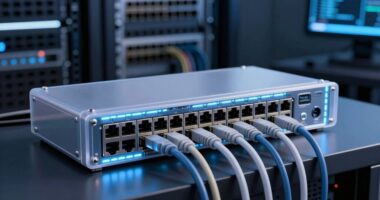
For high-end badge printing at event check-in, I rank the Evolis Primacy 2 Dual-Sided Card Printer as the best overall choice for teams that need fast, polished two-sided badges. The Fargo DTC4250e package stands out for its included supplies and imaging software, while the Bodno Magicard 400X is a strong alternative for organizations seeking another dual-sided setup. The main tradeoff is between printing both sides in one pass and choosing a simpler, single-sided system that may better suit basic badge layouts. Software, event volume, and the time available for setup can matter as much as the printer itself. Read on for the full comparison and guidance on choosing a setup that fits your check-in workflow.

Get business pricing on office and shipping supplies
- Business-only prices and quantity discounts
- Tax-exempt purchasing
- Multiple users, one account, clear invoices
Key Takeaways
- Dual-sided models lead this lineup for feature-rich badges: the Evolis Primacy 2, Fargo DTC4250e, Bodno Magicard 400X, and Volty ID VX300 can print both sides in one pass, reducing manual handling when badges need information on the back.
- The Evolis Primacy 2 takes the overall lead because it pairs dual-sided printing with a supplies bundle, making it a well-rounded fit for established check-in teams.
- The Fargo DTC4250e package puts onboarding in focus: its included supplies and imaging software make it a practical choice for buyers who want more of the setup together.
- Single-sided Seaory models suit simpler badge designs: the Bodno Seaory S25 and S26 avoid paying for two-sided printing when attendee details and access information fit on one face.
- Bundled software and supplies do not replace workflow planning: buyers still need to check event registration compatibility, badge stock, and how much time staff can spend preparing templates.
| Volty ID VX300 Dual-Sided ID Card Printer, Prints Front & Back in One Pass |  | Best for Fast, High-Volume Check-In | Printer type: Direct to card | Printing: Automatic dual-sided; front and back in one pass | Color print speed: 18 color pages per minute; full-color printing listed as 23 seconds | VIEW ON AMAZON | See Our Full Breakdown |
| Fargo DTC4250e Dual-Sided ID Card Printer Package with Supplies and Card Imaging Software |  | Best Ready-to-Run Bundle | Model: DTC4250e | Printer type: Dye sublimation and thermal | Print capability: Dual-sided | VIEW ON AMAZON | See Our Full Breakdown |
| Bodno Magicard 400X Dual-Sided ID Card Printer with Bronze Edition Software and Supplies |  | Best for Mixed Windows and Mac Teams | Printer type: Direct to card | Printing: Automatic dual-sided | Resolution: 300 x 300 dpi | VIEW ON AMAZON | See Our Full Breakdown |
| Evolis Primacy 2 Dual-Sided Card Printer and Supplies Bundle |  | Best for Sustained Color Badge Runs | Printer type: Dye sublimation | Printing: Automatic duplex | Resolution: 300 x 300 dpi | VIEW ON AMAZON | See Our Full Breakdown |
| Bodno Seaory S25 Single Sided ID Card Printer & Complete Supplies Package ID Software – Bronze Edition |  | Best for Simple, Low-Volume Check-In | Printer type: Direct to card | Printing: Single-sided, manual feed | Resolution: 300 x 300 dpi | VIEW ON AMAZON | See Our Full Breakdown |
| Bodno Seaory S26 Single-Sided ID Card Printer Package with Software and Camera |  | Best Complete Starter Package | Printer type: Direct-to-card | Printing: Single-sided, color | Maximum print resolution: 300 × 1200 dpi | VIEW ON AMAZON | See Our Full Breakdown |
| Magicard 250X ID Card Printer with Bodno Bronze Edition Software |  | Best for Compact, Secure Small Batches | Printer type: Direct-to-card | Print sides: Single-sided | Resolution: 300 × 300 dpi | VIEW ON AMAZON | See Our Full Breakdown |
| high end badge printer for event check in | Printer type | Connectivity | Printing | Dimensions |
|---|---|---|---|---|
| Volty ID VX300 Dual-Sided ID C | Direct to card | USB, Ethernet | Automatic dual-sided; front and back in one pass | 9.6 x 6.29 x 8.18 inches |
| Fargo DTC4250e Dual-Sided ID C | Dye sublimation and thermal | Ethernet, USB | — | — |
| Bodno Magicard 400X Dual-Sided | Direct to card | USB | Automatic dual-sided | 18.9 x 8.5 x 9.5 inches |
| Evolis Primacy 2 Dual-Sided Ca | Dye sublimation | USB, Ethernet | Automatic duplex | 18 x 16 x 14 inches |
| Bodno Seaory S25 Single Sided | Direct to card | USB | Single-sided, manual feed | 9.6 x 6.29 x 8.18 inches |
| Bodno Seaory S26 Single-Sided | Direct-to-card | — | Single-sided, color | 17.71 × 6.85 × 8.97 inches |
| Magicard 250X ID Card Printer | Direct-to-card | USB, Ethernet | — | — |
More Details on Our Top Picks
Volty ID VX300 Dual-Sided ID Card Printer, Prints Front & Back in One Pass
The Volty ID VX300 is my pick for event teams that need to prepare batches of two-sided credentials without feeding each card through twice. Its automatic duplex printing and 70-card input hopper suit recurring conferences or school events where badge preparation happens in runs, while Ethernet gives a registration station a wired network option. Compared with the Fargo DTC4250e, the VX300’s listed full-color speed is faster, and it adds a loaner-printer service benefit. That speed advantage comes with a key limit: the VX300 is Windows-only, whereas the Bodno Magicard 400X supports Mac as well. There’s no wireless or mobile printing, so I’d skip it for a mixed-device team or a check-in desk that needs to print credentials on demand; it is better suited to planned, batch-based production.
Pros:- Prints front and back in one automatic pass, reducing handling during batch production.
- 70-card input and 100-card output hoppers support larger print runs.
- USB and Ethernet provide direct and wired-network connection options.
- Includes three years of service protection with loaner printer replacements.
Cons:- Limited to Windows, unlike the Bodno Magicard 400X, which supports Windows and Mac.
- No built-in wireless or mobile printing.
- Direct-to-card printing and print-only functionality do not provide encoding features listed for some ID workflows.
Best for: Event operations teams using Windows who prepare two-sided badges in batches and want wired network connectivity plus loaner coverage.
Not ideal for: Teams using Mac or mobile devices, or events that need wireless printing and frequent last-minute badge creation.
- Printer type:Direct to card
- Printing:Automatic dual-sided; front and back in one pass
- Color print speed:18 color pages per minute; full-color printing listed as 23 seconds
- Input hopper:70 cards
- Output hopper:100 cards
- Connectivity:USB, Ethernet
- Software:Bronze Edition trial; duplex automatic
- Dimensions:9.6 x 6.29 x 8.18 inches
- Service protection:Three years, including loaner replacements
Our verdict“Choose the VX300 for Windows-based teams producing two-sided event badges in batches, not for wireless or cross-platform check-in desks.”
Fargo DTC4250e Dual-Sided ID Card Printer Package with Supplies and Card Imaging Software
The Fargo DTC4250e makes a practical case for event organizers who want supplies and design software in the same package as a two-sided printer. The included 100 PVC cards and 250-print color ribbon let a team start preparing credentials without sourcing those basics separately. It prints a listed dual-sided card in 45 seconds, slower than the Volty ID VX300’s stated 23-second full-color print time, so I’d favor the Fargo when a predictable mid-range workflow matters more than maximum batch speed. Its USB and Ethernet connections suit a fixed registration setup, and the three-year warranty adds coverage. The tradeoff is that this is a mid-volume machine, not a high-throughput solution; magnetic stripe encoding is optional, which may mean extra configuration for access-card use.
Pros:- Includes 100 PVC cards and a 250-print color ribbon for initial production.
- Card Imaging XXS software is included for badge design.
- Prints both sides and supports USB and Ethernet.
- Three-year warranty is specified.
Cons:- Listed dual-sided print speed is 45 seconds per card, slower than the Volty ID VX300’s stated full-color speed.
- Positioned for mid-range printing volumes rather than sustained high-throughput use.
- Magnetic stripe encoder is optional rather than included.
Best for: Small and mid-sized event teams that want a dual-sided printer, initial card stock, ribbon, and design software bundled together.
Not ideal for: Large conferences printing credentials at a rapid pace, or organizations that need magnetic stripe encoding included as standard.
- Model:DTC4250e
- Printer type:Dye sublimation and thermal
- Print capability:Dual-sided
- Print speed:20 seconds single-sided; 45 seconds dual-sided
- Resolution:1200 x 1200
- Media:PVC cards
- Input and output capacity:100 cards each
- Connectivity:Ethernet, USB
- Included supplies and warranty:250-print color ribbon, 100 PVC cards; three-year warranty
Our verdict“Pick the Fargo DTC4250e when an included starter supply bundle matters more than the fastest two-sided badge output.”
Bodno Magicard 400X Dual-Sided ID Card Printer with Bronze Edition Software and Supplies
The Bodno Magicard 400X earns its place for event teams that need automatic two-sided cards but cannot standardize on Windows alone. Its Windows and Mac compatibility is a meaningful advantage over the Volty ID VX300, while the included 300-print YMCKO ribbon and Bronze Edition software with a lifetime license give a team supplies and design tools to get started. The tradeoff is throughput: the listed color rate is three pages per minute, so large badge runs may take longer than with the Volty or the Evolis Primacy 2, which is rated at 280 full-color cards per hour. USB-only connectivity also limits desk placement compared with Ethernet-equipped alternatives. I’d choose it for smaller or moderate events that value cross-platform support and long software coverage over network flexibility and faster batch output.
Pros:- Automatic dual-sided printing handles two-sided credentials without manual flipping.
- Works with both Windows and Mac computers.
- Includes a 300-print YMCKO ribbon and Bronze Edition software with a lifetime license.
- Four-year warranty and lifetime software support are included.
Cons:- Listed color speed of three pages per minute may constrain large event batches.
- USB is the only listed connectivity option.
- At 18.9 inches long, it takes more desk space than the compact Volty ID VX300.
Best for: Organizations with Windows and Mac users that need automatic duplex badge printing, included design software, and a long warranty.
Not ideal for: High-volume events that need faster color output or a shared Ethernet-connected printer at multiple check-in stations.
- Printer type:Direct to card
- Printing:Automatic dual-sided
- Resolution:300 x 300 dpi
- Print speed:3 color pages per minute; 10 black-and-white pages per minute
- Connectivity:USB
- Compatible operating systems:Windows, Mac
- Included ribbon:300-print YMCKO
- Dimensions:18.9 x 8.5 x 9.5 inches
- Warranty and support:Four-year printer warranty; lifetime software support
Our verdict“Choose the Magicard 400X for cross-platform teams with moderate print runs that value included software and support over speed.”
Evolis Primacy 2 Dual-Sided Card Printer and Supplies Bundle
The Evolis Primacy 2 is the strongest fit here for event teams planning substantial color-card batches and wanting a choice of wired connection. Its listed rate of 280 full-color cards per hour gives organizers a useful production benchmark, and automatic duplex printing avoids a separate pass for the reverse side. Unlike the Bodno Magicard 400X, it includes both USB and Ethernet, and it works with Windows and Mac. The included ribbon, 100 blank cards, and design software help cover the basic setup, though the machine remains print-only. A 200-card feeder and LCD touchscreen are optional, so the base configuration lacks some conveniences that can help at a busy badge-prep station. Its 18 x 16 x 14-inch footprint is also less suited to cramped registration desks than the Volty ID VX300.
Pros:- Automatic duplex printing produces two-sided cards in the same workflow.
- Listed color output of 280 cards per hour suits planned batch production.
- USB and Ethernet support different wired deployment setups.
- Includes a color ribbon, 100 blank cards, card-design software, and a three-year warranty.
Cons:- The 18 x 16 x 14-inch body is larger than the Volty ID VX300.
- LCD touchscreen and 200-card feeder are optional.
- Print-only functionality does not add card encoding.
Best for: Event teams producing recurring batches of color, two-sided credentials on Windows or Mac and needing Ethernet or USB.
Not ideal for: Small venues with limited desk space, or buyers expecting a touchscreen or high-capacity feeder to be standard.
- Printer type:Dye sublimation
- Printing:Automatic duplex
- Resolution:300 x 300 dpi
- Print speed:280 full-color cards per hour
- Maximum media size:CR-80
- Connectivity:USB, Ethernet
- Compatible operating systems:Windows, Mac
- Dimensions:18 x 16 x 14 inches
- Warranty:Three years
Our verdict“Choose the Primacy 2 for recurring color badge batches and flexible wired connections, provided its footprint and optional upgrades fit your setup.”
Bodno Seaory S25 Single Sided ID Card Printer & Complete Supplies Package ID Software – Bronze Edition
The Bodno Seaory S25 is the clear low-volume, single-sided option in a lineup led by automatic duplex machines. Its manual feed system prints one card at a time, which suits a small event desk making occasional replacements or a modest run of one-sided name badges; it is not a strong match for a large check-in operation printing credentials in a rush. The included 100-print color ribbon and Bronze Edition software with a lifetime license provide a starter setup, and the stated Windows, Mac, and Linux compatibility is broader than the Windows-only Volty ID VX300. That flexibility does not compensate for the lack of automatic duplex printing: teams needing names on the front and access details on the back should look instead at the Fargo DTC4250e or another two-sided pick. Its two-year warranty is also shorter than the four years listed for the Magicard 400X.
Pros:- Manual feed gives the operator control over single-card printing.
- Includes a 100-print color ribbon and Bronze Edition software with a lifetime license.
- Listed compatibility includes Windows, Mac, and Linux.
- USB connectivity and a compact 9.6 x 6.29 x 8.18-inch footprint suit a small workstation.
Cons:- Single-sided printing lacks the automatic duplex workflow offered by the Fargo DTC4250e.
- Manual one-card-at-a-time feeding is a poor fit for large event batches.
- Two-year hardware warranty is shorter than the Magicard 400X’s four-year warranty.
Best for: Small event organizers or office teams printing occasional, one-sided color credentials from Windows, Mac, or Linux.
Not ideal for: Large events, teams printing batches quickly, or organizers who need automatic two-sided badges and higher-volume feeding.
- Printer type:Direct to card
- Printing:Single-sided, manual feed
- Resolution:300 x 300 dpi
- Included ribbon:Seaory 11011 YMCKO, 100 prints
- Software:Bodno Bronze Edition with lifetime license
- Compatible operating systems:Windows, Mac, Linux
- Connectivity:USB
- Dimensions:9.6 x 6.29 x 8.18 inches
- Warranty and support:Two-year hardware warranty; lifetime Bodno software support
Our verdict“Pick the Seaory S25 for occasional, one-sided card printing in a compact, cross-platform setup, not for fast two-sided event production.”
Bodno Seaory S26 Single-Sided ID Card Printer Package with Software and Camera
The Seaory S26 suits event teams that want an ID-printing setup with key peripherals and supplies included, rather than sourcing each part separately. Its 300 × 1200 dpi resolution supports detailed, full-color badges, while the included camera and lifetime-license design software help a small team prepare attendee IDs in one package. It also works with Windows, Mac, and Linux, giving it broader listed operating-system compatibility than the Magicard 250X, which specifies Windows and Mac. The tradeoff is its single-sided output: events that need information on both sides will be better served by dual-sided models such as the Fargo DTC4250e. The included ribbon is rated for up to 300 prints, so high-volume check-in teams should plan for replacement supplies.
Pros:- Includes a camera, design software, paper, and color ribbon for a more complete initial setup.
- 300 × 1200 dpi maximum resolution supports detailed color badge designs.
- Supports Windows, Mac, and Linux.
- Two-year hardware warranty and lifetime software support.
Cons:- Single-sided printing is limiting when badges need schedules, access details, or other information on the reverse.
- The included color ribbon is rated for up to 300 prints, which may require early resupply for larger events.
- The listed package does not specify a card hopper capacity or color print speed.
Best for: Small event teams seeking a bundled color printer, camera, design software, and starter ribbon, especially if their computers run Linux.
Not ideal for: Large events needing sustained high-volume badge production or two-sided attendee information; the printer is single-sided and the included ribbon covers up to 300 prints.
- Printer type:Direct-to-card
- Printing:Single-sided, color
- Maximum print resolution:300 × 1200 dpi
- Color ribbon yield:Up to 300 prints
- Print speed:18 color pages per minute; 5 black-and-white pages per minute
- Compatibility:Windows, Mac, Linux
- Included:Printer, paper, color ribbon, software, camera
- Warranty and software:2-year hardware warranty; lifetime software license and support
- Dimensions:17.71 × 6.85 × 8.97 inches
Our verdict“Choose the Seaory S26 if you want a bundled, high-resolution single-sided setup with broad operating-system support, but pick a dual-sided model for more information per badge.”
Magicard 250X ID Card Printer with Bodno Bronze Edition Software
The Magicard 250X is a practical fit when check-in staff need to print modest badge runs with a built-in security detail, rather than maximize throughput. Its customizable HoloKote watermarking adds a visible anti-copy feature to cards, and Ethernet gives an event office a network connection option alongside USB. Color cards take about 23 seconds each, making this better suited to pre-event batches or lower-volume on-site replacements than rapid printing for a large queue. Compared with the Seaory S26, the Magicard lists card hopper capacities and supports PVC, PET, and composite cards, but its resolution is 300 × 300 dpi rather than the S26’s stated 300 × 1200 dpi. Like the S26, it prints only one side; choose a dual-sided option such as the Bodno Magicard 400X when badge backs matter.
Pros:- Customizable HoloKote watermarking adds a security feature, with three standard designs listed.
- USB and Ethernet connectivity provide direct and network connection options.
- Three-year parts-and-labor warranty.
- Specified 50-card input and output hoppers and support for PVC, PET, and composite cards.
Cons:- Single-sided output cannot place event or access information on the reverse.
- About 23 seconds per color card is a constraint for high-throughput on-site check-in.
- 300 × 300 dpi is a lower stated resolution than the Seaory S26’s 300 × 1200 dpi.
Best for: Small conferences, offices, and event teams that want Ethernet connectivity, watermarking, and a three-year parts-and-labor warranty for controlled badge runs.
Not ideal for: High-volume check-in desks that must print badges quickly for a long queue, or events requiring double-sided cards.
- Printer type:Direct-to-card
- Print sides:Single-sided
- Resolution:300 × 300 dpi
- Print speed:About 23 seconds per color card; about 5 seconds per monochrome card
- Hopper capacity:50-card input; 50-card output
- Connectivity:USB, Ethernet
- Compatible card materials and thickness:PVC, PET, composite; 20–40 mil
- Software and security:Bodno Bronze Edition, lifetime license; customizable HoloKote watermarking with 3 standard designs
- Warranty and dimensions:3 years, parts and labor; 18.9 × 8.5 × 9.5 inches
Our verdict“Pick the Magicard 250X for small badge runs where watermarking, Ethernet, and warranty coverage matter more than speed or double-sided printing.”

How We Picked
I ranked these printers for event check-in rather than general ID production. The main criteria were two-sided printing capability, how complete the included supplies and software bundles appear for getting started, and how well each model fits common badge layouts. I also weighed the operational consequences of a single-sided design: it can simplify a basic badge job, but it is less suited to badges that need schedules, access details, or sponsor information on the reverse.
The ranking favors printers that can support more detailed event badges without adding a manual second pass, while recognizing that not every event needs that capability. The Evolis Primacy 2 ranks first as a balanced dual-sided bundle; Fargo and Bodno Magicard follow for their distinct bundle and model appeal. The VX300 remains a dual-sided alternative, while the single-sided S25, S26, and Magicard 250X are better matches for narrower or simpler use cases. The supplied product information does not establish print speed, duty cycle, or compatibility with specific registration platforms, so buyers should confirm those points with the seller before committing.
| high end badge printer for event check in | Printer type | Printing | Connectivity |
|---|---|---|---|
| Volty ID VX300 Dual-Sided ID C | Direct to card | Automatic dual-sided; front and back in one pass | USB, Ethernet |
| Fargo DTC4250e Dual-Sided ID C | Dye sublimation and thermal | — | Ethernet, USB |
| Bodno Magicard 400X Dual-Sided | Direct to card | Automatic dual-sided | USB |
| Evolis Primacy 2 Dual-Sided Ca | Dye sublimation | Automatic duplex | USB, Ethernet |
| Bodno Seaory S25 Single Sided | Direct to card | Single-sided, manual feed | USB |
| Bodno Seaory S26 Single-Sided | Direct-to-card | Single-sided, color | — |
| Magicard 250X ID Card Printer | Direct-to-card | — | USB, Ethernet |
Factors to Consider When Choosing High End Badge Printer For Event Check In
A printer is only one part of a working check-in station. I would match badge design, attendee volume, software, and staff capacity before choosing a model; a feature-rich printer can still slow entry if the registration workflow is awkward or supplies are missing.
Match Printer Sides to the Badge Design
Start with the information attendees need to see at a glance: name, organization, access level, and perhaps a QR code or schedule. If useful details belong on the reverse, a dual-sided printer avoids a separate manual step and reduces the chance of mismatched front and back content. That benefit matters most when badges are personalized or carry operational information, not simply when a printer lists two-sided capability. A single-sided model can be the sensible choice for a clean, one-face design and a simpler print process. A common mistake is buying for a future badge concept that may never be used; decide whether reverse-side content has a real role at your event.
Estimate Check-In Volume and Peak Demand
Event attendance alone does not tell you what a printer must handle: the arrival window and the share of attendees who need a badge printed on site shape peak demand. If guests arrive in a short period, a single station can become a bottleneck even with a capable printer. Consider how many printers and staffed stations your workflow requires, then verify manufacturer specifications for print speed and recommended duty cycle before purchase. Do not assume the product name or a premium position guarantees a particular throughput. For larger events, test the full registration-to-print process with a realistic batch of records and badge designs before event day.
Check Software and Registration Compatibility
Included card imaging software can help create and print badge layouts, but it does not automatically connect to your event registration system. Confirm whether attendee records can be imported or synced, what file formats are supported, and whether QR codes or variable fields can be generated as needed. Ask who will build and maintain the template, especially if different badge types are assigned by ticket or access level. A software bundle may reduce the number of separate purchases, yet it can still require setup time or a workflow your staff must learn. Validate these details with the supplier before treating any package as ready for check-in.
Calculate the Complete Supply Plan
A printer package that includes supplies can make initial setup easier, but the included amount may not cover your event or future sessions. Check what consumables are included, which badge or card formats the printer accepts, and how to reorder compatible stock and ribbons. Estimate supplies from expected attendance plus a buffer for test prints, late registrations, and mistakes. Keep replacement supplies on hand at the event rather than relying on a last-minute delivery. Buyers often focus on the printer unit and overlook the time and expense of keeping it stocked.
Choose a Layout That Staff Can Run Reliably
Badge printing decisions affect the people operating the check-in desk as much as the attendees. A complicated template or a fragile data-import process can create queues, even when the printer is appropriate for the event. Choose a layout that remains readable at a glance and limit fields that staff do not need to troubleshoot during arrivals. Plan who will handle exceptions such as misspelled names, duplicate registrations, and badge reprints. Before the event, have a backup procedure for printer or computer problems, since relying on one station leaves little room to recover.
Pay for Features That Solve a Real Problem
A more capable dual-sided model earns its place when the reverse side carries useful information or when minimizing manual steps matters to staff. For a one-day event with straightforward, one-sided badges, a single-sided printer may meet the need with less setup complexity. Bundles can be helpful when they include supplies and software you would otherwise source, but compare the package contents rather than assuming every bundle covers the same needs. Also confirm support, warranty terms, and access to replacement consumables before selecting a higher-end unit. The best fit is the one whose features prevent a specific workflow problem, not the one with the longest feature list.
Frequently Asked Questions
Is a dual-sided printer worth choosing if most event badges only show information on the front?
It is worth paying attention to only if the reverse side has a planned purpose, such as access guidance, a schedule, or venue information. If your layout stays one-sided, a single-sided model may be a simpler fit and avoids paying for a capability your workflow will not use. Think about whether the back will carry information attendees or staff actually reference, rather than filling it just because the printer can print there. If you expect badge requirements to change, check whether your future designs are likely to need a second side before choosing. The Bodno Seaory S25 and S26 are the single-sided options in this lineup; the Evolis Primacy 2 and other dual-sided models suit more complex layouts.
Can I use these printers with my event registration platform?
The product details provided do not confirm compatibility with any specific event registration platform, so I would not assume a direct connection. Ask the printer or software supplier whether attendee data can be imported, synced, or passed through a supported integration. Confirm that the workflow can populate the fields your badges need, including names, organizations, ticket types, and any QR codes. If direct integration is unavailable, find out whether an export and import process is practical for your event team. Test that exact workflow before the event, using sample records and the final badge template.
How many printers should I plan for at a busy check-in?
There is no dependable printer count based on attendance alone; arrival patterns, badge personalization, and how quickly staff can resolve exceptions all affect capacity. A large event with arrivals spread across several hours may need fewer stations than a smaller event with a narrow arrival window. Ask the manufacturer for print-speed and duty-cycle specifications, then run a timed trial with your actual badge design and software process. Include time for staff to find attendee records, confirm details, and handle reprints, not just the printer’s output. If a long queue would disrupt entry, plan a backup station or a clear manual fallback.
Do a supplies and software bundle mean the printer is ready to use at check-in?
Not necessarily: included supplies and imaging software can reduce setup work, but they do not prove that the package contains enough stock or fits your registration workflow. Check the types and quantities of supplies, supported badge formats, software capabilities, and any additional items needed to connect the printer to your computers. Confirm whether staff need to install drivers, build templates, or learn a separate application. The Fargo DTC4250e package is notable for including supplies and imaging software, while other listings also mention bundled software or supplies. Give yourself time to install, import sample attendee data, and print test badges before event day.
Which type of printer makes the most sense for a first-time event team?
A first-time team should prioritize a clear setup path, compatible software, and a badge layout that staff can run with little training. A bundle with supplies and imaging software, such as the Fargo DTC4250e package, may simplify sourcing, but the team still needs to confirm how the software handles registration data. Choose a single-sided model if the badge design is basic and minimizing process steps matters more than printing a reverse side. Choose a dual-sided option if both faces carry important event information and you can test the workflow ahead of time. In either case, assign one person to own templates, supply checks, and exception handling before registration opens.
Conclusion
For most event teams that want detailed badges without manually printing a second side, I recommend the Evolis Primacy 2 as the best overall pick. The Fargo DTC4250e is my best value-oriented choice for a bundled setup, particularly when included supplies and imaging software match your needs; I am not comparing prices. For a premium dual-sided alternative, consider the Bodno Magicard 400X, while the Fargo package is also my best fit for beginners who want software and supplies in the box and are prepared to verify setup requirements. If you need a one-sided workflow, choose between the Bodno Seaory S25 or S26; the S26 package also includes a camera, which may suit buyers who need that component. The Volty ID VX300 and Magicard 250X round out the options for buyers who have a specific preference for those models. Before ordering any of them, confirm event-platform compatibility, supply needs, and the print specifications for your expected arrival rush.
Fall Picks
fall essentials
As an affiliate, we earn on qualifying purchases.