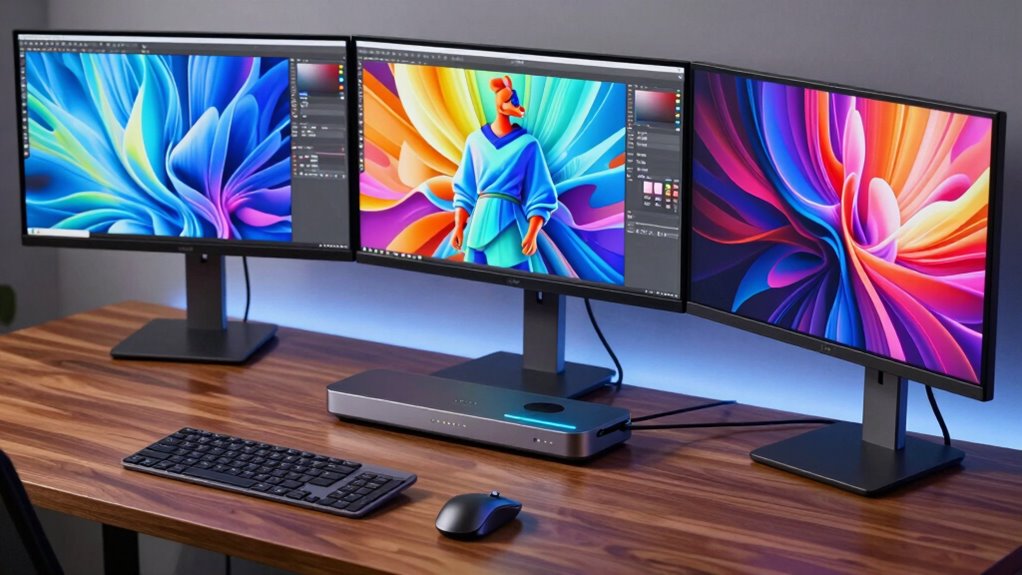

For anyone needing to connect three monitors to a single laptop or desktop, finding the right docking station is essential. The best options support multiple 4K displays, deliver reliable power, and are easy to set up. The Anker 13-in-1 USB-C Docking Station stands out as the overall top pick for its versatility, while the WAVLINK USB C Docking Station offers great value with solid performance. However, these options come with tradeoffs—higher-end models deliver more power and ports but often at a premium, while budget choices may limit features or compatibility. Keep reading for a detailed comparison to help you find the perfect fit for your setup.
Key Takeaways
- Top-performing docks support 4K@60Hz on all three displays simultaneously, crucial for smooth visuals.
- Power delivery capacity varies significantly, influencing compatibility with high-power laptops and charging needs.
- Build quality and port variety are key, but often involve tradeoffs between size, price, and expandability.
- Compatibility with Windows and Mac varies; some docks are platform-specific or require drivers like DisplayLink.
- Price range is broad; investing more generally yields better performance, more ports, and longer-term reliability.
| Anker 13-in-1 USB-C Docking Station with Triple Display, 85W Charging, and Multiple Ports |  | Best Overall for Versatile Connectivity | Ports: 2 HDMI, 1 DisplayPort, 3 USB-C, 3 USB-A, Ethernet, SD/TF card readers, 3.5mm audio, DC-IN | Power Delivery: 85W for laptop, 18W for phone | Max Monitors: Up to 3 external monitors at 1080p@60Hz or 1 at 4K@60Hz | VIEW ON AMAZON | See Our Full Breakdown |
| WAVLINK USB C Docking Station with Triple 4K Monitor Support, 6 USB Ports, Ethernet, Audio, 100W PD Charging |  | Best for Stunning 4K Visuals and Power | Monitor Support: Triple 4K@60Hz | Power Delivery: Up to 100W | USB Ports: 6 USB Gen2 (10G) | VIEW ON AMAZON | See Our Full Breakdown |
| Plugable USB-C Triple Monitor Docking Station: 13-in-1 Laptop Dock with 100W Charging for Mac and Windows |  | Best for Enterprise and Versatile Compatibility | Number of Ports: 13 | HDMI Ports: 3 | USB-A Ports: 4 | VIEW ON AMAZON | See Our Full Breakdown |
| Anker Prime Docking Station (DL7400), 14-in-1 Triple Display, DisplayLink, 140W Max, for Windows Laptops |  | Best Premium with Max Power and Advanced Cooling | Number of Ports: 14 | Display Support: Triple 4K@60Hz | Power Delivery: Up to 140W | VIEW ON AMAZON | See Our Full Breakdown |
| TobenONE DisplayLink Docking Station for Multiple Monitors with 120W Power Adapter |  | Best for Flexible Multi-Monitor Setups | Number of Monitors: 3 or 4 | Display Resolution: 4K@60Hz | Power Adapter: 120W | VIEW ON AMAZON | See Our Full Breakdown |
| Docking Station Dual Monitor 4K HDMI 13-in-1 USB C Hub for Laptop MacBook |  | Best Overall for Versatile Dual 4K Connectivity | Number of Ports: 13 | HDMI Outputs: 2 (4K@60Hz) | DisplayPort: 1 (4K@60Hz) | VIEW ON AMAZON | See Our Full Breakdown |
| Anker Nano Laptop Docking Station, 13-in-1 with Detachable 6-in-1 USB-C Hub, Triple Display, 100W Power Delivery, Ethernet, SD/TF Card Slots |  | Best for Portable Professionals Needing Triples and Travel-Friendly Design | Number of Ports: 13-in-1 with detachable 6-in-1 hub | Display Support: Up to 3 monitors (2 HDMI + 1 DisplayPort) | Maximum Resolution: 4K@60Hz (single), dual 2K@60Hz, triple 1080P@60Hz | VIEW ON AMAZON | See Our Full Breakdown |
| Selore 16-in-1 Triple HDMI Docking Station for Laptops and MacBooks | 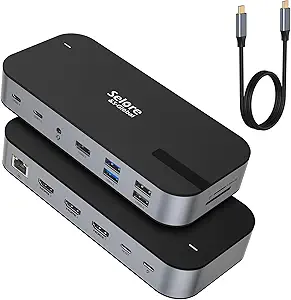 | Best for High-Resolution Triple 4K Display in Multi-Device Setups | Number of HDMI Ports: 3 | Max Resolution: 4K@60Hz (single), 4K@30Hz (triple) | USB Ports: 1 USB A 3.1, 2 USB-C 3.1, 2 USB A 3.0, 2 USB A 2.0 | VIEW ON AMAZON | See Our Full Breakdown |
| WAVLINK USB-C Triple Monitor Docking Station with 3 4K@60Hz Outputs, 100W Power Delivery, 6 USB Ports, Ethernet |  | Best for Stable, High-Res Multi-Display in Home and Office | Display Output: 3× 4K@60Hz via HDMI/DisplayPort | Power Delivery: 100W | USB Ports: 6 (2 USB-C + 4 USB-A) | VIEW ON AMAZON | See Our Full Breakdown |
| Anker 14-in-1 USB-C Hub with Triple Display for Laptops |  | Best for Comprehensive Connectivity and Moderate 4K Support | Number of HDMI Ports: 2 | Max Resolution: 4K@60Hz (single), 4K@30Hz (triple) | USB Ports: 5 x USB-A, 1 x USB-C | VIEW ON AMAZON | See Our Full Breakdown |
| MOKiN Laptop Docking Station Dual Monitor 4K HDMI USB C Hub for Dell/HP/Mac | 14-in-1, 2 HDMI, 2 DisplayPort, 87W Power Delivery, Ethernet, Card Reader, Turn Off Screen Button |  | Best for Versatile Multi-Device Setup with Extensive Ports | Number of HDMI ports: 2 | Number of DisplayPort ports: 2 | Ethernet port: 1 | VIEW ON AMAZON | See Our Full Breakdown |
| Plugable 13-in-1 USB C Docking Station with 4K Triple Monitor Support and 100W Power Delivery |  | Best for High-Resolution Triple Display with Power | Number of Ports: 13 | Display Outputs: 3 HDMI, 3 DisplayPort | Maximum Resolution: 3x 4K 60Hz | VIEW ON AMAZON | See Our Full Breakdown |
| Anker Docking Station (DL6350), 10-in-1 Triple Display with DisplayLink for Windows and MacBook |  | Best for Balanced Compatibility and Performance | Number of Display Outputs: 3 | Display Resolution: up to 4K@30Hz on main, 1080p on others | USB Ports: 2 USB-A 3.2 Gen 1, 1 USB-C 3.2 Gen 1, 1 USB-C 3.2 Gen 2 | VIEW ON AMAZON | See Our Full Breakdown |
| TobenONE 18-in-1 USB C Docking Station with Triple 4K HDMI, 9 USB Ports, Ethernet, and PD 3.0 for Windows/Laptops |  | Best for Maximum Connectivity and Power on Windows | Ports: 18 (including USB, HDMI, Ethernet, SD, audio) | Display Support: Triple 4K@60Hz | Power Delivery: 100W | VIEW ON AMAZON | See Our Full Breakdown |
| docking stations triple display | Power Delivery |
|---|---|
| Anker 13-in-1 USB-C Docking St | 85W for laptop, 18W for phone |
| WAVLINK USB C Docking Station | Up to 100W |
| Plugable USB-C Triple Monitor | — |
| Anker Prime Docking Station | Up to 140W |
| TobenONE DisplayLink Docking S | — |
| Docking Station Dual Monitor 4 | — |
| Anker Nano Laptop Docking Stat | 100W |
| Selore 16-in-1 Triple HDMI Doc | 100W PD (adapter not included) |
| WAVLINK USB-C Triple Monitor D | 100W |
| Anker 14-in-1 USB-C Hub with T | 80W |
| MOKiN Laptop Docking Station D | 87W |
| Plugable 13-in-1 USB C Docking | 100W |
| Anker Docking Station | 100W |
| TobenONE 18-in-1 USB C Docking | 100W |
More Details on Our Top Picks
Anker 13-in-1 USB-C Docking Station with Triple Display, 85W Charging, and Multiple Ports
This Anker model stands out for its impressive array of ports, supporting up to three external monitors with a combination of HDMI and DisplayPort outputs, similar to the Plugable USB-C Docking Station. It offers an effective balance of high data transfer speeds, 85W charging power, and a compact design that minimizes desk clutter. Unlike the WAVLINK Dock, it includes SD/TF card readers and audio ports, making it a well-rounded choice for users needing extensive connectivity. However, its monitor support on macOS is limited to mirroring, which can be a drawback compared to the Anker Prime Dock that supports DisplayLink for extended displays. The tradeoff here is that this station may require some compatibility checks with specific laptops, particularly for advanced display features.
Pros:- Supports up to three external monitors for expansive workspace
- High-speed data transfer and SD card reading
- Strong 85W charging capacity for laptops and peripherals
- Compact, vertical form factor saves desk space
Cons:- Limited monitor support on macOS (mirroring only)
- Requires USB-C with DisplayPort Alt Mode and Power Delivery
- Some features may not be fully compatible with all laptop brands
Best for: Power users who want a reliable, all-in-one dock with broad port options and high compatibility across Windows and ChromeOS devices.
Not ideal for: MacBook users seeking full extended display support without workarounds, as macOS limitations can restrict multi-monitor setups.
- Ports:2 HDMI, 1 DisplayPort, 3 USB-C, 3 USB-A, Ethernet, SD/TF card readers, 3.5mm audio, DC-IN
- Power Delivery:85W for laptop, 18W for phone
- Max Monitors:Up to 3 external monitors at 1080p@60Hz or 1 at 4K@60Hz
- Data Transfer Speed:10Gbps via USB-C, SD card read at 104 MB/s
- Dimensions:4.9 x 3.5 x 1.6 inches
- Weight:13.1 oz
Our verdict“This dock is ideal for users needing versatile connectivity and multiple displays but should verify compatibility with their specific laptop for optimal performance.”
WAVLINK USB C Docking Station with Triple 4K Monitor Support, 6 USB Ports, Ethernet, Audio, 100W PD Charging
This WAVLINK model is tailored for users who prioritize high-resolution visuals, supporting three 4K@60Hz monitors, a feature that surpasses the 1080p limits of the Anker 13-in-1. It delivers up to 100W charging, making it suitable for power-hungry laptops, and includes six USB ports for peripherals, along with Ethernet and audio outputs. Compared to the Plugable Dock, it emphasizes higher display resolution but requires that the connected laptop’s USB-C port supports video output and power delivery—something not always guaranteed. Its compatibility with Linux and Unix is limited, which could be a concern for some professionals. The main tradeoff is that users on macOS might face configuration hurdles, especially for extended multi-monitor setups.
Pros:- Supports triple 4K@60Hz monitors for crisp visuals
- Powerful 100W charging keeps laptops energized
- Multiple USB ports and Ethernet enhance productivity
- Wide OS compatibility including Windows, Mac, and ChromeOS
Cons:- Requires USB-C port with video output and power support
- Limited Linux/Unix compatibility
- macOS may need additional configuration for multi-monitor support
Best for: Creative professionals or power users who need high-resolution multi-monitor arrangements and robust charging capabilities.
Not ideal for: Linux users or those with laptops lacking USB-C video output support, as they may experience limited functionality.
- Monitor Support:Triple 4K@60Hz
- Power Delivery:Up to 100W
- USB Ports:6 USB Gen2 (10G)
- Ethernet:1Gbps
- Compatibility:Windows 11/10/8.1/8, Mac OS 10.14-13.x, Chrome OS, Ubuntu 20.04/22.04
- Adapter Power:160W
Our verdict“This station is perfect for users needing high-resolution displays and fast charging but should confirm compatibility with their laptop’s USB-C capabilities.”
Plugable USB-C Triple Monitor Docking Station: 13-in-1 Laptop Dock with 100W Charging for Mac and Windows
The Plugable dock excels in supporting a triple monitor setup with up to 4K resolution on the primary display, a feature that makes it a strong contender for office environments. Its 100W charging and array of ports—including USB-A, Ethernet, and SD card reader—provide a balanced setup for multitasking professionals. Compared to the Anker Prime, it requires driver installation for Mac and some Windows features, which could be a hurdle for less tech-savvy users. It also needs DisplayLink drivers to enable multiple displays on Mac, adding a layer of complexity. Nonetheless, its broad compatibility across Windows, macOS, and ChromeOS makes it a flexible choice for mixed-device environments. The tradeoff is that some streaming or DRM-protected content may not display correctly due to driver limitations.
Pros:- Supports three 4K monitors for extensive multitasking
- Provides high-speed 100W charging for laptops
- Includes essential ports like Ethernet, SD, and audio
- Universal compatibility across major operating systems
Cons:- Driver installation required for Mac and some Windows features
- DisplayLink driver needed for multiple displays on Mac
- HDCP content playback can be limited
Best for: Business users or IT managers seeking a reliable, multi-platform dock for professional multi-monitor setups.
Not ideal for: Home users wanting a plug-and-play experience without driver installations or configuration steps.
- Number of Ports:13
- HDMI Ports:3
- USB-A Ports:4
- USB-C Power Delivery:100W
- Additional Ports:Gigabit Ethernet, SD card reader, audio in/out
- Display Support:Up to 4K 30Hz on primary, 1920×1200 60Hz on others
Our verdict“This dock is best for professionals needing a multi-monitor setup across different OS platforms, accepting some initial setup complexity.”
Anker Prime Docking Station (DL7400), 14-in-1 Triple Display, DisplayLink, 140W Max, for Windows Laptops
The Anker Prime Docking Station stands out for its extensive port count and support for triple 4K@60Hz displays, making it ideal for power users. Its 140W max power delivery surpasses other models, like the WAVLINK, enabling faster charging and better support for high-power laptops. The inclusion of a built-in active fan and ActiveShield 3.0 technology helps maintain stability during heavy workloads, a feature absent in most competitors. However, it relies on DisplayLink drivers, which may introduce compatibility issues or require updates, especially for Mac users. Its broad port selection and high power capacity make it a premium choice, but the need for driver management and potential DRM restrictions are tradeoffs for many users.
Pros:- Supports three 4K@60Hz displays for detailed visuals
- Maximum 140W charging for demanding laptops
- Includes multiple USB ports, Ethernet, SD, and TF slots
- Built-in cooling system ensures stable operation during intensive tasks
Cons:- Requires latest DisplayLink driver for full functionality
- Potential DRM restrictions can cause black screens on protected content
- Front USB-C ports do not support display output
Best for: High-demand professionals requiring maximum power, extensive ports, and reliable multi-monitor support on Windows laptops.
Not ideal for: Users with Linux or older systems that lack full DisplayLink driver support, or those seeking a simple plug-and-play dock.
- Number of Ports:14
- Display Support:Triple 4K@60Hz
- Power Delivery:Up to 140W
- USB-C Ports:Three (two 100W, one 140W)
- HDMI Ports:Two
- DisplayPort:One
- Ethernet:1 Gbps
- Warranty:24 months
Our verdict“This premium dock is best suited for power users who prioritize maximum power delivery and extensive port options, accepting some driver management overhead.”
TobenONE DisplayLink Docking Station for Multiple Monitors with 120W Power Adapter
The TobenONE dock offers versatile support for three or four 4K@60Hz monitors, making it a flexible choice for busy professionals needing extensive display real estate. Its 120W power adapter supplies up to 100W charging, comparable to other high-capacity stations like the Anker Prime, but with added support for quad displays. The inclusion of multiple USB 3.2 ports, Ethernet, and a range of display options makes it suitable for complex workflows. However, like other DisplayLink-based solutions, it requires driver installation and may face restrictions streaming DRM-protected content, such as Netflix. It’s less suited for Linux users and those seeking a fully plug-and-play experience, but it excels in providing extensive connectivity for Windows and Mac users who can handle driver setup.
Pros:- Supports triple or quad 4K@60Hz displays for maximum workspace
- 120W power supply with 100W charging output
- Multiple USB 3.2 ports and Ethernet for peripherals
- Supports both Windows and Mac platforms
Cons:- Requires driver installation for full multi-monitor support
- DRM-protected streaming content may be restricted
- No native Linux support without additional configuration
Best for: Professionals needing support for multiple 4K monitors with extensive peripheral connectivity on Windows or Mac systems.
Not ideal for: Linux users or anyone wanting a simple, driver-free setup, since full functionality depends on driver installation.
- Number of Monitors:3 or 4
- Display Resolution:4K@60Hz
- Power Adapter:120W
- Charging Output:Up to 100W
- Ports:2 DisplayPort, 3 USB 3.2, Ethernet
- Data Transfer Speed:10Gbps
Our verdict“This dock is best for users who need flexible multi-monitor arrangements and extensive port support but are comfortable with driver setup and potential content restrictions.”
Docking Station Dual Monitor 4K HDMI 13-in-1 USB C Hub for Laptop MacBook
This docking station stands out for supporting dual 4K displays at 60Hz, making it ideal for users who need crisp visuals on two screens without sacrificing port variety. Compared to the Selore 16-in-1, it offers a more streamlined setup focused on high-quality dual monitors, but it’s limited to one monitor in extend mode on MacOS, which could be a drawback for Mac users. The inclusion of multiple USB ports, Ethernet, and 100W power delivery makes it a comprehensive solution for professional workflows. However, the extended display mode on MacOS is restricted, and its power consumption can reduce laptop charging wattage, which might be inconvenient during intensive tasks. Best suited for users who prioritize high-resolution dual display support with reliable data and power transfer, especially on Windows systems.
Pros:- Supports dual 4K displays at 60Hz, ideal for high-res multitasking
- Multiple USB ports, Ethernet, and audio for comprehensive connectivity
- Fast data transfer with 10Gbps USB 3.1 ports and 100W power delivery
Cons:- Extend mode limited to one monitor on MacOS, restricting multi-monitor workflows
- Power consumption reduces the laptop’s charging wattage, potentially affecting performance during demanding tasks
Best for: Power users with Windows laptops needing dual 4K displays and high-speed data transfer
Not ideal for: Mac users who require extended mode on both monitors, as they face limitations and reduced charging capacity
- Number of Ports:13
- HDMI Outputs:2 (4K@60Hz)
- DisplayPort:1 (4K@60Hz)
- USB C Ports:2 (support 100W PD, 10Gbps transfer)
- USB Ports:3 USB 3.1, 3 USB 3.0, 2 USB 2.0
- Ethernet:Gigabit Ethernet
Our verdict“This dock is best for Windows users who need high-quality dual 4K display support and versatile port options.”
Anker Nano Laptop Docking Station, 13-in-1 with Detachable 6-in-1 USB-C Hub, Triple Display, 100W Power Delivery, Ethernet, SD/TF Card Slots
The Anker Nano offers a flexible setup with a detachable hub, making it well-suited for users who travel or switch between locations frequently. It supports up to three monitors at resolutions up to 1080p for triple display setups, which is less demanding than some 4K options like the Selore 16-in-1, but still effective for everyday multitasking. The 100W power delivery ensures fast charging for most laptops, and the detachable hub provides compactness for on-the-go use. However, the dock’s support for triple 4K displays is limited to 1080p, which might not meet the needs of high-resolution workflows. Additionally, full functionality requires a laptop connection to power and activate the ports, and macOS support is limited to mirroring, not extended displays. This makes it ideal for mobile professionals who prioritize portability over ultra-high-res displays.
Pros:- Detachable hub for easy travel and compact storage
- Supports up to three monitors with resolutions up to 1080p, suitable for multitasking
- Delivers 100W power to charge laptops quickly
Cons:- Limited to 1080p for triple monitors, not suitable for high-res workflows
- Full port activation depends on laptop connection, not standalone
Best for: Travelers and remote workers needing a portable triple-display solution with reliable charging
Not ideal for: Users requiring native 4K triple monitor support or macOS extended mode, as these features are limited or unsupported
- Number of Ports:13-in-1 with detachable 6-in-1 hub
- Display Support:Up to 3 monitors (2 HDMI + 1 DisplayPort)
- Maximum Resolution:4K@60Hz (single), dual 2K@60Hz, triple 1080P@60Hz
- Power Delivery:100W
- Data Transfer Speed:10 Gbps
- Compatibility:Dell XPS, Lenovo ThinkPad, HP Spectre, most Windows laptops
Our verdict“This dock is perfect for mobile professionals who need a portable triple-monitor setup with dependable charging and basic multi-display support.”
Selore 16-in-1 Triple HDMI Docking Station for Laptops and MacBooks
This dock excels at supporting three 4K monitors simultaneously, making it ideal for professionals who need maximum visual clarity across multiple screens. Compared to the WAVLINK, it offers more extensive connectivity options, including SD and micro SD slots, Ethernet, and a variety of USB ports. Its support for 4K@60Hz on a single monitor and 4K@30Hz on all three makes it suitable for high-res workflows, but the triple monitor mode on macOS is limited to 4K@30Hz, which could impact smoothness. The dock’s multiple ports and charging capabilities boost productivity, though the power adapter is not included, requiring an external supply of at least 87W. The limitation on Mac extended mode and the need for a high-wattage charger may be downsides for some users. This is best for users prioritizing triple high-resolution monitors with comprehensive connectivity, especially on Windows.
Pros:- Supports three 4K monitors at 60Hz, ideal for high-resolution multitasking
- Includes SD/micro SD slots, Ethernet, and multiple USB ports
- Supports 4K@30Hz in triple mode on Mac, suitable for many professional workflows
Cons:- Requires a high-wattage power supply (not included), limiting portability
- Limited triple 4K support on Mac in extended mode at 60Hz
Best for: Professionals needing triple 4K display support with extensive peripherals and Ethernet connectivity
Not ideal for: Mac users who need extended mode at 4K@60Hz, as they will experience mode limitations and may need additional power sources
- Number of HDMI Ports:3
- Max Resolution:4K@60Hz (single), 4K@30Hz (triple)
- USB Ports:1 USB A 3.1, 2 USB-C 3.1, 2 USB A 3.0, 2 USB A 2.0
- Power Delivery:100W PD (adapter not included)
- Additional Ports:SD, Micro SD, Ethernet, 3.5mm Audio & Mic
- Compatibility:Windows, macOS
Our verdict“Best suited for Windows users who need triple 4K displays with extensive peripheral options and don’t mind a separate power adapter.”
WAVLINK USB-C Triple Monitor Docking Station with 3 4K@60Hz Outputs, 100W Power Delivery, 6 USB Ports, Ethernet
The WAVLINK offers a straightforward setup supporting three 4K@60Hz displays, making it highly suitable for demanding multitasking environments. Its single USB-C connection simplifies cable management while providing 100W power delivery and six USB ports for peripherals. This makes it a practical choice over some competitors like the Anker Nano for stationary use, as its support for triple 4K is robust and consistent. However, it does not support USB-A only laptops or gaming consoles, limiting its versatility. Also, macOS users must install DisplayLink drivers, which could complicate setup. Its focus on stability and high-res output makes it ideal for professional use but less adaptable for casual or gaming scenarios. This dock is best for users who want reliable triple 4K output with minimal fuss in a fixed workspace.
Pros:- Supports three 4K@60Hz displays for high-res multitasking
- Single-cable setup with 100W charging and multiple USB ports
- Stable, reliable connectivity with Ethernet and multiple USB options
Cons:- Requires DisplayLink driver installation on Mac, adding complexity
- Limited compatibility with USB-A devices and gaming consoles
Best for: Professionals needing stable triple 4K display support with reliable data and power transfer
Not ideal for: Casual users or gamers with USB-A-only devices, or those seeking plug-and-play simplicity without driver installations
- Display Output:3× 4K@60Hz via HDMI/DisplayPort
- Power Delivery:100W
- USB Ports:6 (2 USB-C + 4 USB-A)
- Ethernet:Yes
- Supported Systems:Windows, macOS with DisplayLink driver
Our verdict“Ideal for professionals prioritizing stable, high-resolution triple display setups in a fixed workspace environment.”
Anker 14-in-1 USB-C Hub with Triple Display for Laptops
The Anker 14-in-1 provides a broad array of ports, supporting triple 4K monitors and a variety of peripherals, making it a versatile choice for users who need multiple connections in a single device. Its support for dual HDMI at 4K and one VGA at 1080p offers flexibility, though it limits true triple 4K display support to two monitors in some configurations, similar to the Selore. The 80W pass-through charging helps keep laptops powered during use, but the charger isn’t included, which could add to setup costs. While it works well across Windows, Mac, and ChromeOS, some users might find the external display mirroring on macOS less flexible than native extended modes. Overall, it balances multiple port options with a decent display support profile, but isn’t the best choice for demanding 4K workflows. This hub is ideal for users needing broad connectivity and moderate 4K display support on various systems.
Pros:- Supports triple displays with 4K on two HDMI ports and 1080p on VGA
- Many USB and SD card ports for peripherals and data transfer
- 80W pass-through charging maintains laptop power during multitasking
Cons:- Limited triple 4K support—often only two displays at 4K
- Charger not included, requiring additional purchase
Best for: Users needing extensive ports with moderate triple 4K display capability and multi-OS compatibility
Not ideal for: High-end creative professionals requiring full triple 4K extended display support or built-in drivers for seamless setup
- Number of HDMI Ports:2
- Max Resolution:4K@60Hz (single), 4K@30Hz (triple)
- USB Ports:5 x USB-A, 1 x USB-C
- Supported Systems:Windows, macOS, ChromeOS
- Power Delivery:80W
Our verdict“This hub offers broad connectivity for users who need multiple ports and moderate triple 4K support across various systems.”
MOKiN Laptop Docking Station Dual Monitor 4K HDMI USB C Hub for Dell/HP/Mac | 14-in-1, 2 HDMI, 2 DisplayPort, 87W Power Delivery, Ethernet, Card Reader, Turn Off Screen Button
This MOKiN docking station excels in supporting multiple monitors at 4K resolution, making it ideal for professionals requiring extensive connectivity. Compared to the Plugable 13-in-1, it offers more ports, including dual HDMI and DisplayPort outputs, but it’s limited to MST mode on macOS, restricting some multi-display configurations. Its 87W power delivery is sufficient for most laptops, yet it doesn’t include a charger, requiring a 110W adapter for full capacity. The broad port selection, including Ethernet and SD card reader, makes it a comprehensive choice for complex setups. However, some configurations may need specific OS support, and Mac support is limited to mirrored displays.
Pros:- Supports multiple monitors with 4K resolution for enhanced productivity
- Includes a wide range of ports including Ethernet, card reader, and USB options
- Provides high-speed data transfer and stable wired network connection
- Offers up to 87W charging to power laptops efficiently
Cons:- MacBook support limited to MST mode, only supporting mirrored displays
- Charger not included, requires a 110W adapter for full charging capacity
- Some configurations may require specific OS support for multi-display setups
Best for: Power users needing a wide array of ports and multi-monitor support for professional multitasking
Not ideal for: Mac users seeking extended display flexibility, as support is limited to mirrored displays
- Number of HDMI ports:2
- Number of DisplayPort ports:2
- Ethernet port:1
- USB-C ports:2
- USB-A ports:3
- Power Delivery:87W
- Supported Resolutions:4K
- Compatibility:Dell, HP, Mac
Our verdict“This docking station suits users needing extensive port options and multi-monitor support, especially on Windows.”
Plugable 13-in-1 USB C Docking Station with 4K Triple Monitor Support and 100W Power Delivery
The Plugable UD-ULTC4K stands out for enabling three 4K monitors at 60Hz, making it ideal for detailed visual work. Compared with the Anker Docking Station, it offers higher maximum resolution support but requires DisplayLink drivers on macOS, which can complicate setup. Its 100W power delivery ensures your laptop stays charged during intensive tasks, and the inclusion of multiple HDMI and DisplayPort outputs provides flexible connectivity. Nonetheless, driver installation can be a hurdle, and it lacks HDCP support for protected content. This makes it a solid choice for Windows users who prioritize high-res visuals but less so for plug-and-play simplicity on Mac.
Pros:- Supports triple 4K monitors at 60Hz for detailed, high-quality visuals
- Provides 100W power delivery to keep laptops charged
- Multiple display connection options including HDMI and DisplayPort
Cons:- Requires DisplayLink drivers on macOS, which may complicate setup
- No HDCP support for protected streaming content
- Driver installation needed for proper operation
Best for: Professionals needing three 4K displays and reliable power delivery on Windows or Linux systems
Not ideal for: Mac users or those seeking a driver-free setup, due to driver dependency and compatibility issues
- Number of Ports:13
- Display Outputs:3 HDMI, 3 DisplayPort
- Maximum Resolution:3x 4K 60Hz
- Power Delivery:100W
- USB-C Data Transfer:up to 10Gbps
- Charging for Accessories:up to 20W
Our verdict“This pick makes the most sense for users who need high-res triple display support primarily on Windows with straightforward setup.”
Anker Docking Station (DL6350), 10-in-1 Triple Display with DisplayLink for Windows and MacBook
The Anker Docking Station offers a solid balance between versatility and ease of use, supporting triple 4K displays at 30Hz on the main screen and 1080p on others. Compared to TobenONE’s 18-in-1, it has fewer ports but benefits from a more straightforward, compact design. It supports 100W charging and high-speed data transfer, making it suitable for users with multiple peripherals. However, it requires DisplayLink driver installation, which can add complexity, and its secondary displays are limited to 1080p at 60Hz, potentially limiting high-resolution workflows. This makes it a practical choice for those who need reliable multi-monitor support without the maximum resolution requirement.
Pros:- Supports three displays up to 4K on the main monitor
- High-speed data transfer and 100W charging
- Compatible with Windows and MacBook devices
Cons:- Requires DisplayLink driver installation for full functionality
- Maximum resolution on secondary displays limited to 1080p at 60Hz
- Setup may need additional configuration for optimal performance
Best for: Users seeking a reliable, compatible triple display setup with good peripheral support on Windows and Mac
Not ideal for: Power users requiring 4K@60Hz on all three screens or minimal setup complexity, due to driver dependency
- Number of Display Outputs:3
- Display Resolution:up to 4K@30Hz on main, 1080p on others
- USB Ports:2 USB-A 3.2 Gen 1, 1 USB-C 3.2 Gen 1, 1 USB-C 3.2 Gen 2
- Ethernet:Yes
- Power Delivery:100W
- Included Cable:USB-C 3.2 Gen 2
Our verdict“This docking station works well for users wanting a balance of compatibility and multi-monitor support without pushing for maximum resolutions on all screens.”
TobenONE 18-in-1 USB C Docking Station with Triple 4K HDMI, 9 USB Ports, Ethernet, and PD 3.0 for Windows/Laptops
The TobenONE 18-in-1 dock delivers an impressive array of ports, supporting triple 4K@60Hz HDMI displays along with nine USB ports and Ethernet, making it a comprehensive hub for demanding workflows. This makes it ideal for those who need maximum peripheral support and high-resolution visuals simultaneously. Unlike the other options, it offers a large number of USB ports, catering to extensive device connections, but it lacks a power supply included, meaning an additional purchase is necessary. Also, designed specifically for Windows and Chrome OS, it isn’t compatible with Mac systems, which limits its flexibility. Its high power output and rich port selection are well-suited for power users who value expandability over plug-and-play simplicity.
Pros:- Supports triple 4K@60Hz displays for high-quality visuals
- Nineteen ports including USB, Ethernet, SD, and audio
- Powerful 100W charging capability for laptops
Cons:- Power adapter not included, requiring an additional purchase
- Designed specifically for Windows and Chrome OS, not Mac
- No power supply over 65W for stable operation without extra power source
Best for: Power users on Windows needing maximum device connectivity and triple 4K@60Hz display support
Not ideal for: Mac users or those seeking an all-in-one solution with included power supply, given the extra purchase required
- Ports:18 (including USB, HDMI, Ethernet, SD, audio)
- Display Support:Triple 4K@60Hz
- Power Delivery:100W
- Compatibility:Windows, Chrome OS
- Additional Features:N/A
Our verdict“This dock is ideal for Windows users who need maximum port expandability and high-resolution display support, with the caveat of needing an extra power adapter.”

How We Picked
I evaluated these docking stations based on core factors like display support, power delivery, port diversity, build quality, and compatibility. Priority was given to docks supporting three 4K displays at 60Hz, as this is vital for high-resolution workflows. I also considered user-friendly features such as ease of setup, driver stability, and overall reliability. The ranking reflects a balance between performance, value, and versatility, ensuring options for different budgets and needs. Docks with comprehensive port options and robust power delivery earned higher rankings, while those with limitations or compatibility issues fell lower.Factors to Consider When Choosing Docking Stations Triple Display
Choosing a docking station for triple displays requires balancing several key factors. Beyond just support for three monitors, you’ll want to consider power capacity, port variety, and compatibility with your devices. Making the wrong choice can result in flickering screens, slow data transfer, or insufficient charging. Here are some critical considerations to keep in mind when selecting the right dock for your setup.Display Support and Refresh Rates
Ensure the dock explicitly supports three 4K displays at 60Hz if you need high-resolution, smooth visuals. Some docks advertise support for multiple monitors but only deliver 30Hz at 4K, which can cause lag and flickering. Verify the video outputs—HDMI, DisplayPort, or USB-C—and check whether they support the desired resolution and refresh rate. Cheaper docks might cut corners here, making performance suffer in demanding workflows such as video editing or gaming.
Power Delivery and Charging Capacity
Look for docks offering at least 85W-100W of power delivery if you want to charge your laptop while using multiple displays. Insufficient power can cause your device to run out of juice or charge very slowly. Higher-end docks with 130W or more support larger laptops and peripherals, providing a smoother experience. Be aware that some docks may throttle power delivery if many ports are in use, so check reviews for real-world performance.
Port Variety and Expandability
Assess your needs for USB-A, USB-C, Ethernet, SD card slots, and audio jacks. A good triple-display dock should balance video outputs with data and connectivity ports, reducing the need for additional hubs. Keep in mind that more ports can mean a larger, bulkier device, which might be less portable. Consider your workspace constraints and whether a compact dock or a more feature-rich model makes better sense for your setup.
Compatibility and Driver Support
Check if the dock is compatible with your operating system—Windows, macOS, or both. Some docks rely on proprietary drivers like DisplayLink, which can introduce stability issues or require updates. Compatibility with your specific laptop model is also critical, especially regarding the USB-C or Thunderbolt standards. Reading user reviews on compatibility can save you from frustrating setup experiences or performance bottlenecks.
Build Quality and Reliability
A durable, well-built dock reduces the risk of failure over time, especially if you travel often or move your workspace. Consider the materials used, heat dissipation features, and the reputation of the brand. Cheaper docks might save money upfront but could fail prematurely or have loose ports. Investing in a slightly pricier, reputable model often translates into better longevity and consistent performance.
Frequently Asked Questions
Can I use a triple display dock with a USB-C laptop that doesn’t have Thunderbolt?
Yes, many USB-C docks support triple displays without requiring Thunderbolt—these typically rely on USB-C Alt Mode or DisplayLink technology. However, the performance and maximum resolution may vary depending on the specific dock and your laptop’s capabilities. Ensure that your device’s USB-C port supports video output and check the dock’s specifications to confirm compatibility. For high-refresh-rate or 4K displays, a Thunderbolt dock might offer more reliable performance, but non-Thunderbolt options can still be effective for many users.
What’s the best way to ensure my monitors will work correctly with a docking station?
Start by verifying the dock supports your monitor resolutions and refresh rates—look for support for 4K@60Hz across all three outputs if needed. Check the connection types on your monitors (HDMI, DisplayPort, etc.) and confirm they match the dock’s outputs or that you have appropriate adapters. Reading user reviews about real-world compatibility can reveal issues like flickering or display detection problems. Finally, ensure your laptop’s graphics hardware can handle three external displays simultaneously, as some integrated GPUs have limitations.
Is it worth spending more on a docking station for triple display support?
Investing in a higher-priced dock often means better build quality, more reliable performance, and increased power delivery capacity. Premium models are less likely to experience issues like flickering, lag, or driver compatibility problems. If your workflow depends on high-resolution, high-refresh-rate displays, or you need to power a high-end laptop, paying more can be a cost-effective choice in the long run. However, if your needs are basic—such as web browsing and office work—a budget dock may suffice, but with some compromises on performance and longevity.
Are docks with DisplayLink technology suitable for professional use?
DisplayLink-based docks are widely used because they offer flexible multi-display support, especially on devices lacking native multi-video output. They work well for general productivity, video conferencing, and even some light creative tasks. However, they can sometimes experience driver stability issues or performance lag, particularly with high-refresh-rate or high-resolution monitors. For critical professional applications like video editing or 3D rendering, docks with native GPU support or Thunderbolt connections may offer more consistent, higher-performance results.
How important is port variety when choosing a triple display dock?
Port variety is essential because it determines how many peripherals and accessories you can connect simultaneously. A versatile dock with multiple USB ports, SD card slots, Ethernet, and audio jacks reduces the need for additional hubs or adapters, simplifying your setup. However, more ports often mean increased size and expense. Consider your specific needs—if you use external drives, cameras, or Ethernet frequently, prioritize docks with a broad range of ports to avoid bottlenecks or clutter.
Conclusion
For most users, the Anker 13-in-1 USB-C Docking Station offers the best overall experience, combining robust performance, multiple ports, and reliable support. Those on a tighter budget or looking for solid basic functionality should consider the WAVLINK USB C Docking Station, which provides good value without sacrificing essential features. Professionals requiring maximum power and expandability might opt for the Anker Prime Docking Station with its high wattage and extensive port options. Beginners or casual users will benefit from simpler, more affordable models, while power users should look toward premium docks with native GPU support and high throughput capabilities. Your choice depends on your specific needs, device compatibility, and budget constraints—each option in this list has a clear role to play depending on your setup priorities.