The xTool M2 10W is my best overall pick for custom gifts, pairing an enclosure with dual cameras for more confident placement and a tidier desktop setup. The Creality Falcon A1C stands out for camera-assisted work, while the xTool F2 offers the broadest material range with diode and infrared lasers. The main tradeoffs are work area, engraving speed and detail, material compatibility, and the safety and ventilation setup each machine needs. Smaller 3W and 5W models can suit occasional personalization, but they are less flexible for cutting and larger projects. Read on for the full breakdown and help matching a machine to the gifts you plan to make.

Get business pricing on office and shipping supplies
- Business-only prices and quantity discounts
- Tax-exempt purchasing
- Multiple users, one account, clear invoices
Key Takeaways
- Enclosure and camera features separate the easiest gift-making setups. The xTool M2 and Creality Falcon A1C are standouts for placing designs accurately and working in a more contained setup, though buyers still need to follow each machine’s safety instructions.
- The xTool F2 is the widest-material-coverage pick in this lineup. Its 15W diode and 5W infrared lasers give it two different engraving approaches, making it a better fit for mixed-material gift work than a basic diode-only mini.
- 10W-class machines are the most balanced tier represented here. Models such as the Carverall K15 Pro and BlazeX M3 offer more headroom for varied projects than the 3W and 5W minis, without moving into the dual-laser F2 category.
- Compact and foldable models trade capacity for easier storage. The ARTILUME T1, Artilume 3W, and mini engravers can make sense for small personalized items, but their format and lower power constrain project size and cutting ambitions.
- Power alone does not determine gift-making convenience. Work area, cameras, enclosure, material compatibility, and workflow features can matter more than a wattage difference when the goal is repeatable personalization.
| xTool M2 10W Enclosed Laser Engraver with Dual Cameras |  | Best for Camera-Guided Gift Making | Laser power: 10W diode laser | Safety class: Class 1 | Cameras: Built-in dual cameras | VIEW ON AMAZON | See Our Full Breakdown |
| Carverall K15 Pro 10W Laser Engraver and Cutter |  | Best for Compact, Repeatable Projects | Laser power: 10W | Work area: 11.8 × 7.9 inches | Precision: 0.01 mm | VIEW ON AMAZON | See Our Full Breakdown |
| ARTILUME T1 Foldable 7W Laser Engraver |  | Best for Easy Storage | Laser power: 7W (7000mW) | Working area: 200 × 150 mm | Engraving accuracy: Up to 0.01 mm | VIEW ON AMAZON | See Our Full Breakdown |
| ELIDOR Z6 6W Laser Engraver and Cutter |  | Best for a Larger Work Area on a Light Frame | Laser power: 6W (6000mW) | Working area: 300 × 300 mm (11.8 × 11.8 in) | Laser spot size: 0.04 × 0.14 mm | VIEW ON AMAZON | See Our Full Breakdown |
| BlazeX M3 10W Laser Engraver and Cutter with Enclosure and Honeycomb Bed |  | Best Starter Kit for Gift Projects | Laser power: 10W | Precision: 0.01 mm | Item weight: 8 pounds | VIEW ON AMAZON | See Our Full Breakdown |
| ACMER S1 6000mW Diode Laser Engraver and Cutter | 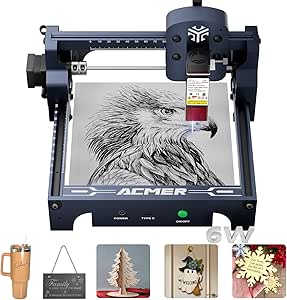 | Best for Quick-Setup Cutting | Laser power: 6000 mW | Working area: 130 × 130 mm | Engraving speed: Up to 10,000 mm/min | VIEW ON AMAZON | See Our Full Breakdown |
| Creality Falcon A1C 10W AI Laser Engraver with Camera |  | Best for Guided Positioning | Laser power: 10W | Work area: 150 × 150 × 148 mm | Maximum engraving speed: 15,000 mm/min | VIEW ON AMAZON | See Our Full Breakdown |
| Carverall A1 Pro 12W Mini Laser Engraver with Camera |  | Best for Small-Batch Gift Production | Laser power: 12W (verified 12.36–12.58W) | Work area: 3.94 × 3.94 inches | Maximum item height: 10.63 inches (27 cm) | VIEW ON AMAZON | See Our Full Breakdown |
| Artilume 3W Foldable Laser Engraver |  | Best Compact Storage Pick | Laser power: 3W | Working area: 150 × 200 mm | Engraving precision: Up to 0.01 mm | VIEW ON AMAZON | See Our Full Breakdown |
| Artilume 7W Laser Engraver, 200 × 150 mm Work Area |  | Best Value for Engraving and Light Cutting | Laser output: 7 W | Working area: 200 × 150 mm | Engraving accuracy: 0.01 mm | VIEW ON AMAZON | See Our Full Breakdown |
| LaserVii L1 Mini 3W Desktop Laser Engraver |  | Best Value for Small Custom Gifts | Laser power: 3W | Work area: 150 × 150 mm (5.9 × 5.9 in) | Maximum speed: 12,000 mm/min | VIEW ON AMAZON | See Our Full Breakdown |
| AlgoLaser Pixi 1064nm Infrared Metal Laser Engraver with 3.5-Inch Touchscreen |  | Best for Metal Keepsakes | Laser wavelength: 1064nm infrared | Laser spot size: 0.04 × 0.05 mm | Display: 3.5-inch touchscreen | VIEW ON AMAZON | See Our Full Breakdown |
| WAINLUXPRO K10 5W Class 1 Enclosed Laser Engraver | 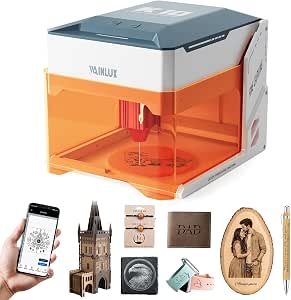 | Best Enclosed Pick for Tiny Gifts | Laser power: 5W | Laser safety class: Class 1 | Work area: 80 × 80 mm | VIEW ON AMAZON | See Our Full Breakdown |
| SCULPFUN C1 Mini 3W Laser Engraver |  | Best for Fine Detail in a Lightweight Frame | Laser output: 3W (3000mW) | Working area: 150 × 130 mm (5.9 × 5.1 in) | Spot size: 0.04 mm | VIEW ON AMAZON | See Our Full Breakdown |
| xTool F2 Dual Laser Engraver with 15W Diode and 5W IR Lasers |  | Best Premium Pick for Material Range | Diode laser output: 15W | Infrared laser output: 5W | Camera: 50MP | VIEW ON AMAZON | See Our Full Breakdown |
| desktop laser engraver for custom gift | Laser power |
|---|---|
| xTool M2 10W Enclosed Laser En | 10W diode laser |
| Carverall K15 Pro 10W Laser En | 10W |
| ARTILUME T1 Foldable 7W Laser | 7W (7000mW) |
| ELIDOR Z6 6W Laser Engraver an | 6W (6000mW) |
| BlazeX M3 10W Laser Engraver a | 10W |
| ACMER S1 6000mW Diode Laser En | 6000 mW |
| Creality Falcon A1C 10W AI Las | 10W |
| Carverall A1 Pro 12W Mini Lase | 12W (verified 12.36–12.58W) |
| Artilume 3W Foldable Laser Eng | 3W |
| Artilume 7W Laser Engraver | — |
| LaserVii L1 Mini 3W Desktop La | 3W |
| AlgoLaser Pixi 1064nm Infrared | — |
| WAINLUXPRO K10 5W Class 1 Encl | 5W |
| SCULPFUN C1 Mini 3W Laser Engr | — |
| xTool F2 Dual Laser Engraver w | — |
More Details on Our Top Picks
xTool M2 10W Enclosed Laser Engraver with Dual Cameras
For personalized gifts where alignment matters, the enclosed Class 1 design and dual cameras make the xTool M2 the most guided option in this group. Workspace previews help position names and artwork on blanks, while templates and an AI image generator offer a gentler start than the more software-dependent ELIDOR Z6. Its 10W diode handles engraving and cutting across materials such as wood, leather, felt, fabric, and paper, giving gift makers room to vary their projects. The tradeoff is that several appealing capabilities are add-ons: full-color printing, rotary engraving, and fine metal or plastic work require separately purchased modules. At 36.2 pounds, it is also less suited to frequent moving than the lightweight, open-frame Z6. I’d choose it for a more contained, camera-assisted workflow, not for a fully equipped all-in-one kit.
Pros:- Class 1 enclosure supports a more contained working setup.
- Dual cameras provide previews that help position designs on gift blanks.
- Supports engraving and cutting on wood, leather, felt, fabric, and paper.
- Templates and an AI image generator can help beginners prepare designs.
Cons:- CMYK printing, rotary engraving, and 3W IR capabilities require optional modules.
- At 36.2 pounds, it is less portable than compact open-frame alternatives.
Best for: Gift makers who want an enclosed machine, camera-assisted placement, and beginner-friendly tools for personalizing varied craft materials.
Not ideal for: Buyers who need rotary or full-color work included, or who want a lightweight engraver they can move and store frequently.
- Laser power:10W diode laser
- Safety class:Class 1
- Cameras:Built-in dual cameras
- Supported materials:300+ materials, including wood, leather, felt, fabric, and paper
- Weight:36.2 pounds
- Package dimensions:28 x 25 x 12 inches
- Warranty:1 year
- Optional add-ons:CMYK Inkjet module, RA3 Lite Rotary, 3W IR laser
Our verdict“Choose the xTool M2 for camera-guided, enclosed gift personalization, provided you are comfortable buying specialized modules separately.”
Carverall K15 Pro 10W Laser Engraver and Cutter
The Carverall K15 Pro pairs a compact 11.8 × 7.9-inch work area with app control and offline TF card operation, a practical combination for small personalized gifts such as tags, ornaments, and wallet-sized pieces. Its listed 0.01 mm precision and speed up to 15,000 mm/min suit detailed designs, while the offline option can keep a prepared job running without relying on continuous app control. Compared with the larger-bed ELIDOR Z6, this machine gives up project space; compared with the foldable ARTILUME T1, it offers a 10W laser rather than 7W. Still, material claims need careful reading: the diode is intended for coated metal, and bare-metal engraving calls for the optional IR head. That upgrade, along with other accessories, is not included, so this is a focused small-project pick rather than a ready-made metal gift station.
Pros:- Compact work area suits small gift blanks and takes up less workspace.
- App control and offline TF card operation provide flexible job handling.
- Listed 0.01 mm precision and speeds up to 15,000 mm/min support detailed designs.
- Starter materials, tools, and safety glasses are included.
Cons:- The 11.8 × 7.9-inch work area restricts larger projects.
- Bare-metal engraving requires the optional 1W IR laser head.
- Other accessories and upgrades are sold separately.
Best for: Makers producing small wooden, leather, acrylic, or coated-metal gifts who value app control and the option to run offline jobs.
Not ideal for: Buyers engraving large signs or expecting the included diode to mark bare metal without an optional IR upgrade.
- Laser power:10W
- Work area:11.8 × 7.9 inches
- Precision:0.01 mm
- Maximum speed:15,000 mm/min
- Item weight:2.68 kg
- Supported materials:Wood, acrylic, leather, coated metal, and more
- Connectivity and operation:App control and offline TF card operation
- Warranty:1 year
Our verdict“Pick the K15 Pro for compact personalized gifts and flexible job control, but not for large work or bare-metal engraving out of the box.”
ARTILUME T1 Foldable 7W Laser Engraver
For a gift maker who must put the machine away between projects, the ARTILUME T1’s foldable frame is its clearest advantage. It offers a 200 × 150 mm work area and up to 0.01 mm engraving accuracy, enough for many small keepsakes, labels, and personal accessories. Mostly preassembled setup and support for a mobile app, LightBurn, and LaserGRBL give buyers a choice between a simple control path and more familiar desktop software. The tradeoff is capacity: the ELIDOR Z6 offers a much larger 300 × 300 mm bed, while the Carverall K15 Pro has a 10W laser and faster listed maximum speed. The T1’s 7W output and compact work area make it a better fit for modest projects than frequent cutting of larger or demanding materials. Material results can vary, so this is a space-saving choice, not a heavy-duty gift-production machine.
Pros:- Foldable frame is easier to store or transport than a fixed-frame machine.
- Works with a mobile app, LightBurn, and LaserGRBL.
- Mostly preassembled design can simplify initial setup.
- Can engrave or cut compatible wood, leather, paper, and acrylic.
Cons:- The 200 × 150 mm work area limits the size of gift blanks and designs.
- Its 7W laser is less powerful than the 10W Carverall K15 Pro.
- Material compatibility and cutting performance vary by material.
Best for: Apartment crafters, students, and occasional gift makers who need a small engraver that folds away and supports both app and desktop software.
Not ideal for: Makers who need a large work area, routinely cut substantial material, or want more laser power for a broader range of jobs.
- Laser power:7W (7000mW)
- Working area:200 × 150 mm
- Engraving accuracy:Up to 0.01 mm
- Engraving speed:Up to 10,000 mm/min
- Control:Mobile app, LightBurn, LaserGRBL
- Frame:Foldable
- Warranty:1 year
Our verdict“Choose the ARTILUME T1 when compact storage matters more than a large work area or higher laser power.”
ELIDOR Z6 6W Laser Engraver and Cutter
The ELIDOR Z6 makes a different compromise from the smaller ARTILUME T1: it pairs a 300 × 300 mm work area with a lightweight 2.13 kg frame. That extra bed space is useful for larger plaques, batches of small gift tags, or arranging several pieces in one job, while the 0.04 × 0.14 mm laser spot and listed 0.01 mm accuracy are aimed at detailed engraving. It also works with LaserGRBL and LightBurn across Windows, macOS, and Linux, offering more platform flexibility than an app-only workflow. Against the 10W BlazeX M3, however, its 6W output is the more modest choice, and the Z6’s open, lightweight design does not provide the M3’s included enclosure and honeycomb bed. I’d favor it for bed size and portability, while keeping expectations measured around cutting performance and material results.
Pros:- 300 × 300 mm work area accommodates larger pieces and small batches.
- Lightweight 2.13 kg frame is easier to move than the enclosed xTool M2.
- Compatible with LightBurn and LaserGRBL on Windows, macOS, and Linux.
- Fine listed laser spot and up to 0.01 mm engraving accuracy support detailed designs.
Cons:- Its 6W laser is less powerful than the 10W BlazeX M3 and Carverall K15 Pro.
- The open, lightweight design does not include an enclosure or honeycomb bed.
- The 300 × 300 mm bed still limits work larger than its stated area.
Best for: Makers who want to engrave larger gift pieces or batch small items, need cross-platform software, and value a light machine.
Not ideal for: Buyers prioritizing an included enclosure, a higher-power laser, or a fully specified setup for cutting varied materials.
- Laser power:6W (6000mW)
- Working area:300 × 300 mm (11.8 × 11.8 in)
- Laser spot size:0.04 × 0.14 mm
- Engraving accuracy:Up to 0.01 mm
- Maximum speed:10,000 mm/min
- Weight:2.13 kg (4.7 lbs)
- Compatible software:LaserGRBL, LightBurn
- Supported operating systems:Windows, macOS, Linux
Our verdict“Choose the Z6 for a roomy bed and easy portability, but look to the BlazeX M3 if an included enclosure and 10W output matter more.”
BlazeX M3 10W Laser Engraver and Cutter with Enclosure and Honeycomb Bed
The BlazeX M3 earns its place through the included project setup: enclosure, honeycomb bed, tool kit, and 13 engraving materials give a new gift maker more to start with than the xTool M2, whose specialized printing and rotary functions require separate modules. Its 10W laser supports engraving and cutting, and compatibility with LightBurn, LaserGRBL, and CutLabX leaves room to choose a workflow. Safety sensors that stop the machine if it tilts or the lid opens add a practical layer for a desktop craft space. Compared with the camera-equipped M2, though, the M3 does not list dual cameras for placement previews, so positioning designs may be less guided. Rotary roller, risers, air assist, and purifier are optional upgrades, and the material list does not mean every material can be cut. This is a bundled starting point, not a guarantee of effortless or universal processing.
Pros:- Starter kit includes an enclosure, honeycomb bed, tool kit, and 13 engraving materials.
- 10W laser supports both engraving and cutting.
- Safety sensors stop operation if the machine tilts or the lid opens.
- Works with LightBurn, LaserGRBL, and CutLabX.
Cons:- Rotary roller, risers, air assist, and purifier are optional upgrades.
- No camera-based placement preview is listed, unlike the xTool M2.
- Compatible-material claims do not establish that every material can be cut.
Best for: First-time gift makers who want an enclosure, honeycomb bed, starter materials, and common software included in one setup.
Not ideal for: Buyers who want camera-guided placement, included rotary engraving, or confirmed cutting performance across every listed material.
- Laser power:10W
- Precision:0.01 mm
- Item weight:8 pounds
- Power source:Corded electric
- Included accessories:Enclosure, honeycomb bed, tool kit, 13 engraving materials
- Compatible software:LightBurn, LaserGRBL, CutLabX
- Compatible materials:Wood, leather, glass, coated metal, acrylic
Our verdict“Choose the BlazeX M3 for a more complete starter setup, but pick the xTool M2 if camera-guided placement is your priority.”
ACMER S1 6000mW Diode Laser Engraver and Cutter
The ACMER S1 suits gift makers who want a compact machine that can engrave keepsakes and cut small wooden or acrylic pieces. Its 99% preassembled setup lowers the barrier to getting started, while compatibility with ACMER Studio, LightBurn, and LaserGRBL gives buyers room to choose familiar software across macOS, Windows, or Linux. Compared with the 3W Artilume BLUE-3W-NO APP, the S1 offers more power for light cutting; the Carverall A1 Pro, however, lists thicker cutting limits and adds a camera, air assist, and enclosure. The S1’s 130 × 130 mm work area is the main constraint: it fits personalized tags and small ornaments, not larger gift panels. Its Class 4 classification also calls for careful attention to laser safety.
Pros:- Supports both engraving and light cutting on several listed materials.
- Arrives 99% preassembled, shortening setup.
- Works with ACMER Studio, LightBurn, and LaserGRBL on macOS, Windows, and Linux.
- Compact 4.2-pound aluminum-alloy design is easier to store than the heavier Creality Falcon A1C.
Cons:- The 130 × 130 mm work area limits gift size.
- Cutting capability is specified for thin plywood, MDF, and acrylic.
- Class 4 classification makes laser safety precautions especially important.
Best for: Gift makers who want a lightweight, mostly ready-to-run engraver for small wood, leather, and thin-sheet projects.
Not ideal for: Buyers making larger signs or seeking a more enclosed setup; its 130 × 130 mm area is small and it is classified as Class 4.
- Laser power:6000 mW
- Working area:130 × 130 mm
- Engraving speed:Up to 10,000 mm/min
- Repeatable positioning accuracy:0.01 mm
- Machine dimensions:250 × 250 × 162 mm
- Weight:4.2 pounds
- Compatible software:ACMER Studio, LightBurn, LaserGRBL
- Laser classification:Class 4
Our verdict“Choose the ACMER S1 for small personalized gifts and light cutting when quick setup matters more than a large work area or enclosed design.”
Creality Falcon A1C 10W AI Laser Engraver with Camera
The Falcon A1C’s AI camera and autofocus are its clearest advantages for custom gifts: positioning a name or image on a small blank is less dependent on manual alignment. Its enclosed Class 1 design also makes it a more contained desktop option than the open-frame ACMER S1, though buyers still need to follow the manufacturer’s safety guidance. At 150 × 150 × 148 mm, its work area is only modestly larger than the S1’s, and the 31.1-pound machine is far less portable. The platform accepts 5W, 10W, and 1.2W modules, giving it expansion options, but only one module is included. For gift makers prioritizing stronger cutting claims and offline batches, the Carverall A1 Pro has more specified capabilities; the Falcon’s case is its camera-led workflow.
Pros:- AI camera assists with artwork placement on gift blanks.
- Automatic focusing reduces manual setup steps.
- Enclosed Class 1 design provides a more contained working setup than the open-frame ACMER S1.
- Interchangeable platform supports compatible 5W, 10W, and 1.2W modules.
Cons:- Only one laser module is included.
- The 150 × 150 × 148 mm work area restricts larger gift projects.
- At 31.1 pounds, it is much less portable than the lightweight Artilume foldable models.
Best for: Desktop gift makers who often position artwork on small objects and value camera guidance, autofocus, and an enclosed design.
Not ideal for: Makers who need a portable engraver, a large work bed, or multiple laser modules in the box.
- Laser power:10W
- Work area:150 × 150 × 148 mm
- Maximum engraving speed:15,000 mm/min
- Positioning accuracy:Up to 0.1 mm
- Compatible laser modules:5W, 10W, and 1.2W
- Dimensions:18.5 × 16.54 × 15.75 inches
- Weight:31.1 pounds
- Laser safety class:Class 1
Our verdict“Pick the Falcon A1C if camera-assisted placement and an enclosed design matter more than portability or a larger work area.”
Carverall A1 Pro 12W Mini Laser Engraver with Camera
For repeat runs of personalized coasters, tags, or small ornaments, the Carverall A1 Pro combines camera-assisted positioning with offline batch operation, so designs can be placed and repeated without keeping a computer connected. Its built-in air assist and exhaust fan add useful support for cutting and engraving, and the listed limits—12 mm plywood and 8 mm acrylic—are stronger than the light-cutting claims for the ACMER S1 and Artilume T1. That capability comes in a notably small package: the 3.94 × 3.94-inch work area rules out many larger gifts. The enclosure stops operation when opened and shuts off if tilted beyond 15 degrees, while app control offers another workflow option. Compared with the Creality Falcon A1C, this model emphasizes batch functions and specified cutting thickness rather than interchangeable modules.
Pros:- Camera-assisted positioning helps align designs on small blanks.
- Offline batch engraving supports repeated gift runs without a connected computer.
- Built-in air assist and exhaust fan support cutting and help manage the work area.
- Lists cutting capacity up to 12 mm plywood and 8 mm acrylic.
Cons:- The 3.94 × 3.94-inch work area severely limits the size of items that fit on the base.
- IR head and rotary roller are optional accessories.
- Its compact work surface is less versatile for larger gifts than the 150 × 200 mm Artilume 3W.
Best for: Makers producing repeated batches of small personalized gifts who want camera positioning, offline operation, and built-in air assist.
Not ideal for: Buyers engraving larger boards or gifts; the 3.94 × 3.94-inch work area is exceptionally compact, and the IR head and rotary roller are optional.
- Laser power:12W (verified 12.36–12.58W)
- Work area:3.94 × 3.94 inches
- Maximum item height:10.63 inches (27 cm)
- Maximum speed:12,000 mm/min
- Precision:0.01 mm
- Maximum cutting thickness:12 mm plywood; 8 mm acrylic
- Software:CutLabX, LightBurn, LaserGRBL
- Safety:Enclosed Class 1 design; stops when opened and shuts off when tilted over 15°
Our verdict“Choose the A1 Pro for small, repeatable gift batches where camera positioning and offline operation matter more than workpiece size.”
Artilume 3W Foldable Laser Engraver
The Artilume 3W is aimed at gift makers whose projects are mostly engraved rather than cut. Its 150 × 200 mm work area is larger than the ACMER S1’s, giving it room for broader plaques or several small tags in one setup, while the foldable 2.99-pound frame is easy to put away between crafting sessions. The tradeoff is 3W output: the supplied details limit cutting to very thin materials under 2 mm, so this is not the choice for making cut-out gift shapes from thicker stock. It supports wood, leather, acrylic, ceramics, and stone, but lacks mobile app connectivity and depends on LaserGRBL or LightBurn. Compared with the 7W Artilume T1, this model sacrifices cutting strength for a lighter engraving-focused setup.
Pros:- Foldable 2.99-pound design stores easily between projects.
- 150 × 200 mm work area is larger than the ACMER S1’s.
- Mostly assembled and calibrated on arrival.
- Supports common image and vector file formats with LaserGRBL or LightBurn.
Cons:- 3W output limits cutting to very thin materials under 2 mm.
- No mobile app connectivity.
- Compared with the Artilume T1, it offers less power for gift makers who also want light cutting.
Best for: Occasional gift makers with limited storage who mainly engrave names and designs on flat wood, leather, or similar materials.
Not ideal for: Buyers who want to cut thicker gift components or control jobs from a phone; cutting is limited to very thin material and there is no mobile app support.
- Laser power:3W
- Working area:150 × 200 mm
- Engraving precision:Up to 0.01 mm
- Laser spot size:0.04 × 0.04 mm
- Maximum speed:10,000 mm/min
- Weight:2.99 lbs
- Supported software:LaserGRBL (Windows), LightBurn (Windows and Mac)
- Mobile app connectivity:Not supported
Our verdict“Choose this Artilume for portable, storage-friendly engraving of flat gifts, but skip it if cutting is a regular part of your projects.”
Artilume 7W Laser Engraver, 200 × 150 mm Work Area
This 7W Artilume makes a stronger case than its 3W sibling for gift makers who want one compact machine to engrave and occasionally cut. Its 200 × 150 mm work area accommodates pieces larger than the ACMER S1’s bed, and the foldable 2.99-pound form keeps storage simple. The listed 4 mm basswood cutting capacity adds options for small tags and shapes, though multiple passes may be needed; it is not a fast route to thicker cutouts. The machine also engraves wood, leather, bamboo, kraft paper, and dark acrylic, while bare metal calls for marking spray for best results. Compared with the Artilume 3W, this is the more capable choice for mixed projects; the Carverall A1 Pro claims much thicker cuts but has a far smaller work area.
Pros:- 200 × 150 mm work area fits larger gifts than the ACMER S1’s bed.
- 7W output supports engraving plus cutting basswood up to 4 mm with multiple passes.
- Foldable 2.99-pound design is easy to store.
- Works across wood, leather, kraft paper, bamboo, dark acrylic, and coated metal.
Cons:- Basswood cutting may require multiple passes.
- Bare metal needs marking spray for best results.
- The bed still limits project size compared with machines designed for larger workpieces.
Best for: Home crafters making personalized flat gifts who need a larger bed than mini engravers offer and occasional light cutting.
Not ideal for: Buyers cutting thick materials frequently, engraving larger panels, or expecting direct results on bare metal without marking spray.
- Laser output:7 W
- Working area:200 × 150 mm
- Engraving accuracy:0.01 mm
- Maximum engraving speed:10,000 mm/min
- Cutting capacity:Up to 4 mm basswood with multiple passes
- Compatible materials:Wood, leather, kraft paper, bamboo, dark acrylic, coated metal
- Design:Foldable
- Weight:2.99 pounds
Our verdict“Choose the Artilume 7W for a light, foldable gift-making setup that handles varied engraving and occasional thin-wood cuts.”
LaserVii L1 Mini 3W Desktop Laser Engraver
The LaserVii L1 Mini suits gift makers who want a useful-size work area without stepping up to a more powerful machine. Its 150 × 150 mm bed accommodates small signs, tags, and keepsakes, while Bluetooth, USB-C, and TF-card operation give it more connection flexibility than the SCULPFUN C1 Mini. Offline TF-card jobs are handy when you want to run a prepared design without keeping a computer connected. The tradeoff is its 3W laser: it is aimed at engraving common craft materials, not fast production or demanding cuts. Its footprint stays desktop-friendly, but the work area still rules out larger gift pieces. I’d choose it over the WAINLUXPRO K10 when project size matters more than an enclosed design.
Pros:- 150 × 150 mm work area is generous for a compact 3W engraver
- Supports wood, acrylic, leather, paper, and anodized aluminum
- TF-card operation allows prepared jobs to run offline
- Includes safety goggles and starter accessories
Cons:- 3W output is better suited to engraving than demanding cutting jobs
- The 150 × 150 mm work area limits larger custom gifts
Best for: Home crafters making personalized wood, leather, paper, or acrylic gifts that fit within a 150 × 150 mm work area
Not ideal for: Makers who need a fully enclosed machine, larger-format projects, or stronger cutting performance
- Laser power:3W
- Work area:150 × 150 mm (5.9 × 5.9 in)
- Maximum speed:12,000 mm/min
- Engraving accuracy:±0.15 mm
- Laser spot size:0.12 × 0.08 mm
- Connections:Bluetooth, TF card, USB-C
- Compatible software:LightBurn, LaserGRBL
- Dimensions and weight:11.65 × 11.73 × 6.88 in; 4.85 lb (2.2 kg)
Our verdict“Choose the LaserVii L1 Mini for flexible, small-format gift engraving when work area and connection options matter more than an enclosure or higher laser power.”
AlgoLaser Pixi 1064nm Infrared Metal Laser Engraver with 3.5-Inch Touchscreen
For gifts built around metal tags, nameplates, or keepsakes, the AlgoLaser Pixi has a clearer purpose than the more material-flexible LaserVii L1 Mini. Its 1064nm infrared laser and fine 0.04 × 0.05 mm spot are aimed at detailed work on suitable metal items, while the 3.5-inch touchscreen and 300-plus built-in designs let you prepare simple projects without a PC. That direct workflow makes it a distinctive pick for a small personalization station. The limitation is just as clear: this is not the choice for a varied wood-and-leather gift workflow. More involved computer-designed artwork still calls for compatible software, and the listed material support is focused on suitable metals. Compared with the xTool F2, the Pixi is the narrower, compact specialist rather than a multi-material system.
Pros:- 1064nm infrared laser is tailored to suitable metal engraving
- Fine 0.04 × 0.05 mm spot supports detailed lettering and artwork
- Touchscreen and 300-plus built-in designs support PC-free project setup
- Compact size and 6.6-pound weight suit desktop or counter use
Cons:- Material versatility is limited compared with the LaserVii L1 Mini or xTool F2
- Detailed custom artwork requires compatible computer software
Best for: Makers and small gift sellers focused on personalized metal tags, nameplates, and other suitable metal keepsakes
Not ideal for: Gift makers who want one machine for wood, leather, and a broad range of materials, or who need a large work area
- Laser wavelength:1064nm infrared
- Laser spot size:0.04 × 0.05 mm
- Display:3.5-inch touchscreen
- Built-in designs:300+
- Compatible software:LightBurn, LaserGRBL
- Dimensions:8.27 × 7.48 × 10.24 in
- Weight:6.6 lb
Our verdict“Pick the Pixi if metal personalization is your main gift-making work and its touchscreen workflow matters more than broad material support.”
WAINLUXPRO K10 5W Class 1 Enclosed Laser Engraver
The WAINLUXPRO K10 is the most compelling option here for buyers who put an enclosed design ahead of work area. Its Class 1 enclosure and compact body make it a more contained desktop choice than the open-frame SCULPFUN C1 Mini, and it offers Wi-Fi, USB, and offline TF-card operation. The 5W laser can engrave small personalized pieces and cut basswood up to 3 mm thick, adding a limited cutting task that the C1 does not recommend. Its 80 × 80 mm work area, however, sharply narrows what counts as a suitable gift: think small tags and ornaments, not broad plaques. The 3 mm basswood limit also keeps cutting ambitions modest. I’d favor the LaserVii L1 Mini for larger keepsakes, but the K10 for a contained setup and very small projects.
Pros:- Class 1 enclosed design provides a more contained setup than the open SCULPFUN C1 Mini
- 5W output supports engraving and cutting basswood up to 3 mm
- Wi-Fi, USB, and TF-card operation offer flexible job transfer
- Compatible with LightBurn, LaserGRBL, and Cutlabx
Cons:- 80 × 80 mm work area rules out many larger personalized gifts
- Cutting capacity is limited to basswood up to 3 mm thick
Best for: Desktop crafters making small ornaments, tags, and keepsakes who want an enclosed 5W machine with multiple connection options
Not ideal for: Makers producing larger gift items or anyone expecting to cut material thicker than 3 mm basswood
- Laser power:5W
- Laser safety class:Class 1
- Work area:80 × 80 mm
- Engraving precision:0.01 mm
- Cutting capacity:Up to 3 mm basswood
- Connectivity:Wi-Fi, USB, TF card
- Compatible software:LightBurn, LaserGRBL, Cutlabx
- Dimensions and weight:8.03 × 7.36 × 8.85 in; 4.36 lb
- Warranty:1 year
Our verdict“Choose the K10 for small gift projects where an enclosed desktop design matters more than a roomy work area.”
SCULPFUN C1 Mini 3W Laser Engraver
The SCULPFUN C1 Mini is a straightforward pick for gift makers who value fine detail and a machine that is easy to place on a crowded desk. Its 0.04 mm spot is smaller than the LaserVii L1 Mini’s listed 0.12 × 0.08 mm spot, a useful distinction for intricate lettering and small artwork on wood, leather, slate, and paper. It arrives pre-assembled and includes limit switches and a protective cover, reducing setup work compared with a bare-bones frame. But the C1’s strengths are focused on engraving: it cannot directly engrave bare metal, and cutting is not recommended. Its 150 × 130 mm area is slightly less square than the LaserVii’s. I’d choose the C1 for detailed non-metal keepsakes, not for a mixed-material or cutting-heavy gift shop.
Pros:- Fine 0.04 mm spot supports detailed small designs
- Pre-assembled format helps shorten initial setup
- 150 × 130 mm work area fits many small personalized gifts
- Includes limit switches and a protective cover
Cons:- Cannot directly engrave bare metal
- Laser cutting is not recommended
- Does not support smartphone operation
Best for: Beginners and detail-focused hobbyists engraving small designs on wood, leather, slate, and paper
Not ideal for: Buyers who need direct bare-metal engraving, recommended cutting, or smartphone control
- Laser output:3W (3000mW)
- Working area:150 × 130 mm (5.9 × 5.1 in)
- Spot size:0.04 mm
- Supported materials:Wood, leather, slate, kraft paper, and more
- Compatible software:Sculpfun Space, LaserGRBL, LightBurn
- Supported systems:Windows and macOS
- Dimensions and weight:10.5 × 9.8 × 5.5 in; 2.3 lb
- Laser class:IV
Our verdict“Choose the C1 Mini for detailed engraving on non-metal keepsakes when a light, pre-assembled machine matters more than cutting or metal work.”
xTool F2 Dual Laser Engraver with 15W Diode and 5W IR Lasers
The xTool F2 is the broadest-scope choice in this group for makers who want one machine to handle different kinds of custom gifts. Its 15W diode and 5W infrared lasers cover more varied engraving and cutting tasks than the 3W LaserVii L1 Mini or SCULPFUN C1 Mini, while the product description also lists color marking on metal and 3D embossing. A 50MP camera and alignment accuracy up to 0.1 mm help position artwork on individual pieces, an advantage when personalized placement matters. The enclosed, assembled design also suits users who need portability. The tradeoff is that accessories such as the Slide Extension and purifier are optional, and listed weight differs between the description and item details. Compared with the metal-focused Pixi, the F2 offers wider material ambitions but a more involved setup ecosystem.
Pros:- Combines 15W diode and 5W infrared lasers for broader project flexibility
- 50MP camera supports precise artwork placement on individual gifts
- Enclosed, assembled design is portable for on-site personalization
- Supports color marking on metal and 3D embossing per the product description
Cons:- Slide Extension, purifier, and other accessories are optional
- Listed weight differs between the description and item details
- Broad capabilities may be unnecessary for makers focused only on simple small engravings
Best for: Experienced gift makers or small personalization businesses handling varied materials, precise placement, and both diode and infrared projects
Not ideal for: Occasional crafters seeking a simple, low-power engraver or buyers who need expansion accessories included in the base package
- Diode laser output:15W
- Infrared laser output:5W
- Camera:50MP
- Maximum speed:6000 mm/s
- Alignment accuracy:Up to 0.1 mm
- Supported materials:300+
- Design and weight:Enclosed; 4.6 kg (description) or 10 lb (item details)
- Warranty:1 year
Our verdict“Choose the xTool F2 if your gift work spans materials and techniques and you value camera-assisted positioning over a simpler, narrowly focused machine.”

How We Picked
I ranked these 15 machines around the needs of someone making personalized gifts at a desk: nameplates, small keepsakes, ornaments, tags, and other custom pieces. The main criteria were engraving and cutting capability as indicated by laser type and power, usable work area, design-placement aids such as cameras, enclosure and safety features, portability, and the range of materials each machine is positioned to handle. I also weighed how much each model appears to ask of a beginner in setup and workflow, since gift projects often involve varied item shapes and repeated placement.
The order favors versatility and practical repeatability over a single standout specification. Enclosed or camera-equipped models rise when their features can reduce alignment friction or make a workspace easier to manage; higher-power and dual-laser models rank well when they expand project possibilities. Compact low-power machines remain useful for small-scale personalization, but rank lower for buyers who want to cut thicker materials or take on varied commissions. Product names and stated specifications are the basis for this comparison; buyers should confirm current package contents, supported materials, software compatibility, and safety requirements before purchase.
Factors to Consider When Choosing Desktop Laser Engraver For Custom Gifts
Before choosing a machine, I would start with the gifts you expect to make repeatedly, not the most ambitious project you might try once. A good match depends on the size and material of your blanks, how often designs need precise placement, and whether you have a suitable place to operate the engraver. These broader tradeoffs can matter more to a smooth gift-making workflow than a headline power figure.
Match Laser Type to the Materials You Plan to Personalize
Make a short list of your likely blanks—such as wood, coated metal, acrylic, leather, or glass—and check that the machine and its laser type support the specific material and finish. A diode laser can be a versatile starting point for many common craft materials, but it is not a universal solution for bare metals or every kind of transparent material. The xTool F2’s diode and infrared combination signals broader material options than the diode-only models here, though buyers should verify the exact material guidance for each laser. A common mistake is choosing by wattage alone and assuming more power means compatibility with everything. If most projects use one material, a machine suited to that material may be a better fit than paying for versatility you will rarely use.
Choose a Work Area Around Real Gift Sizes
Measure the largest blank you expect to engrave, including room for any jig or fixture needed to keep it in place. A smaller work area can be perfectly practical for jewelry tags, coasters, and ornaments, while larger signs or batches of gifts need more usable space. The Artilume 7W lists a 200 × 150 mm work area, offering a concrete reference point among the compact machines in this roundup. Do not assume a machine’s outer dimensions tell you how large an item it can process. Leave room for material handling, cables, exhaust routing, and maintenance when planning a permanent desktop spot.
Treat Cameras as Workflow Aids, Not Guarantees
A camera can make it easier to place a design on a blank, especially when personalizing an existing object or arranging several names on a sheet. That convenience matters more when you make gifts in batches, where repeated alignment can become a source of wasted blanks. Models such as the xTool M2 and Creality Falcon A1C highlight camera-assisted workflows, while simpler machines may require more manual positioning. Camera alignment still depends on setup, focus, and the shape or surface of the material; curved or uneven items can remain difficult. Before paying extra, consider whether your projects truly need on-object placement or whether a fixed jig and test piece would handle your usual work.
Plan for Safety, Ventilation, and Workspace Limits
An enclosure can help contain light and debris, but it does not remove the need to follow the maker’s safety guidance or manage smoke and fumes. Check whether your intended location has suitable ventilation and whether the machine’s enclosure and exhaust arrangements fit that space. A compact open-frame machine may store easily, yet still require protective measures and a clear operating area every time you use it. Avoid engraving unknown plastics or materials that can release hazardous fumes; confirm suitability before placing any material under a laser. For frequent gift production, a machine that fits a dedicated, well-ventilated work area may be more practical than one chosen only for its small footprint.
Decide Whether Cutting Is Part of Your Gift Workflow
Engraving a design onto a ready-made blank is a different workload from cutting shapes, tags, or ornaments from sheets. If you expect to cut, check the manufacturer’s material guidance, stated capabilities, and the number of passes or setup steps your projects may require. The 10W-class models in this lineup offer a different starting point from 3W and 5W minis, but real results still depend on material, thickness, focus, and machine settings. Buying a stronger machine for engraving alone can mean paying for capacity you will not use. For a gift shop or regular batch work, however, the added cutting flexibility may save time and broaden the products you can offer.
Balance Portability Against Repeatable Setup
Foldable and mini machines are appealing when desk space is limited or the engraver must be put away between projects. That convenience can come with a smaller work area, lower power, or more setup each time the machine is moved. A fixed enclosed setup may take up more room, but can simplify repeated gift batches by keeping the machine, exhaust, and materials in a stable arrangement. Think about how often you will engrave and whether you will carry the machine or keep it in one place. For occasional small keepsakes, portability may outweigh capacity; for regular orders, a dependable workspace and easy alignment can matter more.
Frequently Asked Questions
Is a 3W or 5W desktop engraver enough for personalized gifts?
It can be enough if your projects are mainly small engraved designs on materials the maker supports, such as tags or modest keepsakes. These lower-power machines are less suitable when your plan includes frequent cutting or a broad range of thicker materials. In this lineup, the 3W and 5W options make the most sense for compact, occasional work rather than a growing production queue. Check the intended material and thickness guidance before buying, then test settings on a spare blank. If you expect to expand into cutting or larger pieces, a more capable model may reduce the need to replace your first machine.
Should I choose a camera-equipped engraver for making gifts?
A camera is most useful when design placement needs to match a specific spot on an object or when you engrave batches with repeated layouts. The xTool M2 and Creality Falcon A1C are the clearest camera-focused choices in this group. If you mostly engrave centered designs on standard blanks, a simple jig can handle alignment without adding camera features to your purchase. Camera systems still require correct setup and may be less straightforward with curved or irregular objects. Choose one for the time it can save in your actual workflow, not just because the feature appears on the specification list.
Can one desktop laser engraver handle wood and metal gifts?
Some machines cover a broader range than others, but the answer depends on the laser type, the metal’s surface, and the exact material instructions. The xTool F2’s diode and infrared lasers make it the standout mixed-material option in this roundup, while diode-only machines have different limits. Coated metal and bare metal may require different approaches, so do not treat the word “metal” as one uniform category. Confirm the supported materials and any required marking compounds before purchasing. If metal personalization is central to your plans, favor a machine with an appropriate laser rather than relying on a general-purpose diode alone.
Is an enclosed engraver worth choosing over an open-frame model?
An enclosure can make a desktop setup easier to contain and may reduce exposure to direct laser light when used as directed. It does not replace ventilation, material checks, supervision, or other safety measures specified by the manufacturer. Open-frame machines may be easier to access and store, but they call for careful workspace planning and protective practices. For a shared home or regular gift-making sessions, an enclosed design can be a practical preference. Compare the full operating setup, including exhaust needs and access to the workpiece, rather than treating enclosure as a complete safety solution.
When does it make sense to choose a dual-laser machine?
A dual-laser machine makes sense when your gift projects genuinely span materials that benefit from different laser types, or when you want to avoid being limited to a single engraving method. The xTool F2 combines a 15W diode with a 5W infrared laser, giving it the broadest stated laser configuration in this roundup. That added range can be unnecessary if you mainly engrave wood or other materials suited to a basic diode workflow. Compare the supported materials, operating steps, and workspace requirements against the projects you expect to repeat. Paying for two laser types is easier to justify when both will see regular use.
Conclusion
For the widest balance of gift-making convenience and capability, I would start with the xTool M2 10W as best overall, particularly if camera placement and an enclosure suit your workspace. Buyers prioritizing broader material options should look at the xTool F2 as the best premium pick, while the Carverall K15 Pro is my best-value direction for someone seeking a 10W-class diode machine without moving to a dual-laser setup. For beginners who value camera guidance, the Creality Falcon A1C is the clearest starting point; those with very limited space and small projects can favor a foldable or mini model such as the ARTILUME T1. For specific metal-focused work, the xTool F2 is the standout because of its infrared laser, while small-item engraving on a tight desktop may point to the lower-power minis. Choose based on your recurring materials, blank sizes, and workspace—not on the highest wattage alone.