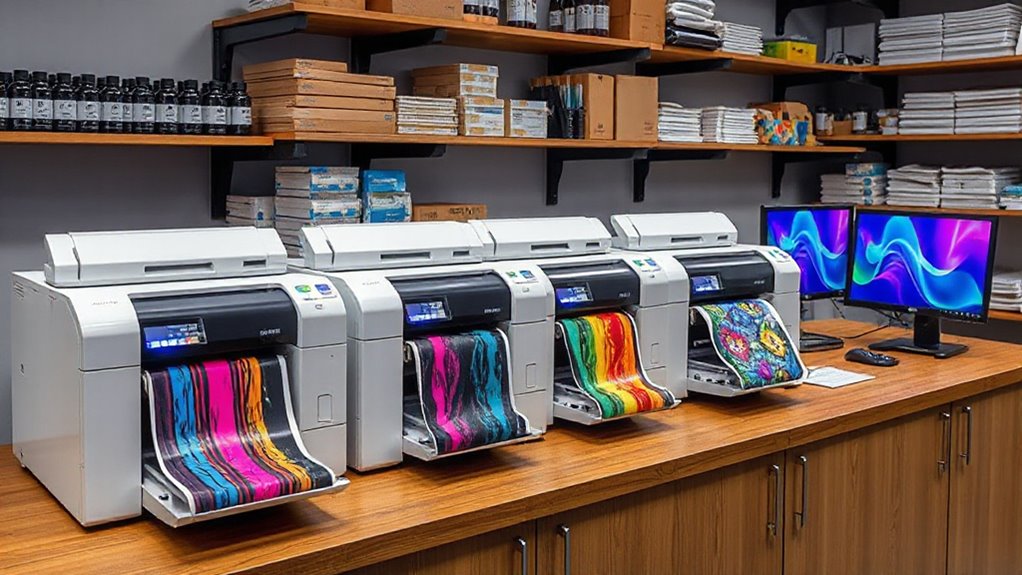

Choosing the right commercial sublimation printer for your print shop involves balancing quality, speed, and cost. The Epson SureColor F570 stands out as the best overall due to its reliable performance and versatile features. For smaller-scale needs, the Sawgrass SG1000 offers excellent value with user-friendly operation, while the Epson SureColor F170 provides a compact option for tight spaces. Each choice involves tradeoffs—like higher initial investment versus lower ongoing costs—that matter for different shop sizes and budgets. Keep reading to see how these options compare and which makes the most sense for your business.

Get business pricing on office and shipping supplies
- Business-only prices and quantity discounts
- Tax-exempt purchasing
- Multiple users, one account, clear invoices
Key Takeaways
- The top-ranked Epson SureColor F570 balances high-quality output with robust build quality, making it ideal for busy print shops.
- The Sawgrass SG1000 excels in user-friendliness and cost-efficiency, perfect for shops just starting out or with lower volume needs.
- Multiple Epson models emphasize compact design, but this can sometimes limit speed or media versatility compared to larger commercial units.
- Cost considerations extend beyond purchase price—ongoing expenses like ink, maintenance, and supplies significantly impact long-term value.
- Choosing between these options depends heavily on your shop’s volume, space constraints, and desired level of automation.
| Epson SureColor F570 24-Inch Desktop Sublimation Printer with Accessories |  | Best Overall for Professional Print Shops | Print Width: 24 inches | Included Ink Sets: Two full sets | Media Support: Rolls and sheets up to 24″ wide | VIEW ON AMAZON | See Our Full Breakdown |
| Epson SureColor F170 Dye-Sublimation Printer with Accessories |  | Best for Versatile Sublimation Transfers | Printer Type: Dye-Sublimation | Print Head: PrecisionCore | Included Ink: Full set of OEM Epson sublimation ink | VIEW ON AMAZON | See Our Full Breakdown |
| Epson SureColor F170 Dye-Sublimation Printer |  | Best Compact Model for Space-Constrained Environments | Print Format: 8.5″ x 11″ | Connectivity: Wi-Fi, USB | Included Ink: Full set of Epson sublimation ink | VIEW ON AMAZON | See Our Full Breakdown |
| Epson SureColor F170 Dye-Sublimation Printer with Ink and Maintenance Tank |  | Best for Small Business and Hobbyists | Print Size: up to 8.5×14 inches | Ink: Full-size CMYK set | Connectivity: Wireless | VIEW ON AMAZON | See Our Full Breakdown |
| Epson SureColor F170 Dye-Sublimation Printer with Ink and Starter Kit |  | Best for Cost-Effective, High-Volume Production | Print Technology: Dye-Sublimation | Print Head: PrecisionCore | Included Ink: Full set of OEM sublimation ink | VIEW ON AMAZON | See Our Full Breakdown |
| Sawgrass SG1000 Sublimation Printer with 31 mL Inks and Paper Bundle |  | Best Overall for Growing Print Shops | Print Size: up to 11 x 17 inches | Inks: 31 mL SubliJet UHD (CMYK) | Warranty: 3 years | VIEW ON AMAZON | See Our Full Breakdown |
| Epson SureColor F170 Dye-Sublimation Printer |  | Best for Compact, High-Quality Printing on Textiles and Mugs | Print Format: 8.5″ x 11″ | Media Support: Sublimation transfer paper, textiles, mugs | Included Ink: Genuine Epson sublimation inks | VIEW ON AMAZON | See Our Full Breakdown |
| commercial sublimation printer for print shops buyer guide | Auto-feed Tray | Connectivity | Included Ink |
|---|---|---|---|
| Epson SureColor F570 24-Inch D | 50 sheets | Remote install option | — |
| Epson SureColor F170 Dye-Subli | — | — | Full set of OEM Epson sublimation ink |
| Epson SureColor F170 Dye-Subli | — | Wi-Fi, USB | Full set of Epson sublimation ink |
| Epson SureColor F170 Dye-Subli | 150 sheets | Wireless | — |
| Epson SureColor F170 Dye-Subli | 150 sheets | — | Full set of OEM sublimation ink |
| Sawgrass SG1000 Sublimation Pr | — | — | — |
| Epson SureColor F170 Dye-Subli | 150 sheets | USB, Mac & Windows compatible | Genuine Epson sublimation inks |
More Details on Our Top Picks
Epson SureColor F570 24-Inch Desktop Sublimation Printer with Accessories
The Epson SureColor F570 stands out for its ability to produce high-quality, professional-grade prints on a wide range of media, including fabrics and ceramics. Compared to the smaller F170 models, its larger 24-inch print width allows for bigger projects, making it ideal for commercial environments. Its support for rolls and sheets offers flexibility, while the included software helps streamline complex print jobs. However, its shipping via freight and the need for a valid phone number for delivery may complicate procurement. The F570’s robust features come with a higher initial investment, but it pays off for busy print shops needing consistent, high-volume output.
Pros:- Exceptional print quality suitable for professional applications
- Supports both roll and sheet media up to 24 inches wide
- Includes comprehensive software for advanced print management
Cons:- Freight shipping can be less convenient and slower to arrange
- Requires a valid phone number for delivery scheduling
Best for: Established print shops requiring large-format, high-quality sublimation printing with versatile media handling.
Not ideal for: Small hobbyists or startups with limited space and lower-volume needs, due to its size and cost.
- Print Width:24 inches
- Included Ink Sets:Two full sets
- Media Support:Rolls and sheets up to 24″ wide
- Auto-feed Tray:50 sheets
- Connectivity:Remote install option
Our verdict“This printer is best suited for established print shops seeking large-format, high-volume sublimation capabilities with professional results.”
Epson SureColor F170 Dye-Sublimation Printer with Accessories
The Epson SureColor F170 with accessories offers a complete package for those focused on textiles, mugs, and smaller items. Its PrecisionCore technology ensures sharp, vibrant images, rivaling larger commercial models but on a more compact scale. This model includes a full set of OEM inks, a 9″ x 12″ heat press, and transfer paper—perfect for entrepreneurs starting or expanding their sublimation offerings. Compared to the F170 model without accessories, this pack simplifies setup and reduces upfront costs for small to medium businesses. Its limited transfer size makes it less suitable for large-format projects, but its affordability and versatility make it appealing for niche markets.
Pros:- High-quality, vibrant images with PrecisionCore technology
- Includes a full set of OEM sublimation inks and accessories
- Versatile media support for different transfer projects
Cons:- Limited to sublimation transfer applications only
- Learning curve for beginners unfamiliar with sublimation processes
Best for: Small to medium-sized print shops or entrepreneurs focusing on custom textiles and personalized gifts.
Not ideal for: High-volume commercial operations needing large-format printing or extensive media support, due to its smaller print area.
- Printer Type:Dye-Sublimation
- Print Head:PrecisionCore
- Included Ink:Full set of OEM Epson sublimation ink
- Heat Press Size:9″ x 12″
- Paper Sizes Supported:8.5″ x 11″, 8.5″ x 14″
- Media Support:150-sheet auto-feed tray
Our verdict“Ideal for small business owners seeking a ready-to-go sublimation setup with excellent image quality on various media.”
Epson SureColor F170 Dye-Sublimation Printer
The Epson SureColor F170 offers reliable, high-quality sublimation printing in a compact form that fits well in small studios or home-based setups. Its use of PrecisionCore technology guarantees sharp images, comparable to larger models but in a smaller footprint. The inclusion of a full set of sublimation inks and a 150-sheet auto-feed tray makes it convenient for steady production. Wireless and USB connectivity enable flexible device pairing, unlike some larger units that lack such options. Nonetheless, its small size limits the maximum transfer size, and it cannot be used with direct email or camera inputs, which may restrict some workflow integrations.
Pros:- High image clarity with PrecisionCore technology
- Wireless and USB connectivity support multiple device connections
- Includes full set of sublimation inks and accessories
Cons:- Limited to 8.5″ x 11″ print format, restricting large projects
- Cannot be used with direct email or camera input options
Best for: Small-scale print shops, hobbyists, or home-based entrepreneurs needing high-quality sublimation without bulk or complexity.
Not ideal for: Large-volume shops or those requiring large-format printing, due to its limited print size and capacity.
- Print Format:8.5″ x 11″
- Connectivity:Wi-Fi, USB
- Included Ink:Full set of Epson sublimation ink
- Auto-feed Capacity:150 sheets
- Power Cable:Included
- User Guide:Included
Our verdict“This compact printer is perfect for small operations prioritizing quality and space savings over large-format capabilities.”
Epson SureColor F170 Dye-Sublimation Printer with Ink and Maintenance Tank
The Epson SureColor F170 with ink and maintenance tank is tailored for small businesses and hobbyists who want reliable, vibrant sublimation printing on a variety of surfaces. Its compact design and compatibility with both Mac and Windows make it accessible for different workflows. The full set of OEM inks and a maintenance tank reduce refill frequency, making it cost-effective over time. While it’s ideal for printing on t-shirts, mugs, and tumblers, it’s not suited for mobile printing or large-format projects. Its simplicity and included accessories make it a strong choice for those starting out or working in limited space.
Pros:- Vibrant, high-quality output with PrecisionCore MicroTFP
- Includes full set of OEM inks and a maintenance tank for extended use
- Compact, space-efficient design
Cons:- Not compatible with mobile device printing directly
- Requires internet connection for setup
Best for: Small business owners or hobbyists seeking a straightforward, reliable sublimation printer for diverse surface printing.
Not ideal for: High-volume or large-format printers, as its size and format are limited to smaller items and limited media support.
- Print Size:up to 8.5×14 inches
- Ink:Full-size CMYK set
- Connectivity:Wireless
- Auto-Feed Tray:150 sheets
- Compatibility:Mac and Windows
Our verdict“This printer offers a practical, high-quality solution for small-scale sublimation projects with minimal fuss.”
Epson SureColor F170 Dye-Sublimation Printer with Ink and Starter Kit
The Epson SureColor F170 with ink and starter kit combines high-quality sublimation printing with cost efficiency, thanks to its high-capacity ink bottles. Its use of PrecisionCore technology ensures sharp, vibrant images, making it well-suited for small to medium-sized production environments. The included transfer paper and accessories streamline setup, reducing initial costs for entrepreneurs looking to scale. Its support for a variety of media, including soft and rigid surfaces, adds to its versatility. However, it requires compatible sublimation media for optimal results, and its price point can be higher than basic printers. Compared to the F170 models without the starter kit, this option offers better long-term value for volume printing.
Pros:- High print quality with PrecisionCore technology
- Includes high-capacity ink bottles and transfer paper
- Supports diverse media types for various surfaces
Cons:- Requires compatible sublimation media for best results
- More expensive upfront compared to entry-level models
Best for: Growing small businesses or hobbyists aiming for cost-efficient, high-capacity sublimation printing on multiple surfaces.
Not ideal for: Users with limited budgets or those needing a simple, entry-level device for occasional use, due to higher cost and media requirements.
- Print Technology:Dye-Sublimation
- Print Head:PrecisionCore
- Included Ink:Full set of OEM sublimation ink
- Paper Sizes:8.5″ x 11″ & 8.5″ x 14″
- Auto-feed Tray:150 sheets
- Compatible Media:Soft and rigid materials
- Additional Accessories:Transfer paper, user guide
Our verdict“Perfect for small-scale operations seeking a balance between quality, volume, and cost-efficiency over time.”
Sawgrass SG1000 Sublimation Printer with 31 mL Inks and Paper Bundle
The Sawgrass SG1000 stands out as the most versatile option for print shops aiming to expand their large-format sublimation capabilities. Compared to the Epson SureColor F170, which is more compact and suited for small-scale work, the SG1000 offers larger print sizes up to 11 x 17 inches, making it ideal for wide-format applications. Its automatic maintenance system minimizes downtime, a feature that benefits busy shops wary of clogging issues common in entry-level models. However, its higher initial cost and the need for a solid understanding of sublimation processes mean it’s better suited for operators with some experience or those committed to professional growth. The comprehensive warranty and high-quality inks support vibrant, durable results, but the setup and media restrictions could be limiting for those just starting out or with very specific substrate needs.
Pros:- Supports large-format printing up to 11 x 17 inches for diverse product offerings
- Automatic maintenance reduces the risk of clogs and minimizes downtime
- Includes professional-grade inks and software for vibrant, durable outputs
- Three-year warranty with lifetime support enhances peace of mind
Cons:- Requires operator familiarity with sublimation printing techniques
- Higher upfront investment compared to smaller or entry-level models
- Limited to sublimation media types, restricting substrate flexibility
Best for: Established or expanding print shops demanding large-format sublimation with reliable support
Not ideal for: Casual hobbyists or small businesses with limited space or infrequent production needs
- Print Size:up to 11 x 17 inches
- Inks:31 mL SubliJet UHD (CMYK)
- Warranty:3 years
- Media Compatibility:Hard and soft substrates
- Power:110/120V US
Our verdict“This pick is best suited for established or growing print shops that need reliable large-format sublimation with high-quality results.”
Epson SureColor F170 Dye-Sublimation Printer
The Epson SureColor F170 offers a compact yet capable solution for small-scale sublimation printing, especially for textile and mug transfers. Unlike the larger Sawgrass SG1000, which can handle bigger formats, the F170 is designed for 8.5″ x 11″ printing, making it perfect for hobbyists or small businesses focusing on personalized items. Its high-quality PrecisionCore printhead ensures sharp images, and the included OEM inks guarantee consistent color output. While setup is straightforward on both Mac and Windows, its limited media support and higher per-unit ink costs may challenge frequent or larger-volume users. Additionally, it requires extra media for transfers, which can add to the overall expense. Still, its space-saving design and ease of use make it a worthwhile choice for those prioritizing quality and simplicity.
Pros:- High print quality with PrecisionCore technology for sharp, vibrant images
- Includes a full set of OEM Epson sublimation inks for consistent results
- Compact, space-saving design suitable for small workspaces
- User-friendly setup compatible with both Mac and Windows
Cons:- Limited to sublimation printing only, restricting substrate options
- Requires additional transfer media, increasing ongoing costs
- Cost per print can be high for frequent or large-volume jobs
Best for: Small businesses or hobbyists needing reliable, high-quality sublimation on textiles and mugs within limited space
Not ideal for: Print shops requiring large-format or high-volume production, due to its 8.5″ x 11″ print size and media limitations
- Print Format:8.5″ x 11″
- Media Support:Sublimation transfer paper, textiles, mugs
- Included Ink:Genuine Epson sublimation inks
- Auto-feed Tray:150 sheets
- Connectivity:USB, Mac & Windows compatible
- Warranty:Full manufacturer support
Our verdict“This printer is ideal for small-scale or hobbyist operations prioritizing high-quality textile and mug transfers in limited space.”

How We Picked
These printers were selected based on a combination of performance, durability, usability, and value for commercial print shops. Priority was given to models that can handle high-volume production, offer consistent color accuracy, and have reliable maintenance support. We also considered user reviews and industry reputation to identify which printers deliver the best balance of cost and capability. The ranking reflects how well each model meets the needs of busy print shops, weighing upfront costs against ongoing expenses and ease of operation.| commercial sublimation printer for print shops buyer guide | Connectivity | Included Ink |
|---|---|---|
| Epson SureColor F570 24-Inch D | Remote install option | — |
| Epson SureColor F170 Dye-Subli | — | Full set of OEM Epson sublimation ink |
| Epson SureColor F170 Dye-Subli | Wi-Fi, USB | Full set of Epson sublimation ink |
| Epson SureColor F170 Dye-Subli | Wireless | — |
| Epson SureColor F170 Dye-Subli | — | Full set of OEM sublimation ink |
| Sawgrass SG1000 Sublimation Pr | — | — |
| Epson SureColor F170 Dye-Subli | USB, Mac & Windows compatible | Genuine Epson sublimation inks |
Factors to Consider When Choosing Commercial Sublimation Printer For Print Shops Buyer Guide
When choosing a commercial sublimation printer for your print shop, several factors can influence your decision. Understanding these considerations helps prevent costly mistakes and ensures your investment aligns with your business needs. From print volume to space constraints, each factor impacts how well a printer fits into your workflow. Carefully evaluating these aspects will lead to a more satisfying purchase that supports your growth.Print Volume and Speed
High-volume shops need printers that can keep pace with demand without sacrificing quality. Look for models with faster print speeds and durable components designed for continuous operation. Conversely, smaller shops or those with lower output needs might prioritize accuracy and color fidelity over raw speed, making compact or slower models more suitable. Balancing speed and quality is essential to avoid bottlenecks or unnecessary expenses.
Media Compatibility and Size
Ensure the printer can handle the types and sizes of media you plan to produce. Some models excel with standard sublimation papers and fabrics, while others support larger formats or specialty media. Limited media compatibility can restrict your product offerings, so check the maximum print width and media options before purchasing. A versatile media capacity provides room for creative expansion and reduces the need for multiple printers.
Ease of Maintenance and Reliability
Commercial printers endure heavy use, making durability and ease of maintenance top priorities. Machines with accessible components, clear error diagnostics, and reliable ink delivery systems reduce downtime. Poor maintenance design can lead to costly repairs and interruptions, so consider models with manufacturer support and available spare parts. Investing in a dependable machine minimizes long-term operational headaches.
Cost of Supplies and Operating Expenses
Initial purchase price is only part of the total investment. Ongoing costs like ink, replacement parts, and maintenance kits can significantly affect your bottom line. Some printers have more economical ink systems or refill options, while others may require proprietary supplies at premium prices. Calculating these recurring expenses helps determine true value and avoid surprises that could strain your budget.
Space and Workflow Integration
Available workspace and existing workflow influence your choice. Compact models fit smaller shops, but may offer fewer features or slower speeds. Larger units demand dedicated space but often deliver higher throughput and media versatility. Consider how the printer integrates with your current setup, including connectivity options like Ethernet or Wi-Fi. Proper sizing and compatibility streamline operations and prevent costly rearrangements.
Frequently Asked Questions
What is the best sublimation printer for high-volume production?
The Epson SureColor F570 is designed for high-volume environments, offering fast print speeds, reliable operation, and durability. Its large media capacity and advanced print head technology support continuous operation, making it suitable for busy print shops. However, its higher upfront cost reflects its capacity to handle larger workloads efficiently, which can be a worthwhile investment for expanding businesses.
How much should I expect to spend on ongoing supplies for a sublimation printer?
Ongoing expenses vary depending on the model and volume, but ink and media costs are the most significant. Generally, ink replacement can range from $50 to $150 per refill, and media costs depend on size and quality. Choosing a model with economical ink systems or refill options can lower long-term expenses. Careful planning around supply costs ensures your shop stays profitable without unexpected expenses.
Is a smaller sublimation printer suitable for a growing print shop?
Smaller printers like the Epson SureColor F170 are ideal for shops with limited space or lower volume needs, offering a more affordable entry point. However, they may lack the speed and media capacity required for rapid growth. If your shop anticipates increasing demand, investing in a slightly larger or more robust model now could prevent costly upgrades later, balancing initial savings against future scalability.
What maintenance issues should I watch for with sublimation printers?
Regular maintenance includes cleaning print heads, replacing ink cartridges, and ensuring proper media handling. Problems like clogged nozzles or inconsistent color output often stem from infrequent cleaning or use of incompatible supplies. Choosing a model with straightforward maintenance procedures and good manufacturer support minimizes downtime and repair costs, maintaining consistent print quality over time.
Can I use third-party inks with these printers?
Some printers support third-party inks, potentially reducing costs, but this can void warranties or impact print quality. Many manufacturers recommend using proprietary inks for optimal performance and longevity. Before opting for third-party supplies, verify compatibility and weigh the potential savings against the risk of damage or reduced print quality, ensuring your investment remains protected.
Conclusion
For large, busy print shops where speed and durability are paramount, the Epson SureColor F570 offers excellent overall performance. Smaller or start-up shops will benefit from the Sawgrass SG1000 for its ease of use and affordability. Those seeking a compact, space-saving solution might prefer the Epson SureColor F170, especially if volume is moderate. Budget-conscious buyers should focus on ongoing supply costs, while shops aiming for high throughput should prioritize models with faster speeds and larger media handling. Ultimately, matching the printer to your shop’s size, growth plans, and workflow needs will ensure a satisfying investment.