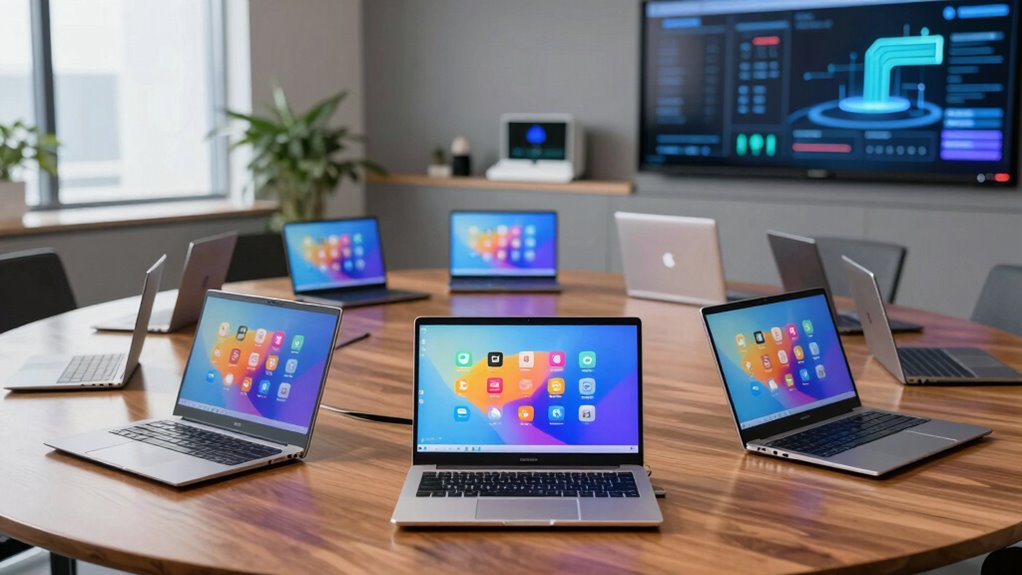

When selecting Chromebooks for fleet deployment, the priority shifts from individual performance metrics to centralized manageability, battery longevity, and physical durability. My analysis places the Acer Chromebook Plus 514 as the best overall pick because it balances modern processor efficiency with a touchscreen interface that reduces support tickets for non-technical staff. For organizations needing extreme durability in field environments, the ASUS Chromebook CR11 Ruggedized Laptop stands out, while the Lenovo Chromebook m 15 offers superior screen real estate for data-heavy workflows. The main tradeoff you face is choosing between lightweight, consumer-grade portability and the heavier, reinforced chassis required for high-turnover or outdoor use. Continue reading to understand how these devices compare on deployment speed, maintenance costs, and user experience.

Get business pricing on office and shipping supplies
- Business-only prices and quantity discounts
- Tax-exempt purchasing
- Multiple users, one account, clear invoices
Key Takeaways
- Models with MediaTek Kompanio processors (like the Lenovo m 15 and ASUS CM15) offer better battery consistency during all-day shifts than older Intel N4120 chips.
- Ruggedized units like the ASUS CR11 and C203XA sacrifice screen resolution and processing power for survival rates in high-impact environments, making them unsuitable for office desk work.
- Fleet deployment efficiency is significantly higher on devices with pre-enrolled enterprise management capabilities, which are more common in business-class Lenovo and HP lines than consumer Gateway models.
- The Acer Chromebook Plus 514 provides the best balance of performance and price for general office fleets, avoiding the bottleneck of 4GB RAM found in cheaper entry-level models.
- Storage capacity beyond 64GB eMMC is rarely necessary for cloud-first fleets, but 8GB RAM configurations dramatically reduce lag when users keep dozens of tabs open.
| HP 14″ HD Chromebook Laptop for Students, Intel Quad-Core N4120, 4GB RAM, 64GB eMMC, Wi‑Fi, Webcam, HDMI, USB‑A & C, 14‑Hour Battery, Chrome OS |  | Best for Long Shifts Away from Outlets | Processor: Intel Celeron N4120, 4 cores, 1.1GHz base, up to 2.6GHz | Memory: 4GB LPDDR4x | Storage: 64GB eMMC | VIEW ON AMAZON | See Our Full Breakdown |
| Acer Chromebook Plus 514 14-Inch Touchscreen Laptop |  | Best for Higher-Performance Managed Fleets | Model: CB514-5HT-33RD | Processor: Intel Core i3-1315U, 6 cores, up to 4.5GHz | Memory: 8GB LPDDR5 | VIEW ON AMAZON | See Our Full Breakdown |
| Lenovo Chromebook m 15 Laptop, 15.3-inch WUXGA Display, MediaTek Kompanio 540, 8GB RAM, 128GB UFS Storage, Luna Gray |  | Best for Shared Workspaces and Large-Format Viewing | Processor: MediaTek Kompanio 540 | Memory: 8GB RAM | Storage: 128GB UFS | VIEW ON AMAZON | See Our Full Breakdown |
| Lenovo 14-Inch FHD Touchscreen Chromebook, MediaTek Kompanio 520, 4GB RAM, 64GB eMMC |  | Best Lightweight Touchscreen Option | Processor: MediaTek Kompanio 520, octa-core | Memory: 4GB RAM | Storage: 64GB eMMC | VIEW ON AMAZON | See Our Full Breakdown |
| Gateway Chromebook 314 CBO314-1H-C476, 14-inch Full HD Laptop |  | Best for Basic Full HD Deployments | Model: CBO314-1H-C476 | Processor: Intel Celeron N4500 dual-core, up to 2.8GHz | Memory: 4GB LPDDR4X | VIEW ON AMAZON | See Our Full Breakdown |
| ASUS Chromebook CM15 15.6-inch FHD Laptop |  | Best Large-Screen Value for General Office Use | Processor: MediaTek Kompanio 540 | Display: 15.6-inch Full HD (1920 x 1080) | Memory: 4GB RAM | VIEW ON AMAZON | See Our Full Breakdown |
| Lenovo Chromebook m 14-inch Laptop |  | Best Balanced Choice for Mobile Professionals | Display: 14-inch WUXGA IPS, 1920 × 1200, 60Hz | Processor: MediaTek Kompanio 540 | Memory: 8GB RAM | VIEW ON AMAZON | See Our Full Breakdown |
| HP Chromebook 15.6-inch Laptop |  | Best for Data Entry and Administrative Roles | Processor: Intel N200, 4 cores | Memory: 8GB DDR5 | Storage: 192GB (64GB eMMC + 128GB SD card) | VIEW ON AMAZON | See Our Full Breakdown |
| ASUS Chromebook CR11 Ruggedized Laptop |  | Best Rugged Choice for Education and Field Work | Processor: Intel Processor N100 | Display: 11.6-inch LED, 1366 x 768 | Memory: 4GB LPDDR5 | VIEW ON AMAZON | See Our Full Breakdown |
| ASUS Chromebook C203XA Rugged 11.6-Inch Laptop |  | Best Budget Rugged Option for Basic Tasks | Processor: MediaTek MT8173C quad-core, up to 2.1 GHz | Memory: 4GB LPDDR3 | Storage: 32GB eMMC | VIEW ON AMAZON | See Our Full Breakdown |
| chromebooks for fleet deployment | Processor | Memory | Storage | Display |
|---|---|---|---|---|
| HP 14" HD Chromebook Laptop fo | Intel Celeron N4120, 4 cores, 1.1GHz base, up to 2.6GHz | 4GB LPDDR4x | 64GB eMMC | 14-inch anti-glare LED, 1366 × 768 |
| Acer Chromebook Plus 514 14-In | Intel Core i3-1315U, 6 cores, up to 4.5GHz | 8GB LPDDR5 | 256GB PCIe Gen4 SSD | 14-inch WUXGA IPS touchscreen, 1920 × 1200, 300 nits, 16:10 |
| Lenovo Chromebook m 15 Laptop | MediaTek Kompanio 540 | 8GB RAM | 128GB UFS | 15.3-inch WUXGA IPS, 1920 × 1200, 400 nits, anti-glare |
| Lenovo 14-Inch FHD Touchscreen | MediaTek Kompanio 520, octa-core | 4GB RAM | 64GB eMMC | 14-inch FHD touchscreen, 1920 × 1080, 60Hz |
| Gateway Chromebook 314 CBO314- | Intel Celeron N4500 dual-core, up to 2.8GHz | 4GB LPDDR4X | 64GB eMMC | 14-inch LCD, 1920 × 1080, 60Hz, non-touch |
| ASUS Chromebook CM15 15.6-inch | MediaTek Kompanio 540 | 4GB RAM | 64GB | 15.6-inch Full HD (1920 x 1080) |
| Lenovo Chromebook m 14-inch La | MediaTek Kompanio 540 | 8GB RAM | 64GB UFS | 14-inch WUXGA IPS, 1920 × 1200, 60Hz |
| HP Chromebook 15.6-inch Laptop | Intel N200, 4 cores | 8GB DDR5 | 192GB (64GB eMMC + 128GB SD card) | 15.6-inch LCD, 1366 x 768, 60Hz, 250 nits, anti-glare |
| ASUS Chromebook CR11 Ruggedize | Intel Processor N100 | 4GB LPDDR5 | 64GB eMMC | 11.6-inch LED, 1366 x 768 |
| ASUS Chromebook C203XA Rugged | MediaTek MT8173C quad-core, up to 2.1 GHz | 4GB LPDDR3 | 32GB eMMC | 11.6-inch LCD, 1366 x 768, anti-glare |
More Details on Our Top Picks
HP 14″ HD Chromebook Laptop for Students, Intel Quad-Core N4120, 4GB RAM, 64GB eMMC, Wi‑Fi, Webcam, HDMI, USB‑A & C, 14‑Hour Battery, Chrome OS
I’d choose this HP when a fleet needs straightforward ChromeOS workstations that can spend most of the day away from a charger. Its stated up-to-14-hour battery life leads the options here with a published runtime, while the HDMI and USB-A ports make it easier to connect existing classroom or office equipment without extra adapters. Compared with the Gateway Chromebook 314, it offers more listed ports and a longer claimed battery life; the Gateway counters with a sharper Full HD screen.
The tradeoff is that this model’s 1366 × 768 display, 4GB of memory, and entry-level N4120 processor suit browser-based tasks better than heavy multitasking or detailed screen work. I’d favor it for managed deployments focused on documents, web apps, and predictable daily use, not demanding workloads.
Pros:- Claimed battery life of up to 14 hours supports long shifts away from outlets.
- HDMI, USB-A, and USB-C simplify connections to existing displays and peripherals.
- ChromeOS provides access to Google and Android apps.
- Anti-glare display helps reduce reflections in brightly lit work areas.
Cons:- 1366 × 768 resolution is less sharp than the Gateway Chromebook 314’s Full HD panel.
- 4GB RAM and the Celeron N4120 are modest for heavier multitasking.
- 64GB eMMC leaves limited room for locally stored files.
Best for: Schools and small organizations deploying ChromeOS devices for browser-based work across full days with limited access to charging.
Not ideal for: Teams running many demanding tabs or needing a crisp Full HD screen for detailed content; the 4GB RAM and HD resolution are limiting.
- Processor:Intel Celeron N4120, 4 cores, 1.1GHz base, up to 2.6GHz
- Memory:4GB LPDDR4x
- Storage:64GB eMMC
- Display:14-inch anti-glare LED, 1366 × 768
- Operating system:ChromeOS
- Battery life:Up to 14 hours, mixed usage
- Ports:2 USB-A 3.0, 1 USB-C 3.0, HDMI, headphone jack
- Wireless:Wi-Fi 5, Bluetooth
- Weight:3.35 lbs
Our verdict“Choose this HP for managed fleets prioritizing long stated battery life and built-in connectivity over screen resolution and multitasking headroom.”
Acer Chromebook Plus 514 14-Inch Touchscreen Laptop
For deployments where users keep many browser tabs open or need a more capable local setup, I rank the Acer Chromebook Plus 514 above the entry-level HP and Gateway options. Its Core i3-1315U, 8GB memory, and 256GB SSD provide the strongest listed combination of processing power and storage in this group. The 1920 × 1200 touchscreen also gives users more vertical workspace than the 14-inch Full HD Lenovo Chromebook, which can reduce scrolling through documents and web tools.
The Acer’s Wi-Fi 7 and 1080p webcam with privacy shutter add useful connectivity and meeting features, and the included sleeve can help with device transport. The tradeoff is that 8GB RAM is still a fixed, moderate allocation for particularly demanding workloads, and battery life is not specified here. I’d select it for mixed office and classroom fleets, not for buyers whose main priority is a confirmed long runtime or the simplest low-spec device.
Pros:- Core i3 processor and 8GB LPDDR5 offer more multitasking headroom than the 4GB models.
- 256GB PCIe Gen4 SSD provides substantially more local storage than the 64GB eMMC options.
- 1920 × 1200 touchscreen provides a roomy 16:10 workspace.
- 1080p webcam with privacy shutter, Wi-Fi 7, and included protective sleeve support mobile work.
Cons:- Battery life is not provided, making runtime harder to plan across a fleet.
- 8GB of memory may still constrain users with demanding workloads.
- Its higher-capability configuration may be unnecessary for basic browser-only deployments.
Best for: IT teams issuing Chromebooks to staff who use multiple web applications, attend video meetings, and benefit from larger local storage.
Not ideal for: Organizations prioritizing known battery runtime or basic, low-demand use; battery life is unspecified and its stronger hardware may exceed those needs.
- Model:CB514-5HT-33RD
- Processor:Intel Core i3-1315U, 6 cores, up to 4.5GHz
- Memory:8GB LPDDR5
- Storage:256GB PCIe Gen4 SSD
- Display:14-inch WUXGA IPS touchscreen, 1920 × 1200, 300 nits, 16:10
- Operating system:ChromeOS
- Wireless:Wi-Fi 7, Bluetooth 5.3 or above
- Camera:1080p FHD with privacy shutter
- Ports:2 USB-C, 2 USB-A, HDMI 1.4
Our verdict“Pick the Acer when fleet users need stronger listed performance, a high-resolution touchscreen, and ample storage more than a documented battery runtime.”
Lenovo Chromebook m 15 Laptop, 15.3-inch WUXGA Display, MediaTek Kompanio 540, 8GB RAM, 128GB UFS Storage, Luna Gray
I’d put the Lenovo Chromebook m 15 on a fleet shortlist when users need a large, legible screen but still carry their devices between rooms. Its 15.3-inch WUXGA panel at 400 nits gives more viewing area and listed brightness than the 14-inch options, which can help with side-by-side documents or shared viewing. At 3.44 lbs, it remains close in weight to the 14-inch HP, though it takes up more bag and desk space. The Acer Chromebook Plus 514 is the stronger choice for processor speed and storage capacity; this Lenovo instead prioritizes screen size and brightness.
With 8GB RAM and 128GB UFS storage, it has more breathing room than the 4GB, 64GB eMMC models. Wi-Fi 6E and a physical camera shutter suit managed environments, while the listed military-grade durability claim may appeal to organizations concerned about routine handling. Battery life is not specified, and integrated graphics are not suited to demanding graphics work.
Pros:- 15.3-inch 1920 × 1200 display offers more workspace than the 14-inch models.
- 400-nit brightness and anti-glare finish support visibility in brighter environments.
- 8GB RAM and 128GB UFS storage exceed the capacity of the 4GB/64GB entry-level options.
- Wi-Fi 6E and a physical webcam privacy shutter suit managed shared settings.
Cons:- Larger screen takes up more space than the 14-inch HP, Acer, and Lenovo alternatives.
- Battery life is not specified in the supplied product details.
- Integrated graphics are a poor fit for demanding graphics tasks.
Best for: Schools and organizations whose users review documents, dashboards, or presentations on a larger screen and move between work areas.
Not ideal for: Highly mobile teams with tight bag space, users who need specified all-day battery life, or workloads requiring strong graphics performance.
- Processor:MediaTek Kompanio 540
- Memory:8GB RAM
- Storage:128GB UFS
- Display:15.3-inch WUXGA IPS, 1920 × 1200, 400 nits, anti-glare
- Graphics:Integrated ARM Mali-G57 MC2
- Operating system:ChromeOS
- Wireless:Wi-Fi 6E
- Weight:3.44 lbs
- Special features:Physical webcam privacy shutter, MaxxAudio-tuned audio
Our verdict“Choose the Lenovo Chromebook m 15 when a fleet benefits more from a bright, spacious display than from the Acer’s faster processor and larger SSD.”
Lenovo 14-Inch FHD Touchscreen Chromebook, MediaTek Kompanio 520, 4GB RAM, 64GB eMMC
This Lenovo is the most compelling fit here for fleets that want a lightweight, Full HD touchscreen without moving up to the Acer Chromebook Plus 514’s higher-performance configuration. At 2.86 lbs, it is the lightest of these five, which can make a difference for students or staff carrying devices between locations. Its 14-inch 1920 × 1080 screen is sharper than the HP’s HD panel, and the privacy-shutter webcam gives administrators and users a simple physical way to cover the camera.
The main compromise is the familiar entry-level pairing of 4GB RAM and 64GB eMMC. That is adequate for focused web work, but it leaves less room for multitasking and local files than the Acer or 15.3-inch Lenovo. Wi-Fi 6 is a newer standard than the HP and Gateway’s Wi-Fi 5, while the microSD reader offers an option for expanding file storage. I’d favor it for portability and touch interaction, not demanding workloads.
Pros:- At 2.86 lbs, it is lighter than the other listed models.
- 14-inch Full HD touchscreen provides a sharper, more interactive workspace than the HP’s HD display.
- Wi-Fi 6 and Bluetooth 5.1 offer newer listed wireless standards than the HP and Gateway.
- Privacy-shutter webcam and microSD reader add practical fleet features.
Cons:- 4GB RAM may restrict heavier multitasking compared with the Acer and 8GB Lenovo m 15.
- 64GB eMMC offers limited local storage.
- The supplied details do not state battery life.
Best for: Schools and mobile teams seeking a light 14-inch Chromebook for web-based tasks, touchscreen interaction, and frequent carrying.
Not ideal for: Power users who keep many demanding applications open or need substantial built-in storage; its 4GB RAM and 64GB eMMC are restrictive.
- Processor:MediaTek Kompanio 520, octa-core
- Memory:4GB RAM
- Storage:64GB eMMC
- Display:14-inch FHD touchscreen, 1920 × 1080, 60Hz
- Operating system:ChromeOS
- Wireless:Wi-Fi 6, Bluetooth 5.1
- Webcam:720p HD with privacy shutter and dual-array microphone
- Ports:USB-A, USB-C, microSD card reader, 3.5mm combo jack
- Weight:2.86 lbs
Our verdict“Pick this Lenovo for lightweight Full HD touchscreen use, provided fleet workloads stay modest and local storage needs are limited.”
Gateway Chromebook 314 CBO314-1H-C476, 14-inch Full HD Laptop
The Gateway Chromebook 314 is a practical fit for deployments that need a non-touch Full HD screen for everyday browser work, without the added hardware emphasis of the Acer Chromebook Plus 514. Its 14-inch 1920 × 1080 anti-glare panel is a clear step up in resolution from the HP 14-inch Chromebook’s 1366 × 768 display, while the up-to-10.5-hour stated battery life gives fleet planners a useful runtime reference. At 3.3 lbs, it remains portable enough for routine classroom or office carrying.
Its limits are straightforward: 4GB RAM, 64GB eMMC, and a dual-core Celeron N4500 make it a basic-use device, not the choice for staff who keep many demanding tabs open. Unlike the touchscreen Lenovo 14-inch, the Gateway uses a non-touch display and lists fewer connection options. I’d choose it for simple browser-first assignments where Full HD matters more than touch interaction or performance headroom.
Pros:- 14-inch Full HD anti-glare display is sharper than the HP’s HD panel.
- Listed battery life of up to 10.5 hours supports planning for day-to-day use.
- USB-C supports DisplayPort and charging, alongside a USB 3.2 Gen 1 port.
- Lightweight 3.3 lb clamshell design suits routine transport.
Cons:- Non-touch display lacks the interaction offered by the Lenovo 14-inch touchscreen.
- 4GB RAM and a dual-core processor limit heavier multitasking.
- 64GB eMMC provides little space for locally stored files.
Best for: Organizations issuing basic ChromeOS devices for web apps, documents, and video calls that benefit from a Full HD display.
Not ideal for: Teams that need touchscreen interaction, substantial multitasking capacity, or extensive local storage.
- Model:CBO314-1H-C476
- Processor:Intel Celeron N4500 dual-core, up to 2.8GHz
- Memory:4GB LPDDR4X
- Storage:64GB eMMC
- Display:14-inch LCD, 1920 × 1080, 60Hz, non-touch
- Operating system:ChromeOS
- Wireless:Wi-Fi 5, Bluetooth 5.0
- Battery life:Up to 10.5 hours
- Ports:USB-C with DisplayPort and charging, USB 3.2 Gen 1, 3.5mm combo jack
Our verdict“Choose the Gateway for basic fleet workloads that need Full HD and a stated battery-life figure, but skip it if users need touch or more performance headroom.”
ASUS Chromebook CM15 15.6-inch FHD Laptop
This model stands out for fleet managers needing a large display without the bulk of traditional business laptops. The 15.6-inch Full HD screen offers significantly more workspace than the Lenovo Chromebook m 14-inch, making it better suited for spreadsheets and multitasking. Its MIL-STD 810H certification ensures it can survive the occasional drop or bump in a busy office, a feature often missing in consumer-grade alternatives. However, the 4GB RAM limitation is a real constraint. While ChromeOS is efficient, this machine will struggle with heavy multitasking compared to the 8GB Lenovo m 14-inch or HP Chromebook 15.6. It is a solid choice for basic productivity roles where screen real estate matters more than raw processing power.
Pros:- 15.6-inch Full HD display provides ample workspace
- MIL-STD 810H durability rating protects against minor accidents
- Lightweight 3.26 lbs chassis is easy to transport
- Includes USB-C with power delivery and HDMI for flexible docking
Cons:- 4GB RAM is insufficient for heavy multitasking
- 64GB storage may fill up quickly without cloud reliance
Best for: Office workers who need a large screen for spreadsheets and documents but have light multitasking needs.
Not ideal for: Power users who run multiple heavy web apps simultaneously, as the 4GB RAM will cause slowdowns.
- Processor:MediaTek Kompanio 540
- Display:15.6-inch Full HD (1920 x 1080)
- Memory:4GB RAM
- Storage:64GB
- Operating system:ChromeOS
- Weight:Starting at 3.26 lbs
- Connectivity:1x USB-A, 2x USB-C, 1x HDMI 1.4, 1x 3.5mm audio jack
- Durability:Meets US MIL-STD 810H standards
Our verdict“Choose this if you need a big screen for basic office tasks and can tolerate limited memory.”
Lenovo Chromebook m 14-inch Laptop
This device strikes a better balance between portability and performance than the ASUS CM15. With 8GB of RAM, it handles multitasking far more smoothly, making it ideal for employees who keep dozens of browser tabs open. The 14-inch WUXGA display offers a taller 16:10 aspect ratio, which is excellent for reading documents and coding, unlike the wider but shorter screens on other models. The inclusion of a physical webcam privacy shutter is a thoughtful touch for security-conscious fleets. However, the 220-nit brightness is low for outdoor or brightly lit office use, potentially causing eye strain. Compared to the HP Chromebook 15.6, this Lenovo is lighter and sharper, but you sacrifice screen size and numeric keypad convenience.
Pros:- 8GB RAM supports smooth multitasking and heavy browsing
- 16:10 WUXGA display offers more vertical workspace
- Physical webcam shutter enhances privacy compliance
- Lightweight build with military-grade durability claims
Cons:- 220-nit display brightness is low for bright environments
- Inconsistent weight specifications in product data
Best for: Mobile professionals and developers who prioritize multitasking performance and a taller screen format.
Not ideal for: Users who work in bright outdoor environments, as the 220-nit display lacks sufficient brightness.
- Display:14-inch WUXGA IPS, 1920 × 1200, 60Hz
- Processor:MediaTek Kompanio 540
- Memory:8GB RAM
- Storage:64GB UFS
- Graphics:Integrated ARM Mali-G57 MC2
- Operating system:ChromeOS
- Ports:USB-C, USB-A, HDMI
- Wireless:Wi-Fi 6, Bluetooth
- Webcam:Front camera with physical privacy shutter
Our verdict“Pick this for its superior multitasking capability and privacy features, provided you work indoors.”
HP Chromebook 15.6-inch Laptop
This HP model is uniquely positioned for fleets requiring numeric keypad input, a feature absent in the ASUS CM15 and Lenovo m 14-inch. The Intel N200 processor combined with 8GB DDR5 RAM provides a reliable foundation for administrative tasks, web-based CRM systems, and data entry. The 192GB total storage (including an SD card) offers more local space than the 64GB limits of its competitors, reducing the need for immediate cloud migration. The tradeoff is the 1366 x 768 HD display, which is noticeably less sharp than the Full HD or WUXGA panels on other picks. It is a pragmatic choice for back-office staff who value input speed over visual fidelity, whereas creatives or analysts should look elsewhere.
Pros:- Built-in numeric keypad speeds up data entry
- 8GB DDR5 RAM and Intel N200 offer solid multitasking
- 192GB total storage reduces immediate cloud dependency
- Webcam privacy shutter supports security protocols
Cons:- 1366 x 768 resolution is blurry for detailed work
- Storage relies partly on a removable SD card
Best for: Administrative staff and accountants who require a numeric keypad for data entry tasks.
Not ideal for: Users who need sharp text rendering or video editing capabilities due to the low-resolution HD screen.
- Processor:Intel N200, 4 cores
- Memory:8GB DDR5
- Storage:192GB (64GB eMMC + 128GB SD card)
- Display:15.6-inch LCD, 1366 x 768, 60Hz, 250 nits, anti-glare
- Graphics:Integrated Intel UHD Graphics
- Operating system:Chrome OS
- Wireless:Wi-Fi 5 (802.11ac), Bluetooth 5
- Keyboard:US keyboard with numeric keypad
- Chrome OS auto-update expiration:June 2030
Our verdict“Buy this if your fleet needs a numeric keypad and extra local storage for office administration.”
ASUS Chromebook CR11 Ruggedized Laptop
The CR11 is engineered for environments where laptops typically fail. Its ruggedized chassis with rubberized edges and spill-resistant keyboard makes it far more durable than the ASUS CM15 or HP Chromebook 15.6, which lack this level of protection. The Intel N100 processor offers better performance than the MediaTek chips in the Lenovo m 14-inch, handling modern web apps with ease. Wi-Fi 6E support ensures connectivity in crowded networks, a benefit for schools or large offices. However, the 11.6-inch HD display is cramped for detailed work, and the 4GB RAM limits it to basic tasks. It is not a replacement for a productivity laptop but an excellent tool for students or field technicians who need a device that survives drops and spills.
Pros:- Ruggedized design with spill-resistant keyboard survives accidents
- Intel N100 processor provides better performance than ARM rivals
- Wi-Fi 6E ensures stable connections in dense networks
- 180-degree lay-flat hinge supports collaborative viewing
Cons:- 4GB RAM restricts heavy multitasking capabilities
- 1366 x 768 resolution is low for detailed visual work
Best for: Students, field technicians, and healthcare workers who need a spill-proof and drop-resistant device.
Not ideal for: Office workers who need a large screen for multitasking, as the 11.6-inch display is too small.
- Processor:Intel Processor N100
- Display:11.6-inch LED, 1366 x 768
- Memory:4GB LPDDR5
- Storage:64GB eMMC
- Operating System:ChromeOS
- Connectivity:Wi-Fi 6E, Bluetooth 5.3
- Ports:2x USB-C, 2x USB-A, HDMI 1.4, 3.5mm audio jack
- Weight:2.9 pounds
- Keyboard:Spill-resistant
Our verdict“Select this for rugged durability and solid performance in harsh environments, accepting the smaller screen size.”
ASUS Chromebook C203XA Rugged 11.6-Inch Laptop
This legacy rugged model serves as a cost-effective entry point for fleets that need durability without the latest specs. It shares the spill-resistant keyboard and 180-degree hinge with the newer ASUS CR11 but uses an older MediaTek MT8173C processor and Wi-Fi 5. The 32GB storage is significantly smaller than the CR11’s 64GB, making it strictly a cloud-dependent device. While the 10-hour battery life is adequate for a school day, the overall performance lags behind the Intel-based CR11 and the 8GB Lenovo m 14-inch. It is best suited for younger students or kiosk deployments where performance demands are minimal and budget is the primary constraint. If you need future-proofing, the CR11 is the better investment.
Pros:- Rugged build with spill-resistant keyboard protects against damage
- Lightweight 2.6 lbs design is easy for young users to carry
- Up to 10 hours of battery life covers a full workday
- 180-degree hinge facilitates collaborative learning
Cons:- 32GB storage is extremely limited for local files
- Older MediaTek processor struggles with modern web apps
Best for: Elementary school students or kiosk deployments where budget and basic durability are the top priorities.
Not ideal for: Users who need local storage for offline work or modern Wi-Fi speeds, given the 32GB limit and older wireless.
- Processor:MediaTek MT8173C quad-core, up to 2.1 GHz
- Memory:4GB LPDDR3
- Storage:32GB eMMC
- Display:11.6-inch LCD, 1366 x 768, anti-glare
- Operating system:Chrome OS
- Wireless connectivity:Wi-Fi 5 (802.11ac), Bluetooth 4.2
- Ports:USB Type-C, USB Type-A, HDMI
- Battery life:Up to 10 hours
- Durability:MIL-STD 810G, spill-resistant keyboard
Our verdict“Choose this only if you are on a tight budget and need a basic, durable device for light usage.”

How We Picked
I evaluated these devices based on three core pillars of fleet management: centralized administration compatibility, total cost of ownership, and hardware resilience. First, I filtered for models that support enterprise enrollment and remote policy management without requiring third-party software hacks. Next, I assessed the hardware specifications, specifically looking at processor generation and memory configurations to predict performance degradation over a three-year lifecycle. Finally, I compared build quality, focusing on hinge durability, keyboard spill resistance, and chassis rigidity, as these factors directly impact replacement rates in large-scale deployments.
| chromebooks for fleet deployment | Operating system |
|---|---|
| HP 14" HD Chromebook Laptop fo | ChromeOS |
| Acer Chromebook Plus 514 14-In | ChromeOS |
| Lenovo Chromebook m 15 Laptop | ChromeOS |
| Lenovo 14-Inch FHD Touchscreen | ChromeOS |
| Gateway Chromebook 314 CBO314- | ChromeOS |
| ASUS Chromebook CM15 15.6-inch | ChromeOS |
| Lenovo Chromebook m 14-inch La | ChromeOS |
| HP Chromebook 15.6-inch Laptop | Chrome OS |
| ASUS Chromebook CR11 Ruggedize | ChromeOS |
| ASUS Chromebook C203XA Rugged | Chrome OS |
Factors to Consider When Choosing Chromebooks For Fleet Deployment
Choosing the right hardware for a fleet is not about picking the fastest laptop; it is about minimizing downtime and administrative overhead. The following factors will help you align your hardware choices with your operational reality.Memory Configuration and Multitasking Reality
While 4GB of RAM was sufficient for basic Chromebook usage a few years ago, modern web applications and video conferencing tools have changed the baseline. For a fleet deployment, 8GB of RAM is the new standard for any role that involves multitasking, such as customer service representatives or data entry clerks who keep multiple tabs open. Devices with only 4GB, like the HP 14″ HD or the ASUS CM15, may experience stuttering during peak usage, leading to increased support requests. I recommend allocating your budget to higher memory specifications rather than larger storage, as Chrome OS relies heavily on cloud storage and efficient RAM usage is critical for user satisfaction.
Processor Efficiency vs. Raw Power
In a fleet context, processor efficiency often outweighs raw clock speed. The MediaTek Kompanio 540 found in the Lenovo m 15 and ASUS CM15 offers a better performance-per-watt ratio than older Intel Celeron chips, translating to longer battery life during remote work shifts. However, for users running complex web-based ERP systems or heavy JavaScript applications, an Intel N200 or newer might provide better single-thread performance. You must match the processor to the specific software stack your employees use; deploying a low-power chip to a team running heavy browser extensions will result in frustration and productivity loss.
Durability Requirements and Environmental Factors
The environment dictates the hardware class. If your fleet operates in a controlled office setting, standard consumer-grade chassis from Gateway or HP are acceptable. However, for education, logistics, or field service, ruggedized options like the ASUS CR11 or C203XA are necessary to survive drops, spills, and temperature fluctuations. These rugged models often feature rubberized bumpers, spill-resistant keyboards, and reinforced ports. Do not attempt to save money by deploying standard Chromebooks in harsh environments; the cost of replacing broken screens and hinges quickly exceeds the premium paid for ruggedized units.
Manageability and Enterprise Enrollment
Not all Chromebooks handle enterprise enrollment equally. Business-class devices often come with pre-loaded management agents or easier integration with Google Workspace Admin Console. Consumer models may require more manual setup steps during the imaging process. When deploying hundreds of units, zero-touch enrollment capabilities save significant IT labor hours. Verify that the specific SKU supports your chosen management platform without requiring additional licenses or complex scripting, as this hidden cost can derail your deployment timeline.
Battery Life and Charging Infrastructure
A battery that lasts 10 hours is different from one that lasts 10 hours under load. Look for models with USB-C charging support, which allows for shared charging carts and universal power adapters, simplifying your infrastructure. The HP Chromebook 15.6-inch and Lenovo m 15 offer strong battery performance, but you must consider the charging speed. If your fleet works in shifts, fast-charging capabilities are vital to ensure devices are ready for the next user. Avoid models with proprietary charging ports, as they increase the risk of lost adapters and compatibility issues.
Frequently Asked Questions
Can I mix different Chromebook models in the same fleet?
Yes, you can mix models, but it increases administrative complexity. Different hardware may require different firmware updates or have varying driver support for peripherals like barcode scanners or specialized headsets. I recommend limiting your fleet to two or three distinct SKUs to keep imaging and support processes manageable. Mixing too many models leads to a fragmented support environment where IT staff must troubleshoot unique hardware quirks rather than solving common software issues.
Is 32GB of storage enough for a fleet deployment?
For most cloud-first environments, 32GB is technically sufficient but risky. It leaves little room for offline files, browser caches, and system updates, which can lead to performance degradation over time. I strongly advise against 32GB models like the ASUS C203XA for general office use unless the users are strictly kiosk-mode or single-application devices. For standard productivity, 64GB is the practical minimum, and 128GB provides a comfortable buffer for users who occasionally download large datasets.
Do ruggedized Chromebooks perform worse than standard models?
Generally, yes. Ruggedized units like the ASUS CR11 prioritize durability over thinness and lightness, often using older or lower-power processors to manage heat in a sealed chassis. They may also have lower-resolution screens to save battery and reduce fragility. If your users primarily work in an office, a ruggedized device will feel sluggish and inferior compared to a standard model like the Acer Chromebook Plus 514. Only choose ruggedized hardware if the physical risk of damage justifies the performance compromise.
How does screen size impact fleet deployment logistics?
Screen size affects both user productivity and physical logistics. Larger screens like the 15.6-inch HP or Lenovo m 15 offer more workspace for data-heavy tasks but are heavier and harder to store in cramped desks or charging carts. Smaller 11-inch or 14-inch models are easier to transport and store but may cause eye strain for users working with spreadsheets all day. Match the screen size to the typical desk setup and mobility requirements of the role to avoid unnecessary ergonomic complaints.
Should I buy extended warranties for fleet Chromebooks?
For large fleets, extended warranties are often less cost-effective than a self-insurance model or bulk replacement strategy. Chromebooks have fewer moving parts than traditional laptops, so failure rates are lower outside of physical damage. If you deploy ruggedized units, the need for warranty coverage is lower. For standard consumer models, calculate the cost of replacing units versus the cost of warranties. Often, keeping a small reserve pool of spare devices is more efficient than managing individual warranty claims for hundreds of users.
Conclusion
Selecting the right Chromebooks for fleet deployment requires balancing performance needs against physical durability and administrative ease. For most general office environments, the Acer Chromebook Plus 514 is the best overall choice, offering a modern processor and touchscreen functionality that reduces support friction. If you are deploying to field workers or students in rough conditions, the ASUS Chromebook CR11 Ruggedized Laptop is the best premium durable option, despite its lower performance specs. For budget-conscious deployments where users primarily browse and email, the HP 14″ HD Chromebook serves as a solid best value pick, provided you accept the limitations of 4GB RAM. Finally, for data analysts or power users, the Lenovo Chromebook m 15 offers the best screen real estate and memory configuration, making it the ideal premium productivity tool. Choose based on your specific environmental risks and user workload intensity.
Halloween Picks
halloween
As an affiliate, we earn on qualifying purchases.