
Sage 50 Premium Accounting 2026, 1-User is my best overall pick in this lineup for buyers who want a current annual subscription and a higher feature tier than Sage 50 Pro. Sage 50 Pro Accounting 2026 is a simpler fit for a single user, while the QuickBooks Enterprise Solutions 2024 Platinum license stands apart for teams seeking a five-user desktop setup. The main tradeoffs are subscription versus older retail or lifetime-license editions, the number of people who need access, and whether the Pro or Premium tier fits your accounting workload. Product names and editions can be similar, so checking the exact year, license term, and user count matters before choosing. Continue reading for a comparison of all 13 options and guidance on matching a version to your business.

Get business pricing on office and shipping supplies
- Business-only prices and quantity discounts
- Tax-exempt purchasing
- Multiple users, one account, clear invoices
Key Takeaways
- Current annual subscriptions lead the shortlist: the Sage 50 2026 Pro and Premium options offer clearer subscription terms than the older 2024 retail editions and 2020 download.
- Premium and Pro serve different workloads: Sage 50 Premium is the higher-tier choice in the Sage group, while Pro suits buyers who want a more basic single-user setup.
- User count can change the practical fit: the listed Sage editions range from one user to three users, while the QuickBooks Enterprise option is listed for five.
- License wording deserves close attention: annual subscriptions, boxed or downloaded retail editions, and products labeled with a lifetime license are not interchangeable commitments.
- This lineup favors established desktop software: it includes many Sage 50 editions and two QuickBooks licenses, but offers little variety for buyers seeking a broad selection of cloud-first accounting tools.
| Sage 50 Pro Accounting 2024 U.S. Retail Edition for PC | 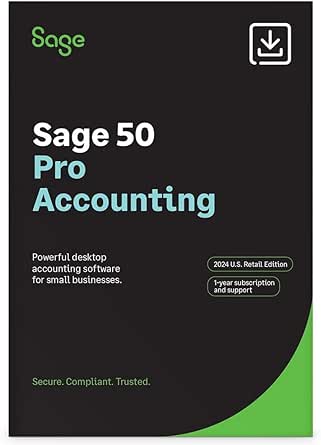 | Best for Core Desktop Bookkeeping | Version: 2024 | Edition: U.S. Retail | Platform: PC | VIEW ON AMAZON | See Our Full Breakdown |
| Sage 50 Pro Accounting 2026 U.S. Essential Edition, 1-User 1-Year Subscription for PC |  | Best for Current-Year Essential Accounting | Edition: U.S. Essential Edition | Platform: PC, Windows | License: 1 user | VIEW ON AMAZON | See Our Full Breakdown |
| Accounting Software for Business |  | Best for Buyers Who Can Verify the Basics First | Product name: Accounting Software for Business | Product category: Business accounting software | VIEW ON AMAZON | See Our Full Breakdown | |
| Sage 50 Premium Enhanced Accounting 2026, U.S. Edition, 1-User, 1-Year Subscription for PC |  | Best for Automated Collections and Remote Access | Edition: U.S. Retail Enhanced Edition | Platform: PC | License and term: 1 user, 1-year subscription | VIEW ON AMAZON | See Our Full Breakdown |
| Sage 50 Premium Accounting 2026 U.S. Retail Essential Edition, 1 User, 1-Year Subscription |  | Best for Budgeting and Job Costing | Edition: U.S. Retail Essential | Version: 2026 | License: 1 user | VIEW ON AMAZON | See Our Full Breakdown |
| Sage 50cloud Premium Accounting 2020, 2-User, 1-Year Subscription (PC Download) |  | Best for Job Costing and Inventory Controls | Users: 2 | Subscription: 1 year | Platform: PC download | VIEW ON AMAZON | See Our Full Breakdown |
| QB Enterprise Solutions 2024 Platinum for 5 Users, Lifetime License for PC |  | Best for Five-User License Coverage | Version: 2024 Platinum | License: Lifetime | Users: 5 | VIEW ON AMAZON | See Our Full Breakdown |
| QB Pro Plus 2024 for PC, 3 Users, Lifetime License |  | Best for Three Users Without a Recurring Subscription | Version: 2024 | License: Lifetime | Users: 3 | VIEW ON AMAZON | See Our Full Breakdown |
| Sage 50 Premium Accounting 2024 U.S. Retail Edition, 1 User, PC Download |  | Best for a Solo Business Needing Full Accounting Tools | Edition: 2024 U.S. Retail Edition | Users: 1 | Platform: PC download | VIEW ON AMAZON | See Our Full Breakdown |
| Sage 50 Premium Accounting 2024, U.S. Retail Edition, Boxed Version |  | Best for Buyers Who Prefer Boxed Software | Edition: 2024 U.S. Retail Edition | Format: Boxed version | Users: 1 | VIEW ON AMAZON | See Our Full Breakdown |
| Sage 50 Premium Accounting 2024 U.S. Retail Edition, Boxed Version | | Best for Inventory and Job Costing | Edition: 2024 U.S. Retail | Format: Boxed version | Platform: Desktop software | VIEW ON AMAZON | See Our Full Breakdown |
| Sage 50 Premium Accounting 2024 U.S. Retail Edition, 3 Users, PC Download | | Best for Fast Digital Setup | Edition: 2024 U.S. Retail Edition | Users: 3 | Platform: PC | VIEW ON AMAZON | See Our Full Breakdown |
| Sage 50 Pro Accounting 2026 U.S. Retail Essential Edition, 1-Year Subscription |  | Best for a Defined Subscription Term | Software type: Desktop subscription accounting software | Subscription term: 1 year | Operating system: Windows 10 version 21H1 or higher, or Windows 11 version 23H2 or higher | VIEW ON AMAZON | See Our Full Breakdown |
| accounting software subscription | Platform | Edition |
|---|---|---|
| Sage 50 Pro Accounting 2024 U. | PC | U.S. Retail |
| Sage 50 Pro Accounting 2026 U. | PC, Windows | U.S. Essential Edition |
| Accounting Software for Busine | — | — |
| Sage 50 Premium Enhanced Accou | PC | U.S. Retail Enhanced Edition |
| Sage 50 Premium Accounting 202 | Windows desktop | U.S. Retail Essential |
| Sage 50cloud Premium Accountin | PC download | — |
| QB Enterprise Solutions 2024 P | — | — |
| QB Pro Plus 2024 for PC | — | — |
| Sage 50 Premium Accounting 202 | PC download | 2024 U.S. Retail Edition |
| Sage 50 Premium Accounting 202 | Desktop software | 2024 U.S. Retail Edition |
| Sage 50 Premium Accounting 202 | Desktop software | 2024 U.S. Retail |
| Sage 50 Premium Accounting 202 | PC | 2024 U.S. Retail Edition |
| Sage 50 Pro Accounting 2026 U. | — | — |
More Details on Our Top Picks
Sage 50 Pro Accounting 2024 U.S. Retail Edition for PC
I’d choose this edition for a small business that wants core accounting tools in a familiar desktop setup, rather than the expanded automation in newer Sage 50 Premium versions. Invoicing, bill payments, expense tracking, and financial reporting cover routine bookkeeping, while inventory management and job costing add value for businesses that sell stock or track project costs. Compared with Sage 50 Pro Accounting 2026 U.S. Essential Edition, this 2024 release has less current version information and no supplied hardware specifications, so buyers should verify compatibility before installing it. Its included one-year Sage Business Care plan adds online support, but the license is limited to one user and the software requires a PC. I’d skip it if several staff members need simultaneous access or remote-first workflows.
Pros:- Combines invoicing, bill payments, expense tracking, and financial reporting
- Includes inventory management and job costing
- One-year Sage Business Care plan includes access to online support
Cons:- License is designed for one user
- Requires a desktop PC
- The supplied product details do not specify hardware or operating-system requirements
Best for: A small, single-user business that keeps its accounting on a PC and needs inventory and job-costing tools alongside everyday bookkeeping.
Not ideal for: Teams needing multiple user accounts, Mac support, or a cloud-first system with clearly listed current hardware requirements.
- Version:2024
- Edition:U.S. Retail
- Platform:PC
- License:1 user
- Product type:Desktop accounting software subscription
- Support plan:One-year Sage Business Care plan with online support
- Former name:Peachtree Accounting
Our verdict“Choose this 2024 edition for single-user PC bookkeeping with inventory and job costing, but favor the 2026 Pro edition if current system requirements matter more.”
Sage 50 Pro Accounting 2026 U.S. Essential Edition, 1-User 1-Year Subscription for PC
This is my pick for a small business that wants a current-year Sage 50 Pro subscription with practical purchasing and inventory workflows. It handles revenue and expenses, customer invoices, bills, purchase orders, inventory, job costing, and financial reports, so a single operator can connect day-to-day transactions with project profitability. Compared with the Sage 50 Pro Accounting 2024 U.S. Retail Edition, this 2026 listing provides more explicit Windows and hardware requirements and a defined one-year subscription term. It remains a desktop product, though: online features require internet access, and the license covers only one user. The 8 GB minimum RAM and Windows requirement also rule out older or non-Windows computers. I’d choose it over the Premium options when the listed Pro feature set fits and their added automation is not needed.
Pros:- Tracks revenue, expenses, and inventory
- Supports customer invoicing, bill payment, and purchase orders
- Job costing helps connect project expenses with profitability
- Lists specific Windows and hardware requirements
Cons:- Single-user license does not fit a team sharing accounting duties
- Requires Windows and internet access for online features
- Needs at least 8 GB RAM and 1 GB of installation space
Best for: A solo small-business owner using a supported Windows PC who needs invoicing, purchasing, inventory, and job-costing tools in a one-year subscription.
Not ideal for: Mac users, multi-user teams, or businesses seeking the bank-feed and payment-reminder automation listed for Sage 50 Premium Enhanced.
- Edition:U.S. Essential Edition
- Platform:PC, Windows
- License:1 user
- Subscription term:1 year
- Processor:Minimum 2.0 GHz; recommended 2.4 GHz or higher
- Memory:8 GB RAM minimum; 16 GB recommended for multiple users
- Storage:1 GB disk space for installation
- Minimum display resolution:1280 × 800
- Internet:Required for online features and services
Our verdict“Pick this 2026 Pro subscription for one-person Windows businesses that need core purchasing, inventory, and job-costing features without the listed Premium automation.”
Accounting Software for Business
I can’t rank this as a feature-led alternative to the Sage subscriptions because the supplied listing identifies only “business accounting software.” It provides no confirmed platform, license term, user limit, bookkeeping functions, support details, or system requirements. That makes it hard to compare its ongoing subscription commitment with the clearly specified Sage 50 Pro Accounting 2026, or to judge whether it supports inventory and job costing like the Sage options in this roundup. The sparse information could suit a buyer who is already considering this exact product and can confirm the details with the seller before committing. Without that verification, I’d favor a listing that states its subscription period, supported computer, and included accounting tools. The uncertainty is the central tradeoff, not a documented feature advantage.
Pros:- Identified as business accounting software
- May merit further investigation if the buyer can obtain complete product details
- No unsupported feature claims are needed to evaluate the listing
Cons:- No platform, operating-system, or hardware specifications are provided
- Subscription term and user allowance are unspecified
- No accounting features or support inclusions are documented
Best for: A buyer who has access to the seller or product documentation and can confirm the subscription term, compatibility, and included features before purchase.
Not ideal for: Small-business owners who need to choose software based on verified invoicing, inventory, job-costing, support, or system requirements.
- Product name:Accounting Software for Business
- Product category:Business accounting software
Our verdict“Do not commit unless you can verify its subscription, compatibility, and feature set, since Sage 50 Pro 2026 provides substantially clearer product details.”
Sage 50 Premium Enhanced Accounting 2026, U.S. Edition, 1-User, 1-Year Subscription for PC
Among these five listings, this is the strongest fit for a solo operator who wants more than basic desktop bookkeeping. The package pairs inventory and job costing with budgeting and reporting, then adds automated bank feeds, payment reminders and collection, plus remote data access. Those extras can reduce manual follow-up and make records available away from the main PC, unlike the more basic Sage 50 Pro 2026 listing. The tradeoff is a one-user Windows subscription with internet required for online services; remote access does not make this a platform-neutral or multi-user product. Compared with Sage 50 Premium Accounting 2026 U.S. Retail Essential Edition, the Enhanced listing specifically calls out bank feeds, collections reminders, and remote access. I’d pay attention to those differences only if they match the way you manage cash flow.
Pros:- Combines bookkeeping, invoicing, inventory, job costing, budgeting, and reporting
- Automated bank feeds can reduce manual transaction entry
- Payment reminders and collection tools support follow-up on overdue invoices
- Remote data access and one year of support are included
Cons:- License is limited to one user
- Online features and services require internet access
- Requires Windows 10 or 11 and at least 8 GB RAM
Best for: A solo Windows-based business owner who handles inventory or job costing and wants bank-feed automation, payment reminders, and remote data access.
Not ideal for: Businesses needing multiple licensed users, non-Windows support, or a subscription that can operate without internet for online services.
- Edition:U.S. Retail Enhanced Edition
- Platform:PC
- License and term:1 user, 1-year subscription
- Operating system:Windows 10 (version 21H1 or higher) or Windows 11 (23H2 or higher)
- Minimum processor:2.0 GHz
- Minimum RAM:8 GB
- Installation disk space:1 GB
- Minimum display resolution:1280×800
- Internet connection:Required for online features and services
Our verdict“Choose Premium Enhanced if automated bank feeds, collections reminders, and remote access justify its one-user Windows subscription.”
Sage 50 Premium Accounting 2026 U.S. Retail Essential Edition, 1 User, 1-Year Subscription
I’d place this Premium Essential edition between the Pro subscriptions and Premium Enhanced: it adds budgeting to a broad set of accounting workflows, without the Enhanced listing’s specific emphasis on automated bank feeds, collections reminders, and remote data access. For a one-person business, job costing and custom reports can help connect project spending to decisions, while inventory, purchase orders, bills, and invoices keep routine records together. Compared with Sage 50 Pro Accounting 2026, the stated Premium feature set gives budgeting and custom reporting a clearer role; compared with Premium Enhanced, it has fewer named automation extras. It is still a Windows desktop subscription, and online features need internet. I’d choose it when budgeting and project-level tracking matter more than the Enhanced edition’s listed convenience tools.
Pros:- Includes budgeting and job-costing tools
- Tracks inventory and supports purchase orders
- Combines bills, invoices, and custom reports
- Supports Windows 10 and Windows 11
Cons:- License is for one user
- Requires Windows and internet access for online features
- Requires at least 8 GB RAM and 1 GB of installation space
Best for: A solo Windows-based business owner who needs budgeting, inventory, purchase orders, and project-level job costing in one desktop accounting subscription.
Not ideal for: Teams needing multiple users, Mac users, or owners prioritizing the bank feeds, collection reminders, and remote access specified for Premium Enhanced.
- Edition:U.S. Retail Essential
- Version:2026
- License:1 user
- Subscription term:1 year
- Platform:Windows desktop
- Minimum operating system:Windows 10 (version 21H1 or higher) or Windows 11 (version 23H2 or higher)
- Minimum processor:2.0 GHz
- Minimum RAM:8 GB
- Internet:Required for online features
Our verdict“Pick Premium Essential for one-user budgeting, inventory, and job costing; choose Premium Enhanced instead if its named automation and remote-access features are priorities.”
Sage 50cloud Premium Accounting 2020, 2-User, 1-Year Subscription (PC Download)
Sage 50cloud Premium Accounting 2020 suits small businesses that need more than basic bookkeeping from a subscription. Its job costing, serialized inventory, budgeting, and audit trails support tighter tracking of project costs and stock history than the simpler QB Pro Plus 2024 listing, which emphasizes a three-user lifetime license without comparable features in its supplied details. Two-user access also makes this a fit for an owner and bookkeeper sharing work.
The tradeoff is its older 2020 edition and one-year subscription, rather than a lifetime license like QB Enterprise Solutions 2024 Platinum. Remote access and bank feeds depend on internet access, and Microsoft Office 365 is not included. I’d choose it for its accounting controls, not for buyers seeking a current edition or an all-in-one bundle.
Pros:- Job costing and budgeting support project-level financial tracking.
- Serialized inventory and audit trails add stock and transaction oversight.
- Remote access and dashboards help users check business data away from the office.
- Automated bank feeds can reduce manual transaction entry.
Cons:- The 2020 edition is older than the 2024 Sage 50 Premium options in this roundup.
- Online features and services require internet access.
- Microsoft Office 365 is not included.
Best for: Small businesses with two PC users that track serialized stock, project costs, and budgets.
Not ideal for: Mac users, businesses seeking a current software edition, or buyers who need Microsoft Office 365 included.
- Users:2
- Subscription:1 year
- Platform:PC download
- Operating systems:Windows 10, 8.1, 8, or 7
- Memory:4 GB for single user; 8 GB for multiple users
- Storage:1 GB available space
- Minimum resolution:1280×800
- Internet access:Required for online features and services
- Microsoft Office 365:Not included
Our verdict“Choose this subscription if two PC users need job costing and serialized inventory more than a newer edition or bundled Office software.”
QB Enterprise Solutions 2024 Platinum for 5 Users, Lifetime License for PC
QB Enterprise Solutions 2024 Platinum is the clearest fit here for a team prioritizing a five-user, lifetime license over a recurring subscription. That makes it different from Sage 50 Premium Accounting 2024 U.S. Retail Edition, which is limited to one user and includes a one-year support plan. The supplied details also state that technical support is included, though they do not describe the accounting feature set in depth.
That limited information is the main tradeoff: I can compare its licensing and delivery terms, but not its bookkeeping tools against Sage’s listed inventory, budgeting, and job-costing features. It is PC-only, with no DVD, and the buyer must respond to the seller’s initial Amazon Message before receiving the license details. This is a poor match for anyone who wants direct, immediate delivery or Mac compatibility.
Pros:- Lifetime license avoids a recurring subscription.
- License covers up to five users.
- Seller states that technical support is included.
Cons:- Not compatible with Mac.
- Product details arrive through Amazon Messages, and the buyer must respond before receiving them.
- No DVD is included, and the supplied description gives limited detail about accounting features.
Best for: PC-based small businesses with up to five users that prefer a lifetime license and can follow the seller’s message-based delivery steps.
Not ideal for: Mac users or buyers who need clearly documented feature details and a direct software download process.
- Version:2024 Platinum
- License:Lifetime
- Users:5
- Compatibility:PC only; not for Mac
- Delivery:Amazon Message within 12 hours
- Physical media:No DVD
- Technical support:Seller states that support is included
Our verdict“Pick this for a five-user PC team that values a lifetime license, provided the message-based delivery and sparse feature details suit your needs.”
QB Pro Plus 2024 for PC, 3 Users, Lifetime License
QB Pro Plus 2024 offers a straightforward licensing proposition: three PC users and no recurring subscription. It occupies a middle ground between the five-user QB Enterprise Solutions 2024 Platinum and Sage 50 Premium Accounting 2024 U.S. Retail Edition, which is listed for one user and includes a year of online support. Buyers who mainly want multi-user coverage without an ongoing subscription may find this license easier to match to a small team.
The listing’s details focus on activation rather than accounting capabilities, so I would not choose it over Sage based on feature depth: Sage specifies inventory, job costing, budgeting, and audit trails, while this product’s supplied data does not. It is PC-only, and the key and instructions arrive through Amazon Messages rather than on a DVD. Technical help is available for installation and activation, not necessarily broader bookkeeping questions.
Pros:- Covers up to three users.
- No recurring subscription is specified.
- Technical assistance is available for installation and activation.
Cons:- Not compatible with Mac.
- License key and activation instructions are delivered through Amazon Messages.
- The supplied product details do not specify accounting features.
Best for: Small PC-based teams of up to three people who want a non-recurring license and may need help with installation or activation.
Not ideal for: Mac users or buyers choosing primarily for documented inventory, job-costing, budgeting, or reporting tools.
- Version:2024
- License:Lifetime
- Users:3
- Compatibility:PC only; not compatible with Mac
- Delivery:License key and activation instructions via Amazon Messages
- Subscription:None
- Technical assistance:Available for installation and activation
Our verdict“Choose this for a three-person PC team seeking a non-recurring license, but compare its feature set carefully with Sage 50 Premium before buying.”
Sage 50 Premium Accounting 2024 U.S. Retail Edition, 1 User, PC Download
Sage 50 Premium Accounting 2024 is a strong match for a solo operator who needs bookkeeping alongside invoicing, bill payment, inventory, and job costing. Its budgeting, customizable reports, and audit trails give it more specified accounting depth than QB Pro Plus 2024, whose listing focuses on license terms and activation rather than features. A one-year Sage Business Care plan with online support also adds a defined support period.
The one-user limit is the practical constraint: unlike Sage 50cloud Premium 2020, this edition is not listed for two users. It is a desktop PC download, and the supplied information describes it as a subscription, so it does not suit buyers seeking a lifetime license like the QB Enterprise option. Payroll is mentioned without detail, making this a better choice for core accounts than for buyers selecting software around specific payroll needs.
Pros:- Combines bookkeeping, invoicing, and bill payment.
- Inventory management and job costing support operational tracking.
- Budgeting, audit trails, and customizable financial reports add oversight.
- Includes a one-year Sage Business Care plan with online support.
Cons:- Limited to one user.
- Listed as a subscription rather than a lifetime license.
- Payroll capabilities are mentioned, but details are not provided.
Best for: Solo small-business owners who manage invoices, bills, inventory, and job costs on a PC and value a year of online support.
Not ideal for: Businesses needing multiple user accounts, Mac compatibility, or detailed confirmation of payroll capabilities.
- Edition:2024 U.S. Retail Edition
- Users:1
- Platform:PC download
- Software type:Desktop accounting software subscription
- Support plan:One-year Sage Business Care plan with online support
- Bookkeeping tools:Bookkeeping, invoicing, and bill payment
- Business controls:Inventory management, job costing, budgeting, audit trails, and financial reporting
Our verdict“Choose this Sage edition if you work solo on a PC and need detailed inventory and job-costing tools with online support.”
Sage 50 Premium Accounting 2024, U.S. Retail Edition, Boxed Version
Sage 50 Premium Accounting 2024 boxed version offers the same stated one-user focus and broad accounting toolkit as the Sage 50 Premium 2024 PC download: bookkeeping, invoicing, bills, inventory tracking, job costing, budgeting, audit trails, and customizable reports. Its distinguishing feature is the boxed format, which can suit buyers who prefer retail packaging over the download format of the other Sage 2024 listing. Both editions include a year of Sage Business Care online support.
That format preference does not change the key limitation: this is single-user desktop software, unlike Sage 50cloud Premium 2020, which supports two users. The listing also describes it as a subscription, so boxed packaging should not be mistaken for a lifetime license. Buyers who want a download rather than a box should compare it with the otherwise closely aligned PC download edition.
Pros:- Includes bookkeeping, invoicing, and bill-payment tools.
- Inventory tracking and job costing support small-business operations.
- Budgeting, audit trails, and customizable reports help monitor finances.
- Comes with a one-year Sage Business Care plan with online support.
Cons:- Designed for one user.
- Offered as a subscription, despite the boxed format.
- Buyers who prefer a download may favor the Sage 50 Premium 2024 PC download edition.
Best for: Solo PC users who want Sage’s inventory and job-costing tools and prefer a boxed retail edition.
Not ideal for: Teams needing multiple user access or buyers who want a lifetime license or a PC download format.
- Edition:2024 U.S. Retail Edition
- Format:Boxed version
- Users:1
- Platform:Desktop software
- Support plan:One-year Sage Business Care plan with online support
- Features:Bookkeeping, invoicing, bill payment, inventory tracking, job costing, budgeting, audit trails, and customizable reports
- Former name:Peachtree Accounting Software
Our verdict“Choose the boxed edition if you are a solo user who wants Sage’s fuller accounting toolkit and prefers retail packaging over a download.”
I’d choose this boxed edition when a small business needs more than basic bookkeeping but prefers a desktop setup. Job costing, inventory tracking, invoicing, and bill payments bring day-to-day accounting into one program, while budgeting and customizable reports give owners more ways to review performance than Sage 50 Pro Accounting 2026 Essential. Its three-user limit also suits a small accounting team that shares work on a supported setup. The tradeoff is that this is desktop software, not a flexible cloud-first subscription, and the product details specify a one-year support plan without clarifying what subscription access looks like afterward. Compared with the downloadable Sage 50 Premium 2024 edition, the boxed format may better suit buyers who want physical packaging, but it does not change the core feature set. I’d rank it for feature depth, not delivery convenience.
Pros:- Combines invoicing, bill payments, job costing, and inventory tracking
- Supports up to three users
- Includes budgeting and customizable financial reports
- Comes with one year of Sage Business Care online support
Cons:- Designed for desktop use rather than a cloud-first workflow
- Subscription access or renewal terms beyond the included support plan are not specified
- Boxed delivery may be less convenient than a PC download
Best for: Small businesses with inventory and project costs to track, up to three users, and a preference for boxed desktop software.
Not ideal for: Cloud-first teams, businesses needing more than three users, or buyers who need clearly defined subscription terms beyond the included support year.
- Edition:2024 U.S. Retail
- Format:Boxed version
- Platform:Desktop software
- User limit:Up to 3 users
- Included support:One-year Sage Business Care plan with online support
- Accounting features:Invoicing and bill payments
- Business management features:Job costing, inventory tracking, and budgeting
- Reporting:Customizable financial reports
Our verdict“Choose this boxed Sage 50 Premium edition if inventory and job costing matter more than cloud access or streamlined digital delivery.”
Sage 50 Premium Accounting 2024 U.S. Retail Edition, 3 Users, PC Download
This download is the more convenient way into Sage 50 Premium 2024 for a business that wants the boxed edition’s core accounting toolkit without physical packaging. It supports three users and includes invoicing, bill payment, inventory management, job costing, budgeting, and financial reporting, making it a stronger fit for operational complexity than Sage 50 Pro Accounting 2026 Essential. The product description also lists payroll, though buyers should confirm that the specific payroll features meet their needs. Compared with the boxed Sage 50 Premium 2024, the main distinction here is PC download delivery, not a different accounting approach. It remains desktop software, so teams seeking browser-based access should look elsewhere. The included one-year Sage Business Care plan adds online support, but the product details do not define subscription access or renewal arrangements after that year.
Pros:- Download delivery avoids physical packaging
- Supports up to three users
- Includes inventory management, job costing, invoicing, and bill payment
- Provides budgeting, financial reporting, and a one-year Sage Business Care plan
Cons:- Designed for PC desktop use, not browser-based access
- Subscription or renewal terms beyond the included support year are not specified
- Payroll is listed in the description, but detailed payroll scope is not provided
Best for: Small businesses with up to three PC users that want Sage 50 Premium features delivered as a download rather than in a box.
Not ideal for: Mac users, cloud-first teams, or buyers who need clear terms for continued access after the one-year support plan.
- Edition:2024 U.S. Retail Edition
- Users:3
- Platform:PC
- Delivery:Download
- Included support:One-year Sage Business Care plan
- Accounting features:Invoicing and bill payment
- Business management features:Inventory management, job costing, and budgeting
- Additional tools:Payroll and financial reporting
- Former name:Peachtree Accounting
Our verdict“Pick this downloadable edition over the boxed Sage 50 Premium 2024 if delivery convenience matters and your team works on PC.”
Sage 50 Pro Accounting 2026 U.S. Retail Essential Edition, 1-Year Subscription
For buyers who want the subscription period stated plainly, this Sage 50 Pro Essential edition specifies a one-year term, unlike the 2024 Premium listings, whose details describe a one-year support plan but do not spell out ongoing access. Its feature set focuses on practical small-business tasks: tracking revenue and expenses, invoicing, paying bills, managing inventory, creating purchase orders, and costing jobs. That makes it a sensible fit for a business with stock and project costs, though it is a narrower choice than Sage 50 Premium 2024, which adds budgeting and customizable reporting in the supplied details. This is Windows desktop software, with internet access needed for online features; system requirements also call for at least 8 GB of RAM. I’d favor it for a clear annual subscription and core operations, not for broad platform flexibility.
Pros:- States a one-year subscription term
- Combines invoicing, bill payments, revenue and expense tracking
- Includes inventory management and purchase orders
- Supports job costing and offers business models for starting a chart of accounts
Cons:- Requires Windows 10 or Windows 11
- Internet access is required for online features and services
- The supplied feature list is narrower than Sage 50 Premium 2024, particularly for budgeting and customizable reporting
Best for: Windows-based small businesses seeking a clearly specified one-year subscription with inventory, purchase orders, and job costing.
Not ideal for: Mac users, teams needing cloud-based accounting, or businesses seeking the budgeting and customizable reporting features listed for Sage 50 Premium 2024.
- Software type:Desktop subscription accounting software
- Subscription term:1 year
- Operating system:Windows 10 version 21H1 or higher, or Windows 11 version 23H2 or higher
- Minimum processor:2.0 GHz
- Minimum RAM:8 GB
- Installation disk space:1 GB
- Minimum display resolution:1280 x 800
- Internet access:Required for online features and services
- Remote Data Access company file limit:5 GB
Our verdict“Choose this edition if you want a clearly stated one-year Windows subscription for core accounting, inventory, and job-costing work.”

How We Picked
I ranked these products around the subscription decision rather than treating every listing as a separate feature set. The main criteria were license clarity, edition year, user capacity, and feature tier. A clearly identified one-year subscription received more weight than an older retail or download listing when the buyer’s goal is an ongoing subscription. I also distinguished Sage 50 Pro from Premium and separated the QuickBooks products by stated license and user count.
The order reflects how well each option answers a common buyer need, not a claim that every listing has been independently verified or that similarly named editions contain identical entitlements. Current, clearly labeled editions rank ahead of older versions; higher tiers and additional users matter when they match a real workload, not simply because they sound more advanced. Listings with ambiguous or inconsistent naming rank lower because buyers should confirm the exact product, term, and included access before purchase. The roundup has a narrow product mix, so it should not be read as a comparison of every accounting subscription on the market.
| accounting software subscription | Platform |
|---|---|
| Sage 50 Pro Accounting 2024 U. | PC |
| Sage 50 Pro Accounting 2026 U. | PC, Windows |
| Accounting Software for Busine | — |
| Sage 50 Premium Enhanced Accou | PC |
| Sage 50 Premium Accounting 202 | Windows desktop |
| Sage 50cloud Premium Accountin | PC download |
| QB Enterprise Solutions 2024 P | — |
| QB Pro Plus 2024 for PC | — |
| Sage 50 Premium Accounting 202 | PC download |
| Sage 50 Premium Accounting 202 | Desktop software |
| Sage 50 Premium Accounting 202 | Desktop software |
| Sage 50 Premium Accounting 202 | PC |
| Sage 50 Pro Accounting 2026 U. | — |
Factors to Consider When Choosing Accounting Software Subscriptions
Before choosing among these accounting software subscriptions, I would match the license to how the business works—not just the product family name. The same Sage 50 label appears across different years, tiers, formats, and user counts, while the QuickBooks listings use different license language. These checks can help prevent a mismatch between the subscription you expect and the software access you receive.
Confirm the subscription term and update path
A one-year subscription describes a defined period of access, while a retail edition or listing labeled with a lifetime license may follow a different update and support path. Do not assume that a product title containing a recent year means the software will receive ongoing updates after its stated term. Before purchase, verify how renewal works, what happens when the term ends, and whether updates or support are included. An older edition may fit a business with a fixed desktop setup, but it can be a poor match for someone expecting a current subscription. Compare the license wording itself, not just the brand name or year.
Choose the feature tier by task, not by label
Pro and Premium indicate different Sage 50 tiers, but a higher tier is only useful if the business needs what it adds. List the accounting tasks you handle regularly, then verify that the specific edition supports them before committing. A common mistake is paying for a more advanced edition because the word “Premium” sounds safer, even when a basic setup would cover the workload. The opposite mistake is choosing the simpler tier without checking for a required workflow or reporting capability. When the product page does not spell out a feature clearly, seek confirmation from the seller or software provider rather than inferring it from the edition name.
Count users who need access at the same time
User limits affect more than convenience: they can shape how bookkeeping is divided among an owner, employee, and outside accountant. A one-user edition may be a sensible match for a business where one person maintains the books, but it can become a bottleneck if several people need access. A higher user count is not automatically better if the additional seats will go unused. Check whether the listed number refers to licensed users, simultaneous users, or another access rule, since product titles alone may not explain the distinction. Match capacity to the way your team actually works and leave room for a realistic change in staffing.
Treat retail, boxed, download, and subscription listings as separate offers
These listings include annual subscriptions, PC downloads, boxed editions, and licenses described as lifetime. The format can affect delivery and installation, while the license determines access duration and possibly update eligibility; one does not answer the other. Do not assume a boxed copy is a perpetual license or that a download includes a renewable subscription. Check the operating system requirements, activation process, and any account or internet needs before ordering. If your business relies on one computer, a desktop format may suit its workflow, but it may not provide the access pattern you expect from a cloud service.
Check version compatibility before replacing an existing system
Businesses moving from an older Sage or QuickBooks edition should check whether company files can be opened or converted by the exact version under consideration. File conversion can affect historical records, reports, and workflows, so do not leave that question until after purchase. Ask whether the current edition supports your existing data and whether a backup or migration step is required. The products in this roundup span several years, which makes compatibility especially relevant when comparing a 2026 subscription with a 2024 or 2020 edition. A short pre-purchase compatibility check can matter more than choosing a newer-sounding title.
Budget for the full ownership and support picture
The license term is only one part of the commitment: support availability, renewal, updates, and the time needed to maintain desktop software can also affect a business. A listing that appears straightforward may still require separate confirmation of support coverage or future access. Compare those ongoing obligations with the cost of switching systems, training staff, and maintaining backups. For a business with established desktop processes, an older retail edition might be adequate if its support and compatibility fit the plan. For a buyer who expects a maintained subscription, clear renewal and update terms should take priority over a product title that simply includes a newer year.
Frequently Asked Questions
Should I choose a Sage 50 annual subscription or a listing labeled lifetime license?
Start with how long you need access and whether you expect ongoing updates. The Sage 50 2026 listings in this roundup explicitly identify a one-year subscription, while the QuickBooks listings use lifetime-license wording and several Sage options are retail editions. Those labels do not establish the same renewal or update terms. Confirm what happens after the subscription period, what support is included, and whether a lifetime license applies to the software version only. Choose based on the access commitment you want, not on the assumption that one label includes every future update.
Is Sage 50 Pro or Premium the better fit for a small business?
Neither tier is a universal winner; the right choice depends on the tasks your business needs the software to handle. Pro is the more straightforward direction for buyers who need a single-user accounting setup and do not require Premium-specific functions. Premium is the higher-tier option in this roundup, so it makes sense when its added capabilities match defined workflows. Confirm the exact feature differences for the edition and year you plan to buy, since product titles alone do not provide a complete feature list. Avoid paying for a tier based only on its name, but do not assume Pro covers a required task without checking.
How many user licenses should I buy if my accountant also needs access?
Count everyone who needs access under the product’s licensing rules, including an outside accountant, and check whether the limit means licensed or simultaneous users. This roundup includes several one-user Sage editions, a three-user Sage 50 Premium option, a two-user older Sage edition, and a five-user QuickBooks Enterprise listing. A one-user license may be enough if your accountant works from reports or takes turns using the system, but that arrangement may not suit a team needing concurrent access. Ask the provider how external accountants are counted before buying. Do not select a larger license solely for future flexibility unless the extra capacity has a practical use.
Can I move company files from an older Sage or QuickBooks edition to one of these products?
Possibly, but compatibility depends on the exact source and destination versions, the file format, and the migration route. The products here span multiple years and two software families, so a title that looks similar does not guarantee a direct conversion path. Before replacing your current system, ask the software provider whether your files can be opened or converted and whether any records or reports may need separate handling. Make a verified backup before attempting a conversion. If you cannot confirm compatibility, include migration support and staff time in your selection decision.
Does a boxed or downloadable Sage 50 edition give me the same ongoing service as a subscription?
Not necessarily: format and license term are separate details. A boxed or downloadable listing describes how software is supplied, while an annual subscription identifies a time-limited service commitment. The older Sage retail and download products in this roundup should not be assumed to include the same renewal, update, or support terms as the 2026 subscription editions. Read the specific listing for activation, support, update access, and what happens when any included term ends. If ongoing service is your priority, favor a listing that states those terms clearly.
Conclusion
For most buyers seeking an ongoing desktop subscription, I would start with Sage 50 Premium Accounting 2026, 1-User as the best overall fit, then verify that its feature tier matches the business’s actual work. Best value for a simpler single-user setup: Sage 50 Pro Accounting 2026, provided its capabilities cover your needs. Best premium: Sage 50 Premium, with the user count and exact edition checked before purchase. Best for beginners: Sage 50 Pro 2026 is the more straightforward starting point in this lineup, though buyers new to bookkeeping should also check available training and support. Best for a team with several users: the five-user QuickBooks Enterprise listing stands out by capacity, while the three-user Sage Premium 2024 option is another route to investigate. If you need a specific format or an older version, compare its license, compatibility, and update terms carefully; this roundup’s close product-name similarities make those details part of the buying decision.