Portable thermal label printers range from compact label makers for home organization to wider machines built for 4×6 shipping labels. My best overall pick is the Phomemo M110, a versatile portable model suited to smaller labels and everyday tasks. For shipping workflows, the MUNBYN RealWriter 130B stands out as a dedicated option, while the NIIMBOT B1 is a simpler fit for beginners making smaller labels. The main tradeoff is portability and compact label output versus the wider formats and workflow features needed for frequent parcel shipping. Read on for the full breakdown and help matching a printer to your labels, devices, and routine.

Get business pricing on office and shipping supplies
- Business-only prices and quantity discounts
- Tax-exempt purchasing
- Multiple users, one account, clear invoices
Key Takeaways
- The lineup splits into two jobs: compact models such as the NIIMBOT B1 and Nelko P21 suit small labels, while the 4×6 models target shipping labels.
- The Phomemo M110 is the most versatile compact pick: it offers a broader everyday role than a small-format label maker, but it is not a substitute for a dedicated 4×6 printer.
- Shipping-focused options are not interchangeable: the MUNBYN RealWriter 130B, Phomemo 241BT, and several KNAON models emphasize parcel labels rather than general-purpose small labels.
- Bluetooth is not the whole compatibility story: buyers should check app and device support before choosing a phone-first printer, especially if they plan to print from a computer.
- Several entries overlap closely: multiple NIIMBOT B1 and KNAON listings mean the best choice often comes down to label format, included supplies, and the exact workflow—not the brand name alone.
| NIIMBOT B1 Label Maker with 3 Rolls of White Labels (Blue) |  | Best Starter Kit for Everyday Labels | Printer type: Thermal | Connectivity: Bluetooth and USB | Resolution: 203 × 203 dpi | VIEW LATEST PRICE | See Our Full Breakdown |
| Nelko P21 Bluetooth Label Maker, White |  | Best for Simple Phone-Only Labeling | Printer type: Direct thermal | Print output: Monochrome | Resolution: 203 DPI | VIEW LATEST PRICE | See Our Full Breakdown |
| KNAON Y41BT Bluetooth Thermal Shipping Label Printer, 4×6 |  | Best for Portable 4×6 Shipping | Printer type: Thermal | Print output: Monochrome | Resolution: 200 × 200 dpi | VIEW LATEST PRICE | See Our Full Breakdown |
| SUPVAN T50M Pro Bluetooth Label Maker |  | Best for Custom Home and Office Labels | Printer type: Thermal | Print output: Monochrome | Connectivity: Bluetooth and USB Type-C | VIEW LATEST PRICE | See Our Full Breakdown |
| KNAON Bluetooth Thermal Shipping Label Printer, White |  | Best for Multi-Device Shipping Workflows | Printer type: Thermal | Print output: Monochrome | Connectivity: Bluetooth and USB 2.0 | VIEW LATEST PRICE | See Our Full Breakdown |
| Phomemo M110 Portable Bluetooth Thermal Label Printer |  | Best for Small, Custom Labels | Print type: Thermal, monochrome | Label width: 20–50 mm (0.78–2 in) | Connectivity: Bluetooth 4.0, up to 33 ft | VIEW LATEST PRICE | See Our Full Breakdown |
| MUNBYN RealWriter 130B Bluetooth Thermal Label Printer |  | Best for Fast Shipping Workflows | Model: RealWriter 130B | Connectivity: Bluetooth, USB | Print speed: 72 pages/min | VIEW LATEST PRICE | See Our Full Breakdown |
| Phomemo 241BT Bluetooth Thermal Label Printer with 20Pcs Labels |  | Best for Multi-Device Shipping Setups | Print type: Direct thermal, monochrome | Connectivity: Bluetooth, USB | Compatibility: iOS, Android, Windows, Mac OS, Chrome OS, Linux | VIEW LATEST PRICE | See Our Full Breakdown |
| NULLTONEX 4×6 Bluetooth Thermal Shipping Label Printer |  | Best for Ready-to-Ship 4×6 Labels | Printer type: Direct thermal | Resolution: 203 dpi | Print speed: Up to 150 mm/s (72 labels per minute) | VIEW LATEST PRICE | See Our Full Breakdown |
| NIIMBOT B1 Bluetooth Thermal Label Printer |  | Best for Home and Office Organization | Print type: Thermal, monochrome | Connectivity: Bluetooth, USB | Compatible devices: iOS and Android smartphones, PC | VIEW LATEST PRICE | See Our Full Breakdown |
| Rongta RP425 Wireless Thermal Shipping Label Printer, 4 x 6 in, White |  | Best for Simple Phone-to-Printer Shipping | Printer type: Thermal | Resolution: 203 × 203 dpi | Print speed: 15 pages per minute | VIEW LATEST PRICE | See Our Full Breakdown |
| Labeer Bluetooth Thermal Shipping Label Printer |  | Best for Broad Device Compatibility | Printer type: Direct thermal | Resolution: 203 × 203 dpi | Supported label widths: 1.57–4.41 inches | VIEW LATEST PRICE | See Our Full Breakdown |
| KNAON Portable Bluetooth Thermal Shipping Label Printer, White |  | Best for Custom Label Templates | Printer type: Thermal | Resolution: 203 dpi | Print speed: Up to 180 mm/s | VIEW LATEST PRICE | See Our Full Breakdown |
| NIIMBOT B1 Bluetooth Thermal Label Maker, 2-Inch, Blue |  | Best Compact Pick for Small Labels | Printer type: Direct thermal | Resolution: 203 dpi | Maximum print width: 2 inches | VIEW LATEST PRICE | See Our Full Breakdown |
| portable thermal label printer | Connectivity | Resolution | Weight | Printer type |
|---|---|---|---|---|
| NIIMBOT B1 Label Maker with 3 | Bluetooth and USB | 203 × 203 dpi | 10.4 ounces | Thermal |
| Nelko P21 Bluetooth Label Make | Bluetooth | 203 DPI | 11.52 ounces | Direct thermal |
| KNAON Y41BT Bluetooth Thermal | Bluetooth via FlashLabel Pro app and USB | 200 × 200 dpi | — | Thermal |
| SUPVAN T50M Pro Bluetooth Labe | Bluetooth and USB Type-C | 203 dpi | 433 g | Thermal |
| KNAON Bluetooth Thermal Shippi | Bluetooth and USB 2.0 | 200 × 200 dpi | 2.8 pounds | Thermal |
| Phomemo M110 Portable Bluetoot | Bluetooth 4.0, up to 33 ft | 203 dpi | 222.8 g | — |
| MUNBYN RealWriter 130B Bluetoo | Bluetooth, USB | 203 dpi | — | — |
| Phomemo 241BT Bluetooth Therma | Bluetooth, USB | 203 × 203 dpi | 720 g | — |
| NULLTONEX 4×6 Bluetooth Therma | Bluetooth, USB | 203 dpi | 1.2 lb | Direct thermal |
| NIIMBOT B1 Bluetooth Thermal L | Bluetooth, USB | 203 dpi | 293 g | — |
| Rongta RP425 Wireless Thermal | Bluetooth, USB | 203 × 203 dpi | 16 ounces | Thermal |
| Labeer Bluetooth Thermal Shipp | Bluetooth, USB | 203 × 203 dpi | 450 g | Direct thermal |
| KNAON Portable Bluetooth Therm | Bluetooth via FlashLabel Pro app, USB | 203 dpi | — | Thermal |
| NIIMBOT B1 Bluetooth Thermal L | Bluetooth, USB Type-C | 203 dpi | 293 g (10.4 oz) | Direct thermal |
More Details on Our Top Picks
NIIMBOT B1 Label Maker with 3 Rolls of White Labels (Blue)
The NIIMBOT B1 is the easiest pick here for buyers who want a portable label maker ready for several household or small-office jobs. Its three included rolls cover rectangular and round formats, while automatic size detection reduces setup when switching between them. The app’s font and symbol library gives it more design flexibility than the Nelko P21, which is limited to fixed-size labels. Bluetooth and USB also make the B1 more adaptable across phones and PCs. The tradeoff is that it is not a 4×6 shipping-label printer like the KNAON Y41BT, and printing remains monochrome. PC users must download a driver manually, and iPad support is not listed, so this is best for phone-led label tasks rather than a full desktop workflow.
Pros:- Includes three rolls in different label shapes and sizes
- App automatically detects label size and provides more than 30 fonts and 1,500 symbols
- Bluetooth and USB connectivity support phones and PCs
- Compact 10.4-ounce design is easy to store or carry
Cons:- Does not support iPad devices
- PC setup requires downloading a driver from the manufacturer
- Prints monochrome labels only
Best for: Households and small shops that want a compact phone-connected label maker with several label shapes included.
Not ideal for: iPad users or sellers who need standard 4×6 shipping labels and a desktop-focused workflow.
- Printer type:Thermal
- Connectivity:Bluetooth and USB
- Resolution:203 × 203 dpi
- Weight:10.4 ounces
- Dimensions:2.4 × 3.6 × 5.2 inches
- Included media:Three rolls: 50 × 30 mm, 50 × 80 mm, and 50 × 50 mm round
- Warranty:2 years
Our verdict“Choose the NIIMBOT B1 if you want a portable, versatile everyday label maker with starter media included, not a 4×6 shipping printer.”
Nelko P21 Bluetooth Label Maker, White
The Nelko P21 suits buyers who want a small rechargeable printer for quick labels from an iOS or Android phone. Its app supports templates, icons, QR codes, and barcodes, so routine organization tasks do not require desktop design software. Compared with the NIIMBOT B1, the P21 is more narrowly focused: it uses fixed-size labels and cannot print continuous tape, but its phone-first setup keeps the workflow straightforward. That simplicity comes with firm limits. There is no computer compatibility, and labels top out at 14 × 75 mm, making it a poor fit for shipping labels or wider identification tags. It also prints black text only, even on colored stock, and the charging adapter is not included.
Pros:- Rechargeable and compact for occasional mobile label jobs
- 203 DPI monochrome printing needs no ink or toner
- App includes templates, icons, QR codes, and barcodes
- Bluetooth connection works with iOS and Android smartphones
Cons:- Not compatible with computers
- Does not support continuous label tape and is limited to 14 × 75 mm media
- Charging adapter is not included
Best for: Phone-first users labeling cables, containers, school supplies, or small inventory items with fixed-format labels.
Not ideal for: PC users, sellers needing shipping labels, or buyers who want continuous tape or wider label formats.
- Printer type:Direct thermal
- Print output:Monochrome
- Resolution:203 DPI
- Connectivity:Bluetooth
- Compatible devices:iOS and Android smartphones
- Maximum media size:14 × 75 mm
- Power:Built-in rechargeable battery
- Weight:11.52 ounces
Our verdict“Pick the P21 for straightforward smartphone labeling in a fixed small format, but skip it if you need a computer connection or broader media support.”
KNAON Y41BT Bluetooth Thermal Shipping Label Printer, 4×6
For sellers who need shipping labels away from a fixed workstation, the KNAON Y41BT offers the broadest practical workflow in this group: it handles paper widths up to 4.41 inches and connects by USB or through Bluetooth in the FlashLabel Pro app. It also supports Windows, macOS, ChromeOS, Linux, iOS, and Android, unlike the phone-only Nelko P21. Its compact 7.2-inch body and print speed up to 180 mm/s make it a more shipping-oriented choice than the smaller-format NIIMBOT B1. The main compromise is software friction: Bluetooth is app-dependent rather than a direct device connection, and shipping labels from supported platforms need to be saved as PDFs and imported. It is portable for a shipping printer, but less pocketable than label makers for household tags.
Pros:- Supports label widths from 1.38 to 4.41 inches, including 4×6 shipping formats
- USB and app-based Bluetooth connections cover desktop and mobile devices
- Compatible with Windows, macOS, ChromeOS, Linux, iOS, and Android
- Print speed reaches up to 180 mm/s
Cons:- Bluetooth printing requires the FlashLabel Pro app
- Shipping labels from supported platforms must be saved as PDFs and imported
- Larger and less pocketable than narrow-format label makers
Best for: Small online sellers who need a compact printer for 4×6 shipping labels and want both mobile and computer connections.
Not ideal for: Buyers seeking a pocket-size organizer label maker or a direct Bluetooth workflow without a required companion app.
- Printer type:Thermal
- Print output:Monochrome
- Resolution:200 × 200 dpi
- Connectivity:Bluetooth via FlashLabel Pro app and USB
- Supported paper width:1.38–4.41 inches
- Maximum print speed:Up to 180 mm/s
- Dimensions:7.2 × 3.15 × 2.65 inches
- Included:20 test printing papers
Our verdict“Choose the Y41BT if portable 4×6 shipping capability matters more than the simpler, smaller-format operation of a household label maker.”
SUPVAN T50M Pro Bluetooth Label Maker
The SUPVAN T50M Pro is the design-focused choice for buyers making many short labels for storage, school, or office organization. Its app offers more than 30 fonts, 50 frames, and 660 icons, while automatic label recognition helps reduce setup when changing supported rolls. Compared with the NIIMBOT B1, it has USB Type-C alongside Bluetooth and lists support for phones, tablets, laptops, and PCs; the B1, by contrast, arrives with three rolls in distinct formats. The SUPVAN includes only one 40 × 30 mm roll, and its listed media range is not suited to broad shipping labels. It remains monochrome and depends on the app for editing and control, so buyers who want direct, computer-led printing may prefer the KNAON Y41BT.
Pros:- App provides more than 30 fonts, 50 frames, and 660 icons
- Automatic label-size recognition simplifies changing supported media
- Bluetooth and USB Type-C connectivity
- Compact design with inkless printing
Cons:- Monochrome output only
- Label editing and printer control require the app
- Included roll is 40 × 30 mm, and the listed media range is limited for larger labels
Best for: Home, school, and small-office users who prioritize decorative templates and frequent short-format labels.
Not ideal for: Online sellers needing 4×6 labels or buyers who want to edit and print without relying on a companion app.
- Printer type:Thermal
- Print output:Monochrome
- Connectivity:Bluetooth and USB Type-C
- Compatible devices:Android and iOS devices, laptops, PCs, smartphones, and tablets
- Supported label widths:3/4–2 inches
- Resolution:203 dpi
- Weight:433 g
- Included accessories:Charging cable, 40 × 30 mm white label tape, and manual
Our verdict“The T50M Pro makes sense for creative short-format organization labels, but not for shipping workflows or app-free operation.”
KNAON Bluetooth Thermal Shipping Label Printer, White
This KNAON thermal shipping printer is aimed at sellers who want one compact machine to serve phones and several computer platforms. Its 1.5–4.2-inch paper range covers shipping and smaller labels, while USB 2.0 offers an alternative to Bluetooth through the FlashLabel Pro app. That broad operating-system support gives it an advantage over the Nelko P21, which cannot connect to computers, and its media range is close to the wider-format Y41BT. The drawbacks are a less settled spec picture—the listed dimensions differ between product details—and a stated weight of 2.8 pounds, which makes “portable” more about moving between work areas than carrying in a bag. Like the Y41BT, it requires PDF import for supported shipping-platform labels.
Pros:- Bluetooth and USB 2.0 connectivity
- Supports iOS, Android, Windows, macOS, ChromeOS, and Linux
- Handles paper widths from 1.5 to 4.2 inches
- App offers templates, icons, and fonts for label customization
Cons:- Bluetooth printing requires the FlashLabel Pro app
- Shipping-platform labels must be saved as PDFs and imported
- Listed dimensions differ between product information and description
Best for: Small sellers who need a shipping printer that can connect to mobile devices and a mix of desktop operating systems.
Not ideal for: Frequent travelers seeking a lightweight handheld label maker, or buyers who need a direct platform-to-printer shipping workflow.
- Printer type:Thermal
- Print output:Monochrome
- Connectivity:Bluetooth and USB 2.0
- Compatible systems:iOS, Android, Windows 7 or later, macOS, ChromeOS, and Linux
- Supported paper width:1.5–4.2 inches
- Resolution:200 × 200 dpi
- Maximum print speed:180 mm/s
- Weight:2.8 pounds
- Dimensions:7.17 × 3.9 × 3.43 inches in description; 5.46 × 3.03 × 2.61 inches in product information
Our verdict“Choose this KNAON for flexible mobile-and-desktop shipping use, but check its physical dimensions and accept the app-based PDF workflow.”
Phomemo M110 Portable Bluetooth Thermal Label Printer
The Phomemo M110 is the most focused choice here for compact labels rather than parcels. Its 20–50 mm width range suits product tags, storage labels, and small-business organization, while Excel batch printing can save time when many labels share a format. OCR adds a useful shortcut for turning text in photos into editable content. Compared with the Phomemo 241BT and NULLTONEX 4×6, the M110 is much smaller and lighter, but it cannot print standard shipping labels. Its app-based workflow also means less flexibility if you prefer printing directly from a computer, and some templates, icons, and fonts require a paid membership. Choose it for detailed small-label work, not as a shipping-station printer.
Pros:- Compact 222.8 g design is easier to carry than the larger 4×6 shipping printers in this group.
- Prints labels from 20–50 mm wide for small products and organization tasks.
- App offers editable templates, Excel batch printing, and OCR text recognition.
- Includes a test label roll and USB-C data cable.
Cons:- Does not support standard shipping labels.
- Monochrome output cannot produce color designs.
- Some app templates, icons, and fonts require paid membership.
Best for: Small-business sellers, crafters, and home organizers who print narrow product, shelf, or storage labels from a phone.
Not ideal for: Online sellers who need standard 4×6 shipping labels or buyers who want color printing and broad label widths.
- Print type:Thermal, monochrome
- Label width:20–50 mm (0.78–2 in)
- Connectivity:Bluetooth 4.0, up to 33 ft
- Resolution:203 dpi
- Weight:222.8 g
- Dimensions:4.48 × 2.44 × 3.43 in
- Battery capacity:1500 mAh
- Included:Test label roll, USB-C data cable, user manual
Our verdict“Choose the M110 for portable, app-driven small-label work; pick the Phomemo 241BT instead if you need wide shipping labels.”
MUNBYN RealWriter 130B Bluetooth Thermal Label Printer
The MUNBYN RealWriter 130B is the shipping-focused pick for buyers who want a fast Bluetooth workflow across phones and computers. Its stated speed of 72 pages per minute is aimed at clearing batches, while compatibility with major shipping platforms reduces the need to build every label from scratch. It accepts labels from 1.57 to 4.3 inches wide, so it can handle more than one shipping format. Compared with the Phomemo M110, it is far better suited to parcel labels, but it gives up the M110’s compact, narrow-label emphasis. The listed connection options include USB as well as Bluetooth, though desktop Bluetooth needs compatible hardware. A potential paper-compatibility limitation with third-party UPS thermal paper may also narrow supply choices.
Pros:- Stated speed of 72 pages per minute suits frequent batch printing.
- Bluetooth and USB connections support mobile and computer workflows.
- Works with major shipping platforms and marketplaces.
- Label width range of 1.57–4.3 inches accommodates multiple shipping label formats.
Cons:- Third-party UPS thermal paper may not work as well as the recommended branded labels.
- Desktop Bluetooth printing requires a compatible Bluetooth device.
- At 203 dpi, it is geared toward functional labels rather than high-detail graphics.
Best for: Small online sellers who print shipping batches from iOS, Android, or a Bluetooth-ready PC and want platform-linked label creation.
Not ideal for: Crafters seeking a pocketable printer for narrow custom labels, or desktop users without Bluetooth who want a cable-free setup.
- Model:RealWriter 130B
- Connectivity:Bluetooth, USB
- Print speed:72 pages/min
- Resolution:203 dpi
- Label width range:1.57–4.3 in
- Compatibility:iOS, Android, PC (Chrome), major shipping platforms
- Colors available:Pink, Lavender Purple
- Print output:Thermal monochrome
Our verdict“Pick the RealWriter 130B for quick, platform-connected shipping batches; choose the M110 for smaller labels and a more compact format.”
Phomemo 241BT Bluetooth Thermal Label Printer with 20Pcs Labels
The Phomemo 241BT earns its place by pairing mobile Bluetooth printing with wired support for a wide range of computer systems. Its 4.6-inch maximum label width fits shipping work, and the 150 mm/s speed is suited to repeat batches rather than occasional tiny labels. That makes it a stronger fit for a mixed-device workspace than the Phomemo M110, which is smaller but limited to narrow labels and not designed for shipping. The tradeoff is portability: at 720 g and roughly 8.66 inches wide, the 241BT is portable between work areas, not pocket-sized. Mobile users need the Labelife app, while computer setup calls for drivers. The listing also recommends genuine Phomemo paper, so buyers should check their preferred label supply before settling on this model.
Pros:- Bluetooth and USB support phones and several desktop operating systems.
- Prints labels up to 4.6 inches wide for shipping and business tasks.
- 150 mm/s speed supports efficient batch output.
- Includes 20 labels to get started.
Cons:- At 720 g, it is heavier and larger than compact printers such as the Phomemo M110.
- Mobile printing requires the Labelife app, and computer use requires drivers.
- Recommended use with genuine Phomemo paper may limit label-supply flexibility.
Best for: Home-based sellers who switch between iOS or Android phones and Windows, Mac, Chrome OS, or Linux computers for shipping labels.
Not ideal for: People who need a genuinely lightweight, pocketable label maker or want broad freedom to use any thermal label paper.
- Print type:Direct thermal, monochrome
- Connectivity:Bluetooth, USB
- Compatibility:iOS, Android, Windows, Mac OS, Chrome OS, Linux
- Resolution:203 × 203 dpi
- Print speed:150 mm/s
- Maximum label width:4.6 in
- Weight:720 g
- Dimensions:6.3 × 8.66 × 4.41 in
Our verdict“Choose the 241BT if you need wide labels and cross-device connections; choose the NULLTONEX 4×6 if standard shipping labels are your main priority.”
NULLTONEX 4×6 Bluetooth Thermal Shipping Label Printer
The NULLTONEX 4×6 is the most direct match here for sellers who mainly need standard parcel labels. It supports 4×6 stock, includes 25 sheets, and connects by either Bluetooth or USB, giving phone and computer users a practical starting setup. Its 203 dpi output and stated speed of up to 150 mm/s keep the focus on readable, repeatable shipping labels rather than elaborate graphics. Compared with the Phomemo 241BT, the NULLTONEX listing centers on 4×6 shipping and names a wide range of selling and carrier platforms, while the 241BT lists broader operating-system compatibility. The tradeoffs are monochrome-only output and Bluetooth printing that depends on the dedicated app. Its 1.2 lb weight is manageable for moving between desks, but not as light as the Phomemo M110.
Pros:- Supports standard 4×6 shipping labels as well as widths from 1.57–4.3 inches.
- Bluetooth and USB offer mobile and wired computer connections.
- Includes 25 sheets of 4×6 thermal labels, plus power and USB cables.
- Lists compatibility with major marketplaces and carriers.
Cons:- Monochrome output does not support color label designs.
- Bluetooth label creation and printing require the dedicated app.
- At 1.2 lb, it is less portable than compact small-label models such as the Phomemo M110.
Best for: Marketplace sellers who print standard 4×6 shipping labels from a phone or computer and want included label stock.
Not ideal for: Buyers needing color, a very lightweight carry-anywhere printer, or app-free Bluetooth printing.
- Printer type:Direct thermal
- Resolution:203 dpi
- Print speed:Up to 150 mm/s (72 labels per minute)
- Connectivity:Bluetooth, USB
- Supported label width:1.57–4.3 in; supports 4×6-in labels
- Weight:1.2 lb
- Dimensions:8.08 × 4.73 × 6.9 in
- Included accessories:Power cord, USB cable, 25 sheets of 4×6-in thermal labels
Our verdict“Choose the NULLTONEX for a straightforward 4×6 shipping setup with included labels, but skip it if compact size or color output matters more.”
NIIMBOT B1 Bluetooth Thermal Label Printer
The NIIMBOT B1 is a compact choice for everyday labels around a home or small office, with Bluetooth phone printing and USB support for a PC. Its app can detect label size and save customized designs, which helps when repeating labels for folders, supplies, or storage. The included rolls are 1.18 inches wide, placing this model closer to the small-label use of the Phomemo M110 than to the 4×6 shipping focus of the NULLTONEX. Its 293 g weight and 1500 mAh battery make it easier to carry between rooms than the larger shipping printers. The tradeoffs are limited device support—tablets are not compatible—and a less convenient PC setup, which requires a USB cable and a driver downloaded from the manufacturer.
Pros:- Compact 293 g body and rechargeable 1500 mAh battery suit portable organization tasks.
- App detects label size and supports custom designs and saved templates.
- Bluetooth printing works with iOS and Android phones.
- Includes two white label rolls, each 1.18 inches wide.
Cons:- Not compatible with tablets.
- PC printing requires a USB cable and a driver from the manufacturer.
- The included 1.18-inch label format is not suited to standard 4×6 shipping labels.
Best for: Home organizers and small-office users who want repeatable narrow labels from an iOS or Android phone.
Not ideal for: Tablet-first users, sellers who need 4×6 shipping labels, or PC users who want a driver-free setup.
- Print type:Thermal, monochrome
- Connectivity:Bluetooth, USB
- Compatible devices:iOS and Android smartphones, PC
- Resolution:203 dpi
- Weight:293 g
- Dimensions:2.4 × 3.6 × 5.2 in
- Battery capacity:1500 mAh
- Included labels:Two white label rolls, 1.18 in wide
Our verdict“Pick the NIIMBOT B1 for phone-based home and office labeling; choose the Phomemo 241BT or NULLTONEX for shipping-label work.”
Rongta RP425 Wireless Thermal Shipping Label Printer, 4 x 6 in, White
The Rongta RP425 suits sellers who want a straightforward way to print shipping labels from a phone or computer without ink. Bluetooth printing through the RONGTA app gives it a mobile option, while USB supports a more familiar desktop setup. Compared with the Labeer Bluetooth Thermal Shipping Label Printer, Rongta is described with fewer details about label sensing and paper handling, so I’d favor Labeer for workflows that rely on automatic calibration. Rongta’s stated 4 × 6-inch maximum media size covers standard shipping labels, and support for multiple label sizes adds some flexibility for smaller tasks. The tradeoff is a monochrome, simplex-only output, with no color or two-sided printing. Its listed 4 × 1 × 2-inch dimensions are compact, though buyers should verify the actual workspace fit against their label stock and setup.
Pros:- Bluetooth printing from phones through the RONGTA app
- USB connection supports computer-based printing
- Thermal printing avoids ink and toner
- Supports multiple label sizes up to 4 × 6 inches
Cons:- Monochrome output cannot produce color labels
- Simplex printing only
- Mobile printing depends on the RONGTA app
Best for: Small online sellers who want Bluetooth phone printing for standard shipping labels, with USB available for a computer.
Not ideal for: Sellers who need automatic label calibration, color output, or a printer with detailed support for wider label formats.
- Printer type:Thermal
- Resolution:203 × 203 dpi
- Print speed:15 pages per minute
- Connectivity:Bluetooth, USB
- Maximum media size:4 × 6 inches
- Output:Monochrome
- Weight:16 ounces
- Warranty:1-year manufacturer warranty
Our verdict“Choose the RP425 if you want a basic phone-and-computer shipping printer; pick the Labeer instead if automatic calibration is a priority.”
Labeer Bluetooth Thermal Shipping Label Printer
The Labeer Bluetooth Thermal Shipping Label Printer stands out for sellers who move between computers and phones: it lists compatibility with Windows, macOS, ChromeOS, Linux, iPhone, and Android, plus Bluetooth and USB connections. Its supported widths from 1.57 to 4.41 inches and multiple preset sizes make it more adaptable than the Rongta RP425, whose listed maximum media size is 4 × 6 inches. Automatic gap detection and calibration can reduce misaligned labels, while paper-out and jam detection offer useful feedback during a print run. The tradeoff is that mobile printing requires the FlashLabel Pro app, adding a software step rather than offering app-free phone printing. It also tops out at 4 × 6-inch media, so this is a shipping-and-small-label choice, not a solution for larger formats.
Pros:- Broad compatibility across major computer and mobile operating systems
- Bluetooth and USB connectivity
- Supports several preset and custom label sizes
- Automatic calibration and paper-out and jam detection
Cons:- Mobile printing requires the FlashLabel Pro app
- Maximum media size is 4 × 6 inches
- Monochrome output only
Best for: Small businesses using a mix of operating systems and mobile devices that need one printer for shipping labels and narrower labels.
Not ideal for: Buyers who want to print from a phone without a required companion app or who need media larger than 4 × 6 inches.
- Printer type:Direct thermal
- Resolution:203 × 203 dpi
- Supported label widths:1.57–4.41 inches
- Maximum media size:4 × 6 inches
- Supported label sizes:4 × 6, 4 × 4, 4 × 2, 2 × 1 inches, and custom sizes
- Connectivity:Bluetooth, USB
- Device compatibility:Windows, macOS, ChromeOS, Linux, iPhone, Android
- Media capacity:50 sheets
- Weight:450 g
Our verdict“Pick Labeer for cross-device flexibility and label alignment features, provided its app requirement and 4 × 6-inch limit fit your workflow.”
KNAON Portable Bluetooth Thermal Shipping Label Printer, White
For buyers who want a portable shipping printer that can also create customized labels, the KNAON Portable Bluetooth Thermal Shipping Label Printer pairs Bluetooth through the FlashLabel Pro app with USB and app tools for templates, fonts, and icons. Its supported paper width of 1.38–4.41 inches gives it broader small-label range than the Rongta RP425, while its listed print speed of up to 180 mm/s provides a useful speed reference for busy batches. The compromise is a more involved mobile workflow: Bluetooth printing requires the app, and ChromeOS users need a separate extension; shipping labels may also need to be saved as PDFs and imported. It is a print-only, monochrome device, so it makes more sense for label production than for a general-purpose portable printer.
Pros:- Bluetooth and USB connectivity
- Supports thermal paper widths from 1.38 to 4.41 inches
- App includes templates, icons, and fonts
- Works with Windows, macOS, ChromeOS, and Linux
Cons:- Bluetooth printing requires FlashLabel Pro
- ChromeOS setup requires an extension, and shipping labels may need PDF import
- Print-only monochrome output
Best for: Small sellers and home businesses that want shipping labels plus app-based templates for organizing or branding narrower labels.
Not ideal for: ChromeOS users seeking a direct, simple shipping-label workflow or anyone who needs color or non-label printing.
- Printer type:Thermal
- Resolution:203 dpi
- Print speed:Up to 180 mm/s
- Connectivity:Bluetooth via FlashLabel Pro app, USB
- Compatible operating systems:Windows 7 or later, macOS, ChromeOS, Linux
- Supported paper width:1.38–4.41 inches
- Maximum media size:4.41 inches
- Dimensions:7.3 × 2.56 × 3.15 inches
- Included paper:20 test printing papers
Our verdict“Choose this KNAON for app-based label customization and a wide range of label widths, but favor a simpler workflow if you print mainly from ChromeOS.”
NIIMBOT B1 Bluetooth Thermal Label Maker, 2-Inch, Blue
The NIIMBOT B1 is the most distinct fit in this group: it is a rechargeable, handheld-style label maker for labels up to 2 inches wide, rather than a 4 × 6 shipping-label printer like the Labeer. Its 293 g weight, 1500 mAh battery, and stated standby time of up to 100 days make it suited to occasional labeling away from a desk. The app adds templates, fonts, borders, symbols, barcodes, and QR codes, so it can handle inventory, storage, and product labels with more design options than the shipping-focused models. The limitation is the dedicated NIIMBOT label-paper system; it does not offer the broad media flexibility of Labeer or the KNAON. It also lacks iPad compatibility and remains monochrome.
Pros:- Compact 293 g design with a rechargeable 1500 mAh battery
- Bluetooth for iOS and Android, plus USB Type-C for PC
- App offers templates, symbols, barcodes, and QR codes
- Supports label widths from 20 to 50 mm
Cons:- Maximum print width is 2 inches, so it cannot handle standard 4 × 6 shipping labels
- Supports only NIIMBOT thermal label paper
- Not compatible with iPads
Best for: Mobile sellers, makers, and home organizers who need compact labels, barcodes, or QR codes rather than full-size shipping labels.
Not ideal for: People who print 4 × 6 shipping labels, use an iPad, or want to choose among generic thermal label stocks.
- Printer type:Direct thermal
- Resolution:203 dpi
- Maximum print width:2 inches
- Supported label widths:20–50 mm
- Connectivity:Bluetooth, USB Type-C
- Compatible devices:iOS and Android smartphones, PC
- Battery capacity:1500 mAh
- Standby time:Up to 100 days
- Weight:293 g (10.4 oz)
Our verdict“Choose the B1 for portable, custom small-label tasks; choose Labeer or either shipping-focused printer if you need standard parcel labels.”
How We Picked
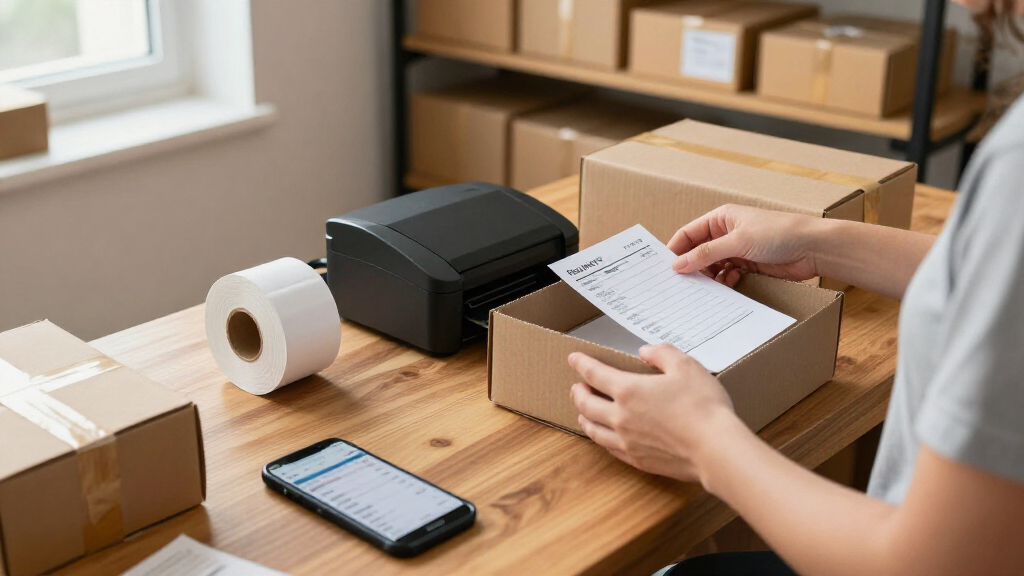
I compared these printers around the decisions that matter for portable use: label width and intended job, connection options, setup effort, day-to-day handling, and how much flexibility each model offers. I separated small-format label makers from 4×6 shipping printers rather than treating them as direct substitutes. A compact printer can be the better choice for pantry, storage, or product labels, but it should not rank ahead of a shipping-focused machine for someone printing parcel labels regularly.
The order gives priority to use-case fit and versatility, then considers ease of use, included supplies, and practical workflow tradeoffs. Shipping models earn their place for buyers who need wider labels; compact models rank higher for portable everyday labeling. Similar listings are distinguished by their stated format and role, while claims not specified in the product names—such as exact device compatibility or print speed—are not assumed. Every option has a drawback, whether that is a narrower use case, added setup checks, or less information in the listing to guide a buyer.
| portable thermal label printer | Printer type |
|---|---|
| NIIMBOT B1 Label Maker with 3 | Thermal |
| Nelko P21 Bluetooth Label Make | Direct thermal |
| KNAON Y41BT Bluetooth Thermal | Thermal |
| SUPVAN T50M Pro Bluetooth Labe | Thermal |
| KNAON Bluetooth Thermal Shippi | Thermal |
| Phomemo M110 Portable Bluetoot | — |
| MUNBYN RealWriter 130B Bluetoo | — |
| Phomemo 241BT Bluetooth Therma | — |
| NULLTONEX 4×6 Bluetooth Therma | Direct thermal |
| NIIMBOT B1 Bluetooth Thermal L | — |
| Rongta RP425 Wireless Thermal | Thermal |
| Labeer Bluetooth Thermal Shipp | Direct thermal |
| KNAON Portable Bluetooth Therm | Thermal |
| NIIMBOT B1 Bluetooth Thermal L | Direct thermal |
Factors to Consider When Choosing Portable Thermal Label Printers
Before choosing a model, start with the label you need to print and the device you expect to print from. Portable does not mean one-size-fits-all: a pocket-sized printer for small stickers and a Bluetooth 4×6 shipping printer solve different problems. These checks can help prevent a mismatch that only becomes obvious after setup.
Match the Printer to Your Label Width
Write down the width and shape of the labels you use most often before comparing features. A 4×6 shipping label needs a printer built to handle that wider format; a compact label maker is intended for smaller stickers and tags. Buying a small printer for parcel labels can leave you relying on workarounds or reformatting, while buying a shipping unit for tiny household labels may take up more space than the task warrants. Check supported media sizes, not just the word “thermal” in a listing. If your jobs span both formats, decide which one happens more often and whether a second printer is more practical than compromising on both.
Check Phone, Computer, and App Compatibility
Bluetooth describes a connection method, not guaranteed support for every phone, computer, or shipping platform. Before buying, check the maker’s app requirements and whether your preferred device can send the label format the printer accepts. A phone-first setup can be convenient for quick tags, but desktop workflows may matter more when labels come from a shop or postage service. Do not assume that a printer with Bluetooth also supports every computer connection or app. If several people will use the printer, confirm that each person’s device can connect and that switching between them is manageable.
Think About Where Printing Happens
Portability includes more than body size: consider where the printer will sit, how it is powered, and whether it needs to move between rooms or workstations. A compact label maker may be easy to store between occasional home tasks, while a shipping printer makes more sense near packing materials and parcel pickup. Check the product details for power and connection requirements instead of assuming a small machine is fully cordless. A printer that travels often also needs a sensible place for labels and charging or power accessories. For a fixed workspace, a slightly larger machine may be less of a burden if it better fits the daily task.
Estimate Your Label Volume and Reloading Needs
Occasional labeling and repeated batch printing place different demands on a printer. A small roll can be convenient for storage, but frequent users may prefer a format and loading process that minimizes interruptions. Look at which labels are included, whether they match the printer’s supported media, and how easy replacement supplies are to find. Included rolls help with initial setup but should not decide the purchase if replenishment is unclear. For small businesses, think about the time spent preparing and reloading labels as part of the workflow, not just the time needed to send a print job.
Weigh Portability Against Workflow Flexibility
A lighter, simpler printer can be easier to carry and store, but a focused design may limit it to one label size or one printing routine. A broader-use model can reduce the need for separate devices, though extra flexibility only helps if its supported formats match your actual tasks. Decide whether “portable” means carrying it to markets, moving it around a home, or simply keeping a small printer on a crowded desk. Those are different needs and can point to different designs. Avoid paying for flexibility that your workflow will not use, but do not choose the smallest option if it cannot handle your most common label.
Plan for Thermal Printing’s Media Limits
Thermal printers make images using heat-sensitive media, so they do not use ink or toner in the way many home printers do. That reduces one type of upkeep, but it makes compatible labels an ongoing supply choice. Check whether the printer requires a particular label size or material, and whether those supplies are practical for your volume and storage space. Direct-thermal labels can also be less suitable for records that need to remain readable for a long time or face heat and sunlight. For long-term product identification, check the label material requirements before choosing a printer rather than treating all thermal labels as equivalent.
Frequently Asked Questions
Can a compact label maker print 4×6 shipping labels?
Only if its specifications explicitly support 4×6 media. Models such as the NIIMBOT B1 and Nelko P21 are small-format label makers, while products such as the MUNBYN RealWriter 130B and Phomemo 241BT are listed as shipping-label printers. A design made for small labels cannot be assumed to handle a full-width parcel label. Check supported label dimensions and the software workflow before ordering. If 4×6 labels are your main job, choose a printer listed for that format.
Is Bluetooth enough to know a printer will work with my phone or computer?
No. Bluetooth indicates a wireless connection, but compatibility still depends on the printer’s app, operating system support, and the label service you use. Check the maker’s current device requirements and confirm that the printer supports your intended workflow. Phone-based label creation may be straightforward while printing from a computer requires different software or a supported connection. If you switch devices often, confirm how pairing and account access work before choosing.
Should I choose a small-format printer or a 4×6 shipping model for a small business?
Base the decision on the labels your business prints most often. A small-format model is a better match for product stickers, inventory tags, or packaging details, while a 4×6 model is suited to parcel labels. If you regularly need both, compare how often each task happens and whether one printer can support both formats. Do not assume a shipping printer can replace a small label maker for every product-label task. The right choice is the one that fits the actual label sizes and software used in your business.
Do the included labels matter when comparing these printers?
They matter for getting started, but they should be a secondary factor in the decision. The Phomemo 241BT listing specifies included labels, and the NIIMBOT B1 listing with three rolls offers supplies in the box; those additions can make initial setup easier. Check the size and type of included media against the labels you plan to print. Also confirm that compatible replacements are available, since included rolls will run out. A printer with a useful format and a clear supply path is a stronger long-term fit than one chosen only for the starter labels.
Are thermal labels a good choice for records that need to last?
They can work for everyday shipping and short- to medium-term organization, but the label material matters when readability must last. Direct-thermal labels can be affected by heat, sunlight, and storage conditions, so they may not suit permanent archives or exposed product identification. Check the media guidance for the printer and label stock rather than assuming all thermal labels have the same durability. For long-lived records, compare the available label materials and consider whether another printing method is a better match. The printer’s portability does not change the limits of the labels it uses.
Conclusion
For the broadest compact-label use, I recommend the Phomemo M110 as best overall; it is a more flexible everyday pick than a narrowly focused small label maker, though it is not a 4×6 shipping replacement. For parcel workflows, choose the MUNBYN RealWriter 130B as best for shipping, or compare it with the Phomemo 241BT and KNAON shipping models against your device and label needs. The NIIMBOT B1 is my best beginner pick for straightforward small-label tasks, while the NIIMBOT B1 listing with three rolls is a practical value choice if its format fits and you want supplies included. Buyers prioritizing a premium option should focus on a shipping model that matches their label platform and routine rather than paying for features they will not use. For small product labels, tags, or household organization, stay with a compact model; for 4×6 parcels, choose a printer built for that width.