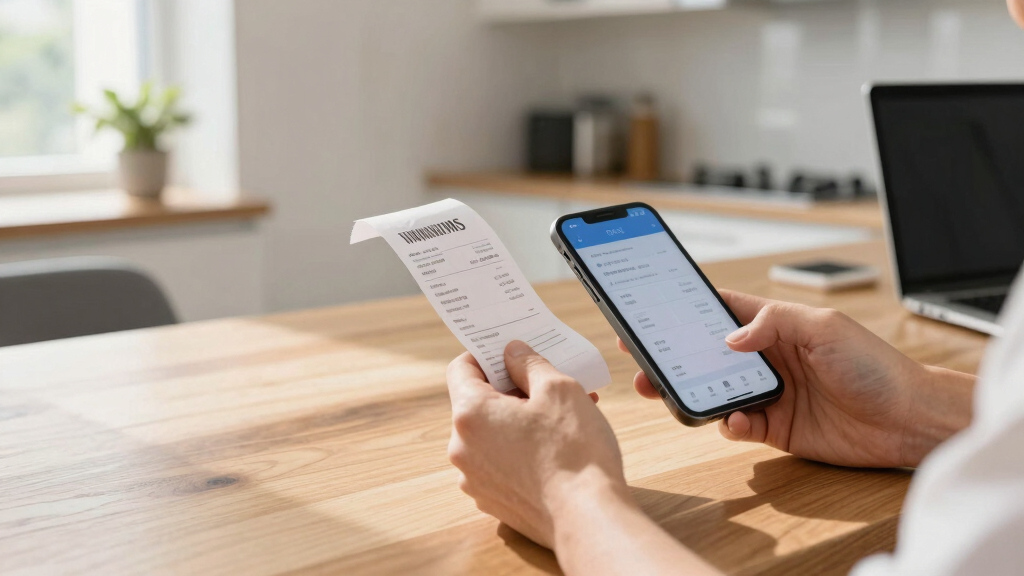

When it comes to managing expenses efficiently, a reliable receipt scanner can make all the difference. The best overall pick is the Epson Workforce ES-580W, thanks to its fast duplex scanning and high-capacity auto feeder, perfect for busy professionals. For those prioritizing portability, the Epson WorkForce ES-50 stands out with its compact design and ease of use, while the NeatReceipts Scanalizer offers a seamless digital filing system for small business owners. Each option presents tradeoffs: some excel in speed, others in portability or software integration. Continue reading to see which model best suits your specific needs.




More Details on Our Top Picks
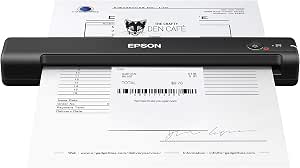
Epson RapidReceipt RR-70W Wireless Mobile Tax Receipt and Color Document Scanner with Complimentary Data Management Software for PC and Mac
This pick stands out as the most versatile mobile scanner, thanks to ScanSmart AI PRO technology that intelligently categorizes and extracts data, integrating seamlessly with software like QuickBooks. Unlike the Epson RR-60, it offers faster scans—up to 15 pages per minute—and wireless connectivity that supports direct uploads to cloud services or mobile devices, making it ideal for on-the-go professionals. While its portability is unmatched and AI features are impressive, its slightly higher price reflects these advanced capabilities, which may be overkill for simple scanning needs. Compared to bulkier flatbeds, this model’s lightweight design and quick automatic file naming make it a smart choice for busy users. The tradeoff is that its AI features require some setup and may be unnecessary for those only needing straightforward scans. Ideal for mobile entrepreneurs and field workers who need fast, organized digital receipts with minimal fuss.
Pros:- AI-powered data extraction for effortless expense categorization
- Wireless scanning directly to cloud services or devices
- Lightweight and battery-powered for portability
- Creates searchable, editable PDFs
Cons:- Relatively higher cost compared to basic models
- AI features may be complex for non-technical users
- Limited to single-sheet scans in automatic mode
Best for: Freelancers and small business owners who need quick, AI-driven expense digitization on the go
Not ideal for: Users seeking a stationary scanner for high-volume batch processing or detailed graphic scans
- Scanner Type:Receipt
- Connection Type:Wi-Fi
- Resolution:600 dpi
- Standard Sheet Capacity:15
- Weight:0.66 Pounds
- Dimensions:5.6″D x 13″W x 2.8″H
Bottom line: This scanner is best suited for mobile professionals needing intelligent, organized expense capture with wireless flexibility.
Epson RapidReceipt RR-400W Wireless Compact Desktop Color Document & Tax Receipt Scanner
Compared with the portable RR-70W, the RR-400W offers a larger 20-page automatic feeder and faster 2-sided scans—up to 30 pages per minute. Its compact desktop design makes it perfect for small offices that need high-volume receipt processing without sacrificing space, unlike bulkier scanners like the Epson Workforce ES-580W. Although it’s more expensive than entry-level models, the AI-driven data extraction and software integration streamline expense management efficiently. The 60% smaller footprint compared to traditional scanners makes it ideal for limited desk space, but the 20-page batch limit could slow down busy days unless reloaded frequently. It’s a solid investment for small teams needing reliable, fast, and organized digitization. Best for small business environments where space-saving and high throughput are priorities.
Pros:- High-speed 2-sided scanning in a compact footprint
- Smart data extraction compatible with financial software
- Space-saving design (reduces desk space by 60%)
- 20-page automatic document feeder
Cons:- Limited to 20-page batches without manual reloading
- Higher price point may be a barrier for sole proprietors
- Primarily designed for receipt/document scanning, less for graphics
Best for: Small business teams requiring fast, space-efficient receipt processing
Not ideal for: Large-volume users needing continuous batch scans beyond 20 pages without interruption
- Model Number:RR-400W
- Scanning Speed:30 ppm (2-sided)
- Document Feeder Capacity:20 pages
- Design Feature:Compact desktop
Bottom line: Ideal for small offices seeking quick, organized receipt scans in a compact, wireless package.
Epson WorkForce ES-50 Portable Sheet-Fed Document Scanner for PC and Mac
This model distinguishes itself as the lightest and fastest mobile scanner in its class, capable of scanning a single sheet in just 5.5 seconds. Unlike the RR-70W, it doesn’t rely on AI features but excels in quick, straightforward scans, making it perfect for users who need to digitize documents, IDs, or receipts while traveling. Its compact size and USB-powered design mean it can easily slip into a bag, unlike larger, bulkier scanners like the Epson RR-60. However, it lacks automatic document feeding and batch processing, which could hinder productivity for high-volume tasks. Still, for quick, on-the-fly scans, this device offers unmatched speed and portability. Best suited for professionals who need quick, manual scans during travel or fieldwork.
Pros:- Fastest scan speed, 5.5 seconds per sheet
- Extremely portable and lightweight
- Compatible with Windows and Mac, includes TWAIN driver
- No external power supply needed
Cons:- Lacks automatic feeding for batch scans
- Limited to single-sheet scans at a time
- No AI or data extraction features
Best for: Travelers and field workers needing fast, manual single-sheet scans
Not ideal for: Users with high-volume scanning needs who require batch processing or automatic feeding
- Scanner Type:Sheet-fed
- Resolution:1200 dpi
- Connectivity:USB
- Maximum Paper Size:8.5 x 72 inches
- Weight:9.44 ounces
- Warranty:1 year
Bottom line: Perfect for quick, manual scans in mobile settings, but not for high-volume batch processing.
Epson RapidReceipt RR-60 Mobile Tax Receipt and Color Document Scanner with Complimentary Data Management Software for PC & Mac
This model makes sense for users who want decent quality scans and simple organization without the bells and whistles of AI. It’s similar in size to the RR-70W but offers slightly lower scan speeds and fewer advanced features, making it suitable for those who primarily need to digitize receipts for later reference. Unlike the more advanced RR-70W, it doesn’t have built-in AI data extraction or wireless capabilities, focusing instead on basic scanning and file storage. Its quality is adequate for most expense documentation, but graphic-heavy scans or detailed documents may not be as sharp. It’s a good choice for budget-conscious users who prioritize straightforward receipt management over AI-driven automation. Best for budget-minded users who need reliable, portable receipt scanning with decent quality.
Pros:- Decent scan quality for receipts
- Portable and easy to use
- Includes basic software for file management
- Lightweight design
Cons:- No AI or advanced data extraction
- Limited to basic scanning without wireless features
- Lower resolution may impact detailed scans
Best for: Individuals needing simple, portable receipt scans with basic organization
Not ideal for: Power users requiring AI data extraction or wireless connectivity
- Scanner Type:Receipt
- Resolution:600 dpi
- Connection Type:USB
- Standard Sheet Capacity:60
- Light Source:LED
- Dimensions:13″D x 5.5″W x 2.5″H
Bottom line: A solid choice for users seeking straightforward, portable receipt scans without advanced automation.
NeatReceipts Scanalizer Professional 2.5 Mobile Scanner and Software
This option stands out for its ability to digitize a wide range of documents, including business cards and paper receipts, with seamless integration into popular accounting software like QuickBooks and Quicken. Compared to the ScanSnap iX2400, it offers more versatile document handling but falls short on speed and image quality. Its portability and software bundle make it ideal for users who need to manage expenses on the go or handle various document types, though its interface can be less intuitive. The main tradeoff involves slower processing and less refined scans, which may matter for detailed record-keeping. Overall, this pick makes sense for small business owners or mobile professionals who prioritize flexibility over speed.
Pros:- Accepts a wide variety of document types including business cards and receipts
- Integrates smoothly with common accounting and finance software
- Lightweight and portable for mobile use
Cons:- Slower scan speeds compared to dedicated desktop scanners like the Epson RR-400W
- Image quality may be less sharp, especially for detailed documents
- Clunky software interface can hinder workflow efficiency
Best for: Small business owners and freelancers needing versatile, portable expense and document management.
Not ideal for: Heavy-volume users or those requiring high-speed, high-resolution scans for detailed records.
- Scanner Type:Portable document, business card, receipt scanner
- Connection Type:USB
- Resolution:600 dpi
- Sheet Capacity:20 sheets
- Color Depth:30-bit input / 24-bit output
- Paper Size:8.5″ x 120″ max
- Weight:Less than 2 pounds
- Software Included:NeatReceipts software
Bottom line: This scanner is best suited for mobile professionals or small business owners who need flexible document handling with basic expense management features.
Epson RapidReceipt RR-400W Wireless Compact Desktop Color 2-Sided Receipt & Document Scanner with ScanSmart AI PRO Receipt Management & PDF Software & 20-Page Auto Document Feeder (Renewed)
This pick makes the most sense for users who want AI-powered categorization and seamless integration with financial applications like QuickBooks, offering advanced data extraction from stacks of receipts. Compared with the ScanSnap iX2400, it emphasizes AI features and cloud connectivity but suffers from a mixed review rating, indicating potential reliability issues. Its compact desktop design saves significant space, perfect for small offices or remote workers. The main tradeoff involves complexity and mixed reviews, which could lead to frustration or inconsistent performance. It’s ideal for small business owners who value AI-driven data conversion and cloud compatibility over raw speed or ease of use.
Pros:- AI-powered conversion and categorization of receipts
- Wireless connectivity for cloud and mobile device scanning
- Compact design that saves desk space
Cons:- Mixed user reviews suggest potential reliability issues
- Clunky software interface hampers workflow
- Slower processing speeds compared to some competitors
Best for: Small business owners needing AI-enabled receipt processing and quick digital categorization.
Not ideal for: Users who prefer straightforward, plug-and-play scanners or need high-volume throughput.
- Scanner Type:Receipt and document scanner
- Connection Type:Wireless Wi-Fi
- Resolution:600 dpi
- Sheet Capacity:20 pages
- Speed:Up to 30 pages per minute
- Software:ScanSmart AI PRO
- Paper Size:8.5″ x 11″ (A4)
- Warranty:Refurbished / Renewed
Bottom line: This scanner is ideal for small business users who want AI-based receipt management and cloud integration, accepting some software complexity and reliability risks.
Brother DS-640 Compact Mobile Document Scanner, (Model: DS640)
This model makes the most sense for users who need quick, reliable scanning of documents in a portable form factor, with speeds up to 16 ppm. Compared with the Epson Workforce ES-580W, it’s less feature-rich but offers faster mobile operation and excellent image processing features like auto color detection and background removal. Its compact size and USB power make it perfect for remote work or field use, especially when mobility is key. The main tradeoff involves slower speed and fewer advanced features like large capacity or wireless connectivity, limiting its use for high-volume or network-based workflows. It’s best for professionals who prioritize speed and portability over extensive features.
Pros:- Fast scanning speed up to 16 ppm
- Compact and lightweight, fits in a bag or purse
- Advanced image enhancement features like auto color detection
Cons:- Limited to USB power, no wireless connectivity
- Slower speed compared to larger desktop scanners
- No integrated OCR software included
Best for: Mobile professionals and remote workers needing fast, portable document scanning.
Not ideal for: High-volume offices or users requiring wireless or network scanning capabilities.
- Scanner Type:Mobile document scanner
- Connection Type:USB 3.0
- Resolution:600 dpi
- Speed:16 ppm
- Sheet Capacity:Supports single sheets
- Image Features:Auto color detection, background removal
- Weight:1.5 pounds
- Compatibility:Windows, Mac, Linux
Bottom line: This scanner is perfect for on-the-go professionals who need fast, portable document scanning without wireless features.
Epson Workforce ES-580W Wireless Color Duplex Tax Receipt & Desktop Document Scanner for PC and Mac with 100-sheet Auto Feeder (ADF), Intuitive 4.3′ Touchscreen
This model is the choice for busy offices requiring high-speed, high-capacity scanning with easy touchscreen controls, capable of handling up to 100 sheets at once. Unlike the ScanSnap iX2400, it offers a large touchscreen for simplified operation and direct wireless scanning to multiple devices and cloud services. It excels in large-volume environments but has a slightly higher price point and bulkier size, which might be a concern for small or mobile setups. Its main tradeoff is the slightly more complex interface and larger footprint, making it suitable for dedicated workspaces rather than portable needs. This scanner makes the most sense for teams handling frequent, large batches of receipts and documents with minimal fuss.
Pros:- High-speed duplex scanning up to 35 ppm
- Large 100-sheet auto feeder for bulk scanning
- 4.3-inch touchscreen for intuitive operation
Cons:- Larger and less portable than mobile scanners
- Higher price point for large capacity and touchscreen features
- Requires power outlet due to size
Best for: Small to medium offices needing high-volume, fast, wireless document scanning with easy management.
Not ideal for: Individuals or small teams with limited desk space or infrequent scanning needs.
- Scanner Type:Desktop color duplex scanner
- Connection Type:Wireless Wi-Fi
- Resolution:600 dpi
- Speed:35 ppm
- Sheet Capacity:100 sheets
- Display:4.3-inch touchscreen
- Paper Handling:Auto Document Feeder
- Power:AC powered
Bottom line: This scanner is best for busy office environments with high-volume scanning needs and space for dedicated equipment.
ScanSnap iX2400 High-Speed Simple One-Touch Button Color Document, Photo & Receipt Scanner with 100 Page Auto Document Feeder for Mac or PC, Black
This pick makes the most sense for users seeking fast, reliable, and simple scanning with minimal fuss, thanks to its one-button operation and impressive speed of up to 45 pages per minute. Compared with the Epson Workforce ES-580W, it offers a more compact design and easier interface, making it ideal for home or small office environments. It handles a variety of documents including photos and receipts, with smart software that automatically crops, deskews, and removes blank pages. The main tradeoff involves its reliance on USB connection and the lack of wireless features, which could limit flexibility. Overall, this scanner excels for users who want quick, straightforward scanning for occasional or moderate use.
Pros:- Ultra-fast scanning up to 45 ppm
- One-touch operation for ease of use
- Handles photos and receipts effectively
Cons:- No wireless or network connection options
- Limited to USB connection, reducing flexibility
- Premium price for high speed and features
Best for: Home office workers and small business owners who prioritize speed and simplicity.
Not ideal for: High-volume users or those needing wireless connectivity for multiple devices.
- Scanner Type:Color document and receipt scanner
- Connection Type:USB
- Resolution:600 dpi
- Speed:45 ppm
- Sheet Capacity:100 pages
- Features:Auto deskew, crop, blank page removal
- Software:ScanSnap Home
- Design:Compact, desktop
Bottom line: This scanner is perfect for users who want fast, easy, and reliable scanning without complex setup or wireless needs.
Plustek Mobile Scanner S410 Plus – Portable Sheet-Fed Document Scanner – for Windows 7 / 8 / 10 / 11, Featuring Button-Free Scanning with Included OCR Software
This compact, lightweight scanner excels at digitizing receipts, invoices, and small documents while on the move. Unlike larger, desktop models, the Plustek S410 Plus requires no batteries, powered directly via USB, which makes it ideal for travelers or mobile professionals. Its automatic, button-free operation simplifies workflow, but it does have limitations—such as reliance on USB power and a small sheet capacity that might slow down high-volume tasks. Compared with the Epson Workforce ES-55R, it offers greater portability, but the Epson’s slightly larger size and faster single-page scans make it better suited for frequent, higher-volume use. This pick makes the most sense for users needing a discreet, travel-friendly scanner with decent OCR capabilities, willing to accept some speed tradeoffs.
Pros:- Extremely portable and lightweight, perfect for travel
- Button-free, automatic operation simplifies use
- Includes OCR software for searchable PDFs and editable files
Cons:- Limited sheet capacity (single sheet at a time)
- USB-powered only, restricting use without a computer
- Slower than desktop scanners for bulk scanning
Best for: Frequent travelers, remote workers, or professionals needing portable scanning with basic OCR features.
Not ideal for: Office environments with high-volume scanning needs or users requiring wireless connectivity and larger capacity.
- Scanner Type:Document
- Connection Type:USB
- Resolution:600 dpi
- Standard Sheet Capacity:1
- Color Depth:48-bit
- Wattage:2.5 watts
- Paper Size:A4
- Sensor Technology:CIS
- Item Dimensions:1.6″D x 11.7″W x 1.9″H
Bottom line: Ideal for mobile professionals who prioritize portability over high-volume throughput.
Epson Workforce ES-55R Mobile Receipt and Document Scanner with Receipt Management Software for PC and Mac
The Epson Workforce ES-55R offers a lightweight, reliable solution for scanning receipts, invoices, and business cards while on the go. Its USB-powered design and small footprint make it ideal for mobile professionals or small offices, but it falls short in high-volume scenarios where faster speed and wireless options would matter. Compared with the ScanSnap iX2500 Receipt Edition, it provides fewer features—like no Wi-Fi or cloud integration—and a more basic software suite. However, its simplicity, affordability, and effective OCR make it a solid choice for occasional or light expense management. This device suits users who need a straightforward, portable scanner without the bells and whistles, accepting slower speeds to save costs.
Pros:- Lightweight and easy to carry, under 10 oz
- Includes receipt management software with no subscription
- Fast single-page scans in approximately 5.5 seconds
Cons:- Limited to USB connection, no wireless options
- Basic software with fewer automation features
- Lower sheet capacity (single page at a time)
Best for: Small business owners or freelancers who need occasional receipt scanning without complex features.
Not ideal for: High-volume users or those seeking wireless operation and advanced data processing capabilities.
- Scanner Type:Receipt
- Connection Type:USB
- Resolution:1200 dpi
- Standard Sheet Capacity:1
- Color Depth:24-bit
- Wattage:17 watts
- Paper Size:Letter
- Sensor Technology:CCD, CMOS
- Item Dimensions:6.26″D x 11.5″W x 6.34″H
Bottom line: Best suited for users who want a compact, affordable scanner with essential receipt management features for occasional use.
ScanSnap iX2500 Receipt Edition, Works with QuickBooks, Wireless or USB High-Speed Cloud Enabled Invoices & Receipts Scanner, 100 Page Auto Document Feeder for Mac or PC, Black
The ScanSnap iX2500 elevates expense management with rapid, double-sided scanning at 45 pages per minute, plus a 100-sheet auto feeder, making it ideal for busy offices. Its large touchscreen simplifies operation, and wireless connectivity allows seamless uploads to cloud services or direct transfer to multiple devices. Designed explicitly for QuickBooks and related software, it automatically extracts data, reducing manual entry. The device’s high speed and bulk capacity outperform smaller, portable scanners like the Plustek S410 Plus, but it’s less portable and more expensive. Compared to the NeatReceipts Mobile Scanner, it offers better speed and automation, though at the cost of portability. This makes it perfect for professionals handling large volumes regularly, especially if integrated with cloud or accounting software.
Pros:- High-speed scanning at 45 ppm double-sided
- 50-100 page auto document feeder for bulk tasks
- Wireless and USB connectivity, supports cloud uploads
Cons:- Larger, less portable than handheld or mini scanners
- Higher price point, suitable for frequent use only
- Requires power source, not battery operated
Best for: Accountants, small business teams, or busy professionals who process many receipts and invoices daily.
Not ideal for: Travelers or users with infrequent scanning needs who prefer a pocket-sized device or wireless-only options.
- Scanner Type:Invoice/Receipt
- Connection Type:Wireless, USB
- Resolution:600 dpi
- Standard Sheet Capacity:100
- Color Depth:24-bit
- Speed:45 ppm
- Paper Size:Letter
- Sensor Technology:CCD
- Item Dimensions:6.26″D x 11.5″W x 6.34″H
Bottom line: Best for professionals who need fast, high-capacity scanning integrated with accounting and cloud software, accepting less portability.
NeatReceipts Mobile Scanner and Digital Filing System – PC
The NeatReceipts Mobile Scanner offers an affordable, portable solution for scanning receipts, business cards, and documents. Its compact size and USB power make it suitable for home or small office use, but it lacks the speed and advanced features of the ScanSnap iX2500. The software’s ability to convert scans into searchable PDFs and organize data into a digital filing system makes it a good choice for users who want to digitize and categorize their paperwork without fussing over complex setup. However, it has a slower scan speed and limited capacity, which could hinder efficiency for large volumes. Compared with the Plustek S410 Plus, it’s less portable but offers better software integration for organizational purposes. This device is best for users who want a simple, reliable desktop scanner for occasional expense and document management.
Pros:- Compact and lightweight, easy to store
- Includes software for searching and organizing files
- Creates searchable PDFs and exports to common formats
Cons:- Slower scan speed compared to high-volume models
- Limited capacity—single sheet at a time
- Requires USB connection, no wireless option
Best for: Small office or home users focused on document organization and occasional receipt scanning.
Not ideal for: Travelers or high-volume users needing rapid scans or wireless capabilities.
- Scanner Type:Receipt, Document
- Connection Type:USB
- Resolution:600 dpi
- Standard Sheet Capacity:15
- Color Depth:24-bit
- Sensor Technology:CCD, CMOS
- Item Weight:1.65 pounds
- Paper Size:Letter
- Warranty:1 year
Bottom line: A solid choice for users who need a desktop scanner with organization features and moderate scanning volume.
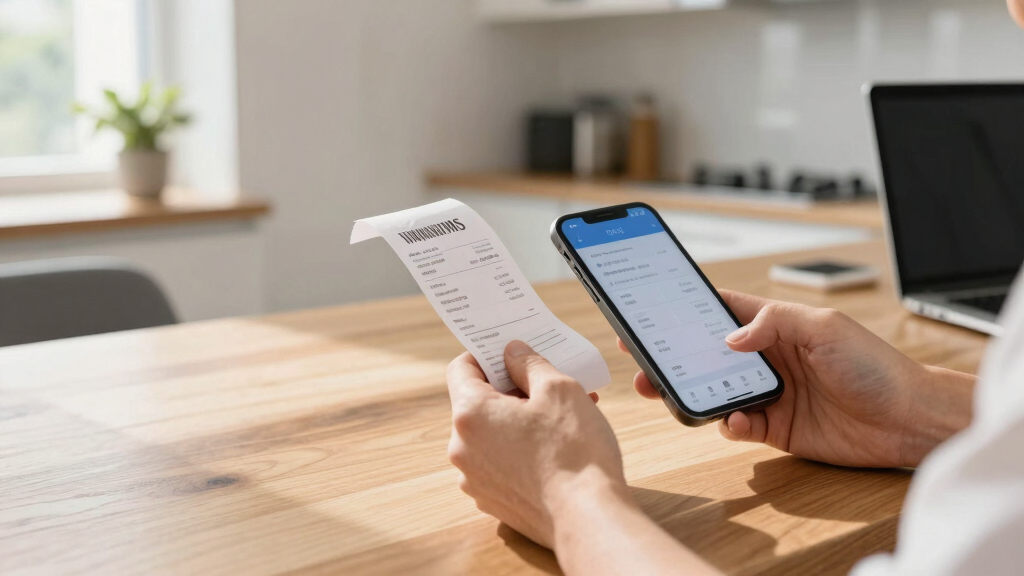
How We Picked
I based this selection on a range of factors relevant to expense management, including scanning speed, document handling capacity, software compatibility, ease of use, and portability. Each product was evaluated for its ability to digitize receipts quickly and accurately, as well as how well it integrates with common expense tracking tools like QuickBooks or custom software. Cost and build quality also played roles in the rankings, alongside user flexibility—whether the scanner is portable or desktop-bound. The goal was to identify options that balance performance with value, catering to different types of users from freelancers to small teams.Factors to Consider When Choosing Receipt Scanner For Expense Management
Choosing the right receipt scanner involves more than just looking at specs. Consider how often you’ll scan, the types of receipts or documents, and whether portability or integrated software features matter most. Making the wrong choice can lead to frustration, such as slow processing or poor image quality, which hampers expense tracking. Focus on key factors that align with your workflow to ensure your investment simplifies rather than complicates your expense management process.Scanning Speed and Capacity
If you process dozens of receipts weekly, look for a scanner with high-speed capabilities and a generous auto document feeder (ADF). Slower models can cause delays, especially during busy tax seasons or financial audits. Conversely, if you only scan occasionally, a portable or manual device might suffice, saving money and space. Remember that higher capacity models often come with a higher price tag but can save time in the long run.
Portability and Size
Deciding between a portable scanner and a desktop model hinges on your work environment. Mobile scanners excel for on-the-go expense tracking, such as business trips or remote work, but often sacrifice speed or capacity. Desktop models tend to offer more features, like duplex scanning and larger trays, making them better for dedicated office setups. Consider your space and whether you’ll need to carry your scanner regularly.
Software Compatibility and Features
Effective expense management depends heavily on software integration. Look for scanners that come with or support software compatible with your preferred expense apps, such as QuickBooks or custom solutions. Some models include AI-powered OCR for automatic data entry, reducing manual effort. Beware of software lock-ins or costly subscriptions; choose options that offer flexibility and straightforward workflows.
Ease of Use and Maintenance
User-friendly interfaces, clear instructions, and minimal maintenance are key for smooth operation. Features like one-touch scanning or automatic document detection streamline the process. Also, consider how easy it is to clean and service the device; frequent jams or complex setups can slow you down. Balancing simplicity with advanced features ensures you won’t outgrow your scanner quickly.
Budget and Overall Value
While premium models offer speed and advanced features, they come at a higher cost. Smaller budgets benefit from more affordable, basic scanners that still handle receipts effectively. Focus on the features that matter most for your workflow to avoid overpaying for capabilities you won’t use. Remember, investing in a slightly pricier model can sometimes reduce frustration and improve efficiency over time.