
To build a simple thermal printing system for your shipping room, start by choosing a durable, high-quality printer that supports your volume and integrates easily with your software. Keep labels straightforward, including only essential details like addresses and barcodes. Regularly clean and maintain your printer to avoid issues. Train staff on proper setup and loading procedures to prevent errors. Simplifying these steps helps keep your workflow smooth and efficient—if you’re ready, you’ll find more helpful tips ahead.

Get business pricing on office and shipping supplies
- Business-only prices and quantity discounts
- Tax-exempt purchasing
- Multiple users, one account, clear invoices
Key Takeaways
- Select a reliable, high-speed thermal printer compatible with your shipping volume and label size needs.
- Keep the setup simple by integrating with existing shipping software and avoiding unnecessary hardware.
- Prioritize easy-to-maintain printers with straightforward cleaning and replacement routines to reduce downtime.
- Design clean, essential labels with clear barcodes and addresses to streamline printing and reduce errors.
- Train staff on basic printer operation and maintenance to ensure smooth workflow without overcomplicating processes.
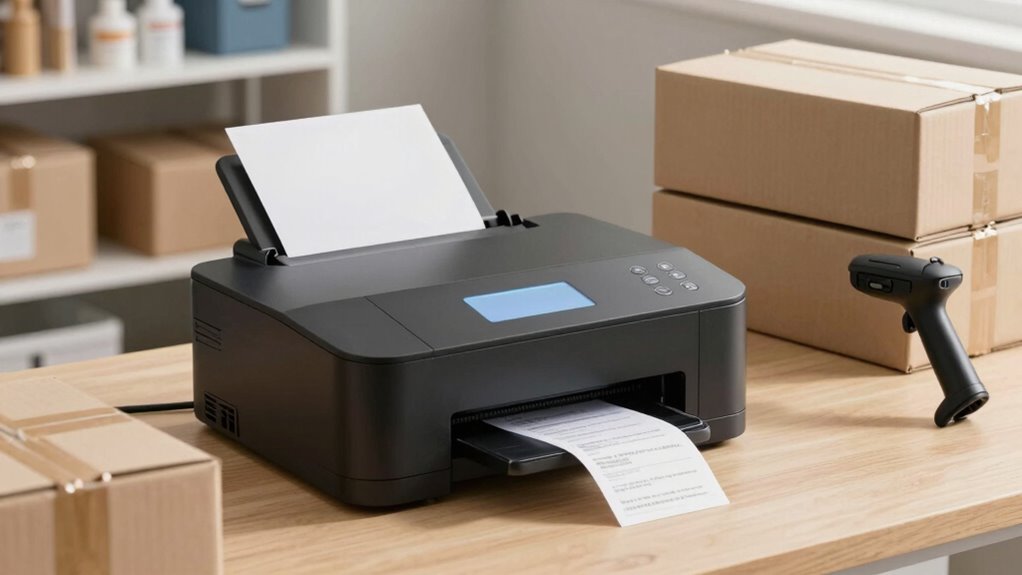
Are you looking for a faster, more reliable way to handle shipping labels? If so, implementing a thermal printing system in your shipping room can streamline your process considerably. Thermal printers are known for their speed and durability, making them ideal for high-volume environments. To get started without overcomplicating things, focus on choosing the right system that fits your specific needs. Consider the volume of labels you print daily, the size of labels, and your budget. Once you’ve selected a suitable thermal printer, you’ll want to guarantee it produces clear, legible barcode labels, which are essential for tracking and inventory management. Properly printed barcode labels reduce errors and speed up the shipping process, so investing in a quality printer that consistently produces sharp, smudge-proof labels is vital.
Choosing the right thermal printer ensures fast, clear, and reliable shipping labels for your business.
Next, take care of regular printer maintenance to keep things running smoothly. Thermal printers are generally low-maintenance, but neglecting routine cleaning can lead to print quality issues and unnecessary downtime. Make it a habit to clean the print head and platen roller regularly, as dust and residue can cause smudging or incomplete prints. Keep spare parts like thermal ribbons or replacement labels on hand so you’re prepared for quick fixes. A well-maintained printer not only guarantees high-quality barcode labels but also prolongs the lifespan of your equipment, saving you money in the long run. Additionally, understanding 3D scanning technologies can help optimize your overall packaging and shipping processes by improving label placement and verification. Incorporating automation solutions can further enhance efficiency by reducing manual tasks and minimizing human error.
Setting up your thermal printing system doesn’t require overcomplication. Connect your printer to your computer or network, install the necessary drivers, and guarantee your shipping software can send print commands directly to the device. Many systems support direct printing from common shipping platforms, making integration straightforward. When printing labels, double-check your label design to include all necessary information—shipping addresses, barcodes, and tracking numbers—without cluttering the label. Keep the design simple but informative, which helps prevent printing errors and improves readability.
Finally, train your team on proper printer operation and label handling. Show them how to load labels correctly, perform routine cleaning, and troubleshoot common issues. This proactive approach minimizes disruptions, keeps the workflow consistent, and ensures your shipping labels are always accurate and legible. By focusing on the essentials—proper equipment, routine maintenance, and clear procedures—you’ll establish a simple yet effective thermal printing system that enhances your shipping room’s efficiency without overcomplicating your operations.
Products Worth Considering

Canon PIXMA PRO-200S Wireless Professional Inkjet Photo Printer

HP OfficeJet 250 Wireless Mobile All-in-One Inkjet Printer

Canon PIXMA TR160 Wireless Portable Color Inkjet Printer
As an affiliate, we earn on qualifying purchases.
Frequently Asked Questions
What Are the Main Types of Thermal Printers Suitable for Shipping Rooms?
You should consider direct thermal and thermal transfer printers for shipping rooms. Direct thermal printers are simple, with fewer parts, offering quick label printing, but the labels may not be as durable over time. Thermal transfer printers produce more durable labels, ideal for harsh environments, and often feature reliable printer connectivity options like USB or Ethernet. Both types balance label durability with easy integration into your shipping workflow.
How Much Space Is Typically Needed for a Thermal Printing Setup?
You’ll typically need about 2 to 4 square feet for a thermal printing setup, enough to accommodate your printer, label material, and workspace. make certain you have a reliable power supply nearby to keep your system running smoothly. Keep the area clear of clutter to avoid jams or misprints, and guarantee easy access to label material rolls for efficient operation. This setup keeps things simple and functional.
Are There Specific Maintenance Requirements for Thermal Printers?
You need to follow specific maintenance requirements for thermal printers, including regular maintenance schedules and printer calibration. Keep the print head clean and free of dust to guarantee clear prints, and regularly check for worn-out parts. Calibration helps maintain print quality, so schedule it periodically. By staying on top of these tasks, you assure your thermal printing system runs smoothly, reducing downtime and extending its lifespan.
Can Thermal Printers Handle Large-Volume Shipping Labels Efficiently?
You’ll find thermal printers handle large-volume shipping labels efficiently, thanks to their fast print speeds and label durability. The coincidence is, these printers are designed to keep up with high-demand environments, ensuring labels stick well and last through handling and transit. So, whether you’re printing hundreds of labels daily or just need reliable, quick output, thermal printers are well-suited to meet your shipping room’s volume needs.
What Are the Cost Differences Between Thermal and Inkjet Printing Systems?
The pricing comparison between inkjet and thermal printers shows thermal systems are usually more cost-effective long-term. Thermal printers typically have higher upfront costs but lower ongoing expenses because they don’t require ink or toner. Inkjet printers, on the other hand, often have lower initial prices but incur higher costs over time due to ink cartridges and maintenance. So, if you’re aiming for volume, thermal printing saves you money in the long run.
Conclusion
Building a thermal printing system for your shipping room doesn’t have to be complicated. By focusing on simplicity and understanding the core components, you can create an efficient setup that streamlines your process. While some believe more technology always equals better results, embracing a straightforward approach often proves just as effective and more reliable. Remember, the key is balancing innovation with practicality—sometimes, less truly is more when it comes to optimizing your shipping workflow.