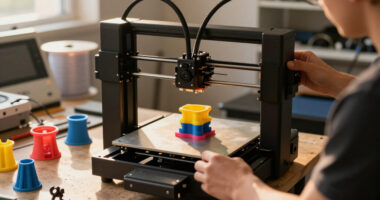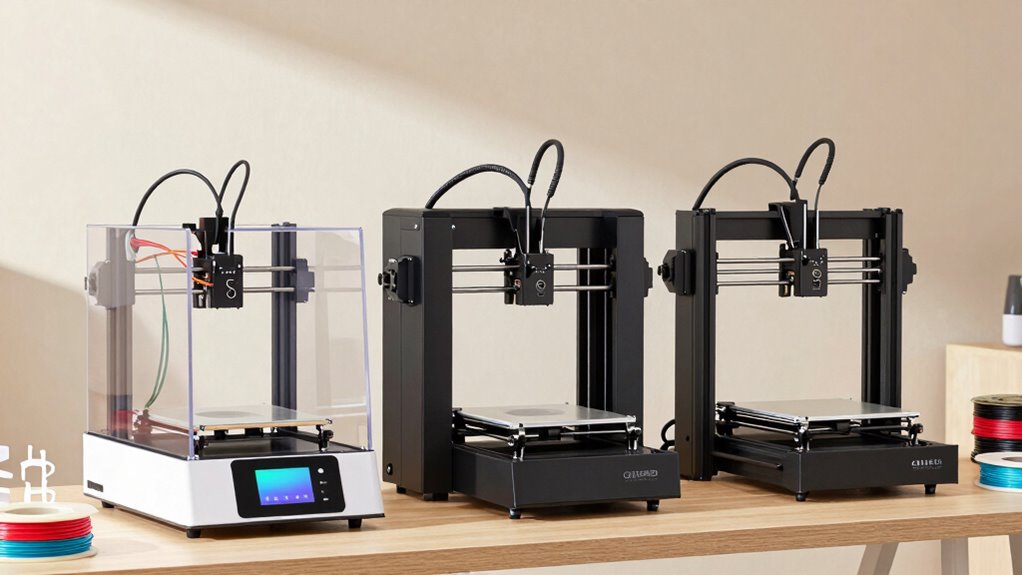

For product prototyping, I’d put the Bambu Lab P2S Combo first for its enclosed design and integrated AMS 2 Pro, which make iterative, multicolor FDM work more flexible. The QIDI Plus5 Combo stands out for larger parts, while the Snapmaker U1 offers a distinctive four-toolhead approach for reducing material changes between colors or materials. The right choice depends on whether your prototypes need larger dimensions, multiple materials, faster iteration, or a simpler setup. Multicolor systems add capability, but also bring more workflow complexity and material-handling demands. Read on for how these printers compare and which tradeoffs matter for your prototyping work.

Get business pricing on office and shipping supplies
- Business-only prices and quantity discounts
- Tax-exempt purchasing
- Multiple users, one account, clear invoices
Complete the kit


Key Takeaways
- The Bambu Lab P2S Combo leads this group for a broad prototyping workflow, pairing an enclosure with an AMS 2 Pro rather than focusing on just one specialty.
- The QIDI Plus5 Combo’s 320 × 320 × 300 mm build volume sets it apart for larger concepts and assemblies that may not fit on the more compact machines.
- The Snapmaker U1’s four toolheads offer a different route to multi-material work than filament-switching systems, but buyers should weigh that approach against their own setup and workflow needs.
- The Bambu Lab A1 is the clearest simpler entry point in this lineup, while enclosed, multicolor combos suit buyers who need more capability and accept added complexity.
- The field spans specialized multi-toolhead machines, enclosed combos, and more accessible printers; the best fit depends more on prototype size and material plan than on color count alone.
| Anycubic Kobra X Multicolor 3D Printer |  | Best for Fast, Colorful Concept Models | Printer type: FDM 3D printer | Print volume: 260 × 260 × 260 mm | Built-in colors: 4 | VIEW ON AMAZON | See Our Full Breakdown |
| Snapmaker U1 3D Printer with 4 Toolheads and 5-Second Tool Changing |  | Best for Multi-Material Functional Prototypes | Toolheads: 4 independent toolheads | Tool change time: About 5 seconds | Build volume: 270 × 270 × 270 mm | VIEW ON AMAZON | See Our Full Breakdown |
| FLASHFORGE AD5X Multi-Color CoreXY 3D Printer | 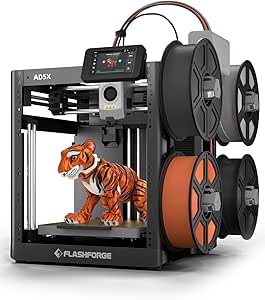 | Best Compact Fast-Iteration Pick | Printer type: CoreXY FDM 3D printer | Print volume: 220 × 220 × 220 mm | Print colors: Up to 4 | VIEW ON AMAZON | See Our Full Breakdown |
| Bambu Lab P1S Combo 3D Printer with AMS |  | Best Enclosed Multicolor All-Rounder | Design: Fully enclosed | Printing speed: Up to 500 mm/s | Acceleration: Up to 20,000 mm/s² | VIEW ON AMAZON | See Our Full Breakdown |
| QIDI Plus5 Combo Multi-Color 3D Printer, 320 × 320 × 300 mm Build Volume |  | Best for Large Engineering Prototypes | Printer type: Enclosed CoreXY FDM | Build volume: 320 × 320 × 300 mm | Maximum extrusion temperature: 370°C | VIEW ON AMAZON | See Our Full Breakdown |
| Bambu Lab P2S 3D Printer Combo with AMS 2 Pro |  | Best for Fast, Color-Ready Iteration | Printer type: FDM 3D printer | Maximum print speed: 600 mm/s | Included system: AMS 2 Pro | VIEW ON AMAZON | See Our Full Breakdown |
| ELEGOO Centauri Carbon 2 Combo Multicolor 3D Printer |  | Best for Four-Color Prototypes at a Known Size | Printing system: CANVAS, 4-color printing | Build volume: 256 × 256 × 256 mm | Maximum print speed: 500 mm/s | VIEW ON AMAZON | See Our Full Breakdown |
| Bambu Lab A1 FDM 3D Printer |  | Best for Beginners Learning the Prototype Loop | Printer type: FDM 3D printer | Acceleration: 10,000 mm/s² | Calibration: Automatic Z-offset and bed leveling | VIEW ON AMAZON | See Our Full Breakdown |
| FLASHFORGE Creator 5 Pro 4-Toolhead 3D Printer |  | Best for Engineering-Grade Multi-Material Prototypes | Toolheads: 4 independent toolheads | Tool change system: 7-second FlashSwap changer | Maximum chamber temperature: 65 °C | VIEW ON AMAZON | See Our Full Breakdown |
| Creality K2 SE CoreXY 3D Printer | 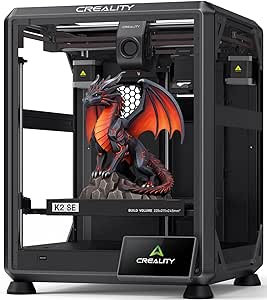 | Best Value for Single-Material Functional Iterations | Print technology: FDM 3D printing | Motion system: CoreXY | Maximum print speed: 500 mm/s | VIEW ON AMAZON | See Our Full Breakdown |
| 3d printers for product prototyping | Maximum print speed | Printer type |
|---|---|---|
| Anycubic Kobra X Multicolor 3D | 600 mm/s | FDM 3D printer |
| Snapmaker U1 3D Printer with 4 | 500 mm/s | — |
| FLASHFORGE AD5X Multi-Color Co | 600 mm/s | CoreXY FDM 3D printer |
| Bambu Lab P1S Combo 3D Printer | — | — |
| QIDI Plus5 Combo Multi-Color 3 | 600 mm/s | Enclosed CoreXY FDM |
| Bambu Lab P2S 3D Printer Combo | 600 mm/s | FDM 3D printer |
| ELEGOO Centauri Carbon 2 Combo | 500 mm/s | — |
| Bambu Lab A1 FDM 3D Printer | — | FDM 3D printer |
| FLASHFORGE Creator 5 Pro 4-Too | — | — |
| Creality K2 SE CoreXY 3D Print | 500 mm/s | — |
More Details on Our Top Picks
Anycubic Kobra X Multicolor 3D Printer
The Kobra X suits designers who need quick visual iterations with color already in the workflow: its four built-in colors can distinguish parts or show different design zones without hand-painting. A 260 mm cubed build volume gives it more room than the FLASHFORGE AD5X’s 220 mm cubed workspace, while its stated 600 mm/s maximum speed supports rapid iteration when the model and settings permit. Automatic 49-point leveling reduces bed setup chores, and the hardened-steel nozzle plus support for TPU, ASA, and other listed filaments broaden material options.
The tradeoff is that this is not the lineup’s strongest choice for engineering-material work: the QIDI Plus5 adds a heated chamber and higher extrusion temperature. Color expansion also means buying four ACE 2 Pro units, and filament is not included. I’d pick the Kobra X for multicolor form studies, not for a turnkey advanced-materials lab.
Pros:- Four-color printing is built in for visual concepts and part-identification prototypes.
- 260 × 260 × 260 mm build volume exceeds the FLASHFORGE AD5X’s listed workspace.
- 49-point automatic bed leveling can reduce manual setup between iterations.
- Hardened-steel nozzle and support for several rigid and flexible filaments.
Cons:- Filament is not included, so printing requires a separate material purchase.
- Expansion to as many as 19 colors requires four ACE 2 Pro units.
- The QIDI Plus5 is better suited to demanding engineering materials, with a heated chamber and higher maximum extrusion temperature.
Best for: Product designers making multicolor appearance models and functional prototypes in PLA, PETG, TPU, or ASA who want a generous mid-size build area.
Not ideal for: Teams that regularly prototype with high-temperature engineering composites or want expanded multicolor capability without buying separate expansion units.
- Printer type:FDM 3D printer
- Print volume:260 × 260 × 260 mm
- Built-in colors:4
- Expandable colors:Up to 19 with 4 ACE 2 Pro units
- Maximum print speed:600 mm/s
- Maximum nozzle temperature:300°C
- Bed leveling:LeviQ 3.0, 49-point automatic bed leveling
- Supported filaments:PLA, PETG, TPU, PVA, ASA
- Filament included:No
Our verdict“Choose the Kobra X for fast, color-coded concept models and mid-size prototypes, but look to the QIDI Plus5 for chamber-assisted engineering-material work.”
Snapmaker U1 3D Printer with 4 Toolheads and 5-Second Tool Changing
For prototypes that combine materials rather than simply colors, the U1’s four independent toolheads are its defining advantage. Switching tools in about five seconds can reduce the material purging associated with multi-material printing, which matters when a design uses soluble supports or different materials for distinct features. Its 270 mm cubed build volume also edges past the Anycubic Kobra X’s 260 mm cubed space, and the CoreXY system is specified for speeds up to 500 mm/s.
The wider material list, including ABS, ASA, PA, and PC, gives product teams more options than a basic concept printer, though compatibility alone does not guarantee every material suits every design. Four toolheads bring more setup and maintenance than a simpler configuration. Compared with the Bambu Lab P1S Combo, the U1 emphasizes independent tool access; the P1S instead offers an enclosed design and an included AMS. I’d choose the U1 for mixed-material experiments, not for minimum-complexity operation.
Pros:- Four independent toolheads support multi-material prints without relying on a single shared nozzle.
- About five-second tool changes can limit time and material spent switching tools.
- 270 × 270 × 270 mm build volume accommodates larger prototypes than the Anycubic Kobra X.
- Automatic calibration and remote app control can simplify routine print management.
Cons:- Four toolheads add setup and maintenance demands compared with a simpler single-toolhead printer.
- Maximum stated speed is 500 mm/s, below the 600 mm/s figures listed for the Kobra X and FLASHFORGE AD5X.
- The listed information does not specify an enclosure or heated chamber for temperature-sensitive engineering materials.
Best for: Prototype engineers developing assemblies with multiple materials, soluble supports, or separate functional and visual components.
Not ideal for: Solo makers seeking a low-maintenance printer for mostly single-material prototypes, or teams that specifically need a fully enclosed printer.
- Toolheads:4 independent toolheads
- Tool change time:About 5 seconds
- Build volume:270 × 270 × 270 mm
- Motion system:CoreXY
- Maximum print speed:500 mm/s
- Compatible materials:PLA, PVA, TPU, PETG, PCTG, ABS, ASA, PA, PC, and more
- Display:3.5-inch touchscreen
- Warranty:1 year
Our verdict“Pick the U1 when multi-material function and quick tool changes matter more than a simpler setup or an enclosed build space.”
FLASHFORGE AD5X Multi-Color CoreXY 3D Printer
The AD5X pairs a CoreXY motion system with a stated maximum speed of 600 mm/s, making it a practical fit for teams producing frequent small-to-medium design revisions. Its 220 mm cubed build area is the smallest among these five picks, so it favors components, fixtures, and compact appearance models over large assemblies. Compared with the Anycubic Kobra X, it gives up build volume but keeps the same stated speed ceiling; against the Snapmaker U1, it offers fewer toolheads and a smaller workspace but a higher listed maximum speed.
Four-color printing, one-click leveling, automatic filament feeding, and recovery after a power loss support a more hands-off iteration cycle. The 300°C direct-drive extruder and several nozzle sizes add flexibility for balancing detail and throughput. The tradeoff is that multicolor work may take extra setup, and remote monitoring depends on the Flash Maker app. I’d favor it when a compact footprint and fast revisions outweigh room for oversized prototypes.
Pros:- CoreXY design and a stated 600 mm/s maximum speed suit rapid small-part iteration.
- Up to four colors support visual differentiation in concept models.
- One-click bed leveling and automatic filament handling reduce routine intervention.
- Power-loss recovery can help preserve long prototype jobs after an interruption.
Cons:- 220 × 220 × 220 mm build volume is smaller than the other printers in this group.
- Four-color printing may require additional setup.
- Remote monitoring relies on the Flash Maker app.
Best for: Small product-development teams printing compact parts, visual variants, and fit-check prototypes that benefit from fast iteration and up to four colors.
Not ideal for: Designers printing large housings or assemblies, or teams seeking the larger build areas of the Snapmaker U1 or QIDI Plus5.
- Printer type:CoreXY FDM 3D printer
- Print volume:220 × 220 × 220 mm
- Print colors:Up to 4
- Maximum print speed:600 mm/s
- Acceleration:20,000 mm/s²
- Extruder temperature:Up to 300°C
- Nozzle sizes:0.25 mm, 0.4 mm, 0.6 mm, 0.8 mm
- Auto leveling:1-click
- Weight:24.2 pounds
Our verdict“Choose the AD5X for compact, fast-moving prototype work; select the Kobra X or QIDI Plus5 when a larger build area matters more.”
Bambu Lab P1S Combo 3D Printer with AMS
The P1S Combo is the balanced choice here for teams that want enclosed printing and multicolor capability without assembling a more specialized workflow. Its included AMS enables multi-color or multi-material printing, with capacity for up to 16 colors, while the fully enclosed design suits materials such as ABS and ASA listed among its ideal filaments. Automatic bed leveling and a stated setup time of about 15 minutes make it more approachable than the four-toolhead Snapmaker U1, whose independent heads bring extra maintenance considerations.
At up to 500 mm/s, it is specified below the 600 mm/s maximums of the Anycubic Kobra X and FLASHFORGE AD5X, but speed is only one part of a prototyping workflow. The main boundary is material choice: carbon- and glass-fiber-reinforced polymers are not recommended, so the QIDI Plus5 is the stronger fit for those composites and heated-chamber needs. I’d choose the P1S for enclosed, multicolor design iterations rather than specialized composite work.
Pros:- Included AMS supports multicolor and multi-material prototyping, with capacity up to 16 colors.
- Fully enclosed design supports a broader range of listed materials than an open-frame setup.
- Automatic bed leveling and an approximately 15-minute setup target reduce initial workflow friction.
- Up to 500 mm/s printing and 20,000 mm/s² acceleration support fast iteration.
Cons:- Multicolor printing depends on the AMS system.
- Carbon- and glass-fiber-reinforced polymers are not recommended.
- The QIDI Plus5 offers a larger build volume and heated chamber for more demanding engineering-material work.
Best for: Product teams seeking an enclosed printer for multicolor concept models and prototypes in common materials such as PLA, PETG, ABS, or ASA.
Not ideal for: Engineers who need carbon- or glass-fiber-reinforced polymers, or buyers who want the larger 320 mm by 320 mm footprint of the QIDI Plus5.
- Design:Fully enclosed
- Printing speed:Up to 500 mm/s
- Acceleration:Up to 20,000 mm/s²
- Color capacity:Up to 16 colors with AMS
- Setup time:About 15 minutes
- Ideal filaments:PLA, PETG, TPU, PVA, PET, ABS, ASA
- Capable filaments:PA, PC
- Not recommended:Carbon- or glass-fiber-reinforced polymer
Our verdict“Choose the P1S Combo for a ready-to-use enclosed multicolor workflow with common prototype materials, but choose the QIDI Plus5 for reinforced composites.”
QIDI Plus5 Combo Multi-Color 3D Printer, 320 × 320 × 300 mm Build Volume
The Plus5 is the specialist pick for product teams whose prototypes need to be large, heat-stable, or made from demanding materials. Its 320 × 320 × 300 mm build volume is substantially roomier than the Bambu Lab P1S Combo’s listed feature set and the 220 mm cubed FLASHFORGE AD5X, leaving more space for one-piece housings or batch runs. A 65°C actively heated chamber and 370°C maximum extrusion temperature support the listed engineering materials, including PA, PC, PPS-CF, PPA-CF, and fiber composites.
It also includes automatic leveling, AI camera monitoring, remote control, and air filtration, but its 96.8-pound weight makes relocation difficult. Multicolor capability is not built into the base workflow: printing up to 16 colors requires the optional QIDI BOX. Compared with the P1S Combo, the Plus5 gives up the included multicolor system in exchange for greater size and material capability. I’d reserve it for a dedicated prototyping space with those needs.
Pros:- Large 320 × 320 × 300 mm build volume fits oversized parts and batch prototypes.
- Heated chamber and 370°C maximum extrusion temperature support a wide range of engineering materials.
- Supports listed materials including PA, PC, PPS-CF, PPA-CF, and fiber composites.
- Automatic leveling, AI camera monitoring, remote app control, and air filtration support managed print workflows.
Cons:- Up to 16-color printing requires the optional QIDI BOX.
- At 96.8 pounds, it is difficult to move or reposition.
- Its large footprint demands more dedicated workspace than the Bambu Lab P1S Combo or FLASHFORGE AD5X.
Best for: Engineering teams building large functional prototypes or testing high-temperature and fiber-reinforced materials in a fixed workshop.
Not ideal for: Designers with limited bench space, frequent printer moves, or a requirement for multicolor printing without buying an optional accessory.
- Printer type:Enclosed CoreXY FDM
- Build volume:320 × 320 × 300 mm
- Maximum extrusion temperature:370°C
- Maximum chamber temperature:65°C
- Maximum print speed:600 mm/s
- Maximum acceleration:20,000 mm/s²
- Multi-color capability:Up to 16 colors with optional QIDI BOX
- Supported materials:PLA, ABS, PETG, TPU, PA, PC, PPS-CF, PPA-CF, carbon- or glass-fiber composites
- Weight:96.8 pounds
Our verdict“Choose the Plus5 for large, demanding engineering prototypes and a fixed workshop, but skip it if compactness or out-of-the-box multicolor printing is the priority.”
Bambu Lab P2S 3D Printer Combo with AMS 2 Pro
I’d choose the Bambu Lab P2S Combo for teams that want rapid design iterations plus multi-color or multi-material presentation models in one workflow. Its 600 mm/s maximum speed, automatic calibration, and Active Flowrate Compensation are aimed at keeping quick prints consistent, while AI failure detection can help catch problems before they waste a full prototype run. The included AMS 2 Pro adds color and material changes, and can dry filament at up to 65 °C—useful when moisture-sensitive filament is affecting surface quality.
Compared with the Bambu Lab A1, this package includes the multi-material system rather than requiring AMS lite separately, and it lists a chamber temperature up to 50 °C. The tradeoff is that the supplied information gives no build volume or supported filament list, making fit for larger parts and specialized materials harder to judge. I’d favor the Creator 5 Pro when its specified engineering materials and independent toolheads matter more than this printer’s workflow simplicity.
Pros:- Up to 600 mm/s printing with Active Flowrate Compensation for quick, consistent iteration
- Included AMS 2 Pro enables multi-color and multi-material printing
- AMS 2 Pro dries filament at up to 65 °C
- Automatic calibration and AI failure detection support a more automated workflow
Cons:- The supplied information does not state build volume
- The supplied information does not list supported filament types
- Multi-color printing depends on the Combo configuration
Best for: Product designers who need fast iteration and want color or material changes available from the outset, with filament drying built into the package.
Not ideal for: Buyers whose prototypes must meet a known part-size requirement or use a specific engineering filament, since the supplied product details omit build volume and supported materials.
- Printer type:FDM 3D printer
- Maximum print speed:600 mm/s
- Included system:AMS 2 Pro
- AMS filament drying temperature:Up to 65 °C
- Chamber temperature:Up to 50 °C
- Flow control:Active Flowrate Compensation
- Additional features:AI failure detection, automatic calibration, quick-swap nozzles, carbon filter
- Multi-color printing:Supported with Combo version
Our verdict“Choose the P2S Combo if rapid, color-capable prototyping and integrated filament drying matter more than having fully specified material and build-size limits.”
ELEGOO Centauri Carbon 2 Combo Multicolor 3D Printer
The ELEGOO Centauri Carbon 2 Combo gives product teams a clearly stated 256 × 256 × 256 mm build volume and four-color printing, making it a practical match for enclosure mockups, fit checks, and visual concepts that need more than one color. Its rigid aluminum CoreXY frame, vibration compensation, and speeds up to 500 mm/s target a useful balance between pace and dimensional consistency. Automatic calibration and monitoring reduce setup chores between iterations.
Compared with the Bambu Lab P2S Combo, the Centauri publishes its build dimensions and nozzle temperature, but its listed maximum speed is lower and its product details do not identify which materials are supported. The Creator 5 Pro is the clearer choice for specified ABS, PC, and PA support and separate toolheads; this model instead offers a cubic work area and four-color CANVAS system. Buyers should verify material compatibility before planning engineering-grade prototypes.
Pros:- 256 × 256 × 256 mm build volume accommodates a broad range of prototype parts
- CANVAS system supports four-color printing with filament detection, refill, and tangle detection
- CoreXY motion reaches up to 500 mm/s with active vibration compensation
- Automatic calibration and monitoring reduce routine setup work
Cons:- Supported material types are not specified in the supplied details
- Four-color printing requires the CANVAS system
- Its listed maximum speed is lower than the 600 mm/s P2S Combo and Creator 5 Pro
Best for: Design teams making medium-sized, four-color concept models or enclosure prototypes who want a stated cubic build area and automated setup.
Not ideal for: Engineers committed to a particular advanced filament, since the supplied product information does not specify the supported material list.
- Printing system:CANVAS, 4-color printing
- Build volume:256 × 256 × 256 mm
- Maximum print speed:500 mm/s
- Maximum acceleration:20,000 mm/s²
- Nozzle temperature:350 °C
- Frame:Rigid aluminum CoreXY
- Product dimensions:18.9 × 19.7 × 29.3 inches
- Weight:42.6 pounds
Our verdict“Pick the Centauri Carbon 2 Combo for defined-size, four-color concept work, but confirm filament compatibility before relying on it for engineering materials.”
Bambu Lab A1 FDM 3D Printer
I’d point a first-time product prototyper toward the Bambu Lab A1 when ease of setup matters more than having an included multi-color system. Automatic Z-offset and bed leveling reduce the manual tuning that can slow early design work, while Active Flow Rate Compensation helps keep extrusion consistent across changing print speeds. The touchscreen, active motor noise canceling, and quick-swap nozzle also make routine operation and maintenance more approachable.
Compared with the P2S Combo, the A1 is less fully equipped for multi-material work: color printing requires AMS lite, sold separately unless purchased as the Combo. It also lacks the P2S’s stated 600 mm/s maximum speed and chamber-temperature details. The Creality K2 SE is a better fit for buyers who want a specified build volume and CoreXY frame, while the A1’s appeal is its beginner-friendly calibration and controls. The supplied details do not state its build volume, which limits planning for larger parts.
Pros:- Automatic Z-offset and bed leveling simplify initial setup
- Active flow rate compensation supports consistent extrusion
- Quick-swap nozzle makes nozzle changes and maintenance easier
- Touchscreen and active motor noise canceling support accessible day-to-day operation
Cons:- AMS lite is required for multi-color printing and may be sold separately
- The supplied product details do not state build volume
- The supplied product details do not give a maximum print speed
Best for: New designers and small product teams printing single-material fit checks and learning how to iterate without spending time on manual bed setup.
Not ideal for: Buyers who need multi-color prototypes immediately or must confirm a part will fit a documented build volume before purchase.
- Printer type:FDM 3D printer
- Acceleration:10,000 mm/s²
- Calibration:Automatic Z-offset and bed leveling
- Multi-color printing:Requires AMS lite, sold separately or included with A1 Combo
- Nozzle:1-Clip quick-swap nozzle
- Noise reduction:Active motor noise canceling
- Controls:Touchscreen
Our verdict“Choose the A1 for an approachable start to single-material prototyping, and add AMS lite only if color printing becomes part of the workflow.”
FLASHFORGE Creator 5 Pro 4-Toolhead 3D Printer
The FLASHFORGE Creator 5 Pro earns its place for prototypes that need different materials or colors without routing every change through a single nozzle. Its four independent toolheads and seven-second FlashSwap changer are designed to reduce the material-change overhead and purge waste that can complicate multi-material builds. A heated chamber reaching 65 °C, plus stated support for ABS, PC, and PA, gives engineering teams a more concrete material case than the Centauri Carbon 2, whose supplied details do not name supported materials.
It also pairs CoreXY motion and speeds up to 600 mm/s with automated calibration, remote monitoring, and HEPA 13/activated-carbon filtration. Those capabilities make it better suited to a dedicated prototyping workspace than the simpler Bambu Lab A1, but they bring added setup and operating complexity. At 39 pounds, it is also a substantial machine despite its listed footprint. I’d skip it for basic single-material fit checks where its extra toolheads and chamber add little value.
Pros:- Four independent toolheads support multi-material and color printing with reduced purge waste
- Heated chamber reaches 65 °C and listed material support includes ABS, PC, and PA
- CoreXY system reaches up to 600 mm/s with linear rails and vibration compensation
- HEPA 13 and activated-carbon filtration pair with automated calibration and remote monitoring
Cons:- Four-toolhead operation adds workflow and maintenance complexity
- The 39-pound unit needs a stable workspace and is less convenient to move
- Its 16 × 14 × 18-inch dimensions may constrain larger prototype designs
Best for: Product-development teams printing functional prototypes in ABS, PC, or PA, especially when frequent material changes or multi-color parts are part of the process.
Not ideal for: Casual users with limited workspace or designers who mainly print single-material fit checks and do not need a heated chamber or multiple toolheads.
- Toolheads:4 independent toolheads
- Tool change system:7-second FlashSwap changer
- Maximum chamber temperature:65 °C
- Maximum printing speed:600 mm/s
- Motion system:CoreXY
- Filtration:HEPA 13 and activated carbon
- Supported materials:ABS, PC, PA
- Product dimensions and weight:16 × 14 × 18 inches; 39 pounds
Our verdict“Choose the Creator 5 Pro when engineering materials and low-waste multi-toolhead printing justify its larger, more involved setup.”
Creality K2 SE CoreXY 3D Printer
The Creality K2 SE is a straightforward fit for product teams focused on functional prototypes rather than elaborate color changes. Its 220 × 215 × 245 mm build volume gives buyers a concrete size boundary for parts, while the rigid die-cast aluminum frame, direct-drive extruder, and automatic bed leveling support repeatable everyday printing. With speeds up to 500 mm/s and acceleration up to 20,000 mm/s², it can move through iteration cycles quickly without relying on a multi-toolhead system.
Compared with the ELEGOO Centauri Carbon 2 Combo, the K2 SE has a smaller, non-cubic stated build volume and does not include the described four-color system; its CFS upgrade is sold separately. The Bambu Lab A1 offers a more beginner-oriented feature set, but the K2 SE supplies a defined build area and CoreXY motion. Its listed details do not name supported materials, so I would verify compatibility before assigning it a specialized engineering-filament job.
Pros:- 220 × 215 × 245 mm build volume makes part-size planning more concrete
- Rigid die-cast aluminum frame and CoreXY motion support stable, fast printing
- Direct-drive extruder with hardened steel dual-drive gears
- Automatic bed leveling and guided setup reduce routine preparation
Cons:- Creality CFS for multicolor printing is sold separately
- The supplied product details do not specify supported materials
- Build volume is smaller than the Centauri Carbon 2 Combo’s 256 mm cubic work area
Best for: Designers who need a clearly sized build area and fast single-material functional parts, with the option to add Creality CFS for color later.
Not ideal for: Buyers who need multi-color printing included or require confirmation of advanced filament compatibility before choosing a printer.
- Print technology:FDM 3D printing
- Motion system:CoreXY
- Maximum print speed:500 mm/s
- Maximum acceleration:20,000 mm/s²
- Build volume:220 × 215 × 245 mm
- Frame:Die-cast aluminum alloy
- Extruder:Direct drive with hardened steel dual-drive gears
- Leveling and multicolor:Fully automatic bed leveling; compatible with Creality CFS, sold separately
Our verdict“Choose the K2 SE for fast, defined-size functional prototypes if single-color printing is enough to start and CFS remains an optional upgrade.”

How We Picked
I ranked these 3D printers for product prototyping by how well their stated features support repeated design changes: usable build volume, enclosure and material flexibility, multi-material workflow, and the potential to move from a quick concept model to a more representative part. I also weighed setup complexity, maintenance considerations, and whether a printer’s standout feature serves a common prototyping need or a narrower use case. A large volume matters when parts cannot be split; toolheads or an AMS matter when functional or visual prototypes use multiple materials or colors.
The order favors balanced prototyping capability over headline features alone. That puts the P2S Combo first as a flexible enclosed system, while the Plus5 Combo ranks strongly for build size and the U1 for its four-toolhead design. More focused or simpler machines place lower not because they cannot prototype, but because they suit a narrower set of project constraints. I avoid treating speed or multicolor capability as a substitute for part fit, material requirements, or a dependable iteration workflow.
| 3d printers for product prototyping | Printer type |
|---|---|
| Anycubic Kobra X Multicolor 3D | FDM 3D printer |
| Snapmaker U1 3D Printer with 4 | — |
| FLASHFORGE AD5X Multi-Color Co | CoreXY FDM 3D printer |
| Bambu Lab P1S Combo 3D Printer | — |
| QIDI Plus5 Combo Multi-Color 3 | Enclosed CoreXY FDM |
| Bambu Lab P2S 3D Printer Combo | FDM 3D printer |
| ELEGOO Centauri Carbon 2 Combo | — |
| Bambu Lab A1 FDM 3D Printer | FDM 3D printer |
| FLASHFORGE Creator 5 Pro 4-Too | — |
| Creality K2 SE CoreXY 3D Print | — |
Factors to Consider When Choosing 3d Printers For Product Prototyping
Printer choice starts with the parts you need to make and the decisions you want each prototype to answer. I’d define those constraints before comparing feature lists: a printer for checking shape and fit may need very different capabilities from one making moving assemblies or presentation-ready models.
Match Build Volume to Real Parts
Measure the largest prototype you expect to print, including the space needed for supports and orientation changes. A printer’s advertised volume is not the same as a guarantee that every part will fit well in one build; tall, thin, or awkward shapes may need a different orientation. Larger machines such as the QIDI Plus5 Combo can reduce the need to split big designs, but they take more space and may be unnecessary for small components. Splitting a part can introduce seams, alignment work, and assembly steps that complicate fit checks. I’d choose a larger build area only when your project library repeatedly pushes beyond compact-machine dimensions.
Choose Materials Around the Prototype’s Job
A prototype intended to check appearance has different material demands from a bracket that must flex, carry load, or tolerate heat. Match the printer’s enclosure and temperature capabilities to the specific filament you plan to use, and confirm material compatibility rather than assuming every FDM machine handles every engineering plastic. An enclosure can help when printing materials that are more prone to warping, but it adds cost, space, and heat-management considerations. Start with the material requirements of the final part or test, not a broad wish to print every filament. If you only need form and fit models, a simpler material range may leave more time for design iterations.
Treat Multicolor as a Workflow Decision
Color can make design reviews easier by distinguishing components, surfaces, or revisions, but it does not automatically improve a functional prototype. Multi-filament systems can involve extra loading, waste from purging, and more chances for a print to pause or fail during a long job. Toolhead-based systems take a different approach and may better suit jobs that frequently switch between materials, though they bring their own hardware and setup needs. Before paying for multi-color capability, estimate how often it will answer a real design question. For many fit checks, a single-color print with clear labels or a quick finish may be the simpler route.
Plan for Repeatable Iterations, Not One Fast Print
Product prototyping usually means printing, checking, revising, and printing again, so the whole cycle matters more than a speed claim. Consider how easily you can prepare a file, recover from a failed job, change filament, and reproduce a useful result after an adjustment. A printer with more automation can reduce routine handling, while a simpler machine may be easier to understand and maintain. Keep a record of slicer settings, material batches, and design revisions when comparing prototypes; otherwise, print variation can muddy the test. Favor the workflow that lets your team repeat meaningful tests without adding avoidable setup steps.
Account for Enclosure, Footprint, and Work Environment
Enclosures can help with certain materials and keep the build area more contained, but they need room for access, ventilation, and maintenance. Check the printer’s full footprint, including doors, filament holders, and clearance for loading or servicing it. A compact open machine may fit a small design studio better when most work uses common filaments, while a larger enclosed combo can make sense for a broader material plan. Also think about noise, nearby staff, and where printed parts will be handled. A printer that fits the actual workspace is more likely to stay available for daily iteration.
Decide When Extra Capability Is Worth the Complexity
More toolheads, automated filament handling, and a larger build area can expand what one printer can do, but each added system asks for space, upkeep, and learning time. Pay for those features when they remove a recurring bottleneck, such as repeated material changes or splitting full-size prototypes. If your designs are still changing rapidly and mostly need simple form checks, a less elaborate machine can leave more attention for CAD and testing. Teams should also consider who will maintain the printer and whether a single specialist will become a workflow bottleneck. A focused machine that gets used consistently can be more useful than a feature-rich printer that is difficult to schedule or support.
Frequently Asked Questions
Should I choose an enclosed printer for product prototyping?
An enclosure is useful when your material choices or part geometry benefit from a more controlled printing environment, particularly when warping is a concern. It can also contain the print area, but it does not by itself guarantee stronger or more accurate prototypes. If you mainly print small concept models in common materials, an open printer may meet your needs with less bulk. Check the materials you intend to test and the printer’s stated compatibility before deciding. I’d prioritize enclosure capability when it solves a known material or workspace requirement, not as a general mark of quality.
Is a multicolor printer useful if my prototypes are mostly functional?
It can help when colors distinguish components, indicate different design states, or make an assembly easier to review. For strength, fit, or motion testing, color alone may add little, and multi-material capability matters only when the materials serve a specific test purpose. Multi-color printing can also increase workflow steps and material waste, so frequent color changes should earn their place in your process. Consider whether a labeled single-color part would answer the same question. If it would, spend attention on material and repeatability instead.
How much build volume do I need for prototypes?
Use the dimensions of your actual parts, not a general preference for the largest machine. Include room for supports, brim, and the orientation that gives the part useful strength or surface quality. If a core product component routinely requires splitting, a larger build area can reduce assembly and seam-related uncertainty. For small housings, clips, or test coupons, a compact printer may be easier to place and operate. I’d review several representative CAD files before choosing a build volume.
Which printer type makes more sense for a small team with limited print experience?
A small team should weigh setup and maintenance alongside print capability, since a machine that requires frequent intervention can slow every iteration. A simpler printer such as the Bambu Lab A1 may suit teams that primarily need accessible FDM prototyping, while enclosed combos add flexibility for more demanding workflows. The right answer depends on who will prepare jobs, manage filament, and troubleshoot issues. Before buying, identify whether one person will own printing or whether several designers need to use the machine independently. A manageable workflow often matters more than a long feature list.
When is it worth choosing a four-toolhead printer over an AMS-style combo?
A four-toolhead design is worth examining when your prototypes repeatedly require several materials or colors and you want a workflow built around multiple tools. An AMS-style combo may be a better fit when automated filament handling aligns with your usual jobs and you prefer that ecosystem. Neither approach is automatically superior: print design, material compatibility, change frequency, and maintenance all affect the choice. Compare the steps required for a typical prototype rather than judging only by the number of colors or toolheads. If multi-material work is occasional, a simpler printer may be the more practical choice.
Conclusion
For a balanced all-around pick, I’d choose the Bambu Lab P2S Combo; it combines an enclosure with AMS 2 Pro flexibility for varied prototyping work. The QIDI Plus5 Combo is my pick for larger parts, while the Snapmaker U1 suits buyers whose projects make regular use of four toolheads. For beginners or teams that value a more direct FDM starting point, the Bambu Lab A1 is the clearest fit in this lineup. I’d treat the FLASHFORGE AD5X and other multicolor combos as focused choices when color-coded or multi-material prototypes are part of the routine. Match the machine to your part size, material plan, and iteration workflow before paying for capabilities your projects may not use.
Halloween Picks
halloween
As an affiliate, we earn on qualifying purchases.