
To create a remote SOP library your team actually uses, focus on making it accessible, organized, and easy to update. Use cloud-based platforms with clear categories, search functions, and multimedia elements to boost usability. Encourage collaboration so team members can suggest improvements and flag outdated info. Regular reviews and quick updates keep your SOPs relevant and trustworthy. Keep these tips in mind, and you’ll discover how to build a system that truly supports your remote team’s success.

Get business pricing on office and shipping supplies
- Business-only prices and quantity discounts
- Tax-exempt purchasing
- Multiple users, one account, clear invoices
Key Takeaways
- Implement cloud-based, user-friendly platforms with intuitive navigation and multimedia content for easy access and engagement.
- Foster collaborative updates and feedback to ensure SOPs remain current, relevant, and team-owned.
- Organize SOPs with clear categories and effective search functions to streamline retrieval.
- Integrate digital onboarding processes to ensure quick, consistent new hire training using the SOP library.
- Regularly review and update SOPs based on team feedback to maintain accuracy and trustworthiness.
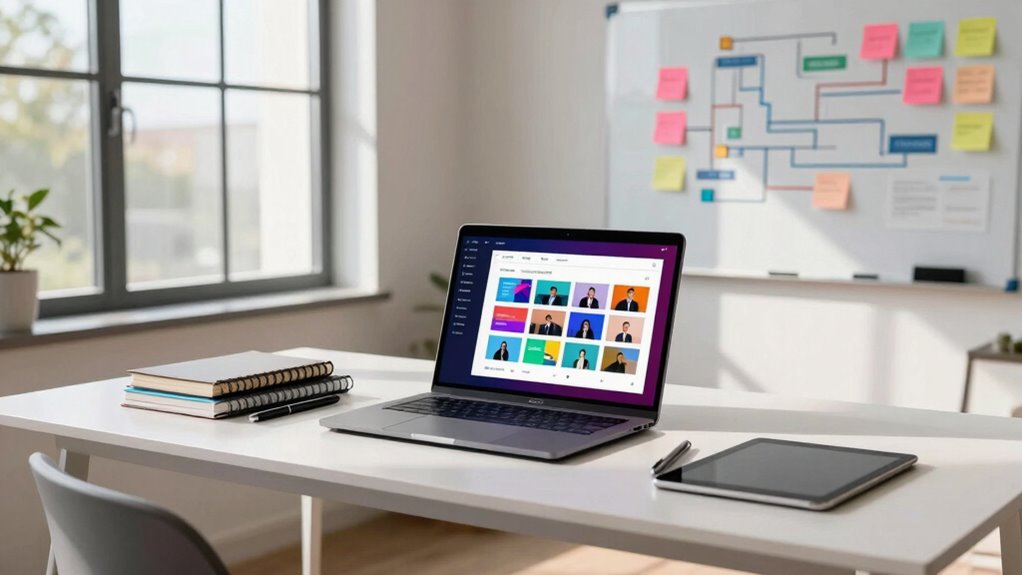
Have you ever struggled to find standard operating procedures (SOPs) when working remotely? If so, you’re not alone. Many teams face challenges in maintaining an accessible, organized, and up-to-date SOP library that everyone can rely on. The key to success lies in creating a digital onboarding process that seamlessly integrates with your SOP system, making it easy for new team members to get up to speed and for existing staff to refresh their knowledge. When your SOPs are embedded in a digital platform, onboarding becomes smoother—new hires can access everything they need in one place, reducing confusion and onboarding time. Plus, a well-structured digital onboarding process ensures consistency in training, which is crucial when your team is scattered across different locations.
Creating a digital SOP system streamlines onboarding, improves accessibility, and ensures consistent training across remote teams.
But simply having a digital SOP library isn’t enough. To keep everyone on the same page, you need a system that supports collaborative updates. As your team grows and processes evolve, SOPs must be dynamic, reflecting the latest procedures and best practices. Collaborative updates empower team members to suggest improvements or flag outdated information directly within the SOP platform. This not only keeps your SOPs current but also encourages a sense of ownership among team members, fostering continual improvement. When everyone contributes to maintaining the SOP library, it becomes a living document that truly supports your daily operations. Incorporating digital collaboration tools can further enhance this process by streamlining communication and feedback. Additionally, leveraging cloud-based platforms ensures your SOPs are accessible from any location, providing flexibility for remote teams.
An effective remote SOP library is also easy to navigate. Use clear categories, search functions, and tagging to help team members find relevant procedures quickly. When SOPs are organized logically and accessible through a user-friendly interface, it reduces frustration and saves time. Additionally, integrating multimedia elements—like videos, step-by-step images, or interactive checklists—can make procedures clearer and more engaging, especially for visual learners. Ensuring your SOPs are up-to-date and accurate is essential for maintaining trust and efficiency within your team. Regular reviews and collaborative updates further support the ongoing relevance and accuracy of your SOPs, making them a vital resource for remote teams.
cloud-based SOP management software
As an affiliate, we earn on qualifying purchases.
As an affiliate, we earn on qualifying purchases.
Frequently Asked Questions
How Often Should Remote SOP Libraries Be Updated?
You should update your remote SOP libraries regularly, ideally every three to six months. This keeps content consistent and guarantees procedures reflect current practices. Regular updates help maintain clear version control, preventing outdated information from causing errors. By reviewing and revising SOPs on a set schedule, you ensure your team always has access to accurate, reliable instructions, ultimately boosting efficiency and compliance in your remote workflows.
What Tools Integrate Best With Remote SOP Libraries?
You should look for tools that offer seamless integration with your existing systems, like SharePoint, Confluence, or Google Drive. These tools excel at managing version control, ensuring everyone accesses the latest SOPs, and allow you to set user permissions for security. By choosing platforms with these features, you maintain control over updates and access, making your remote SOP library more reliable and easier to manage.
How to Ensure Team Engagement With SOP Updates?
You can boost team engagement with SOP updates by fostering team motivation through regular communication and recognizing contributions. Incorporate feedback mechanisms like surveys or quick polls to make team members feel heard and involved. Keep updates concise and relevant, and encourage discussions around changes. When team members see their input valued, they’re more likely to stay motivated and committed, ensuring SOP updates are embraced and effectively implemented.
What Security Measures Protect Sensitive SOP Content?
You protect sensitive SOP content by implementing strong security measures like data encryption, which keeps your information secure during storage and transmission. Additionally, you use access controls to restrict permissions, ensuring only authorized team members can view or edit critical documents. Regularly updating security protocols and monitoring access activity further safeguard your SOP library from unauthorized breaches, maintaining confidentiality and compliance across your remote team.
How to Train New Employees on Remote SOP Access?
Think of onboarding as planting seeds for success. You should use clear onboarding strategies, combining virtual walkthroughs, interactive tutorials, and easy-to-follow training methodologies. Provide new employees with step-by-step guides on remote SOP access, and encourage questions to cultivate confidence. Regular check-ins help guarantee they’re growing comfortable steering the system. This approach turns unfamiliar territory into a well-tended garden, making remote SOP access intuitive and accessible.
Conclusion
Think of your remote SOP library as a well-tended garden—when you nurture it with clarity and organization, it blooms with efficiency and ease. By weaving smart strategies into your approach, you turn chaos into a symphony of seamless workflows. Remember, a carefully curated SOP library isn’t just a file cabinet; it’s the heartbeat of your team’s success, guiding everyone like a lighthouse through the fog. Keep it vibrant, keep it alive, and watch your team thrive.
Halloween Picks
halloween
As an affiliate, we earn on qualifying purchases.