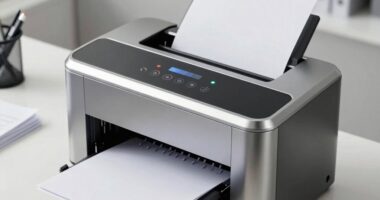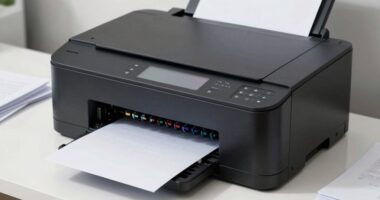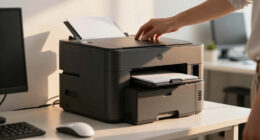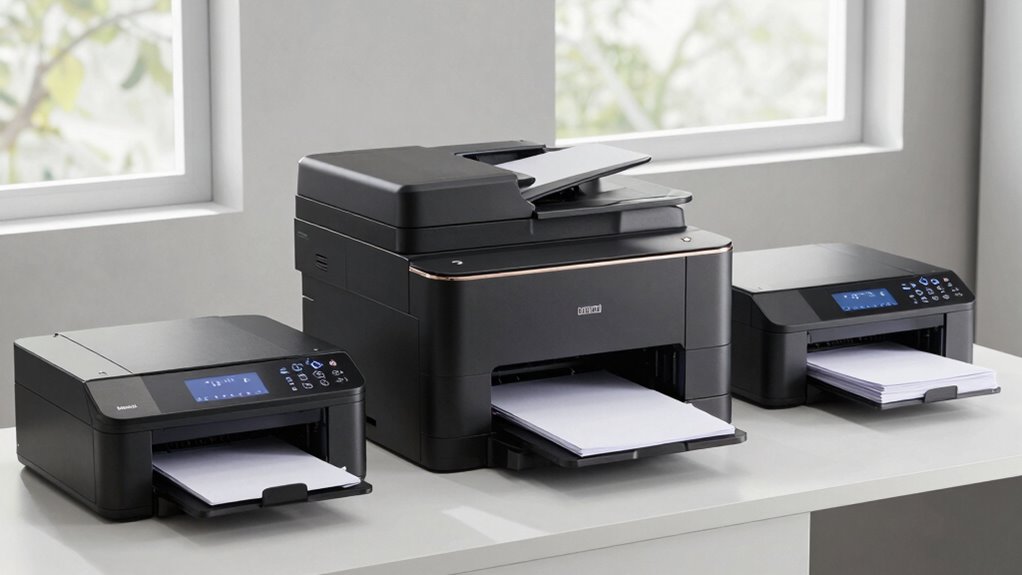
For those who require consistent, high-volume printing, choosing the right laser printer can be challenging. The best models like the HP Color LaserJet Pro MFP 3301sdw stand out for their all-in-one functionality, ideal for busy offices. Meanwhile, the Brother HL-L5210DW offers robust monochrome performance with fast duplex printing, perfect for heavy-duty use. The main tradeoffs involve balancing upfront costs, ongoing maintenance, and features such as color printing or multifunction capabilities. Keep reading to see how these options compare and find the best fit for your needs.

Get business pricing on office and shipping supplies
- Business-only prices and quantity discounts
- Tax-exempt purchasing
- Multiple users, one account, clear invoices
Key Takeaways
- The top-ranked models balance speed, reliability, and cost-effectiveness for high-volume printing.
- Color laser printers tend to be more expensive but are worth it for offices needing vibrant output.
- Monochrome models generally offer lower running costs and faster speeds for text-heavy documents.
- Multifunction printers add scanning, copying, and faxing, but often come with a higher purchase price.
- Connectivity options like wireless and Ethernet are essential for seamless integration into modern office workflows.
| HP Color LaserJet Pro MFP 3301sdw Wireless All-in-One Color Laser Printer |  | Best Overall for Small Offices Needing Color Flexibility | Print Speed: 26 ppm | Functions: Print, Scan, Copy | Connectivity: Wireless | VIEW ON AMAZON | See Our Full Breakdown |
| Brother HL-L5210DW Business Monochrome Laser Printer with Duplex Printing, Wireless and Ethernet Connectivity, Mobile Printing |  | Best for High-Volume Monochrome Printing in Busy Offices | Print Speed: up to 48 ppm | Paper Capacity: 250-sheet main tray, expandable to 1,390 sheets | Connectivity: Gigabit Ethernet, dual band wireless | VIEW ON AMAZON | See Our Full Breakdown |
| Brother HL-L2460DW Wireless Monochrome Laser Printer with Duplex and Mobile Printing |  | Best Compact Monochrome Printer for Home Offices | Print Speed: 36 pages per minute | Connectivity: Wi-Fi (2.4GHz/5GHz), Ethernet, USB | Paper Capacity: 250 sheets | VIEW ON AMAZON | See Our Full Breakdown |
| Brother MFC-L5915DW All-in-One Monochrome Laser Printer with Scanner and Copier |  | Best for High-Speed Monochrome Multi-Function in Busy Offices | Print Speed: 50 ppm | Auto Document Feeder: 70 pages | Scan Speed: 56 ipm | VIEW ON AMAZON | See Our Full Breakdown |
| Brother HL-L3220CDW Color Laser Printer with Wireless Printing and Duplex |  | Best for Color Printing with Moderate Volume Needs | Print Speed: 19 PPM | Paper Capacity: 250 sheets | Duplex Printing: Automatic | VIEW ON AMAZON | See Our Full Breakdown |
| HP LaserJet Enterprise M406dn Monochrome Printer with Ethernet & Duplex Printing |  | Best Overall for High-Volume, Secure Office Printing | Print Speed: 42 ppm | Connectivity: Ethernet | Duplex Printing: Automatic two-sided | VIEW ON AMAZON | See Our Full Breakdown |
| Brother MFC-L3720CDW Wireless Color Laser Printer with Scanner, Copier, and Fax |  | Best for Color Business Printing with Versatility | Print Speed: 19 ppm | Paper Capacity: 250 sheets | Auto Document Feeder: 50 sheets | VIEW ON AMAZON | See Our Full Breakdown |
| HP LaserJet Pro MFP 3101sdw Wireless Black and White All-in-One Laser Printer |  | Best for Small Teams Needing Fast, Reliable Black-and-White All-in-One | Print Speed: up to 35 ppm | Functions: Print, Scan, Copy | Duplex: Auto 2-sided | VIEW ON AMAZON | See Our Full Breakdown |
| Brother DCP-L2640DW Wireless Monochrome Multi-Function Laser Printer |  | Best Compact Monochrome MFP for Small Offices | Print Speed: up to 36 ppm | Functions: Print, Scan, Copy | Connectivity: Wireless, Ethernet, USB | VIEW ON AMAZON | See Our Full Breakdown |
| Brother HL-L2405W Wireless Monochrome Laser Printer with Mobile Printing |  | Best Budget-Friendly Monochrome Printer for Home and Small Office | Print Speed: 30 pages per minute | Connectivity: Wi-Fi (dual-band), USB | Paper Capacity: 250 sheets | VIEW ON AMAZON | See Our Full Breakdown |
| office laser printers for frequent printing | Print Speed | Connectivity | Paper Capacity |
|---|---|---|---|
| HP Color LaserJet Pro MFP 3301 | 26 ppm | Wireless | — |
| Brother HL-L5210DW Business Mo | up to 48 ppm | Gigabit Ethernet, dual band wireless | 250-sheet main tray, expandable to 1,390 sheets |
| Brother HL-L2460DW Wireless Mo | 36 pages per minute | Wi-Fi (2.4GHz/5GHz), Ethernet, USB | 250 sheets |
| Brother MFC-L5915DW All-in-One | 50 ppm | Gigabit Ethernet, Dual-band WiFi | — |
| Brother HL-L3220CDW Color Lase | 19 PPM | Wireless, Mobile Device Compatible | 250 sheets |
| HP LaserJet Enterprise M406dn | 42 ppm | Ethernet | — |
| Brother MFC-L3720CDW Wireless | 19 ppm | Wi-Fi (2.4GHz/5GHz), Wi-Fi Direct, USB 2.0 | 250 sheets |
| HP LaserJet Pro MFP 3101sdw Wi | up to 35 ppm | Wireless | — |
| Brother DCP-L2640DW Wireless M | up to 36 ppm | Wireless, Ethernet, USB | — |
| Brother HL-L2405W Wireless Mon | 30 pages per minute | Wi-Fi (dual-band), USB | 250 sheets |
More Details on Our Top Picks
HP Color LaserJet Pro MFP 3301sdw Wireless All-in-One Color Laser Printer
This all-in-one printer shines for small offices that require vibrant color output alongside fast, reliable printing. Compared to the monochrome-focused Brother MFC-L5915DW, the HP Color LaserJet Pro 3301sdw offers high-quality color printing at 26 ppm, making it ideal for reports and marketing materials. Its auto document feeder and duplex capabilities boost productivity, but it depends on HP’s proprietary cartridges, which can limit third-party options and increase ongoing costs. While not as fast as some monochrome models, its color versatility makes it the best choice for offices that need both speed and visual impact.
Pros:- Fast color printing at 26 ppm
- All-in-one features including scanning and copying
- Auto 2-sided printing and document feeder
Cons:- Requires HP chips or circuitry for cartridges
- Firmware updates may restrict third-party cartridges
Best for: Small offices that frequently produce color documents and value all-in-one functionality
Not ideal for: Offices with strict budget constraints or those prioritizing monochrome-only printing to save costs
- Print Speed:26 ppm
- Functions:Print, Scan, Copy
- Connectivity:Wireless
- Automatic Duplex:Yes
- Input Tray Capacity:250 sheets
Our verdict“This printer is best suited for small teams needing reliable, high-quality color printing with multifunction capabilities.”
Brother HL-L5210DW Business Monochrome Laser Printer with Duplex Printing, Wireless and Ethernet Connectivity, Mobile Printing
Compared with the Brother MFC-L5915DW, the HL-L5210DW excels in speed, reaching up to 48 ppm, making it ideal for large print runs. Its robust connectivity options, including Ethernet and dual-band wireless, support multiple users efficiently. The high 250-sheet paper tray and optional high-yield toner cartridges reduce downtime and refilling, but the device is strictly monochrome, which limits its use for offices needing color. The initial cost can be higher, especially if you add optional trays, but its focus on speed and security makes it a smart investment for high-volume environments.
Pros:- Fast printing speed of up to 48 ppm
- Flexible connectivity including wireless and Ethernet
- High paper capacity with expandable trays
- Secure printing features
Cons:- Limited to monochrome printing only
- Higher upfront cost compared to basic models
Best for: Large offices needing fast, secure monochrome printing with high paper capacity
Not ideal for: Offices requiring color printing or those with limited space for larger printers
- Print Speed:up to 48 ppm
- Paper Capacity:250-sheet main tray, expandable to 1,390 sheets
- Connectivity:Gigabit Ethernet, dual band wireless
- Toner Cartridge:Includes 3,000-page toner, optional high-yield 11,000-page
- Security:Triple Layer Security
Our verdict“Ideal for high-volume, monochrome-focused offices that prioritize speed, security, and large capacity.”
Brother HL-L2460DW Wireless Monochrome Laser Printer with Duplex and Mobile Printing
This model is a strong choice for small teams or home offices needing reliable monochrome printing without taking up much space. Compared to the larger Brother MFC-L5915DW, the HL-L2460DW is more compact, making it easier to fit into tight spots. It offers a respectable print speed of 36 ppm and automatic duplex printing, but its monochrome-only setup limits its versatility. The device’s wireless and Ethernet options support remote printing, though toner replacements can become a recurring expense. Its smaller footprint and simplicity make it perfect for light to moderate use in limited spaces.
Pros:- Fast printing speed of up to 36 ppm
- Wireless and Ethernet connectivity
- Automatic duplex printing saves paper
Cons:- Limited to monochrome printing only
- Toner replacement needed periodically
Best for: Home office users or small teams needing a reliable, space-saving monochrome printer
Not ideal for: Offices that require color printing or high-volume, multi-function capabilities
- Print Speed:36 pages per minute
- Connectivity:Wi-Fi (2.4GHz/5GHz), Ethernet, USB
- Paper Capacity:250 sheets
- Automatic Duplex:Yes
- Warranty:1-year limited warranty
Our verdict“Perfect for small-scale, monochrome printing needs where space is limited.”
Brother MFC-L5915DW All-in-One Monochrome Laser Printer with Scanner and Copier
Standing out for its impressive 50 ppm speed, the MFC-L5915DW is a top choice for offices that need rapid monochrome printing, scanning, and copying. Its high-volume 70-page auto document feeder and fast scan speeds of 56 ipm make it suitable for heavy workloads. Unlike the HL-L2460DW, this model includes all-in-one features, but it remains monochrome, limiting its utility for color needs. The device’s high-yield toner options can reduce long-term costs, yet toner replacement may still be costly during frequent use. Its speed and multifunctionality make it ideal for dynamic, fast-paced environments.
Pros:- Fast printing and copying at 50 ppm
- High-volume scanning with 70-page feeder
- Flexible wireless and Ethernet connectivity
Cons:- Limited to monochrome printing only
- Toner expenses can add up with high use
Best for: High-demand offices that need fast, multi-function monochrome printing
Not ideal for: Organizations requiring color output or simpler, budget-friendly devices
- Print Speed:50 ppm
- Auto Document Feeder:70 pages
- Scan Speed:56 ipm
- Connectivity:Gigabit Ethernet, Dual-band WiFi
- Toner Cartridge:Includes 3,000-page cartridge, optional 18,000-page
Our verdict“Best suited for busy offices needing rapid, high-capacity monochrome multifunction printing.”
Brother HL-L3220CDW Color Laser Printer with Wireless Printing and Duplex
This color laser printer is designed for offices that need vibrant, professional-quality documents. Its 19 ppm speed is slower compared to the monochrome models like the HL-L2460DW, but the vibrant color output and crisp text justify the tradeoff for many small teams. Its 250-sheet tray and duplex printing increase efficiency, while wireless and mobile features add convenience. However, the slower speed may hinder high-volume environments, and the upfront cost can be higher than monochrome counterparts. It’s an excellent choice for offices prioritizing color quality over speed.
Pros:- High-quality color printing with vibrant graphics
- Large 250-sheet paper tray
- Wireless and mobile device compatibility
Cons:- Relatively slow at 19 pages per minute
- Higher initial cost compared to monochrome printers
Best for: Small offices or home setups needing colorful, high-quality prints with moderate volume
Not ideal for: High-volume offices where speed is critical or monochrome-only work suffices
- Print Speed:19 PPM
- Paper Capacity:250 sheets
- Duplex Printing:Automatic
- Connectivity:Wireless, Mobile Device Compatible
- Media Handling:Manual feed for envelopes and specialty media
Our verdict“Ideal for small teams or creative environments prioritizing color and quality over high speed.”
HP LaserJet Enterprise M406dn Monochrome Printer with Ethernet & Duplex Printing
The HP LaserJet Enterprise M406dn stands out for its high-speed output of up to 42 pages per minute, making it ideal for busy office environments. Its Ethernet connectivity and automatic duplex printing streamline workflows, while the 2.7-inch color display adds user-friendliness. Compared with the Brother DCP-L2640DW, it offers superior security features, but it’s limited to monochrome outputs and lacks wireless options, which might be a drawback for teams relying on mobile printing. Its advanced security, combined with fast, reliable performance, makes it a top choice for offices prioritizing data protection and high-volume tasks. However, if wireless connectivity is essential, this model may fall short.Pros:- High-speed printing up to 42 ppm for large-volume tasks
- Built-in Ethernet and duplex printing for efficiency
- Advanced security features to protect sensitive data
- User-friendly 2.7-inch color display
Cons:- Limited to monochrome printing, no color options
- No wireless connectivity, restricting flexible device use
Best for: Large offices or teams needing rapid, secure monochrome printing with minimal user intervention
Not ideal for: Small teams or offices requiring wireless or color printing options, as this model is wired-only and monochrome
- Print Speed:42 ppm
- Connectivity:Ethernet
- Duplex Printing:Automatic two-sided
- Display:2.7-inch color display
- Security:HP Wolf Enterprise Security
- Firmware:HP FutureSmart
Our verdict“This printer is best suited for large, security-conscious offices needing fast monochrome output with wired network support.”
Brother MFC-L3720CDW Wireless Color Laser Printer with Scanner, Copier, and Fax
The Brother MFC-L3720CDW excels in offering color laser printing alongside scanning, copying, and fax capabilities, making it ideal for small to medium teams that need versatile functionality. Its print speed of 19 ppm is slower than the high-volume models like the HP M406dn, but its color output and mobile printing options add significant value. The 3.5-inch touchscreen with shortcuts simplifies operation, though its larger footprint and higher initial cost could be hurdles for smaller or budget-concerned offices. Compared to the monochrome Brother DCP-L2640DW, this model provides color, but at the expense of speed and price. It’s a solid all-in-one for offices that need color and multi-functionality in a wireless setup.Pros:- Color laser printing with professional-quality output
- Multiple connectivity options including Wi-Fi and mobile printing
- Large 3.5-inch touchscreen with customizable shortcuts
- Auto duplex printing and 250-sheet paper capacity
Cons:- Slower print speed at 19 ppm compared to high-volume monochrome models
- Higher initial cost and larger footprint
Best for: Small to medium-sized offices that require versatile, color-capable printing and internal multifunctions
Not ideal for: Teams prioritizing high-speed monochrome printing or those with limited space and budget constraints
- Print Speed:19 ppm
- Paper Capacity:250 sheets
- Auto Document Feeder:50 sheets
- Connectivity:Wi-Fi (2.4GHz/5GHz), Wi-Fi Direct, USB 2.0
- Display:3.5-inch color touchscreen
- Functions:Print, Scan, Copy, Fax
Our verdict“This model is perfect for offices that need versatile color printing and multifunction capabilities but can accommodate its size and price.”
HP LaserJet Pro MFP 3101sdw Wireless Black and White All-in-One Laser Printer
The HP LaserJet Pro MFP 3101sdw is designed for small teams that require fast black-and-white printing, scanning, and copying in a compact form. Its 35 ppm speed rivals larger office printers, and automatic duplexing reduces paper use. The all-in-one functionality combined with reliable wireless connectivity makes it a practical choice for busy small offices. Compared to the Brother HL-L2405W, it offers higher speeds and a more integrated scanning feature, but it’s limited to monochrome and only supports HP cartridges, which could increase ongoing costs. Its straightforward design and solid performance make it a good fit for smaller teams focused on black-and-white documents.Pros:- Fast printing at up to 35 ppm
- Automatic duplexing to save paper
- Reliable wireless connectivity
- All-in-one functions for printing, scanning, and copying
Cons:- Limited to monochrome printing, no color
- Uses HP-specific cartridges, potentially higher ongoing costs
Best for: Small teams or startups needing fast, reliable monochrome printing and multi-functionality in a compact package
Not ideal for: Offices needing color printing or more advanced features like fax or extensive automation
- Print Speed:up to 35 ppm
- Functions:Print, Scan, Copy
- Duplex:Auto 2-sided
- Input Tray Capacity:250 sheets
- Connectivity:Wireless
- Color:Black and White
Our verdict“This printer offers a reliable, fast monochrome solution for small teams that need all-in-one functionality without extra frills.”
Brother DCP-L2640DW Wireless Monochrome Multi-Function Laser Printer
The Brother DCP-L2640DW combines a compact footprint with reliable speed and multi-functionality, making it suitable for small offices with limited space. Its 36 ppm speed is competitive for monochrome tasks, and its support for wireless, Ethernet, and mobile printing offers flexible connectivity options. Compared to the Brother HL-L2405W, it adds scanning and copying but shares the monochrome limitation and requires compatible toner. Its small size makes it ideal for desks or tight corners, although it might lack some advanced features found in larger models. This model is a good choice for those who want a space-saving, all-in-one device for basic office printing needs.Pros:- Compact design perfect for small spaces
- Fast printing and scanning speeds
- Supports wireless, Ethernet, and mobile printing
- Multi-functionality with scan and copy
Cons:- Monochrome only, no color printing
- Limited to basic monochrome features and toner compatibility
Best for: Small offices or home offices needing a space-efficient, all-in-one monochrome laser printer with flexible connectivity
Not ideal for: Offices requiring color printing or heavy-duty high-volume tasks
- Print Speed:up to 36 ppm
- Functions:Print, Scan, Copy
- Connectivity:Wireless, Ethernet, USB
- Auto Document Feeder:50 pages
- Auto Duplex:Yes
- Color:Monochrome
Our verdict“This compact all-in-one is ideal for small offices needing reliable monochrome printing and scanning without taking up much space.”
Brother HL-L2405W Wireless Monochrome Laser Printer with Mobile Printing
The Brother HL-L2405W offers straightforward monochrome laser printing with a focus on affordability and ease of use. Its 30 ppm speed is sufficient for moderate printing needs, and wireless plus mobile printing support offers flexibility. Its 250-sheet tray reduces the need for frequent reloads, making it suitable for home or small office environments. Compared with the Brother DCP-L2640DW, it lacks scanning functions, but its simple design keeps costs low. This model is best for those who primarily print text documents and want a reliable, no-fuss printer without extra features or a large footprint.Pros:- Fast print speeds of up to 30 ppm
- Wireless and mobile printing support
- Large 250-sheet paper tray for high volume
- Affordable toner options with subscription services
Cons:- Limited to monochrome printing, no scanning or copying
- Basic features without advanced automation
Best for: Home users or small offices needing affordable, reliable monochrome printing with mobile support
Not ideal for: Offices that require scanning, copying, or color printing capabilities
- Print Speed:30 pages per minute
- Connectivity:Wi-Fi (dual-band), USB
- Paper Capacity:250 sheets
- Printer Type:Monochrome laser
- Warranty:1 year
Our verdict“This printer provides a cost-effective, dependable monochrome solution for light to moderate printing needs at home or small offices.”

How We Picked
These printers were selected based on their ability to handle frequent, high-volume printing with consistent quality. Key criteria included print speed, duty cycle, cost per page, build quality, and ease of use. We also prioritized models with reliable connectivity options, low maintenance requirements, and features that support busy office environments. The ranking reflects a balance between value and performance, favoring models that meet the demands of continuous printing while offering durability and user-friendly features.Factors to Consider When Choosing Office Laser Printers For Frequent Printing
Choosing the right office laser printer for frequent printing involves evaluating several factors beyond just initial cost. Understanding your specific printing needs, such as color versus monochrome, multifunction capabilities, and connectivity options, can help narrow down choices. It’s also important to consider ongoing expenses like toner replacement and maintenance. A careful assessment of these factors ensures you select a printer that offers the best performance and value for your office environment.Print Speed and Duty Cycle
For frequent printing, a high print speed and a large duty cycle are essential. Speed reduces wait times, especially during busy periods, while a high duty cycle indicates the printer’s ability to handle large volumes without breaking down. Look for models with speeds of at least 30 pages per minute and duty cycles that exceed your monthly printing needs to avoid premature wear.
Cost of Toner and Maintenance
While upfront costs matter, ongoing expenses like toner replacements significantly impact total cost of ownership. Some printers use high-yield toner cartridges that lower cost per page, which is advantageous in high-volume settings. Additionally, consider the ease of replacing toner and other maintenance tasks, as frequent repairs can disrupt workflow.
Connectivity and Integration
Wireless, Ethernet, and mobile printing capabilities are vital for seamless integration into modern office setups. Printers with versatile connectivity options reduce the need for multiple devices and allow for flexible placement. Confirm compatibility with your office network and mobile devices to streamline workflows and accommodate multiple users.
Multifunction Capabilities
Multi-use models that include scanning, copying, and faxing can save space and money, especially if your office handles various document workflows. However, multifunction printers tend to be more expensive initially and may have slower speeds for some functions. Consider whether all features are necessary for your daily operations before opting for a multi-purpose device.
Size and Design
In tight office spaces, compact designs can make a significant difference. Look for models that fit your available space without sacrificing essential features. Also, consider the durability and build quality, as frequent use can wear down cheaper plastics and components more quickly.
Frequently Asked Questions
How often should I replace toner in a high-volume office laser printer?
High-volume office laser printers typically have high-yield toner cartridges designed for frequent use. Replacing toner depends on your specific print volume, but with proper cartridges, you might need to replace toner every few thousand pages. Monitoring toner levels regularly and opting for high-capacity cartridges can reduce downtime and ongoing costs, ensuring continuous operation during busy periods.
Are color laser printers worth the extra cost for frequent printing?
Color laser printers are generally more expensive upfront and have higher toner costs, but they are valuable if your office regularly needs vibrant, color documents. For purely text-based reports, monochrome models often offer lower total costs and faster speeds. Assess your typical print jobs to decide whether the added versatility of color justifies the investment.
What’s the biggest mistake to avoid when choosing a laser printer for frequent use?
A common mistake is prioritizing initial cost over long-term expenses. Cheaper models may save money upfront but often have higher toner costs, lower duty cycles, and less durability, leading to increased expenses and downtime. Focusing on the total cost of ownership and the printer’s ability to handle your volume will result in a more satisfying long-term investment.
How important is wireless connectivity for office laser printers?
Wireless connectivity is increasingly important in busy offices, as it allows multiple users to print from their devices without cluttering the workspace with cables. It also simplifies setup and expands flexibility for printer placement. If your office relies on mobile printing or has a dynamic layout, choosing a model with robust wireless features can streamline workflows significantly.
Can multifunction printers keep up with high-volume printing?
Many multifunction printers are designed to handle frequent use, but their speed and duty cycle vary. For intense, high-volume environments, look for models explicitly rated for high duty cycles and fast printing speeds. While multifunction capabilities add versatility, ensure the device’s core printing performance matches your office’s volume demands to avoid bottlenecks.
Conclusion
The best overall pick for most offices in 2026 is the HP Color LaserJet Pro MFP 3301sdw, offering a balanced mix of speed, multifunctionality, and reliability. For those prioritizing low ongoing costs and monochrome printing, the Brother HL-L5210DW stands out as a solid choice. Budget-conscious buyers or small offices might find the Brother HL-L2405W sufficient, while larger enterprises will benefit from models like the HP LaserJet Enterprise M406dn. Beginners should focus on ease of use with simpler models, whereas heavy users need high duty cycle and high-yield toner options. Tailor your choice to your print volume, budget, and required features for the best results.
Fall Picks
fall essentials
As an affiliate, we earn on qualifying purchases.