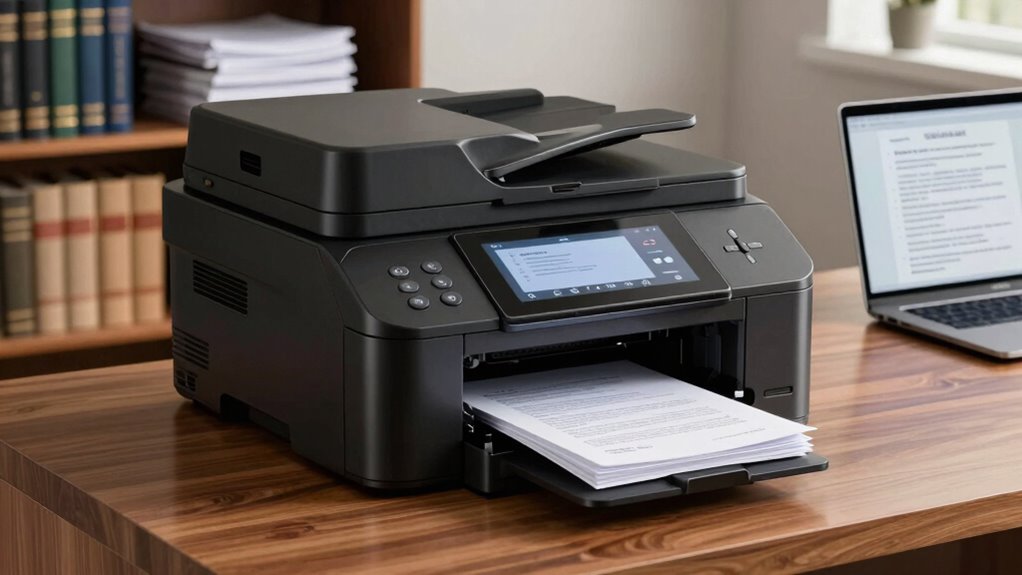

Choosing a multifunction printer for legal paperwork involves balancing print quality, security, and reliability. The Brother MFC-L3720CDW stands out as the best overall for its speed, color accuracy, and robust security features. For those on a budget, the Brother DCP-L2640DW offers reliable monochrome printing without breaking the bank, while the HP OfficeJet Pro 9730 excels with wide-format capabilities for larger legal documents. The main tradeoffs involve balancing high-quality, fast performance against cost and complexity. Keep reading for a detailed breakdown of these options and what makes each one suitable for legal environments.

Get business pricing on office and shipping supplies
- Business-only prices and quantity discounts
- Tax-exempt purchasing
- Multiple users, one account, clear invoices
Key Takeaways
- Laser printers generally provide sharper text and faster performance, making them ideal for frequent legal document printing.
- Security features such as encrypted printing and user authentication are essential for handling sensitive legal paperwork.
- Wide-format capabilities are a game-changer for legal professionals who regularly print large documents or blueprints.
- Cost considerations include not just initial price but ongoing expenses like toner, ink, and maintenance.
- Ease of use and support for multiple users can significantly impact office productivity and workflow.
| Brother MFC-L3720CDW Wireless Color Laser Printer with Scanner, Copier, and Fax |  | Best Overall for Small to Medium Law Offices | Print Speed: 19 ppm | Paper Capacity: 250 sheets | Auto Document Feeder: 50 sheets | VIEW ON AMAZON | See Our Full Breakdown |
| Brother DCP-L2640DW Wireless Monochrome Multi-Function Laser Printer with Copy and Scan |  | Best for Small Law Practices with Monochrome Needs | Print Speed: up to 36 ppm | Scan Speed: up to 23.6/7.9 ipm | Auto Document Feeder: 50 pages | VIEW ON AMAZON | See Our Full Breakdown |
| HP OfficeJet Pro 9730 Wide-Format Wireless All-in-One Color Inkjet Printer |  | Best for Color Legal Documents and Creative Work | Print Speed (Color): 18 ppm | Maximum Print Size: 11×17 inches | Touchscreen: 4.3-inch color | VIEW ON AMAZON | See Our Full Breakdown |
| HP LaserJet Pro MFP 3105sdw Wireless Printer |  | Best for High-Volume Monochrome Legal Printing | Print Speed: up to 33 ppm | Connectivity: Wi-Fi | Auto Duplex: Yes | VIEW ON AMAZON | See Our Full Breakdown |
| Brother MFC-L5915DW All-in-One Laser Printer with Scanner and Copier |  | Best for High-Volume Monochrome Office Environments | Print Speed: 50 ppm | Auto Document Feeder: 70 pages | Scanning Speed: 56 ipm | VIEW ON AMAZON | See Our Full Breakdown |
| HP OfficeJet Pro 9125 Wireless All-in-One Color Inkjet Printer |  | Best Overall for Versatile Office Use | Print Speed (Black): 22 ppm | Print Speed (Color): 18 ppm | Input Tray Capacity: 250 sheets | VIEW ON AMAZON | See Our Full Breakdown |
| HP OfficeJet Pro 9720 Wide-Format Wireless All-in-One Color Inkjet Printer |  | Best for Wide-Format Legal Documents | Print Speed (Black): 22 ppm | Print Speed (Color): 18 ppm | Maximum Print Size: 11×17 inches | VIEW ON AMAZON | See Our Full Breakdown |
| Brother MFC-L3780CDW Wireless Digital Color All-in-One Printer |  | Best for Small Business with Color Needs | Print Speed: up to 31 ppm | Scan Speed: up to 29/22 ipm (black/color) | Connectivity: Dual band Wi-Fi, Ethernet, USB | VIEW ON AMAZON | See Our Full Breakdown |
| Brother MFC-L2820DW Wireless Monochrome All-in-One Laser Printer |  | Best Compact Monochrome Laser for Small Offices | Print Speed: up to 36 ppm | Scan Speed: up to 23.6/7.9 ipm | Auto Document F: 50 pages | VIEW ON AMAZON | See Our Full Breakdown |
| Brother MFC-L8930CDW Business Color Laser All-in-One Printer with Duplex Print, Scan, Copy, Security |  | Best for High-Volume, Secure Color Printing | Print Speed: up to 33 ppm | Scan Speed: up to 104 ipm | Auto Document F: 80 pages | VIEW ON AMAZON | See Our Full Breakdown |
| multifunction printers for legal paperwork | Connectivity | Print Speed | Touchscreen |
|---|---|---|---|
| Brother MFC-L3720CDW Wireless | Wireless, Wi-Fi Direct, USB 2.0 | 19 ppm | 3.5-inch color with 48 shortcuts |
| Brother DCP-L2640DW Wireless M | Wi-Fi, Ethernet, USB | up to 36 ppm | — |
| HP OfficeJet Pro 9730 Wide-For | Wireless, dual-band Wi-Fi | — | 4.3-inch color |
| HP LaserJet Pro MFP 3105sdw Wi | Wi-Fi | up to 33 ppm | — |
| Brother MFC-L5915DW All-in-One | Gigabit Ethernet, Dual-band Wi-Fi | 50 ppm | — |
| HP OfficeJet Pro 9125 Wireless | Wireless, dual-band Wi-Fi | — | — |
| HP OfficeJet Pro 9720 Wide-For | — | — | 2.7-inch color touchscreen |
| Brother MFC-L3780CDW Wireless | Dual band Wi-Fi, Ethernet, USB | up to 31 ppm | — |
| Brother MFC-L2820DW Wireless M | Wi-Fi, Ethernet, USB | up to 36 ppm | 2.7 inches |
| Brother MFC-L8930CDW Business | Wi-Fi, Ethernet | up to 33 ppm | 7-inch color |
More Details on Our Top Picks
Brother MFC-L3720CDW Wireless Color Laser Printer with Scanner, Copier, and Fax
This Brother model stands out for its speed and high-quality color output, making it well-suited for printing legal documents that require clarity and professionalism. Its versatile connectivity options, including wireless, Wi-Fi Direct, and USB, promote seamless integration into busy office workflows, outperforming monochrome-only options like the Brother DCP-L2640DW. The large 250-sheet paper tray and automatic duplex printing boost efficiency, but its setup can be complex for those unfamiliar with laser printers, and toner costs may add up over time. Compared with the HP OfficeJet 9730, it offers lower initial cost and more straightforward laser printing, but lacks wide-format capabilities.
Pros:- Fast print speeds up to 19 ppm for high-volume legal printing
- High-quality color output suitable for professional documents
- Multiple connectivity options including wireless and cloud integration
- Automatic duplex printing enhances efficiency
Cons:- Setup can be complex for users unfamiliar with laser printers
- Large footprint requires significant office space
- Toner replacement can be costly over time
Best for: Legal professionals and small firms needing fast, color laser printing with multifunction capabilities
Not ideal for: Solo practitioners or startups with limited space or primarily monochrome needs, due to size and color cost considerations
- Print Speed:19 ppm
- Paper Capacity:250 sheets
- Auto Document Feeder:50 sheets
- Connectivity:Wireless, Wi-Fi Direct, USB 2.0
- Touchscreen:3.5-inch color with 48 shortcuts
- Toner Cost:Variable, potentially high
Our verdict“This model is best for law offices that require fast, high-quality color printing with versatile connectivity and are prepared for larger equipment and toner costs.”
Brother DCP-L2640DW Wireless Monochrome Multi-Function Laser Printer with Copy and Scan
This Brother model is ideal for small legal offices that primarily print text-based documents, offering exceptionally fast printing up to 36 ppm and reliable scanning. Its compact design makes it easier to fit into tight spaces, outperforming larger laser printers like the Brother MFC-L5915DW in size. However, it’s limited to monochrome output, which could be a drawback for firms needing color. It also lacks fax functionality, unlike some higher-end models. Its wireless and Ethernet connectivity, combined with mobile management, make it flexible, but users must stock compatible toner cartridges, which can be an extra step.
Pros:- High-speed printing up to 36 ppm for quick turnaround
- Compact size fits small office environments
- Flexible wireless and Ethernet connectivity
- Mobile device management capabilities
Cons:- Limited to monochrome printing, unsuitable for color needs
- No fax functionality included
- Requires compatible toner cartridges which may add ongoing costs
Best for: Small legal practices and solo attorneys focused on fast monochrome printing and scanning
Not ideal for: Firms requiring color printing or fax capabilities, or those needing larger paper capacity
- Print Speed:up to 36 ppm
- Scan Speed:up to 23.6/7.9 ipm
- Auto Document Feeder:50 pages
- Connectivity:Wi-Fi, Ethernet, USB
- Functions:Print, Scan, Copy
- No Fax:Yes
Our verdict“This printer is a strong choice for small law offices prioritizing speed and simplicity in monochrome printing and scanning.”
HP OfficeJet Pro 9730 Wide-Format Wireless All-in-One Color Inkjet Printer
This HP model excels at producing large-format color documents up to 11×17 inches, making it ideal for legal firms that need to print detailed diagrams or color-coded exhibits. Its fast color printing speeds of 18 ppm, combined with a large 4.3-inch touchscreen, make operation straightforward, surpassing the HP 9720 in user interface. The wide-format capability, however, involves a bulkier footprint and requires a subscription for ink, which can increase operational costs over time. It’s less suited for small spaces or firms that predominantly handle monochrome paperwork. Compared to laser options like the Brother MFC-L3720CDW, it offers more vibrant output but at a potentially higher ongoing cost.
Pros:- Prints high-quality color documents up to 11×17 inches
- Fast speeds and auto duplex for efficient workflow
- Large touchscreen simplifies operation
- Secure printing features with HP Wolf Pro Security
Cons:- Requires ongoing ink subscription costs
- Can be bulky for small offices
- Some advanced features need smartphone app setup
Best for: Legal teams needing color, wide-format printing for detailed, professional documents
Not ideal for: Small offices with limited space or those prioritizing monochrome, high-volume printing on a budget
- Print Speed (Color):18 ppm
- Maximum Print Size:11×17 inches
- Touchscreen:4.3-inch color
- Connectivity:Wireless, dual-band Wi-Fi
- Security:HP Wolf Pro Security
- Recycled Content:30%
Our verdict“This wide-format inkjet is best for legal firms that need vibrant, professional color printing and have space for larger equipment.”
HP LaserJet Pro MFP 3105sdw Wireless Printer
This HP LaserJet model is tailored for busy legal offices that require speed and simplicity in monochrome printing, with speeds up to 33 ppm. Its auto duplex and smart scanning to email streamline document handling, and its advanced security safeguards sensitive legal files, outperforming less secure or slower models like the Brother DCP-L2640DW. While it’s easy to set up and operate, its reliance on original HP cartridges with chips or circuitry can lead to higher ongoing costs. It’s limited to black-and-white documents, making it unsuitable for firms needing color or wide-format options.
Pros:- Fast printing up to 33 ppm for high-volume output
- Easy setup and mobile printing support
- Enhanced security features for sensitive legal documents
- Auto duplex printing improves efficiency
Cons:- Limited to monochrome printing, not suitable for color needs
- Requires specific toner cartridges with chips, which may be costly
- Higher initial purchase price compared to entry-level models
Best for: Law firms with high-volume, monochrome document printing and strong security needs
Not ideal for: Firms requiring color printing, faxing, or wide-format capabilities, or those on a tight budget for high-yield toner
- Print Speed:up to 33 ppm
- Connectivity:Wi-Fi
- Auto Duplex:Yes
- Functions:Print, Scan, Copy
- Security:HP Wolf Pro Security
- Paper Handling:Auto 2-sided
Our verdict“This printer is ideal for high-volume monochrome legal printing with a focus on speed and security in a professional office setting.”
Brother MFC-L5915DW All-in-One Laser Printer with Scanner and Copier
This Brother model caters to large law firms or busy legal departments that need rapid printing and copying, with speeds reaching 50 ppm. Its 70-page auto document feeder and high-yield toner cartridges support extensive daily workloads, surpassing the smaller Brother DCP-L2640DW’s capacity and speed. It offers flexible connectivity options, including gigabit Ethernet and dual-band Wi-Fi, making it suitable for collaborative environments. The main tradeoff is its monochrome-only output, which limits use for firms requiring color. The high initial cost is balanced by its low cost per page, ideal for high-volume operations.
Pros:- Exceptional print and copy speeds of 50 ppm
- High-volume scanning with 70-page feeder
- Flexible wired and wireless connectivity
- Low-cost high-yield toner cartridges
Cons:- Limited to monochrome printing, no color option
- Higher upfront cost for large-capacity device
- Potentially overpowered for small offices
Best for: Large legal offices with high-volume monochrome printing and scanning needs
Not ideal for: Small practices or those requiring color printing or budget-conscious setups
- Print Speed:50 ppm
- Auto Document Feeder:70 pages
- Scanning Speed:56 ipm
- Connectivity:Gigabit Ethernet, Dual-band Wi-Fi
- Toner Cartridge:18,000 pages high-yield
- Initial Cost:Higher
Our verdict“This model is best for large legal teams demanding high-speed, high-volume monochrome printing and scanning with minimal downtime.”
HP OfficeJet Pro 9125 Wireless All-in-One Color Inkjet Printer
The HP OfficeJet Pro 9125 stands out for its combination of fast color printing, all-in-one functionality, and user-friendly features. Compared to the Brother MFC-L3780CDW, it offers superior color capabilities, making it ideal for legal documents that benefit from color highlights or annotations. Its 2.7-inch touchscreen simplifies operation, a step above basic button interfaces. However, it relies on proprietary cartridges with HP chips, which can add ongoing costs, and periodic firmware updates for security can be inconvenient. This model is best suited for law firms or legal departments needing high-quality color output with ease of use, but less so for those seeking low-cost monochrome or minimal maintenance.
Pros:- Fast color printing for professional documents
- Intuitive 2.7-inch touchscreen interface
- Secure printing with HP Wolf Pro Security
- Eco-friendly with recycled plastic components
Cons:- Cartridges require original HP chips, increasing costs
- Firmware updates may occasionally disrupt workflow
Best for: Legal offices requiring professional color document printing with secure, sustainable features
Not ideal for: Small solo practitioners or offices primarily printing monochrome documents, due to higher ink costs
- Print Speed (Black):22 ppm
- Print Speed (Color):18 ppm
- Input Tray Capacity:250 sheets
- Touchscreen Size:2.7 inches
- Connectivity:Wireless, dual-band Wi-Fi
- Security:HP Wolf Pro Security
Our verdict“This printer offers a balanced mix of speed, security, and color quality, ideal for busy legal offices needing versatile functionality.”
HP OfficeJet Pro 9720 Wide-Format Wireless All-in-One Color Inkjet Printer
The HP OfficeJet Pro 9720 excels in handling larger legal documents, supporting up to 11×17 inches, which makes it a strong choice over the HP OfficeJet Pro 9125 for offices that regularly print large contracts or exhibits. Its fast color and black speeds, combined with wireless connectivity and a large 2.7-inch touchscreen, streamline workflow. Yet, its higher initial cost and the need for a subscription for ongoing ink delivery may deter smaller firms or those with tight budgets. It’s ideal for legal teams needing high-quality wide-format output, but less suited for small or budget-conscious offices.
Pros:- Supports printing up to 11×17 inches for large documents
- Fast color and black print speeds
- Wireless and mobile app support for flexibility
- Secure with HP Wolf Pro Security
Cons:- Requires subscription for ongoing ink supply
- Bulky footprint in small offices
- Some features need smartphone app setup
Best for: Legal professionals who frequently print large-format documents or detailed exhibits
Not ideal for: Small practices that rarely need 11×17 printing due to higher costs and space requirements
- Print Speed (Black):22 ppm
- Print Speed (Color):18 ppm
- Maximum Print Size:11×17 inches
- Touchscreen:2.7-inch color touchscreen
- Input Tray Capacity:250 sheets
- Security:HP Wolf Pro Security
Our verdict“This wide-format printer is perfect for law firms handling large documents that demand high quality and speed, but may be overkill for small-scale needs.”
Brother MFC-L3780CDW Wireless Digital Color All-in-One Printer
The Brother MFC-L3780CDW offers fast, reliable color laser printing suitable for small legal offices that require high-volume output. Its print speed of up to 31 ppm outperforms many inkjet options, and its multiple connectivity options, including Ethernet and Wi-Fi Direct, support diverse office setups. Compared to the inkjet options like the HP OfficeJet Pro 9125, laser provides more cost-effective printing over time, especially for monochrome or high-volume color jobs. However, it lacks an automatic document feeder (ADF), which can slow down multi-page tasks, and toner costs can add up depending on usage. This printer fits those who want crisp, professional color output without fuss but don’t need extensive scanning features.
Pros:- Fast print and scan speeds for busy offices
- Multiple connectivity options including Ethernet
- All-in-one functionality with fax, copy, and scan
- Reliable laser output for professional quality
Cons:- No automatic document feeder (ADF)
- Potentially high toner costs with frequent use
Best for: Small legal offices with high-volume color printing and scanning needs
Not ideal for: Offices that rely heavily on multi-page scanning or copying without an ADF, or need budget-friendly monochrome printing
- Print Speed:up to 31 ppm
- Scan Speed:up to 29/22 ipm (black/color)
- Connectivity:Dual band Wi-Fi, Ethernet, USB
- Functionality:Print, scan, copy, fax
- Paper Capacity:250 sheets
- Auto Document Feeder:None
Our verdict“This laser multifunction printer is well-suited for small offices that prioritize speed and quality in color printing, with some limitations on multi-page handling.”
Brother MFC-L2820DW Wireless Monochrome All-in-One Laser Printer
The Brother MFC-L2820DW offers a space-efficient, fast monochrome laser solution for legal offices that primarily handle text-based documents. Its 36 ppm speed surpasses many color options, making it ideal for high-volume black-and-white printing. The 2.7-inch touchscreen simplifies operation, and its wireless plus Ethernet connectivity supports flexible setups. Compared to color models like the Brother MFC-L3780CDW, it saves cost on toner and reduces clutter by focusing solely on monochrome output. However, the lack of color limits its use for legal documents requiring color highlights, and toner replacement, while infrequent, can be costly. It’s the best pick for offices prioritizing speed, space, and cost-efficiency for text printing.
Pros:- Fast print speeds up to 36 ppm
- Compact design fits small spaces
- Wireless and Ethernet connectivity
- Auto document feeder for multi-page tasks
Cons:- Limited to monochrome printing
- Toner replacement can be costly
Best for: Small legal offices needing fast, reliable monochrome printing with minimal space
Not ideal for: Offices needing color printing or multi-page scanning without an ADF
- Print Speed:up to 36 ppm
- Scan Speed:up to 23.6/7.9 ipm
- Auto Document F:50 pages
- Touchscreen:2.7 inches
- Connectivity:Wi-Fi, Ethernet, USB
- Functionality:Print, scan, copy, fax
Our verdict“This laser printer is ideal for law firms that mainly print black-and-white documents quickly and efficiently, with limited need for color output.”
Brother MFC-L8930CDW Business Color Laser All-in-One Printer with Duplex Print, Scan, Copy, Security
The Brother MFC-L8930CDW combines high-speed color laser printing with advanced security features, making it a top choice for busy legal environments that require confidentiality and efficiency. Its impressive 33 ppm print speed and 104 ipm scan rate outperform many competitors like the HP OfficeJet Pro 9720 on volume and speed. The 7-inch color touchscreen offers intuitive control, and the security suite, including NFC card reader and triple-layer protections, safeguards sensitive legal documents. However, the initial cost is higher, and toner replacement can be expensive over time, which may be a concern for smaller practices. This model is ideal for larger firms or departments prioritizing security and high throughput over initial investment.
Pros:- High-quality color and black printing
- Fast print and scan speeds
- Robust security with NFC and triple-layer protection
- Compact footprint for a business environment
Cons:- Expensive toner replacements
- Complex setup for non-technical staff
Best for: Large legal teams or firms requiring secure, high-volume color printing
Not ideal for: Small firms with limited budgets or infrequent color printing needs
- Print Speed:up to 33 ppm
- Scan Speed:up to 104 ipm
- Auto Document F:80 pages
- Touchscreen:7-inch color
- Connectivity:Wi-Fi, Ethernet
- Included Toner:3,000 black, 1,800 color
Our verdict“This color laser printer is perfect for law offices that need fast, secure, and high-volume color output but at a higher initial and ongoing cost.”

How We Picked
The selection process focused on printers that deliver reliable performance, security, and high-quality output suitable for legal documents. We prioritized models with fast print speeds, robust security features, and versatile paper handling to accommodate different legal paperwork formats. Cost of operation, build quality, and ease of integration into existing office workflows also shaped the rankings. Each product was evaluated against these criteria to identify the most balanced options for legal professionals, emphasizing real-world usability and value over mere feature lists.Factors to Consider When Choosing Multifunction Printers For Legal Paperwork
When selecting a multifunction printer for legal paperwork, it’s important to consider factors that impact both daily workflow and document integrity. Legal environments demand high-quality printing, strong security, and reliable operation. Beyond basic features, understanding how these factors interact can help you avoid common pitfalls and make a choice that suits your specific needs.Print Quality and Text Clarity
Legal documents require sharp, clear text to ensure readability and professionalism. Laser printers typically outperform inkjets in this area, especially for long-term durability. When evaluating options, check for high resolution and consistent print quality, as poor output can lead to misinterpretations or the need for reprints, which wastes time and resources.
Security Features
Sensitive legal paperwork often contains confidential information, making security a top priority. Look for printers that support encrypted printing, user authentication, and secure data storage. Investing in these features helps prevent unauthorized access and data breaches, which can have serious legal implications.
Paper Handling and Capacity
Legal offices often deal with large volumes and varied document sizes. A printer with a high-capacity tray and automatic duplexing can reduce downtime and manual intervention. Consider the types of paper you’ll print on and ensure the printer supports legal-sized or large-format papers if needed.
Cost of Operation
Initial purchase price is just part of the total cost. Toner, ink, maintenance kits, and energy consumption add up over time. Choose models with efficient consumables and consider the overall cost per page. Sometimes, paying a bit more upfront for lower running costs results in better long-term value.
Ease of Use and Support
An intuitive interface and reliable customer support can prevent headaches during busy legal workflows. Wireless connectivity, mobile printing, and straightforward setup are valuable features. Also, verify the availability of replacement parts and service plans to keep the printer running smoothly over years of use.
Frequently Asked Questions
Is laser or inkjet better for legal document printing?
Laser printers generally provide sharper, more consistent text suitable for legal documents, especially when printing in high volume. They also tend to operate faster and have lower cost per page, making them more efficient for frequent printing needs. Inkjet printers, while capable of high-quality color output, are usually slower and more costly to operate over time. For legal paperwork, laser printers are usually the preferred choice due to their durability and precision.
How important are security features in multifunction printers for legal offices?
Security features are vital when handling legal documents that contain sensitive or confidential information. Encrypted printing ensures that data remains protected during transmission, while user authentication prevents unauthorized access. Some models also include secure erase options and device access controls. Investing in these features reduces legal risks and maintains client trust, making them essential for any legal office.
Should I prioritize wide-format printing for my legal documents?
If your legal work involves printing large contracts, blueprints, or detailed diagrams, wide-format capabilities are highly beneficial. They eliminate the need for piecing together multiple smaller prints, saving time and ensuring document integrity. However, these printers tend to be more expensive and larger, so consider your volume and space constraints before choosing a wide-format model.
What is the best way to minimize ongoing costs with a multifunction printer?
To control ongoing expenses, choose a printer with high-yield toner or ink cartridges and look for models with low cost per page. Maintenance costs can be lowered by selecting a machine with reliable build quality and good support. Regularly maintaining the printer and using manufacturer-approved supplies also prolongs its lifespan and reduces the need for costly repairs.
Are wireless printers suitable for a busy legal office?
Wireless printers offer significant convenience, allowing multiple users to print from various devices without cluttering the workspace with cables. They support mobile printing and cloud connectivity, which can streamline workflows. However, ensure your network security is robust, as wireless connections can pose risks if not properly protected. For busy legal offices, a reliable wireless setup often improves efficiency, provided security considerations are addressed.
Conclusion
For legal professionals seeking a well-rounded, reliable solution, the Brother MFC-L3720CDW offers the best overall performance with its combination of speed, security, and print quality. Budget-conscious offices will find the Brother DCP-L2640DW to provide excellent monochrome functionality at a lower cost. Those needing large-format capabilities should consider the HP OfficeJet Pro 9730 for its wide-format support. For users new to multifunction printers, models with straightforward interfaces like the Brother MFC-L2820DW make excellent starting points. Finally, high-volume, security-centric environments may prefer the Brother MFC-L8930CDW for its advanced features and durability.
Evergreen bestsellers Picks
bestsellers
As an affiliate, we earn on qualifying purchases.