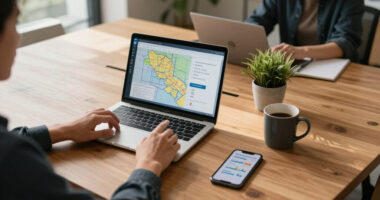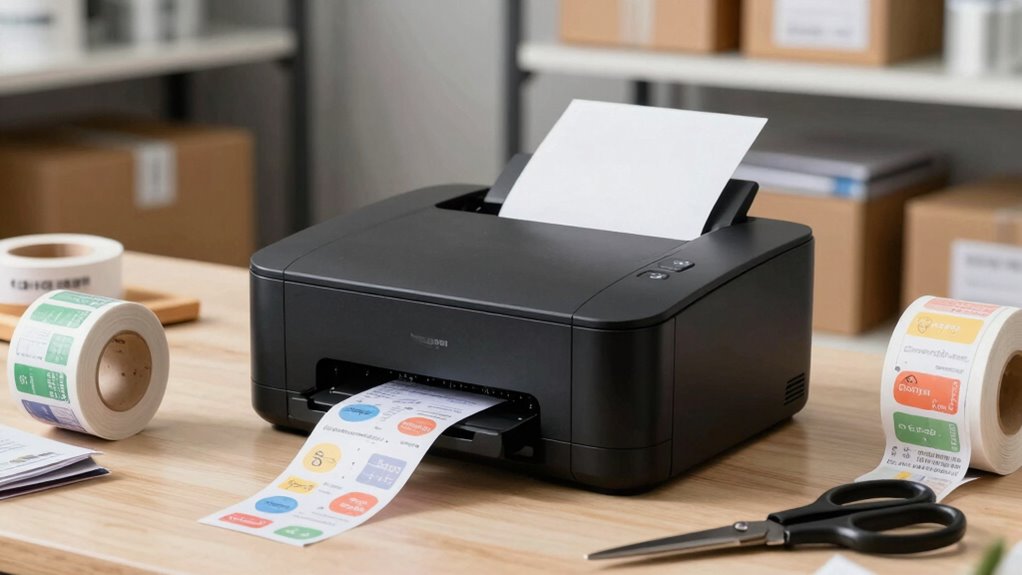
Choosing the right label printer for Amazon FBA prep rooms is essential for efficient shipping and inventory management. The best models offer fast printing, reliable connectivity, and compatibility with shipping platforms. The Rollo USB Shipping Label Printer stands out as the overall top choice for its speed and durability. For those on a budget, the JADENS Bluetooth Thermal Shipping Label Printer offers solid performance at a lower price, while the Brother QL-820NWB adds network versatility for busy warehouses. Readers should consider tradeoffs like connectivity options, print speed, and upfront cost. Continue reading for a detailed breakdown of each option and how to pick the best fit for your FBA prep room.

Get business pricing on office and shipping supplies
- Business-only prices and quantity discounts
- Tax-exempt purchasing
- Multiple users, one account, clear invoices
Key Takeaways
- The top-performing printers combine fast print speeds with reliable wireless connectivity, reducing prep time.
- Most budget-friendly options sacrifice some speed or durability but can still handle small to medium volume needs.
- Connectivity versatility—USB, Ethernet, Wi-Fi, Bluetooth—significantly impacts ease of use in busy environments.
- Durability and build quality vary, with commercial-grade printers offering longer lifespan but at a higher cost.
- Compatibility with Amazon FBA software and label sizes is crucial to avoid workflow disruptions.
| Bluetooth Thermal Label Printer with Stand, 4×6 Shipping Label Printer |  | Best Overall for Flexibility and Wireless Control | Print Technology: Thermal direct | Resolution: 203 DPI | Print Speed: 150mm/sec | VIEW ON AMAZON | See Our Full Breakdown |
| Rollo USB Shipping Label Printer – Commercial Grade 4×6 Thermal Printer |  | Best Value for High-Speed, Wired Printing | Printer Type: Thermal | Maximum Media Size: 4.1 Inch Width | Print Resolution: 203 x 203 DPI | VIEW ON AMAZON | See Our Full Breakdown |
| Rongta Shipping Thermal Label Printer, Bluetooth 4×6 Sticker Label Maker Wireless Shipping Label Printer for Packages |  | Best Compact Wireless Option for Small Spaces | Printer Type: Thermal | Maximum Media Size: 4 x 6 inches | Resolution: 203 x 203 dpi | VIEW ON AMAZON | See Our Full Breakdown |
| DYMO LabelWriter 550 Series Label Printer |  | Best for Precise, Waste-Free Labeling | Compatibility: Dymo-branded labels | Printing Technology: Direct Thermal | Waste Reduction: Low Waste | VIEW ON AMAZON | See Our Full Breakdown |
| Brother QL-820NWB Professional Monochrome Label Printer with Multiple Connectivity |  | Best for High-Volume, Multi-Connectivity Environments | Connectivity: Bluetooth, Ethernet, Wi-Fi, USB | Print Speed: 110 labels per minute | Maximum Label Length: 3 feet | VIEW ON AMAZON | See Our Full Breakdown |
| Thermal Shipping Label Printer 4×6 Bluetooth Label Maker for Small Business |  | Best Overall for Small Business Shipping Efficiency | Resolution: 203 DPI | Print Speed: 150mm/s (72 labels per minute) | Connectivity: Bluetooth & USB | VIEW ON AMAZON | See Our Full Breakdown |
| Rongta Bluetooth Shipping Label Printer – Wireless 4×6 Thermal Label Printer for Small Business |  | Best for Multi-Platform Wireless Convenience | Connectivity: Bluetooth | Supported Devices: iOS, Android, Windows, macOS | Label Width Range: 0.98″ to 4.37″ | VIEW ON AMAZON | See Our Full Breakdown |
| Brother QL-800 High-Speed Professional Printer, Plug & Label, DK Pre-Sized, Multi-System Compatible, Black & Red, USB Cable Included |  | Best for High-Volume, Dual-Color Labeling | Print Speed: 93 labels per minute | Resolution: 300 dpi | Color Printing: Black & Red | VIEW ON AMAZON | See Our Full Breakdown |
| Nelko Bluetooth Thermal Shipping Label Printer, 4×6 |  | Best Compact Wireless for Limited Spaces | Connectivity: Bluetooth and USB | Print Speed: 150 mm/s | Resolution: 203 DPI | VIEW ON AMAZON | See Our Full Breakdown |
| JADENS Bluetooth Thermal Shipping Label Printer, Wireless 4×6 Label Printer |  | Best for Easy Setup and Versatile Compatibility | Print Resolution: 203 DPI | Label Width Range: 1.57″ to 4.1″ | Connectivity: Wireless Bluetooth, USB | VIEW ON AMAZON | See Our Full Breakdown |
| label printers for amazon fba prep room | Connectivity | Resolution | Print Speed |
|---|---|---|---|
| Bluetooth Thermal Label Printe | Bluetooth, USB-C, USB | 203 DPI | 150mm/sec |
| Rollo USB Shipping Label Print | USB | — | — |
| Rongta Shipping Thermal Label | Bluetooth, USB | 203 x 203 dpi | — |
| DYMO LabelWriter 550 Series La | — | — | — |
| Brother QL-820NWB Professional | Bluetooth, Ethernet, Wi-Fi, USB | 300 dpi | 110 labels per minute |
| Thermal Shipping Label Printer | Bluetooth & USB | 203 DPI | 150mm/s (72 labels per minute) |
| Rongta Bluetooth Shipping Labe | Bluetooth | 203 dpi | 150 mm/s |
| Brother QL-800 High-Speed Prof | USB | 300 dpi | 93 labels per minute |
| Nelko Bluetooth Thermal Shippi | Bluetooth and USB | 203 DPI | 150 mm/s |
| JADENS Bluetooth Thermal Shipp | Wireless Bluetooth, USB | — | — |
More Details on Our Top Picks
Bluetooth Thermal Label Printer with Stand, 4×6 Shipping Label Printer
This printer stands out for its wireless Bluetooth connectivity and app control, making it highly adaptable for Amazon FBA prep rooms where mobility and remote printing are valued. Compared to the Rollo USB, it offers greater convenience with wireless support and broader OS compatibility, though setup can be more complex. Its support for various label sizes and formats ensures versatility, but it’s limited to thermal direct printing, which means no color or ink options. The high speed and long-lasting labels help keep workflows efficient, especially in dynamic environments.
Pros:- Wireless Bluetooth connectivity for flexible placement
- High-speed printing at 150mm/sec
- Supports a wide range of label sizes and formats
- Compatible with iOS, Android, Windows, macOS, ChromeOS
Cons:- Setup may be complex for some users
- Limited to thermal direct printing (no ink or color options)
Best for: FBA sellers who need a flexible, wireless solution compatible with multiple devices and operating systems
Not ideal for: High-volume warehouses that prefer simple, wired setups without the complexity of app-based control
- Print Technology:Thermal direct
- Resolution:203 DPI
- Print Speed:150mm/sec
- Label Size Support:1.57″ to 4.3″
- Connectivity:Bluetooth, USB-C, USB
- Supported OS:iOS, Android, Windows, macOS, ChromeOS
Our verdict“This is a strong choice for those needing a versatile, wireless label printer in varied environments.”
Rollo USB Shipping Label Printer – Commercial Grade 4×6 Thermal Printer
The Rollo USB printer is ideal for high-volume FBA prep rooms that prioritize speed and simplicity. Its USB-only connection makes it straightforward but less flexible than wireless options like the Arrvel A42BT. With a print speed of 150mm/sec and support for labels up to 4.1 inches wide, it excels at quick, reliable printing of shipping labels without ongoing ink costs. However, its monochrome output and limited to USB connectivity mean it’s less adaptable for environments needing wireless access or color labels. It’s a reliable workhorse for dedicated, wired setups.
Pros:- Fast, 150mm/sec printing speed
- No ink or toner needed, reducing ongoing costs
- Supports custom labels up to 4.1″ wide
- Compatible with major ecommerce platforms
Cons:- Limited to monochrome printing
- Requires USB connection, no wireless support
- Maximum of 30 labels per run can be limiting
Best for: Small to medium-sized operations with a stable, wired workspace needing fast, high-volume label printing
Not ideal for: Remote or mobile workers who require wireless printing or multi-device support
- Printer Type:Thermal
- Maximum Media Size:4.1 Inch Width
- Print Resolution:203 x 203 DPI
- Connectivity:USB
- Supported Platforms:Windows, Mac
- Warranty:Limited 1 Year
Our verdict“This printer suits high-volume, wired environments where speed and cost-efficiency are key priorities.”
Rongta Shipping Thermal Label Printer, Bluetooth 4×6 Sticker Label Maker Wireless Shipping Label Printer for Packages
This Rongta model offers a compact, lightweight design that excels in small FBA prep rooms where space is limited. Its Bluetooth and USB support provide flexible connection options, making it suitable for small businesses or home setups. It produces sharp monochrome labels at 203 x 203 DPI and prints quickly at 72 pages per minute, but its small size means it can handle fewer labels per session and may require frequent media replacements. Compared with the Arrvel A42BT, it’s more portable but less suited for high-volume workflows.
Pros:- Wireless Bluetooth and USB connectivity
- Compact and lightweight design
- High-resolution thermal printing
- Compatible with multiple devices and OS
Cons:- Limited to print-only functions, no color
- Small media capacity
- Thermal paper may need frequent replacement
Best for: Small-scale sellers or home-based FBA operations needing portable, wireless printing
Not ideal for: High-volume warehouses or environments demanding large media capacity or faster throughput
- Printer Type:Thermal
- Maximum Media Size:4 x 6 inches
- Resolution:203 x 203 dpi
- Connectivity:Bluetooth, USB
- Weight:16 ounces
- Supported Devices:Laptops, PCs, Smartphones, Tablets
Our verdict“A practical choice for small-scale or mobile FBA setups where space and portability matter most.”
DYMO LabelWriter 550 Series Label Printer
The DYMO LabelWriter 550 focuses on precision and minimal waste, making it ideal for those who need accurate label quantities without ink or toner. It’s limited to DYMO-branded labels, which can restrict options but guarantees compatibility and quality. Compared to thermal printers like the Rongta or Rollo, it’s less versatile in media size but excels in producing clean, professional labels for packaging or inventory management. This model is best suited for users who prioritize exact label printing and are okay with a narrower selection of media types.
Pros:- No ink or toner required, reducing costs
- Precise printing for accurate labels
- Compatible with DYMO-branded labels
Cons:- Limited to DYMO labels, restricting media options
- Only supports direct thermal labels
- Less versatile for different label sizes
Best for: FBA sellers who value precise, waste-free labeling and use authentic DYMO labels exclusively
Not ideal for: High-volume or diverse media environments where flexibility in label sizes and types is needed
- Compatibility:Dymo-branded labels
- Printing Technology:Direct Thermal
- Waste Reduction:Low Waste
- Packaging:Plastic-Free
Our verdict“Perfect for users committed to precise, waste-free labeling with authentic DYMO supplies.”
Brother QL-820NWB Professional Monochrome Label Printer with Multiple Connectivity
The Brother QL-820NWB offers the highest throughput among these options, with a speed of 110 labels per minute and multiple connection types including Bluetooth, Ethernet, Wi-Fi, and USB. Its ability to print labels up to 3 feet long makes it suitable for large shipping or inventory labels, which can be a decisive advantage over smaller models. The built-in LCD simplifies standalone operation, reducing dependency on a computer. Compared with the Arrvel or Rongta, it’s less flexible in wireless options but excels in speed and connectivity options for busy FBA prep rooms. Its monochrome limitation is less relevant for shipping labels but could be a downside for color-required tasks.
Pros:- Multiple connectivity options for versatile use
- High speed of 110 labels per minute
- Supports very long labels up to 3 feet
- Easy-to-read LCD for standalone operation
Cons:- Limited to monochrome labels
- Requires specific label cartridges (DK 2251)
- No color printing capabilities
Best for: High-volume warehouses requiring fast, reliable, multi-network connectivity and long labels
Not ideal for: Small operations or those needing color labels or media flexibility beyond basic monochrome
- Connectivity:Bluetooth, Ethernet, Wi-Fi, USB
- Print Speed:110 labels per minute
- Maximum Label Length:3 feet
- Resolution:300 dpi
Our verdict“This model is best suited for busy, high-volume FBA prep rooms that need reliable, fast, multi-platform connectivity.”
Thermal Shipping Label Printer 4×6 Bluetooth Label Maker for Small Business
This compact, high-resolution thermal printer excels for small businesses needing reliable, high-volume shipping labels. Its crisp 203 DPI output and dual connectivity options (Bluetooth & USB) make it versatile across different devices and platforms, outperforming models like the Rongta Bluetooth Printer in ease of use and build quality. However, it prints only in black & white and is limited to thermal labels, which could be a drawback if color labels are preferred. Its straightforward setup and durable design suit busy prep rooms looking for a dependable solution without fuss.
Pros:- High-quality thermal printing with sharp resolution
- Wireless Bluetooth and USB connectivity for versatile use
- Compatible with major shipping platforms and label sizes
- Compact and durable for small business environments
Cons:- Limited to monochrome black & white printing
- Requires app setup for full customization
Best for: Small business owners needing high-volume, consistent shipping label printing with minimal fuss
Not ideal for: Businesses that require color labels or custom graphics, as this model only prints in black and white
- Resolution:203 DPI
- Print Speed:150mm/s (72 labels per minute)
- Connectivity:Bluetooth & USB
- Supported Label Sizes:1.57″ to 4.3″ wide, standard 4″×6″
- Included Accessories:Power cord, USB cable, 25 sheets of 4″×6″ thermal labels
Our verdict“This printer is best suited for small businesses prioritizing fast, reliable shipping labels without color or graphic needs.”
Rongta Bluetooth Shipping Label Printer – Wireless 4×6 Thermal Label Printer for Small Business
Compared with the Thermal Shipping Label Printer from B0DX6RVJF7, the Rongta Bluetooth Printer offers broader device compatibility and automatic label detection, making setup smoother for users on iOS, Android, Windows, and Mac. Its high-speed printing at 150 mm/s boosts efficiency, especially in busy environments. Yet, it requires downloading an app for mobile printing, which can be a hurdle for some users, and its size and setup may be complex for absolute beginners. It’s an excellent choice for those seeking flexible, wireless operation across multiple OS platforms.
Pros:- Wireless Bluetooth connectivity for flexible device use
- Automatic label detection simplifies setup
- High-speed printing for efficiency
- Supports multiple operating systems
Cons:- Requires app download for mobile printing
- Setup can be complex for new users
Best for: Small business owners and warehouse staff needing seamless multi-device wireless label printing
Not ideal for: Users who prefer plug-and-play simplicity without app dependence or those with limited space for larger devices
- Connectivity:Bluetooth
- Supported Devices:iOS, Android, Windows, macOS
- Label Width Range:0.98″ to 4.37″
- Print Speed:150 mm/s
- Resolution:203 dpi
- Dimensions:10.2 x 7.4 x 5.3 inches
Our verdict“Ideal for users requiring a wireless, multi-platform label printer that adapts to busy or mobile workflows.”
Brother QL-800 High-Speed Professional Printer, Plug & Label, DK Pre-Sized, Multi-System Compatible, Black & Red, USB Cable Included
Standing out from the others, the Brother QL-800 delivers impressive speed—up to 93 labels per minute—and dual-color printing, making it perfect for branding and professional packaging. Its seamless compatibility with both Windows and Mac systems outperforms models like the Nelko in speed and color options. The downside is its reliance on genuine Brother DK labels, which can add to ongoing costs, and it’s limited to thermal technology, with no additional color options beyond black and red. This model suits busy shipping environments that need fast, eye-catching labels.
Pros:- Fast printing speeds of up to 93 labels per minute
- Dual-color printing enhances branding and visibility
- Supports various label sizes and continuous tapes
- Reliable auto-cutter and long-term warranty
Cons:- Requires specific Brother DK labels for optimal results
- Limited to thermal printing technology with no additional colors
Best for: High-volume shippers and branding-focused operations needing rapid, colorful labels
Not ideal for: Small-scale or budget-conscious users who don’t require high-speed or dual-color printing
- Print Speed:93 labels per minute
- Resolution:300 dpi
- Color Printing:Black & Red
- Connectivity:USB
- Media Support:Brother DK pre-sized labels, continuous-length tapes up to 3 ft
- Auto-Cutter:Yes
Our verdict“This printer is best for high-volume, professional environments that want fast, colorful labels with minimal setup fuss.”
Nelko Bluetooth Thermal Shipping Label Printer, 4×6
Compared to more feature-rich options like the JADENS, the Nelko stands out for its small footprint and straightforward Bluetooth printing, making it suitable for limited spaces. Its 203 DPI resolution ensures clear labels, and its support for multiple platforms including Amazon and USPS makes it versatile for shipping needs. However, it relies on an app for Bluetooth connectivity—sometimes cumbersome—and only supports thermal labels, limiting customization options. Its size and simplicity appeal most to small setups with space constraints and straightforward printing needs.
Pros:- Wireless Bluetooth connection for easy use
- High-speed printing with clear 203 DPI resolution
- Supports various label sizes and types
- Compact size fits small spaces
Cons:- Requires app for Bluetooth connection on some devices
- Limited to thermal labels, no color or graphics
Best for: Small offices or home-based sellers needing a compact, reliable wireless label printer
Not ideal for: High-volume warehouses or users who need color labels or advanced customization
- Connectivity:Bluetooth and USB
- Print Speed:150 mm/s
- Resolution:203 DPI
- Label Size Range:1.54″ to 4.1″
- Supported Platforms:Amazon, eBay, USPS, UPS, Etsy, PayPal
Our verdict“Best suited for small-scale operations with space limitations that require straightforward, wireless shipping labels.”
JADENS Bluetooth Thermal Shipping Label Printer, Wireless 4×6 Label Printer
Compared with Nelko, the JADENS model emphasizes straightforward setup and broad platform compatibility, supporting multiple shipping and marketplace integrations like ShipStation and Shopify. Its 203 DPI resolution guarantees clear labels, and its combination of Bluetooth and USB options adds flexibility. A notable downside is the need for calibration when switching label types, which can slow down workflows. This printer is well-suited for small businesses wanting a balance of ease of use and multi-platform support, with the tradeoff being some occasional calibration fuss.
Pros:- High-quality thermal printing with no ink or toner
- Wireless Bluetooth and USB for versatile connectivity
- Supports multiple shipping platforms and label types
- Easy setup with detailed instructions
Cons:- Requires calibration when changing label types
- Bluetooth on Android/iOS may need app for connection
Best for: Small businesses needing reliable, easy-to-calibrate wireless labels compatible with major shipping platforms
Not ideal for: Users who prefer plug-and-play with minimal setup or those printing in high volumes without calibration interruptions
- Print Resolution:203 DPI
- Label Width Range:1.57″ to 4.1″
- Connectivity:Wireless Bluetooth, USB
- Supported Platforms:Endicia, Dazzle, ShipStation, Shipping Easy, Shippo, ShipWorks, Ordoro, eBay, Amazon, Shopify
Our verdict“This printer fits small businesses looking for a reliable, multi-platform wireless label printer with straightforward calibration but some setup considerations.”
How We Picked
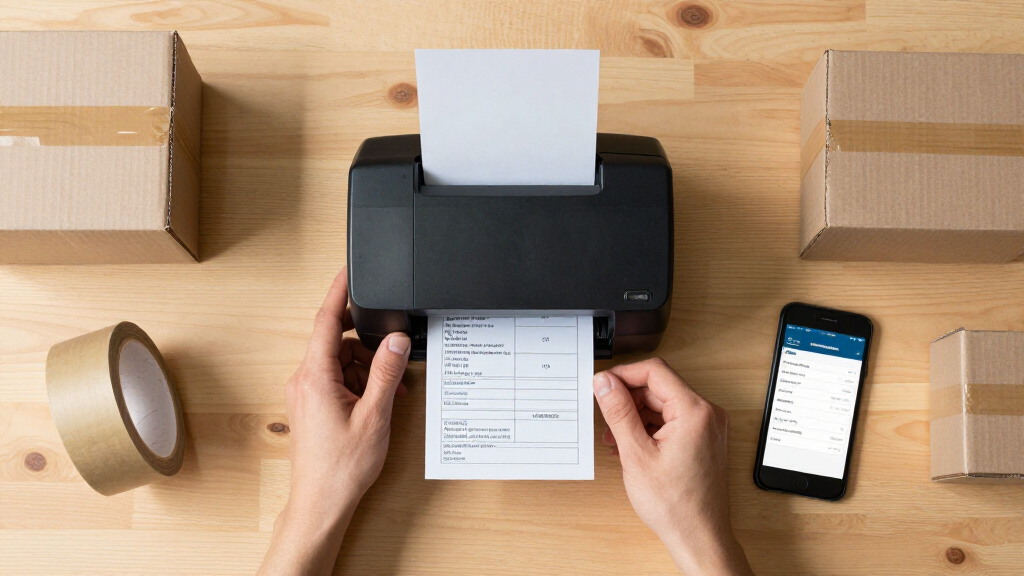
These printers were evaluated based on performance metrics like print speed and label quality, ease of setup and use, build quality, and overall value. Reliability in a fast-paced FBA prep environment was prioritized, along with connectivity options that support multi-device use. Cost was considered relative to features and durability, helping identify models suitable for different scales of operation. The ranking reflects a balance between affordability and professional-grade features, ensuring options for beginners as well as high-volume sellers.Factors to Consider When Choosing Label Printers For Amazon Fba Prep Rooms
Selecting the right label printer for your Amazon FBA prep room involves understanding several key factors. While initial cost is important, long-term reliability and ease of integration with existing workflows often matter more. Compatibility with label sizes and your shipping volume can make or break your efficiency. Additionally, consider connectivity options—wireless models offer flexibility, but wired connections can provide more stability for heavy daily use. Finally, durability and maintenance requirements are worth evaluating to ensure your investment lasts through busy seasons.Print Speed and Label Quality
High print speed reduces wait times during busy periods, especially when printing large batches of labels. Look for printers with at least 4 inches per second (ips) speed to keep pace with your workflow. Label quality is equally important—sharp, smudge-proof prints prevent misreads and improve scanning accuracy. For high-volume operations, investing in a model with a reputation for consistent quality can save time and frustration in the long run.
Connectivity Options
Wireless options like Bluetooth and Wi-Fi offer flexibility to move around the prep room without being tethered to a computer. However, wired USB or Ethernet connections often provide more stable, faster communication—especially important if your workflow involves multiple devices or shared networks. Consider your environment: if Wi-Fi is unreliable, a model with multiple connection modes ensures you won’t be left stranded during peak times.
Compatibility and Label Size
Most FBA labels use 4×6 inch thermal labels, so verifying that your printer supports this size is essential. Some models are versatile enough to handle various label dimensions, which is useful if you also print for other purposes. Compatibility with Amazon’s seller software and shipping platforms can streamline your workflow, reducing manual adjustments or label errors. Avoid printers that require complex setup or proprietary labels, as they can create bottlenecks.
Build Quality and Durability
In busy prep rooms, a durable printer minimizes downtime caused by jams or breakdowns. Commercial-grade models tend to last longer and withstand frequent use, but they come at a higher price. Home or small business units may suffice with lighter-duty options, provided they are well-built and easy to maintain. Regular cleaning and proper handling extend the life of your printer, so consider how easily accessible its internal components are.
Price and Total Cost of Ownership
While cheaper printers may seem attractive initially, they often have higher running costs due to expensive labels or frequent repairs. Consider the price of labels, ink (if applicable), and maintenance over time. Investing in a mid-range or premium model might be more economical if it reduces downtime and labelling errors. Balance your volume needs with your budget to choose a model that offers the best value for sustained use.
Frequently Asked Questions
Can I use a regular desktop printer for FBA labels?
While technically possible, regular inkjet or laser printers are not ideal for FBA labels because they are slower, less durable, and may smudge or fade over time. Thermal label printers are designed specifically for shipping labels, providing fast, smudge-proof printing that withstands handling during shipping. Using a dedicated thermal printer reduces errors, saves time, and is generally more reliable for high-volume prep rooms.
Is wireless connectivity necessary for a label printer in an FBA prep room?
Wireless connectivity offers convenience and flexibility, especially if your workspace is large or if multiple devices need access. However, wired connections often provide more stable and faster communication, reducing the risk of printing errors or delays. If your environment has unreliable Wi-Fi, a USB or Ethernet connection ensures consistent performance, which is critical for maintaining workflow efficiency.
How important is print speed for FBA label printers?
Print speed is a key factor in high-volume environments where time savings can significantly impact productivity. Faster printers can produce a large number of labels in less time, reducing bottlenecks during busy periods like holiday seasons. For small-scale operations, moderate speeds may suffice, but investing in higher-speed models generally offers more future-proofing for growth.
Should I prioritize a model with multiple connectivity options?
Absolutely. A printer with multiple connectivity options—Bluetooth, Wi-Fi, USB, Ethernet—provides maximum flexibility. This allows you to adapt to different setups or expand your workspace without replacing your printer. It also ensures you can maintain operation if one connection method experiences issues, reducing downtime and service interruptions.
Are high-end printers worth the extra cost for small businesses?
For small businesses with moderate labeling needs, mid-range printers often strike the best balance between cost and features. High-end models are typically designed for high-volume, industrial use and may offer features unnecessary for smaller operations. However, if your business is growing rapidly or if you prioritize durability and speed, investing in a premium model can deliver long-term savings by reducing repairs and increasing efficiency.
Conclusion
For those just starting out or running a small FBA prep room, a budget-friendly model like the JADENS Bluetooth Thermal Shipping Label Printer offers reliable performance without breaking the bank. Larger operations or those needing faster throughput should consider the Rollo USB Shipping Label Printer for its speed and durability. If connectivity versatility is a priority, the Brother QL-820NWB stands out as a premium choice with multi-device support. Each buyer should weigh factors like volume, budget, and workspace setup to select the best fit for their needs, ensuring smooth and efficient shipping workflows in 2026.
Halloween Picks
halloween
As an affiliate, we earn on qualifying purchases.