
When choosing a portable monitor, avoid focusing solely on size or quick specs. Many first-timers overlook important factors like ergonomic adjustability, battery life, and compatibility with your devices. Ignoring these can lead to discomfort, limited productivity, or extra expenses on adapters. To make the best choice, consider practicality and long-term comfort. Careful selection now can save you from costly mistakes later—stay with us to discover how to pick the perfect one for your needs.
Key Takeaways
- Prioritizing monitor size over ergonomic features and usability for long-term comfort and productivity.
- Overlooking battery life and power management, risking frequent recharging and workflow disruptions.
- Ignoring ergonomic adjustability to prevent neck and eye strain during extended use.
- Failing to verify device compatibility, leading to connection issues and additional costs.
- Neglecting portability features like lightweight design and versatile connectivity options.
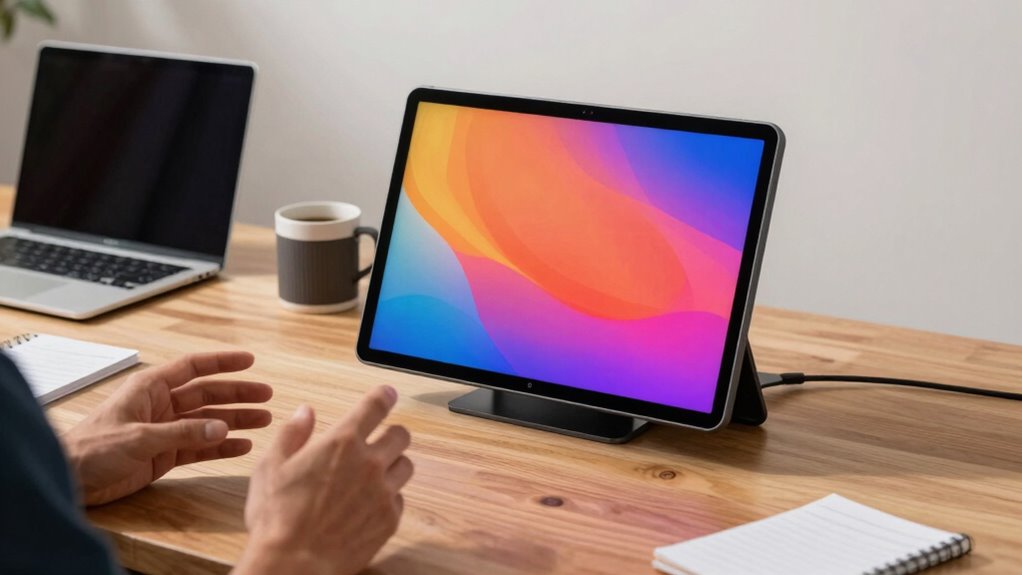
In today’s fast-paced world, having a reliable portable monitor can make all the difference for founders on the go. But many first-time buyers fall into common traps that can hinder their productivity rather than enhance it. One of the biggest mistakes is overlooking the importance of an ergonomic setup. When you’re juggling meetings, emails, and creative tasks, using a monitor with poor ergonomics can lead to discomfort and fatigue. You want a screen that adjusts easily to your eye level, has adjustable stand options, and supports a comfortable viewing angle. Ignoring these features means you might end up straining your neck or eyes after just a few hours, which can slow you down in the long run. Proper ergonomic setup is crucial for maintaining long-term comfort and avoiding health issues.
Prioritize ergonomic features to prevent discomfort and boost productivity on the go.
Another frequent mistake is not paying enough attention to battery life. As a founder constantly on the move, you need a portable monitor that can keep up with your busy schedule without constantly searching for power outlets. Opting for a device with a short battery life can be a real headache, forcing you to carry extra cables or, worse, interrupt your workflow to find a charging station. Look for monitors that offer at least 4 to 6 hours of battery life on a single charge, and consider models with fast-charging capabilities. This way, you can work seamlessly between meetings, travel, or even during long commutes without worrying about running out of power. Additionally, considering the power management features can help optimize your device’s battery performance throughout your day. To ensure smooth operation, it’s also vital to verify the device compatibility with your existing tech setup.
Many first-time buyers also make the mistake of prioritizing size over usability. While a larger screen might seem appealing, it can compromise portability and make it harder to set up an ergonomic workstation on the go. Conversely, overly small screens might strain your eyes and limit your productivity. The sweet spot is a monitor that’s compact enough to fit into your bag yet large enough to allow comfortable multitasking. Additionally, don’t forget to check for features like USB-C connectivity, which simplifies connections and reduces clutter, and lightweight design, so your portable setup doesn’t become a burden. Also, consider the ergonomic features of the monitor, as these are crucial for long-term comfort and productivity. Ensuring that the monitor’s compatibility issues are addressed beforehand can save you time and money later on, ensuring your device integrates seamlessly with your existing setup.
Finally, some buyers overlook compatibility issues. You might assume that any portable monitor will work seamlessly with your devices, but that’s not always the case. Always verify that the monitor supports your laptop or smartphone’s operating system and connection ports. Making this mistake can lead to frustration, delays, and the need to purchase additional adapters. By paying close attention to these details—ergonomic setup, battery life, size, and compatibility—you’ll be better positioned to choose a portable monitor that truly supports your dynamic, fast-paced lifestyle.
Frequently Asked Questions
What Is the Ideal Screen Size for Portable Monitors?
The ideal screen size for portable monitors is typically around 13 to 15 inches, balancing usability and portability. You want a size that offers a good screen resolution, like 1080p or higher, for clear visuals, while also considering weight considerations—lighter monitors are easier to carry. Larger screens might be tempting, but they can compromise portability and convenience, especially if you’re on the go frequently.
How Long Does the Battery Last on Portable Monitors?
The battery on portable monitors typically lasts between 3 to 8 hours, depending on usage and model. To maximize battery life, you should use power efficiency tips like lowering screen brightness, disabling unnecessary features, and closing background apps. Choosing a monitor with good power efficiency helps you stay productive longer without constantly searching for power sources. Always check the battery specifications before buying to guarantee it meets your daily needs.
Are Portable Monitors Compatible With All Laptops?
Portable monitors aren’t compatible with all laptops, but many support wireless connectivity options like Bluetooth or Wi-Fi, making pairing easier. Check your laptop’s ports and compatibility with the monitor’s wireless features. Also, guarantee the monitor’s screen resolution matches your needs, whether for detailed design work or simple presentations. By verifying these factors, you can confidently choose a portable monitor that works well with your laptop.
What Connectivity Options Should I Look For?
When choosing a portable monitor, prioritize perfect pairing with practical ports. Look for wireless connectivity for freedom and flexibility, reducing clutter. USB-C compatibility is essential because it offers swift, simple, and seamless connections with most modern laptops. Ensuring these features means your setup stays sleek, smooth, and stress-free, saving you time and trouble. By focusing on wireless options and USB-C ports, you’re setting yourself up for smooth, stress-free, and secure screen sharing.
How Durable Are Portable Monitors for Travel?
Portable monitors are generally quite durable for travel if they undergo thorough durability testing and are made from high-quality materials. Look for models with sturdy bezels, reinforced corners, and a robust build that can withstand bumps and shocks. Keep in mind, lightweight materials might be more susceptible to damage. Choosing a monitor with tested durability and premium material quality ensures it can handle the rigors of travel without compromising performance.
Conclusion
Choosing the right portable monitor can boost your productivity and keep your business ahead. Remember, over 60% of first-time buyers regret their purchase due to overlooked features or poor compatibility. Don’t let costly mistakes slow you down. By understanding common pitfalls and selecting wisely, you guarantee your setup works seamlessly wherever you go. Invest in a monitor that truly meets your needs and watch your entrepreneurial journey thrive—because the right tools make all the difference.