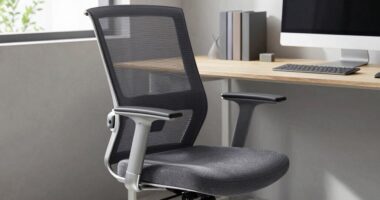
To get through long meetings comfortably, look for office chairs with adjustable features like seat height, tilt tension, and armrests to fine-tune your posture. Lumbar support that contours to your lower back helps prevent slouching and reduces pain, while a tilt mechanism encourages movement and improves circulation. Breathable materials keep you cooler, and sturdy construction guarantees lasting support. If you want to know which models excel in these areas, there’s more to discover ahead.

Get business pricing on office and shipping supplies
- Business-only prices and quantity discounts
- Tax-exempt purchasing
- Multiple users, one account, clear invoices
Key Takeaways
- Adjustable lumbar support ensures proper lower back alignment during extended sitting sessions.
- Ergonomic features like adjustable seat height and tilt promote optimal posture and reduce strain.
- Breathable mesh backs improve airflow, maintaining comfort during long meetings.
- Tilt and recline mechanisms facilitate subtle posture shifts, preventing stiffness and promoting circulation.
- Durable, high-quality materials maintain support and functionality over prolonged use.
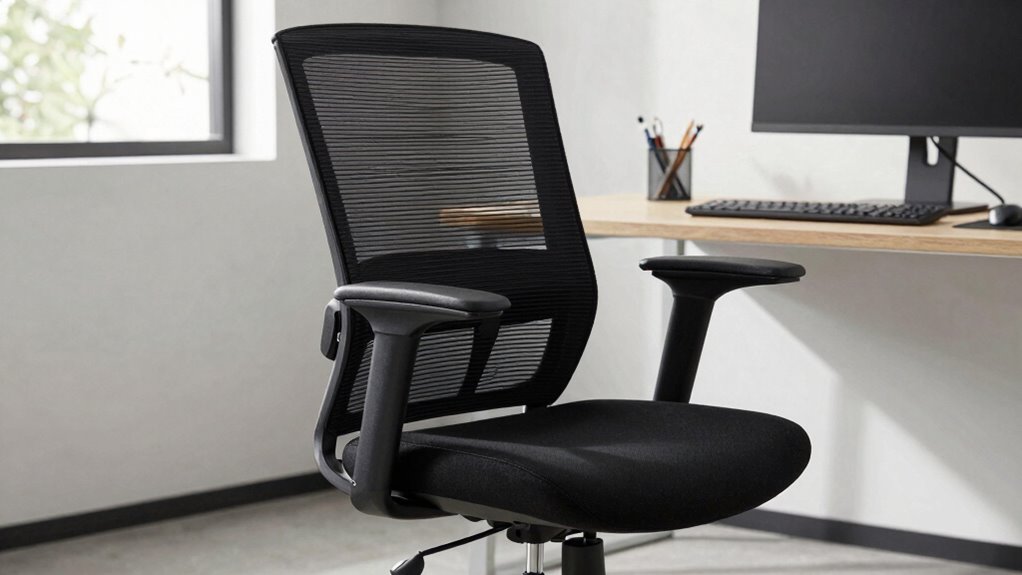
Are you tired of back pain ruining your workday? Long hours at your desk can take a serious toll on your back if your office chair isn’t supportive enough. Fortunately, choosing the right chair with effective ergonomic adjustments can make a real difference. Look for a model that offers customizable features like adjustable seat height, tilt tension, and armrest positioning. These allow you to fine-tune your sitting posture, reducing strain on your lower back and neck during extended periods. An ergonomic chair isn’t just about comfort; it’s about promoting proper alignment to prevent long-term issues.
Choose an ergonomic chair with adjustable features to reduce strain and support proper alignment during long work hours.
One of the most critical aspects to consider is lumbar support design. A good office chair should have built-in lumbar support that contours to your lower back’s natural curve. This support helps maintain spinal alignment, preventing slouching and reducing pressure on your discs. The best lumbar support is adjustable, enabling you to position it precisely where you need it most. When you can modify the height and depth of the lumbar area, you ensure continuous support even during long meetings. Without proper lumbar support, you risk developing chronic back pain and fatigue that can impair your focus and productivity. Incorporating ergonomic adjustments can further enhance your comfort and support during long sitting periods.
For long meetings, comfort becomes just as important as support. You need a chair that encourages movement and allows you to shift positions easily without sacrificing support. Features like a tilt mechanism or a synchronized recline help you change your posture subtly throughout the day. This can prevent stiffness and promote circulation, keeping you alert and engaged. If your chair also includes a breathable mesh back, you’ll stay cooler and more comfortable over extended periods, which is crucial when you’re sitting for hours at a stretch. Remember, durability and build quality** matter too, as a sturdy frame and high-quality materials ensure your chair will support your back consistently without sagging or losing functionality. Investing in a chair with adjustable ergonomic features can further optimize your seating experience and adapt to your changing needs. Proper ergonomic design is essential for preventing discomfort and long-term health issues associated with poor posture. Additionally, choosing a chair with quality materials** can help maintain its supportive features over time, ensuring long-lasting comfort and health benefits.
Durability and build quality matter too. A sturdy frame and high-quality materials ensure your chair will support your back consistently without sagging or losing functionality. Look for a chair with a strong base and smooth-rolling casters, especially if you have a dynamic workspace where mobility is key. Remember, investing in a chair that prioritizes ergonomic adjustments and lumbar support design is an investment in your health and productivity. It’s about creating a workspace that adapts to you, not the other way around. Prioritizing these features will help you maintain better posture and reduce the risk of long-term discomfort.
Frequently Asked Questions
How Do I Know if a Chair Is Ergonomic?
To know if a chair is ergonomic, look for features like proper lumbar support that supports your lower back’s natural curve. Adjustable armrests are also key, allowing you to customize your comfort and reduce shoulder strain. Test the chair by sitting in it—ensure you can sit upright with your feet flat on the floor, your back supported, and your arms comfortably resting. These features indicate an ergonomic design that promotes comfort during long work hours.
Are Expensive Chairs Better for Back Health?
Expensive chairs from luxury brands often offer better back support and adjustable features, making them potentially better for your back health. However, they may not always provide the best cost-benefit ratio for everyone. You should consider your specific needs and budget. While a high-end chair might seem like a worthwhile investment, make certain it offers the ergonomic features that truly support your back during long hours of work.
Can a Good Chair Improve Posture Over Time?
A good chair can improve your posture over time by providing proper lumbar support and comfortable seat cushioning. When your lumbar support aligns your spine correctly, it encourages you to sit upright naturally. Meanwhile, cushioned seats reduce pressure on your hips and lower back, promoting better posture during long periods of sitting. Consistently using a chair with these features helps develop healthier sitting habits and reduces back strain over time.
What’s the Ideal Chair Height for Back Support?
The ideal chair height for back support aligns your lumbar support with your lower back, ensuring proper posture. You should sit with your feet flat on the floor and your knees at a 90-degree angle, which also helps with seat depth. Adjust the height so your hips are slightly higher than your knees, providing best lumbar support and comfort. Proper chair height reduces strain and promotes long-term back health.
How Often Should I Adjust My Office Chair?
You should adjust your office chair at least once every 30 minutes to maintain proper support. Did you know sitting still for long periods can decrease circulation by up to 50%? When adjusting, focus on your chair cushion and lumbar support to prevent back pain. Make sure your lumbar support aligns with your lower back, and your chair height keeps your feet flat on the floor for maximum comfort and posture.
Conclusion
Choosing the right office chair can substantially ease back pain and boost your comfort during long meetings. While ergonomic features matter, don’t overlook how personal fit and posture habits influence your experience. Some experts argue that no chair alone can prevent discomfort—it’s also about your movement and awareness throughout the day. So, invest in a good chair, but remember, staying active and mindful of your posture are equally essential for long-term back health.
Halloween Picks
halloween
As an affiliate, we earn on qualifying purchases.