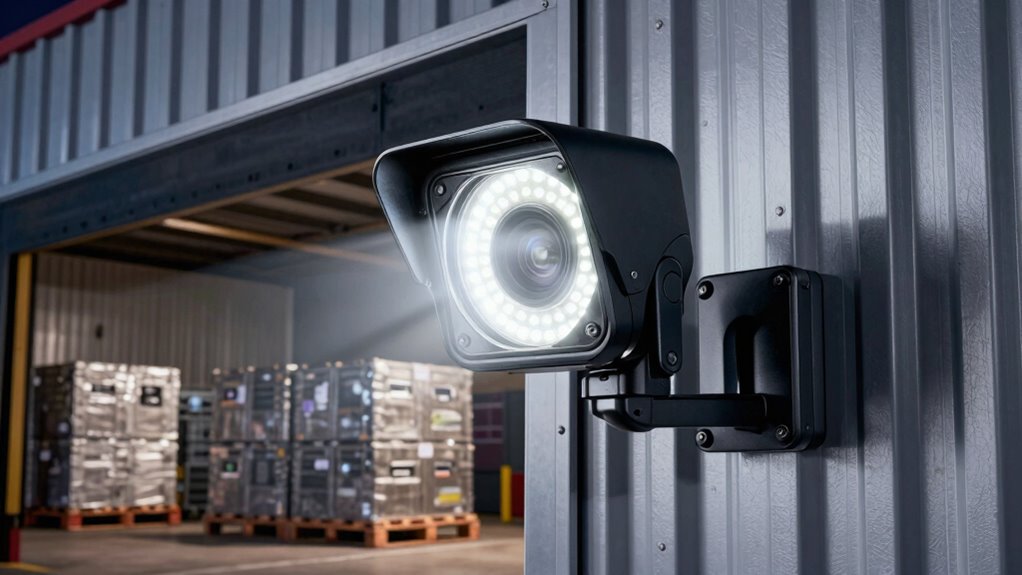

For most loading docks, I’d start with the Ring Floodlight Cam Wired Pro for its combination of dock-facing coverage, lighting, and two-way communication. The REOLINK Elite 4K 180° is a standout for wide views across multiple bays, while the Aosu Wired 3K merits a look if around-the-clock recording is a priority. The main tradeoffs are coverage versus image detail, ongoing recording and storage options, and how much setup or account management your site can support. A floodlight camera can help you check activity and illuminate an approach, but it does not replace a properly designed commercial surveillance system. Read on for a ranked comparison and practical guidance on choosing a camera for your dock layout.

Get business pricing on office and shipping supplies
- Business-only prices and quantity discounts
- Tax-exempt purchasing
- Multiple users, one account, clear invoices
Key Takeaways
- Ring Floodlight Cam Wired Pro ranks first as the balanced choice in this lineup; the second Ring listing appears to describe a closely related model, so compare its exact specifications before treating it as a distinct upgrade.
- REOLINK’s 180° panoramic view is the clearest fit when one mounting point needs to cover several adjacent bays, though a broad image can make distant details harder to identify.
- Aosu’s 24/7 recording emphasis addresses a different need from motion-triggered models: reviewing the time before or between alerts, subject to the camera’s storage and configuration requirements.
- The Blink options prioritize a simpler camera-and-light setup, but their HD listings offer less stated image detail than the 3K and 4K choices in this group.
- Wired installation is a shared practical constraint across the lineup; dock buyers should check mounting position, power access, network coverage, and the site’s recording policy before choosing by resolution alone.
| Ring Floodlight Cam Wired Pro Security Camera |  | Best for Precise Dock-Approach Alerts | Video resolution: Retinal 2K | Night vision: Color | Floodlight brightness: 2,000 lumens | VIEW ON AMAZON | See Our Full Breakdown |
| gdend Wired 3K UHD Outdoor Floodlight Security Camera |  | Best for Local Storage on a Budget | Resolution: 3K UHD title; video capture resolution listed as 1296p | Floodlight brightness: 2,200 lumens | Light coverage: 270° adjustable | VIEW ON AMAZON | See Our Full Breakdown |
| Blink Mini 2K+ Wired Floodlight Camera |  | Best for Maximum Dock Lighting | Camera resolution: 2K (2560 × 1440) | Field of view: 115° × 60° | Frame rate: Up to 24/25 FPS | VIEW ON AMAZON | See Our Full Breakdown |
| REOLINK Elite 4K 8MP 180° Panoramic Wi-Fi Floodlight Camera |  | Best Overall for Multi-Bay Coverage | Resolution: 4K, 8 MP | Field of view: 180° panoramic | Floodlight brightness: 3,000 lumens | VIEW ON AMAZON | See Our Full Breakdown |
| Blink Wired Floodlight Camera – Smart Security Camera, 2600 Lumens, HD Live View, Motion Detection, Built-in Siren, Works with Alexa (Black) |  | Best Value for Basic Dock Monitoring | Resolution: 1080p HD | Field of view: 143° diagonal | Frame rate: Up to 30 fps | VIEW ON AMAZON | See Our Full Breakdown |
| Google Nest Cam with Floodlight, Outdoor Security Camera, White |  | Best for Google Home Users | Resolution: 1080p HDR | Field of view: 130 degrees | Frame rate: 30 fps | VIEW ON AMAZON | See Our Full Breakdown |
| Floodlight Camera Wired, 3K UHD Outdoor Security Camera with Alexa Compatibility |  | Best Value for Wide Local Coverage | Resolution: 3K UHD | Coverage: 270° adjustable | Night vision: Full-color | VIEW ON AMAZON | See Our Full Breakdown |
| Aosu Wired Floodlight Camera 3K 2600-Lumen 24/7 Recording |  | Best for Continuous Recording | Resolution: 3K UHD | Floodlight: 2600 lumens | Detection area: 270° | VIEW ON AMAZON | See Our Full Breakdown |
| Blink Wired Floodlight Camera, 1080p HD, 2600 Lumens, White |  | Best for Alexa-Based Entry Monitoring | Resolution: 1080p HD | Field of view: 143° diagonal | Frame rate: Up to 30 fps | VIEW ON AMAZON | See Our Full Breakdown |
| Ring Floodlight Cam Wired Pro with Retinal 2K Video, Color Night Vision, and Two-Way Talk |  | Best for Precise Motion Alerts | Video resolution: Retinal 2K | Floodlight brightness: 2000 lumens | Motion detection: 3D Motion Detection | VIEW ON AMAZON | See Our Full Breakdown |
| floodlight cameras for loading dock | Power | Resolution | Night vision | Floodlight brightness |
|---|---|---|---|---|
| Ring Floodlight Cam Wired Pro | Wired | — | Color | 2,000 lumens |
| gdend Wired 3K UHD Outdoor Flo | Corded electric, 120 V | 3K UHD title; video capture resolution listed as 1296p | — | 2,200 lumens |
| Blink Mini 2K+ Wired Floodligh | Hardwired, 100–240V AC; neutral wire required | — | — | 3,000 lumens |
| REOLINK Elite 4K 8MP 180° Pano | 100–240V AC | 4K, 8 MP | — | 3,000 lumens |
| Blink Wired Floodlight Camera | Hardwired, 100–240VAC, 45W | 1080p HD | — | — |
| Google Nest Cam with Floodligh | — | 1080p HDR | Yes | — |
| Floodlight Camera Wired | AC 120V/60Hz | 3K UHD | Full-color | — |
| Aosu Wired Floodlight Camera 3 | — | 3K UHD | Full-color imagery in low light | — |
| Blink Wired Floodlight Camera | Hardwired; neutral wire required; 100–240 VAC, 50/60 Hz, 45 W | 1080p HD | — | — |
| Ring Floodlight Cam Wired Pro | Wired | — | Color | 2000 lumens |
More Details on Our Top Picks
Ring Floodlight Cam Wired Pro Security Camera
For a loading dock where the approach lane matters as much as the door, I’d favor the Ring Floodlight Cam Wired Pro’s 3D Motion Detection and Retinal 2K video. More targeted alerts can help distinguish activity near a vehicle bay from movement elsewhere in a busy yard, while color night vision and 2,000-lumen lights add useful detail after dark. Compared with the REOLINK Elite 4K, Ring gives up resolution and panoramic coverage, but adds a 110 dB siren and two-way talk with Audio+. It is a more focused choice for a defined approach than a broad view across several bays. The tradeoffs are wired installation and a separate Ring Protect subscription for additional recording and alerts, so buyers wanting subscription-free local recording should look at REOLINK instead.
Pros:- 3D Motion Detection can make alerts more targeted around a loading approach.
- Retinal 2K video with color night vision supports clearer after-dark monitoring.
- Two-way talk with Audio+ and a built-in 110 dB siren provide response options.
- Alexa compatibility fits sites already using Ring and Alexa devices.
Cons:- Wired power limits placement to a suitable electrical connection.
- Additional recording and alerts require a separately sold Ring Protect subscription.
- Its 2,000-lumen output and narrower coverage proposition are less suited to lighting and watching multiple bays than the REOLINK Elite 4K.
Best for: Loading-dock operators who want more precise motion alerts, live two-way communication, and Alexa compatibility at a wired entry point.
Not ideal for: Sites needing one camera to cover several dock bays, or buyers who require included local recording without a separate subscription.
- Video resolution:Retinal 2K
- Night vision:Color
- Floodlight brightness:2,000 lumens
- Motion detection:3D Motion Detection
- Siren:110 dB
- Audio:Two-way talk with Audio+
- Power:Wired
- Smart home compatibility:Alexa
Our verdict“Choose Ring for targeted alerts and two-way response at a wired dock entrance, but choose REOLINK for wider coverage and local recording.”
gdend Wired 3K UHD Outdoor Floodlight Security Camera
The gdend stands out for loading docks where ongoing cloud fees are unwelcome: its included 64 GB SD card gives buyers local storage from the start. The 2,200-lumen lights adjust across a stated 270° range, which can help illuminate a wide work area, and dual-band Wi-Fi supports either 2.4 or 5 GHz networks. Compared with the Ring Floodlight Cam Wired Pro, gdend emphasizes local recording and broader adjustable lighting rather than Ring’s 3D motion detection and 110 dB siren. There is a specification caveat: the product title says 3K UHD, while the listed video capture resolution is 1296p, so I would not choose it on the promise of 3K detail alone. It also requires 120 V wiring and ceiling mounting, which may not suit every dock structure.
Pros:- Includes a 64 GB SD card for local storage.
- Adjustable 270° lighting coverage can serve a broad dock area.
- IP65 weather resistance and an operating range of -25°C to 45°C suit exposed installations.
- Dual-band 2.4 GHz and 5 GHz Wi-Fi offers network flexibility.
Cons:- The listed capture resolution is 1296p despite the 3K UHD product title.
- Requires corded 120 V power, limiting placement options.
- Ceiling mounting may be less suitable than wall mounting at some loading docks.
Best for: Dock managers who want included local recording, adjustable wide-area lights, and dual-band Wi-Fi without relying on a cloud plan.
Not ideal for: Buyers who need verified 3K capture detail, wall mounting, or battery-powered placement away from 120 V wiring.
- Resolution:3K UHD title; video capture resolution listed as 1296p
- Floodlight brightness:2,200 lumens
- Light coverage:270° adjustable
- Siren:105 dB
- Weather resistance:IP65
- Power:Corded electric, 120 V
- Wi-Fi:2.4 GHz and 5 GHz
- Storage:64 GB SD card included
- Mount type:Ceiling mount
Our verdict“Pick gdend when included local storage and adjustable lighting matter more than clearly specified high-resolution capture or flexible mounting.”
Blink Mini 2K+ Wired Floodlight Camera
When a dark loading apron needs more light, the Blink Mini 2K+ offers the lineup’s highest stated output here: 3,000 lumens at a 5,000K color temperature. Its 2K camera, two-way audio, and 105 dB siren make it more than a light, while IP65 weather resistance suits outdoor exposure. Compared with the older Blink Wired Floodlight Camera, this model upgrades the listed video resolution from 1080p to 2K and raises the light output from 2,600 to 3,000 lumens. That extra illumination can help cover a working area, but it does not remove installation constraints: buyers need a compatible 4-inch weatherproof electrical box and neutral wire. Cloud storage beyond the trial also requires a subscription, unlike the gdend’s included local SD card.
Pros:- 3,000-lumen motion-triggered floodlights provide strong illumination for dark dock areas.
- 2K resolution offers more detail than the 1080p Blink Wired Floodlight Camera.
- IP65-rated design is suited to outdoor installation.
- Two-way audio, a 105 dB siren, and Alexa support add response and control options.
Cons:- Installation requires hardwiring, a neutral wire, and a compatible 4-inch weatherproof electrical box.
- Cloud video storage beyond the trial requires a subscription.
- 2.4 GHz-only Wi-Fi may be limiting on sites whose camera network relies on 5 GHz.
Best for: Facilities with an existing compatible electrical box that need strong motion-triggered lighting and 2K video over a dock apron.
Not ideal for: Sites without a 4-inch weatherproof electrical box or neutral wire, and buyers who want included local storage rather than cloud service.
- Camera resolution:2K (2560 × 1440)
- Field of view:115° × 60°
- Frame rate:Up to 24/25 FPS
- Floodlight brightness:3,000 lumens
- Color temperature:5,000K
- Siren:105 dB at 10 cm
- Power:Hardwired, 100–240V AC; neutral wire required
- Wi-Fi:2.4 GHz 802.11b/g/n
- Weather resistance:IP65
Our verdict“Choose this Blink when maximum stated floodlight output and 2K video are priorities and the required electrical box is already available.”
REOLINK Elite 4K 8MP 180° Panoramic Wi-Fi Floodlight Camera
For a loading dock with several doors or a broad vehicle apron, I’d rank the REOLINK Elite 4K first because its 180° panoramic 4K view can cover more area from one mounting point than the Ring Floodlight Cam Wired Pro’s more focused approach. Its 3,000-lumen dimmable lights let operators adjust brightness and color temperature, while detection for people, vehicles, and animals helps sort activity across the scene. Local recording to microSD, NVR, Home Hub, or FTP/NAS avoids requiring a subscription, and Wi-Fi 6 plus RTSP/ONVIF support gives it more integration choices than the Blink models. The tradeoff is that this is a larger, wired AC camera, and the microSD card is sold separately. It also needs careful positioning: a panoramic image is useful for awareness, but a single camera may not provide close detail at every bay.
Pros:- 180° panoramic 4K coverage can monitor a broad dock scene from one camera.
- Dimmable 3,000-lumen lights with adjustable color temperature adapt to site conditions.
- People, vehicle, and animal detection paired with several local-storage options.
- Wi-Fi 6 and RTSP/ONVIF support provide broad network and recording integration.
Cons:- Requires 100–240V AC power, so installation depends on existing wiring.
- MicroSD card is sold separately.
- Its 2.31 kg body and wide view may require careful mounting to balance coverage with useful detail.
Best for: Loading-dock operators covering multiple bays who want a panoramic view, adjustable lighting, local recording, and integration with an existing NVR or network setup.
Not ideal for: Buyers seeking a compact camera, battery installation, included microSD storage, or a tightly focused view with Ring-style 3D Motion Detection.
- Resolution:4K, 8 MP
- Field of view:180° panoramic
- Floodlight brightness:3,000 lumens
- Light color temperature:3,000K–6,500K
- Detection:People, vehicles, and animals
- Storage:Up to 512 GB microSD, NVR, Home Hub, FTP/NAS
- Connectivity:Dual-band Wi-Fi 6 (2.4/5 GHz); RTSP/ONVIF
- Power:100–240V AC
- Weather resistance:IP65
Our verdict“Choose the REOLINK for broad multi-bay coverage and flexible local recording, provided wired mounting and separate storage are acceptable.”
Blink Wired Floodlight Camera – Smart Security Camera, 2600 Lumens, HD Live View, Motion Detection, Built-in Siren, Works with Alexa (Black)
The original Blink Wired Floodlight Camera is the straightforward pick for a smaller loading area where 1080p live view and reliable lighting matter more than fine image detail. Its 2,600-lumen output, 143° diagonal field of view, dual-zone motion detection, and two-way audio make it a practical combination for watching one entrance or a limited apron. Compared with the newer Blink Mini 2K+, this model gives up 2K resolution and 400 lumens of light, but its listed 30 fps maximum may suit buyers who value smooth live view over the newer model’s sharper capture. It also offers a built-in 105 dB siren and Alexa support. The tradeoffs are hardwired installation and paid subscriptions for advanced person detection and cloud storage beyond the trial, so it is less appealing for operators who want self-contained local recording.
Pros:- 2,600-lumen lighting provides substantial illumination for a single dock entrance.
- 143° diagonal field of view and dual-zone motion detection help monitor and tailor alerts around a defined area.
- Two-way audio and a built-in 105 dB siren provide options to respond to activity.
- Alexa compatibility and hardwired power support convenient, continuous operation.
Cons:- 1080p resolution provides less image detail than the Blink Mini 2K+ or REOLINK Elite 4K.
- Advanced person detection and cloud storage beyond the trial require a subscription.
- Hardwired installation requires existing outdoor wiring and a neutral wire.
Best for: Small dock operators who need a hardwired camera, bright lighting, Alexa control, and basic motion monitoring for one entry or work area.
Not ideal for: Buyers who need 2K or 4K footage for identifying distant details, subscription-free local recording, or installation without existing outdoor wiring.
- Resolution:1080p HD
- Field of view:143° diagonal
- Frame rate:Up to 30 fps
- Lighting:2,600 lumens, 5,000K
- Siren:105 dB
- Power:Hardwired, 100–240VAC, 45W
- Connectivity:2.4 GHz Wi-Fi 802.11b/g/n
- Dimensions:178 × 173 × 198 mm
- Smart home compatibility:Alexa; Blink Sync Modules
Our verdict“Pick the original Blink for basic, Alexa-managed lighting and monitoring at a wired dock entrance, but choose a higher-resolution model for evidence detail.”
Google Nest Cam with Floodlight, Outdoor Security Camera, White
For a loading dock already managed through Google Home, the Nest Cam with Floodlight offers useful event sorting: alerts can distinguish people, animals, and vehicles, helping staff focus on arrivals instead of every movement nearby. Its 130-degree view and 1080p HDR video suit a defined entrance or bay, but cover less ground than the 270-degree views offered by the Yoosee and Aosu cameras. Night vision and activity-triggered lighting add after-hours monitoring, while up to three hours of free event history provides a basic review window. The tradeoff is a narrower view and dependence on Wi-Fi and a Google account; longer history and familiar-face alerts require a subscription. I’d choose it for straightforward Google Home integration, not for a dock that needs broad, continuous coverage.
Pros:- Separates people, animals, and vehicles in activity alerts
- Floodlight activates when important activity is detected
- 1080p HDR video with night vision
- Includes up to three hours of free event video history
Cons:- 130-degree field of view is narrower than the 270-degree Yoosee and Aosu options
- Requires Wi-Fi, a Google Account, and the Google Home app
- Extended video history and familiar-face alerts require a separate subscription
Best for: Loading-dock operators using Google Home who want person, animal, and vehicle alerts at a defined entrance.
Not ideal for: Sites needing wide multi-bay coverage, continuous recording, or extended video history without a subscription.
- Resolution:1080p HDR
- Field of view:130 degrees
- Frame rate:30 fps
- Night vision:Yes
- Floodlight:Built-in LED
- Connectivity:Wi-Fi
- Mounting:Wall mount
- Video history:Up to 3 hours of free event history
Our verdict“Choose the Nest Cam if Google Home alerts and activity categories matter more than broad coverage or long video retention.”
Floodlight Camera Wired, 3K UHD Outdoor Security Camera with Alexa Compatibility
This wired camera is a practical fit for a loading dock where one mounting point needs to watch several approaches: its 270-degree adjustable coverage reaches wider than the Nest Cam’s 130-degree view, and 3K video offers more detail than the 1080p Blink. Full-color night vision, motion-triggered lights, and a loud siren combine visibility with a direct deterrent. The included 64GB SD card gives the system local storage without relying on a stated cloud plan, a useful distinction from products whose extended cloud history requires a subscription. The compromises are installation and app dependence: it needs AC wiring, and remote management may need internet access. I’d shortlist it for broad outdoor coverage and local recording, but not where cloud backup or a wireless installation is a requirement.
Pros:- 270-degree adjustable coverage can monitor a broad approach
- 3K UHD footage with full-color night vision
- Includes a 64GB SD card for local storage
- IP65 weatherproofing and a stated operating range of -25°C to 45°C
Cons:- Requires a wired AC power connection
- Cloud storage options are not specified
- App control may require an internet connection
Best for: Dock managers who can provide wired AC power and want broad adjustable coverage with included local storage.
Not ideal for: Renters or sites without a suitable power connection, and buyers who require a clearly specified cloud-storage option.
- Resolution:3K UHD
- Coverage:270° adjustable
- Night vision:Full-color
- Power:AC 120V/60Hz
- Wi-Fi:2.4GHz / 5GHz
- Weatherproofing:IP65
- Operating temperature:-25°C to 45°C
- Storage:64GB SD card included
Our verdict“Pick this model for wide-area coverage and included local storage when wired installation is available.”
Aosu Wired Floodlight Camera 3K 2600-Lumen 24/7 Recording
Among these picks, the Aosu has the clearest case for buyers who want a continuous record rather than clips triggered by activity: it supports 24/7 recording in 3K UHD. Its 270-degree detection area, 360-degree pan, and 90-degree tilt can follow a broad dock area, while 6x digital zoom helps inspect recorded detail. The 2600-lumen floodlight adds substantial illumination, and full-color low-light imagery can make nighttime footage more useful than basic monochrome vision. Compared with the Yoosee 3K camera, Aosu specifies continuous recording and pan-and-tilt movement; Yoosee, however, clearly lists IP65 weatherproofing and an included SD card. Aosu’s wired installation limits placement, and no weather-resistance rating is provided, so I would confirm suitability for the mounting location before selecting it.
Pros:- Supports 24/7 continuous recording
- 270-degree detection area with 360-degree pan and 90-degree tilt
- 3K UHD video and 6x digital zoom
- 2600-lumen floodlight and full-color low-light imagery
Cons:- Wired power restricts placement options
- No weather-resistance rating is specified in the supplied product data
- The combination of tracking and movement features may make setup more involved
Best for: Facilities teams seeking wired, continuous 3K recording and movable coverage over a broad dock area.
Not ideal for: Exposed installations where a documented weather-resistance rating is required, or sites that cannot support wired power.
- Resolution:3K UHD
- Floodlight:2600 lumens
- Detection area:270°
- Digital zoom:6x
- Pan:360°
- Tilt:90°
- Night vision:Full-color imagery in low light
- Recording:24/7 continuous
Our verdict“Choose Aosu when continuous recording and pan-and-tilt coverage outweigh installation flexibility and the lack of a stated weather rating.”
Blink Wired Floodlight Camera, 1080p HD, 2600 Lumens, White
For a single loading-bay entrance that needs clear alerts and a visible deterrent, Blink keeps the setup focused: customizable motion detection, two-way audio, and a 105-decibel siren cover the basics without the tracking features found on Aosu. Its 2600-lumen lights and color night view help illuminate activity, while the 143-degree diagonal view is broader than the Nest Cam’s 130-degree specification but well short of the 270-degree Yoosee and Aosu coverage. That makes Blink better suited to a defined approach than a multi-bay perimeter. It works with Alexa and Blink Sync Modules, but needs hardwired power with a neutral wire and supports only 2.4 GHz Wi-Fi. Person detection and continued cloud storage beyond the trial require a subscription, so I’d avoid it if those functions must remain subscription-free.
Pros:- 2600-lumen lighting with color night view
- Customizable motion detection and real-time alerts
- Two-way audio and a 105-decibel siren
- Compatible with Alexa and Blink Sync Modules
Cons:- Requires hardwired power and a neutral wire
- Person detection and continued cloud storage require a subscription
- Wi-Fi support is limited to 2.4 GHz
Best for: Alexa households or small facilities needing a hardwired camera, two-way talk, and a siren at one entrance.
Not ideal for: Multi-bay sites needing broad coverage, 5 GHz Wi-Fi, or person detection and ongoing cloud storage without a subscription.
- Resolution:1080p HD
- Field of view:143° diagonal
- Frame rate:Up to 30 fps
- Lighting:2600 lumens, 5000 K
- Siren:105 decibels
- Audio:Two-way audio
- Connectivity:2.4 GHz Wi-Fi, 802.11b/g/n
- Power:Hardwired; neutral wire required; 100–240 VAC, 50/60 Hz, 45 W
Our verdict“Choose Blink for a defined dock entrance with Alexa control and two-way communication, not for broad multi-bay coverage.”
Ring Floodlight Cam Wired Pro with Retinal 2K Video, Color Night Vision, and Two-Way Talk
Ring’s strongest loading-dock advantage is 3D Motion Detection, which is designed to make alerts more precise than a basic motion trigger. That can cut down on notifications from activity outside the area staff need to watch. Retinal 2K video, color night vision, two-way talk, and a 110 dB siren add useful detail and response options; the siren is louder on paper than Blink’s 105 dB, though Ring’s floodlight is 2000 lumens rather than Blink’s 2600. This is a better fit for alert accuracy and communication than for maximum light output. Like the Aosu and Blink cameras, it requires wired installation, and a Ring Protect subscription is sold separately. The supplied data does not specify field of view or recording retention, so I’d verify those needs before covering a large dock.
Pros:- 3D Motion Detection is designed for more precise alerts
- Retinal 2K video with color night vision
- Two-way talk and a built-in 110 dB siren
- Motion-activated floodlights
Cons:- 2000-lumen output is lower than the 2600-lumen Blink and Aosu options
- Requires wired installation
- Ring Protect subscription is sold separately
Best for: Ring or Alexa users who prioritize more precise motion alerts and two-way communication at a wired dock entrance.
Not ideal for: Buyers prioritizing the brightest listed floodlight, broad documented coverage, or subscription-free extended video history.
- Video resolution:Retinal 2K
- Floodlight brightness:2000 lumens
- Motion detection:3D Motion Detection
- Security siren:110 dB
- Night vision:Color
- Audio:Two-way talk with Audio+
- Power:Wired
- Smart home compatibility:Alexa
Our verdict“Pick Ring for more precise motion alerts and talk-back features, but compare its light output and subscription needs against Blink.”
How We Picked
I ranked these floodlight cameras for loading docks around the jobs a dock camera needs to do: show useful detail at working distances, cover doors and approaches, light activity after dark, and provide a workable way to review events. I also weighed two-way communication, recording approach, stated resolution and field of view, and how readily each option appears to fit a wired installation. These are consumer security cameras, so a broad view or high-resolution label is not treated as proof of commercial-grade performance.
The top position goes to Ring Floodlight Cam Wired Pro because the lineup presents it as the most balanced dock-facing choice. REOLINK ranks highly for unusually broad stated coverage, while Aosu stands out for its 24/7 recording focus. Blink’s models make more sense for buyers prioritizing a familiar, simpler setup than maximum stated detail. The two Ring entries and the two Blink 1080p entries appear closely related by their names; I have not assumed they deliver meaningfully different performance without confirmed specification differences.
| floodlight cameras for loading dock | Night vision |
|---|---|
| Ring Floodlight Cam Wired Pro | Color |
| gdend Wired 3K UHD Outdoor Flo | — |
| Blink Mini 2K+ Wired Floodligh | — |
| REOLINK Elite 4K 8MP 180° Pano | — |
| Blink Wired Floodlight Camera | — |
| Google Nest Cam with Floodligh | Yes |
| Floodlight Camera Wired | Full-color |
| Aosu Wired Floodlight Camera 3 | Full-color imagery in low light |
| Blink Wired Floodlight Camera | — |
| Ring Floodlight Cam Wired Pro | Color |
Factors to Consider When Choosing Floodlight Cameras For Loading Docks
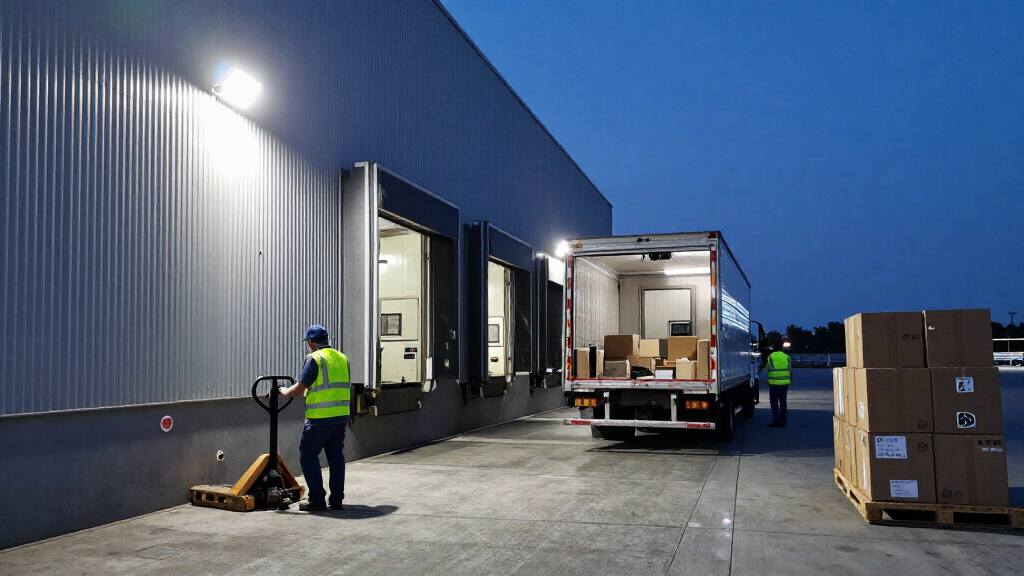
A dock has different surveillance needs from a front porch: vehicles move through a large space, activity can happen outside the camera’s main view, and lighting conditions change sharply between day and night. I’d plan the installation around what must be visible and reviewable, then select a camera whose coverage and recording setup match that plan.
Start With the Evidence You Need
Decide what a useful clip must show: a person’s face, a vehicle’s direction, a package handoff, or activity across a full bay. Resolution alone does not determine identification quality; distance, lens angle, motion, lighting, and camera placement all shape the result. A wide view can reduce blind spots but put important subjects farther from the lens, while a narrower view may give a clearer look at one doorway. A common mistake is mounting high for a broad overview and then expecting recognizable detail from small figures below. If an incident may require formal evidence, confirm the camera’s actual image quality and retention process with a site-specific test before relying on it.
Match Coverage to Bay Layout
Sketch each dock door, vehicle approach, pedestrian route, and likely obstruction before selecting a field of view. One panoramic camera may cover multiple adjacent bays, but trailers, open doors, roof supports, and parked equipment can still block sightlines. Several cameras aimed at distinct zones can provide more useful detail, although they add installation and management work. Avoid aiming a floodlight directly toward drivers or reflective surfaces, where glare can reduce visibility. Check the camera’s mounting limits and intended outdoor placement against the actual height and structure of your dock.
Plan for Night Lighting and Motion
Loading docks often have bright fixtures beside dark corners, which can make night footage uneven even when a camera includes a floodlight. Lighting should support the camera’s view without blinding workers or drivers; test likely approach angles and reflective truck panels. Motion detection can also generate unwanted alerts from headlights, passing traffic, rain, or routine shift activity. Set detection zones around the area that matters, and check whether the camera lets you tune sensitivity or schedules. A floodlight is useful for visibility and deterrence, but it should not be treated as a substitute for safe, consistent work-area lighting.
Choose Recording Around Your Review Needs
Motion-triggered clips may suit a small site that mainly needs alerts, while continuous recording can help fill gaps between events and provide context before an alert begins. Continuous capture can use more storage and may depend on the camera’s specific configuration, network, or service plan. Before buying, find out how footage is stored, how long it remains available, and whether playback is convenient for the people who handle incidents. Do not assume that a camera advertised with recording includes every storage feature without extra setup or limits. Match retention to your workplace policy and the time it typically takes to discover a missing shipment or access issue.
Check Power, Network, and Installation Constraints
These wired models need a suitable power source, and a reliable camera view also depends on a dependable network connection. Verify power access and Wi-Fi at the intended mounting point, not just inside the office or warehouse. Metal walls, dock equipment, and long distances can weaken wireless signals; a high-resolution camera may be less useful if its connection drops during busy periods. Confirm whether installation requires an electrician, a suitable junction box, or changes to existing lighting. For a multi-camera site, think through account access, alert ownership, and who will maintain the system after installation.
Set Expectations for Commercial Use
Consumer floodlight cameras can suit a small facility or supplement a larger security setup, but they may not meet every business’s requirements for centralized monitoring, access control, retention, or compliance. Check privacy rules and workplace policies before recording dock activity, especially where employees, neighboring property, or public areas may be in view. Decide who can view or export footage and how access will be removed when roles change. If you need coordinated cameras across a large site, formal evidence handling, or guaranteed coverage, compare these options with commercial surveillance equipment and professional installation. Paying more for resolution will not solve a mismatch in system management or coverage design.
Frequently Asked Questions
Can one floodlight camera cover several loading dock doors?
It can, if the doors sit within the camera’s usable field of view and nothing regularly blocks the view. A panoramic model such as the REOLINK is the lineup’s clearest candidate for covering a wider span from one position. Wide coverage may reduce the detail available for people or objects farther from the camera, so check whether the goal is general activity awareness or identification. For separated bays or frequent trailer obstructions, multiple viewpoints may work better than one camera. Map the view at the planned mounting height before committing to a single-camera layout.
Is 24/7 recording worth choosing over motion-triggered clips?
Continuous recording can help when you need context before an alert or when activity may not trigger motion detection reliably. It can also create more footage to store and review, so check the specific camera’s storage method, retention limits, and any service requirements. Motion clips may be easier to manage for a low-traffic dock, but they can miss activity outside configured zones or during detection gaps. Think about how quickly your team usually discovers an incident and how far back it needs to review. Choose recording based on that workflow, not on the feature label alone.
Will a high-resolution camera identify faces or license plates at a dock?
A higher resolution can preserve more image detail, but it cannot guarantee identification. Distance, camera angle, motion blur, nighttime lighting, and glare from vehicle surfaces all affect what a clip shows. A wide-angle view trades some subject size for more area, which is useful for coverage but may work against fine detail at the far edge. Mounting a camera closer to the target zone or adding a dedicated view may matter more than moving from one resolution tier to another. For identification-critical areas, validate the image at the actual installation position and under both day and night conditions.
What should I check before mounting a wired floodlight camera?
Confirm there is suitable power at the planned location and that the surface can support the fixture securely. Check local installation requirements, especially if the work involves existing electrical wiring or a junction box. Test network signal at dock height because warehouse walls, metal structures, and equipment can interfere with Wi-Fi. Aim the camera to avoid blind spots, glare, and unnecessary views of neighboring property or public areas. Planning these details first can prevent a camera from being installed in a position that looks convenient but produces unusable footage.
Are consumer floodlight cameras enough for a commercial loading dock?
They may suit a small operation that needs basic lighting, alerts, and remote video access, but the right fit depends on the site’s security and recordkeeping needs. Check whether the system offers the retention, user controls, playback, and multi-camera oversight your team requires. Workplace privacy rules and internal footage-handling policies still apply, even with a consumer camera. Larger or higher-risk facilities may need a professionally designed system with coordinated coverage and centralized management. Treat a floodlight camera as one part of a dock security plan rather than a complete substitute for it.
Conclusion
For a single dock or small facility seeking a balanced mix of coverage, lighting, and communication, I’d choose the Ring Floodlight Cam Wired Pro as best overall. The best value for a straightforward setup is the Blink Wired Floodlight Camera, especially for buyers who can accept its stated HD detail rather than prioritize 3K or 4K. For a premium feature emphasis, the REOLINK Elite 4K 180° is my pick when broad multi-bay coverage matters most; buyers focused on reviewing activity throughout the day should look closely at Aosu’s 24/7 recording. For beginners, I’d favor a simpler Blink installation and a clearly defined single-camera zone. If your dock needs face-level identification across multiple doors, continuous business-wide monitoring, or managed retention, choose a purpose-built commercial setup instead of expecting one consumer floodlight camera to cover every need.