For most small-business owners, I’d start with the Lenovo L15 as the best overall pick for a straightforward second screen, while the Dell Pro 14 Plus P1425 stands out for buyers who want a more compact business-focused display. The Ingnok foldable dual monitor and Xebec Tri-Screen 3 offer a different proposition: more workspace in one portable setup, at the cost of added bulk and setup complexity. Choosing among portable monitors for small business means balancing screen area, compatibility, transport weight, and how reliably a monitor fits into your daily workflow. A basic single screen is often easier to carry and manage, while larger or multi-screen designs can make travel and desk setup less simple. Read on for the full breakdown and guidance on matching a monitor to your work style.

Get business pricing on office and shipping supplies
- Business-only prices and quantity discounts
- Tax-exempt purchasing
- Multiple users, one account, clear invoices
Key Takeaways
- The Lenovo L15 is the roundup’s practical all-around choice: its conventional 15.6-inch Full HD format suits common office tasks without requiring a multi-screen attachment.
- The Dell Pro 14 Plus P1425 favors portability over workspace: its smaller 14-inch format is a better match for compact work bags and tight travel setups than larger 15.6- and 18.5-inch options.
- Foldable dual and triple-screen designs are specialist tools: Ingnok, Upperizon, Screnex, and Xebec can expand laptop workspace, but their additional panels bring more setup, compatibility, and carrying considerations.
- A larger display is not automatically a better business buy: COOLHOOD’s 18.5-inch screen offers more viewing area, while a standard 15.6-inch model is easier to fit into many mobile work routines.
- Several single-screen models serve similar basic roles: ASUS, ViewSonic, Acer, KYY, MNN, InnoView, Anyuse, and KYY K3-1 should be compared by connection needs, included cover or stand, and the support details that matter to a business.
| Lenovo L15 15.6-Inch Portable Full HD Monitor |  | Best for an Adjustable Workstation | Screen size: 15.6 inches | Resolution: 1920 x 1080 (Full HD) | Panel: IPS | VIEW LATEST PRICE | See Our Full Breakdown |
| ASUS ZenScreen MB169CK 15.6-inch FHD Portable Monitor | 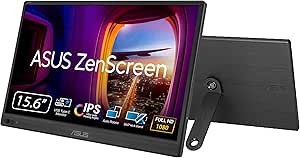 | Best for Frequent Travel | Screen size: 15.6 inches | Resolution: 1920 x 1080 (FHD) | Panel: IPS, anti-glare | VIEW LATEST PRICE | See Our Full Breakdown |
| InnoView 15.6-Inch FHD Portable Monitor with Protective Case |  | Best for Mixed-Device Setups | Screen size: 15.6 inches | Resolution: 1920 x 1080 | Display: IPS LCD, matte | VIEW LATEST PRICE | See Our Full Breakdown |
| Dell Pro 14 Plus P1425 Portable Monitor |  | Best for Bright, Space-Conscious Work | Screen size: 14 inches | Resolution: 1920 x 1200 (WUXGA) | Aspect ratio: 16:10 | VIEW LATEST PRICE | See Our Full Breakdown |
| Ingnok 15.6-Inch Foldable Dual Portable Monitor |  | Best for Expanding a Laptop into a Three-Screen Desk | Screen configuration: Two 15.6-inch displays | Resolution: 1920 x 1080 (FHD) per display | Aspect ratio: 16:9 | VIEW LATEST PRICE | See Our Full Breakdown |
| Anyuse 15.6-Inch FHD IPS Portable Monitor |  | Best for Flexible Connections | Screen size: 15.6 inches | Resolution: 1920 × 1080 (FHD) | Display: IPS LCD with HDR | VIEW LATEST PRICE | See Our Full Breakdown |
| ViewSonic VA1653 15.6-Inch 1080p Portable IPS Monitor |  | Best for a More Complete Travel Kit | Screen size: 15.6 inches | Resolution: 1920 × 1080 | Display technology: IPS LCD | VIEW LATEST PRICE | See Our Full Breakdown |
| COOLHOOD 18.5-Inch FHD 120Hz Portable Monitor |  | Best for a Larger, Smoother Workspace | Screen size: 18.5 inches | Resolution: 1920 × 1080 (FHD) | Panel: IPS, matte finish | VIEW LATEST PRICE | See Our Full Breakdown |
| Screnex 15.6-Inch Triple Laptop Screen Extender, Dual FHD IPS Monitors |  | Best for Maximum Workspace on a Compatible Laptop | Panels: Two 15.6-inch screens | Resolution: 1920 × 1080 per panel | Display technology: IPS LED | VIEW LATEST PRICE | See Our Full Breakdown |
| Xebec Tri-Screen 3 Portable Triple Monitor for PCs |  | Best for a Cleaner Single-Cable Triple-Screen Setup | Panels: Two 13.3-inch displays | Resolution: 1920 × 1080 per screen | Display type: LED, matte finish | VIEW LATEST PRICE | See Our Full Breakdown |
| KYY 15.6-Inch 1080p Portable Monitor with Smart Cover | 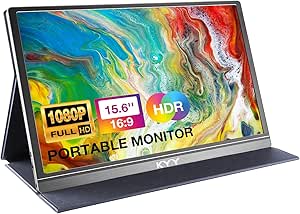 | Best All-Round Single-Screen Pick | Screen size: 15.6 inches | Resolution: 1920 × 1080 | Display type: IPS | VIEW LATEST PRICE | See Our Full Breakdown |
| MNN 15.6-inch FHD Portable Monitor |  | Best for Simple Office Setups | Screen size: 15.6 inches | Resolution: 1920 × 1080 (Full HD) | Panel type: IPS | VIEW LATEST PRICE | See Our Full Breakdown |
| Acer PM161Q 15.6-Inch Full HD Portable Monitor |  | Best for Warranty-Minded Buyers | Screen size: 15.6 inches | Resolution: 1920 × 1080 (Full HD) | Display type: IPS LCD, matte | VIEW LATEST PRICE | See Our Full Breakdown |
| Upperizon Foldable Dual-Screen Portable Monitor, 15.6-Inch FHD IPS |  | Best for Triple-Screen Productivity | Displays: Two 15.6-inch screens | Resolution: 1920 × 1080 per display | Panel technology: IPS LCD | VIEW LATEST PRICE | See Our Full Breakdown |
| KYY K3-1 15.6-Inch 1080p Portable Monitor |  | Best Lightweight Pick with Stated Brightness | Screen size: 15.6 inches | Resolution: 1920 × 1080 | Panel type: IPS LCD | VIEW LATEST PRICE | See Our Full Breakdown |
| portable monitors for small business | Resolution | Refresh rate | Weight | Brightness |
|---|---|---|---|---|
| Lenovo L15 15.6-Inch Portable | 1920 x 1080 (Full HD) | 60 Hz | 4.7 pounds | 250 nits |
| ASUS ZenScreen MB169CK 15.6-in | 1920 x 1080 (FHD) | 60 Hz | 960 g (also listed as 0.78 kg) | 300 nits |
| InnoView 15.6-Inch FHD Portabl | 1920 x 1080 | 60 Hz | 2.7 pounds | 250 cd/m² |
| Dell Pro 14 Plus P1425 Portabl | 1920 x 1200 (WUXGA) | 144 Hz | 0.65 kg | 400 cd/m² |
| Ingnok 15.6-Inch Foldable Dual | 1920 x 1080 (FHD) per display | 60 Hz | 2.63 kg | 320 cd |
| Anyuse 15.6-Inch FHD IPS Porta | 1920 × 1080 (FHD) | 60 Hz | About 1.4 pounds | 300 cd/m² |
| ViewSonic VA1653 15.6-Inch 108 | 1920 × 1080 | 60 Hz | 1.5 pounds | 250 nits |
| COOLHOOD 18.5-Inch FHD 120Hz P | 1920 × 1080 (FHD) | 120 Hz | 1.2 kg | 500 cd |
| Screnex 15.6-Inch Triple Lapto | 1920 × 1080 per panel | 60 Hz | 3.9 pounds | 280 cd/m² |
| Xebec Tri-Screen 3 Portable Tr | 1920 × 1080 per screen | 60 Hz | 3.6 pounds (description) | Adjustable up to 300 nits |
| KYY 15.6-Inch 1080p Portable M | 1920 × 1080 | — | 1.7 lb | — |
| MNN 15.6-inch FHD Portable Mon | 1920 × 1080 (Full HD) | 60 Hz | — | — |
| Acer PM161Q 15.6-Inch Full HD | 1920 × 1080 (Full HD) | 60 Hz | 2.45 lb | — |
| Upperizon Foldable Dual-Screen | 1920 × 1080 per display | 60 Hz | 4.51 lb | 300 nits |
| KYY K3-1 15.6-Inch 1080p Porta | 1920 × 1080 | 60 Hz | 1.7 lb | 300 cd/m² |
More Details on Our Top Picks
Lenovo L15 15.6-Inch Portable Full HD Monitor
The Lenovo L15 suits small-business owners who want a portable second screen that can be positioned more like a desk monitor. Its height-adjustable stand is a practical difference from the ASUS ZenScreen MB169CK’s 360-degree kickstand, which offers flexible angles but not the same stated height adjustment. The 15.6-inch Full HD IPS panel and 178-degree viewing angle make it a sensible match for spreadsheets, email, and shared document reviews. Two USB-C ports give compatible setups more connection flexibility than a single-port design, though the listing does not specify HDMI. The tradeoff is portability: at 4.7 pounds, it is heavier than the ASUS and Dell options, and its 250-nit brightness is less suited to bright spaces. I’d choose it for office-to-home moves, not frequent air travel.
Pros:- Height-adjustable stand helps set a more comfortable screen position at a desk.
- 15.6-inch Full HD IPS screen provides a familiar workspace for documents and business apps.
- 178-degree viewing angle supports viewing from off-center positions.
- Two USB-C ports offer connection flexibility.
Cons:- At 4.7 pounds, it is heavier than the ASUS ZenScreen MB169CK and Dell Pro 14 Plus P1425.
- 250-nit brightness is a limitation in brightly lit work areas.
- No HDMI connection is listed.
Best for: Small-business owners who move between a home office and a client workspace and want an adjustable second-screen position.
Not ideal for: Frequent travelers or people working in bright rooms, because the listed 4.7-pound weight adds baggage and 250-nit brightness may feel limited.
- Screen size:15.6 inches
- Resolution:1920 x 1080 (Full HD)
- Panel:IPS
- Brightness:250 nits
- Refresh rate:60 Hz
- Ports:Two USB-C
- Stand:Height-adjustable
- Weight:4.7 pounds
Our verdict“Choose the Lenovo L15 if desk adjustability matters more than keeping your travel kit light.”
ASUS ZenScreen MB169CK 15.6-inch FHD Portable Monitor
For a consultant or small-business owner who carries a second screen between appointments, the ASUS ZenScreen MB169CK puts portability first. Its 11.8 mm profile and listed weight of 0.78 kg make it easier to pack than the Lenovo L15, while the 300-nit anti-glare IPS panel offers a brightness advantage over Lenovo’s 250-nit display. The 360-degree kickstand and tripod socket give it more placement options than the InnoView’s cover-stand arrangement. ASUS lists dual USB-C and Mini-HDMI connectivity, but its single-cable power-and-video convenience depends on a laptop that supports DisplayPort Alt Mode. That compatibility requirement can complicate mixed-device offices. At 60 Hz, it is built for business tasks rather than high-refresh motion. I’d pick it for mobile work, not as a gaming-focused screen.
Pros:- Slim 11.8 mm profile and low listed weight suit a portable work kit.
- 300-nit anti-glare IPS display is brighter on paper than the Lenovo L15 and InnoView.
- 360-degree kickstand and tripod socket allow flexible placement.
- Dual USB-C and Mini-HDMI provide more connection choices than USB-C-only designs.
Cons:- Single-cable power and video require DisplayPort Alt Mode support from the laptop.
- 60 Hz refresh rate is not aimed at high-refresh gaming.
- The listed weight figures are inconsistent: 960 g and 0.78 kg.
Best for: Consultants and remote workers who regularly carry a monitor with a laptop and want flexible positioning for temporary workspaces.
Not ideal for: Buyers with laptops lacking DisplayPort Alt Mode who expect one-cable operation, or users seeking a high-refresh gaming display.
- Screen size:15.6 inches
- Resolution:1920 x 1080 (FHD)
- Panel:IPS, anti-glare
- Brightness:300 nits
- Refresh rate:60 Hz
- Connectivity:Dual USB-C, Mini-HDMI
- Thickness:11.8 mm
- Weight:960 g (also listed as 0.78 kg)
- Warranty:3 years
Our verdict“Pick the ASUS ZenScreen MB169CK for a lightweight, flexible travel display, provided your laptop supports its one-cable mode.”
InnoView 15.6-Inch FHD Portable Monitor with Protective Case
The InnoView makes sense for a small business that connects a monitor to more than one kind of device. Its USB-C and HDMI inputs suit compatible laptops, tablets, and other HDMI sources, while the Lenovo L15 lists USB-C only. The included PU leather cover doubles as an adjustable stand, and landscape and portrait orientation support can help with document review or long pages. Compared with the ASUS ZenScreen MB169CK, InnoView offers a stated 18-month warranty but has lower listed brightness at 250 cd/m². Its matte 15.6-inch IPS screen is a practical size for portable office work, though the HDMI connection needs a separate power cable that is not included. USB-C video also requires a compatible DisplayPort Alt Mode or Thunderbolt device, and insufficient power may cause flicker or restarts.
Pros:- USB-C and HDMI inputs accommodate a wider range of compatible devices than the Lenovo L15.
- Protective cover doubles as an adjustable stand for travel and desk use.
- Landscape and portrait orientations support varied document and presentation tasks.
- Matte IPS display has a 178-degree viewing angle.
Cons:- HDMI use requires a separate power cable, which is not included.
- USB-C video depends on DisplayPort Alt Mode or Thunderbolt compatibility.
- Insufficient power from the connected device may cause flicker or restarts.
Best for: Small teams that need to connect a portable screen to compatible USB-C laptops and HDMI-equipped devices, with occasional portrait use.
Not ideal for: Workers who need a simple, reliable HDMI setup without sourcing separate power, or users whose USB-C devices lack video output support.
- Screen size:15.6 inches
- Resolution:1920 x 1080
- Display:IPS LCD, matte
- Brightness:250 cd/m²
- Refresh rate:60 Hz
- Ports:2 full-function USB-C, 1 HDMI
- Weight:2.7 pounds
- Power consumption:18 watts
- Warranty:18 months
Our verdict“Choose the InnoView if varied device connections and portrait orientation matter more than a straightforward, fully specified power setup.”
Dell Pro 14 Plus P1425 Portable Monitor
The Dell Pro 14 Plus P1425 stands apart from the 15.6-inch Lenovo L15 and InnoView by trading some screen area for a lighter, higher-brightness work display. Its 14-inch, 16:10 WUXGA panel adds vertical workspace compared with a standard 16:9 Full HD screen, which can reduce scrolling through documents and spreadsheets. At a listed 0.65 kg and 400 cd/m², it is a compelling fit for a small-business owner carrying a monitor or working near windows. The 10°–90° tilt stand, VESA compatibility, and sleeve with cable storage add flexibility that the InnoView cover setup does not list. The main compromise is the glossy finish, which can reflect lights, plus the smaller screen. Its 144 Hz listing is unusual for this category, but the supplied data does not establish that as a key business advantage.
Pros:- 16:10 WUXGA resolution provides more vertical workspace than 16:9 Full HD monitors such as the Lenovo L15.
- Listed 0.65 kg weight supports a lighter travel setup.
- 400 cd/m² brightness is higher on paper than the other listed monitors in this batch.
- Wide tilt range, VESA compatibility, and sleeve with cable storage offer flexible setup options.
Cons:- Glossy screen finish may reflect overhead lighting or windows.
- 14-inch screen is smaller than the 15.6-inch Lenovo, ASUS, and InnoView displays.
- Listed dimensions may make it less compact than some portable monitors.
Best for: Mobile professionals who want a lighter screen with extra vertical workspace for documents and need a brighter panel for varied work settings.
Not ideal for: Buyers who prefer a larger 15.6-inch display or often work under direct lights where the glossy finish may reflect.
- Screen size:14 inches
- Resolution:1920 x 1200 (WUXGA)
- Aspect ratio:16:10
- Brightness:400 cd/m²
- Refresh rate:144 Hz
- Connectivity:HDMI, USB Type-C
- Weight:0.65 kg
- Stand adjustment:10° to 90° tilt
- Mounting:VESA-compatible
Our verdict“Pick the Dell P1425 if low carry weight, extra vertical workspace, and higher listed brightness outweigh screen size and glare concerns.”
Ingnok 15.6-Inch Foldable Dual Portable Monitor
When a small-business owner needs several working windows visible at once, the Ingnok’s two 15.6-inch FHD panels offer a bigger workspace change than any single-screen pick here. It can extend a laptop into a three-screen setup for tasks such as keeping a video call, spreadsheet, and reference material open together. The foldable design, built-in adjustable stand, and automatic screen rotation give it more flexibility than the single-panel ASUS ZenScreen MB169CK, while its matte finish and stated 100.01% color gamut suit a broad range of office content. The cost of that expanded workspace is substantial: 2.63 kg makes it much less convenient to carry than the Dell P1425 or ASUS. Its response time is listed at 25 ms, and warranty information conflicts between 18 months and one year.
Pros:- Two 15.6-inch FHD screens create substantially more workspace than single-panel options such as the ASUS ZenScreen MB169CK.
- Foldable design and adjustable stand support a compact setup when not in use.
- Matte finish and stated 100.01% color gamut support varied office and visual tasks.
- USB-C and Mini HDMI provide connection options.
Cons:- At 2.63 kg, it is much heavier than the ASUS ZenScreen MB169CK and Dell Pro 14 Plus P1425.
- 25 ms listed response time is slower than the response times specified for the other batch products.
- Warranty duration is inconsistent in the product data: 18 months and one year are both listed.
Best for: Small-business users who regularly multitask across several applications and can leave the dual-screen unit set up at a desk or carry the extra weight.
Not ideal for: Frequent travelers, one-screen-only users, or buyers who need clear warranty terms and a lighter portable display.
- Screen configuration:Two 15.6-inch displays
- Resolution:1920 x 1080 (FHD) per display
- Aspect ratio:16:9
- Brightness:320 cd
- Color gamut:100.01%
- Refresh rate:60 Hz
- Connectivity:USB Type-C, Mini HDMI
- Weight:2.63 kg
- Warranty:Listed as 18 months and 1 year
Our verdict“Choose the Ingnok when simultaneous screen space matters more than easy travel or a light laptop bag.”
Anyuse 15.6-Inch FHD IPS Portable Monitor
I’d shortlist the Anyuse for small-business owners who need a straightforward second screen that can connect to more than one kind of device. Its USB-C and Mini HDMI inputs make it more adaptable than the ViewSonic VA1653 when a laptop lacks a suitable USB-C video port or when I also want to connect a console. At 1.4 pounds, it’s easy to pack for client visits, while the 15.6-inch matte IPS display gives spreadsheets and documents useful extra room without demanding a large desk.
The tradeoff is a 60 Hz refresh rate, which is fine for office work but offers no advantage for fast motion. USB-C video also depends on DP Alt Mode or Thunderbolt support, so the port alone doesn’t guarantee a one-cable setup. I’d choose this over a dual-screen extender when portability and simpler setup matter more than maximizing screen space.
Pros:- USB-C and Mini HDMI support provide flexibility across compatible laptops and other devices.
- At about 1.4 pounds, it is easy to carry between offices or client meetings.
- Full HD matte IPS panel offers broad viewing angles for document work.
- Built-in speakers and a stated two-year warranty add practical extras.
Cons:- USB-C video requires a compatible DP Alt Mode or Thunderbolt device.
- The 60 Hz refresh rate is aimed at routine office tasks, not smoother high-refresh motion.
Best for: Mobile consultants and small-business owners who want one lightweight display for laptops with USB-C or Mini HDMI, including compatible devices without USB-C video.
Not ideal for: Buyers who need a high-refresh display or expect every USB-C laptop to send video without checking for DP Alt Mode or Thunderbolt support.
- Screen size:15.6 inches
- Resolution:1920 × 1080 (FHD)
- Display:IPS LCD with HDR
- Refresh rate:60 Hz
- Brightness:300 cd/m²
- Ports:2 USB-C, 1 Mini HDMI
- Weight:About 1.4 pounds
- Warranty:2 years
Our verdict“Choose the Anyuse if you want a lightweight business display with both USB-C and Mini HDMI, and can confirm your laptop supports video over USB-C.”
ViewSonic VA1653 15.6-Inch 1080p Portable IPS Monitor
The ViewSonic VA1653 earns its place by pairing a familiar 15.6-inch Full HD format with useful travel accessories: a foldable stand and protective sleeve. That makes it a stronger ready-to-carry choice than the Anyuse if I want the case and support included rather than relying on separate accessories. Its matte IPS screen, portrait and landscape support, and USB-C or mini HDMI connections suit common small-business tasks such as keeping email open beside a document or reviewing a long page vertically.
There are limits: 250 nits is less bright than the Anyuse’s listed 300 cd/m², which may matter near bright windows, and the 60 Hz panel is built for office work rather than high-refresh motion. It is also not a replacement for a triple-screen extender when a workflow needs several documents visible at once. The stated three-year limited warranty is a practical distinction for buyers keeping equipment in regular service.
Pros:- Foldable stand and protective sleeve make the travel setup more self-contained.
- Matte Full HD IPS screen supports broad viewing angles and portrait or landscape use.
- USB-C supports two-way power delivery, with mini HDMI as another connection option.
- Three-year limited warranty is longer than the Anyuse’s stated two-year warranty.
Cons:- 250-nit brightness is lower than the Anyuse’s 300 cd/m² specification.
- A 60 Hz refresh rate is sufficient for office work but not a high-refresh upgrade.
- USB-C or mini HDMI compatibility must match the laptop’s available video output.
Best for: Frequent travelers and client-facing professionals who want a standard portable screen with a stand, sleeve, and both USB-C and mini HDMI connectivity.
Not ideal for: People who work outdoors or beside bright windows and need more brightness, or users who need multiple added screens from one laptop.
- Screen size:15.6 inches
- Resolution:1920 × 1080
- Display technology:IPS LCD
- Brightness:250 nits
- Refresh rate:60 Hz
- Connectivity:USB-C, mini HDMI
- Weight:1.5 pounds
- Warranty:3-year limited
Our verdict“Pick the VA1653 if you want a travel-ready single screen with its stand and sleeve included and value its longer stated warranty over higher brightness.”
COOLHOOD 18.5-Inch FHD 120Hz Portable Monitor
For a small business that uses one external screen as a shared workspace for spreadsheets, dashboards, and presentations, I’d favor the COOLHOOD’s 18.5-inch panel over the 15.6-inch Anyuse or ViewSonic. Its larger surface can reduce window shuffling, while the 120 Hz refresh rate makes scrolling and motion look smoother than on those 60 Hz alternatives. The listed 500 cd brightness and 125% sRGB gamut also make it the more ambitious display on paper, and its matte screen helps keep reflections in check.
That extra screen area comes with a less compact footprint; it is about 1.2 kg, so I’d treat it as portable between work locations rather than the lightest daily bag companion. The cover doubles as a stand, and 75 × 75 mm VESA mounting adds desk flexibility the smaller single-screen picks lack. One-cable USB-C operation still depends on a full-featured compatible port, so I’d verify the laptop before relying on it.
Pros:- 18.5-inch Full HD panel provides more working area than the 15.6-inch Anyuse and ViewSonic.
- 120 Hz refresh rate supports smoother scrolling and motion than the lineup’s 60 Hz single-screen options.
- Cover doubles as an adjustable stand, and VESA holes allow another mounting route.
- Listed 500 cd brightness and 125% sRGB gamut set it apart on display specifications.
Cons:- At about 1.2 kg, it is heavier than the Anyuse and ViewSonic for frequent daily carry.
- One-cable USB-C operation requires a compatible full-featured USB-C or Thunderbolt port.
- Its larger size takes up more desk and bag space than a 15.6-inch portable monitor.
Best for: Small-business owners who move between workspaces but want a larger single screen for spreadsheets, presentations, and smoother on-screen motion.
Not ideal for: Daily commuters prioritizing the smallest, lightest carry, or laptop owners whose USB-C ports do not support video and power features required for their setup.
- Screen size:18.5 inches
- Resolution:1920 × 1080 (FHD)
- Panel:IPS, matte finish
- Refresh rate:120 Hz
- Brightness:500 cd
- Color gamut:125% sRGB
- Connectivity:Dual full-function USB-C, mini HDMI
- Weight:1.2 kg
- Mounting:75 × 75 mm VESA
Our verdict“Choose the COOLHOOD if screen area and a 120 Hz panel matter more to your mobile office than carrying the most compact monitor.”
Screnex 15.6-Inch Triple Laptop Screen Extender, Dual FHD IPS Monitors
The Screnex is a different kind of portable-monitor pick: instead of adding one screen like the Anyuse, it adds two 15.6-inch Full HD panels to create a triple-screen setup. That can help a bookkeeper compare records, a sales team track a presentation beside notes, or an analyst keep several windows visible without constantly switching. Its freestanding aluminum design avoids clamping onto the laptop display, and the included cables, power adapter, and carry case make it more of a complete workstation kit than a basic portable panel.
This added workspace costs weight and setup simplicity. At 3.9 pounds, it is far less convenient to carry than the single-screen ViewSonic, and the easiest setup calls for two full-function USB-C ports. Some laptops, including M1–M3 MacBooks, need an extra cable and driver. I’d check the exact computer compatibility before buying; for users who only need one extra screen, the Anyuse is the simpler choice.
Pros:- Two added Full HD IPS panels create substantially more workspace than a single portable monitor.
- Freestanding aluminum design does not clamp onto the laptop screen.
- Mirror, extended, and portrait modes support different work layouts.
- Includes cables, power adapter, and carry case.
Cons:- At 3.9 pounds, it is much heavier to carry than the Anyuse or ViewSonic.
- Simplest setup requires two full-function USB-C ports.
- Some laptops, including M1–M3 MacBooks, require an extra cable and driver.
Best for: Laptop-based analysts, bookkeepers, and sales professionals who regularly work across several documents and have a compatible computer for a dual-panel extender.
Not ideal for: Frequent commuters seeking a light single-screen monitor, or laptop users unwilling to check port, operating-system, cable, and driver requirements.
- Panels:Two 15.6-inch screens
- Resolution:1920 × 1080 per panel
- Display technology:IPS LED
- Refresh rate:60 Hz
- Brightness:280 cd/m²
- Weight:3.9 pounds
- Supported laptop size:13–17.3 inches
- Display modes:Mirror, extended, portrait
- Compatibility:Windows, Mac, Android, Chrome OS
Our verdict“Choose the Screnex when a compatible laptop and multi-window workload justify carrying two extra displays instead of one.”
Xebec Tri-Screen 3 Portable Triple Monitor for PCs
The Xebec Tri-Screen 3 also adds two screens, but its 13.3-inch panels and single USB-C connection make it a more compact, cable-simple alternative to the larger Screnex. For a small-business owner who wants extra space for a calendar, chat, and working document, that one-cable connection with up to 60W pass-through charging can reduce setup clutter while keeping a compatible laptop powered. The matte Full HD displays, adjustable brightness, aluminum construction, and travel case suit a mobile workstation better than a fixed desk arrangement.
The compromise is smaller panels than Screnex’s 15.6-inch screens, so dense spreadsheets and side-by-side documents have less room. It also weighs 3.6 pounds according to the description, making it a substantial addition to a travel bag, and it requires a compatible USB-C laptop. I’d choose Screnex for larger added screens and broader listed operating-system compatibility; Xebec makes more sense when one-cable setup and pass-through charging take priority.
Pros:- Two Full HD panels add a triple-screen workspace to a compatible laptop.
- Single USB-C connection supports display use and up to 60W pass-through charging.
- Matte screens have adjustable brightness up to 300 nits.
- Aluminum construction and included travel case suit mobile work.
Cons:- 13.3-inch panels provide less viewing area than the Screnex’s 15.6-inch screens.
- The stated 3.6-pound weight is a considerable addition for frequent travel.
- Requires a compatible laptop with USB-C connectivity.
Best for: Mobile professionals with a compatible USB-C laptop who want two added screens and pass-through charging through a simpler single-cable connection.
Not ideal for: Buyers who need larger extender panels, lack a compatible USB-C laptop, or want to minimize the weight of their daily carry.
- Panels:Two 13.3-inch displays
- Resolution:1920 × 1080 per screen
- Display type:LED, matte finish
- Refresh rate:60 Hz
- Brightness:Adjustable up to 300 nits
- Connectivity:USB Type-C
- Pass-through charging:Up to 60W
- Weight:3.6 pounds (description)
- Warranty:1 year
Our verdict“Pick the Xebec if you want two added screens with a single USB-C connection and charging pass-through, and can accept smaller panels and extra carry weight.”
KYY 15.6-Inch 1080p Portable Monitor with Smart Cover
For a small-business owner who needs a second screen that can move between client meetings, a home office, and a laptop bag, this KYY balances portability with useful connections. Its 15.6-inch Full HD IPS display gives spreadsheets and side-by-side documents more room than a laptop alone, while USB-C and Mini-HDMI allow different connection routes. Compared with the MNN 15.6-inch FHD Portable Monitor, this model adds built-in speakers, which can be handy for calls or presentations when external audio is inconvenient. The magnetic cover doubles as a stand and protects the panel in transit, but offers only two viewing-angle grooves. USB-C video also depends on device compatibility, so buyers should check their laptop before relying on a single cable.
Pros:- 15.6-inch Full HD IPS panel with a 178° viewing angle
- USB-C and Mini-HDMI connectivity support multiple device setups
- Magnetic cover protects the screen and folds into a stand
- Built-in speakers and headphone input provide convenient audio options
Cons:- Single-cable USB-C video requires a compatible device
- The cover provides only two stand positions
- Built-in speakers may not replace dedicated audio for larger meetings
Best for: Consultants and small-business owners who travel with a compatible USB-C laptop and want one portable screen with built-in audio.
Not ideal for: People who need fine-grained stand adjustment, or buyers whose USB-C device does not support video output and who cannot use Mini-HDMI.
- Screen size:15.6 inches
- Resolution:1920 × 1080
- Display type:IPS
- Connectivity:2 full-function USB-C ports, Mini-HDMI
- Viewing angle:178°
- Audio:2 built-in speakers; 3.5 mm audio input
- Weight:1.7 lb
- Included accessory:PU leather magnetic cover and stand
Our verdict“Choose this KYY for a portable, well-connected second screen with built-in audio, provided its limited stand positions suit your work setup.”
MNN 15.6-inch FHD Portable Monitor
The MNN is a practical choice when a small business needs a straightforward extra display for documents, browser tabs, or client presentations rather than a feature-heavy workstation. Its 15.6-inch Full HD IPS screen, HDR support, and 178° viewing angle provide familiar, flexible viewing, while the cover can prop the panel in either landscape or portrait orientation. Compared with the KYY 15.6-Inch 1080p Portable Monitor with Smart Cover, the MNN lists blue-light reduction and flicker-free features but does not specify built-in speakers, so it is better suited to text-focused work than presentation audio. Its USB-C video connection requires DisplayPort Alt Mode, and the listing does not mention a battery; plan to power it from a connected device or suitable supply rather than treating it as self-powered.
Pros:- Full HD IPS display with a 178° viewing angle
- USB-C and HDMI connectivity options
- Cover stand supports landscape and portrait use
- HDR, blue-light reduction, and flicker-free features are listed
Cons:- USB-C video requires DisplayPort Alt Mode compatibility
- Built-in speakers are not specified
- No battery is listed, so users should plan for external power
Best for: Solo operators and office staff who want a basic portable screen for documents and spreadsheets, with landscape and portrait placement.
Not ideal for: People who need built-in audio or a self-powered monitor, and anyone whose USB-C device lacks DisplayPort Alt Mode and has no suitable HDMI connection.
- Screen size:15.6 inches
- Resolution:1920 × 1080 (Full HD)
- Panel type:IPS
- Refresh rate:60 Hz
- Connectivity:2 USB-C ports, HDMI
- Viewing angle:178°
- Display features:HDR, blue-light reduction, flicker-free
- Cover:PU leather smart cover and stand
Our verdict“Pick the MNN for a no-frills work screen with flexible orientation, but choose the KYY instead if built-in speakers matter.”
Acer PM161Q 15.6-Inch Full HD Portable Monitor
The Acer PM161Q is a sensible pick for small businesses that prefer a familiar monitor brand and want a stated three-year warranty alongside a portable Full HD screen. Its matte IPS panel can help reduce distracting reflections in bright offices or meeting rooms, and the built-in tilt stand avoids relying on a separate cover as the only support. Compared with the KYY K3-1 15.6-Inch 1080p Portable Monitor, Acer specifies a 4 ms response time and AMD FreeSync, though those features matter more for moving content than routine spreadsheets. The listed weight of 2.45 lb is heavier than several 1.7 lb options in this batch, and the 60 Hz refresh rate is standard rather than a draw for motion-heavy work. Its brightness figure is unclear in the supplied product information.
Pros:- Matte Full HD IPS screen suits glare-prone workspaces
- Built-in tilt adjustment provides direct screen positioning
- USB-C and Mini-HDMI offer alternative connection paths
- Three-year warranty is specified
Cons:- At 2.45 lb, it is heavier than the 1.7 lb KYY models in this batch
- Refresh rate is limited to 60 Hz
- The supplied brightness information is unclear
Best for: Small-business buyers who value a named manufacturer, matte screen, built-in tilt support, and a stated three-year warranty.
Not ideal for: Frequent travelers trying to minimize bag weight, or buyers who need clearly specified brightness before choosing a display for bright environments.
- Screen size:15.6 inches
- Resolution:1920 × 1080 (Full HD)
- Display type:IPS LCD, matte
- Refresh rate:60 Hz
- Response time:4 ms (G to G)
- Connectivity:USB-C, Mini-HDMI
- Weight:2.45 lb
- Warranty:3 years
Our verdict“Choose the Acer if warranty coverage and a matte screen outweigh the extra carry weight and unspecified brightness.”
Upperizon Foldable Dual-Screen Portable Monitor, 15.6-Inch FHD IPS
When one extra screen is not enough for dashboards, email, and active project work, Upperizon’s foldable setup adds two 15.6-inch Full HD displays around a compatible laptop. That can reduce window shuffling for bookkeepers, project managers, and client-service teams handling several applications at once. Its matte panels list 300-nit brightness and 90% sRGB coverage, giving buyers more display detail than the single-screen options from KYY or Acer. The tradeoff is a more involved setup: DisplayLink driver installation is required, and the unit weighs 4.51 lb before the laptop and accessories. It supports specified Windows laptops and Apple silicon MacBooks, but insufficient power may cause flickering. Compared with the single-screen KYY models, this is a workspace expansion choice, not the simplest grab-and-go monitor.
Pros:- Two displays create a three-screen laptop workspace
- Each screen offers Full HD resolution, matte finish, and 90% sRGB coverage
- USB-C and USB-A connection options are listed
- Includes a sleeve, 30W power adapter, and cables
Cons:- Requires DisplayLink driver installation
- At 4.51 lb, it is substantially heavier than the single-screen options
- Flickering may occur if the power supply is insufficient
- No built-in speakers or VESA mounting support
Best for: Mobile professionals who routinely work across several applications and use a compatible Windows laptop or Apple silicon MacBook.
Not ideal for: People who want a light, plug-and-play second screen, or users unwilling to install DisplayLink software or manage additional power needs.
- Displays:Two 15.6-inch screens
- Resolution:1920 × 1080 per display
- Panel technology:IPS LCD
- Brightness:300 nits
- Color gamut:90% sRGB
- Refresh rate:60 Hz
- Connectivity:USB-C or USB-A
- Weight:4.51 lb
- Warranty:2 years
Our verdict“Choose Upperizon when two added screens justify the extra weight, driver setup, and power planning.”
KYY K3-1 15.6-Inch 1080p Portable Monitor
The KYY K3-1 suits small-business travelers who want a conventional second screen with fewer unknowns about its display brightness. The 300 cd/m² specification, Full HD IPS resolution, and 178° viewing angle make it a clear choice for desk work and shared viewing, while dual USB-C and Mini-HDMI provide more than one connection route. Like the KYY 15.6-Inch 1080p Portable Monitor with Smart Cover, it weighs 1.7 lb and includes built-in speakers; the K3-1 also lists a 1000:1 contrast ratio and 60 Hz refresh rate. The folding protective cover doubles as a stand, but its speaker output may be limited for group presentations. USB-C video still depends on device compatibility, so Mini-HDMI may be the safer route for some laptops.
Pros:- 300 cd/m² brightness is specified
- Full HD IPS display with a 178° viewing angle
- Dual USB-C and Mini-HDMI support different device connections
- Lightweight 1.7 lb build includes speakers and a folding protective cover
Cons:- Single-cable USB-C video requires a compatible device
- Built-in speakers may be limited for group listening
- The folding cover offers less stand flexibility than a dedicated adjustable stand
Best for: Traveling consultants and small teams who want a lightweight Full HD screen with a stated brightness specification and built-in audio.
Not ideal for: Buyers who need powerful room-filling sound or a monitor that can provide USB-C video from any laptop without checking compatibility.
- Screen size:15.6 inches
- Resolution:1920 × 1080
- Panel type:IPS LCD
- Refresh rate:60 Hz
- Brightness:300 cd/m²
- Contrast ratio:1000:1
- Connectivity:Dual USB-C, Mini-HDMI
- Weight:1.7 lb
Our verdict“Pick the K3-1 for a lightweight business screen with clearly listed brightness and built-in audio, but use external speakers for larger meetings.”

How We Picked
I ranked these portable monitors around small-business workflows rather than headline specifications alone. The main factors were usable screen size and resolution for office documents, video calls, and multitasking; portability for employees moving between home, client sites, and shared offices; and setup practicality, including how many panels a laptop must support. I also weighed the stand or cover design, connection requirements, and the likely burden of carrying and maintaining a more complex setup.
The ranking puts the Lenovo L15 first as a balanced single-screen starting point, with the Dell Pro 14 Plus P1425 ahead for buyers who place a premium on a smaller footprint. Foldable and triple-screen products rank as purpose-built picks, not universal upgrades: they can provide more simultaneous workspace, but ask buyers to accept more bulk and verify compatibility before purchase. The remaining 15.6-inch models are grouped by their practical role, since similar screen formats make details such as protective covers, setup, and vendor support more useful differentiators than small spec variations alone.
Factors to Consider When Choosing Portable Monitors For Small Business
Before choosing a portable monitor, I’d map the purchase to how your team actually works: where the screen will be used, which devices it must connect to, and whether more workspace is worth carrying. These broader checks can prevent a monitor that looks suitable on paper from becoming an awkward or incompatible part of the work kit.
Match Screen Size to the Work Setting
A 15.6-inch screen is a familiar middle ground for reviewing spreadsheets, documents, and email alongside a laptop display. A 14-inch monitor can be easier to pack and use on a small café table or airplane tray, though it gives less room for side-by-side content. The 18.5-inch COOLHOOD offers a larger viewing area, but buyers should check that their bag and usual work surfaces can accommodate it. Avoid choosing solely by diagonal size: screen aspect ratio, laptop screen height, and how close you sit all affect whether the extra area is useful. If staff mostly work at fixed desks, a portable model may not replace a full-size desktop monitor as comfortably as its screen size suggests. For frequent travel, a smaller screen that is actually carried may serve better than a large one left behind.
Check Ports, Power, and Device Support Before Ordering
Portable monitors can connect through USB-C, HDMI, or a combination, but a USB-C-shaped port does not by itself confirm that a laptop can send video through it. Check the laptop’s specifications for video output support and confirm what cables or adapters the monitor requires. Some setups may also draw power from the computer, which can shorten battery life during meetings or travel. Multi-screen extenders add another layer: confirm that the operating system, graphics hardware, and available ports can run the extra displays at the desired resolution. For a small business, standardizing on a known connection setup can reduce employee support calls and adapter purchases. Test the connection path on the actual laptop model before ordering a batch for the team.
Decide Whether One Extra Screen Is Enough
A single portable monitor often handles the main business need: keeping a document, chat, or reference page visible while working on a laptop. Dual and triple-screen extenders can help people who regularly compare several sources, monitor dashboards, or work across multiple applications at once. The extra panels can also make a mobile desk wider and take longer to set up, so they are not an automatic productivity gain for every employee. Consider whether the user’s software and tasks genuinely benefit from three visible work areas rather than simply opening and switching between windows. For a team, differing employee needs may make a standard single-screen purchase plus a few specialist multi-screen units more practical than giving everyone the same extender. The Ingnok, Upperizon, Screnex, and Xebec options are most relevant when multiple simultaneous views are part of the job.
Treat the Stand and Cover as Part of the Work Setup
A portable monitor needs a stable viewing position, not just a screen that fits in a bag. Covers and folding supports can help protect the panel in transit and prop it up, but buyers should check whether the angle suits their desk and whether the setup stays steady during typing. A weak or inconvenient stand can lead to improvised support, which is particularly frustrating in client offices and shared spaces. Also think about how quickly employees can pack the monitor away without leaving cables, covers, or adapters behind. For business use, a protective case is more than a cosmetic extra if devices travel between locations every week. If staff need adjustable height or alignment with a laptop screen, confirm that the monitor’s included support can meet that need before buying.
Balance Portability Against Durability and Support
Portable equipment faces more handling than a monitor that stays on one desk, so build quality, protection, and a clear support path matter alongside image specifications. Check the manufacturer’s warranty terms, return window, and instructions for replacement or service before equipping multiple employees. A low-complexity single-screen model may be easier to deploy and troubleshoot than a multi-panel system with several connections and moving parts. At the same time, a protective cover and sensible storage routine can reduce the chance of damage during commutes. Small businesses should also account for replacement cables, adapters, and the time needed to help staff set up the display. A purchase that saves setup time across a team can be a better business fit than one that adds features only a few people will use.
Pay for Capabilities Your Team Will Use
It can be tempting to choose the largest screen or the most elaborate multi-display attachment, but extra hardware only earns its place when it supports recurring work. A conventional Full HD portable screen is often enough for documents, browser tools, messaging, and video meetings. A larger 120Hz display may appeal to users who value smoother motion, yet many routine office tasks do not depend on a high refresh rate. Similarly, triple screens can be valuable for a role with constant cross-referencing but wasteful for employees who mostly answer email and join calls. Separate the needs of frequent travelers, desk-based staff, and specialist users before settling on one company-wide model. That approach can support a standard choice for most employees and a more capable setup for the smaller group that benefits from it.
Frequently Asked Questions
Can I connect a portable monitor to any laptop with USB-C?
No. The port’s shape alone does not tell you whether it carries video, and some laptops use USB-C only for data or charging. Check the laptop specifications for video output support, then compare that with the monitor’s connection requirements. If the monitor uses HDMI, confirm that the laptop has an HDMI output or that a suitable adapter is available. For a team purchase, verify the setup on each laptop model you plan to support rather than assuming all USB-C devices behave the same way.
Should I choose a dual-screen extender instead of a standard portable monitor?
Choose a dual-screen extender when the user regularly needs several applications visible at once and works on tasks such as comparing records or monitoring multiple dashboards. A standard portable monitor is usually simpler to carry, set up, and troubleshoot for routine office work. Extenders can require more room, connections, and device support, so check laptop compatibility and the workspace before committing. A small business may get better value by supplying single screens to most employees and reserving extenders for roles with a clear multi-window need.
Is a 14-inch portable monitor too small for spreadsheet work?
Not necessarily: a 14-inch screen can handle spreadsheets when portability and cramped workspaces matter more than displaying many columns at once. It may require more scrolling or zoom adjustment than a 15.6-inch or 18.5-inch display, especially with wide sheets. Consider the size of the laptop screen it will sit beside and whether the user needs both screens for detailed work throughout the day. If employees regularly review large tables, a larger portable display or a fixed office monitor may be a better fit.
Will a portable monitor reduce my laptop’s battery life?
It can, especially when the monitor draws power from the laptop through the same cable used for video. The actual effect varies by laptop, screen brightness, and connection method, so check both devices’ specifications and the monitor’s power options. For long client visits or travel days, plan for access to an outlet or a separate power source if the display supports one. A portable monitor can still be convenient on battery, but it should not be treated as a power-neutral accessory.
What should I check before ordering portable monitors for an entire team?
Start by listing the laptop models, their video-output options, and the adapters or cables each employee would need. Then group staff by work pattern: frequent travelers may favor a compact single screen, while roles with heavy cross-referencing may justify a multi-screen attachment. Check cover and stand practicality, warranty and return terms, and how the equipment will be stored between locations. A pilot with a few users can reveal setup snags before they affect a larger rollout. Standardizing one connection method where possible can also make support and replacement simpler.
Conclusion
For most small businesses, I’d choose the Lenovo L15 as the best overall because its conventional 15.6-inch Full HD format serves common work tasks without the extra complexity of a multi-screen extender. The best value depends on the features your team needs: compare the standard 15.6-inch choices by connection support, included cover, and vendor service rather than assuming similar screens are interchangeable. For a best premium or compact business-focused pick, the Dell Pro 14 Plus P1425 makes sense when a smaller footprint is worth more than maximum screen area. Beginners are likely better served by a straightforward single-screen model than a foldable or triple-screen setup. For specific multi-window needs, consider the Ingnok or Upperizon foldable dual screens, or the Screnex and Xebec triple-screen options, after checking laptop support and workspace dimensions; choose COOLHOOD when a larger screen is the priority. My final advice is to match the display to the employee’s daily routine, then verify the connection on the actual device before buying for a team.